Eco CHRYSLER PACIFICA 2020 Owners Manual
[x] Cancel search | Manufacturer: CHRYSLER, Model Year: 2020, Model line: PACIFICA, Model: CHRYSLER PACIFICA 2020Pages: 516, PDF Size: 28.69 MB
Page 498 of 516
496MULTIMEDIA
TIP:
Voice Text Reply is not compatible with
iPhone®, but if your vehicle is equipped with
Siri® Eyes Free, you can use your voice to send
a text message.
Climate
Adjust vehicle temperatures hands-free and
keep everyone comfortable while you keep
moving ahead. (If vehicle is equipped with
climate control.)
Push the VR button . After the beep, say one
of the following commands:
“Set driver temperature to 70 degrees ”
“Set passenger temperature to 70 degrees ”
TIP:
Voice Command for Climate may only be used
to adjust the interior temperature of your
vehicle. Voice Command will not work to adjust
the heated seats or steering wheel if equipped.
Navigation (4C NAV)
The Uconnect navigation feature helps you save
time and become more productive when you
know exactly how to get to where you want to go.
1. To enter a destination, push the VR button
. After the beep, say: “ Find address
800
Chrysler Drive Auburn Hills, Michigan.”
2. Then follow the system prompts.
TIP:
To start a POI search, push the VR button .
After the beep, say: “ Find nearest coffee shop.”
Siri® Eyes Free — If Equipped
Siri lets you use your voice to send text
messages, select media, place phone calls and
much more. Siri uses your natural language to
understand what you mean and responds back
to confirm your requests. The system is
designed to keep your eyes on the road and
your hands on the wheel by letting Siri help you
perform useful tasks.
To enable Siri, push and hold, then release the
Uconnect Voice Recognition (VR) button on the
steering wheel. After you hear a double beep you can ask Siri to play podcasts and music, get
directions, read text messages and many other
useful requests.
Using Do Not Disturb
With Do Not Disturb, you can disable
notifications from incoming calls and texts,
allowing you to keep your eyes on the road and
hands on the wheel. For your convenience,
there is a counter display to keep track of your
missed calls and text messages while you were
using Do Not Disturb.
Do Not Disturb can automatically reply with a
text message, a call or both, when declining an
incoming call and send it to voicemail.
Automatic reply messages can be:
“I am driving right now, I will get back to you
shortly.”
Create a custom auto reply message up to
160 characters.
While in Do Not Disturb, Conference Call can be
selected so you can still place a second call
without being interrupted by incoming calls.
20_RU_OM_EN_US_t.book Page 496
Page 499 of 516
MULTIMEDIA497
NOTE:
Only the beginning of your custom message
will be seen on the touchscreen.
Reply with text message is not compatible
with iPhones®.
Auto reply with text message is only available
on phones that supporting Bluetooth® MAP.
Android Auto™ — If Equipped
NOTE:
Feature availability depends on your carrier and
mobile phone manufacturer. Some Android
Auto™ features may or may not be available in
every region and/or language.
Android Auto™ allows you to use your voice to
interact with Android’s™ best-in-class speech
technology through your vehicle’s voice
recognition system, and use your smartphone’s
data plan to project your Android™ powered
smartphone and a number of its apps onto your
Uconnect touchscreen. Connect your Android™
5.0 (Lollipop), or higher, to one of the media
USB ports, using the factory-provided USB
cable, and press the new Android Auto™ icon
that replaces your “Phone” icon on the main menu bar to begin Android Auto™. Push and
hold the VR button on the steering wheel, or
press and hold the “Microphone” icon within
Android Auto™, to activate Android’s™ VR,
which recognizes natural voice commands, to
use a list of your smartphone’s features:
Maps
Music
Phone
Text Messages
Additional Apps
Refer to your Uconnect Owner’s Manual
Supplement for further information.
NOTE:
Requires compatible smartphone running
Android™ 5.0 (Lollipop) or higher and download
app on Google Play. Android™, Android Auto™,
and Google Play are trademarks of Google Inc.
Apple CarPlay® — If Equipped
NOTE:
Feature availability depends on your carrier and
mobile phone manufacturer. Some Apple CarPlay® features may or may not be available
in every region and/or language.
Apple CarPlay® allows you to use your voice to
interact with Siri through your vehicle’s voice
recognition system, and use your smartphone’s
data plan to project your iPhone® and a number
of its apps onto your Uconnect touchscreen.
Connect your iPhone® 5, or higher, to one of the
media USB ports, using the factory-provided
Lightning cable, and press the new Apple
CarPlay® icon that replaces your “Phone” icon on
the main menu bar to begin Apple CarPlay®.
Press and hold the VR button on the steering
wheel, or press and hold the “Home” button
within Apple CarPlay®, to activate Siri, which
recognizes natural voice commands to use a list
of your iPhone’s® features:
Phone
Music
Messages
Maps
Additional Apps
Refer to your Uconnect Owner’s Manual
Supplement for further information.
9
20_RU_OM_EN_US_t.book Page 497
Page 500 of 516
498MULTIMEDIA
NOTE:
Requires compatible iPhone®. See dealer for
phone compatibility. Data plan rates apply.
Vehicle user interface is a product of Apple®.
Apple CarPlay® is a trademark of Apple® Inc.
iPhone® is a trademark of Apple® Inc., regis -
tered in the US and other countries. Apple®
terms of use and privacy statements apply.
General Information
The following regulatory statement applies to all
Radio Frequency (RF) devices equipped in this
vehicle:
This device complies with Part 15 of the FCC
Rules and with Innovation, Science and
Economic Development Canada license-exempt
RSS standard(s). Operation is subject to the
following two conditions:
1. This device may not cause harmful interference, and
2. This device must accept any interference received, including interference that may
cause undesired operation. Le présent appareil est conforme aux CNR
d`Innovation, Science and Economic
Development applicables aux appareils radio
exempts de licence. L'exploitation est autorisée
aux deux conditions suivantes:
1. l'appareil ne doit pas produire de
brouillage, et
2. l'utilisateur de l'appareil doit accepter tout brouillage radioélectrique subi, même si le
brouillage est susceptible d'en compro -
mettre le fonctionnement.
La operación de este equipo está sujeta a las
siguientes dos condiciones:
1. es posible que este equipo o dispositivo no cause interferencia perjudicial y
2. este equipo o dispositivo debe aceptar cualquier interferencia, incluyendo la que
pueda causar su operación no deseada.
NOTE:
Changes or modifications not expressly
approved by the party responsible for compli -
ance could void the user’s authority to operate
the equipment. Additional Information
© 202 1 FCA US LLC. All rights reserved.
Mopar and Uconnect are registered
trademarks and Mopar Owner Connect is a
trademark of FCA US LLC. Android™ is a
trademark of Google Inc. SiriusXM® and all
related marks and logos are trademarks of
SiriusXM® Radio Inc.
Uconnect System Support:US residents visit www.DriveUconnect.com or
call: 1-877-855-8400 (24 hours a day 7 days
a week)
Canadian residents visit www.DriveUcon -
nect.ca or call: 1-800-465-2001 (English) or
1-800-387-9983 (French)
SiriusXM Guardian™ services support:
US residents visitwww.driveuconnect.com/
sirius-xm-guardian or call: 1-844-796-4827
Canadian residents visitwww.siriusxm.ca/
guardian-v1/ or call: 1-877-324-9091
20_RU_OM_EN_US_t.book Page 498
Page 501 of 516
499
CUSTOMER ASSISTANCE
SUGGESTIONS FOR OBTAINING SERVICE
FOR YOUR VEHICLE
Prepare For The Appointment
If you are having warranty work done, be sure to
have the right papers with you. Take your
warranty folder. All work to be performed may
not be covered by the warranty. Discuss
additional charges with the service manager.
Keep a maintenance log of your vehicle's
service history. This can often provide a clue to
the current problem.
Prepare A List
Make a written list of your vehicle's problems or
the specific work you want done. If you've had
an accident or work done that is not on your
maintenance log, let the service advisor know.
Be Reasonable With Requests
If you list a number of items and you must have
your vehicle by the end of the day, discuss the
situation with the service advisor and list the
items in order of priority. At many authorized dealers, you may obtain a rental vehicle at a
minimal daily charge. If you need a rental, it is
advisable to make these arrangements when
you call for an appointment.
IF YOU NEED ASSISTANCE
The manufacturer and its authorized dealers are
vitally interested in your satisfaction. We want you
to be happy with our products and services.
Warranty service must be done by an
authorized dealer. We strongly recommend that
you take the vehicle to an authorized dealer.
They know your vehicle the best, and are most
concerned that you get prompt and high quality
service. The manufacturer's authorized dealers
have the facilities, factory-trained technicians,
special tools, and the latest information to
ensure the vehicle is fixed correctly and in a
timely manner.
This is why you should always talk to an
authorized dealer service manager first. Most
matters can be resolved with this process.
If for some reason you are still not satisfied,
talk to the general manager or owner of the
authorized dealer. They want to know if you
need assistance.
If an authorized dealer is unable to resolve
the concern, you may contact the manufac
-
turer's customer center.
Any communication to the manufacturer's
customer center should include the following
information:
Owner's name and address
Owner's telephone number (home, mobile,
and office)
Authorized dealer name
Vehicle Identification Number (VIN)
Vehicle delivery date and mileage10
20_RU_OM_EN_US_t.book Page 499
Page 502 of 516
500CUSTOMER ASSISTANCE
FCA US LLC Customer Center
P.O. Box 21–8004
Auburn Hills, MI 48321–8004
Phone: (800) 247-9753
FCA Canada Inc. Customer Center
P.O. Box 1621
Windsor, Ontario N9A 4H6
Phone: (800) 465-2001 English / (800)
387-9983 French
In Mexico Contact
Av. Prolongacion Paseo de la Reforma, 1240
Sante Fe C.P. 05109
Mexico, D. F.
In Mexico City: 800-505-1300
Outside Mexico City: +(52)55 50817568
Puerto Rico And US Virgin Islands
FCA Caribbean LLC
P.O. Box 191857
San Juan 00919-1857
Phone: (800) 247-9753
Fax: (787) 782-3345
Customer Assistance For The Hearing Or
Speech Impaired (TDD/TTY)
To assist customers who have hearing
difficulties, the manufacturer has installed
special TDD (Telecommunication Devices for
the Deaf) equipment at its customer center. Any
hearing or speech impaired customer, who has
access to a TDD or a conventional teletypewriter
(TTY) in the United States, can communicate
with the manufacturer by dialing
1-800-380-CHRY.
Canadian residents with hearing difficulties that
require assistance can use the special needs
relay service offered by Bell Canada. For TTY
teletypewriter users, dial 711 and for Voice
callers, dial 1-800-855-0511 to connect with a
Bell Relay Service operator.
Service Contract
You may have purchased a service contract for
a vehicle to help protect you from the high cost
of unexpected repairs after the manufacturer's
New Vehicle Limited Warranty expires. The
Mopar Vehicle Protection plans are the ONLY
vehicle extended protection plans authorized,
endorsed and backed by FCA US LLC to provide
additional protection beyond your vehicle’s
warranty. If you purchased a Mopar Vehicle
Protection Plan, you will receive Plan Provisions
and an Owner Identification Card in the mail
within three weeks of the vehicle delivery date.
If you have any questions about the service
contract, call the manufacturer's Service
Contract National Customer Hotline at
1-800-521-9922 (Canadian residents, call
(800) 465-2001 English / (800) 387-9983
French).
20_RU_OM_EN_US_t.book Page 500
Page 503 of 516
CUSTOMER ASSISTANCE501
FCA US LLC is not responsible for any service
contract you may have purchased from another
manufacturer. If you require service after the
FCA US LLC New Vehicle Limited Warranty
expires, please refer to the contract documents,
and contact the person listed in those
documents.
We appreciate that you have made a major
investment when you purchased the vehicle. An
authorized dealer has also made a major
investment in facilities, tools, and training to
assure that you are absolutely delighted with
the ownership experience.WARRANTY INFORMATION
See the Warranty Information for the terms and
provisions of FCA US LLC warranties applicable
to this vehicle and market.
MOPAR PARTS
Mopar original equipment parts & accessories
and factory filled fluids are available from an
authorized dealer. They are recommended for
your vehicle to keep it operating at its best and
maintain its original condition.
REPORTING SAFETY DEFECTS
In The 50 United States And Washington,
D.C.
If you believe that your vehicle has a
defect that could cause a crash or cause
injury or death, you should immediately
inform the National Highway Traffic
Safety Administration (NHTSA) in
addition to notifying FCA US LLC.
If NHTSA receives similar complaints, it may
open an investigation, and if it finds that a
safety defect exists in a group of vehicles, it
may order a recall and remedy campaign. However, NHTSA cannot become involved in
individual problems between you, an
authorized dealer or FCA US LLC.
To contact NHTSA, you may call the
Vehicle Safety Hotline toll free at
1-888-327-4236 (TTY: 1-800-424-9153);
or go to
http://www.safercar.gov
; or write
to: Administrator, NHTSA, 1200 New
Jersey Avenue, SE., West Building,
Washington, D.C. 20590. You can also
obtain other information about motor
vehicle safety from
http://
www.safercar.gov
.
In Canada
If you believe that your vehicle has a safety
defect, you should contact the Customer
Service Department immediately. Canadian
customers who wish to report a safety
defect to the Canadian government should
contact Transport Canada, Motor Vehicle
Defect Investigations and Recalls at
1-800-333-0510 or go to
wwwapps.tc.gc.ca/Saf-Sec-Sur/7/
PCDB-BDPP
.
WARNING!
Engine exhaust (internal combustion engines
only), some of its constituents, and certain
vehicle components contain, or emit,
chemicals known to the State of California to
cause cancer and birth defects, or other
reproductive harm. In addition, certain fluids
contained in vehicles and certain products of
component wear contain, or emit, chemicals
known to the State of California to cause
cancer and birth defects, or other
reproductive harm.
10
20_RU_OM_EN_US_t.book Page 501
Page 505 of 516
503
INDEX
A
About Your Brakes......................................... 388Adaptive Cruise Control (ACC) (Cruise
Control).......................................................... 239Adding Engine Coolant (Antifreeze)............... 362Additives, Fuel............................................... 390AdjustDown........................................................... 49Forward....................................................... 49Rearward..................................................... 49Up................................................................ 49Air Bag........................................................... 185Air Bag Operation...................................... 187Air Bag Warning Light...................... 184, 187Driver Knee Air Bag................................... 192Enhanced Accident Response......... 196, 344Event Data Recorder (EDR)....................... 344Front Air Bag............................................. 187If Deployment Occurs................................ 195Knee Impact Bolsters................................ 192Maintaining Your Air Bag System.............. 197Maintenance............................................. 197Redundant Air Bag Warning Light.............185Side Air Bags............................................. 192Transporting Pets...................................... 215Air Bag Light............................... 141, 184, 217
Air Cleaner, Engine (Engine Air Cleaner
Filter)............................................................ 353Air Conditioner Maintenance........................ 354Air Conditioner Refrigerant........................... 354Air Conditioner System................................. 354Air Conditioning Filter..............................92, 354Air Conditioning, Operating Tips....................... 91Air Filter........................................................ 353Air PressureTires......................................................... 375AlarmArm The System.......................................... 24Disarm The System..................................... 24Security Alarm.......................................... 144Alterations/ModificationsVehicle......................................................... 11Android Auto................................................. 497Antifreeze (Engine Coolant)................. 361, 393Disposal................................................... 363Anti-Lock Brake System (ABS)...................... 152Anti-Lock Warning Light................................ 144Apple CarPlay................................................ 497Ashtray.......................................................... 120Assist, Hill Start............................................. 157Audio Jack..................................................... 468Audio Settings............................................... 444
Audio Systems (Radio).................................. 397Automatic Dimming Mirror........................59, 60Automatic Headlights.......................................64Automatic Temperature Control (ATC)..............90Automatic Transaxle..................................... 228Automatic Transmission................................ 230Adding Fluid..................................... 366, 396Fluid And Filter Change............................. 366Fluid Change............................................. 366Fluid Level Check...................................... 365Fluid Type........................................ 365, 396Special Additives...................................... 365AUX Cord....................................................... 468Aux Mode...................................................... 448Auxiliary Electrical Outlet (Power Outlet)....... 118Axle Lubrication............................................ 396
B
Back-Up Camera........................................... 283Battery................................................. 143, 350Charging System Light.............................. 143Jump Starting........................................... 337Keyless Key Fob Replacement....................15Battery Saver Feature......................................66Belts, Seat.................................................... 217Blind Spot Monitoring................................... 159
11
20_RU_OM_EN_US_t.book Page 503
Page 507 of 516
505
Cooling System
.............................................. 361Adding Coolant (Antifreeze)....................... 362Coolant Level............................................ 363Cooling Capacity........................................ 393Disposal Of Used Coolant.......................... 363Drain, Flush, And Refill.............................. 361Inspection....................................... 361, 363Points To Remember................................. 363Pressure Cap............................................. 363Radiator Cap............................................. 363Selection Of Coolant (Antifreeze)........................ 361, 393, 394Corrosion Protection...................................... 385Cruise Control (Speed Control)...................... 239Cruise Light......................................... 148, 149Customer Assistance..................................... 499Cybersecurity................................................. 397
D
Daytime Brightness, Interior Lights.................. 68Daytime Running Lights................................... 63Dealer Service............................................... 351Defroster, Windshield.................................... 217Delay (Intermittent) Wipers.............................. 68Diagnostic System, Onboard......................... 150Dimmer SwitchHeadlight..................................................... 63DipsticksOil (Engine)................................................ 350Disable Vehicle Towing.................................. 342
DisposalAntifreeze (Engine Coolant)...................... 363Disturb................................................. 464, 496Door Ajar.............................................. 142, 143Door Ajar Light..................................... 142, 143Driver’s Seat Back Tilt...................................... 35DrivingThrough Flowing, Rising, Or ShallowStanding Water
.................................... 299DVD Player (Video Entertainment System).... 469
E
Electric Brake Control System....................... 153Anti-Lock Brake System............................ 152Traction Control System........................... 158Electric Parking Brake................................... 225Electric Remote Mirrors................................... 61Electronic Speed Control (Cruise Control)..... 237Electronic Stability Control (ESC).................. 154Electronic Throttle Control Warning Light...... 142Emergency Gas Can Refueling...................... 339Emergency, In Case OfHazard Warning Flasher........................... 301Jacking................................... 320, 322, 366Jump Starting........................................... 337Overheating.............................................. 339Towing...................................................... 342Emission Control System Maintenance........ 151
Engine........................................................... 349Air Cleaner................................................ 353Block Heater............................................. 224Break-In Recommendations..................... 224Checking Oil Level.................................... 350Compartment........................................... 349Compartment Identification...................... 349Coolant (Antifreeze).................................. 394Cooling...................................................... 361Exhaust Gas Caution....................... 216, 392Fails To Start............................................. 223Flooded, Starting...................................... 223Fuel Requirements................................... 389Oil...........................................351, 393, 394Oil Filler Cap............................................. 349Oil Filter.................................................... 352Oil Selection..................................... 351, 393Oil Synthetic.............................................. 352Overheating.............................................. 339Starting..................................................... 219Engine Oil Viscosity....................................... 352Engine Oil Viscosity Chart.............................. 352Enhanced Accident Response
Feature................................................ 196, 344Ethanol.......................................................... 390Exhaust Gas Cautions.......................... 216, 392Exhaust System................................... 216, 359Exterior Lighting..................................... 63, 309Exterior Lights...................... 63, 218, 306, 309
11
20_RU_OM_EN_US_t.book Page 505
Page 510 of 516
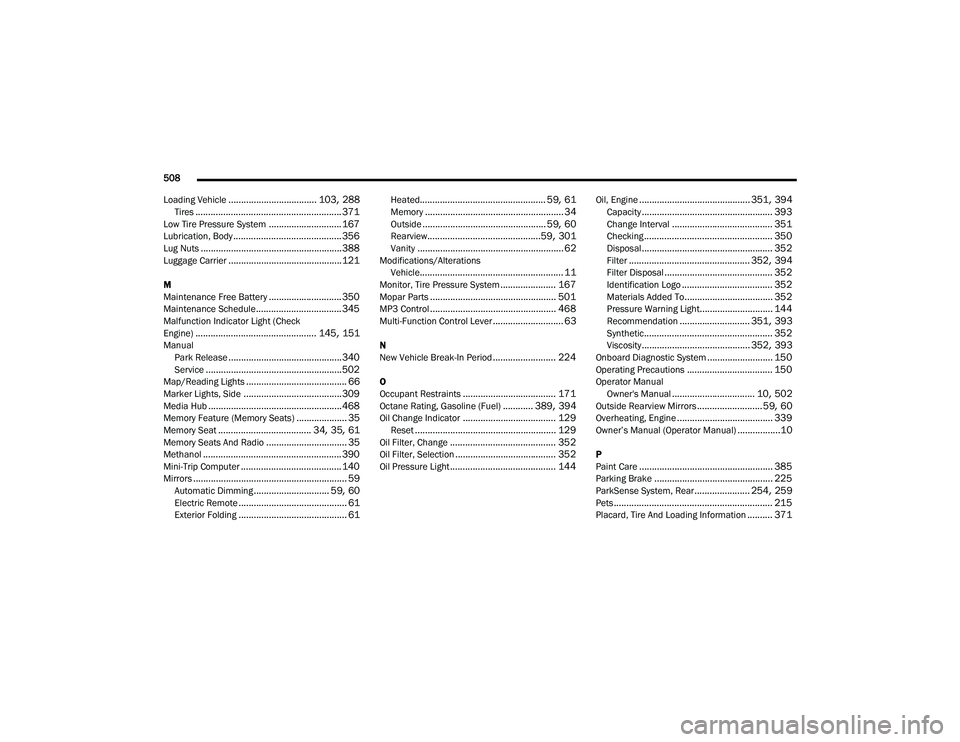
508
Loading Vehicle
................................... 103, 288Tires.......................................................... 371Low Tire Pressure System............................. 167Lubrication, Body........................................... 356Lug Nuts........................................................ 388Luggage Carrier............................................. 121
M
Maintenance Free Battery............................. 350Maintenance Schedule.................................. 345Malfunction Indicator Light (Check
Engine)................................................ 145, 151Manual Park Release............................................. 340Service...................................................... 502Map/Reading Lights........................................ 66Marker Lights, Side....................................... 309Media Hub..................................................... 468Memory Feature (Memory Seats).................... 35Memory Seat..................................... 34, 35, 61Memory Seats And Radio................................ 35Methanol....................................................... 390Mini-Trip Computer........................................ 140Mirrors............................................................. 59Automatic Dimming.............................. 59, 60Electric Remote........................................... 61Exterior Folding........................................... 61
Heated.................................................. 59, 61Memory....................................................... 34Outside................................................. 59, 60Rearview.............................................59, 301Vanity.......................................................... 62Modifications/AlterationsVehicle......................................................... 11Monitor, Tire Pressure System...................... 167Mopar Parts.................................................. 501MP3 Control.................................................. 468Multi-Function Control Lever............................ 63
N
New Vehicle Break-In Period......................... 224
O
Occupant Restraints..................................... 171Octane Rating, Gasoline (Fuel)............ 389, 394Oil Change Indicator..................................... 129Reset........................................................ 129Oil Filter, Change.......................................... 352Oil Filter, Selection........................................ 352Oil Pressure Light.......................................... 144
Oil, Engine............................................ 351, 394Capacity.................................................... 393Change Interval........................................ 351Checking................................................... 350Disposal.................................................... 352Filter................................................ 352, 394Filter Disposal........................................... 352Identification Logo.................................... 352Materials Added To................................... 352Pressure Warning Light............................. 144Recommendation............................ 351, 393Synthetic................................................... 352Viscosity........................................... 352, 393Onboard Diagnostic System.......................... 150Operating Precautions.................................. 150Operator ManualOwner's Manual................................. 10, 502Outside Rearview Mirrors.......................... 59, 60Overheating, Engine...................................... 339Owner’s Manual (Operator Manual).................10
P
Paint Care..................................................... 385Parking Brake............................................... 225ParkSense System, Rear...................... 254, 259Pets............................................................... 215Placard, Tire And Loading Information.......... 371
20_RU_OM_EN_US_t.book Page 508
Page 514 of 516
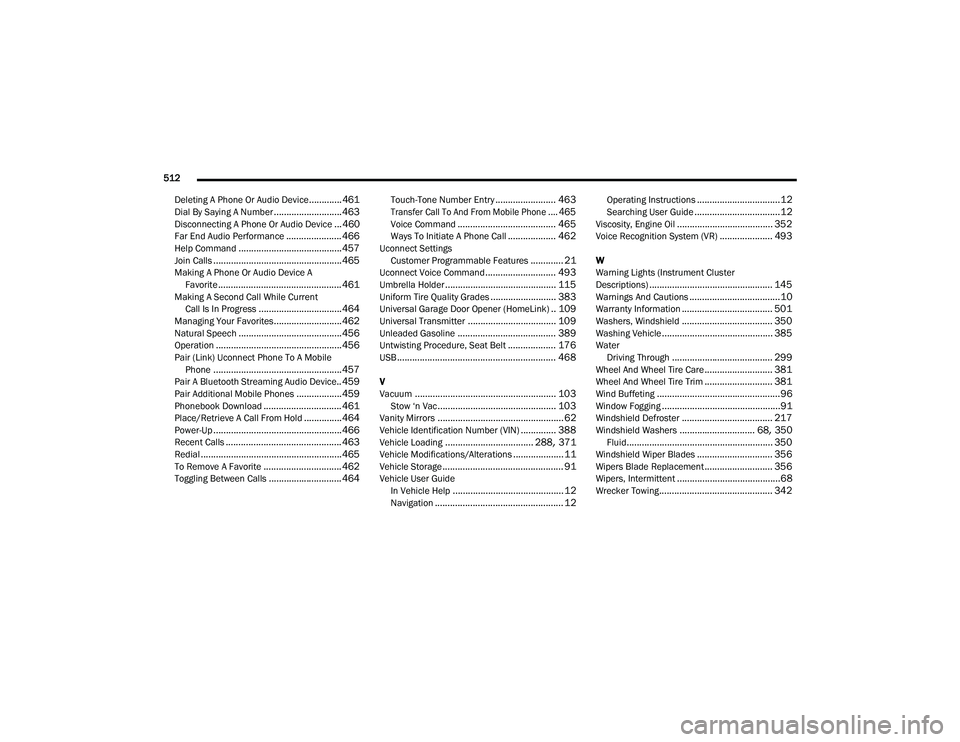
512
Deleting A Phone Or Audio Device
.............461Dial By Saying A Number........................... 463Disconnecting A Phone Or Audio Device... 460Far End Audio Performance...................... 466Help Command......................................... 457Join Calls................................................... 465Making A Phone Or Audio Device A Favorite................................................. 461Making A Second Call While Current Call Is In Progress................................. 464Managing Your Favorites........................... 462Natural Speech......................................... 456Operation.................................................. 456Pair (Link) Uconnect Phone To A MobilePhone................................................... 457Pair A Bluetooth Streaming Audio Device.. 459Pair Additional Mobile Phones.................. 459Phonebook Download............................... 461Place/Retrieve A Call From Hold............... 464Power-Up................................................... 466Recent Calls.............................................. 463Redial........................................................ 465To Remove A Favorite............................... 462Toggling Between Calls............................. 464
Touch-Tone Number Entry........................ 463
Transfer Call To And From Mobile Phone.... 465
Voice Command....................................... 465Ways To Initiate A Phone Call................... 462Uconnect SettingsCustomer Programmable Features............. 21Uconnect Voice Command............................ 493Umbrella Holder............................................ 115Uniform Tire Quality Grades.......................... 383Universal Garage Door Opener (HomeLink).. 109Universal Transmitter................................... 109Unleaded Gasoline....................................... 389Untwisting Procedure, Seat Belt................... 176USB............................................................... 468
V
Vacuum........................................................ 103Stow ‘n Vac............................................... 103Vanity Mirrors.................................................. 62Vehicle Identification Number (VIN).............. 388Vehicle Loading................................... 288, 371Vehicle Modifications/Alterations.................... 11Vehicle Storage................................................ 91Vehicle User GuideIn Vehicle Help............................................ 12Navigation................................................... 12
Operating Instructions.................................12Searching User Guide..................................12Viscosity, Engine Oil...................................... 352Voice Recognition System (VR)..................... 493
W
Warning Lights (Instrument Cluster
Descriptions)
................................................. 145Warnings And Cautions....................................10Warranty Information.................................... 501Washers, Windshield.................................... 350Washing Vehicle............................................ 385WaterDriving Through........................................ 299Wheel And Wheel Tire Care........................... 381Wheel And Wheel Tire Trim........................... 381Wind Buffeting.................................................96Window Fogging...............................................91Windshield Defroster.................................... 217Windshield Washers.............................. 68, 350Fluid.......................................................... 350Windshield Wiper Blades.............................. 356Wipers Blade Replacement........................... 356Wipers, Intermittent.........................................68Wrecker Towing............................................. 342
20_RU_OM_EN_US_t.book Page 512