climate control CHRYSLER PACIFICA 2020 Owner's Manual
[x] Cancel search | Manufacturer: CHRYSLER, Model Year: 2020, Model line: PACIFICA, Model: CHRYSLER PACIFICA 2020Pages: 516, PDF Size: 28.69 MB
Page 84 of 516
82GETTING TO KNOW YOUR VEHICLE
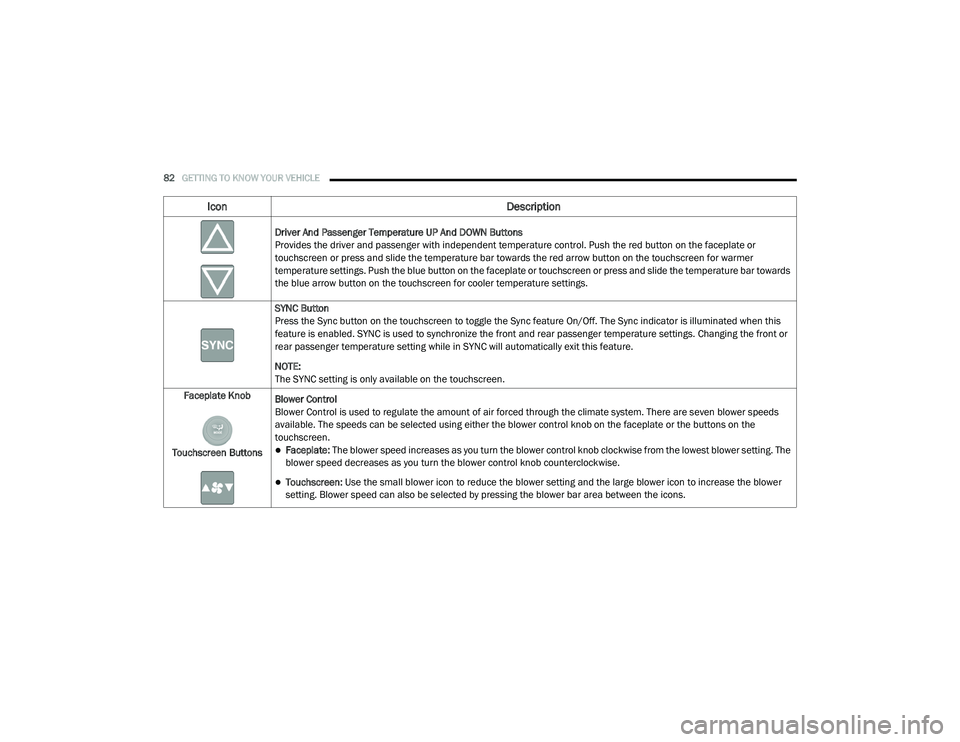
Driver And Passenger Temperature UP And DOWN Buttons
Provides the driver and passenger with independent temperature control. Push the red button on the faceplate or
touchscreen or press and slide the temperature bar towards the red arrow button on the touchscreen for warmer
temperature settings. Push the blue button on the faceplate or touchscreen or press and slide the temperature bar towards
the blue arrow button on the touchscreen for cooler temperature settings.
SYNC Button
Press the Sync button on the touchscreen to toggle the Sync feature On/Off. The Sync indicator is illuminated when this
feature is enabled. SYNC is used to synchronize the front and rear passenger temperature settings. Changing the front or
rear passenger temperature setting while in SYNC will automatically exit this feature.
NOTE:
The SYNC setting is only available on the touchscreen.
Faceplate Knob
Touchscreen Buttons Blower Control
Blower Control is used to regulate the amount of air forced through the climate system. There are seven blower speeds
available. The speeds can be selected using either the blower control knob on the faceplate or the buttons on the
touchscreen.
Faceplate: The blower speed increases as you turn the blower control knob clockwise from the lowest blower setting. The
blower speed decreases as you turn the blower control knob counterclockwise.
Touchscreen:
Use the small blower icon to reduce the blower setting and the large blower icon to increase the blower
setting. Blower speed can also be selected by pressing the blower bar area between the icons.
Icon Description
20_RU_OM_EN_US_t.book Page 82
Page 86 of 516
84GETTING TO KNOW YOUR VEHICLE
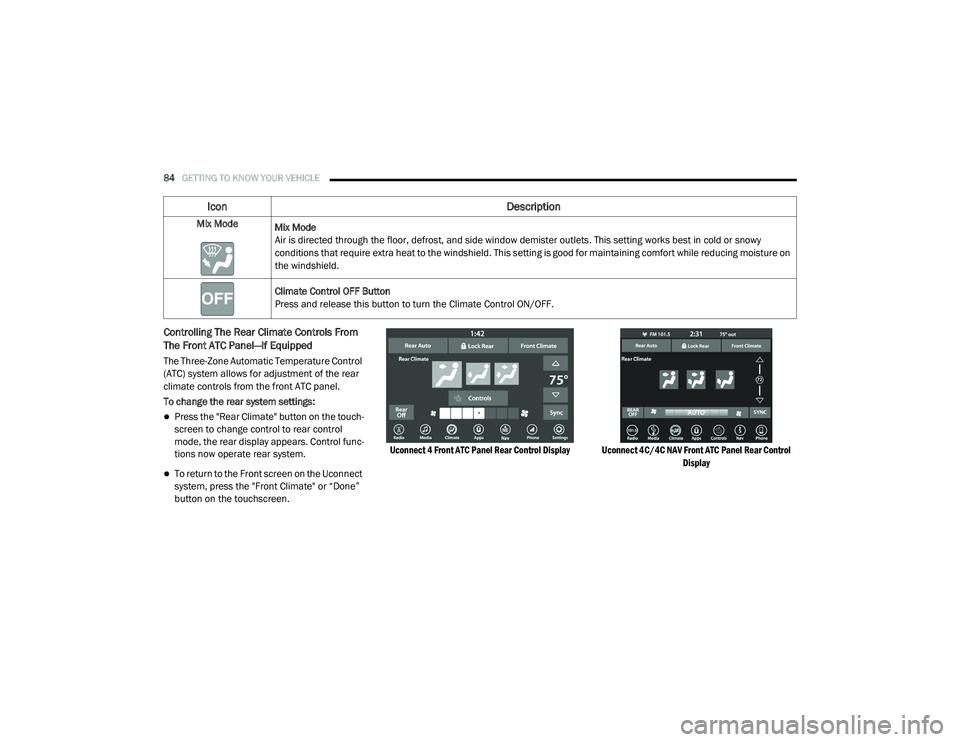
Controlling The Rear Climate Controls From
The Front ATC Panel—If Equipped
The Three-Zone Automatic Temperature Control
(ATC) system allows for adjustment of the rear
climate controls from the front ATC panel.
To change the rear system settings:
Press the "Rear Climate" button on the touch -
screen to change control to rear control
mode, the rear display appears. Control func -
tions now operate rear system.
To return to the Front screen on the Uconnect
system, press the "Front Climate" or “Done”
button on the touchscreen.
Uconnect 4 Front ATC Panel Rear Control Display Uconnect 4C/4C NAV Front ATC Panel Rear Control
Display
Mix Mode
Mix Mode
Air is directed through the floor, defrost, and side window demister outlets. This setting works best in cold or snowy
conditions that require extra heat to the windshield. This setting is good for maintaining comfort while reducing moisture on
the windshield.
Climate Control OFF Button
Press and release this button to turn the Climate Control ON/OFF.
Icon Description
20_RU_OM_EN_US_t.book Page 84
Page 87 of 516
GETTING TO KNOW YOUR VEHICLE85
Icon Description
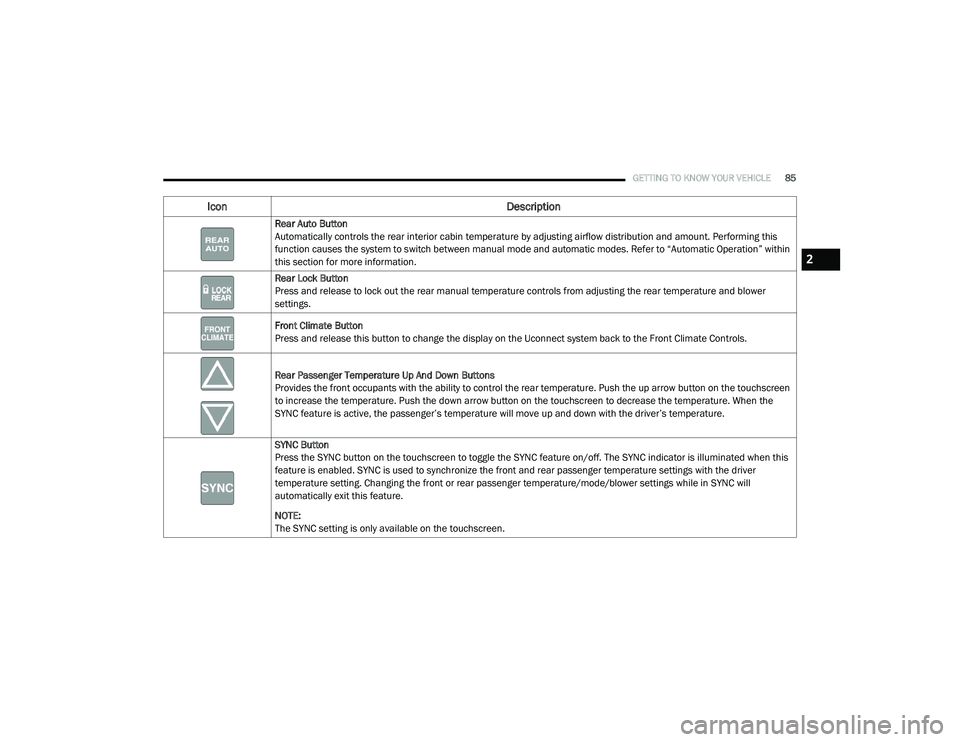
Rear Auto Button
Automatically controls the rear interior cabin temperature by adjusting airflow distribution and amount. Performing this
function causes the system to switch between manual mode and automatic modes. Refer to “Automatic Operation” within
this section for more information.
Rear Lock Button
Press and release to lock out the rear manual temperature controls from adjusting the rear temperature and blower
settings.
Front Climate Button
Press and release this button to change the display on the Uconnect system back to the Front Climate Controls.
Rear Passenger Temperature Up And Down Buttons
Provides the front occupants with the ability to control the rear temperature. Push the up arrow button on the touchscreen
to increase the temperature. Push the down arrow button on the touchscreen to decrease the temperature. When the
SYNC feature is active, the passenger’s temperature will move up and down with the driver’s temperature.
SYNC Button
Press the SYNC button on the touchscreen to toggle the SYNC feature on/off. The SYNC indicator is illuminated when this
feature is enabled. SYNC is used to synchronize the front and rear passenger temperature settings with the driver
temperature setting. Changing the front or rear passenger temperature/mode/blower settings while in SYNC will
automatically exit this feature.
NOTE:
The SYNC setting is only available on the touchscreen.
2
20_RU_OM_EN_US_t.book Page 85
Page 88 of 516
86GETTING TO KNOW YOUR VEHICLE
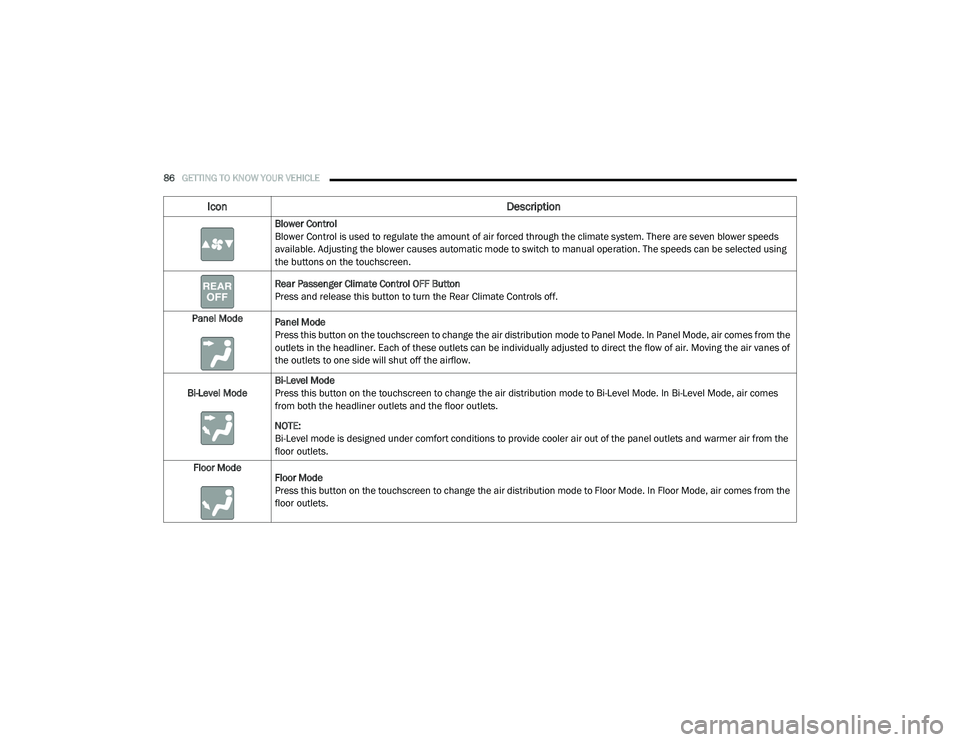
Blower Control
Blower Control is used to regulate the amount of air forced through the climate system. There are seven blower speeds
available. Adjusting the blower causes automatic mode to switch to manual operation. The speeds can be selected using
the buttons on the touchscreen.
Rear Passenger Climate Control OFF Button
Press and release this button to turn the Rear Climate Controls off.
Panel Mode Panel Mode
Press this button on the touchscreen to change the air distribution mode to Panel Mode. In Panel Mode, air comes from the
outlets in the headliner. Each of these outlets can be individually adjusted to direct the flow of air. Moving the air vanes of
the outlets to one side will shut off the airflow.
Bi-Level Mode Bi-Level Mode
Press this button on the touchscreen to change the air distribution mode to Bi-Level Mode. In Bi-Level Mode, air comes
from both the headliner outlets and the floor outlets.
NOTE:
Bi-Level mode is designed under comfort conditions to provide cooler air out of the panel outlets and warmer air from the
floor outlets.
Floor Mode Floor Mode
Press this button on the touchscreen to change the air distribution mode to Floor Mode. In Floor Mode, air comes from the
floor outlets.
Icon Description
20_RU_OM_EN_US_t.book Page 86
Page 89 of 516
GETTING TO KNOW YOUR VEHICLE87
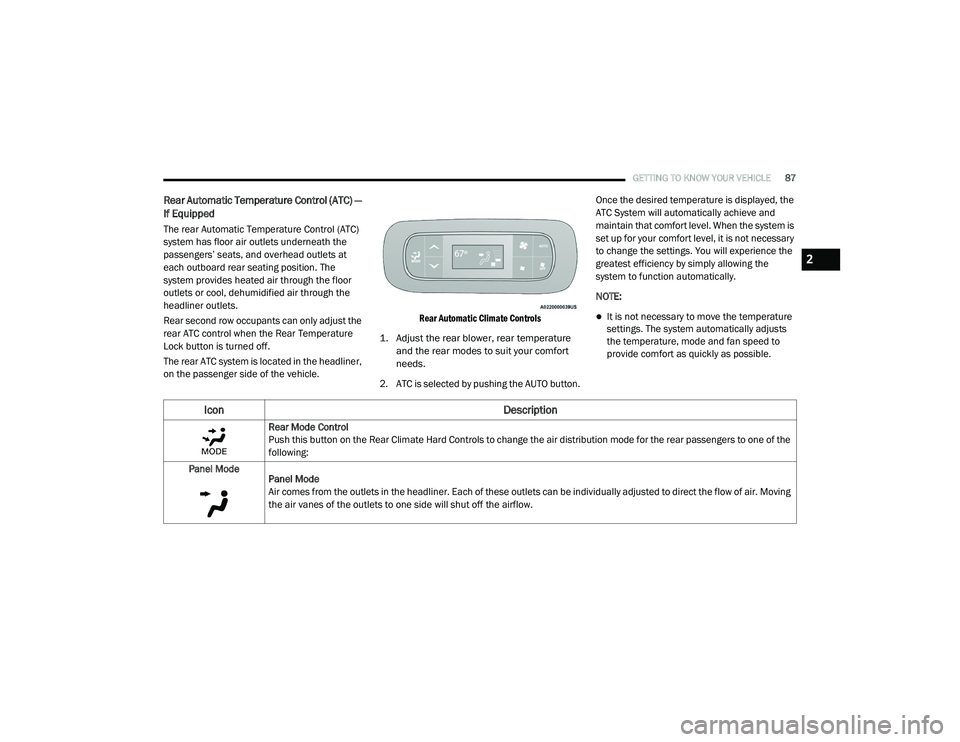
Rear Automatic Temperature Control (ATC) —
If Equipped
The rear Automatic Temperature Control (ATC)
system has floor air outlets underneath the
passengers’ seats, and overhead outlets at
each outboard rear seating position. The
system provides heated air through the floor
outlets or cool, dehumidified air through the
headliner outlets.
Rear second row occupants can only adjust the
rear ATC control when the Rear Temperature
Lock button is turned off.
The rear ATC system is located in the headliner,
on the passenger side of the vehicle.
Rear Automatic Climate Controls
1. Adjust the rear blower, rear temperature and the rear modes to suit your comfort
needs.
2. ATC is selected by pushing the AUTO button. Once the desired temperature is displayed, the
ATC System will automatically achieve and
maintain that comfort level. When the system is
set up for your comfort level, it is not necessary
to change the settings. You will experience the
greatest efficiency by simply allowing the
system to function automatically.
NOTE:
It is not necessary to move the temperature
settings. The system automatically adjusts
the temperature, mode and fan speed to
provide comfort as quickly as possible.
Icon
Description
Rear Mode Control
Push this button on the Rear Climate Hard Controls to change the air distribution mode for the rear passengers to one of the
following:
Panel Mode Panel Mode
Air comes from the outlets in the headliner. Each of these outlets can be individually adjusted to direct the flow of air. Moving
the air vanes of the outlets to one side will shut off the airflow.
2
20_RU_OM_EN_US_t.book Page 87
Page 91 of 516
GETTING TO KNOW YOUR VEHICLE89
Rear Blower Control
The rear blower control can be manually set to off, or any fixed blower speed by pushing the blower control buttons. This
allows the rear seat occupants to control the volume of air circulated in the rear of the vehicle. The larger of the two icons
increases blower speed, whereas the smaller of the two icons decreases the blower speed.
AUTO Button
Automatically controls the interior cabin temperature by adjusting airflow distribution and amount. Performing this function
will cause the system to switch between manual mode and automatic modes.
Refer to “Automatic Operation” within this section for more information.
Rear Climate Control/Blower Off
To manually set the rear blower controls to off, press the Rear Climate Control/Blower Off button.
Icon Description
2
20_RU_OM_EN_US_t.book Page 89
Page 92 of 516
90GETTING TO KNOW YOUR VEHICLE
Climate Control Functions
Air Conditioning (A/C)
The Air Conditioning (A/C) button allows the
operator to manually activate or deactivate the
air conditioning system. When in A/C mode with
the ATC set to a cool temperature, dehumidified
air flows through the air outlets. If Economy
mode is desired, push the A/C button to turn off
the A/C mode in the Automatic Temperature
Control (ATC) display and deactivate the A/C
system.
NOTE:
If the system is in Mix or Defrost Mode, the A/C
can be turned off, but the A/C system shall
remain active to prevent fogging of the
windows.
If not operating in AUTO mode, the system
will not automatically sense the presence of
fog, mist or ice on the windshield. Defrost
Mode must be manually selected to clear the
windshield and side glass.
If fog or mist appears on the windshield or
side glass, select Defrost Mode and adjust
blower speed if needed.
Recirculation For Automatic Temperature
Control
When outside air contains smoke, odors, or
high humidity, or if rapid cooling is desired, you
may wish to recirculate interior air by pressing
the Recirculation control button. The
recirculation indicator will illuminate when this
button is selected. Press the button a second
time to turn off the Recirculation mode and
allow outside air into the vehicle.
NOTE:
In cold weather, use of recirculation mode may
lead to excessive window fogging. The recircula-
tion feature may be unavailable (button on the
touchscreen greyed out) if conditions exist that
could create fogging on the inside of the wind-
shield. On systems with Manual Climate
Controls, the Recirculation mode is not allowed
in Defrost Mode to improve window clearing
operation. Recirculation will be disabled auto -
matically if this mode is selected. Attempting to
use Recirculation while in this mode will cause
the LED in the control button to blink and then
turn off.
Automatic Temperature Control (ATC) — If
Equipped
Automatic Operation
1. Push the AUTO button on the faceplate, or the AUTO button on the touchscreen on the
Automatic Temperature Control (ATC)
Panel.
2. Next, adjust the temperature you would like the system to maintain by adjusting the
driver and passenger temperature control
buttons. Once the desired temperature is
displayed, the system will achieve and
automatically maintain that comfort level.
3. When the system is set up for your comfort level, it is not necessary to change the
settings. You will experience the greatest
efficiency by simply allowing the system to
function automatically.
20_RU_OM_EN_US_t.book Page 90
Page 94 of 516
92GETTING TO KNOW YOUR VEHICLE
Outside Air Intake
Make sure the air intake, located directly in
front of the windshield, is free of obstructions
such as leaves. Leaves collected in the air
intake may reduce airflow, and if they enter the
plenum, they could plug the water drains. In
Winter months, make sure the air intake is clear
of ice, slush, and snow.
A/C Air Filter
The Climate Control system filters out dust and
pollen from the air. Refer to an authorized
dealer for filter replacement instructions.
Operating Tips Chart
CAUTION!
Failure to follow these cautions can cause
damage to the heating elements:
Use care when washing the inside of the
rear window. Do not use abrasive window
cleaners on the interior surface of the
window. Use a soft cloth and a mild
washing solution, wiping parallel to the
heating elements. Labels can be peeled off
after soaking with warm water.
Do not use scrapers, sharp instruments, or
abrasive window cleaners on the interior
surface of the window.
Keep all objects a safe distance from the
window.
WEATHERCONTROL
SETTINGS
Hot Weather And
Vehicle Interior Is Very Hot Set the mode control
to , on, and
blower on high. Roll
down the windows for a minute to flush out
the hot air. Adjust the
controls as needed to achieve comfort.
Warm Weather Turn on and set
the mode control to
the position.
Cool Sunny Operate in
position.
Cool & Humid Conditions Set the mode control
to and turn on to keep windows clear.
Cold Weather Set the mode control
to the position. If windshield fogging
starts to occur, move
the control to the position.
WEATHER CONTROL
SETTINGS
20_RU_OM_EN_US_t.book Page 92
Page 101 of 516
GETTING TO KNOW YOUR VEHICLE99
LIFTGATE
Opening
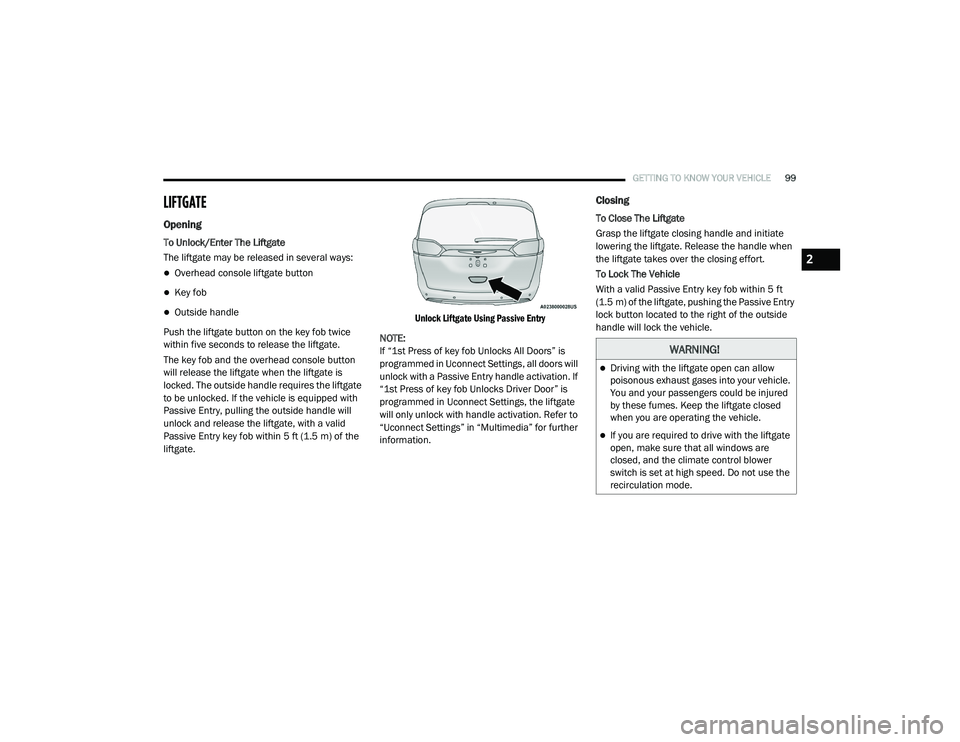
To Unlock/Enter The Liftgate
The liftgate may be released in several ways:
Overhead console liftgate button
Key fob
Outside handle
Push the liftgate button on the key fob twice
within five seconds to release the liftgate.
The key fob and the overhead console button
will release the liftgate when the liftgate is
locked. The outside handle requires the liftgate
to be unlocked. If the vehicle is equipped with
Passive Entry, pulling the outside handle will
unlock and release the liftgate, with a valid
Passive Entry key fob within 5 ft (1.5 m) of the
liftgate.
Unlock Liftgate Using Passive Entry
NOTE:
If “1st Press of key fob Unlocks All Doors” is
programmed in Uconnect Settings, all doors will
unlock with a Passive Entry handle activation. If
“1st Press of key fob Unlocks Driver Door” is
programmed in Uconnect Settings, the liftgate
will only unlock with handle activation. Refer to
“Uconnect Settings” in “Multimedia” for further
information.
Closing
To Close The Liftgate
Grasp the liftgate closing handle and initiate
lowering the liftgate. Release the handle when
the liftgate takes over the closing effort.
To Lock The Vehicle
With a valid Passive Entry key fob within 5 ft
(1.5 m) of the liftgate, pushing the Passive Entry
lock button located to the right of the outside
handle will lock the vehicle.
WARNING!
Driving with the liftgate open can allow
poisonous exhaust gases into your vehicle.
You and your passengers could be injured
by these fumes. Keep the liftgate closed
when you are operating the vehicle.
If you are required to drive with the liftgate
open, make sure that all windows are
closed, and the climate control blower
switch is set at high speed. Do not use the
recirculation mode.
2
20_RU_OM_EN_US_t.book Page 99
Page 104 of 516
102GETTING TO KNOW YOUR VEHICLE
(Continued)
NOTE:
To open the Hands-Free Liftgate requires a valid
Passive Entry key fob within 5 ft (1.5 m) of the
door handle. If a valid Passive Entry key fob is
not within 5 ft (1.5 m), the liftgate will not
respond to any kicks.
NOTE:
The Hands-Free Liftgate will only operate
when the transmission is in PARK.
If anything obstructs the Hands-Free Liftgate
while it is opening or closing, the liftgate will
automatically reverse to the closed position,
provided it meets sufficient resistance.
There are pinch sensors attached to the side
of the liftgate opening. Light pressure
anywhere along these strips will cause the
liftgate to return to the open position.
If the power liftgate encounters multiple
obstructions within the same cycle, the
system will automatically stop. If this occurs,
the liftgate must be operated manually.
The power liftgate will release, but not power
open, in temperatures below −12°F
(−24°C). Be sure to remove any buildup of
snow or ice from the liftgate before opening
the liftgate.
If the liftgate is left open for an extended
period of time, the liftgate may need to be
closed manually to reset power liftgate func-
tionality. Gas props support the liftgate in the open
position. However, because the gas pressure
drops with temperature, it may be necessary to
assist the props when opening the liftgate in
cold weather.
NOTE:
Allow the power system to open the liftgate.
Manually pushing or pulling the liftgate may
activate the liftgate obstacle detection feature
and stop the power operation or reverse its
direction.
CAUTION!
The Hands-Free Liftgate feature may be
turned on or off in Uconnect Settings. Refer to
“Uconnect Settings” in “Multimedia” for
further information. The Hands-Free Liftgate
feature should be turned off during Jacking,
Tire Changing, and Vehicle Service.
WARNING!
Driving with the liftgate open can allow
poisonous exhaust gases into your vehicle.
You and your passengers could be injured
by these fumes. Keep the liftgate closed
when you are operating the vehicle.
If you are required to drive with the liftgate
open, make sure that all windows are
closed, and the climate control blower
switch is set at high speed. Do not use the
recirculation mode.
WARNING!
During power operation, personal injury or
cargo damage may occur. Ensure the liftgate
travel path is clear. Make sure the liftgate is
closed and latched before driving away.
WARNING!
(Continued)
20_RU_OM_EN_US_t.book Page 102