window CHRYSLER PACIFICA 2020 Service Manual
[x] Cancel search | Manufacturer: CHRYSLER, Model Year: 2020, Model line: PACIFICA, Model: CHRYSLER PACIFICA 2020Pages: 516, PDF Size: 28.69 MB
Page 321 of 516

IN CASE OF EMERGENCY319
* 30 Amp mini fuse is substituted for 25 Amp Circuit Breaker.F98
–15 Amp Blue Left HID Headlamp
F99 30 Amp Pink –Trailer Tow Module - If Equipped
F100A –10 Amp Red AHLM
F100B –10 Amp RedRear Camera/LBSS/RBSS/CVPM/
Humidity Sensor/In Vehicle Temperature Sensor
Circuit Breakers
CB1 25 AmpPower Seats (Driver)
CB2 25 Amp *Power Seats (Pass)
CB3 25 AmpFRT PWR Window W/O Door Nodes
+ RR PWR Window Lockout
Cavity Cartridge Fuse Blade FuseDescription
6
20_RU_OM_EN_US_t.book Page 319
Page 386 of 516
384SERVICING AND MAINTENANCE
Temperature Grades
The Temperature grades are A (the
highest), B, and C, representing the tire's
resistance to the generation of heat and
its ability to dissipate heat, when tested
under controlled conditions on a
specified indoor laboratory test wheel.
Sustained high temperature can cause
the material of the tire to degenerate
and reduce tire life, and excessive
temperature can lead to sudden tire
failure. The grade C corresponds to a
level of performance, which all
passenger vehicle tires must meet
under the Federal Motor Vehicle Safety
Standard No. 109. Grades B and A
represent higher levels of performance
on the laboratory test wheel, than the
minimum required by law.
STORING THE VEHICLE
If the vehicle should remain stationary for more
than a month, observe the following
precautions:
Park your vehicle in a covered, dry and
possibly airy location the windows open
slightly.
Check that the Electric Park Brake is not
engaged.
Disconnect the negative (-) terminal from the
battery post and be sure that the battery is
fully charged. During storage check battery
charge quarterly.
If you do not disconnect the battery from the
electrical system, check the battery charge
every 30 days.
Clean and protect the painted parts by
applying protective waxes.
Clean and protect polished metal parts by
applying protective waxes.
Apply talcum powder to the front and rear
wiper blades and leave raised from the glass.
Cover the vehicle with an appropriate cover
taking care not to damage the painted
surface by dragging across dirty surfaces. Do
not use plastic sheeting which will not allow
the evaporation of moisture present on the
surface of the vehicle.
Inflate the tires at a pressure of +7.25 psi
(+0.5 bar) higher than recommended on the
tire placard and check it periodically.
Do not drain the vehicle’s cooling system.
Whenever you leave the vehicle stationary for
two weeks or more, idle the vehicle for
approximately five minutes, with the air
conditioning system on and high fan speed.
This will ensure proper lubrication of the
system, thus minimizing the possibility of
damage to the compressor when the vehicle
is put back into operation.
WARNING!
The temperature grade for this tire is
established for a tire that is properly inflated
and not overloaded. Excessive speed,
underinflation, or excessive loading, either
separately or in combination, can cause heat
buildup and possible tire failure.
20_RU_OM_EN_US_t.book Page 384
Page 389 of 516
SERVICING AND MAINTENANCE387
Plastic And Coated Parts
Use Mopar Total Clean to clean vinyl upholstery.
Cleaning Plastic Instrument Cluster Lenses
The lenses in front of the instruments in this
vehicle are molded in clear plastic. When
cleaning the lenses, care must be taken to
avoid scratching the plastic.
1. Clean with a wet soft cloth. A mild soap
solution may be used, but do not use high
alcohol content or abrasive cleaners. If soap
is used, wipe clean with a clean damp cloth.
2. Dry with a soft cloth.
Leather Parts
Mopar Total Clean is specifically recommended
for leather upholstery.
Your leather upholstery can be best preserved
by regular cleaning with a damp soft cloth.
Small particles of dirt can act as an abrasive
and damage the leather upholstery and should
be removed promptly with a damp cloth.
Stubborn soils can be removed easily with a soft
cloth and Mopar Total Clean. Care should be
taken to avoid soaking your leather upholstery
with any liquid. Please do not use polishes, oils,
cleaning fluids, solvents, detergents, or
ammonia-based cleaners to clean your leather
upholstery. Application of a leather conditioner
is not required to maintain the original
condition.
NOTE:
If equipped with light colored leather, it tends to
show any foreign material, dirt, and fabric dye
transfer more so than darker colors. The leather
is designed for easy cleaning, and FCA recom -
mends Mopar total care leather cleaner applied
on a cloth to clean the leather seats as needed.
Glass Surfaces
All glass surfaces should be cleaned on a
regular basis with Mopar Glass Cleaner, or any
commercial household-type glass cleaner.
Never use an abrasive type cleaner. Use caution
when cleaning the inside rear window equipped
with electric defrosters or windows equipped
with radio antennas. Do not use scrapers or
other sharp instruments that may scratch the
elements.
When cleaning the rear view mirror, spray
cleaner on the towel or cloth that you are using.
Do not spray cleaner directly on the mirror.
CAUTION!
Direct contact of air fresheners, insect
repellents, suntan lotions, or hand sani -
tizers to the plastic, painted, or decorated
surfaces of the interior may cause perma -
nent damage. Wipe away immediately.
Damage caused by these type of products
may not be covered by your New Vehicle
Limited Warranty.
CAUTION!
Do not use Alcohol and Alcohol-based and/or
Ketone based cleaning products to clean
leather seats, as damage to the seat may
result.
7
20_RU_OM_EN_US_t.book Page 387
Page 394 of 516
392TECHNICAL SPECIFICATIONS
(Continued)
NOTE:
Intentional tampering with the emissions
control system can result in civil penalties being
assessed against you.
Carbon Monoxide Warnings
The use of fuel additives, which are now
being sold as octane enhancers, is not
recommended. Most of these products
contain high concentrations of methanol.
Fuel system damage or vehicle perfor-
mance problems resulting from the use of
such fuels or additives is not the responsi -
bility of the manufacturer and may void or
not be covered under the New Vehicle
Limited Warranty.
CAUTION! (Continued)
WARNING!
Carbon monoxide (CO) in exhaust gases is
deadly. Follow the precautions below to
prevent carbon monoxide poisoning:
Do not inhale exhaust gases. They contain
carbon monoxide, a colorless and odorless
gas, which can kill. Never run the engine in
a closed area, such as a garage, and never
sit in a parked vehicle with the engine
running for an extended period. If the
vehicle is stopped in an open area with the
engine running for more than a short
period, adjust the ventilation system to
force fresh, outside air into the vehicle.
Guard against carbon monoxide with
proper maintenance. Have the exhaust
system inspected every time the vehicle is
raised. Have any abnormal conditions
repaired promptly. Until repaired, drive with
all side windows fully open.
WARNING! (Continued)
20_RU_OM_EN_US_t.book Page 392
Page 413 of 516
MULTIMEDIA411
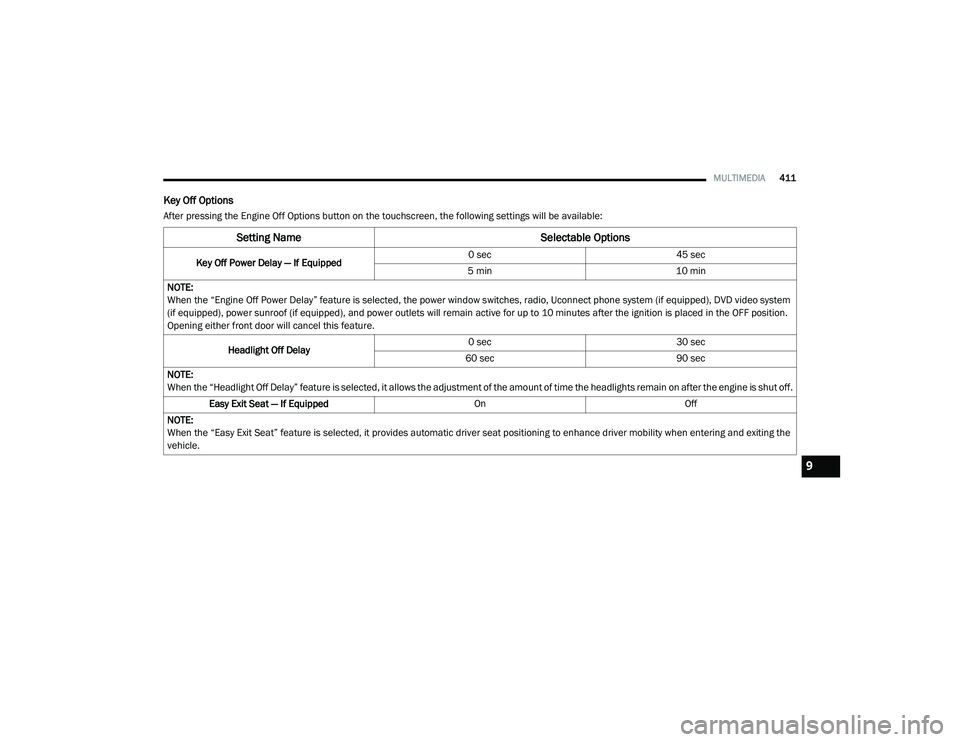
Key Off Options
After pressing the Engine Off Options button on the touchscreen, the following settings will be available:
Setting Name Selectable Options
Key Off Power Delay — If Equipped 0 sec
45 sec
5 min 10 min
NOTE:
When the “Engine Off Power Delay” feature is selected, the power window switches, radio, Uconnect phone system (if equipped), DVD video system
(if equipped), power sunroof (if equipped), and power outlets will remain active for up to 10 minutes after the ignition is placed in the OFF position.
Opening either front door will cancel this feature.
Headlight Off Delay 0 sec
30 sec
60 sec 90 sec
NOTE:
When the “Headlight Off Delay” feature is selected, it allows the adjustment of the amount of time the headlights remain on after the engine is shut off. Easy Exit Seat — If Equipped OnOff
NOTE:
When the “Easy Exit Seat” feature is selected, it provides automatic driver seat positioning to enhance driver mobility when entering and exiting the
vehicle.
9
20_RU_OM_EN_US_t.book Page 411
Page 433 of 516
MULTIMEDIA431
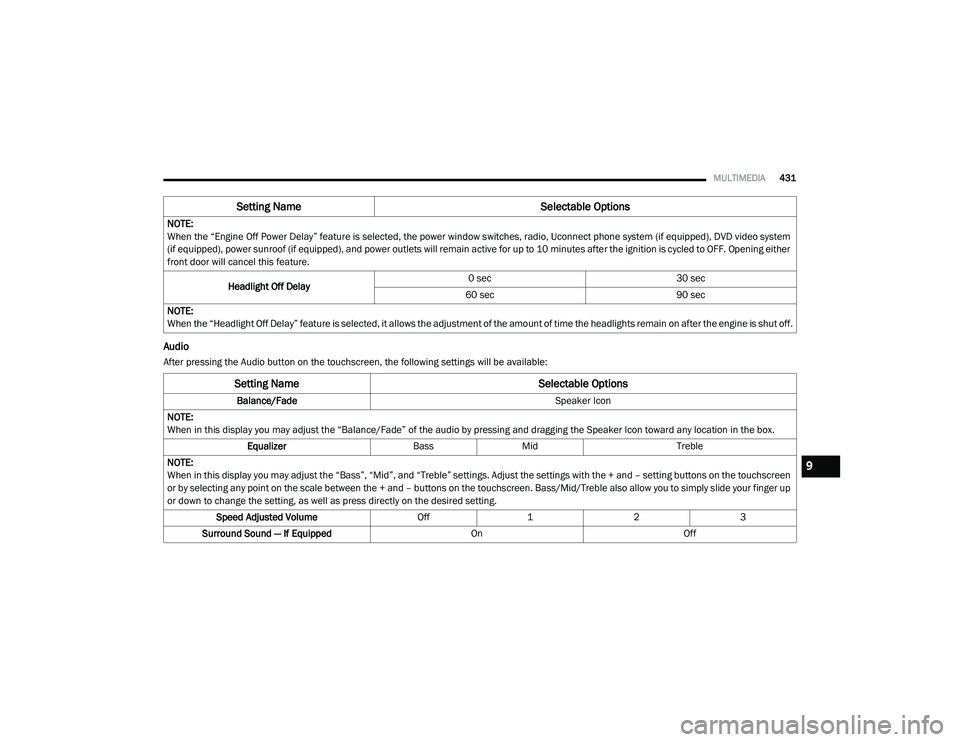
Audio
After pressing the Audio button on the touchscreen, the following settings will be available:NOTE:
When the “Engine Off Power Delay” feature is selected, the power window switches, radio, Uconnect phone system (if equipped), DVD video system
(if equipped), power sunroof (if equipped), and power outlets will remain active for up to 10 minutes after the ignition is cycled to OFF. Opening either
front door will cancel this feature.
Headlight Off Delay 0 sec
30 sec
60 sec 90 sec
NOTE:
When the “Headlight Off Delay” feature is selected, it allows the adjustment of the amount of time the headlights remain on after the engine is shut off.
Setting Name Selectable Options
Setting NameSelectable Options
Balance/Fade Speaker Icon
NOTE:
When in this display you may adjust the “Balance/Fade” of the audio by pressing and dragging the Speaker Icon toward any location in the box. Equalizer BassMid Treble
NOTE:
When in this display you may adjust the “Bass”, “Mid”, and “Treble” settings. Adjust the settings with the + and – setting buttons on the touchscreen
or by selecting any point on the scale between the + and – buttons on the touchscreen. Bass/Mid/Treble also allow you to simply slide your finger up
or down to change the setting, as well as press directly on the desired setting. Speed Adjusted Volume Off123
Surround Sound — If Equipped OnOff
9
20_RU_OM_EN_US_t.book Page 431
Page 449 of 516
MULTIMEDIA447
Media Mode
USB/iPod® Mode
Overview
USB/iPod® Mode is entered by either inserting
a USB device or iPod® and cable into the USB
Port or by pressing the Select Source button on
the left side of the display, and then selecting
USB 1, or USB 2 (if equipped).
Seek Up /Seek Down
Press and release the Seek Up button on the
touchscreen for the next selection on the USB
device/iPod®. Press and release the Seek
Down button on the touchscreen to return to the
beginning of the current selection or to return to
the beginning of the previous selection if the
USB device/iPod® is within the first three
seconds of the current selection.
Browse
Press the Browse button on the touchscreen to
display the browse window. The left side of the
browse window displays a list of ways you can
browse through the contents of the USB device/
iPod®. If supported by the device, you can
browse by Folders, Artists, Playlists, Albums,
Songs, etc. Press the desired button on the left
side of the screen. The center of the browse window shows items and its sub-functions,
which can be scrolled by pressing the Up and
Down buttons to the right. The Tune/Scroll knob
can also be used to scroll.
Media Mode
Press the Media button on the touchscreen to
select the desired audio source: USB.
Repeat
Press the Repeat button on the touchscreen to
toggle the repeat functionality. The Repeat
button on the touchscreen is highlighted when
active. The Radio will continue to play the
current track, repeatedly, as long as the repeat
is active. Press the Repeat button on the
touchscreen a second time to turn this feature
off.
Shuffle
Press the Shuffle button on the touchscreen to
play the selections on the USB/iPod® device in
random order to provide an interesting change of
pace. Press the Shuffle button on the touchscreen
a second time to turn this feature off.
Info
Press the Info button on the touchscreen to
display the current track information. Press the
Info button on the touchscreen a second time to
cancel this feature.
Tracks
Press the Tracks button on the touchscreen to
display a pop-up with the Song List. The
currently playing song is indicated by an arrow
and lines above and below the song title. When
in the Tracks List screen, you can rotate the
Tune/Scroll knob to highlight a track (indicated
by the line above and below the track name)
and then push the Enter/Browse knob to start
playing that track.
Pressing the Tracks button on the touchscreen
while the pop-up is displayed will close the
pop-up.
Audio
Refer to Radio Mode for adjusting the audio
settings.
9
20_RU_OM_EN_US_t.book Page 447
Page 468 of 516
466MULTIMEDIA
Performance is maximized under:
Low-To-Medium Blower Setting
Low-To-Medium Vehicle Speed
Low Road Noise
Smooth Road Surface
Fully Closed Windows
Dry Weather Condition
Even though the system is designed for many
languages and accents, the system may not
always work for some. NOTE:
It is recommended that you do not store names
in your Favorites phonebook while the vehicle is
in motion.
Phonebook (Mobile and Favorites) name
recognition rate is optimized when the entries
are not similar. You can say “O” (letter “O”) for
“0” (zero).
Even though international dialing for most
number combinations is supported, some
shortcut dialing number combinations may not
be supported.
Far End Audio Performance
Audio quality is maximized under:
Low-To-Medium Blower Setting
Low-To-Medium Vehicle Speed
Low Road Noise
Smooth Road Surface
Fully Closed Windows
Dry Weather Conditions
Operation From The Driver's SeatPerformance such as audio clarity, echo, and
loudness to a large degree rely on the phone
and network, and not the Uconnect Phone.
Echo at the far end can sometimes be reduced
by lowering the in-vehicle audio volume.
Bluetooth® Communication Link
Mobile phones have been found to lose
connection to the Uconnect Phone. When this
happens, the connection can generally be
re-established by switching the mobile phone
OFF/ON. Your mobile phone is recommended to
remain in Bluetooth® ON mode.
Power-Up
After switching the ignition key from OFF to
either the ON/RUN or ACC position, or after a
language change, you must wait at least
15 seconds prior to using the system.
WARNING!
ALWAYS drive safely with your hands on the
wheel. You have full responsibility and
assume all risks related to the use of the
Uconnect features and applications in this
vehicle. Only use Uconnect when it is safe to
do so. Failure to do so may result in an
accident involving serious injury or death.
20_RU_OM_EN_US_t.book Page 466
Page 488 of 516
486MULTIMEDIA
format and is playable on other players. To help
avoid playback problems, use the following
guidelines when recording discs.
Open sessions are ignored. Only sessions
that are closed are playable.
For multi-session CDs that contain only
multiple CD-Audio sessions, the player will
renumber the tracks so each track number is
unique.
For CD Data (or CD-ROM) discs, always use
the ISO-9660 (Level 1 or Level 2), Joliet, or
Romeo format. Other formats (such as HFS,
or others) are not supported.
The player recognizes a maximum of 2000
files and 255 folders (includes the ROOT
folder) per CD-R and CD-RW disc.
Mixed media recordable DVD formats will
only play the Video_TS portion of the disc.
If you are still having trouble writing a disc that
is playable in the Blu-ray™ Disc player, check
with the disc recording software publisher for
more information about burning playable discs. The recommended method for labeling
recordable discs (CD-R, CD-RW, and DVD-R) is
with a permanent marker. Do not use adhesive
labels as they may separate from the disc,
become stuck, and cause permanent damage
to the DVD player.
Compressed Audio Files (MP3, WMA and AAC)
The Blu-ray™ Disc player is capable of playing
MP3 (MPEG-1 Audio Layer 3), WMA (Windows
Media Audio) files and AAC (Advanced Audio
Coding) from a CD Data disc (usually a CD-R or
CD-RW) or DVD Data disc (usually a DVD-R or
DVD-RW).
The Blu-ray™ Disc player always uses the file
extension to determine the audio format, so
MP3 files must always end with the extension
“.mp3” or “.MP3” and WMA files must always
end with the extension “.wma” or “.WMA”
and AAC files must always end with the exten
-
sion and “.aac” or “.AAC” or “m4a”. To
prevent incorrect playback, do not use these
extensions for any other types of files.
For MP3 files, ID3v1, ID3v2 tag data (such as
artist name, track title, album, etc.) are
supported.
Any file that is copy protected (such as those
downloaded from many online music stores)
will not play. The Blu-ray™ player will auto -
matically skip the file and begin playing the
next available file.
Other compression formats such as MP3 Pro,
Ogg Vorbis, and ATRAC3 will not play. The
Blu-ray™ player will automatically skip the file
and begin playing the next available file.
If you are creating your own files, the recom -
mended fixed bit rate for MP3 files is
between 32 and 320Kbps and the recom -
mended fixed bit rate for WMA files is
between 16 and 192Kbps. Variable bit rates
are also supported. For both formats, the
recommended sample rate is either 44.1kHz
or 48kHz.
To change the current file, use the remote
control “Seek Forward” or “Seek Back”
buttons to return to the start of the current or
previous file.
20_RU_OM_EN_US_t.book Page 486
Page 514 of 516
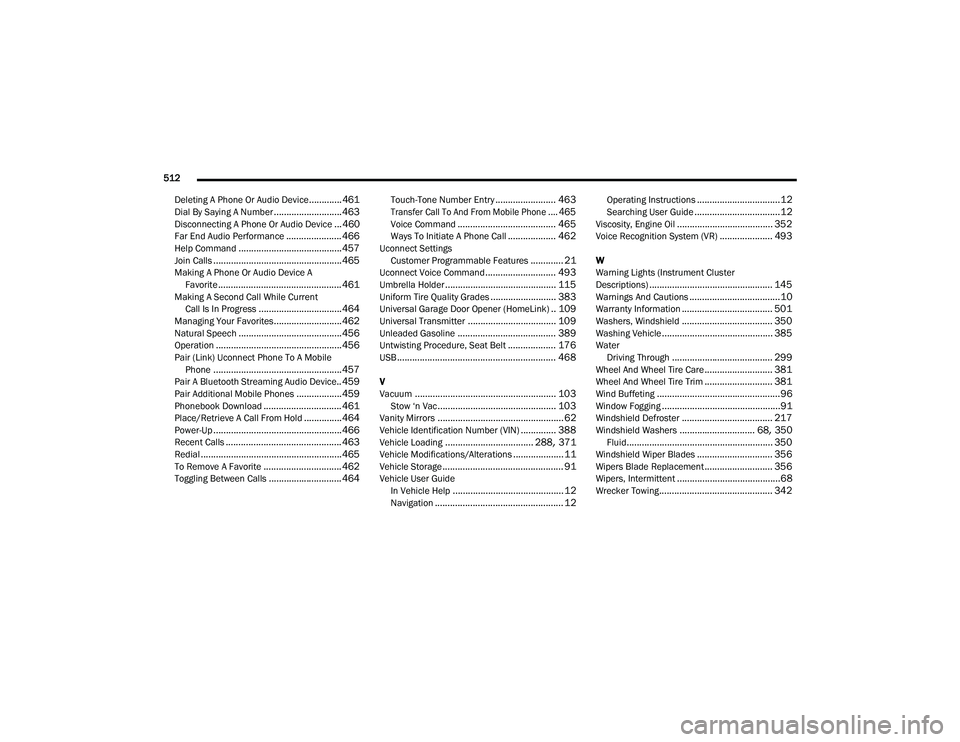
512
Deleting A Phone Or Audio Device
.............461Dial By Saying A Number........................... 463Disconnecting A Phone Or Audio Device... 460Far End Audio Performance...................... 466Help Command......................................... 457Join Calls................................................... 465Making A Phone Or Audio Device A Favorite................................................. 461Making A Second Call While Current Call Is In Progress................................. 464Managing Your Favorites........................... 462Natural Speech......................................... 456Operation.................................................. 456Pair (Link) Uconnect Phone To A MobilePhone................................................... 457Pair A Bluetooth Streaming Audio Device.. 459Pair Additional Mobile Phones.................. 459Phonebook Download............................... 461Place/Retrieve A Call From Hold............... 464Power-Up................................................... 466Recent Calls.............................................. 463Redial........................................................ 465To Remove A Favorite............................... 462Toggling Between Calls............................. 464
Touch-Tone Number Entry........................ 463
Transfer Call To And From Mobile Phone.... 465
Voice Command....................................... 465Ways To Initiate A Phone Call................... 462Uconnect SettingsCustomer Programmable Features............. 21Uconnect Voice Command............................ 493Umbrella Holder............................................ 115Uniform Tire Quality Grades.......................... 383Universal Garage Door Opener (HomeLink).. 109Universal Transmitter................................... 109Unleaded Gasoline....................................... 389Untwisting Procedure, Seat Belt................... 176USB............................................................... 468
V
Vacuum........................................................ 103Stow ‘n Vac............................................... 103Vanity Mirrors.................................................. 62Vehicle Identification Number (VIN).............. 388Vehicle Loading................................... 288, 371Vehicle Modifications/Alterations.................... 11Vehicle Storage................................................ 91Vehicle User GuideIn Vehicle Help............................................ 12Navigation................................................... 12
Operating Instructions.................................12Searching User Guide..................................12Viscosity, Engine Oil...................................... 352Voice Recognition System (VR)..................... 493
W
Warning Lights (Instrument Cluster
Descriptions)
................................................. 145Warnings And Cautions....................................10Warranty Information.................................... 501Washers, Windshield.................................... 350Washing Vehicle............................................ 385WaterDriving Through........................................ 299Wheel And Wheel Tire Care........................... 381Wheel And Wheel Tire Trim........................... 381Wind Buffeting.................................................96Window Fogging...............................................91Windshield Defroster.................................... 217Windshield Washers.............................. 68, 350Fluid.......................................................... 350Windshield Wiper Blades.............................. 356Wipers Blade Replacement........................... 356Wipers, Intermittent.........................................68Wrecker Towing............................................. 342
20_RU_OM_EN_US_t.book Page 512