service CHRYSLER PACIFICA 2021 Owners Manual
[x] Cancel search | Manufacturer: CHRYSLER, Model Year: 2021, Model line: PACIFICA, Model: CHRYSLER PACIFICA 2021Pages: 401, PDF Size: 26.88 MB
Page 2 of 401
WARNING: Operating, servicing and maintaining a passenger vehicle or off-highway motor vehicle can
expose you to chemicals including engine exhaust, carbon monoxide, phthalates, and lead, which are known to
the State of California to cause cancer and birth defects or other reproductive harm. To minimize exposure,
avoid breathing exhaust, do not idle the engine except as necessary, service your vehicle in a well-ventilated area
and wear gloves or wash your hands frequently when servicing your vehicle. For more information go to
www.P65Warnings.ca.gov/passenger-vehicle.
This Owner’s Manual illustrates and describes the operation of features and equipment that are either standard or optional on this vehicle. This manual may also include a
description of features and equipment that are no longer available or were not ordered on this vehicle. Please disregard any features and equipment described in this manual that
are not on this vehicle. FCA US LLC reserves the right to make changes in design and specifications, and/or make additions to or improvements to its products without imposing
any obligation upon itself to install them on products previously manufactured.
With respect to any vehicles sold in Canada, the name FCA US LLC shall be deemed to be deleted and the name FCA Canada Inc. used in substitution therefore.
This Owner’s Manual is intended to familiarize you with the important features of your vehicle. Your most up-to-date Owner’s Manual, Navigation/ Uconnect manuals and Warranty
Booklet can be found by visiting the website on the back cover.
U.S. Residents: If you are the first registered retail owner of your vehicle, you may obtain a complimentary printed copy of the Warranty Booklet by calling 1-800-247-9753 or by
contacting your dealer. Replacement kits can be purchased by visiting www.techauthority.com.
Canadian Residents: If you are the first registered retail owner of your vehicle, you may obtain a complimentary printed copy of the Warranty Booklet or purchase a replacement
kit by calling 1-800-387-1143 or by contacting your dealer.
The driver’s primary responsibility is the safe operation of the vehicle. Driving while distracted can result in loss of vehicle control, resulting in an accident and personal injury.
FCA US LLC strongly recommends that the driver use extreme caution when using any device or feature that may take their attention off the road. Use of any electrical devices,
such as cellular telephones, computers, portable radios, vehicle navigation or other devices, by the driver while the vehicle is moving is dangerous and could lead to a serious
accident. Texting while driving is also dangerous and should never be done while the vehicle is moving. If you find yourself unable to devote your full attention to vehicle
operation, pull off the road to a safe location and stop your vehicle. Some states or provinces prohibit the use of cellular telephones or texting while driving. It is always the driver’s
responsibility to comply with all local laws.
This Owner’s Manual has been prepared to help you get acquainted with your new Chrysler brand vehicle and to provide a convenient reference source for common questions.
Not all features shown in this manual may apply to your vehicle. For additional information, visit mopar.com/om (U.S.), owners.mopar.ca (Canada) or your local Chrysler
brand dealer.
Drunk driving is one of the most frequent causes of accidents. Your driving ability can be seriously impaired with blood alcohol
levels far below the legal minimum. If you are drinking, don’t drive. Ride with a designated non-drinking driver, call a cab, a friend
or use public transportation.
DRIVING AND ALCOHOL
Driving after drinking can lead to an accident. Your perceptions are less sharp, your reflexes are slower and your
judgment is impaired when you have been drinking. Never drink and then drive.
WARNING!
Page 7 of 401
5
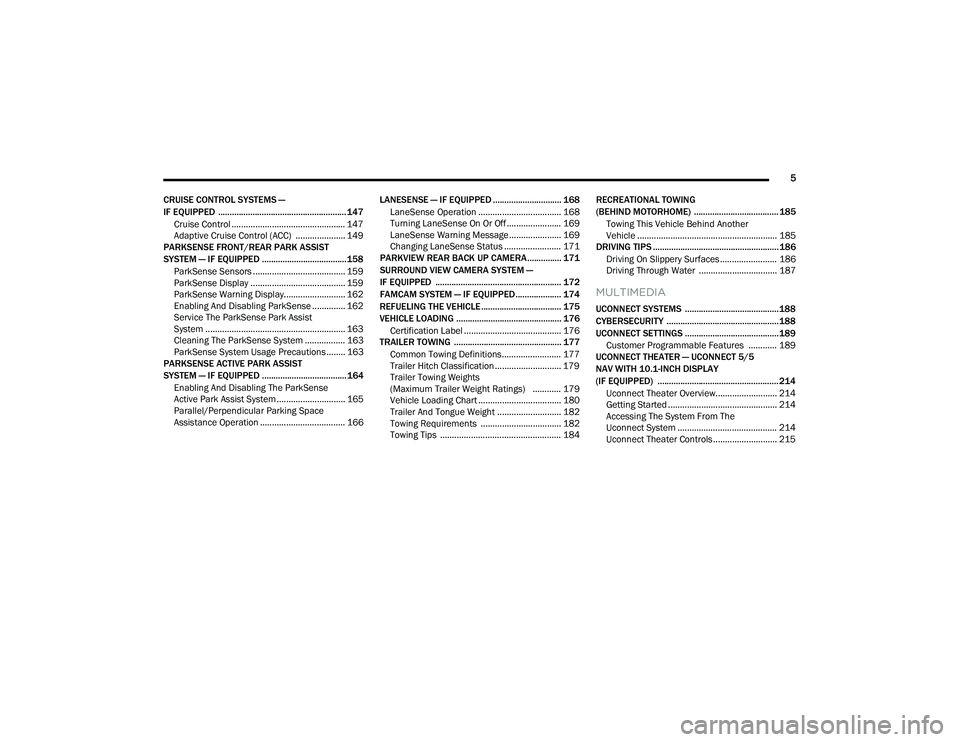
CRUISE CONTROL SYSTEMS —
IF EQUIPPED ........................................................ 147 Cruise Control ................................................ 147
Adaptive Cruise Control (ACC) ..................... 149
PARKSENSE FRONT/REAR PARK ASSIST
SYSTEM — IF EQUIPPED ..................................... 158
ParkSense Sensors ....................................... 159
ParkSense Display ........................................ 159
ParkSense Warning Display.......................... 162
Enabling And Disabling ParkSense .............. 162
Service The ParkSense Park Assist
System ........................................................... 163Cleaning The ParkSense System ................. 163ParkSense System Usage Precautions ........ 163
PARKSENSE ACTIVE PARK ASSIST
SYSTEM — IF EQUIPPED ..................................... 164
Enabling And Disabling The ParkSense
Active Park Assist System ............................. 165
Parallel/Perpendicular Parking Space
Assistance Operation .................................... 166 LANESENSE — IF EQUIPPED .............................. 168
LaneSense Operation ................................... 168Turning LaneSense On Or Off ....................... 169
LaneSense Warning Message ...................... 169Changing LaneSense Status ........................ 171
PARKVIEW REAR BACK UP CAMERA............... 171
SURROUND VIEW CAMERA SYSTEM —
IF EQUIPPED ....................................................... 172
FAMCAM SYSTEM — IF EQUIPPED.................... 174
REFUELING THE VEHICLE ................................... 175
VEHICLE LOADING .............................................. 176 Certification Label ......................................... 176
TRAILER TOWING ............................................... 177
Common Towing Definitions......................... 177
Trailer Hitch Classification ............................ 179
Trailer Towing Weights
(Maximum Trailer Weight Ratings) ............ 179
Vehicle Loading Chart ................................... 180Trailer And Tongue Weight ........................... 182Towing Requirements .................................. 182
Towing Tips ................................................... 184 RECREATIONAL TOWING
(BEHIND MOTORHOME) ..................................... 185
Towing This Vehicle Behind Another
Vehicle ........................................................... 185
DRIVING TIPS ....................................................... 186
Driving On Slippery Surfaces ........................ 186Driving Through Water ................................. 187
MULTIMEDIA
UCONNECT SYSTEMS ......................................... 188
CYBERSECURITY ................................................. 188
UCONNECT SETTINGS ......................................... 189 Customer Programmable Features ............ 189
UCONNECT THEATER — UCONNECT 5/5
NAV WITH 10.1-INCH DISPLAY
(IF EQUIPPED) ..................................................... 214
Uconnect Theater Overview.......................... 214
Getting Started .............................................. 214
Accessing The System From The
Uconnect System .......................................... 214Uconnect Theater Controls ........................... 215
21_RUP_OM_EN_USC_t.book Page 5
Page 9 of 401
7
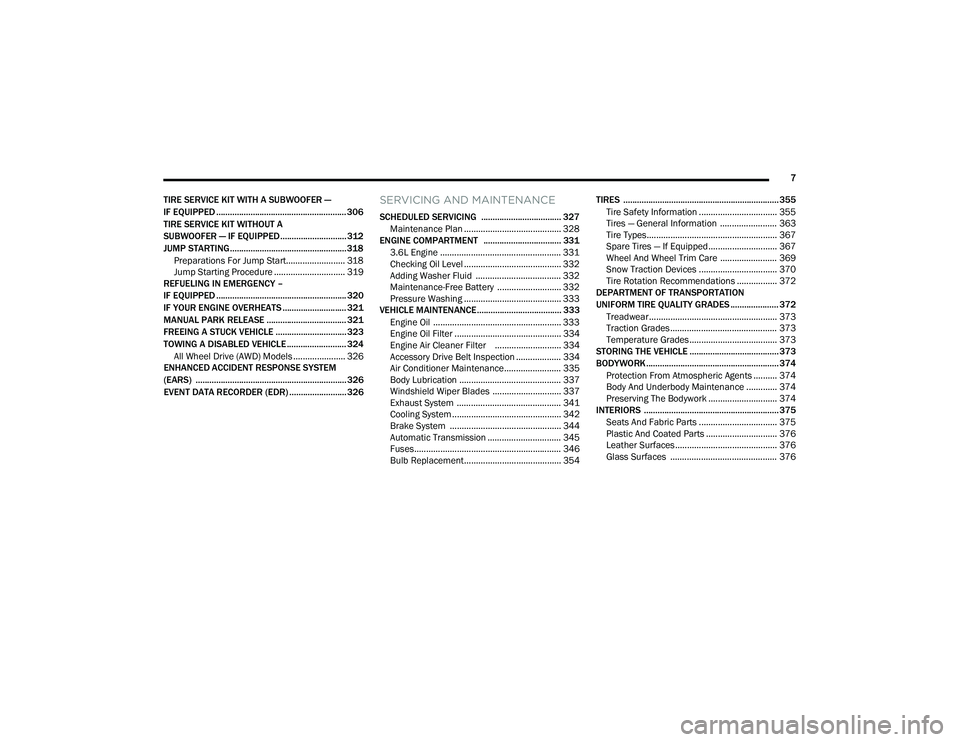
TIRE SERVICE KIT WITH A SUBWOOFER —
IF EQUIPPED ......................................................... 306
TIRE SERVICE KIT WITHOUT A
SUBWOOFER — IF EQUIPPED............................. 312
JUMP STARTING................................................... 318 Preparations For Jump Start......................... 318Jump Starting Procedure .............................. 319
REFUELING IN EMERGENCY –
IF EQUIPPED ......................................................... 320
IF YOUR ENGINE OVERHEATS ............................ 321
MANUAL PARK RELEASE ................................... 321
FREEING A STUCK VEHICLE ............................... 323
TOWING A DISABLED VEHICLE .......................... 324
All Wheel Drive (AWD) Models ...................... 326
ENHANCED ACCIDENT RESPONSE SYSTEM
(EARS) .................................................................. 326
EVENT DATA RECORDER (EDR) ......................... 326
SERVICING AND MAINTENANCE
SCHEDULED SERVICING ................................... 327
Maintenance Plan ......................................... 328
ENGINE COMPARTMENT .................................. 331
3.6L Engine ................................................... 331
Checking Oil Level ......................................... 332
Adding Washer Fluid .................................... 332
Maintenance-Free Battery ........................... 332Pressure Washing ......................................... 333
VEHICLE MAINTENANCE..................................... 333
Engine Oil ...................................................... 333
Engine Oil Filter ............................................. 334Engine Air Cleaner Filter ............................ 334
Accessory Drive Belt Inspection ................... 334Air Conditioner Maintenance........................ 335
Body Lubrication ........................................... 337Windshield Wiper Blades ............................. 337
Exhaust System ............................................ 341
Cooling System .............................................. 342
Brake System ............................................... 344
Automatic Transmission ............................... 345
Fuses.............................................................. 346
Bulb Replacement......................................... 354 TIRES .................................................................... 355
Tire Safety Information ................................. 355
Tires — General Information ........................ 363Tire Types....................................................... 367Spare Tires — If Equipped............................. 367Wheel And Wheel Trim Care ........................ 369Snow Traction Devices ................................. 370
Tire Rotation Recommendations ................. 372
DEPARTMENT OF TRANSPORTATION
UNIFORM TIRE QUALITY GRADES ..................... 372
Treadwear...................................................... 373
Traction Grades ............................................. 373Temperature Grades..................................... 373
STORING THE VEHICLE ....................................... 373
BODYWORK .......................................................... 374
Protection From Atmospheric Agents .......... 374
Body And Underbody Maintenance ............. 374
Preserving The Bodywork ............................. 374
INTERIORS ........................................................... 375
Seats And Fabric Parts ................................. 375
Plastic And Coated Parts .............................. 376
Leather Surfaces........................................... 376
Glass Surfaces ............................................. 376
21_RUP_OM_EN_USC_t.book Page 7
Page 10 of 401
8
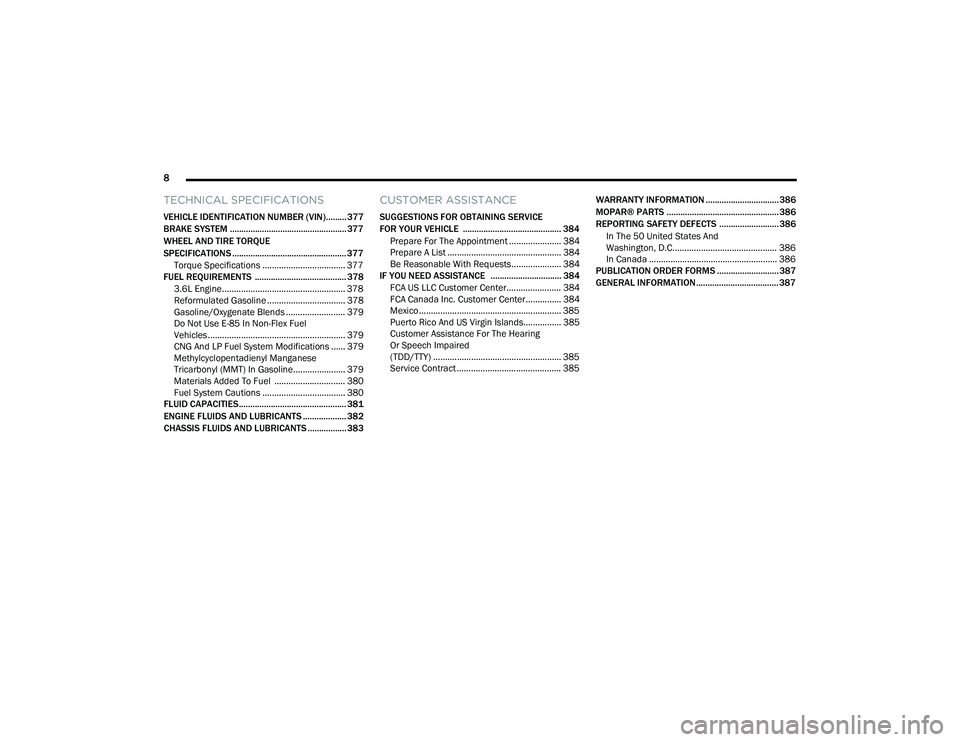
TECHNICAL SPECIFICATIONS
VEHICLE IDENTIFICATION NUMBER (VIN)......... 377
BRAKE SYSTEM ................................................... 377
WHEEL AND TIRE TORQUE
SPECIFICATIONS .................................................. 377
Torque Specifications ................................... 377
FUEL REQUIREMENTS ........................................ 378
3.6L Engine.................................................... 378
Reformulated Gasoline ................................. 378Gasoline/Oxygenate Blends ......................... 379Do Not Use E-85 In Non-Flex Fuel
Vehicles .......................................................... 379
CNG And LP Fuel System Modifications ...... 379
Methylcyclopentadienyl Manganese
Tricarbonyl (MMT) In Gasoline...................... 379Materials Added To Fuel .............................. 380Fuel System Cautions ................................... 380
FLUID CAPACITIES ............................................... 381
ENGINE FLUIDS AND LUBRICANTS ................... 382
CHASSIS FLUIDS AND LUBRICANTS ................. 383
CUSTOMER ASSISTANCE
SUGGESTIONS FOR OBTAINING SERVICE
FOR YOUR VEHICLE ........................................... 384
Prepare For The Appointment ...................... 384Prepare A List ................................................ 384Be Reasonable With Requests..................... 384
IF YOU NEED ASSISTANCE ............................... 384
FCA US LLC Customer Center....................... 384
FCA Canada Inc. Customer Center............... 384
Mexico ............................................................ 385
Puerto Rico And US Virgin Islands................ 385
Customer Assistance For The Hearing
Or Speech Impaired
(TDD/TTY) ...................................................... 385
Service Contract ............................................ 385 WARRANTY INFORMATION ................................ 386
MOPAR® PARTS ................................................. 386
REPORTING SAFETY DEFECTS .......................... 386
In The 50 United States And
Washington, D.C............................................ 386
In Canada ...................................................... 386
PUBLICATION ORDER FORMS ........................... 387
GENERAL INFORMATION.................................... 387
21_RUP_OM_EN_USC_t.book Page 8
Page 11 of 401
9
INTRODUCTION
Dear Customer,
Congratulations on the purchase of your new Chrysler vehicle. Be assured that it represents precision workmanship, distinctive styling, and high quality.
This Owner's Manual has been prepared with the assistance of service and engineering specialists to acquaint you with the operation and maintenance of your
vehicle. It is supplemented by customer-oriented documents. Within this information, you will find a description of the services that FCA US LLC offers to its
customers as well as the details of the terms and conditions for maintaining its validity. Please take the time to read all of these publications carefully before
driving your vehicle for the first time. Following the instructions, recommendations, tips, and important warnings in this manual will help ensure safe and
enjoyable operation of your vehicle.
This Owner's Manual describes all versions of this vehicle. Options and equipment dedicated to specific markets or versions are not expressly indicated in the
text. Therefore, you should only consider the information that is related to the trim level, engine, and version that you have purchased. Any content introduced
throughout the Owner's Information, which may or may not be applicable to your vehicle, will be identified with the wording “If Equipped” or, if applicable, refer
to the “Hybrid Supplement” for additional information. All data contained in this publication are intended to help you use your vehicle in the best possible way.
FCA US LLC aims at a constant improvement of the vehicles produced. For this reason, it reserves the right to make changes to the model described for technical
and/or commercial reasons. For further information, contact an authorized dealer.
When it comes to service, remember that authorized dealers know your Chrysler vehicle best, have factory-trained technicians, genuine Mopar® parts, and care
about your satisfaction.1
21_RUP_OM_EN_USC_t.book Page 9
Page 14 of 401
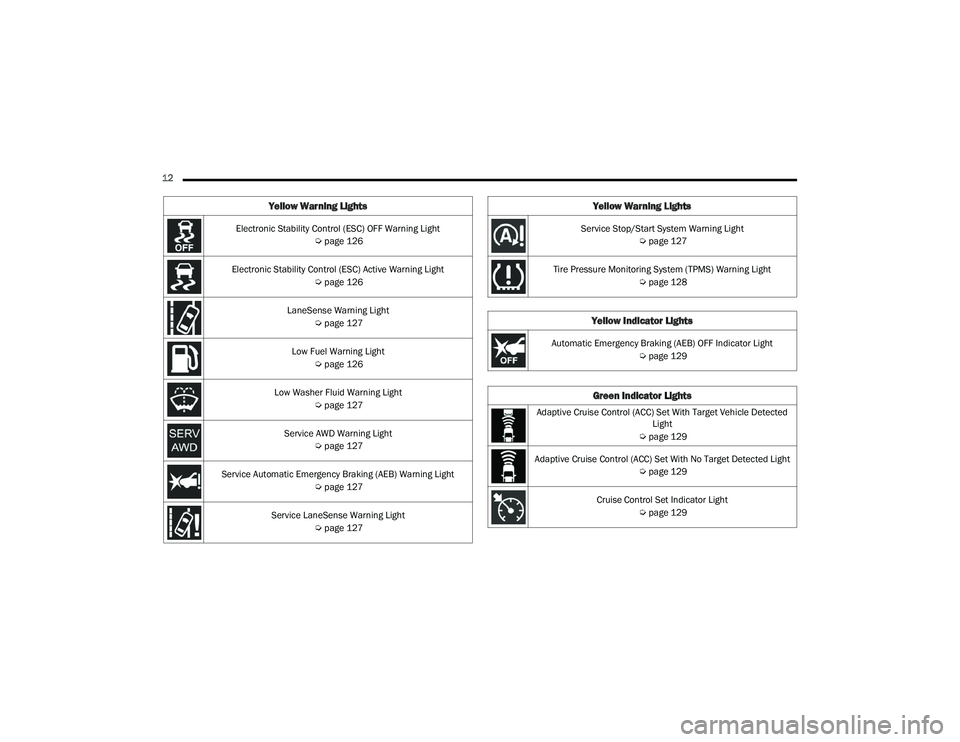
12 Electronic Stability Control (ESC) OFF Warning Light Úpage 126
Electronic Stability Control (ESC) Active Warning Light Úpage 126
LaneSense Warning Light Úpage 127
Low Fuel Warning Light Úpage 126
Low Washer Fluid Warning Light Úpage 127
Service AWD Warning Light Úpage 127
Service Automatic Emergency Braking (AEB) Warning Light Úpage 127
Service LaneSense Warning Light Úpage 127
Yellow Warning Lights
Service Stop/Start System Warning Light
Úpage 127
Tire Pressure Monitoring System (TPMS) Warning Light Úpage 128
Yellow Indicator Lights
Automatic Emergency Braking (AEB) OFF Indicator Light
Úpage 129
Green Indicator Lights
Adaptive Cruise Control (ACC) Set With Target Vehicle Detected
Light
Ú page 129
Adaptive Cruise Control (ACC) Set With No Target Detected Light Úpage 129
Cruise Control Set Indicator Light Úpage 129
Yellow Warning Lights
21_RUP_OM_EN_USC_t.book Page 12
Page 18 of 401
16GETTING TO KNOW YOUR VEHICLE
5. Align the back cover into its original position and snap it back in place by pushing it against
the fob until it is seated all around.
Programming And Requesting Additional
Key Fobs
Programming the key fob may be performed by an
authorized dealer.
NOTE:
Once a key fob is programmed to a vehicle, it
cannot be repurposed and reprogrammed to
another vehicle.
Only key fobs that are programmed to the
vehicle electronics can be used to start and
operate the vehicle.
Duplication of key fobs may be performed at an
authorized dealer. This procedure consists of
programming a blank key fob to the vehicle
electronics.
NOTE:When having the Sentry Key Immobilizer system
serviced, bring all vehicle keys with you to an
authorized dealer.
KeySense Features — If Equipped
This feature provides the vehicle owner with the
ability to customize vehicle settings for the driving
experience of other drivers of the vehicle. The
vehicle settings are protected by a unique
four-digit PIN, which the vehicle owner creates
when accessing the specific settings for the first
time. KeySense also has additional features that are
always enabled when the specific key is in use that
cannot be set by the vehicle owner. While this
specific key fob is in use, the vehicle will respond
accordingly to the customized vehicle settings and
mandatory features. This includes enhanced
driving assistance features, increased driver
alerts, and the locking of certain optional features.
These settings can be selected within the
Uconnect system Ú
page 189.
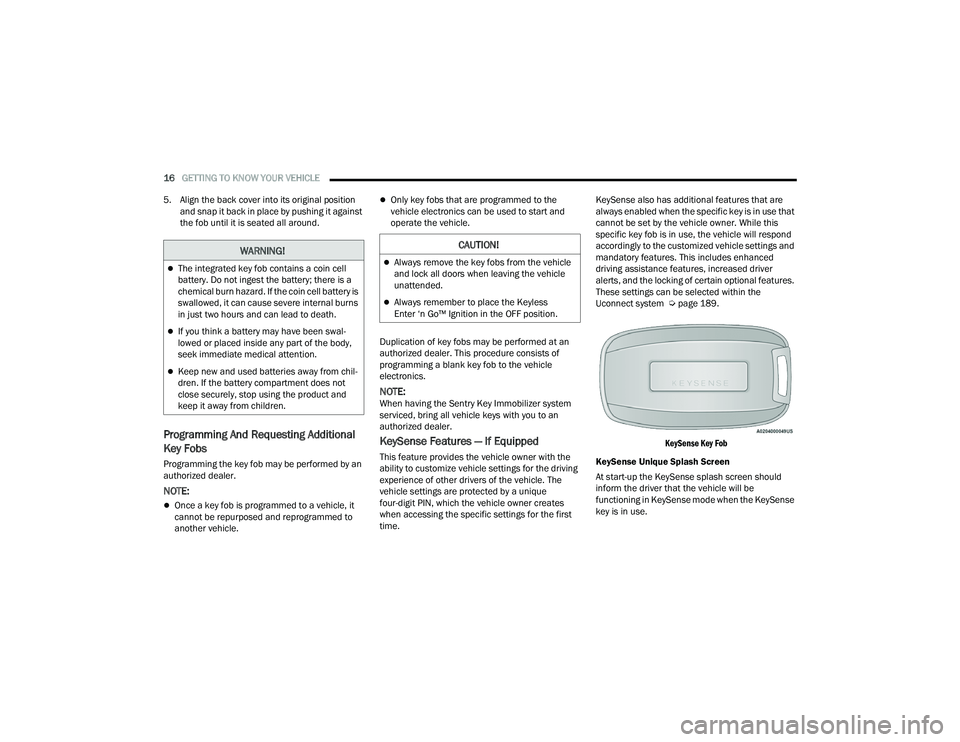
KeySense Key Fob
KeySense Unique Splash Screen
At start-up the KeySense splash screen should
inform the driver that the vehicle will be
functioning in KeySense mode when the KeySense
key is in use.
WARNING!
The integrated key fob contains a coin cell
battery. Do not ingest the battery; there is a
chemical burn hazard. If the coin cell battery is
swallowed, it can cause severe internal burns
in just two hours and can lead to death.
If you think a battery may have been swal-
lowed or placed inside any part of the body,
seek immediate medical attention.
Keep new and used batteries away from chil -
dren. If the battery compartment does not
close securely, stop using the product and
keep it away from children.
CAUTION!
Always remove the key fobs from the vehicle
and lock all doors when leaving the vehicle
unattended.
Always remember to place the Keyless
Enter ‘n Go™ Ignition in the OFF position.
21_RUP_OM_EN_USC_t.book Page 16
Page 19 of 401
GETTING TO KNOW YOUR VEHICLE17
Start Up Display Features
Unique splash screen graphic
Telltale illuminated
After unique splash screen, and after stored
messages are cycled, then start-up KeySense
messages (Range & Max Speed) are displayed
The following features are always enabled when
this key is in use:
Entertainment audio muted if front occupied
seat belts are not fastened
Consistent seat belt unfastened chime
Maximum radio volume limited to 15 out of 39
Daytime Running Lights
Headlights On With Wipers
Rain Sensing Wipers
Automatic High Beams
SENTRY KEY
The Sentry Key Immobilizer system prevents
unauthorized vehicle operation by disabling the
engine. The system does not need to be armed or
activated. Operation is automatic, regardless of
whether the vehicle is locked or unlocked. The system uses a key fob, keyless push button
ignition and a Radio Frequency (RF) receiver to
prevent unauthorized vehicle operation. Therefore,
only key fobs that are programmed to the vehicle
can be used to start and operate the vehicle. The
system cannot reprogram a key fob obtained from
another vehicle.
After placing the ignition switch in the ON/RUN
position, the Vehicle Security Light will turn on for
three seconds for a bulb check. If the light remains
on after the bulb check, it indicates that there is a
problem with the electronics. In addition, if the light
begins to flash after the bulb check, it indicates
that someone attempted to start the engine with
an invalid key fob. In the event that a valid key fob
is used to start the engine but there is an issue
with the vehicle electronics, the engine will start
and shut off after two seconds.
If the Vehicle Security Light turns on during normal
vehicle operation (vehicle running for longer than
10 seconds), it indicates that there is a fault in the
electronics. Should this occur, have the vehicle
serviced as soon as possible by an authorized
dealer.
All of the key fobs provided with your new vehicle
have been programmed to the vehicle electronics
Ú
page 387.
IGNITION SWITCH
KEYLESS ENTER ‘N GO™ IGNITION
If applicable, refer to the “Hybrid Supplement”
for additional information.
This feature allows the driver to operate the
ignition switch with the push of a button as long as
the key fob is in the passenger compartment.
The START/STOP ignition button has four
operating positions; three of which are labeled and
will illuminate when in position. The three positions
are OFF, ACC, and ON/RUN. The fourth position is
START. During START, RUN will illuminate.
CAUTION!
The Sentry Key Immobilizer system is not
compatible with some aftermarket Remote Start
systems. Use of these systems may result in
vehicle starting problems and loss of security
protection.
2
21_RUP_OM_EN_USC_t.book Page 17
Page 31 of 401
GETTING TO KNOW YOUR VEHICLE29
With every movement of the Hands-Free Sliding
Doors, an audible tone will sound and the turn
signals will flash. You can turn these alerts on or
off in the Uconnect system Úpage 189.
If anything obstructs the power sliding side door
while it is closing or opening, the door will auto -
matically reverse to the closed or open position
and an audible tone will sound, provided it
meets sufficient resistance. The turn signals will
flash with sliding door movements.
If the power sliding doors encounter multiple
obstructions within the same cycle, the system
will automatically stop.
The Hands-Free Sliding Doors feature may be
turned off through Uconnect Settings Úpage 189.
NOTE:The Hands-Free Sliding Doors feature should be
turned off during jacking, tire changing, and
vehicle service.
CHILD PROTECTION DOOR LOCK
S
YSTEM — REAR DOORS
To provide a safer environment for small children
riding in the rear seats, the sliding doors are
equipped with a Child Protection Door Lock
system.
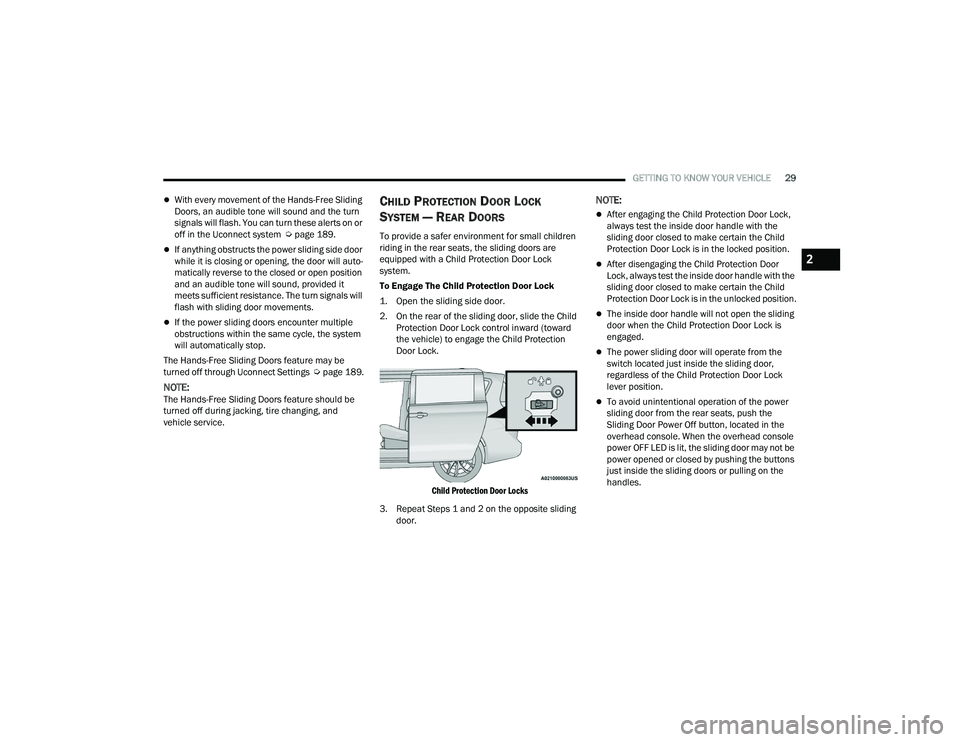
To Engage The Child Protection Door Lock
1. Open the sliding side door.
2. On the rear of the sliding door, slide the Child
Protection Door Lock control inward (toward
the vehicle) to engage the Child Protection
Door Lock.
Child Protection Door Locks
3. Repeat Steps 1 and 2 on the opposite sliding door.
NOTE:
After engaging the Child Protection Door Lock,
always test the inside door handle with the
sliding door closed to make certain the Child
Protection Door Lock is in the locked position.
After disengaging the Child Protection Door
Lock, always test the inside door handle with the
sliding door closed to make certain the Child
Protection Door Lock is in the unlocked position.
The inside door handle will not open the sliding
door when the Child Protection Door Lock is
engaged.
The power sliding door will operate from the
switch located just inside the sliding door,
regardless of the Child Protection Door Lock
lever position.
To avoid unintentional operation of the power
sliding door from the rear seats, push the
Sliding Door Power Off button, located in the
overhead console. When the overhead console
power OFF LED is lit, the sliding door may not be
power opened or closed by pushing the buttons
just inside the sliding doors or pulling on the
handles.
2
21_RUP_OM_EN_USC_t.book Page 29
Page 84 of 401
82GETTING TO KNOW YOUR VEHICLE
To provide you with maximum comfort in the
Automatic mode during cold start-ups, the blower
fan will remain on low until the engine warms up.
The blower will increase in speed and transition
into Auto mode.
Manual Operation Override
This system offers a full complement of manual
override features. The AUTO symbol in the front
Automatic Temperature Control (ATC) display will
be turned off when the system is being used in the
manual mode.
CLIMATE VOICE COMMANDS
Adjust vehicle temperatures hands-free and keep
everyone comfortable while you keep moving
ahead. (If vehicle is equipped with climate control.)
Push the VR button on the steering wheel. After the
beep, say one of the following commands:
“Set driver temperature to 70 degrees ”
“Set passenger temperature to 70 degrees ”
Did you know : Voice Command for Climate may
only be used to adjust the interior temperature of
your vehicle. Voice Command will not work to
adjust the heated seats or steering wheel if
equipped.
OPERATING TIPS
NOTE:Refer to the chart at the end of this section for
suggested control settings for various weather
conditions.
Summer Operation
The engine cooling system must be protected with
a high-quality antifreeze coolant to provide proper
corrosion protection and to protect against engine
overheating. OAT coolant (conforming to
MS.90032) is recommended Ú page 382.
Winter Operation
To ensure the best possible heater and defroster
performance, make sure the engine cooling
system is functioning properly and the proper
amount, type, and concentration of coolant is
used. Use of the Air Recirculation mode during
Winter months is not recommended, because it
may cause window fogging.
Vacation/Storage
For information on maintaining the Climate Control
system when the vehicle is being stored for an
extended period of time, see Úpage 373.
Window Fogging
Vehicle windows tend to fog on the inside in mild,
rainy, and/or humid weather. To clear the
windows, select Defrost or Mix mode and increase
the front blower speed. Do not use the
Recirculation mode without A/C (Air Conditioning)
for long periods, as fogging may occur.
Outside Air Intake
Make sure the air intake, located directly in front of
the windshield, is free of obstructions such as
leaves. Leaves collected in the air intake may
reduce airflow, and if they enter the plenum, they
could plug the water drains. In Winter months,
make sure the air intake is clear of ice, slush, and
snow.
Cabin Air Filter
The Climate Control system filters out dust and
pollen from the air. Contact an authorized dealer to
service your cabin air filter, and to have it replaced
when needed
21_RUP_OM_EN_USC_t.book Page 82