remote start CHRYSLER PACIFICA 2023 User Guide
[x] Cancel search | Manufacturer: CHRYSLER, Model Year: 2023, Model line: PACIFICA, Model: CHRYSLER PACIFICA 2023Pages: 328, PDF Size: 16.37 MB
Page 164 of 328
162MULTIMEDIA
Display
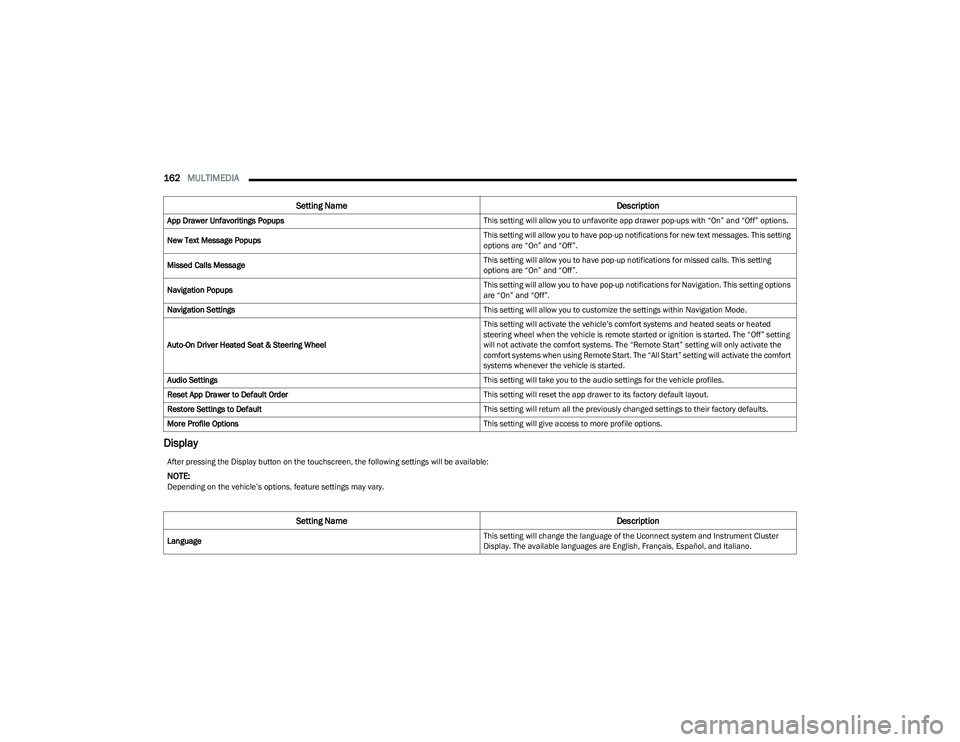
App Drawer Unfavoritings Popups This setting will allow you to unfavorite app drawer pop-ups with “On” and “Off” options.
New Text Message Popups This setting will allow you to have pop-up notifications for new text messages. This setting
options are “On” and “Off”.
Missed Calls Message This setting will allow you to have pop-up notifications for missed calls. This setting
options are “On” and “Off”.
Navigation Popups This setting will allow you to have pop-up notifications for Navigation. This setting options
are “On” and “Off”.
Navigation Settings This setting will allow you to customize the settings within Navigation Mode.
Auto-On Driver Heated Seat & Steering Wheel This setting will activate the vehicle’s comfort systems and heated seats or heated
steering wheel when the vehicle is remote started or ignition is started. The “Off” setting
will not activate the comfort systems. The “Remote Start” setting will only activate the
comfort systems when using Remote Start. The “All Start” setting will activate the comfort
systems whenever the vehicle is started.
Audio Settings This setting will take you to the audio settings for the vehicle profiles.
Reset App Drawer to Default Order This setting will reset the app drawer to its factory default layout.
Restore Settings to Default This setting will return all the previously changed settings to their factory defaults.
More Profile Options This setting will give access to more profile options.
Setting NameDescription
After pressing the Display button on the touchscreen, the following settings will be available:
NOTE:Depending on the vehicle’s options, feature settings may vary.
Setting NameDescription
Language This setting will change the language of the Uconnect system and Instrument Cluster
Display. The available languages are English, Français, Español, and Italiano.
23_RUP_OM_EN_USC_t.book Page 162
Page 172 of 328
170MULTIMEDIA
Brakes
Doors & Locks
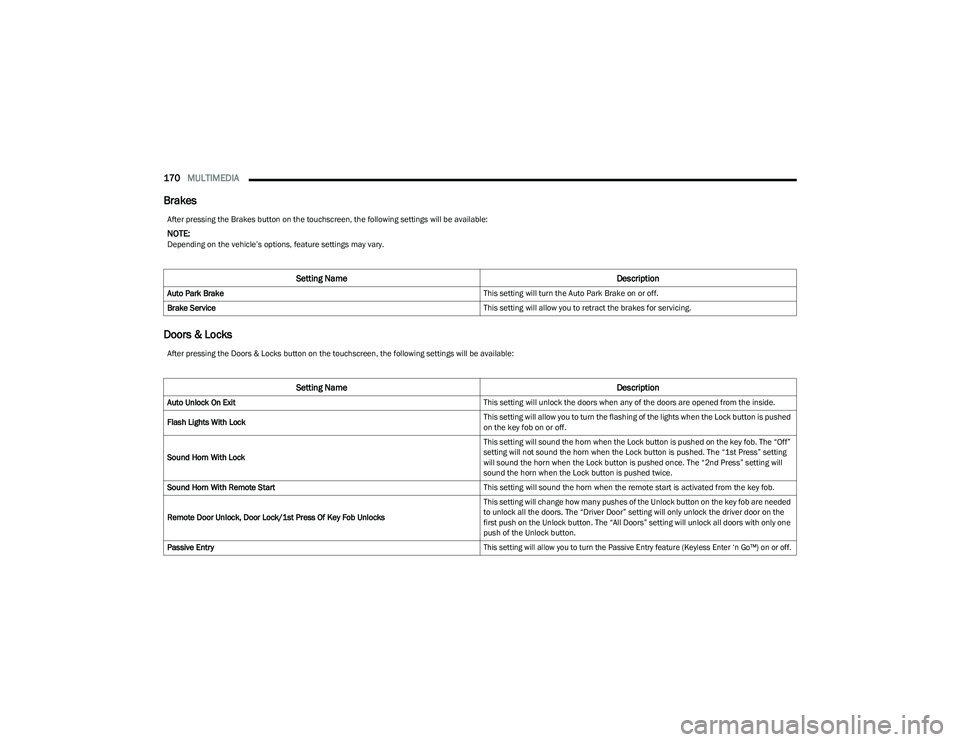
After pressing the Brakes button on the touchscreen, the following settings will be available:
NOTE:Depending on the vehicle’s options, feature settings may vary.
Setting Name Description
Auto Park Brake This setting will turn the Auto Park Brake on or off.
Brake Service This setting will allow you to retract the brakes for servicing.
After pressing the Doors & Locks button on the touchscreen, the following settings will be available:
Setting NameDescription
Auto Unlock On Exit This setting will unlock the doors when any of the doors are opened from the inside.
Flash Lights With Lock This setting will allow you to turn the flashing of the lights when the Lock button is pushed
on the key fob on or off.
Sound Horn With Lock This setting will sound the horn when the Lock button is pushed on the key fob. The “Off”
setting will not sound the horn when the Lock button is pushed. The “1st Press” setting
will sound the horn when the Lock button is pushed once. The “2nd Press” setting will
sound the horn when the Lock button is pushed twice.
Sound Horn With Remote Start This setting will sound the horn when the remote start is activated from the key fob.
Remote Door Unlock, Door Lock/1st Press Of Key Fob Unlocks This setting will change how many pushes of the Unlock button on the key fob are needed
to unlock all the doors. The “Driver Door” setting will only unlock the driver door on the
first push on the Unlock button. The “All Doors” setting will unlock all doors with only one
push of the Unlock button.
Passive Entry
This setting will allow you to turn the Passive Entry feature (Keyless Enter ‘n Go™) on or off.
23_RUP_OM_EN_USC_t.book Page 170
Page 173 of 328
MULTIMEDIA171
Seats & Comfort
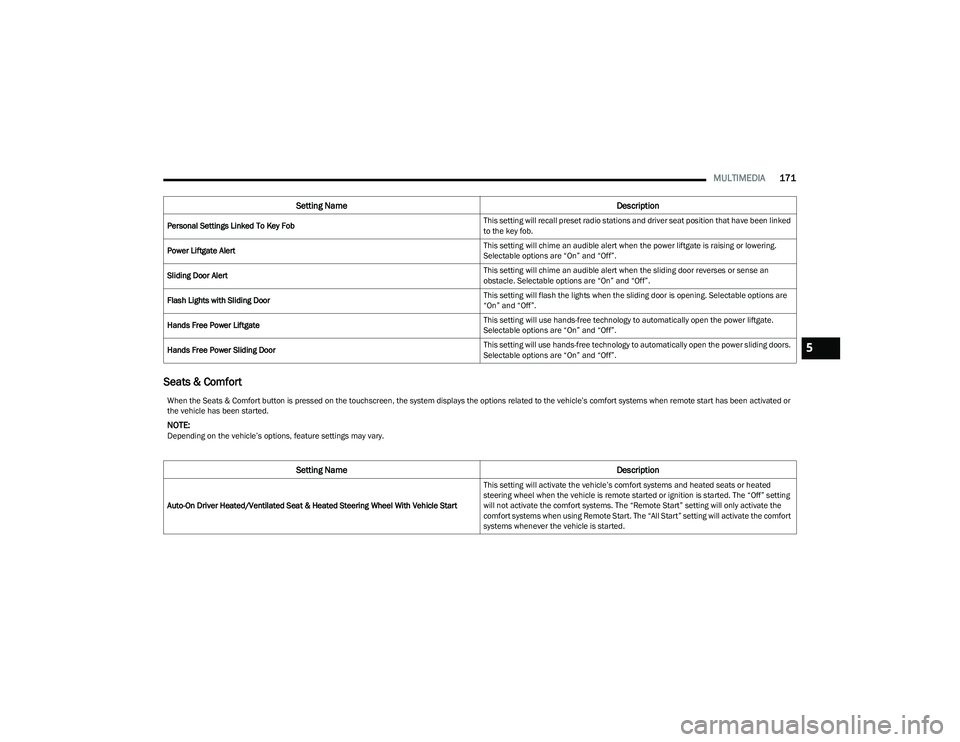
Personal Settings Linked To Key Fob This setting will recall preset radio stations and driver seat position that have been linked
to the key fob.
Power Liftgate Alert This setting will chime an audible alert when the power liftgate is raising or lowering.
Selectable options are “On” and “Off”.
Sliding Door Alert This setting will chime an audible alert when the sliding door reverses or sense an
obstacle. Selectable options are “On” and “Off”.
Flash Lights with Sliding Door This setting will flash the lights when the sliding door is opening. Selectable options are
“On” and “Off”.
Hands Free Power Liftgate This setting will use hands-free technology to automatically open the power liftgate.
Selectable options are “On” and “Off”.
Hands Free Power Sliding Door This setting will use hands-free technology to automatically open the power sliding doors.
Selectable options are “On” and “Off”.
Setting Name
Description
When the Seats & Comfort button is pressed on the touchscreen, the system displays the options related to the vehicle’s comfort systems when remote start has been activated or
the vehicle has been started.
NOTE:Depending on the vehicle’s options, feature settings may vary.
Setting NameDescription
Auto-On Driver Heated/Ventilated Seat & Heated Steering Wheel With Vehicle Start This setting will activate the vehicle’s comfort systems and heated seats or heated
steering wheel when the vehicle is remote started or ignition is started. The “Off” setting
will not activate the comfort systems. The “Remote Start” setting will only activate the
comfort systems when using Remote Start. The “All Start” setting will activate the comfort
systems whenever the vehicle is started.
5
23_RUP_OM_EN_USC_t.book Page 171
Page 179 of 328
MULTIMEDIA177
REAR SEAT ENTERTAINMENT (RSE) WITH
AMAZON FIRE TV BUILT-IN — IF EQUIPPED
OVERVIEW
Rear Seat Entertainment with Fire TV built-in is designed
to give your family years of enjoyment.
Fire TV lets passengers enjoy a wide variety of content
from popular apps (subscriptions may be required).
Stream videos, play games, listen to music, get
information, and watch downloaded programs all while on
the road. Two Voice Remotes with Alexa are included with
the system. Press the Microphone button on the Voice
Remote with Alexa to easily find, launch, and control
content. Check sports scores, play music, control smart
home devices, or see your live camera feeds (compatible
smart home device required and sold separately). In
addition to streaming and downloaded content, changing
the input in Fire TV also enables you to:
Play your favorite CDs, DVDs, or Blu-ray™ Discs.
Mirror what’s on your phone or tablet to Fire TV via
Miracast capable devices.
Plug and play a variety of standard video games or
devices into the HDMI port.
Listen to audio over wired or wireless headphones (not
included, customer will have to provide their own or
play audio through in-cabin speakers with Listen In
feature in front seat).
Plug and play a variety of devices into the front seat
Video USB port. USB ports located under the rear
screens are charge only.
Watch content individually on each rear display or
mirror across both displays to watch together.
NOTE:Vehicle must be in an active and usable cellular range and
properly equipped with a Uconnect 5 NAV system and
Rear Seat Entertainment with Fire TV package. Streaming
requires a Wi-Fi connection and registered Amazon
account to run Fire TV in the vehicle. Streaming service
subscriptions are not included. Services and features are
subject to change or withdrawal at any time, may not be
available in all areas and languages, and may require
separate subscriptions.
GETTING STARTED
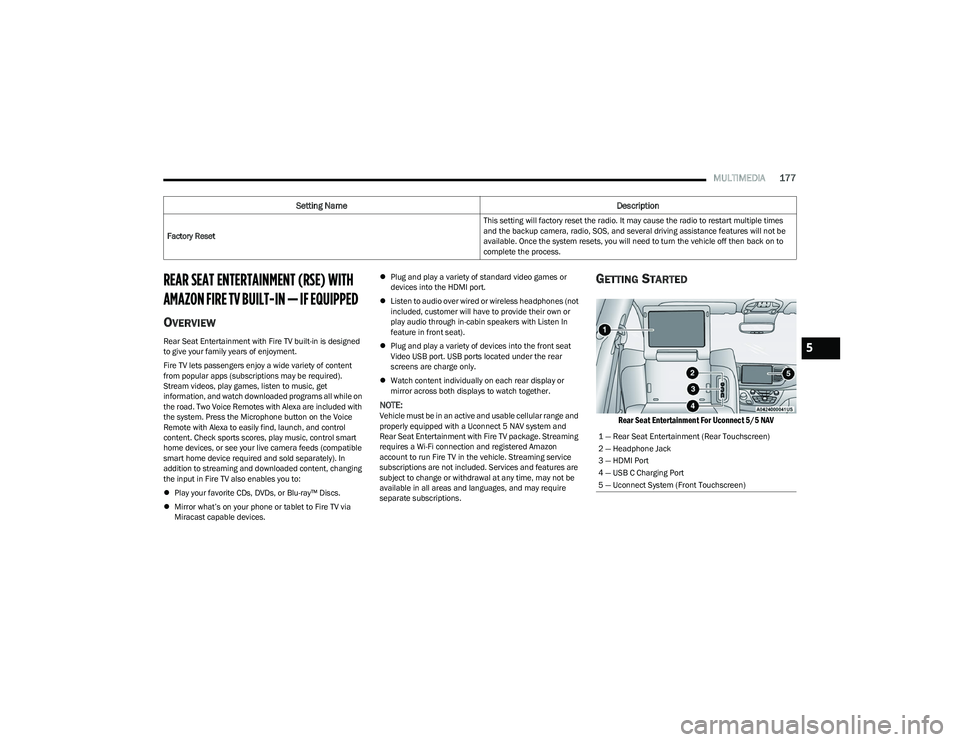
Rear Seat Entertainment For Uconnect 5/5 NAV
Factory Reset This setting will factory reset the radio. It may cause the radio to restart multiple times
and the backup camera, radio, SOS, and several driving assistance features will not be
available. Once the system resets, you will need to turn the vehicle off then back on to
complete the process.
Setting Name
Description
1 — Rear Seat Entertainment (Rear Touchscreen)
2 — Headphone Jack
3 — HDMI Port
4 — USB C Charging Port
5 — Uconnect System (Front Touchscreen)
5
23_RUP_OM_EN_USC_t.book Page 177
Page 180 of 328
178MULTIMEDIA
There are three different ways to operate the features of
Rear Seat Entertainment with Fire TV built-in:
Voice Remote with Alexa
Front radio screen
Individual rear touchscreens for Rear Seat Entertain -
ment with Fire TV built-in touch on each rear screen
ACCESSING REAR SEAT
E
NTERTAINMENT WITH FIRE TV BUILT-IN
FROM THE FRONT RADIO SCREEN
You can access your Rear Seat Entertainment with Fire TV
built-in system by following these steps:
Option 1
1. Press the Media button.
2. Press the Rear Seat button icon.
Option 2
1. Press the Apps button on the bottom of the
touchscreen.
2. Press the Uconnect Theater button on the touchscreen. You may need to navigate to different
pages in the Apps drawer to find the Uconnect
Theater button.
ACCESSING REAR SEAT
E
NTERTAINMENT WITH FIRE TV BUILT-IN
FROM THE REAR SCREENS
You can access your Rear Seat Entertainment with Fire TV
built-in system from the rear screens by just flipping the
screens open. Flipping open the rear screens will
automatically turn the system on. Tapping either rear
screen will also turn on the system for that respective
screen.
NOTE:When using the rear screens, the system will launch with
Fire TV.
FIRST TIME STARTING UP (USING THE
R
EAR SCREENS)
Boot-up Screen
When turning on the system for the first time from the rear
screens, a boot-up screen will appear on the system
displaying the Fire TV logo.
During this boot-up sequence, language options will be
available for the system.
Voice Remote with Alexa Pairing
After the boot-up sequence is complete, the system will
then give the option to pair a Voice Remote with Alexa (two
are included with the system).
Follow the on-screen instructions for how to pair a Voice
Remote with Alexa to the system. Two Voice Remotes with
Alexa are included to be paired with each rear screen. A Voice Remote with Alexa can be paired to each rear
screen. It will function with the rear screen it was paired
with. The pairing steps will need to be done for each rear
screen.
NOTE:If the Voice Remote with Alexa pairing fails, on-screen
instructions will appear for trying to pair again.
Connecting to a Network
During the start-up process, the system will need to be
connected to a network to function. Multiple network
sources can be options for the system.
Some options for a network connection are:
Wi-Fi Hotspot using a capable smartphone (if activated,
it will show as a possible network for the system on the
screen).
Outside connection like a home Wi-Fi network.
In-vehicle Wi-Fi.
NOTE:When a network is connected to the system for the first
time, an over-the-air-software update will take place using
the Wi-Fi connection. It is recommended that an unlimited
Wi-Fi connection, if available, be used during this update.
After this first-time update, updates will only occur when
one is available.
23_RUP_OM_EN_USC_t.book Page 178
Page 181 of 328
MULTIMEDIA179
Account Sign-in
The next step will be the option to sign in to your Amazon
account.
There are two options to sign into the system:
I already have an Amazon account: Sign in with an
already existing Amazon account
I am new to Amazon: Create a new Amazon Account
If “I am new to Amazon” is selected, follow the on-screen
steps to set up an Amazon account with the system.
Parental Controls
Another feature that will appear during this first time set
up is parental controls.
When the parental controls page appears, it will give the
options “Enable Parental Controls” and “No Parental
Controls”. If “Enable Parental Controls” is selected, follow
the on-screen steps to set up parental controls for the
system.
ALEXA VOICE CONTROL
A feature with Rear Seat Entertainment with Fire TV
built-in that enhances your experience is Alexa. It is simple
to get started using this feature. Push the Microphone
button at the top of the Voice Remote with Alexa to
activate Alexa and get started.
LISTEN VIA VEHICLE SPEAKERS
A feature within Rear Seat Entertainment with Fire TV
built-in is the front radio Listen feature. On the front radio
Home screen for Fire TV, select the Listen button in the top
right corner on either card for Screen 1 or 2. This will allow
you to have either rear screen play audio through all the
speakers in the vehicle.
QUICK MENU
Accessing the quick menu will give you more options for
Fire TV.
To access the quick menu, tap the screen and it will
appear. The quick menu is also accessible by pushing the
Gear/Settings button on the Voice Remote with Alexa.
Some options of the quick menu are:
Power — This will power the screen off.
On-Screen Remote — This will bring up the on-screen
remote to use with the system.
Back — This will let you go back a page.
Home — This will take you to the Home screen.
Gear/Settings — This will let you access certain settings
in the system. For more setting options, select
“Settings” within the on-screen Gear/Settings menu.
Vehicle — This will bring up the Vehicle menu. From
here you can adjust rear climate controls and the Are
We There Yet? app.
PARENTAL CONTROLS (USING THE REAR
S
CREENS)
If parental controls were not set during the first time start
up of the system, they can be set by following these steps:
1. Push the Gear/Settings button on the Voice Remote
with Alexa or tap the screen to access Settings in the
“quick menu”.
2. Select the Gear/Settings icon on the screen.
3. Select “Settings” on the screen.
4. While in Settings, select “Preferences”.
5. Select “Parental Controls”; from here you can turn Parental Controls on or off and set up a PIN for the
controls using the Voice Remote with Alexa.
VOICE REMOTE WITH ALEXA PAIRING
(U
SING THE REAR SCREENS)
If the Voice Remote with Alexa needs to be paired again or
a new remote is being paired, follow these procedures:
1. Install batteries into the remote.
2. Tap the screen and Select the Gear/Settings icon on
the screen.
3. Select “Settings” on the screen.
4. In Settings, select “Controllers & Bluetooth® Devices”.
5. From this menu, select “Add New Remote”.
6. Follow the on-screen steps for Voice Remote with Alexa pairing.
5
23_RUP_OM_EN_USC_t.book Page 179
Page 254 of 328
252IN CASE OF EMERGENCY
JUMP STARTING PROCEDURE
Connecting The Jumper Cables
1. Connect the positive
(+) end of the jumper cable to
the positive (+)
post of the vehicle with the
discharged battery.
2. Connect the opposite end of the positive (+) jumper
cable to the positive (+) post of the booster battery.
3. Connect the negative (-) end of the jumper cable to
the negative (-) post of the booster battery.
4. Connect the opposite end of the negative (-) jumper
cable to the remote negative (-) post near the
windshield cowl (exposed metallic/unpainted post of
the discharge vehicle). 5. Start the engine in the vehicle that has the booster
battery, let the engine idle a few minutes, and then
start the engine in the vehicle with the discharged
battery.
6. Once the engine is started, see the following discon- necting procedure for the next steps.
Disconnecting The Jumper Cables
1. Disconnect the negative
(-)
end of the jumper cable
from the remote negative post of the vehicle with the
discharged battery.
2. Disconnect the opposite end of the negative (-)
jumper cable from the negative (-) post of the booster
battery.
3. Disconnect the positive (+) end of the jumper cable
from the positive (+) post of the booster battery.
4. Disconnect the opposite end of the positive (+)
jumper cable from the positive (+) post of the vehicle
with the discharged battery and reinstall the
protective cap.
If frequent jump starting is required to start your vehicle
you should have the battery and charging system
inspected at an authorized dealer.
REFUELING IN EMERGENCY – IF EQUIPPED
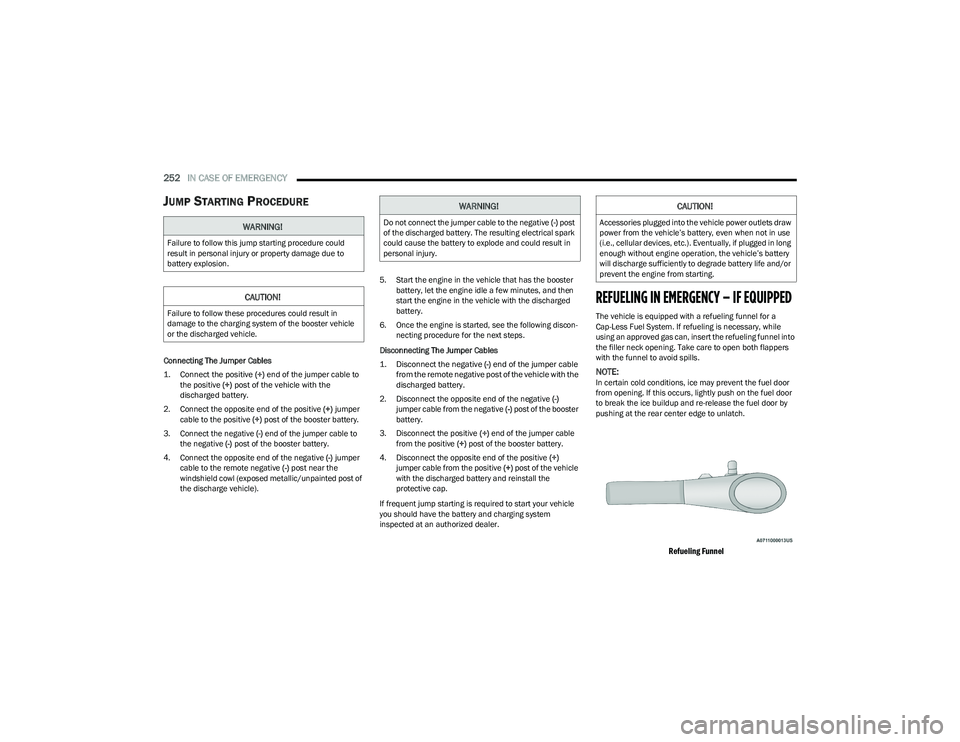
The vehicle is equipped with a refueling funnel for a
Cap-Less Fuel System. If refueling is necessary, while
using an approved gas can, insert the refueling funnel into
the filler neck opening. Take care to open both flappers
with the funnel to avoid spills.
NOTE:In certain cold conditions, ice may prevent the fuel door
from opening. If this occurs, lightly push on the fuel door
to break the ice buildup and re-release the fuel door by
pushing at the rear center edge to unlatch.
Refueling Funnel
WARNING!
Failure to follow this jump starting procedure could
result in personal injury or property damage due to
battery explosion.
CAUTION!
Failure to follow these procedures could result in
damage to the charging system of the booster vehicle
or the discharged vehicle.
WARNING!
Do not connect the jumper cable to the negative (-) post
of the discharged battery. The resulting electrical spark
could cause the battery to explode and could result in
personal injury.
CAUTION!
Accessories plugged into the vehicle power outlets draw
power from the vehicle’s battery, even when not in use
(i.e., cellular devices, etc.). Eventually, if plugged in long
enough without engine operation, the vehicle’s battery
will discharge sufficiently to degrade battery life and/or
prevent the engine from starting.
23_RUP_OM_EN_USC_t.book Page 252
Page 319 of 328
317
K
Key Fob ............................................................................12 Arm The System .........................................................19
Disarm The Alarm ...................................................... 19
Programming Additional Key Fobs ...........................14
Key Fob Battery Service (Remote Keyless Entry) .........13
Key Fob Programming (Remote Keyless Entry) ............ 14
Keyless Enter 'n Go™ ...................................................... 21 Passive Entry .............................................................. 21
Keys .................................................................................12
Keysense .........................................................................98
LLane Change And Turn Signals ...................................... 54
Lane Change Assist .................................................54, 57
LaneSense.................................................................... 140
Lap/Shoulder Belts ...................................................... 202
Latches ......................................................................... 235 Hood ...........................................................................82
Lead Free Gasoline ...................................................... 304
Leaks, Fluid .................................................................. 235
Life Of Tires .................................................................. 293
Liftgate .............................................................................83 Hands-Free .................................................................84
Power ..........................................................................83
Light Bulbs ........................................................... 235
, 282 Lights .............................................................................235
Air Bag ................................................... 102
, 209, 233
Anti Lock Brake System ..........................................105
Automatic Emergency Braking OFF ........................ 107 Battery Saver ............................................................. 57
Brake Assist Warning .............................................. 190Brake Warning ......................................................... 103
Bulb Replacement...................................................282
Cruise ............................................................. 107
, 108
Daytime Running ....................................................... 54
Dimmer Switch, Headlight ........................................ 54
Electric Power Steering Fault..................................103
Electronic Park Brake.............................................. 105 Electronic Stability Control Active...........................105
Electronic Throttle Control ...................................... 104Engine Temperature Warning................................. 104
Exterior ........................................................... 235
, 282
Fog.....................................................................57, 108
Headlights ........................................................... 54, 56
High Beam ............................................................... 109
High Beam/Low Beam Select .................................. 54
Hood Open ............................................................... 104
Instrument Cluster .................................................... 54
Intensity Control ........................................................ 58
Interior........................................................................ 58
KeySense ................................................................. 108
LaneSense ..................................................... 105
, 108 Liftgate Open ........................................................... 104
Lights On Reminder ........................................... 54
, 57
Low Fuel................................................................... 105
Low Washer Fluid .................................................... 106
Malfunction Indicator (Check Engine) ................... 106 Oil Pressure ............................................................. 104
Oil Temperature ...................................................... 104
Park .......................................................................... 108
Passing ............................................................... 54
, 56
Reading...................................................................... 58
Seat Belt Reminder ................................................. 104 Security Alarm ......................................................... 105
Service ..................................................................... 282Service Automatic Emergency Braking.................. 106
Service AWD ............................................................ 106
Service LaneSense ................................................. 106Service Stop Start System ...................................... 106
Side Marker ............................................................. 282
SmartBeams.............................................................. 56
Stop Start Active...................................................... 108
Tire Pressure Monitoring (TPMS) ........................... 106Traction Control ....................................................... 190Transmission Temperature .................................... 104
Turn Signals................................... 54
, 108, 235, 282
Load Floor, Cargo ........................................................... 86
Load Shed Battery Saver Mode................................... 101
11
23_RUP_OM_EN_USC_t.book Page 317
Page 321 of 328
319
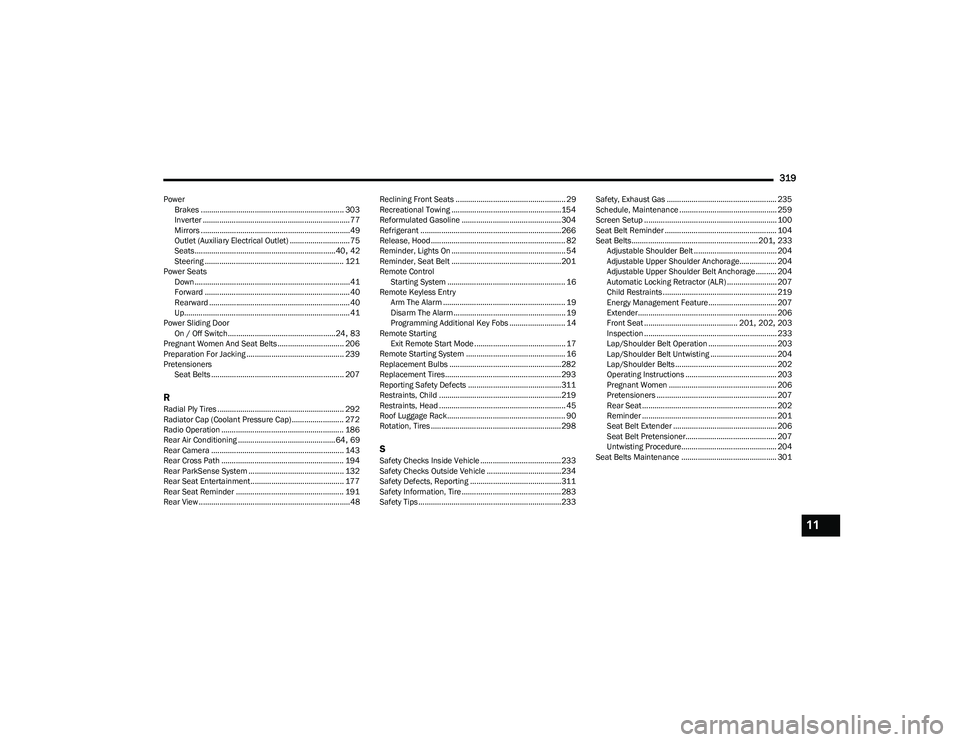
PowerBrakes ..................................................................... 303
Inverter ....................................................................... 77
Mirrors ........................................................................49
Outlet (Auxiliary Electrical Outlet) ............................. 75
Seats.................................................................... 40
, 42
Steering ................................................................... 121
Power Seats Down...........................................................................41
Forward ...................................................................... 40
Rearward ....................................................................40
Up................................................................................ 41
Power Sliding Door On / Off Switch.................................................... 24
, 83
Pregnant Women And Seat Belts................................ 206
Preparation For Jacking ............................................... 239
Pretensioners Seat Belts ................................................................ 207
RRadial Ply Tires ............................................................. 292
Radiator Cap (Coolant Pressure Cap) ......................... 272
Radio Operation ........................................................... 186
Rear Air Conditioning ............................................... 64
, 69
Rear Camera ................................................................ 143
Rear Cross Path ........................................................... 194
Rear ParkSense System .............................................. 132
Rear Seat Entertainment............................................. 177
Rear Seat Reminder .................................................... 191
Rear View .........................................................................48 Reclining Front Seats ..................................................... 29
Recreational Towing ..................................................... 154
Reformulated Gasoline ................................................ 304
Refrigerant ....................................................................266
Release, Hood................................................................. 82
Reminder, Lights On ....................................................... 54
Reminder, Seat Belt ..................................................... 201
Remote Control Starting System ......................................................... 16
Remote Keyless Entry Arm The Alarm ........................................................... 19
Disarm The Alarm ...................................................... 19
Programming Additional Key Fobs ........................... 14
Remote Starting Exit Remote Start Mode ............................................ 17
Remote Starting System ................................................ 16
Replacement Bulbs ...................................................... 282
Replacement Tires........................................................ 293
Reporting Safety Defects ............................................. 311
Restraints, Child ...........................................................219
Restraints, Head ............................................................. 45
Roof Luggage Rack......................................................... 90
Rotation, Tires ............................................................... 298SSafety Checks Inside Vehicle ....................................... 233
Safety Checks Outside Vehicle ....................................234
Safety Defects, Reporting ............................................311
Safety Information, Tire ................................................ 283
Safety Tips.....................................................................233 Safety, Exhaust Gas ..................................................... 235
Schedule, Maintenance ............................................... 259
Screen Setup ................................................................ 100
Seat Belt Reminder ...................................................... 104
Seat Belts............................................................. 201
, 233
Adjustable Shoulder Belt ........................................ 204 Adjustable Upper Shoulder Anchorage.................. 204
Adjustable Upper Shoulder Belt Anchorage .......... 204
Automatic Locking Retractor (ALR) ........................ 207
Child Restraints ....................................................... 219Energy Management Feature................................. 207Extender................................................................... 206
Front Seat ............................................. 201
, 202, 203
Inspection ................................................................ 233
Lap/Shoulder Belt Operation ................................. 203 Lap/Shoulder Belt Untwisting ................................ 204
Lap/Shoulder Belts ................................................. 202Operating Instructions ............................................ 203
Pregnant Women .................................................... 206
Pretensioners .......................................................... 207
Rear Seat ................................................................. 202
Reminder ................................................................. 201
Seat Belt Extender .................................................. 206
Seat Belt Pretensioner............................................ 207
Untwisting Procedure.............................................. 204
Seat Belts Maintenance .............................................. 301
11
23_RUP_OM_EN_USC_t.book Page 319
Page 322 of 328
320
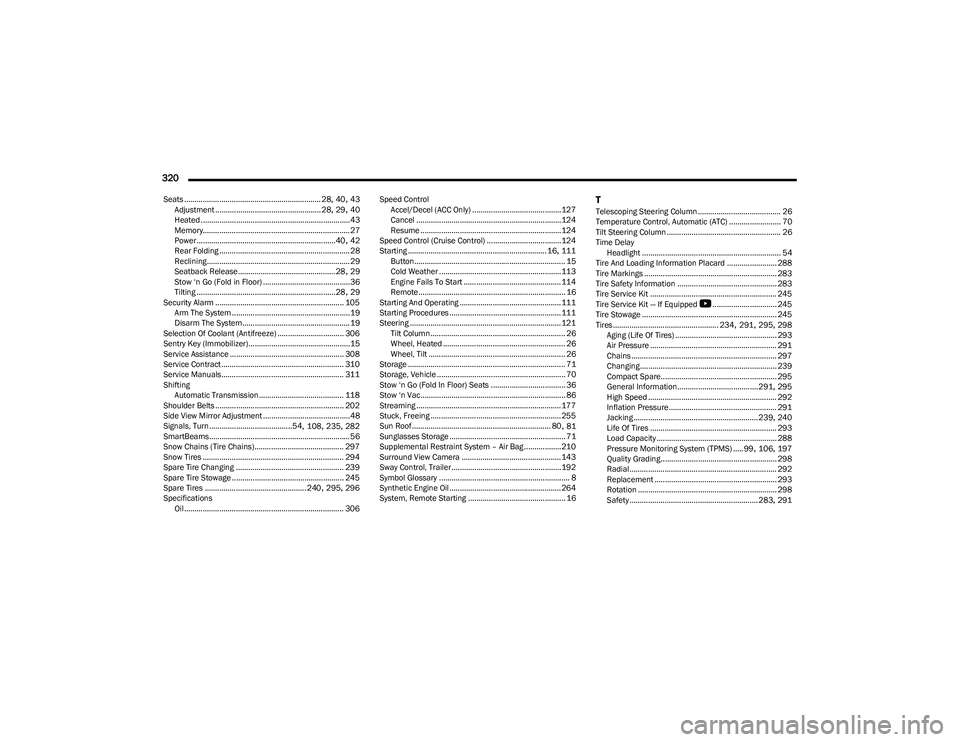
Seats .................................................................. 28, 40, 43
Adjustment ................................................... 28, 29, 40
Heated ........................................................................43
Memory....................................................................... 27
Power ...................................................................40
, 42
Rear Folding ............................................................... 28
Reclining .....................................................................29
Seatback Release ............................................... 28
, 29
Stow ‘n Go (Fold in Floor) ..........................................36
Tilting ...................................................................28
, 29
Security Alarm .............................................................. 105 Arm The System .........................................................19
Disarm The System....................................................19
Selection Of Coolant (Antifreeze) ................................ 306
Sentry Key (Immobilizer).................................................15
Service Assistance ....................................................... 308
Service Contract ........................................................... 310
Service Manuals........................................................... 311
Shifting Automatic Transmission......................................... 118
Shoulder Belts .............................................................. 202
Side View Mirror Adjustment ..........................................48
Signals, Turn........................................54
, 108, 235, 282
SmartBeams....................................................................56
Snow Chains (Tire Chains)........................................... 297
Snow Tires .................................................................... 294
Spare Tire Changing .................................................... 239
Spare Tire Stowage ...................................................... 245
Spare Tires .................................................240
, 295, 296
Specifications Oil ............................................................................. 306 Speed Control
Accel/Decel (ACC Only) ...........................................127
Cancel ...................................................................... 124
Resume ....................................................................124
Speed Control (Cruise Control) ....................................124
Starting ...................................................................16
, 111
Button......................................................................... 15
Cold Weather ...........................................................113
Engine Fails To Start ............................................... 114
Remote....................................................................... 16
Starting And Operating ................................................. 111
Starting Procedures ...................................................... 111
Steering ......................................................................... 121 Tilt Column ................................................................. 26
Wheel, Heated ........................................................... 26
Wheel, Tilt .................................................................. 26
Storage ............................................................................ 71
Storage, Vehicle .............................................................. 70
Stow ‘n Go (Fold In Floor) Seats .................................... 36
Stow ‘n Vac...................................................................... 86
Streaming ...................................................................... 177
Stuck, Freeing ............................................................... 255
Sun Roof ................................................................... 80
, 81
Sunglasses Storage ........................................................ 71
Supplemental Restraint System – Air Bag ..................210
Surround View Camera ................................................ 143
Sway Control, Trailer..................................................... 192
Symbol Glossary ............................................................... 8
Synthetic Engine Oil ...................................................... 264
System, Remote Starting ............................................... 16
TTelescoping Steering Column ........................................ 26
Temperature Control, Automatic (ATC) ......................... 70
Tilt Steering Column ....................................................... 26 Time Delay Headlight ................................................................... 54
Tire And Loading Information Placard ........................ 288
Tire Markings ................................................................ 283
Tire Safety Information ................................................ 283
Tire Service Kit ............................................................. 245
Tire Service Kit — If Equipped
b
............................... 245
Tire Stowage ................................................................. 245
Tires ................................................... 234
, 291, 295, 298
Aging (Life Of Tires) ................................................. 293 Air Pressure ............................................................. 291
Chains ...................................................................... 297Changing.................................................................. 239
Compact Spare........................................................ 295General Information.......................................291
, 295
High Speed .............................................................. 292 Inflation Pressure .................................................... 291
Jacking ............................................................ 239
, 240
Life Of Tires ............................................................. 293
Load Capacity .......................................................... 288
Pressure Monitoring System (TPMS) ..... 99
, 106, 197
Quality Grading........................................................ 298 Radial ....................................................................... 292
Replacement ........................................................... 293
Rotation ................................................................... 298
Safety .............................................................. 283
, 291
23_RUP_OM_EN_USC_t.book Page 320