key CHRYSLER PACIFICA HYBRID 2018 Repair Manual
[x] Cancel search | Manufacturer: CHRYSLER, Model Year: 2018, Model line: PACIFICA HYBRID, Model: CHRYSLER PACIFICA HYBRID 2018Pages: 614, PDF Size: 7.08 MB
Page 523 of 614
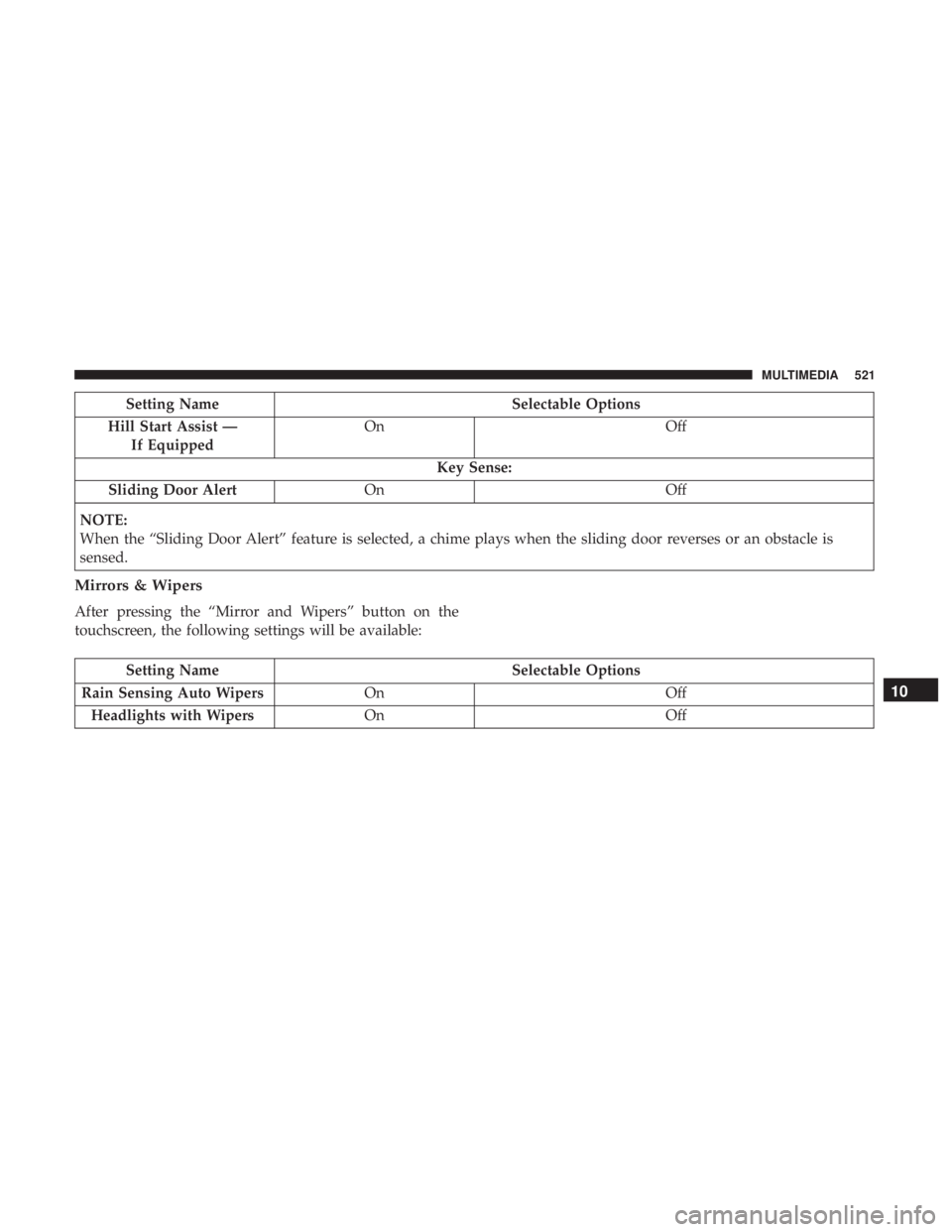
Setting NameSelectable Options
Hill Start Assist — If Equipped On
Off
Key Sense:
Sliding Door Alert On Off
NOTE:
When the “Sliding Door Alert” feature is selected, a chime plays when the sliding door reverses or an obstacle is
sensed.
Mirrors & Wipers
After pressing the “Mirror and Wipers” button on the
touchscreen, the following settings will be available:
Setting Name Selectable Options
Rain Sensing Auto Wipers On Off
Headlights with Wipers On Off
10
MULTIMEDIA 521
Page 525 of 614
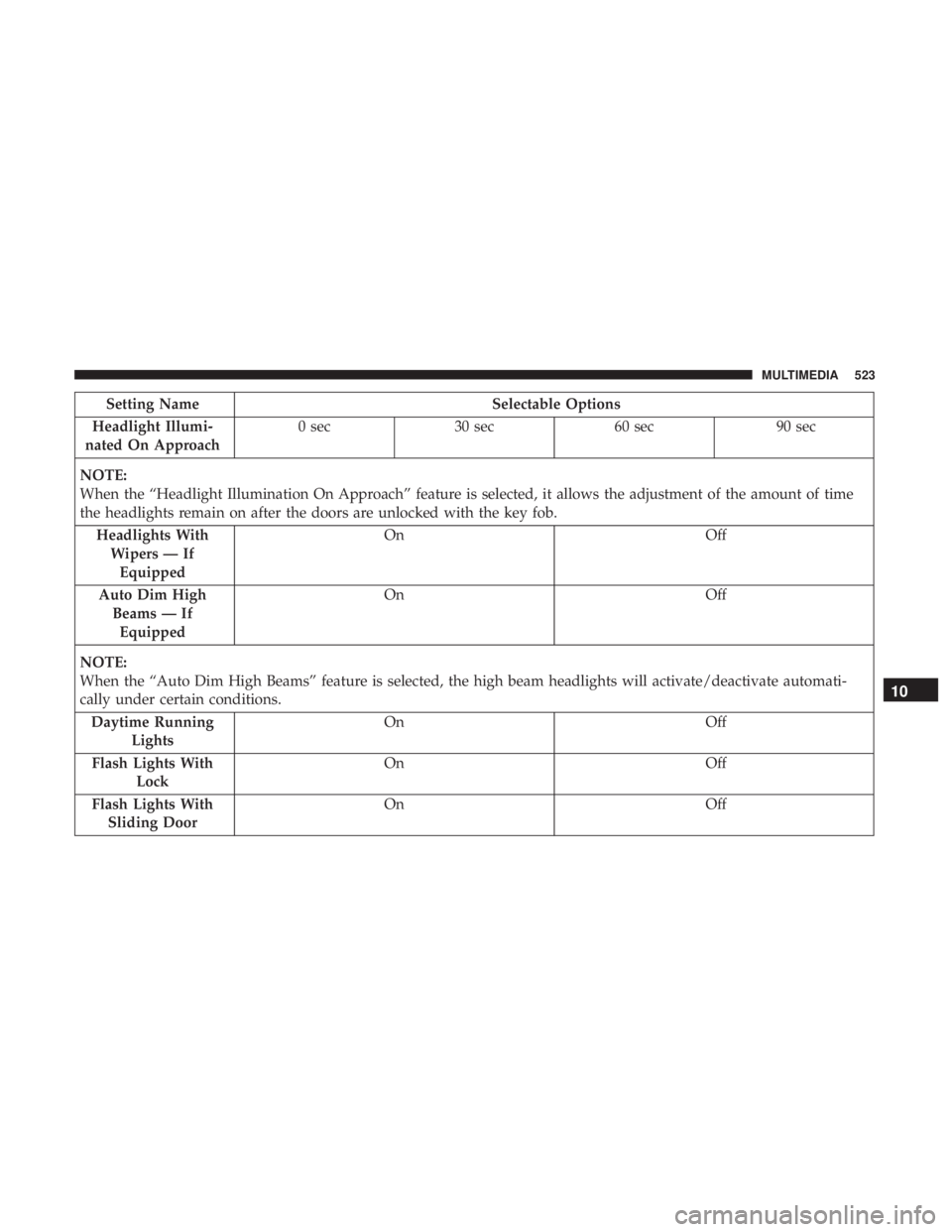
Setting NameSelectable Options
Headlight Illumi-
nated On Approach 0 sec
30 sec 60 sec 90 sec
NOTE:
When the “Headlight Illumination On Approach” feature is selected, it allows the adjustment of the amount of time
the headlights remain on after the doors are unlocked with the key fob. Headlights WithWipers — IfEquipped On
Off
Auto Dim High Beams — IfEquipped On
Off
NOTE:
When the “Auto Dim High Beams” feature is selected, the high beam headlights will activate/deactivate automati-
cally under certain conditions. Daytime Running Lights On
Off
Flash Lights With Lock On
Off
Flash Lights With Sliding Door On
Off
10
MULTIMEDIA 523
Page 527 of 614
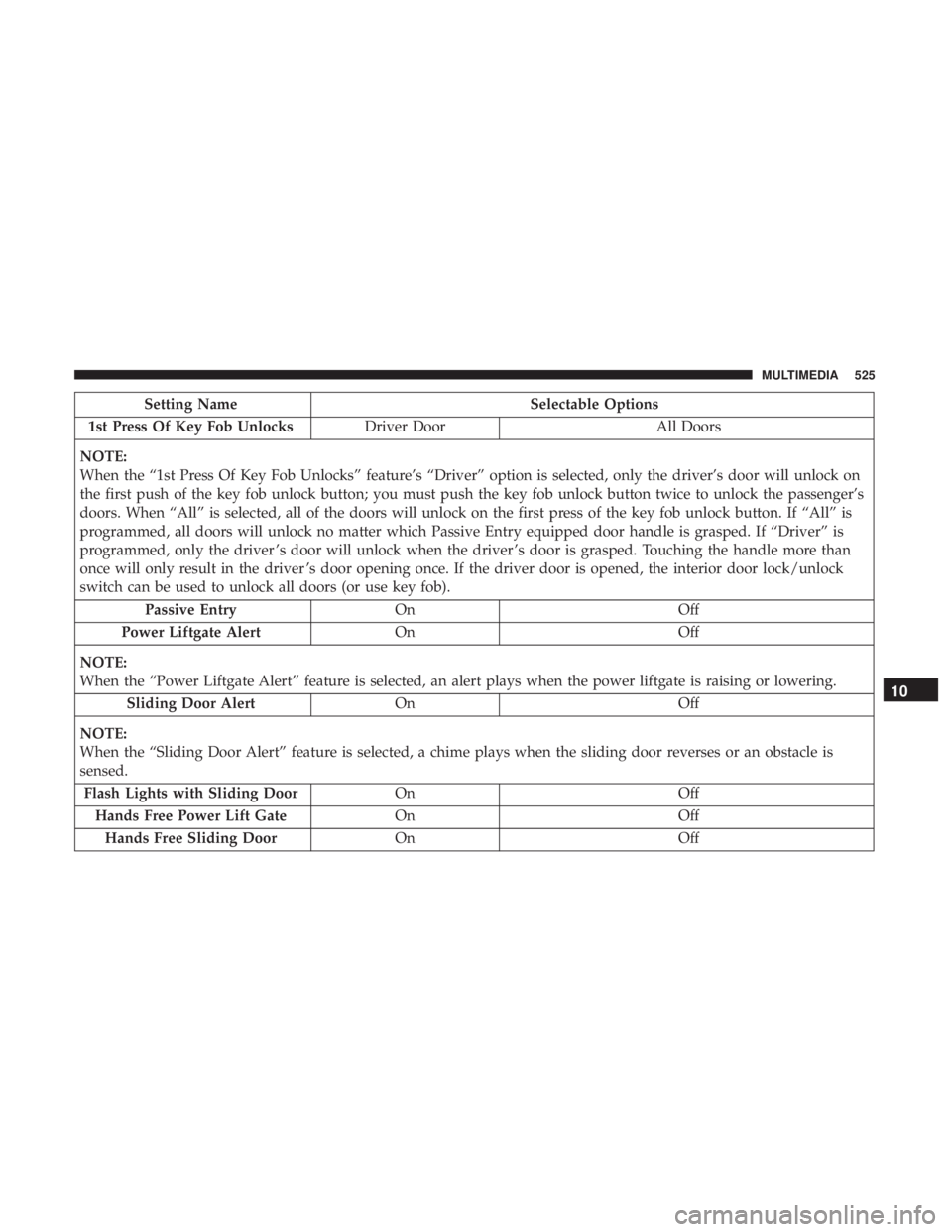
Setting NameSelectable Options
1st Press Of Key Fob Unlocks Driver Door All Doors
NOTE:
When the “1st Press Of Key Fob Unlocks” feature’s “Driver” option is selected, only the driver’s door will unlock on
the first push of the key fob unlock button; you must push the key fob unlock button twice to unlock the passenger’s
doors. When “All” is selected, all of the doors will unlock on the first press of the key fob unlock button. If “All” is
programmed, all doors will unlock no matter which Passive Entry equipped door handle is grasped. If “Driver” is
programmed, only the driver ’s door will unlock when the driver ’s door is grasped. Touching the handle more than
once will only result in the driver ’s door opening once. If the driver door is opened, the interior door lock/unlock
switch can be used to unlock all doors (or use key fob). Passive Entry On Off
Power Liftgate Alert On Off
NOTE:
When the “Power Liftgate Alert” feature is selected, an alert plays when the power liftgate is raising or lowering. Sliding Door Alert On Off
NOTE:
When the “Sliding Door Alert” feature is selected, a chime plays when the sliding door reverses or an obstacle is
sensed. Flash Lights with Sliding Door OnOff
Hands Free Power Lift Gate OnOff
Hands Free Sliding Door OnOff
10
MULTIMEDIA 525
Page 528 of 614
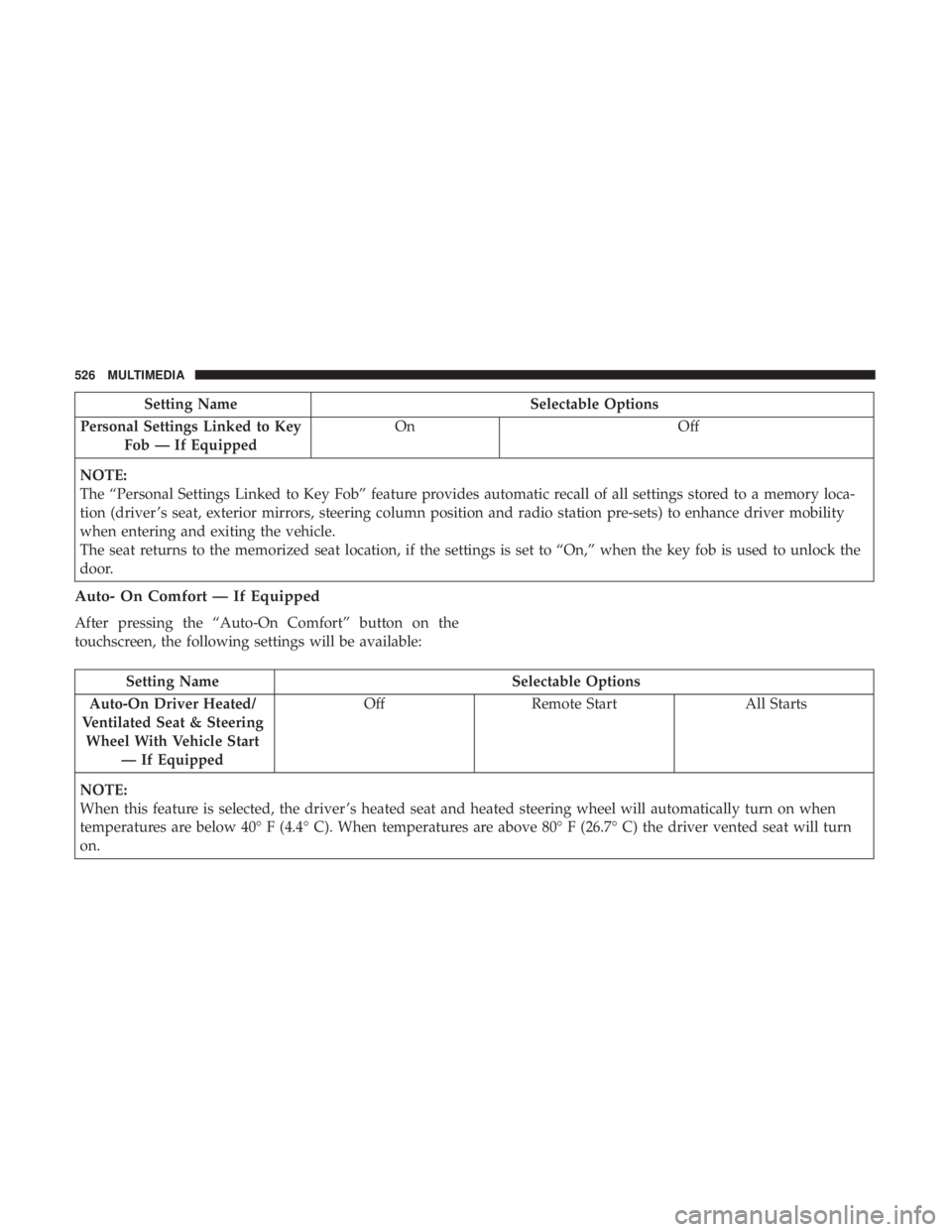
Setting NameSelectable Options
Personal Settings Linked to Key Fob — If Equipped On
Off
NOTE:
The “Personal Settings Linked to Key Fob” feature provides automatic recall of all settings stored to a memory loca-
tion (driver ’s seat, exterior mirrors, steering column position and radio station pre-sets) to enhance driver mobility
when entering and exiting the vehicle.
The seat returns to the memorized seat location, if the settings is set to “On,” when the key fob is used to unlock the
door.
Auto- On Comfort — If Equipped
After pressing the “Auto-On Comfort” button on the
touchscreen, the following settings will be available:
Setting Name Selectable Options
Auto-On Driver Heated/
Ventilated Seat & Steering Wheel With Vehicle Start — If Equipped Off
Remote Start All Starts
NOTE:
When this feature is selected, the driver ’s heated seat and heated steering wheel will automatically turn on when
temperatures are below 40° F (4.4° C). When temperatures are above 80° F (26.7° C) the driver vented seat will turn
on.
526 MULTIMEDIA
Page 572 of 614
NOTE:
•This equipment has been tested and found to comply
with the limits for a Class B digital device, pursuant to
Part 15 of the FCC Rules. These limits are designed to
provide reasonable protection against harmful interfer-
ence in a residential installation. This equipment gener-
ates, uses and can radiate radio frequency energy and, if
not installed and used in accordance with the instruc-
tions, may cause harmful interference to radio commu-
nications. However, there is no guarantee that interfer-
ence will not occur in a particular installation.
• If this equipment does cause harmful interference to
radio or television reception, which can be determined
by turning the equipment off and on, the user is encour-
aged to try to correct the interference by one or more of
the following measures:
1. Increase the separation between the equipment and receiver.
2. Consult an authorized dealer or an experienced radio technician for help.UCONNECT VOICE RECOGNITION QUICK TIPS
Introducing Uconnect
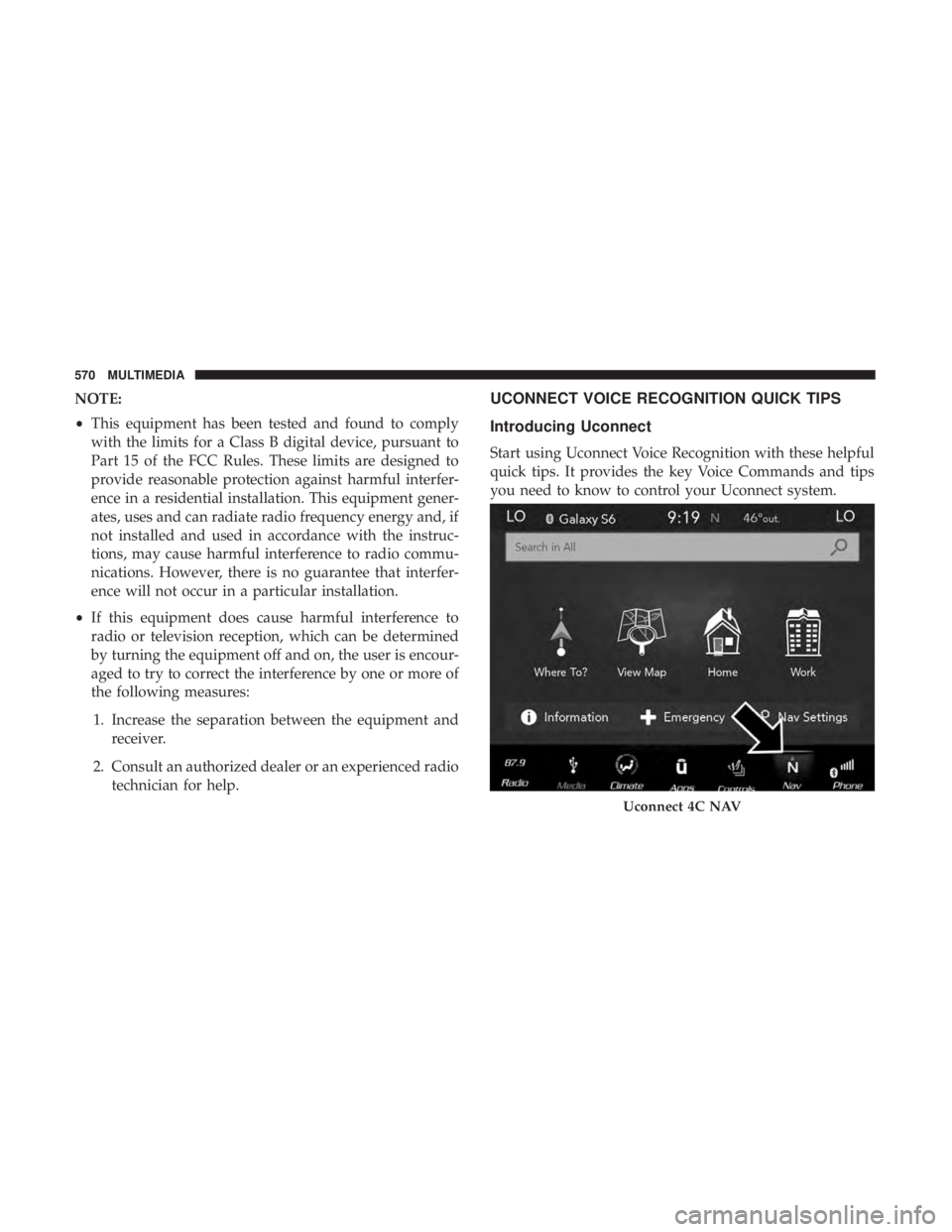
Start using Uconnect Voice Recognition with these helpful
quick tips. It provides the key Voice Commands and tips
you need to know to control your Uconnect system.
Uconnect 4C NAV
570 MULTIMEDIA
Page 581 of 614
Register (4C/4C NAV)
To unlock the full potential of SiriusXM Guardian in your
vehicle, you must activate your SiriusXM Guardian ser-
vices.
1. Press the Apps icon on the bottom of your in-vehicletouchscreen.
2. Select the Activate Services icon from your list of apps.
3. Select “Customer Care” to speak with a SiriusXM Guardian Customer Care agent who will activate ser-
vices in your vehicle, or select “Enter Email” to activate
on the web.
• U.S. residents visit: www.siriusxm.com/guardian.
• Canadian residents visit: www.siriusxm.ca/guardian.
Vehicle Health Report/Alert (4C/4C NAV)
Your vehicle will send you a monthly email report, which
summarizes the performance of your vehicle’s key systems
so you can stay on top of your vehicle’s maintenance needs
if you are registered for SiriusXM Guardian. Your vehicle
will also send you Vehicle Health Alerts when it detects
issues with its key systems that need your attention. For
further information, refer to your owner ’s manual.
Mobile App (4C/4C NAV)
You’re only a few steps away from using remote com-
mands and sending a destination from your phone to your
vehicle.
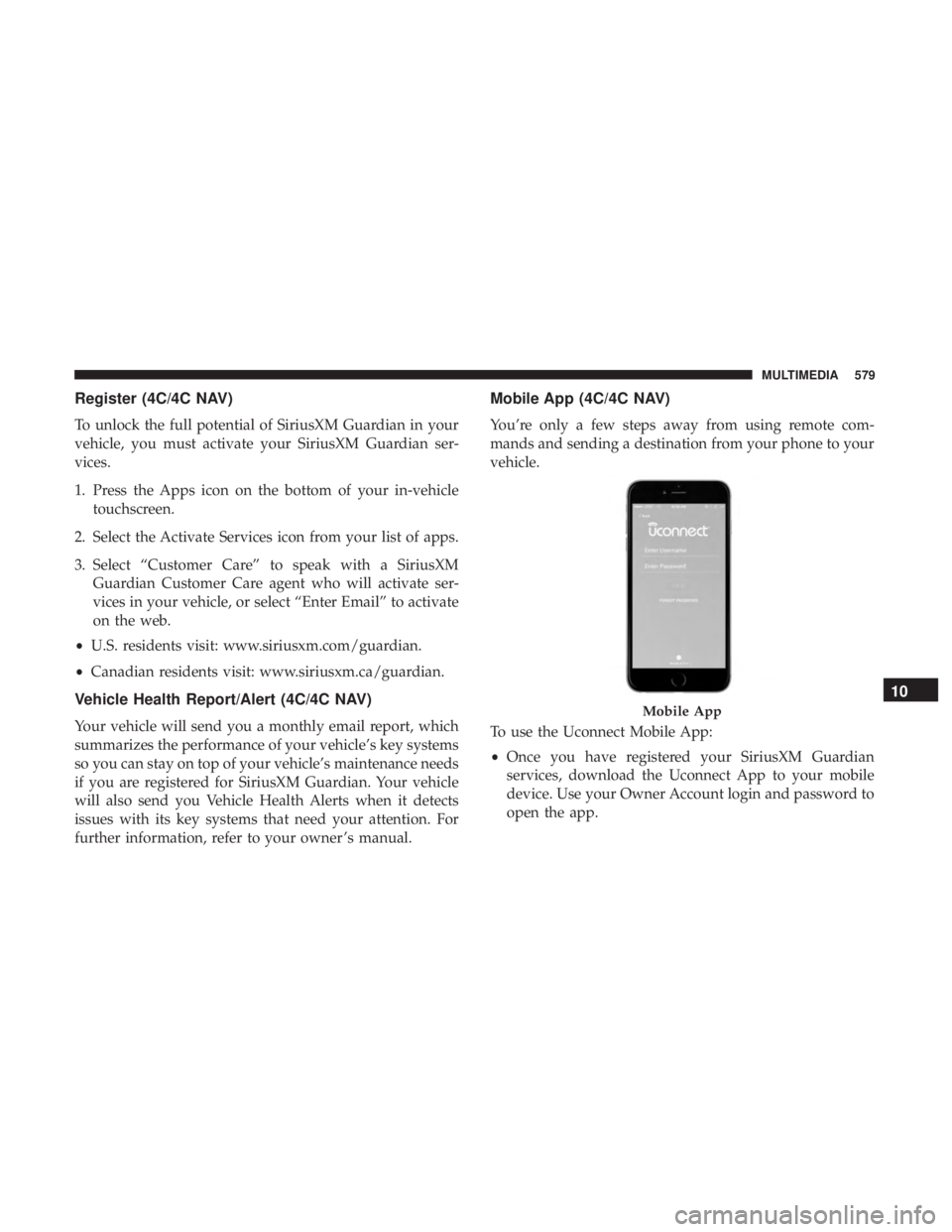
To use the Uconnect Mobile App:
•Once you have registered your SiriusXM Guardian
services, download the Uconnect App to your mobile
device. Use your Owner Account login and password to
open the app.
Mobile App
10
MULTIMEDIA 579
Page 597 of 614
Fluid Type............................ .501
Special Additives ........................ .460
Auxiliary Electrical Outlet (Power Outlet) .........144
Auxiliary Power Outlet ..................... .144
Axle Lubrication .......................... .501
Back-Up ................................ .360
Battery .............................. .174, 437
Charging System Light ....................174
Jump Starting .......................... .418
Key Fob Battery Replacement .................42
Keyless Key Fob Replacement ................42
Remote Battery Replacement .................42
Saving Feature (Protection) ..................97
Belts, Seat ............................... .272
Blind Spot Monitoring ...................... .197
Body Mechanism Lubrication ..................445
B-Pillar Location .......................... .467
Brake Assist System ........................ .190
Brake Control System, Electronic ................189
Brake Fluid .............................. .501
Brake System ......................... .458, 492
Anti-Lock (ABS) ........................ .492
Fluid Check ........................ .459, 501
Master Cylinder ........................ .459Parking
.............................. .281
Warning Light .......................... .173
Brightness, Interior Lights .....................99
Bulb Replacement ...................... .384, 388
Bulbs, Light ....................... .274, 384, 388
Camera ................................ .360
Camera, Rear ......................... .360, 363
Capacities, Fluid .......................... .498
Caps, Filler Fuel .............................. .367, 422
Radiator (Coolant Pressure) .................456
Carbon Monoxide Warning ................271, 497
Cargo Area Features ....................... .134
Car
go Compartment
Luggage Carrier ........................ .150
Cargo Load Floor ......................... .134
Cargo Tie-Downs .......................... .134
Cargo (Vehicle Loading) ..................... .134
Car Washes .............................. .487
Cellular Phone ........................... .569
Center High Mounted Stop Light ...............390
Certification Label ......................... .370
Chains, Tire ............................. .482
Changing A Flat Tire .....................400, 461
12
INDEX 595
Page 599 of 614
Delay (Intermittent) Wipers...................101
Diagnostic System, Onboard ...................184
Dimmer Switch, Headlight .....................93
Dipsticks Oil (Engine) ........................... .436
Disabled Vehicle Towing .....................425
Disposal Antifreeze (Engine Coolant) .................457
Do Not Disturb ........................... .582
Door Ajar ............................... .176
Door Ajar Light ........................... .176
Door Locks Key Fob Emergency Key ....................42
Door Opener, Garage ....................... .134
Driver’s Seat Back Tilt ........................68
Driving Through Flowing, Rising, Or Shallow Standing
Water ................................ .375
DVD Player (Video Entertainment System) .........536
Electrical Outlet, Auxiliary (Power Outlet) .........144
Electric Parking Brake ...................... .281
Electric Remote Mirrors .......................91
Electronic Brake Control System ................189
Anti-Lock Brake System ....................188 Traction Control System
....................189
Electronic Speed Control (Cruise Control) .........294
Electronic Stability Control (ESC) ...............192
Electronic Throttle Control Warning Light .........175
Emergency, In Case Of Hazard Warning Flasher ...................378
Jacking ........................ .400, 401, 461
Jump Starting .......................... .418
Overheating ........................... .423
Towing ............................... .425
Emission Control System Maintenance ............185
Engine Air Cleaner ............................ .440
Break-In Recommendations .................281
Checking Oil Level ...................... .436
Compartment .......................... .435
Compartment Identification .................435
Coolant
(Antifreeze) ..................... .499
Cooling .............................. .453
Exhaust Gas Caution ...................271, 497
Fuel Requirements ....................... .494
Oil ........................... .438, 498, 499
Oil Filter .............................. .440
Oil Selection ........................ .439, 498
Overheating ........................... .423
12
INDEX 597
Page 601 of 614
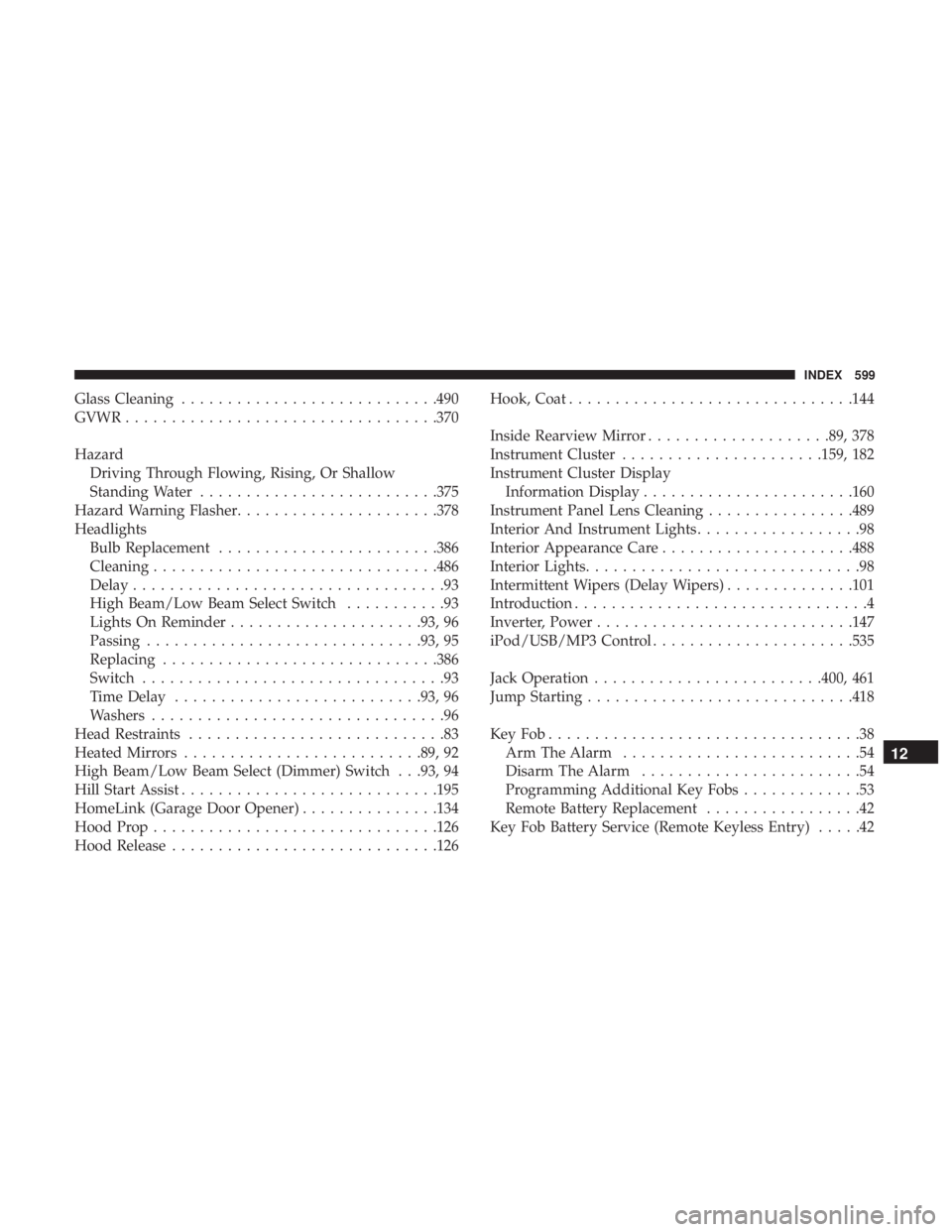
Glass Cleaning........................... .490
GVWR ................................. .370
Hazard Driving Through Flowing, Rising, Or Shallow
Standing Water ......................... .375
Hazard Warning Flasher ..................... .378
Headlights Bulb Replacement ....................... .386
Cleaning .............................. .486
Delay ..................................93
High Beam/Low Beam Select Switch ...........93
Lights On Reminder .....................93, 96
Passing ............................. .93, 95
Replacing ............................. .386
Switch .................................93
Time Delay .......................... .93, 96
Washers ................................96
Head Restraints ............................83
Heated Mirrors ......................... .89, 92
High Beam/Low Beam Select (Dimmer) Switch . . .93, 94
Hill Start Assist ........................... .195
HomeLink (Garage Door Opener) ...............134
Hood Prop .............................. .126
Hood Release ............................ .126Hook, Coat
.............................. .144
Inside Rearview Mirror ....................89, 378
Instrument Cluster ..................... .159, 182
Instrument Cluster Display Information Display ...................... .160
Instrument Panel Lens Cleaning ................489
Interior And Instrument Lights ..................98
Interior Appearance Care .....................488
Interior Lights ..............................98
Intermittent Wipers (Delay Wipers) ..............101
Introduction ................................4
Inverter, Power ........................... .147
iPod/USB/MP3 Control ..................... .535
Jack Operation ........................ .400, 461
Jump Starting ............................ .418
KeyFob..................................38 Arm The Alarm ..........................54
Disarm The Alarm ........................54
Pr
ogramming Additional Key Fobs .............53
Remote Battery Replacement .................42
Key Fob Battery Service (Remote Keyless Entry) .....42
12
INDEX 599
Page 602 of 614
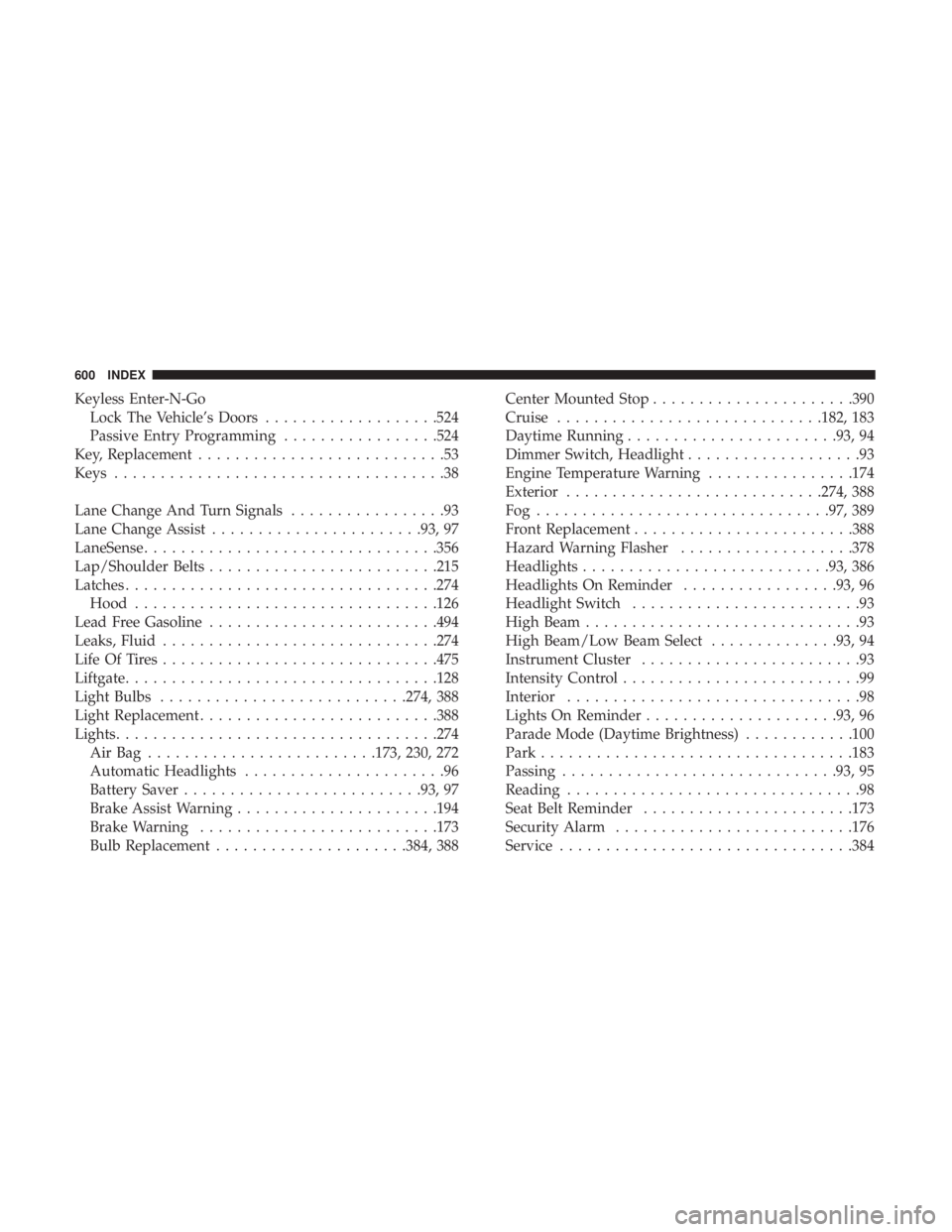
Keyless Enter-N-GoLock The Vehicle’s Doors ...................524
Passive Entry Programming .................524
Key, Replacement ...........................53
Keys ....................................38
Lane Change And Turn Signals .................93
Lane Change Assist ...................... .93, 97
LaneSense ............................... .356
Lap/Shoulder Belts ........................ .215
Latches ................................. .274
Hood ................................ .126
Lead Free Gasoline ........................ .494
Leaks, Fluid ............................. .274
Life Of Tires ............................. .475
Liftgate ................................. .128
Light Bulbs .......................... .274, 388
Light Replacement ......................... .388
Lights .................................. .274
AirBag .........................173, 230, 272
Automatic Headlights ......................96
Battery Saver ......................... .93, 97
Brake Assist Warning ..................... .194
Brake Warning ......................... .173
Bulb Replacement .....................384, 388 Center Mounted Stop
..................... .390
Cruise ............................ .182, 183
Daytime Running ...................... .93, 94
Dimmer Switch, Headlight ...................93
Engine Temperature Warning ................174
Exterior ........................... .274, 388
Fog............................... .97, 389
Front Replacement ....................... .388
Hazard Warning Flasher ...................378
Headlights .......................... .93, 386
Headlights On Reminder .................93, 96
Headlight Switch .........................93
High Beam ..............................93
High Beam/Low Beam Select ..............93,
94
Instrument Cluster ........................93
Intensity Control ..........................99
Interior ................................98
Lights On Reminder .....................93, 96
Parade Mode (Daytime Brightness) ............100
Park ................................. .183
Passing ............................. .93, 95
Reading ................................98
Seat Belt Reminder ...................... .173
Security Alarm ......................... .176
Service ............................... .384
600 INDEX