brakes CHRYSLER PACIFICA HYBRID 2019 Owner's Manual
[x] Cancel search | Manufacturer: CHRYSLER, Model Year: 2019, Model line: PACIFICA HYBRID, Model: CHRYSLER PACIFICA HYBRID 2019Pages: 620, PDF Size: 4.92 MB
Page 493 of 620
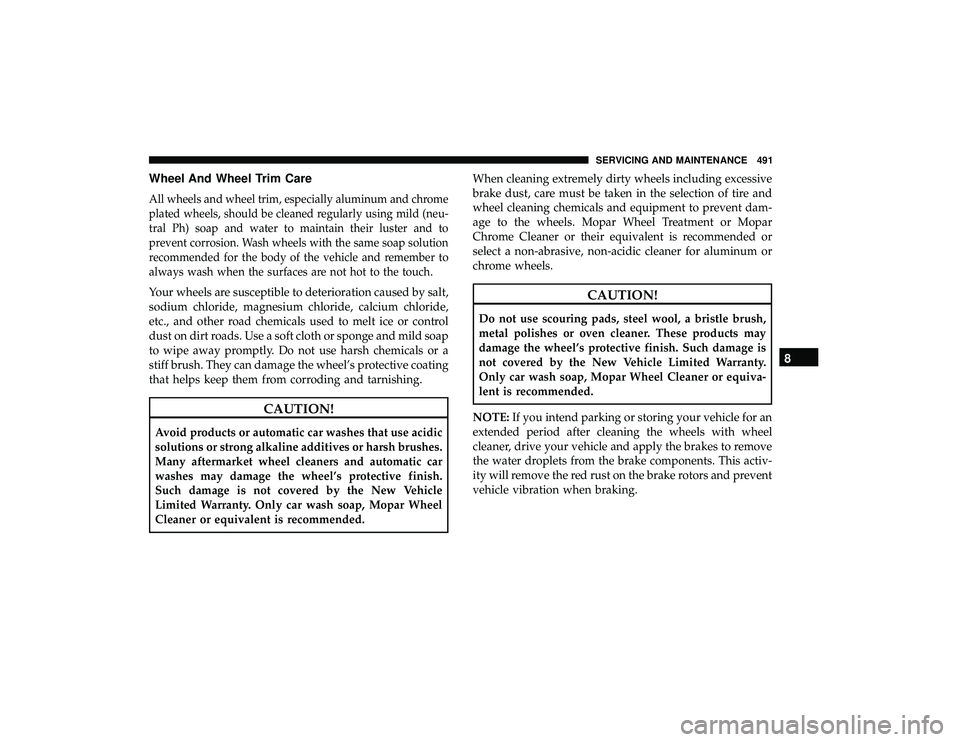
Wheel And Wheel Trim Care
All wheels and wheel trim, especially aluminum and chrome
plated wheels, should be cleaned regularly using mild (neu-
tral Ph) soap and water to maintain their luster and to
prevent corrosion. Wash wheels with the same soap solution
recommended for the body of the vehicle and remember to
always wash when the surfaces are not hot to the touch.
Your wheels are susceptible to deterioration caused by salt,
sodium chloride, magnesium chloride, calcium chloride,
etc., and other road chemicals used to melt ice or control
dust on dirt roads. Use a soft cloth or sponge and mild soap
to wipe away promptly. Do not use harsh chemicals or a
stiff brush. They can damage the wheel’s protective coating
that helps keep them from corroding and tarnishing.
CAUTION!
Avoid products or automatic car washes that use acidic
solutions or strong alkaline additives or harsh brushes.
Many aftermarket wheel cleaners and automatic car
washes may damage the wheel’s protective finish.
Such damage is not covered by the New Vehicle
Limited Warranty. Only car wash soap, Mopar Wheel
Cleaner or equivalent is recommended.When cleaning extremely dirty wheels including excessive
brake dust, care must be taken in the selection of tire and
wheel cleaning chemicals and equipment to prevent dam-
age to the wheels. Mopar Wheel Treatment or Mopar
Chrome Cleaner or their equivalent is recommended or
select a non-abrasive, non-acidic cleaner for aluminum or
chrome wheels.
CAUTION!
Do not use scouring pads, steel wool, a bristle brush,
metal polishes or oven cleaner. These products may
damage the wheel’s protective finish. Such damage is
not covered by the New Vehicle Limited Warranty.
Only car wash soap, Mopar Wheel Cleaner or equiva-
lent is recommended.
NOTE: If you intend parking or storing your vehicle for an
extended period after cleaning the wheels with wheel
cleaner, drive your vehicle and apply the brakes to remove
the water droplets from the brake components. This activ-
ity will remove the red rust on the brake rotors and prevent
vehicle vibration when braking.
8
SERVICING AND MAINTENANCE 491
Page 505 of 620
In the event power assist is lost for any reason (i.e.,
repeated brake applications with the engine OFF) the
brakes will still function. However, the effort required to
brake the vehicle will be much greater than that required
with the power system operating.
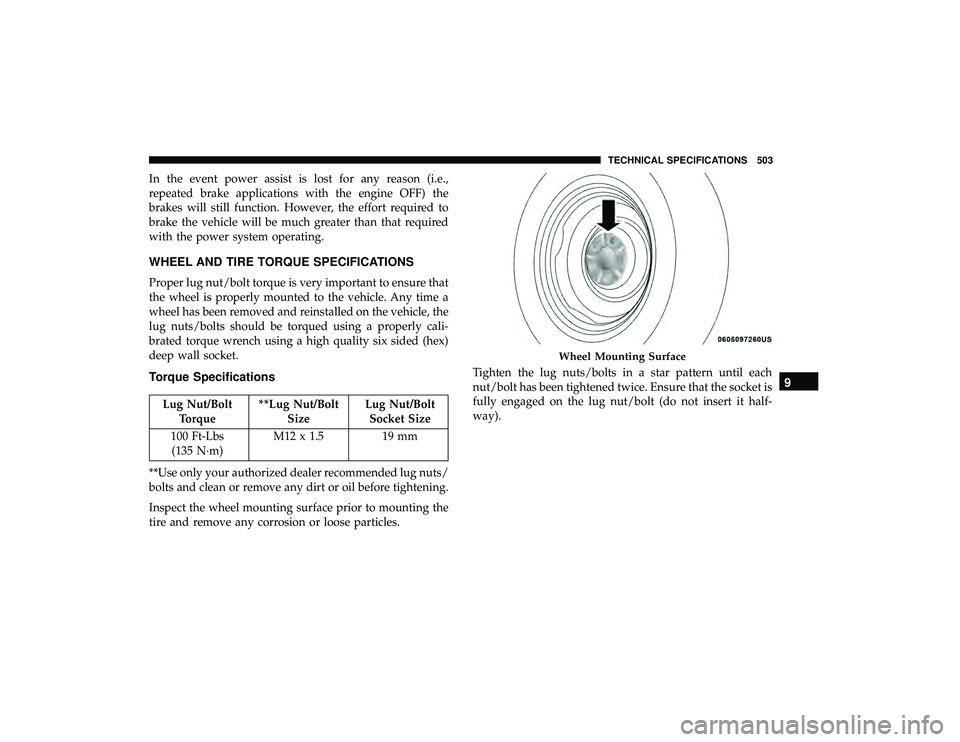
WHEEL AND TIRE TORQUE SPECIFICATIONS
Proper lug nut/bolt torque is very important to ensure that
the wheel is properly mounted to the vehicle. Any time a
wheel has been removed and reinstalled on the vehicle, the
lug nuts/bolts should be torqued using a properly cali-
brated torque wrench using a high quality six sided (hex)
deep wall socket.
Torque Specifications
Lug Nut/BoltTorque **Lug Nut/Bolt
Size Lug Nut/Bolt
Socket Size
100 Ft-Lbs (135 N·m) M12 x 1.5 19 mm
**Use only your authorized dealer recommended lug nuts/
bolts and clean or remove any dirt or oil before tightening.
Inspect the wheel mounting surface prior to mounting the
tire and remove any corrosion or loose particles. Tighten the lug nuts/bolts in a star pattern until each
nut/bolt has been tightened twice. Ensure that the socket is
fully engaged on the lug nut/bolt (do not insert it half-
way).
Wheel Mounting Surface
9
TECHNICAL SPECIFICATIONS 503
Page 521 of 620
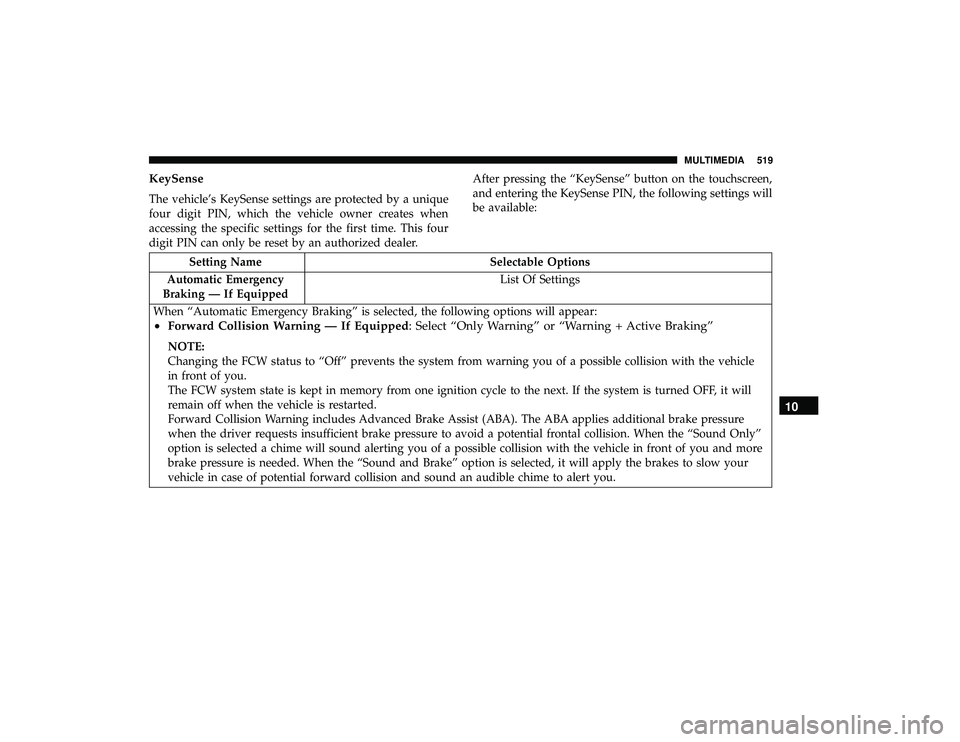
KeySense
The vehicle’s KeySense settings are protected by a unique
four digit PIN, which the vehicle owner creates when
accessing the specific settings for the first time. This four
digit PIN can only be reset by an authorized dealer.After pressing the “KeySense” button on the touchscreen,
and entering the KeySense PIN, the following settings will
be available:
Setting Name
Selectable Options
Automatic Emergency
Braking — If Equipped List Of Settings
When “Automatic Emergency Braking” is selected, the following options will appear:
• Forward Collision Warning — If Equipped: Select “Only Warning” or “Warning + Active Braking”
NOTE:
Changing the FCW status to “Off” prevents the system from warning you of a possible collision with the vehicle
in front of you.
The FCW system state is kept in memory from one ignition cycle to the next. If the system is turned OFF, it will
remain off when the vehicle is restarted.
Forward Collision Warning includes Advanced Brake Assist (ABA). The ABA applies additional brake pressure
when the driver requests insufficient brake pressure to avoid a potential frontal collision. When the “Sound Only”
option is selected a chime will sound alerting you of a possible collision with the vehicle in front of you and more
brake pressure is needed. When the “Sound and Brake” option is selected, it will apply the brakes to slow your
vehicle in case of potential forward collision and sound an audible chime to alert you.
10
MULTIMEDIA 519
Page 531 of 620
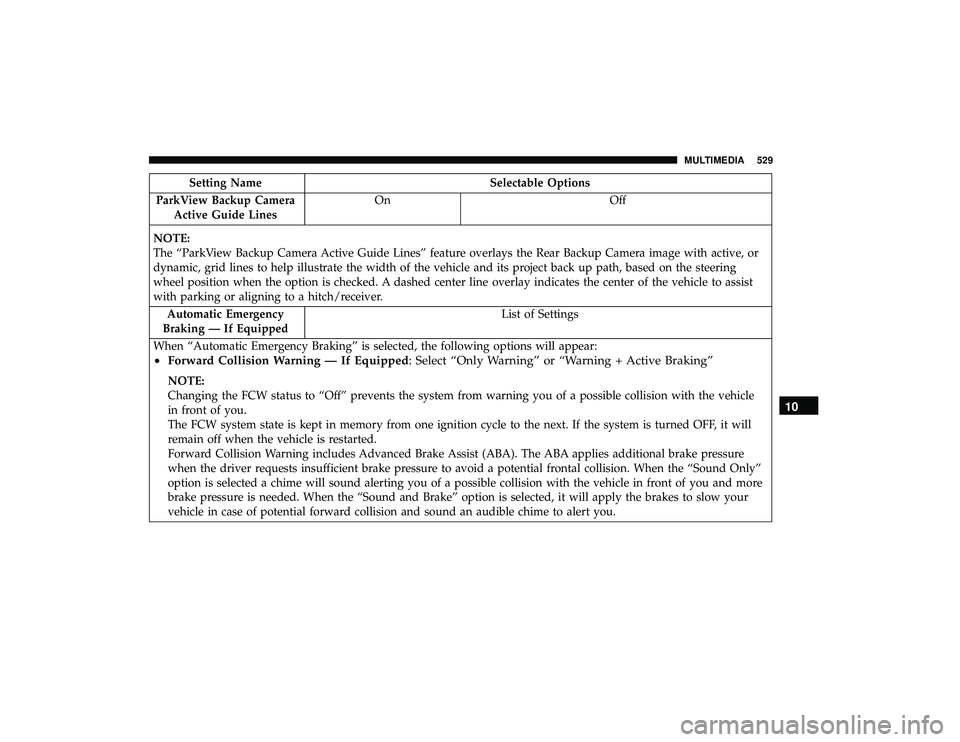
Setting NameSelectable Options
ParkView Backup Camera Active Guide Lines On
Off
NOTE:
The “ParkView Backup Camera Active Guide Lines” feature overlays the Rear Backup Camera image with active, or
dynamic, grid lines to help illustrate the width of the vehicle and its project back up path, based on the steering
wheel position when the option is checked. A dashed center line overlay indicates the center of the vehicle to assist
with parking or aligning to a hitch/receiver. Automatic Emergency
Braking — If Equipped List of Settings
When “Automatic Emergency Braking” is selected, the following options will appear:
• Forward Collision Warning — If Equipped: Select “Only Warning” or “Warning + Active Braking”
NOTE:
Changing the FCW status to “Off” prevents the system from warning you of a possible collision with the vehicle
in front of you.
The FCW system state is kept in memory from one ignition cycle to the next. If the system is turned OFF, it will
remain off when the vehicle is restarted.
Forward Collision Warning includes Advanced Brake Assist (ABA). The ABA applies additional brake pressure
when the driver requests insufficient brake pressure to avoid a potential frontal collision. When the “Sound Only”
option is selected a chime will sound alerting you of a possible collision with the vehicle in front of you and more
brake pressure is needed. When the “Sound and Brake” option is selected, it will apply the brakes to slow your
vehicle in case of potential forward collision and sound an audible chime to alert you.
10
MULTIMEDIA 529
Page 534 of 620
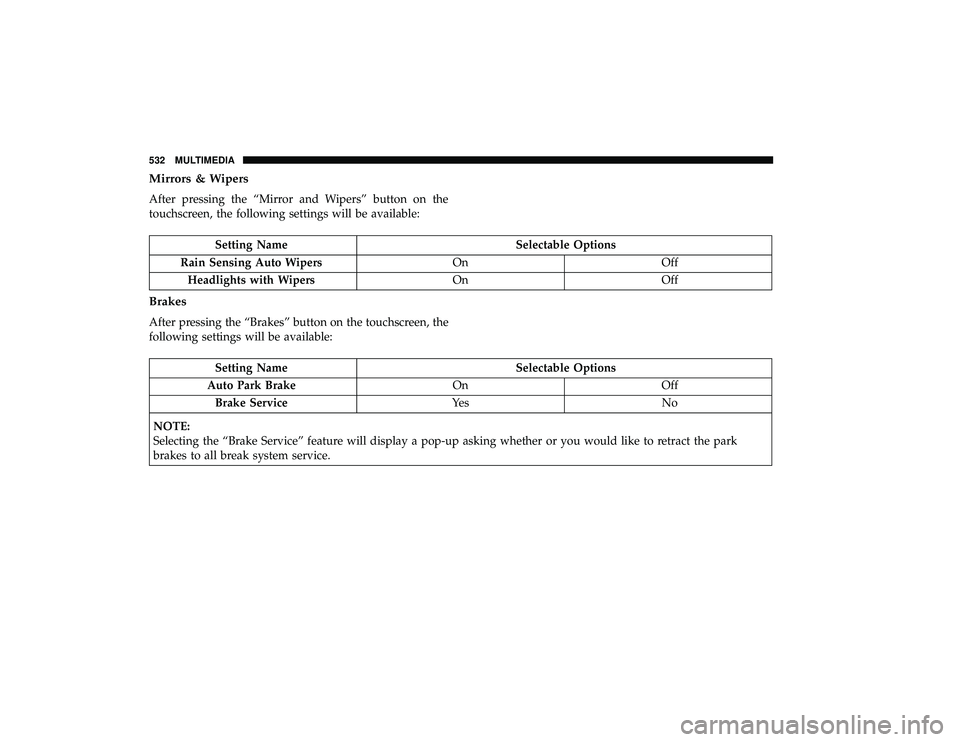
Mirrors & Wipers
After pressing the “Mirror and Wipers” button on the
touchscreen, the following settings will be available:
Setting NameSelectable Options
Rain Sensing Auto Wipers OnOff
Headlights with Wipers OnOff
Brakes
After pressing the “Brakes” button on the touchscreen, the
following settings will be available:
Setting Name Selectable Options
Auto Park Brake OnOff
Brake Service Ye sN o
NOTE:
Selecting the “Brake Service” feature will display a pop-up asking whether or you would like to retract the park
brakes to all break system service.
532 MULTIMEDIA
Page 604 of 620
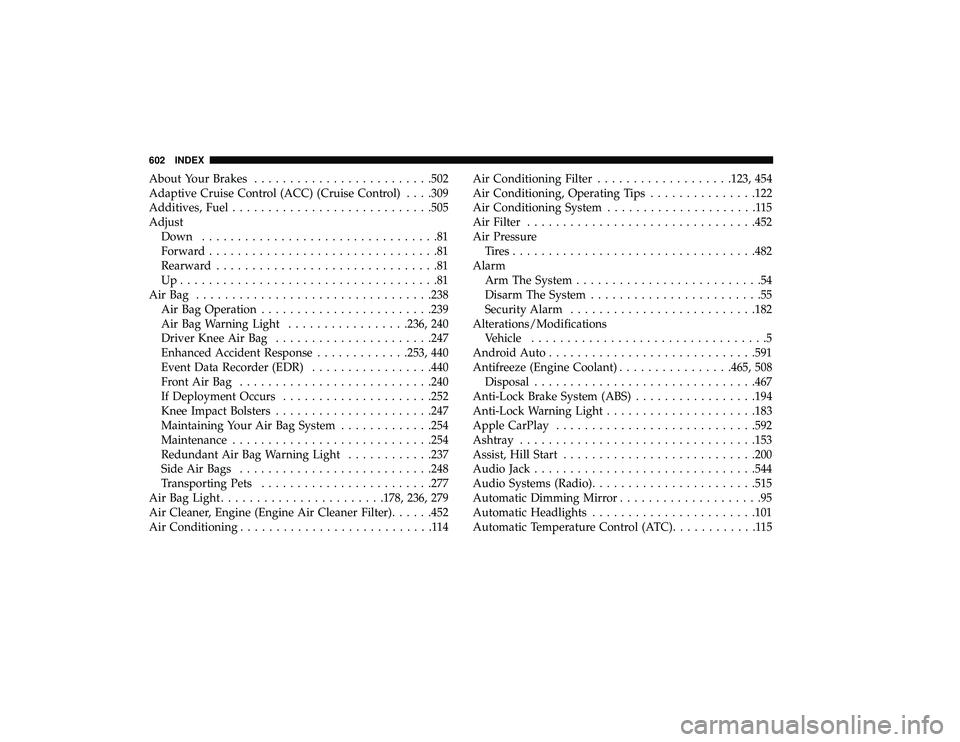
About Your Brakes........................ .502
Adaptive Cruise Control (ACC) (Cruise Control) . . . .309
Additives, Fuel ........................... .505
Adjust Down .................................81
Forward ................................81
Rearward ...............................81
Up....................................81
AirBag ................................ .238
Air Bag Operation ....................... .239
Air Bag Warning Light .................236, 240
Driver Knee Air Bag ..................... .247
Enhanced Accident Response .............253, 440
Event Data Recorder (EDR) .................440
FrontAirBag .......................... .240
If Deployment Occurs .................... .252
Knee Impact Bolsters ..................... .247
Maintaining Your Air Bag System .............254
Maintenance ........................... .254
Redundant Air Bag Warning Light ............237
Side Air Bags .......................... .248
Transporting Pets ....................... .277
Air Bag Light ...................... .178, 236, 279
Air Cleaner, Engine (Engine Air Cleaner Filter) ......452
Air Conditioning ...........................114 Air Conditioning Filter
.................. .123, 454
Air Conditioning, Operating Tips ...............122
Air Conditioning System .....................115
Air Filter ............................... .452
Air Pressure Tires................................. .482
Alarm Arm The System ..........................54
Disarm The System ........................55
Security Alarm ......................... .182
Alterations/Modifications Vehicle .................................5
Android Auto ............................ .591
Antifreeze (Engine Coolant) ................465, 508
Disposal .............................. .467
Anti-Lock Brake System (ABS) .................194
Anti-Lock Warning Light .................... .183
Apple
CarPlay ........................... .592
Ashtray ................................ .153
Assist, Hill Start .......................... .200
Audio Jack .............................. .544
Audio Systems (Radio) ...................... .515
Automatic Dimming Mirror ....................95
Automatic Headlights ...................... .101
Automatic Temperature Control (ATC) ............115
602 INDEX
Page 612 of 620
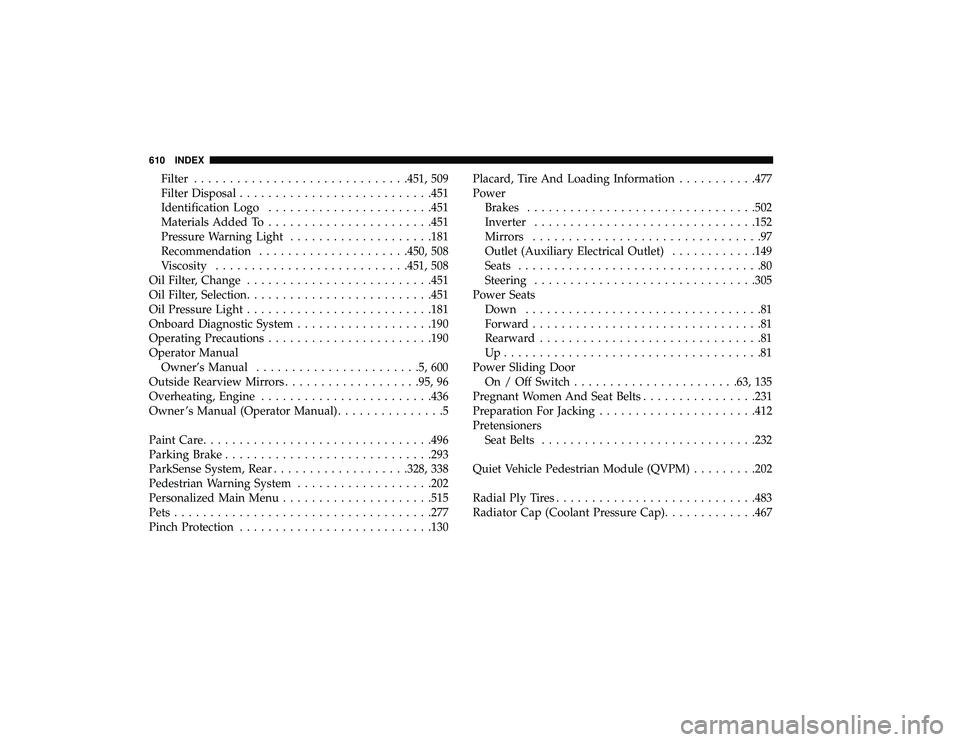
Filter............................. .451, 509
Filter Disposal .......................... .451
Identification Logo ...................... .451
Materials Added To ...................... .451
Pressure Warning Light ................... .181
Recommendation .................... .450, 508
Viscosity .......................... .451, 508
Oil Filter, Change ......................... .451
Oil Filter, Selection ......................... .451
Oil Pressure Light ......................... .181
Onboard Diagnostic System ...................190
Operating Precautions ...................... .190
Operator Manual Owner’s Manual .......................5,600
Outside Rearview Mirrors ...................95, 96
Overheating, Engine ....................... .436
Owner ’s Manual (Operator Manual) ...............5
Paint Care ............................... .496
Parking Brake ............................ .293
ParkSense System, Rear .................. .328, 338
Pedestrian Warning System ...................202
Personalized Main Menu .................... .515
Pets ................................... .277
Pinch Protection .......................... .130Placard, Tire And Loading Information
...........477
Power Brakes ............................... .502
Inverter .............................. .152
Mirrors ................................97
Outlet (Auxiliary Electrical Outlet) ............149
Seats ..................................80
Steering .............................. .305
Power Seats Down .................................81
Forward ................................81
Rearward ...............................81
Up....................................81
Power Sliding Door On / Off Switch ...................... .63, 135
Pregnant Women And Seat Belts ................231
Pr
eparation For Jacking ..................... .412
Pretensioners Seat Belts ............................. .232
Quiet Vehicle Pedestrian Module (QVPM) .........202
Radial Ply Tires ........................... .483
Radiator Cap (Coolant Pressure Cap) .............467
610 INDEX