Low CHRYSLER PACIFICA HYBRID 2022 Owners Manual
[x] Cancel search | Manufacturer: CHRYSLER, Model Year: 2022, Model line: PACIFICA HYBRID, Model: CHRYSLER PACIFICA HYBRID 2022Pages: 384, PDF Size: 23.92 MB
Page 1 of 384

SCAN FOR THE MOST UP-TO-DATE OWNER’S MANUAL, RADIO AND WARRANTY BOOKS
owners.mopar.ca
CanadaU. S.
mopar.com/om
Third Edition 22_RUP_OM_EN_USC
Whether it’s providing information about specific product features, taking a tour through your vehicle’s heritage, knowing what steps to take following an accident or
scheduling your next appointment, we know you’ll find the app an important extension of your Chrysler brand vehicle. Simply download the app, select your make
and model and enjoy the ride. To get this app, go directly to the App Store® or Google Play® Store and enter the search keyword “Chrysler” (U.S. residents only).
©2021 FCA US LLC. All Rights Reserved. Tous droits réservés. Chrysler is a registered trademark of FCA US LLC or FCA Canada Inc., used under license. Chrysler est une marque déposée de FCA US LLC ou FCA Canada Inc., utilisée sous le permis. App Store is a registered trademark of Apple Inc. Google Play Store is a registered trademark of Google.
2022 CHRYSLER PACIFICA
2022 Chrysler Pacifica
OWNER’S MANUAL
Page 2 of 384
The driver’s primary responsibility is the safe operation of the vehicle. Driving while distracted can result in loss of vehicle control, resulting in
an accident and personal injury. FCA US LLC strongly recommends that the driver use extreme caution when using any device or feature that
may take their attention off the road. Use of any electrical devices, such as cellular telephones, computers, portable radios, vehicle navigation
or other devices, by the driver while the vehicle is moving is dangerous and could lead to a serious accident. Texting while driving is also
dangerous and should never be done while the vehicle is moving. If you find yourself unable to devote your full attention to vehicle operation,
pull off the road to a safe location and stop your vehicle. Some states or provinces prohibit the use of cellular telephones or texting while
driving. It is always the driver’s responsibility to comply with all local laws.
This Owner’s Manual has been prepared to help you get acquainted with your new Chrysler brand vehicle and to provide a convenient
reference source for common questions.
Not all features shown in this manual may apply to your vehicle. For additional information, visit mopar.com/om (U.S.), owners.mopar.ca
(Canada) or your local Chrysler brand dealer.
WARNING: Operating, servicing and maintaining a passenger vehicle or off-highway motor vehicle can
expose you to chemicals including engine exhaust, carbon monoxide, phthalates, and lead, which are known to
the State of California to cause cancer and birth defects or other reproductive harm. To minimize exposure,
avoid breathing exhaust, do not idle the engine except as necessary, service your vehicle in a well-ventilated area
and wear gloves or wash your hands frequently when servicing your vehicle. For more information go to
www.P65Warnings.ca.gov/passenger-vehicle.
This Owner’s Manual illustrates and describes the operation of features and equipment that are either standard or optional on this vehicle.
This manual may also include a description of features and equipment that are no longer available or were not ordered on this vehicle. Please
disregard any features and equipment described in this manual that are not on this vehicle. FCA US LLC reserves the right to make changes in
design and specifications, and/or make additions to or improvements to its products without imposing any obligation upon itself to install them
on products previously manufactured.
With respect to any vehicles sold in Canada, the name FCA US LLC shall be deemed to be deleted and the name FCA Canada Inc. used in
substitution therefore.
This Owner’s Manual is intended to familiarize you with the important features of your vehicle. Your most up-to-date Owner’s Manual, Navigation/
Uconnect manuals and Warranty Booklet can be found by visiting the website on the back cover.
U.S. Residents: If you are the first registered retail owner of your vehicle, you may obtain a complimentary printed copy of the Warranty
Booklet by calling 1-800-247-9753 or by contacting your dealer. Replacement kits can be purchased by visiting www.techauthority.com.
Canadian Residents: If you are the first registered retail owner of your vehicle, you may obtain a complimentary printed copy of the Warranty
Booklet or purchase a replacement kit by calling 1-800-387-1143 or by contacting your dealer.DRIVING AND ALCOHOL
Drunk driving is one of the most frequent causes of accidents. Your driving ability can be seriously impaired with blood alcohol levels far
below the legal minimum. If you are drinking, don’t drive. Ride with a designated non-drinking driver, call a cab, a rideshare, a friend, or use
public transportation.
WARNING
Driving after drinking can lead to an accident. Your perceptions are less sharp, your reflexes are slower and your judgment is impaired
when you have been drinking. Never drink and then drive.
Page 5 of 384
3
UNIVERSAL GARAGE DOOR OPENER
(HOMELINK®) ....................................................... 61 Before You Begin Programming
HomeLink®.......................................................61
Erasing All The HomeLink® Channels ............61
Identifying Whether You Have A Rolling
Code Or Non-Rolling Code Device ...................62
Programming HomeLink® To A Garage
Door Opener .....................................................62
Programming HomeLink® To A
Miscellaneous Device ......................................63
Reprogramming A Single HomeLink®
Button ...............................................................63
Canadian/Gate Operator Programming .........63
Security .............................................................64
Troubleshooting Tips ........................................64
EXTERIOR LIGHTS.................................................. 65
Multifunction Lever ..........................................65
Headlight Switch...............................................65
Daytime Running Lights (DRLs) —
If Equipped........................................................66
High/Low Beam Switch....................................66
Automatic High Beam — If Equipped .............66
Flash-To-Pass ...................................................67
Automatic Headlights — If Equipped ..............67
Headlights On With Wipers —
If Equipped........................................................67
Headlight Time Delay — If Equipped ...............67
Lights-On Reminder..........................................67 Front Fog Lights — If Equipped .......................68
Turn Signals ......................................................68
Lane Change Assist — If Equipped ..................68
Battery Saver ...................................................68
INTERIOR LIGHTS ..................................................69
Interior Courtesy Lights ...................................69
WINDSHIELD WIPER AND WASHERS .................70
Windshield Wiper Operation ............................70
Rain Sensing Wipers — If Equipped ................71
Rear Wiper And Washer...................................71
CLIMATE CONTROLS .............................................72
Automatic Climate Control Descriptions
And Functions ...................................................72
Manual Climate Control Descriptions
And Functions ...................................................77
Automatic Temperature Control (ATC) —
If Equipped .......................................................82
Climate Voice Commands................................83
Operating Tips .................................................83
INTERIOR STORAGE AND EQUIPMENT ............... 84
Storage..............................................................84
Sun Screens — If Equipped..............................87
USB/AUX Control ..............................................87
Power Outlets ...................................................89
Power Inverter — If Equipped .........................91
Wireless Charging Pad — If Equipped .............91 WINDOWS .............................................................. 92
Power Windows ................................................ 92
Automatic Window Features ........................... 93
Reset Auto-Up................................................... 93
Wind Buffeting.................................................. 94
PANORAMIC SUNROOF — IF EQUIPPED ............. 94
Opening And Closing The Sunroof .................. 94
Opening And Closing The Power
Sunshade — If Equipped .................................. 95
Pinch Protect Feature ...................................... 95
Venting Sunroof................................................ 95
Ignition Off Operation....................................... 96
Sunroof Maintenance ...................................... 96
HOOD....................................................................... 96
Opening............................................................. 96
Closing ..............................................................96
LIFTGATE ................................................................. 97
To Unlock/Open The Liftgate .......................... 97
To Lock/Close The Liftgate.............................. 97
Power Liftgate — If Equipped........................... 97
Hands-Free Liftgate — If Equipped.................. 99
Cargo Area Features ................................. 100
STOW ‘N PLACE ROOF RACK —
IF EQUIPPED ........................................................ 106
Deploying The Crossbars .............................. 106
Stowing The Crossbars ................................. 108
22_RUP_OM_EN_USC_t.book Page 3
Page 6 of 384
4
GETTING TO KNOW YOUR
INSTRUMENT PANEL
INSTRUMENT CLUSTER....................................... 110
Instrument Cluster Descriptions .................. 112
INSTRUMENT CLUSTER DISPLAY ..................... 112
Instrument Cluster Display Location And
Controls .......................................................... 113
Engine Oil Life ................................................ 114
KeySense Cluster Messages —
If Equipped..................................................... 115
Instrument Cluster Display Menu Items ..... 116
Battery Saver On/Battery Saver Mode
Message — Electrical Load Reduction
Actions — If Equipped.................................... 119
TRIP COMPUTER ................................................. 121
WARNING LIGHTS AND MESSAGES ................. 121
Red Warning Lights ....................................... 121
Yellow Warning Lights ................................... 124Yellow Indicator Lights .................................. 127
Green Indicator Lights................................... 127White Indicator Lights ................................... 128Blue Indicator Lights ..................................... 129 ONBOARD DIAGNOSTIC SYSTEM —
OBD II .................................................................... 129
Onboard Diagnostic System
(OBD II) Cybersecurity ................................... 129
EMISSIONS INSPECTION AND
MAINTENANCE PROGRAMS ............................. 130
STARTING AND OPERATING
STARTING THE ENGINE ...................................... 131
Normal Starting ............................................ 131
AutoPark ........................................................ 132Cold Weather Operation
(Below –22°F Or −30°C) ............................ 134
After Starting — Warming Up The Engine..... 134
If Engine Fails To Start ................................. 134
To Turn Off The Engine Using ENGINE
START/STOP Button ...................................... 135
ENGINE BLOCK HEATER — IF EQUIPPED ........ 135
ENGINE BREAK-IN RECOMMENDATIONS ....... 135
PARKING BRAKE ................................................. 136
Electric Park Brake (EPB) ............................ 136 AUTOMATIC TRANSMISSION ............................. 139
Ignition Park Interlock................................... 140
Brake/Transmission Shift Interlock (BTSI)
System ........................................................... 140
9-Speed Automatic Transmission ................ 140Gear Ranges .................................................. 141
ALL-WHEEL DRIVE (AWD) — IF EQUIPPED ...... 143
ACTIVE NOISE CANCELLATION .......................... 143
POWER STEERING............................................... 143
STOP/START SYSTEM — IF EQUIPPED ............. 143 Autostop Mode .............................................. 144
Possible Reasons The Engine Does Not
Autostop......................................................... 144
To Start The Engine While In Autostop ........ 145To Manually Turn Off The Stop/Start
System ........................................................... 145
To Manually Turn On The Stop/Start
System ........................................................... 145
System Malfunction ...................................... 145
CRUISE CONTROL SYSTEMS —
IF EQUIPPED ......................................................... 146
Cruise Control................................................ 146
Adaptive Cruise Control (ACC) ...................... 147
22_RUP_OM_EN_USC_t.book Page 4
Page 11 of 384
9
INTRODUCTION
Dear Customer,
Congratulations on the purchase of your new Chrysler vehicle. Be assured that it represents precision workmanship, distinctive styling, and high quality.
This Owner's Manual has been prepared with the assistance of service and engineering specialists to acquaint you with the operation and maintenance of your
vehicle. It is supplemented by customer-oriented documents. Within this information, you will find a description of the services that FCA US LLC offers to its
customers as well as the details of the terms and conditions for maintaining its validity. Please take the time to read all of these publications carefully before
driving your vehicle for the first time. Following the instructions, recommendations, tips, and important warnings in this manual will help ensure safe and
enjoyable operation of your vehicle.
This Owner's Manual describes all versions of this vehicle. Options and equipment dedicated to specific markets or versions are not expressly indicated in the
text. Therefore, you should only consider the information that is related to the trim level, engine, and version that you have purchased. Any content introduced
throughout the Owner's Information, which may or may not be applicable to your vehicle, will be identified with the wording “If Equipped” or, if applicable, refer
to the “Hybrid Supplement” for additional information. All data contained in this publication are intended to help you use your vehicle in the best possible way.
FCA US LLC aims at a constant improvement of the vehicles produced. For this reason, it reserves the right to make changes to the model described for technical
and/or commercial reasons. For further information, contact an authorized dealer.
When it comes to service, remember that authorized dealers know your Chrysler vehicle best, have factory-trained technicians, genuine Mopar® parts, and care
about your satisfaction.1
22_RUP_OM_EN_USC_t.book Page 9
Page 12 of 384
10
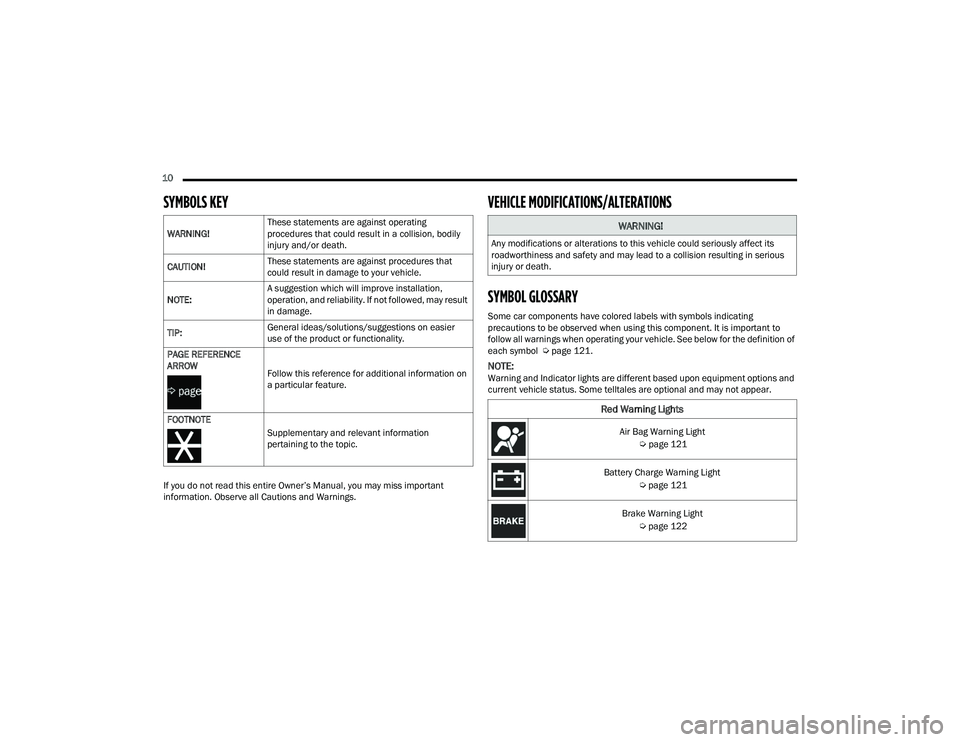
SYMBOLS KEY
If you do not read this entire Owner’s Manual, you may miss important
information. Observe all Cautions and Warnings.
VEHICLE MODIFICATIONS/ALTERATIONS
SYMBOL GLOSSARY
Some car components have colored labels with symbols indicating
precautions to be observed when using this component. It is important to
follow all warnings when operating your vehicle. See below for the definition of
each symbol Úpage 121.
NOTE:Warning and Indicator lights are different based upon equipment options and
current vehicle status. Some telltales are optional and may not appear.
WARNING!
These statements are against operating
procedures that could result in a collision, bodily
injury and/or death.
CAUTION! These statements are against procedures that
could result in damage to your vehicle.
NOTE: A suggestion which will improve installation,
operation, and reliability. If not followed, may result
in damage.
TIP: General ideas/solutions/suggestions on easier
use of the product or functionality.
PAGE REFERENCE
ARROW
Follow this reference for additional information on
a particular feature.
FOOTNOTE Supplementary and relevant information
pertaining to the topic.
WARNING!
Any modifications or alterations to this vehicle could seriously affect its
roadworthiness and safety and may lead to a collision resulting in serious
injury or death.
Red Warning Lights
Air Bag Warning Light Úpage 121
Battery Charge Warning Light Úpage 121
Brake Warning Light Úpage 122
22_RUP_OM_EN_USC_t.book Page 10
Page 13 of 384
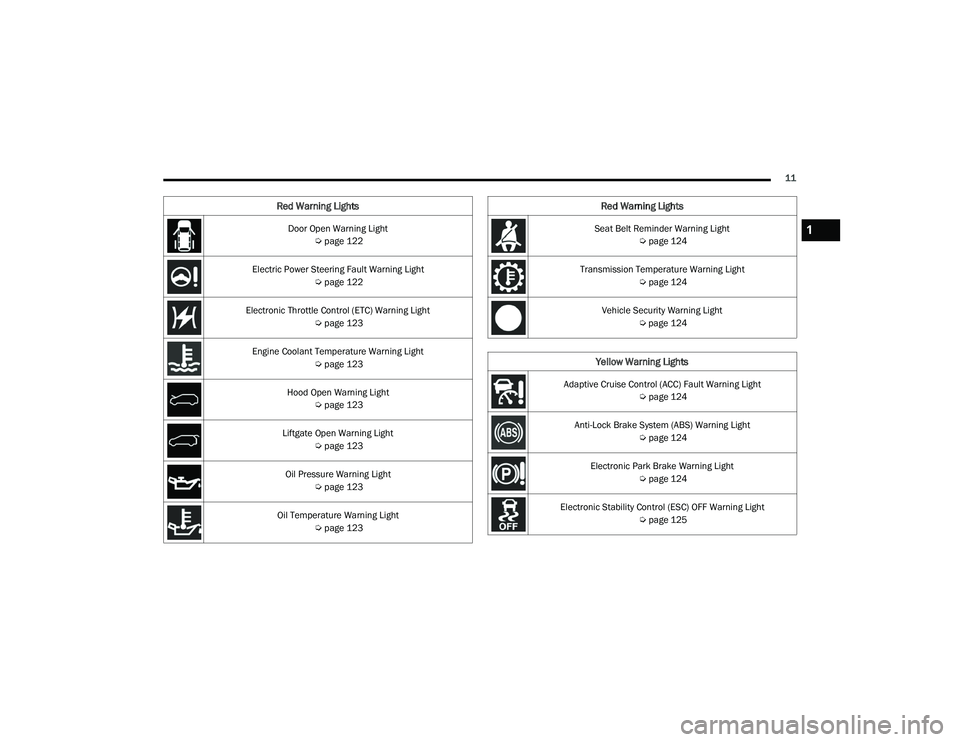
11
Door Open Warning Light Úpage 122
Electric Power Steering Fault Warning Light Úpage 122
Electronic Throttle Control (ETC) Warning Light Úpage 123
Engine Coolant Temperature Warning Light Úpage 123
Hood Open Warning Light Úpage 123
Liftgate Open Warning Light Úpage 123
Oil Pressure Warning Light Úpage 123
Oil Temperature Warning Light Úpage 123
Red Warning Lights
Seat Belt Reminder Warning Light
Úpage 124
Transmission Temperature Warning Light Úpage 124
Vehicle Security Warning Light Úpage 124
Yellow Warning Lights
Adaptive Cruise Control (ACC) Fault Warning Light
Úpage 124
Anti-Lock Brake System (ABS) Warning Light Úpage 124
Electronic Park Brake Warning Light Úpage 124
Electronic Stability Control (ESC) OFF Warning Light Úpage 125
Red Warning Lights
1
22_RUP_OM_EN_USC_t.book Page 11
Page 14 of 384
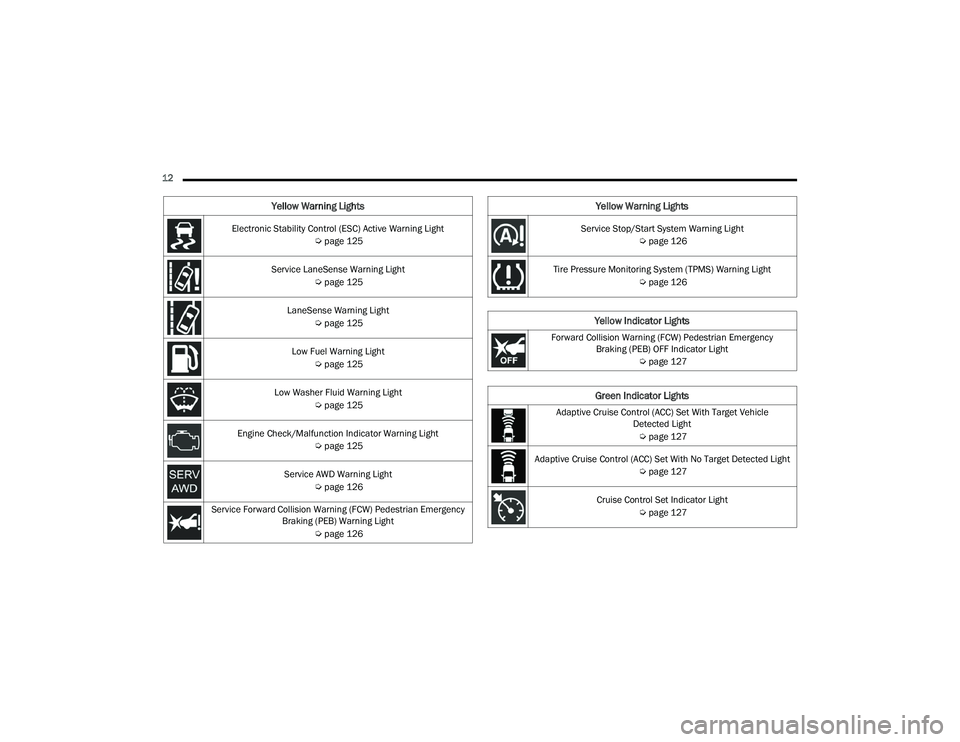
12 Electronic Stability Control (ESC) Active Warning Light Úpage 125
Service LaneSense Warning Light Úpage 125
LaneSense Warning Light Úpage 125
Low Fuel Warning Light Úpage 125
Low Washer Fluid Warning Light Úpage 125
Engine Check/Malfunction Indicator Warning Light Úpage 125
Service AWD Warning Light Úpage 126
Service Forward Collision Warning (FCW) Pedestrian Emergency Braking (PEB) Warning Light
Úpage 126
Yellow Warning Lights
Service Stop/Start System Warning Light
Úpage 126
Tire Pressure Monitoring System (TPMS) Warning Light Úpage 126
Yellow Indicator Lights
Forward Collision Warning (FCW) Pedestrian Emergency
Braking (PEB) OFF Indicator Light
Úpage 127
Green Indicator Lights
Adaptive Cruise Control (ACC) Set With Target Vehicle
Detected Light
Ú page 127
Adaptive Cruise Control (ACC) Set With No Target Detected Light Úpage 127
Cruise Control Set Indicator Light Úpage 127
Yellow Warning Lights
22_RUP_OM_EN_USC_t.book Page 12
Page 16 of 384
14
GETTING TO KNOW YOUR VEHICLE
KEYS
KEY FOB
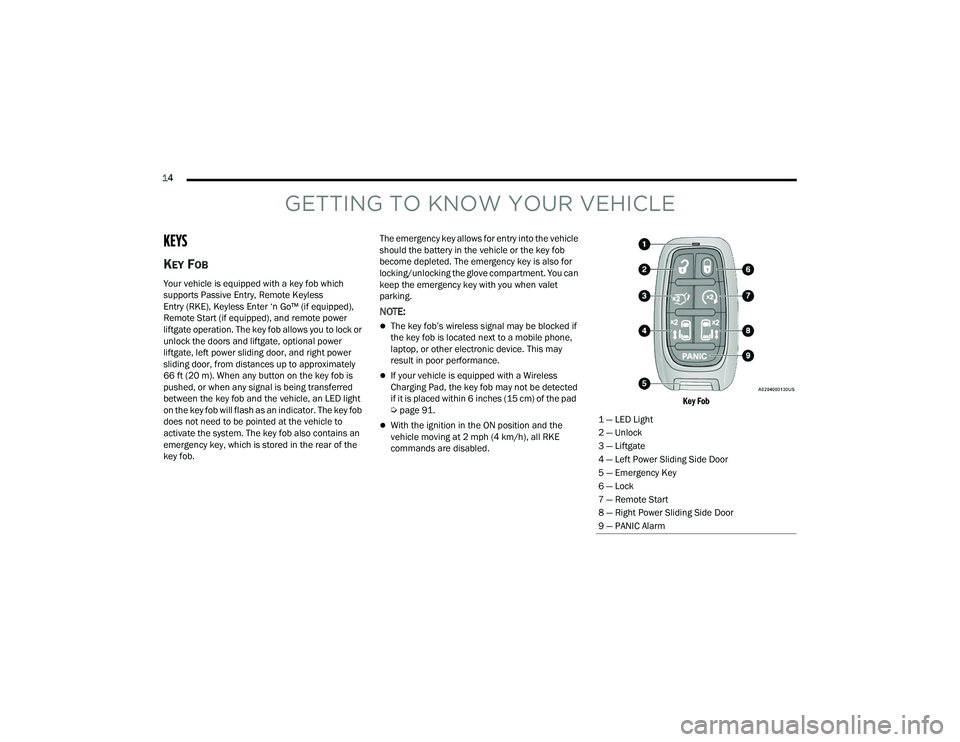
Your vehicle is equipped with a key fob which
supports Passive Entry, Remote Keyless
Entry (RKE), Keyless Enter ‘n Go™ (if equipped),
Remote Start (if equipped), and remote power
liftgate operation. The key fob allows you to lock or
unlock the doors and liftgate, optional power
liftgate, left power sliding door, and right power
sliding door, from distances up to approximately
66 ft (20 m). When any button on the key fob is
pushed, or when any signal is being transferred
between the key fob and the vehicle, an LED light
on the key fob will flash as an indicator. The key fob
does not need to be pointed at the vehicle to
activate the system. The key fob also contains an
emergency key, which is stored in the rear of the
key fob.The emergency key allows for entry into the vehicle
should the battery in the vehicle or the key fob
become depleted. The emergency key is also for
locking/unlocking the glove compartment. You can
keep the emergency key with you when valet
parking.
NOTE:
The key fob’s wireless signal may be blocked if
the key fob is located next to a mobile phone,
laptop, or other electronic device. This may
result in poor performance.
If your vehicle is equipped with a Wireless
Charging Pad, the key fob may not be detected
if it is placed within 6 inches (15 cm) of the pad
Ú
page 91.
With the ignition in the ON position and the
vehicle moving at 2 mph (4 km/h), all RKE
commands are disabled.
Key Fob
1 — LED Light
2 — Unlock
3 — Liftgate
4 — Left Power Sliding Side Door
5 — Emergency Key
6 — Lock
7 — Remote Start
8 — Right Power Sliding Side Door
9 — PANIC Alarm
22_RUP_OM_EN_USC_t.book Page 14
Page 17 of 384
GETTING TO KNOW YOUR VEHICLE15
In case the ignition switch does not change with
the push of a button, the key fob may have a low or
fully depleted battery. A low key fob battery can be
verified by referring to the instrument cluster,
which will display directions to follow.
NOTE:
A low key fob battery condition may be indicated
by a message in the instrument cluster display,
or by the LED light on the key fob. If the LED key
fob light no longer illuminates from key fob
button pushes, then the key fob battery requires
replacement.
The key fob LED light brightness is designed for
indoor light viewing, so the LED light may not be
visible in direct sunlight Ú page 370.
To Lock/Unlock The Doors And Liftgate
Push and release the unlock button on the key fob
once to unlock the driver’s front door and sliding door
or twice within five seconds to unlock all doors and
the liftgate. Push and release the lock button on the
key fob to lock all doors and the liftgate.
When the doors are unlocked, the turn signals will
flash and the illuminated entry system will be
activated. When the doors are locked, the turn
signals will flash and the horn will chirp. Settings in
the Uconnect system can change to lights only,
chirp only, or both. Vehicles Equipped With Keyless Enter ‘n Go™ —
Passive Entry
If one or more doors are open, or the liftgate is
open, the doors can be locked. The doors will
unlock again only if the key fob is inside the
passenger compartment.
All doors can be programmed to unlock on the first
push of the unlock button within Uconnect Settings
Ú
page 188.
Key Left Vehicle Feature
If a valid key fob is no longer detected inside the
vehicle while the vehicle’s ignition system is in the
ON/RUN or START position, the message “Key Fob
Has Left The Vehicle” will be shown in the
instrument cluster display along with an interior
chime. An exterior audible and visual alert will also
be activated to warn the driver.
The vehicle’s horn will rapidly chirp three times along
with a single flash of the vehicle’s exterior lights.
NOTE:
The doors have to be open and then closed in
order for the vehicle to check for the presence of
a key fob; the Key Left Vehicle feature will not
activate until all of the doors are closed.
These alerts will not be activated in situations
where the vehicle’s engine is left running with
the key fob inside.
Replacing The Battery In The Key Fob
The recommended replacement battery is one
CR2032 battery.
NOTE:
Customers are recommended to use a battery
obtained from Mopar®. Aftermarket coin
battery dimensions may not meet the original
OEM coin battery dimensions.
Batteries contain harmful chemicals. Dispose
old batteries by placing them in correct
containers according to the law or by taking
them to a dealership, where they will be handled
appropriately.
Perchlorate Material — special handling may
apply. See www.dtsc.ca.gov/hazard -
ouswaste/perchlorate for further information.
Do not touch the battery terminals that are on
the back housing or the printed circuit board.
2
22_RUP_OM_EN_USC_t.book Page 15