lights CHRYSLER PT CRUISER 2008 1.G Owner's Manual
[x] Cancel search | Manufacturer: CHRYSLER, Model Year: 2008, Model line: PT CRUISER, Model: CHRYSLER PT CRUISER 2008 1.GPages: 491, PDF Size: 7.08 MB
Page 191 of 491
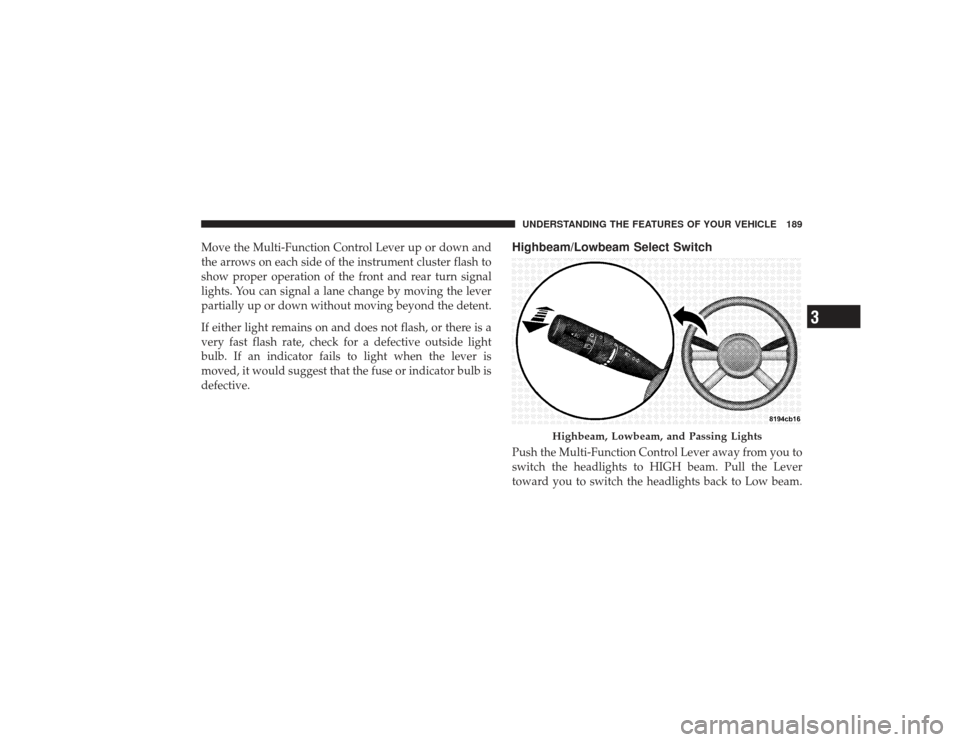
Move the Multi-Function Control Lever up or down and
the arrows on each side of the instrument cluster flash to
show proper operation of the front and rear turn signal
lights. You can signal a lane change by moving the lever
partially up or down without moving beyond the detent.
If either light remains on and does not flash, or there is a
very fast flash rate, check for a defective outside light
bulb. If an indicator fails to light when the lever is
moved, it would suggest that the fuse or indicator bulb is
defective.
Highbeam/Lowbeam Select SwitchPush the Multi-Function Control Lever away from you to
switch the headlights to HIGH beam. Pull the Lever
toward you to switch the headlights back to Low beam.
Highbeam, Lowbeam, and Passing Lights
UNDERSTANDING THE FEATURES OF YOUR VEHICLE 189
3
Page 192 of 491
Passing LightYou can signal another vehicle with your headlights by
lightly pulling the Multi-Function Control Lever toward
you. This will cause the headlights to turn on at high
beam and remain on until the lever is released.
NOTE:If the Multi-Function Control Lever is held in
the flash to pass position for more than 15 seconds, the
high beams will shut off. If this occurs, wait 30 seconds
for the next flash to pass operation.WINDSHIELD WIPERS AND WASHERS
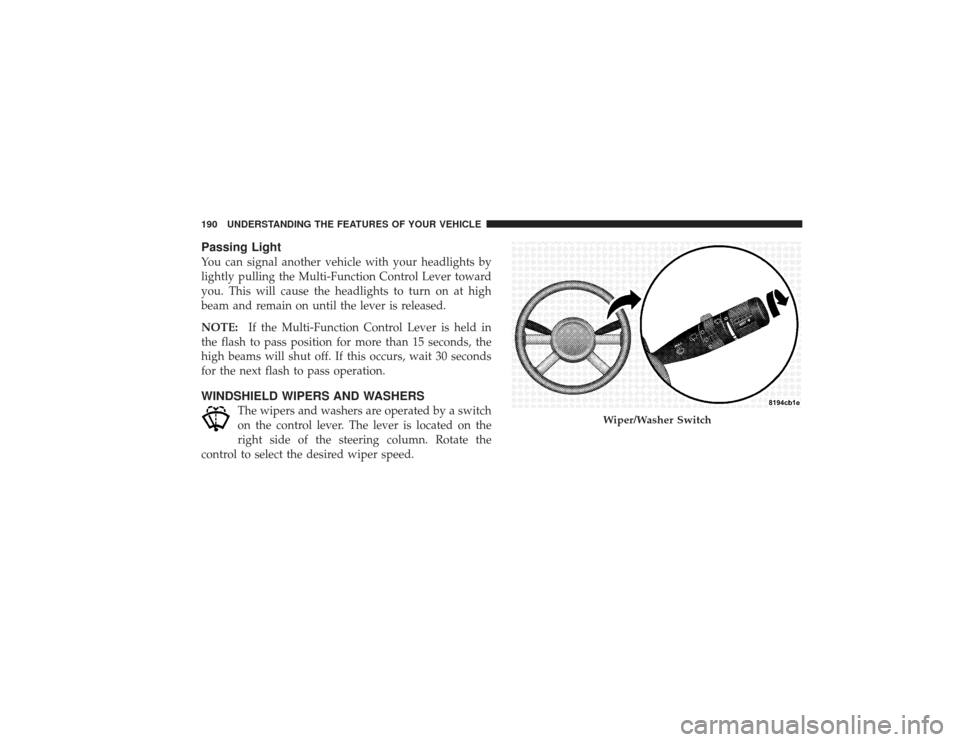
The wipers and washers are operated by a switch
on the control lever. The lever is located on the
right side of the steering column. Rotate the
control to select the desired wiper speed.
Wiper/Washer Switch
190 UNDERSTANDING THE FEATURES OF YOUR VEHICLE
Page 210 of 491

Electrical Outlet Use With Engine Off
CAUTION!
•
Many accessories that can be plugged in draw
power from the vehicle’s battery, even when not in
use (i.e., cellular phones, etc.). Eventually, if
plugged in long enough, the vehicle’s battery will
discharge sufficiently to degrade battery life
and/or prevent engine starting.
•
Accessories that draw higher power (i.e., coolers,
vacuum cleaners, lights, etc.), will degrade the
battery even more quickly. Only use these inter-
mittently and with greater caution.
•
After the use of high power draw accessories, or
long periods of the vehicle not being started (with
accessories still plugged in), the vehicle must be
driven a sufficient length of time to allow the
generator to recharge the vehicle’s battery.
CONSOLE FEATURESThe console has two front cup holders, a removable coin
holder, 12 volt power outlet and a front storage tray.
There are three additional cup holders; one is molded in
the center of the console to hold large cups and the others
are in the rear of the console to serve passengers in the
rear seat. The floor console power outlet will also operate
a conventional cigar lighter unit (if equipped with an
optional Smoker’s Package).
208 UNDERSTANDING THE FEATURES OF YOUR VEHICLE
Page 211 of 491
CAUTION!
•
Many accessories that can be plugged into the 12
volt power outlet, draw power from the vehicle’s
battery, even when not in use; i.e. cellular phones,
etc. Eventually, if plugged in long enough, the
vehicle’s battery will discharge sufficiently to de-
grade battery life and/or prevent engine starting.
•
Accessories that draw higher power such as cool-
ers, vacuum cleaners, lights, etc., will discharge the
battery even more quickly. Only use these inter-
mittently and with greater caution.
•
After the use of high power draw accessories, or
long periods of the vehicle not being started, (with
accessories still plugged in), the vehicle must be
driven a sufficient length of time to allow the
generator to recharge the vehicle’s battery.
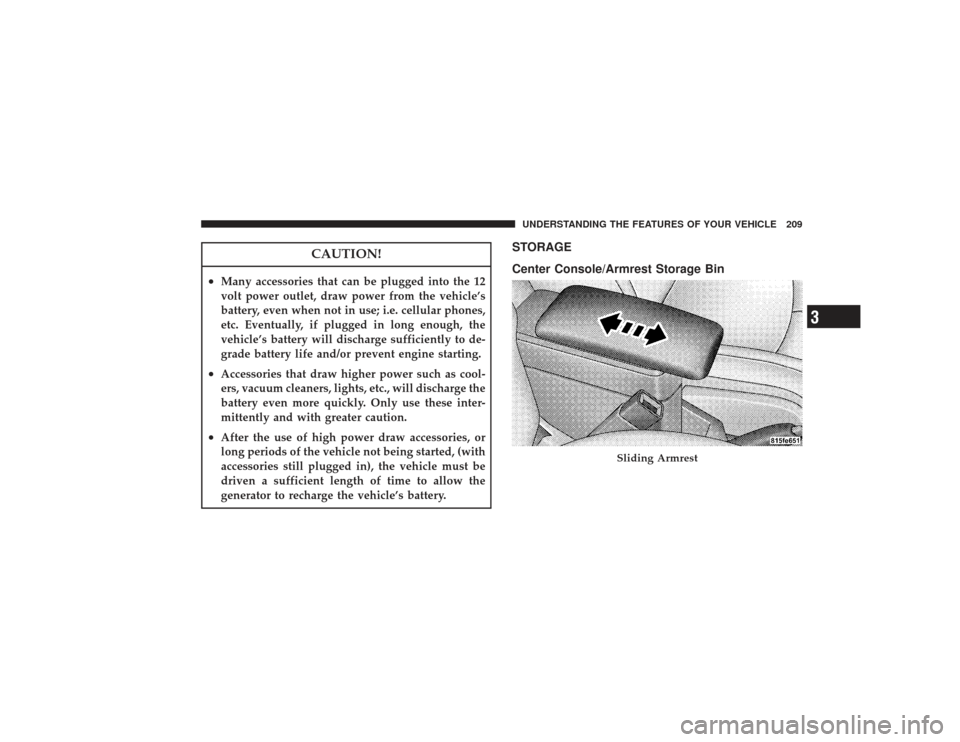
STORAGE
Center Console/Armrest Storage Bin
Sliding Armrest
UNDERSTANDING THE FEATURES OF YOUR VEHICLE 209
3
Page 224 of 491
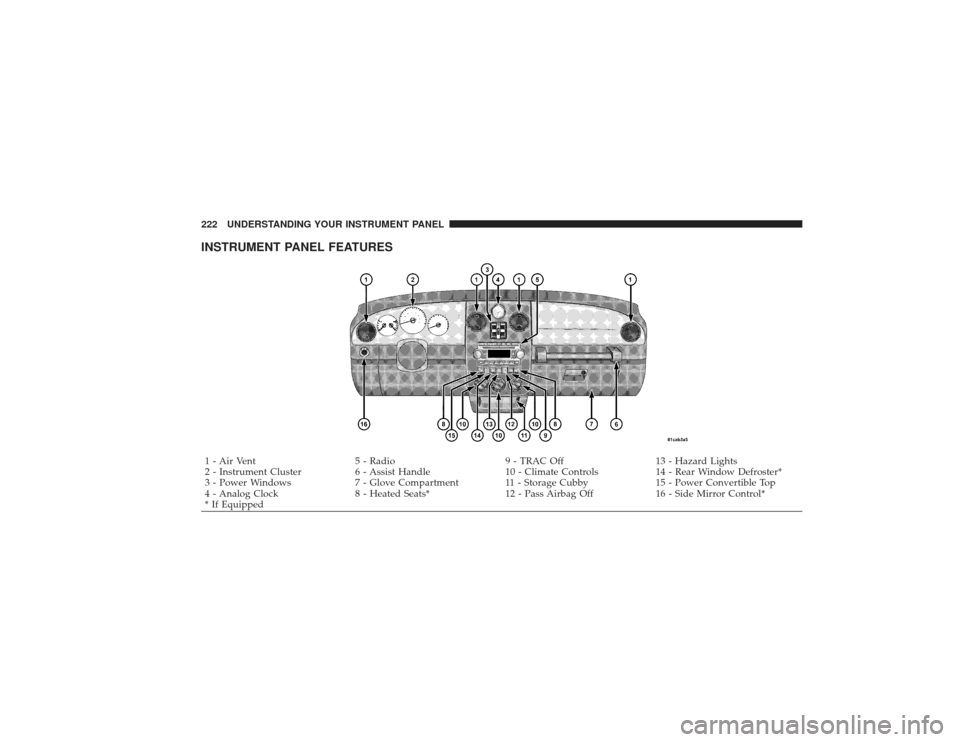
INSTRUMENT PANEL FEATURES1 - Air Vent5 - Radio9 - TRAC Off13 - Hazard Lights
2 - Instrument Cluster 6 - Assist Handle10 - Climate Controls14 - Rear Window Defroster*
3 - Power Windows 7 - Glove Compartment 11 - Storage Cubby 15 - Power Convertible Top
4 - Analog Clock 8 - Heated Seats*12 - Pass Airbag Off16 - Side Mirror Control*
* If Equipped
222 UNDERSTANDING YOUR INSTRUMENT PANEL
Page 235 of 491
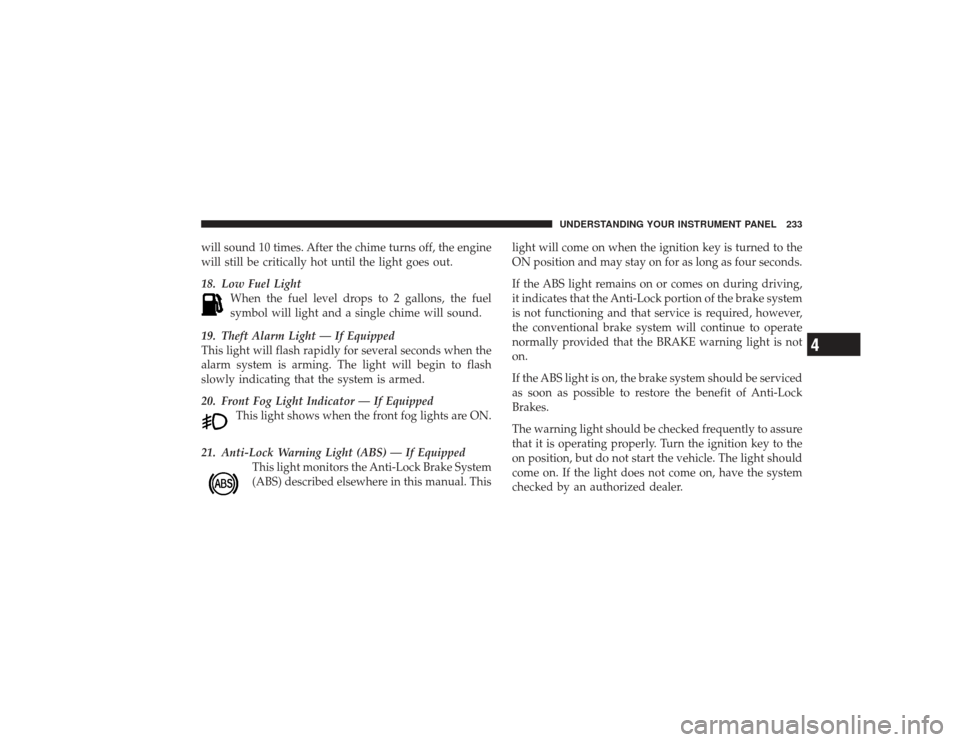
will sound 10 times. After the chime turns off, the engine
will still be critically hot until the light goes out.
18. Low Fuel LightWhen the fuel level drops to 2 gallons, the fuel
symbol will light and a single chime will sound.
19. Theft Alarm Light — If Equipped
This light will flash rapidly for several seconds when the
alarm system is arming. The light will begin to flash
slowly indicating that the system is armed.
20. Front Fog Light Indicator — If Equipped This light shows when the front fog lights are ON.
21. Anti-Lock Warning Light (ABS) — If Equipped This light monitors the Anti-Lock Brake System
(ABS) described elsewhere in this manual. This light will come on when the ignition key is turned to the
ON position and may stay on for as long as four seconds.
If the ABS light remains on or comes on during driving,
it indicates that the Anti-Lock portion of the brake system
is not functioning and that service is required, however,
the conventional brake system will continue to operate
normally provided that the BRAKE warning light is not
on.
If the ABS light is on, the brake system should be serviced
as soon as possible to restore the benefit of Anti-Lock
Brakes.
The warning light should be checked frequently to assure
that it is operating properly. Turn the ignition key to the
on position, but do not start the vehicle. The light should
come on. If the light does not come on, have the system
checked by an authorized dealer.
UNDERSTANDING YOUR INSTRUMENT PANEL 233
4
Page 236 of 491
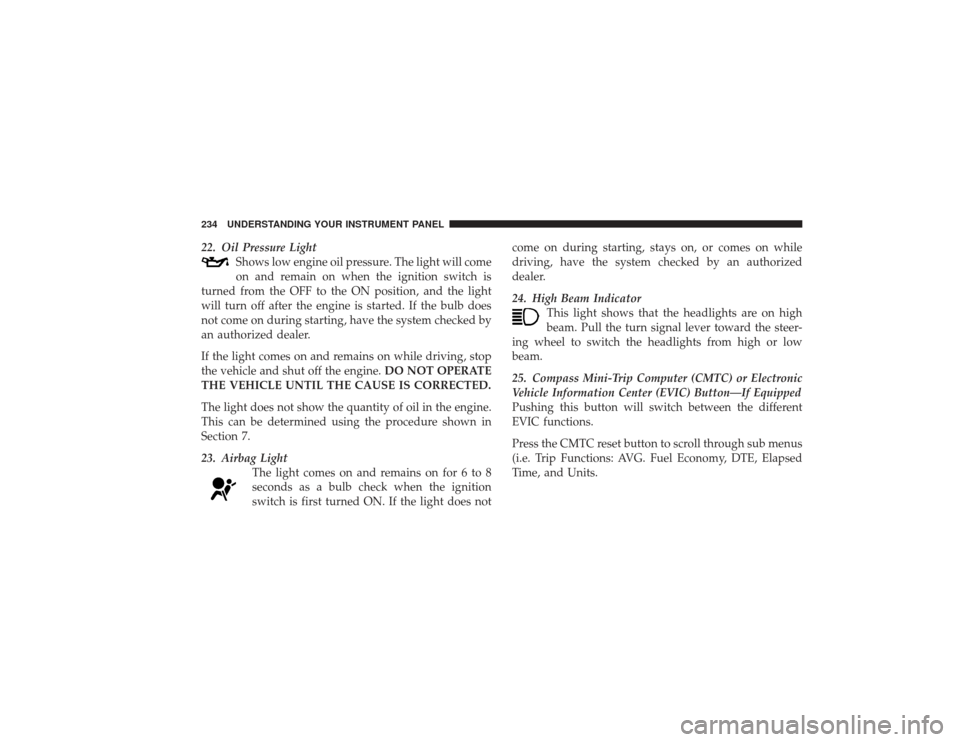
22. Oil Pressure LightShows low engine oil pressure. The light will come
on and remain on when the ignition switch is
turned from the OFF to the ON position, and the light
will turn off after the engine is started. If the bulb does
not come on during starting, have the system checked by
an authorized dealer.
If the light comes on and remains on while driving, stop
the vehicle and shut off the engine. DO NOT OPERATE
THE VEHICLE UNTIL THE CAUSE IS CORRECTED.
The light does not show the quantity of oil in the engine.
This can be determined using the procedure shown in
Section 7.
23. Airbag Light The light comes on and remains on for 6 to 8
seconds as a bulb check when the ignition
switch is first turned ON. If the light does not come on during starting, stays on, or comes on while
driving, have the system checked by an authorized
dealer.
24. High Beam Indicator
This light shows that the headlights are on high
beam. Pull the turn signal lever toward the steer-
ing wheel to switch the headlights from high or low
beam.
25. Compass Mini-Trip Computer (CMTC) or Electronic
Vehicle Information Center (EVIC) Button—If Equipped
Pushing this button will switch between the different
EVIC functions.
Press the CMTC reset button to scroll through sub menus
(i.e. Trip Functions: AVG. Fuel Economy, DTE, Elapsed
Time, and Units.234 UNDERSTANDING YOUR INSTRUMENT PANEL
Page 247 of 491
Auto Unlock On ExitWhen ON is selected all the vehicle’s doors will unlock
when the driver’s door is opened if the vehicle is stopped
(manual transmissions) or the vehicle is stopped and the
transmission is in PARK or NEUTRAL position (auto-
matic transmissions). Press and hold the EVIC button
when in this display until ON or OFF appears to make
your selection.Remote Unlock Driver’s Door 1stWhenDRIVER’S DOOR 1st is selected only the driver’s
door will unlock on the first press of the remote keyless
entry unlock button and require a second press to unlock
the remaining locked doors. When REMOTE UNLOCK
ALL DOORS is selected all of the doors will unlock at
the first press of the remote keyless entry unlock button.
Press and hold the EVIC button when in this display until
DRIVER’S DOOR 1st or ALL DOORS appears to make
your selection.
Sound Horn with Remote Key LockWhen ON is selected a short horn sound will occur when
the remote keyless entry LOCK button is pressed. This
feature may be selected with or without the flash lights
on LOCK/UNLOCK feature. Press and hold the EVIC
button when in this display until ON or OFF appears to
make your selection.Flash Lights with Remote Key LockWhen ON is selected, the front and rear turn signals will
flash when the doors are locked or unlocked using the
remote keyless entry transmitter. This feature may be
selected with or without the sound horn on lock feature
selected. Press and hold the EVIC button when in this
display until ON or OFF appears to make your selection.Delay Turning Headlamps OffWhen this feature is selected the driver can choose to
have the headlamps remain on for 0, 30, 60, or 90 seconds
UNDERSTANDING YOUR INSTRUMENT PANEL 245
4
Page 248 of 491
when exiting the vehicle. Press and hold the EVIC button
when in this display until 0, 30, 60, or 90 appears to make
your selection.Headlamps On With Wipers (Available with Auto
Headlights Only)When ON is selected and the headlight switch is in the
AUTO position, the headlights will turn on approxi-
mately 10 seconds after the wipers are turned on. The
headlights will also turn off when the wipers are turned
off if they were turned on by this feature. Press and hold
the EVIC button when in this display until ON or OFF
appears to make your selection.
NOTE:Turning the headlights on during the daytime
causes the instrument panel lights to dim. To increase the
brightness, refer to “Lights” in this section.Delay Power Off to Accessories Until ExitWhen this feature is selected, the power window
switches, radio, hands–free system, DVD video system, power sunroof, and power outlets will remain active for
up to 60 minutes after the ignition switch has been turned
off. Opening a vehicle door will cancel this feature. Press
and hold the EVIC button when in this display until
“Off”, “45 sec.”, “5 min.”, or “10 min.” appears to make
your selection.
Turn Headlamps on with Remote Key UnlockWhen this feature is selected the headlamps will activate
and remain on for up to 90 seconds when the doors are
unlocked using the remote keyless entry transmitter.
Press and hold the EVIC button when in this display until
“OFF”, “30 sec.”, “60 sec.”, or “90 sec.” appears to make
your selection.Confirmation of Voice Commands — If EquippedWhen ON is selected all voice commands from the
U-Connect™ system are confirmed. Press and hold the
EVIC button when in this display until ON or OFF
appears to make your selection.
246 UNDERSTANDING YOUR INSTRUMENT PANEL
Page 305 of 491
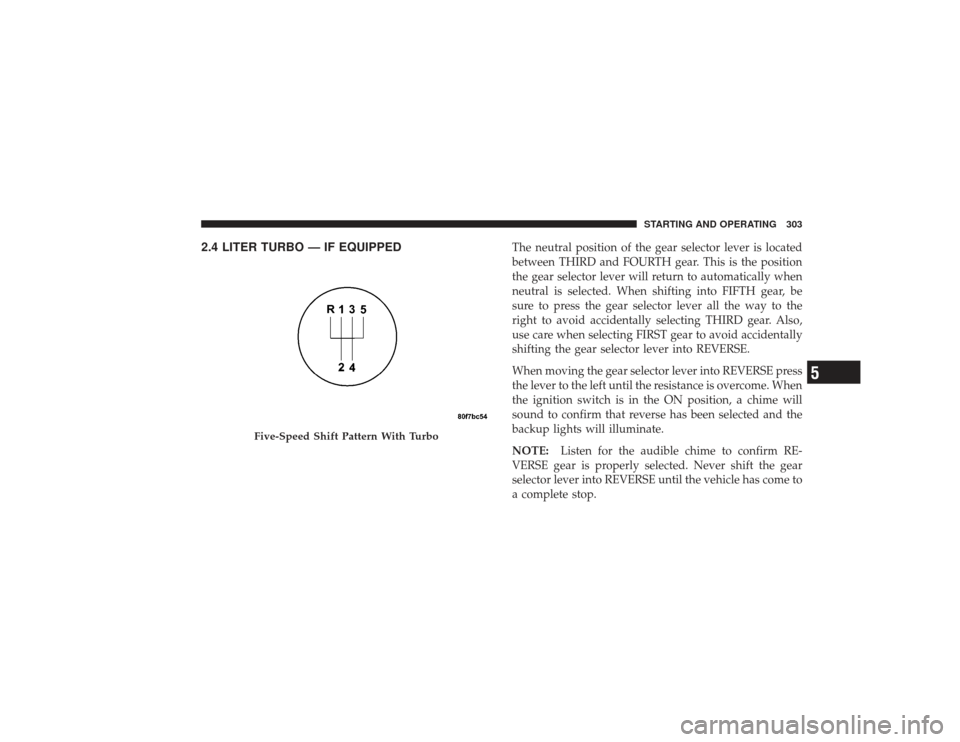
2.4 LITER TURBO — IF EQUIPPED
The neutral position of the gear selector lever is located
between THIRD and FOURTH gear. This is the position
the gear selector lever will return to automatically when
neutral is selected. When shifting into FIFTH gear, be
sure to press the gear selector lever all the way to the
right to avoid accidentally selecting THIRD gear. Also,
use care when selecting FIRST gear to avoid accidentally
shifting the gear selector lever into REVERSE.
When moving the gear selector lever into REVERSE press
the lever to the left until the resistance is overcome. When
the ignition switch is in the ON position, a chime will
sound to confirm that reverse has been selected and the
backup lights will illuminate.
NOTE:Listen for the audible chime to confirm RE-
VERSE gear is properly selected. Never shift the gear
selector lever into REVERSE until the vehicle has come to
a complete stop.
Five-Speed Shift Pattern With Turbo
STARTING AND OPERATING 303
5