light CHRYSLER SEBRING COUPE 2004 2.G Workshop Manual
[x] Cancel search | Manufacturer: CHRYSLER, Model Year: 2004, Model line: SEBRING COUPE, Model: CHRYSLER SEBRING COUPE 2004 2.GPages: 382, PDF Size: 2.23 MB
Page 127 of 382
vehicle in a safe place, turn off the ignition, and clean the
deposits from the glass so that the wipers operate
smoothly.
4. Avoid using the washer for more than 20 seconds at a
time. To avoid pump damage, do not operate the washer
when the fluid reservoir is empty.
5. During cold weather, be sure to add a washer solution
that will not freeze in the washer reservoir. Failure to do
so could result in the loss of windshield washer function
and damage to the system components.
6. Replace wiper blades when they are worn to avoid
loss of visibility when in use. Use the appropriate size
replacement blades; if you have questions, ask your
authorized dealer.DOME LIGHT
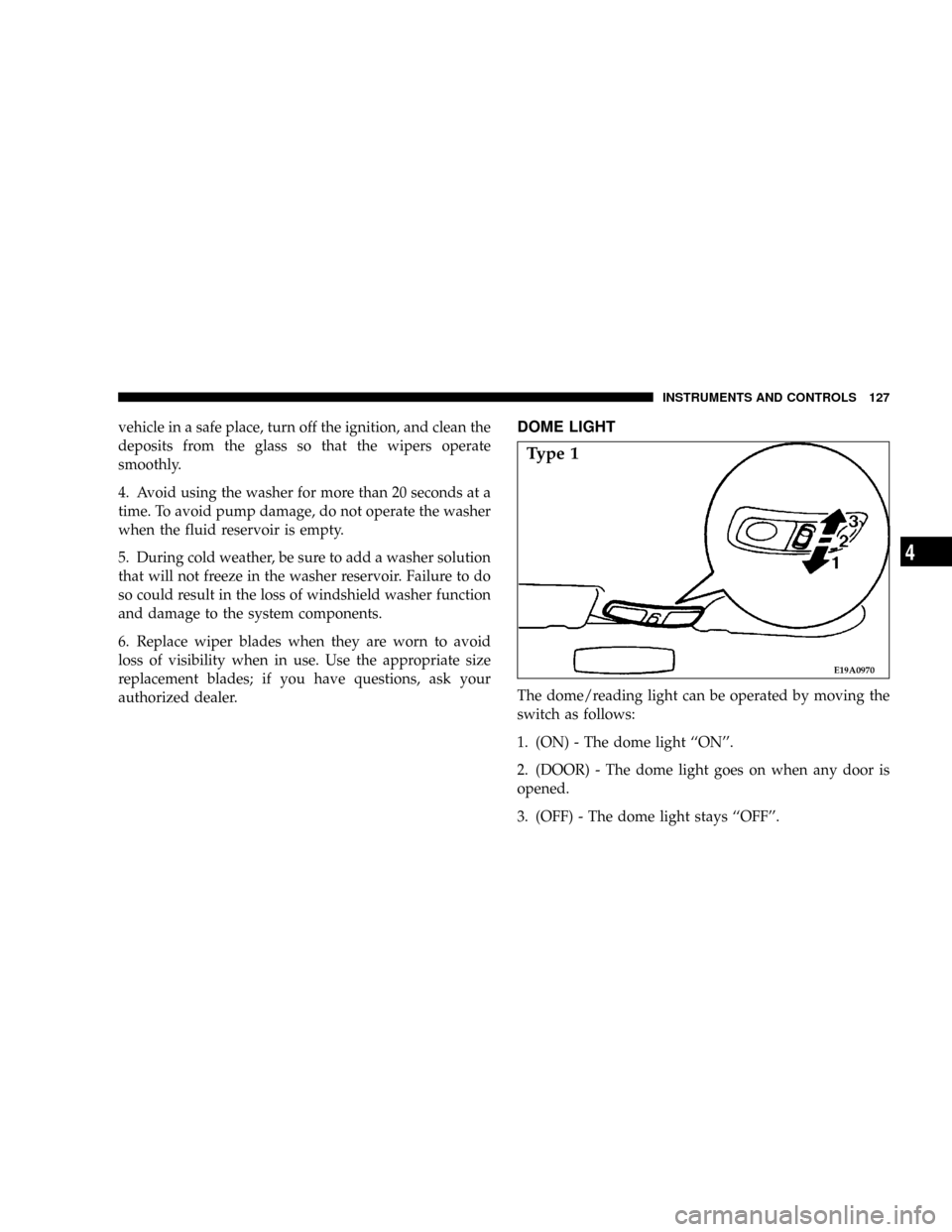
The dome/reading light can be operated by moving the
switch as follows:
1. (ON) - The dome light ``ON''.
2. (DOOR) - The dome light goes on when any door is
opened.
3. (OFF) - The dome light stays ``OFF''.
E19A0970
Type 1
INSTRUMENTS AND CONTROLS 127
4
Page 128 of 382
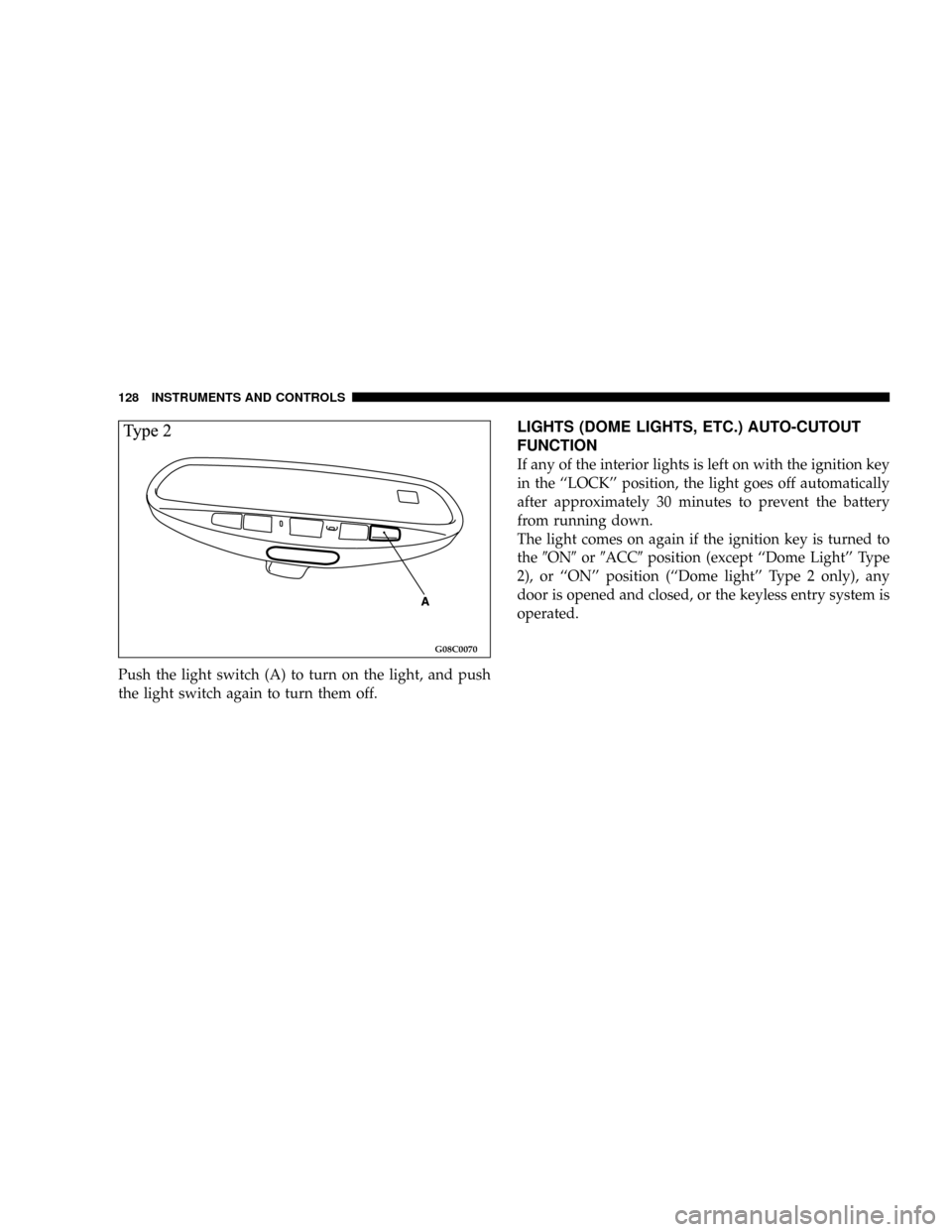
Push the light switch (A) to turn on the light, and push
the light switch again to turn them off.
LIGHTS (DOME LIGHTS, ETC.) AUTO-CUTOUT
FUNCTION
If any of the interior lights is left on with the ignition key
in the ``LOCK'' position, the light goes off automatically
after approximately 30 minutes to prevent the battery
from running down.
The light comes on again if the ignition key is turned to
the9ON9or9ACC9position (except ``Dome Light'' Type
2), or ``ON'' position (``Dome light'' Type 2 only), any
door is opened and closed, or the keyless entry system is
operated.
G08C0070
128 INSTRUMENTS AND CONTROLS
Page 129 of 382
READING LIGHTS
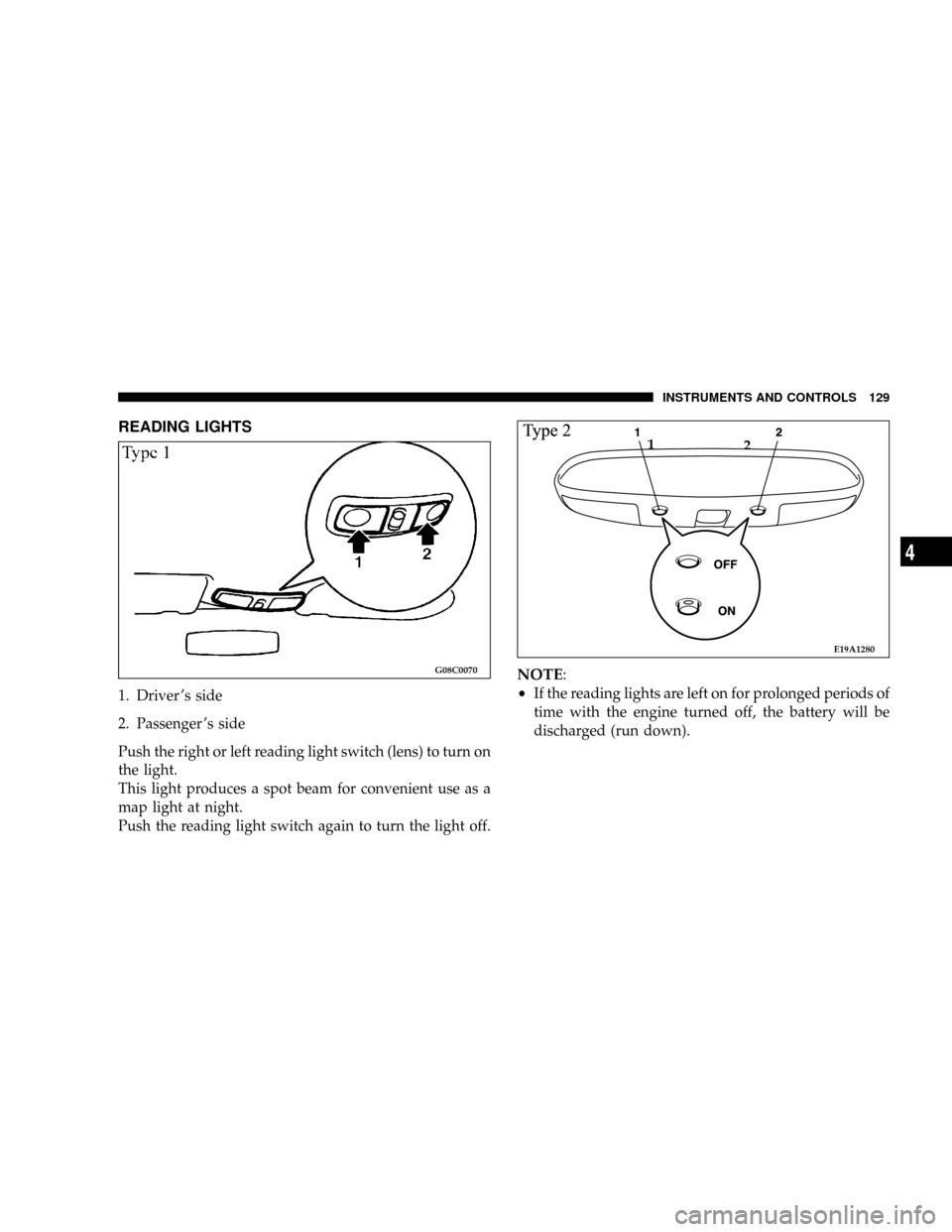
1. Driver 's side
2. Passenger 's side
Push the right or left reading light switch (lens) to turn on
the light.
This light produces a spot beam for convenient use as a
map light at night.
Push the reading light switch again to turn the light off.
NOTE:
²If the reading lights are left on for prolonged periods of
time with the engine turned off, the battery will be
discharged (run down).G08C0070
E19A1280
1
2
INSTRUMENTS AND CONTROLS 129
4
Page 130 of 382
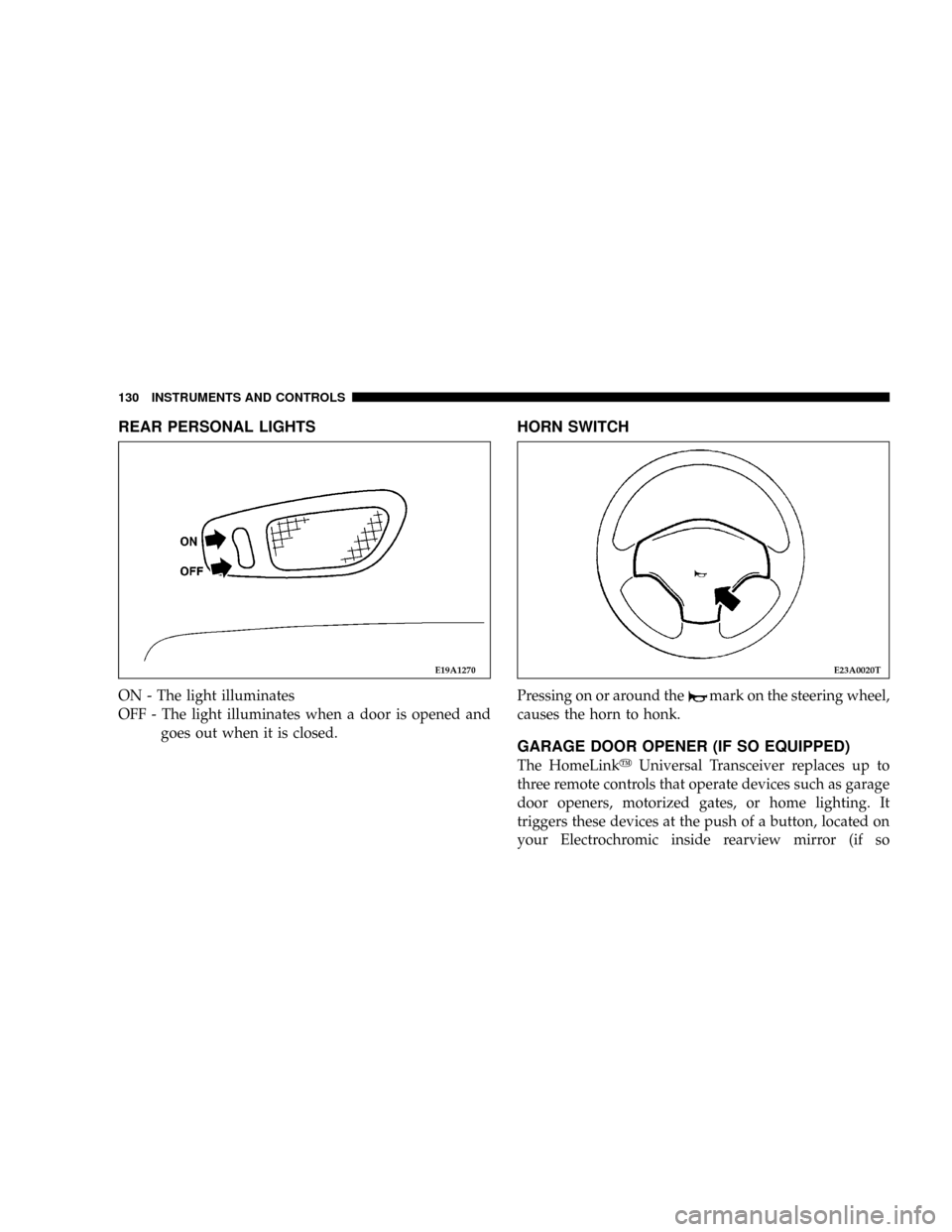
REAR PERSONAL LIGHTS
ON - The light illuminates
OFF - The light illuminates when a door is opened and
goes out when it is closed.
HORN SWITCH
Pressing on or around themark on the steering wheel,
causes the horn to honk.
GARAGE DOOR OPENER (IF SO EQUIPPED)
The HomeLinkyUniversal Transceiver replaces up to
three remote controls that operate devices such as garage
door openers, motorized gates, or home lighting. It
triggers these devices at the push of a button, located on
your Electrochromic inside rearview mirror (if so
E19A1270E23A0020T
130 INSTRUMENTS AND CONTROLS
Page 132 of 382
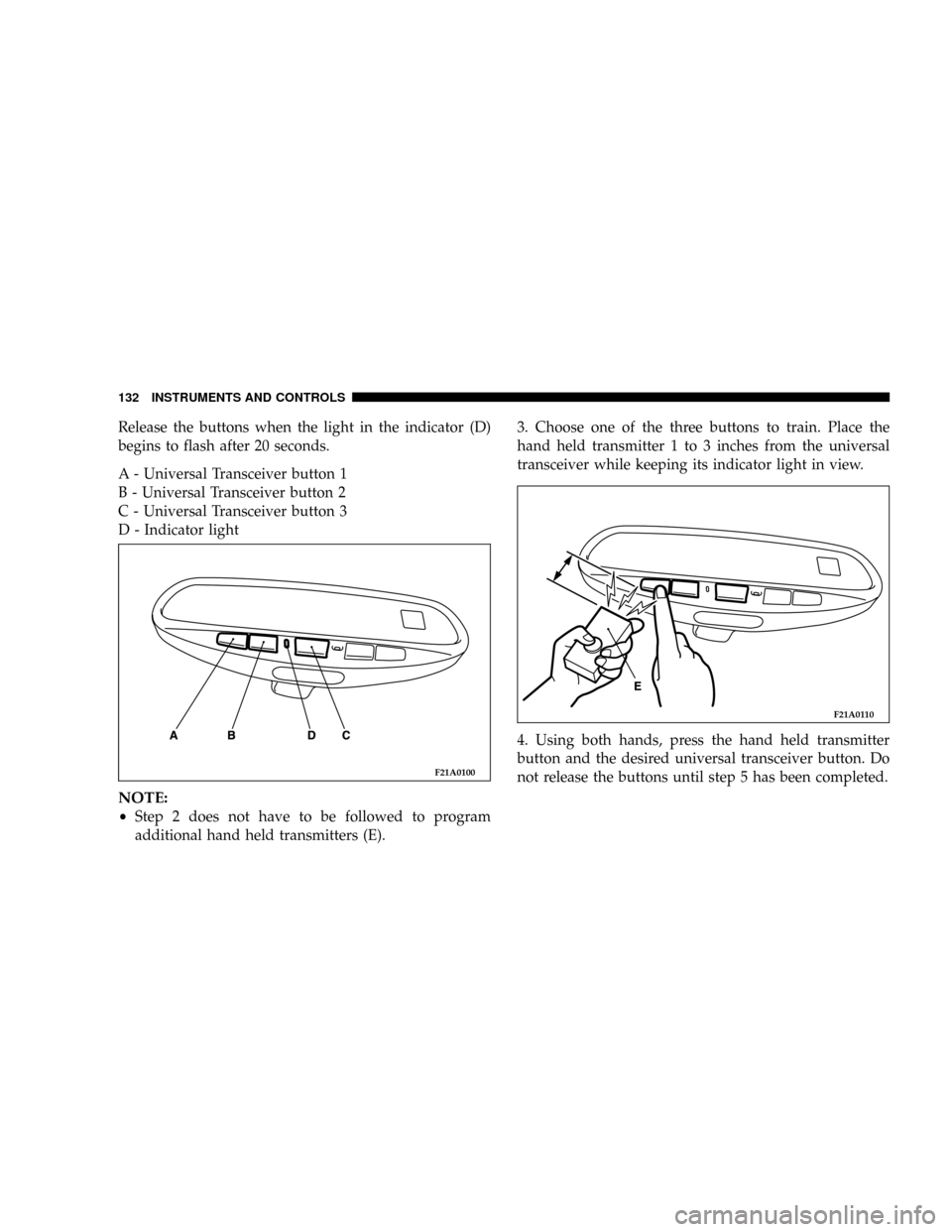
Release the buttons when the light in the indicator (D)
begins to flash after 20 seconds.
A - Universal Transceiver button 1
B - Universal Transceiver button 2
C - Universal Transceiver button 3
D - Indicator light
NOTE:
²Step 2 does not have to be followed to program
additional hand held transmitters (E).3. Choose one of the three buttons to train. Place the
hand held transmitter 1 to 3 inches from the universal
transceiver while keeping its indicator light in view.
4. Using both hands, press the hand held transmitter
button and the desired universal transceiver button. Do
not release the buttons until step 5 has been completed.
F21A0100
F21A0110
132 INSTRUMENTS AND CONTROLS
Page 133 of 382

NOTE:
²Some entry gates and garage door openers may re-
quire you to replace step 4 with the procedures listed
under Canadian Programming.
5. The indicator light (D) will begin to flash, first slowly
and then rapidly. The rapid flashing indicates successful
programming. If after 90 seconds the indicator light does
not flash rapidly or goes out, return to step 1 and repeat
the procedure. To train the other buttons, repeat steps 3
and 4. Be sure to keep your hand held transmitters in case
you need to retrain the universal transceiver.
Refer to the Rolling Code Programming or the
Canadian/Gate paragraphs for additional procedures, if
necessary.
If you do not successfully program the universal trans-
ceiver to learn the signal of your hand held transmitter,
refer to the Rolling Code Paragraph, or call toll-free for
customer assistance at 1±800±355±3515, or on the internet
at www.homelink.jci.com.
Canadian Programming/Gate Programming
Canadian frequency laws, and the technology of some
entry gates, require you to press and release the hand
held transmitter button every two seconds during pro-
gramming.
Continue to press and hold the universal transceiver
button (A, B or C) while you press and release the hand
held transmitter button until the frequency signal has
been learned. The indicator light (D) will flash slowly
and then rapidly when the programming is successful.
NOTE:
²When programming such a garage door opener or
gate, unplug the device to prevent possible damage to
the garage door or gate motor.
INSTRUMENTS AND CONTROLS 133
4
Page 134 of 382

Operation
Press and hold the desired button (A, B or C) on the
universal transceiver until the garage door or other
device begins to operate. The indicator light (D) shows
that the signal is being transmitted. The hand held
transmitter (E) may also be used at any time.
NOTE:
²
If you have difficulty in programming, call toll-free for
customer assistance at 1-800-355-3515, or the internet
at www.homelink.jci.com.
²If your hand held transmitter appears to program the
universal transceiver, but your garage door or other
device does not operate, and your device was manu-
factured after 1996, your garage door opener or other
device may have a ªRolling Codeº system.To check if your device is protected by a ªRolling Codeº
system:
²Check the owner's manual for the device for mention
of ªRolling Codeº.
²The hand held transmitter appears to program the
universal transceiver but the universal transceiver
does not activate the garage door.
²Press and hold the programmed button on the univer-
sal transceiver. If the indicator light (D) flashes rapidly
and then stays on after 2 seconds, the device has the
ªRolling Codeº feature.
ªRolling Codeº Programming
On garage door openers with the ªRolling Codeº feature,
the transmitter code changes after each use to prevent the
copying of your code. Set the universal transceiver by
following these steps:
NOTE:
²
The assistance of a second person may make the
following programming procedure quicker and easier.
134 INSTRUMENTS AND CONTROLS
Page 135 of 382
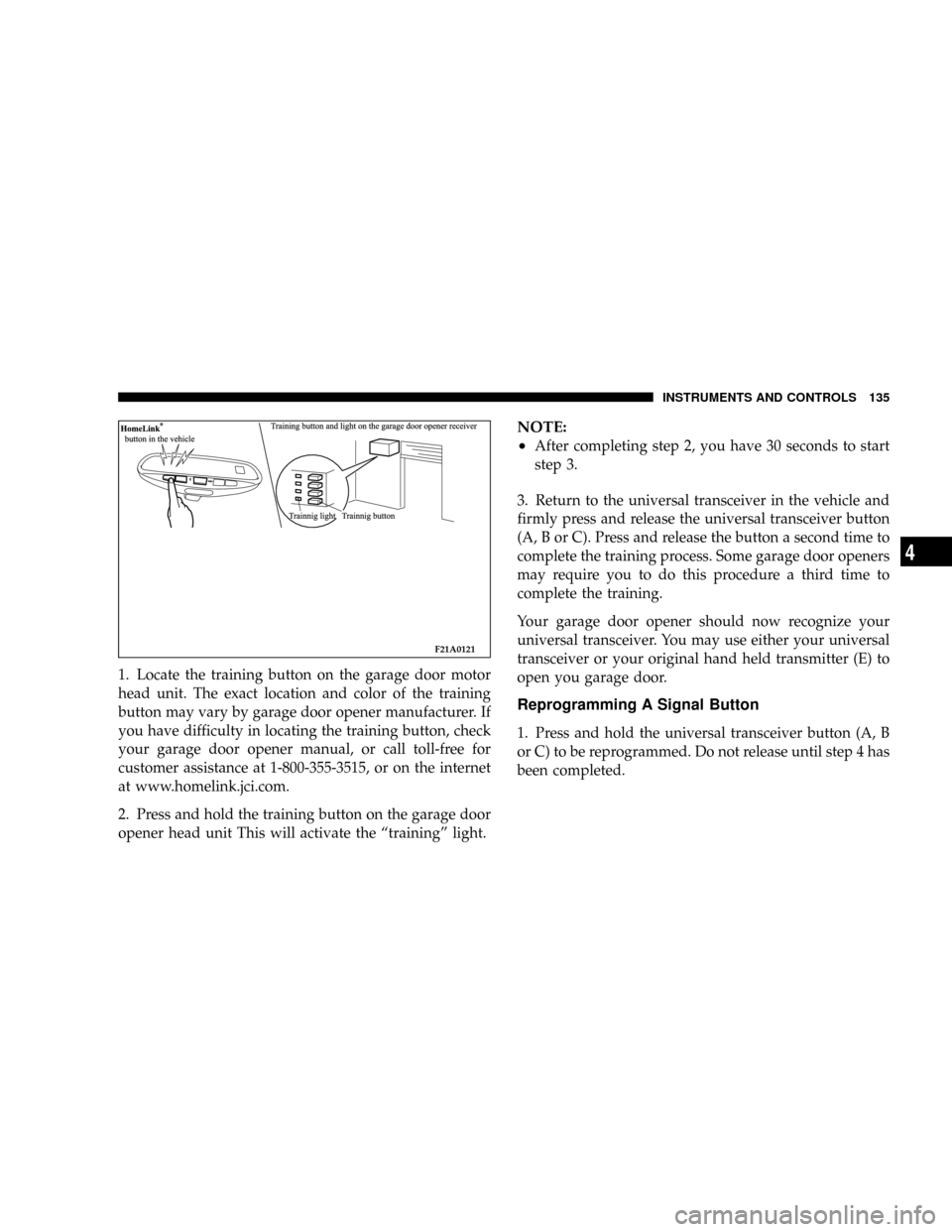
1. Locate the training button on the garage door motor
head unit. The exact location and color of the training
button may vary by garage door opener manufacturer. If
you have difficulty in locating the training button, check
your garage door opener manual, or call toll-free for
customer assistance at 1-800-355-3515, or on the internet
at www.homelink.jci.com.
2. Press and hold the training button on the garage door
opener head unit This will activate the ªtrainingº light.
NOTE:
²
After completing step 2, you have 30 seconds to start
step 3.
3. Return to the universal transceiver in the vehicle and
firmly press and release the universal transceiver button
(A, B or C). Press and release the button a second time to
complete the training process. Some garage door openers
may require you to do this procedure a third time to
complete the training.
Your garage door opener should now recognize your
universal transceiver. You may use either your universal
transceiver or your original hand held transmitter (E) to
open you garage door.
Reprogramming A Signal Button
1. Press and hold the universal transceiver button (A, B
or C) to be reprogrammed. Do not release until step 4 has
been completed.
F21A0121
INSTRUMENTS AND CONTROLS 135
4
Page 136 of 382
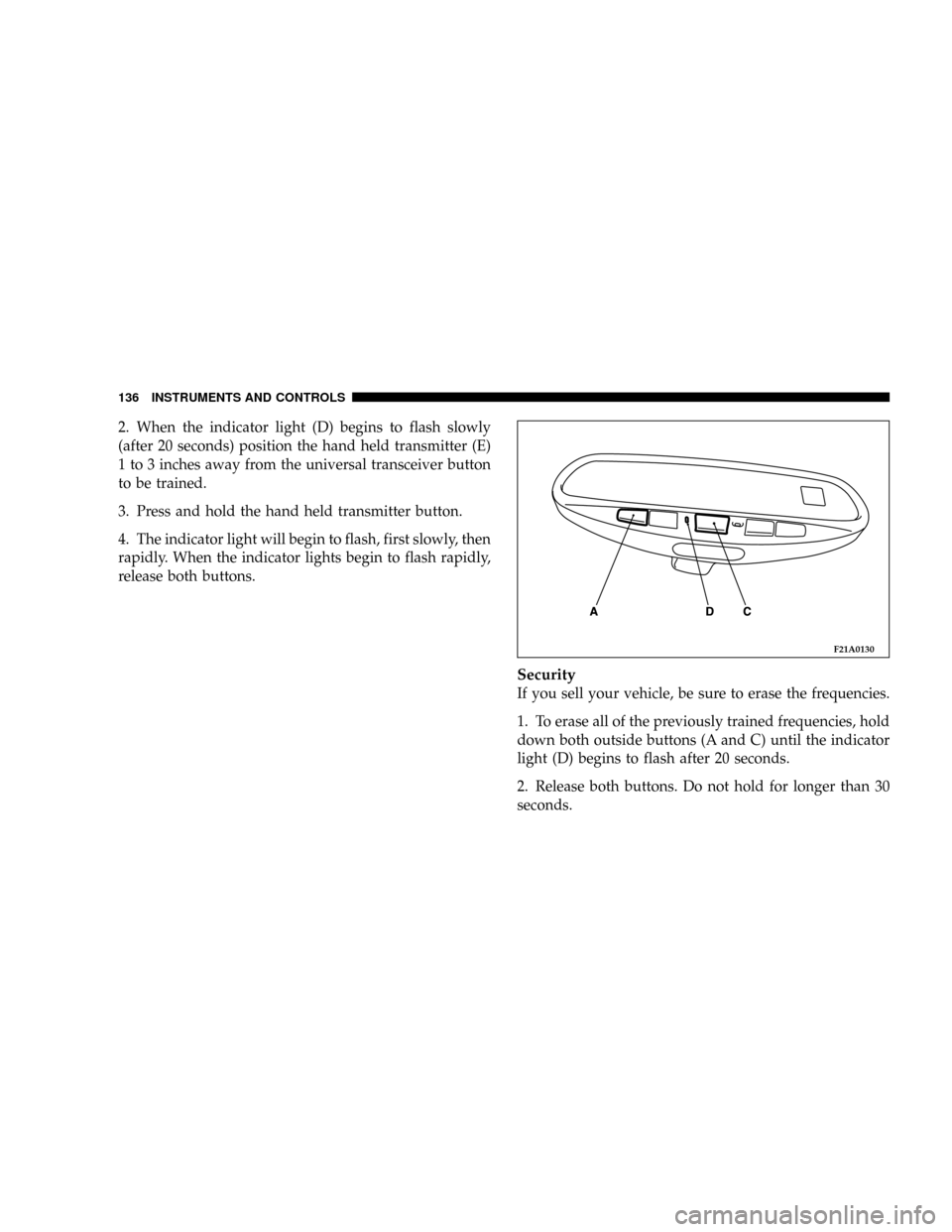
2. When the indicator light (D) begins to flash slowly
(after 20 seconds) position the hand held transmitter (E)
1 to 3 inches away from the universal transceiver button
to be trained.
3. Press and hold the hand held transmitter button.
4. The indicator light will begin to flash, first slowly, then
rapidly. When the indicator lights begin to flash rapidly,
release both buttons.
Security
If you sell your vehicle, be sure to erase the frequencies.
1. To erase all of the previously trained frequencies, hold
down both outside buttons (A and C) until the indicator
light (D) begins to flash after 20 seconds.
2. Release both buttons. Do not hold for longer than 30
seconds.
F21A0130
136 INSTRUMENTS AND CONTROLS
Page 140 of 382

NGear positions........................154
NDriving speed
(Vehicles with automatic transaxle).........155
NHolding on an upgrade.................155
NTransaxle reset mode...................156
mAutomatic transaxle Autostick
(if so equipped)
........................156
NSelector lever operation.................157
NIndicator lights.......................159
NSelector positions (Main gate).............160
NSelector positions Manual gate Autostick.....161
NHolding on an upgrade.................163
NTransaxle reset mode...................164
mManual transaxle (if so equipped)..........164
NTo start.............................165
NProper shift points.....................165NRecommended downshifting speed.........167
NDriving precautions....................167
mParking brake.........................167
mBrake pedal...........................169
mPower brakes.........................170
mBrake pad wear alarm...................170
mAnti-lock braking (ABS) system
(if so equipped)
........................171
NGeneral driving hints
(standard/anti-lock brakes)...............171
mSteering wheel tilt lock lever..............173
mPower steering........................174
mInside Day/Night rearview mirrors.........175
NElectrochromic inside rearview mirror
(if so equipped).......................176
NElectrochromic mirror operation
(if so equipped).......................177
140 STARTING AND DRIVING