tow CHRYSLER VOYAGER 2022 User Guide
[x] Cancel search | Manufacturer: CHRYSLER, Model Year: 2022, Model line: VOYAGER, Model: CHRYSLER VOYAGER 2022Pages: 316, PDF Size: 17.41 MB
Page 39 of 316
GETTING TO KNOW YOUR VEHICLE37
The Auto Advance ‘n Return feature is available to
the front driver power seats.
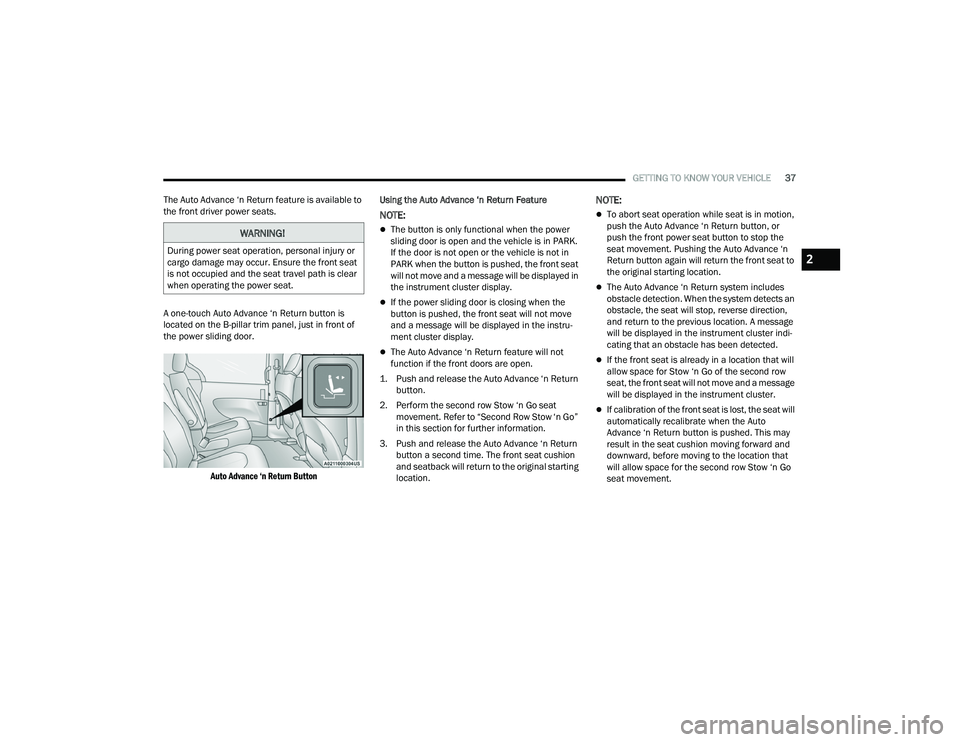
A one-touch Auto Advance ‘n Return button is
located on the B-pillar trim panel, just in front of
the power sliding door.
Auto Advance ‘n Return Button
Using the Auto Advance ‘n Return Feature
NOTE:
The button is only functional when the power
sliding door is open and the vehicle is in PARK.
If the door is not open or the vehicle is not in
PARK when the button is pushed, the front seat
will not move and a message will be displayed in
the instrument cluster display.
If the power sliding door is closing when the
button is pushed, the front seat will not move
and a message will be displayed in the instru
-
ment cluster display.
The Auto Advance ‘n Return feature will not
function if the front doors are open.
1. Push and release the Auto Advance ‘n Return button.
2. Perform the second row Stow ‘n Go seat movement. Refer to “Second Row Stow ‘n Go”
in this section for further information.
3. Push and release the Auto Advance ‘n Return button a second time. The front seat cushion
and seatback will return to the original starting
location.
NOTE:
To abort seat operation while seat is in motion,
push the Auto Advance ‘n Return button, or
push the front power seat button to stop the
seat movement. Pushing the Auto Advance ‘n
Return button again will return the front seat to
the original starting location.
The Auto Advance ‘n Return system includes
obstacle detection. When the system detects an
obstacle, the seat will stop, reverse direction,
and return to the previous location. A message
will be displayed in the instrument cluster indi -
cating that an obstacle has been detected.
If the front seat is already in a location that will
allow space for Stow ‘n Go of the second row
seat, the front seat will not move and a message
will be displayed in the instrument cluster.
If calibration of the front seat is lost, the seat will
automatically recalibrate when the Auto
Advance ‘n Return button is pushed. This may
result in the seat cushion moving forward and
downward, before moving to the location that
will allow space for the second row Stow ‘n Go
seat movement.
WARNING!
During power seat operation, personal injury or
cargo damage may occur. Ensure the front seat
is not occupied and the seat travel path is clear
when operating the power seat.2
22_RUVG_OM_EN_USC_t.book Page 37
Page 40 of 316
38GETTING TO KNOW YOUR VEHICLE
SECOND ROW STOW 'N GO
To stow the seat in the floor, move the front seat all
the way forward using the manual seat adjustment
bar. Move the seatback all the way forward using
the recliner handle located on the outboard side of
the cushion. Move the seat height to at least mid
position using the height adjuster handle in the
outboard side of the cushion.
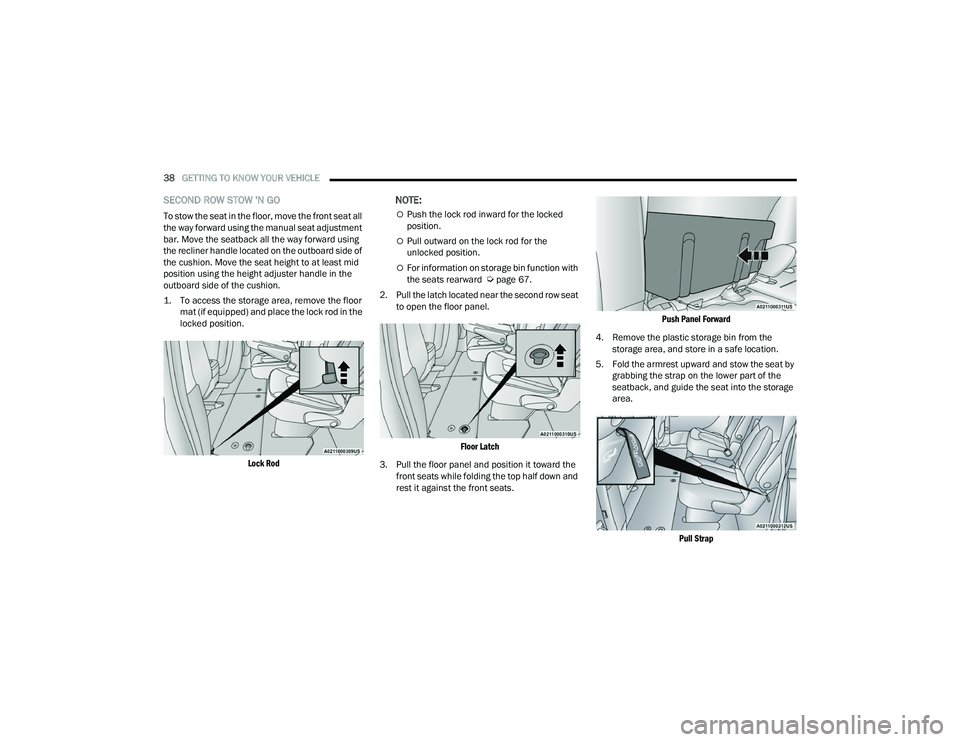
1. To access the storage area, remove the floor
mat (if equipped) and place the lock rod in the
locked position.
Lock Rod
NOTE:
Push the lock rod inward for the locked
position.
Pull outward on the lock rod for the
unlocked position.
For information on storage bin function with
the seats rearward Úpage 67.
2. Pull the latch located near the second row seat to open the floor panel.
Floor Latch
3. Pull the floor panel and position it toward the front seats while folding the top half down and
rest it against the front seats.
Push Panel Forward
4. Remove the plastic storage bin from the storage area, and store in a safe location.
5. Fold the armrest upward and stow the seat by grabbing the strap on the lower part of the
seatback, and guide the seat into the storage
area.
Pull Strap
22_RUVG_OM_EN_USC_t.book Page 38
Page 41 of 316
GETTING TO KNOW YOUR VEHICLE39
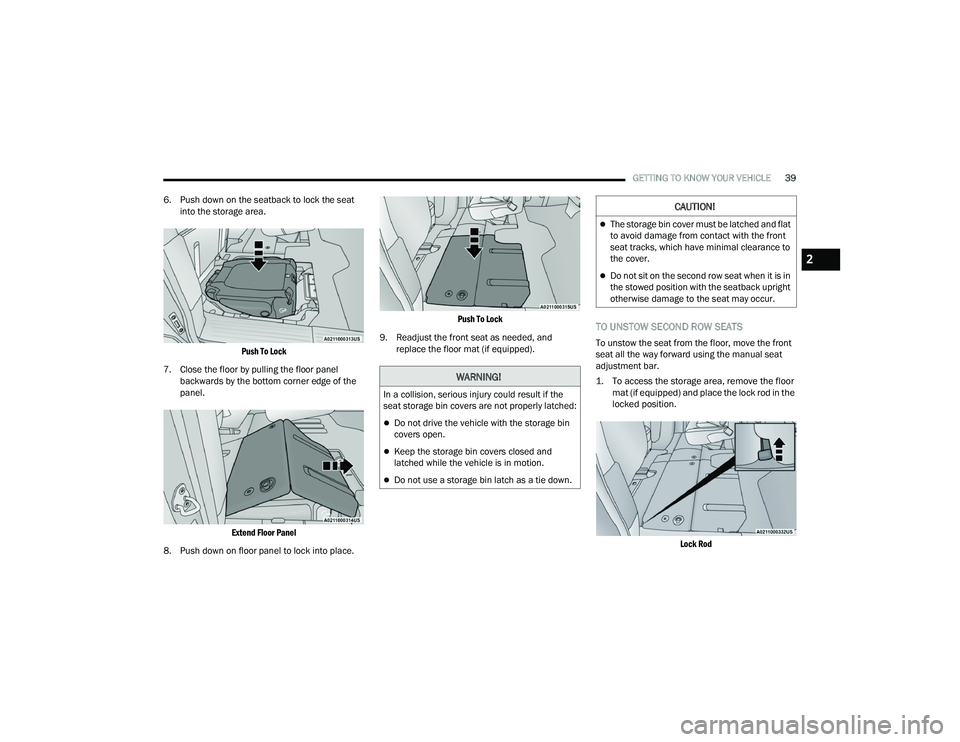
6. Push down on the seatback to lock the seat into the storage area.
Push To Lock
7. Close the floor by pulling the floor panel backwards by the bottom corner edge of the
panel.
Extend Floor Panel
8. Push down on floor panel to lock into place.
Push To Lock
9. Readjust the front seat as needed, and replace the floor mat (if equipped).
TO UNSTOW SECOND ROW SEATS
To unstow the seat from the floor, move the front
seat all the way forward using the manual seat
adjustment bar.
1. To access the storage area, remove the floor mat (if equipped) and place the lock rod in the
locked position.
Lock Rod
WARNING!
In a collision, serious injury could result if the
seat storage bin covers are not properly latched:
Do not drive the vehicle with the storage bin
covers open.
Keep the storage bin covers closed and
latched while the vehicle is in motion.
Do not use a storage bin latch as a tie down.
CAUTION!
The storage bin cover must be latched and flat
to avoid damage from contact with the front
seat tracks, which have minimal clearance to
the cover.
Do not sit on the second row seat when it is in
the stowed position with the seatback upright
otherwise damage to the seat may occur.
2
22_RUVG_OM_EN_USC_t.book Page 39
Page 42 of 316
40GETTING TO KNOW YOUR VEHICLE
NOTE:
Push the lock rod inward for the locked
position.
Pull outward on the lock rod for the
unlocked position.
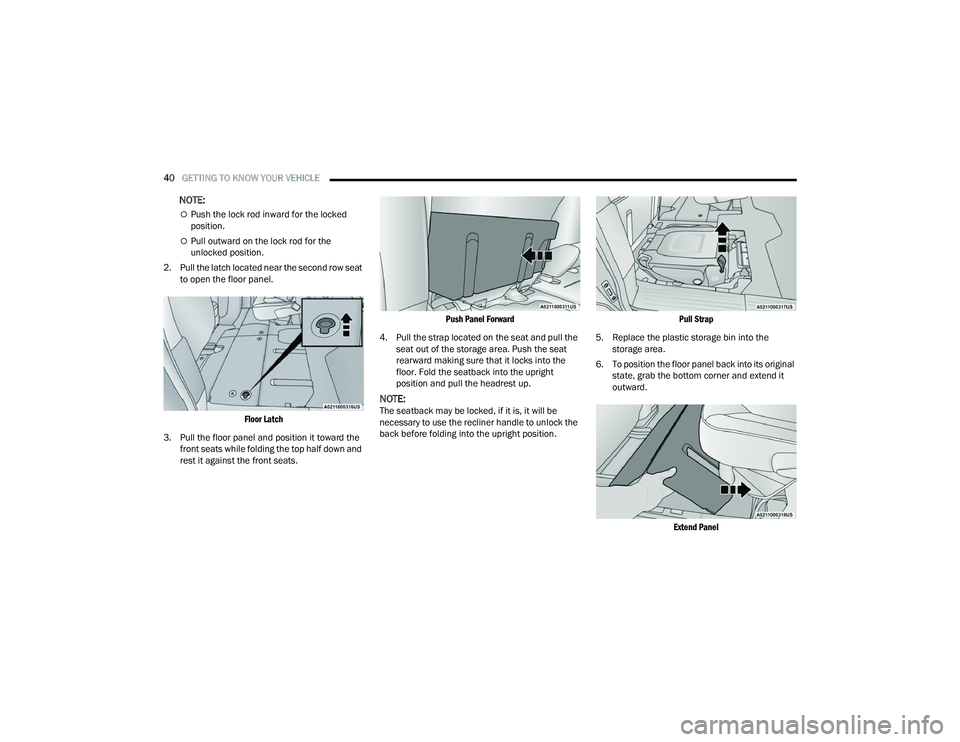
2. Pull the latch located near the second row seat to open the floor panel.
Floor Latch
3. Pull the floor panel and position it toward the front seats while folding the top half down and
rest it against the front seats.
Push Panel Forward
4. Pull the strap located on the seat and pull the seat out of the storage area. Push the seat
rearward making sure that it locks into the
floor. Fold the seatback into the upright
position and pull the headrest up.
NOTE:The seatback may be locked, if it is, it will be
necessary to use the recliner handle to unlock the
back before folding into the upright position.
Pull Strap
5. Replace the plastic storage bin into the storage area.
6. To position the floor panel back into its original state, grab the bottom corner and extend it
outward.
Extend Panel
22_RUVG_OM_EN_USC_t.book Page 40
Page 46 of 316
44GETTING TO KNOW YOUR VEHICLE
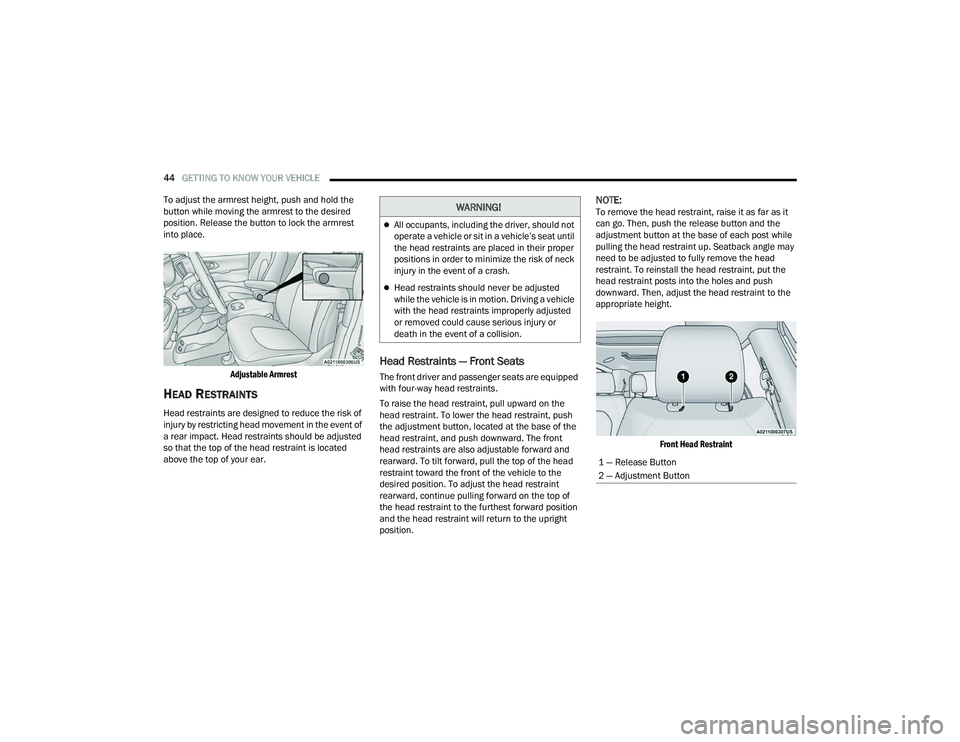
To adjust the armrest height, push and hold the
button while moving the armrest to the desired
position. Release the button to lock the armrest
into place.
Adjustable Armrest
HEAD RESTRAINTS
Head restraints are designed to reduce the risk of
injury by restricting head movement in the event of
a rear impact. Head restraints should be adjusted
so that the top of the head restraint is located
above the top of your ear.
Head Restraints — Front Seats
The front driver and passenger seats are equipped
with four-way head restraints.
To raise the head restraint, pull upward on the
head restraint. To lower the head restraint, push
the adjustment button, located at the base of the
head restraint, and push downward. The front
head restraints are also adjustable forward and
rearward. To tilt forward, pull the top of the head
restraint toward the front of the vehicle to the
desired position. To adjust the head restraint
rearward, continue pulling forward on the top of
the head restraint to the furthest forward position
and the head restraint will return to the upright
position.
NOTE:To remove the head restraint, raise it as far as it
can go. Then, push the release button and the
adjustment button at the base of each post while
pulling the head restraint up. Seatback angle may
need to be adjusted to fully remove the head
restraint. To reinstall the head restraint, put the
head restraint posts into the holes and push
downward. Then, adjust the head restraint to the
appropriate height.
Front Head Restraint
WARNING!
All occupants, including the driver, should not
operate a vehicle or sit in a vehicle’s seat until
the head restraints are placed in their proper
positions in order to minimize the risk of neck
injury in the event of a crash.
Head restraints should never be adjusted
while the vehicle is in motion. Driving a vehicle
with the head restraints improperly adjusted
or removed could cause serious injury or
death in the event of a collision.
1 — Release Button
2 — Adjustment Button
22_RUVG_OM_EN_USC_t.book Page 44
Page 47 of 316
GETTING TO KNOW YOUR VEHICLE45
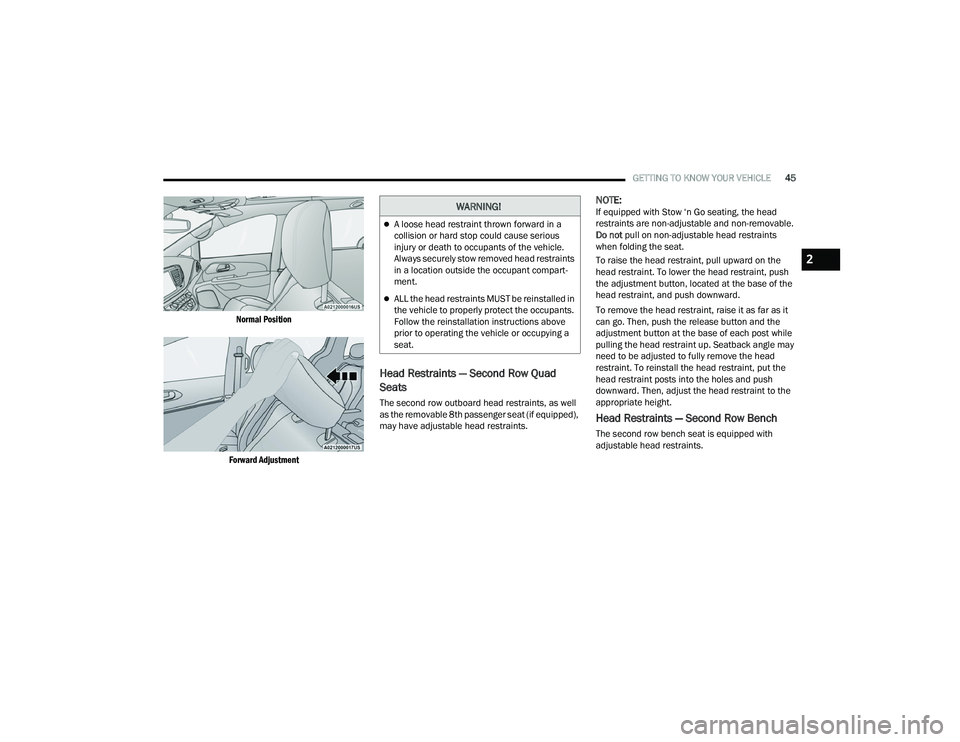
Normal Position
Forward Adjustment
Head Restraints — Second Row Quad
Seats
The second row outboard head restraints, as well
as the removable 8th passenger seat (if equipped),
may have adjustable head restraints.
NOTE:If equipped with Stow ‘n Go seating, the head
restraints are non-adjustable and non-removable.
Do not pull on non-adjustable head restraints
when folding the seat.
To raise the head restraint, pull upward on the
head restraint. To lower the head restraint, push
the adjustment button, located at the base of the
head restraint, and push downward.
To remove the head restraint, raise it as far as it
can go. Then, push the release button and the
adjustment button at the base of each post while
pulling the head restraint up. Seatback angle may
need to be adjusted to fully remove the head
restraint. To reinstall the head restraint, put the
head restraint posts into the holes and push
downward. Then, adjust the head restraint to the
appropriate height.
Head Restraints — Second Row Bench
The second row bench seat is equipped with
adjustable head restraints.
WARNING!
A loose head restraint thrown forward in a
collision or hard stop could cause serious
injury or death to occupants of the vehicle.
Always securely stow removed head restraints
in a location outside the occupant compart -
ment.
ALL the head restraints MUST be reinstalled in
the vehicle to properly protect the occupants.
Follow the reinstallation instructions above
prior to operating the vehicle or occupying a
seat.
2
22_RUVG_OM_EN_USC_t.book Page 45
Page 48 of 316
46GETTING TO KNOW YOUR VEHICLE
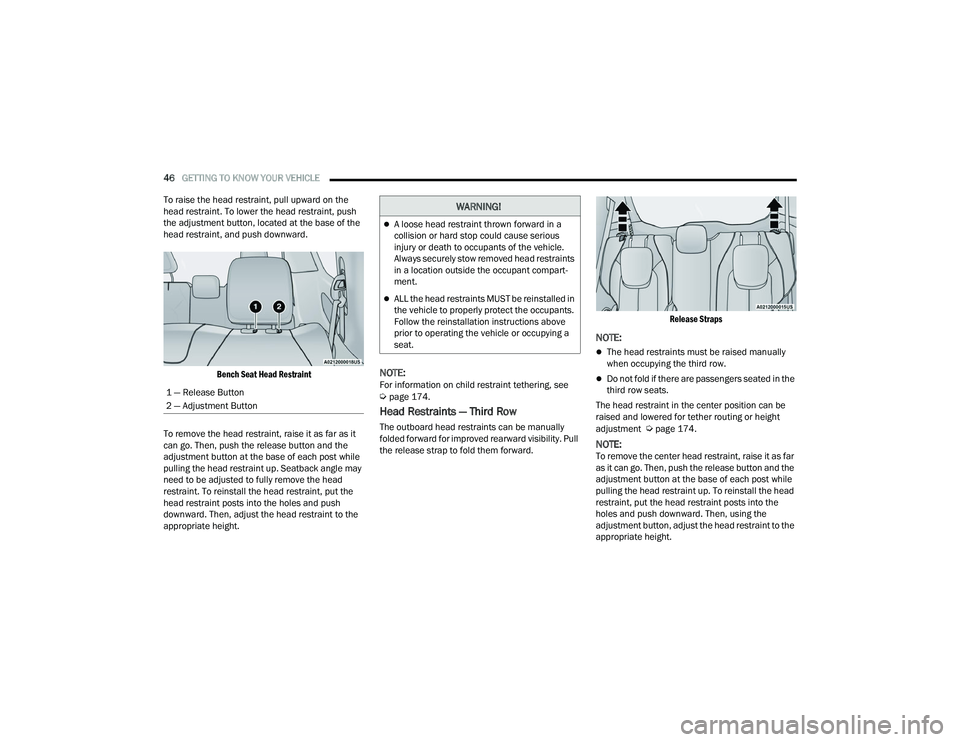
To raise the head restraint, pull upward on the
head restraint. To lower the head restraint, push
the adjustment button, located at the base of the
head restraint, and push downward.
Bench Seat Head Restraint
To remove the head restraint, raise it as far as it
can go. Then, push the release button and the
adjustment button at the base of each post while
pulling the head restraint up. Seatback angle may
need to be adjusted to fully remove the head
restraint. To reinstall the head restraint, put the
head restraint posts into the holes and push
downward. Then, adjust the head restraint to the
appropriate height.
NOTE:For information on child restraint tethering, see Úpage 174.
Head Restraints — Third Row
The outboard head restraints can be manually
folded forward for improved rearward visibility. Pull
the release strap to fold them forward.
Release Straps
NOTE:
The head restraints must be raised manually
when occupying the third row.
Do not fold if there are passengers seated in the
third row seats.
The head restraint in the center position can be
raised and lowered for tether routing or height
adjustment
Úpage 174.
NOTE:To remove the center head restraint, raise it as far
as it can go. Then, push the release button and the
adjustment button at the base of each post while
pulling the head restraint up. To reinstall the head
restraint, put the head restraint posts into the
holes and push downward. Then, using the
adjustment button, adjust the head restraint to the
appropriate height.
1 — Release Button
2 — Adjustment Button
WARNING!
A loose head restraint thrown forward in a
collision or hard stop could cause serious
injury or death to occupants of the vehicle.
Always securely stow removed head restraints
in a location outside the occupant compart
-
ment.
ALL the head restraints MUST be reinstalled in
the vehicle to properly protect the occupants.
Follow the reinstallation instructions above
prior to operating the vehicle or occupying a
seat.
22_RUVG_OM_EN_USC_t.book Page 46
Page 50 of 316
48GETTING TO KNOW YOUR VEHICLE
ADDITIONAL INFORMATION
© 2021 FCA US LLC. All rights reserved. Mopar and
Uconnect are registered trademarks and Mopar
Owner Connect is a trademark of FCA US LLC.
Android™ is a trademark of Google Inc. SiriusXM®
and all related marks and logos are trademarks of
SiriusXM® Radio Inc.
Úpage 304.
For Uconnect system support, call
1-877-855-8400 (24 hours a day 7 days a week)
or visit
DriveUconnect.com (US) or DriveUconnect.ca (Canada).
MIRRORS
INSIDE REARVIEW MIRROR
Manual Mirror — If Equipped
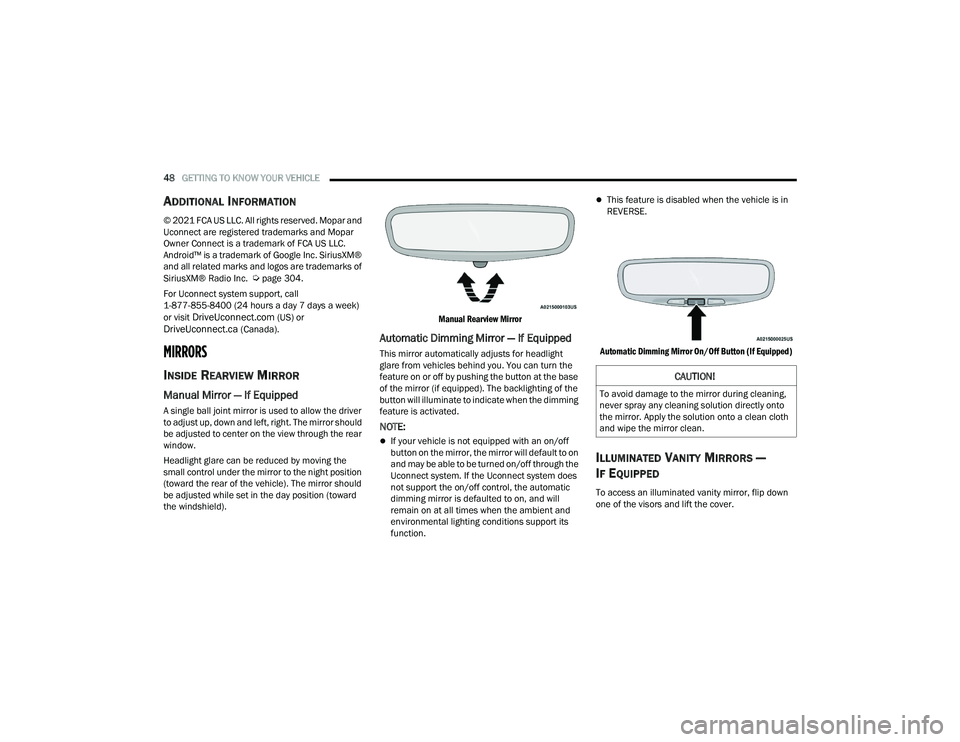
A single ball joint mirror is used to allow the driver
to adjust up, down and left, right. The mirror should
be adjusted to center on the view through the rear
window.
Headlight glare can be reduced by moving the
small control under the mirror to the night position
(toward the rear of the vehicle). The mirror should
be adjusted while set in the day position (toward
the windshield).
Manual Rearview Mirror
Automatic Dimming Mirror — If Equipped
This mirror automatically adjusts for headlight
glare from vehicles behind you. You can turn the
feature on or off by pushing the button at the base
of the mirror (if equipped). The backlighting of the
button will illuminate to indicate when the dimming
feature is activated.
NOTE:
If your vehicle is not equipped with an on/off
button on the mirror, the mirror will default to on
and may be able to be turned on/off through the
Uconnect system. If the Uconnect system does
not support the on/off control, the automatic
dimming mirror is defaulted to on, and will
remain on at all times when the ambient and
environmental lighting conditions support its
function.
This feature is disabled when the vehicle is in
REVERSE.
Automatic Dimming Mirror On/Off Button (If Equipped)
ILLUMINATED VANITY MIRRORS —
I
F EQUIPPED
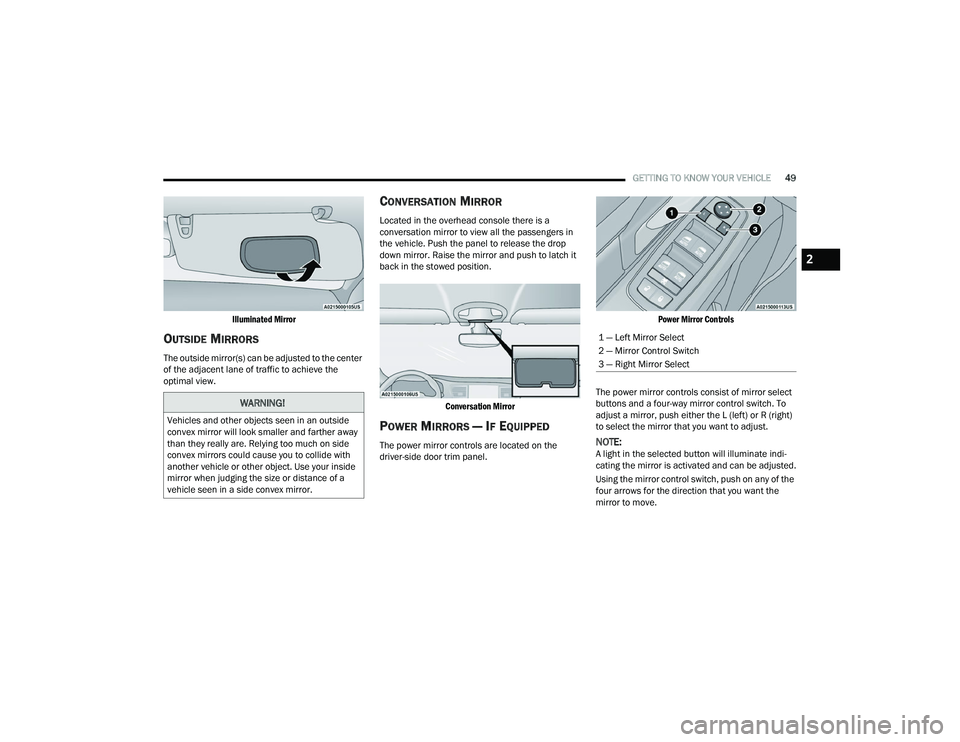
To access an illuminated vanity mirror, flip down
one of the visors and lift the cover.
CAUTION!
To avoid damage to the mirror during cleaning,
never spray any cleaning solution directly onto
the mirror. Apply the solution onto a clean cloth
and wipe the mirror clean.
22_RUVG_OM_EN_USC_t.book Page 48
Page 51 of 316
GETTING TO KNOW YOUR VEHICLE49
Illuminated Mirror
OUTSIDE MIRRORS
The outside mirror(s) can be adjusted to the center
of the adjacent lane of traffic to achieve the
optimal view.
CONVERSATION MIRROR
Located in the overhead console there is a
conversation mirror to view all the passengers in
the vehicle. Push the panel to release the drop
down mirror. Raise the mirror and push to latch it
back in the stowed position.
Conversation Mirror
POWER MIRRORS — IF EQUIPPED
The power mirror controls are located on the
driver-side door trim panel.
Power Mirror Controls
The power mirror controls consist of mirror select
buttons and a four-way mirror control switch. To
adjust a mirror, push either the L (left) or R (right)
to select the mirror that you want to adjust.NOTE:A light in the selected button will illuminate indi -
cating the mirror is activated and can be adjusted.
Using the mirror control switch, push on any of the
four arrows for the direction that you want the
mirror to move.
WARNING!
Vehicles and other objects seen in an outside
convex mirror will look smaller and farther away
than they really are. Relying too much on side
convex mirrors could cause you to collide with
another vehicle or other object. Use your inside
mirror when judging the size or distance of a
vehicle seen in a side convex mirror.
1 — Left Mirror Select
2 — Mirror Control Switch
3 — Right Mirror Select
2
22_RUVG_OM_EN_USC_t.book Page 49
Page 57 of 316
GETTING TO KNOW YOUR VEHICLE55
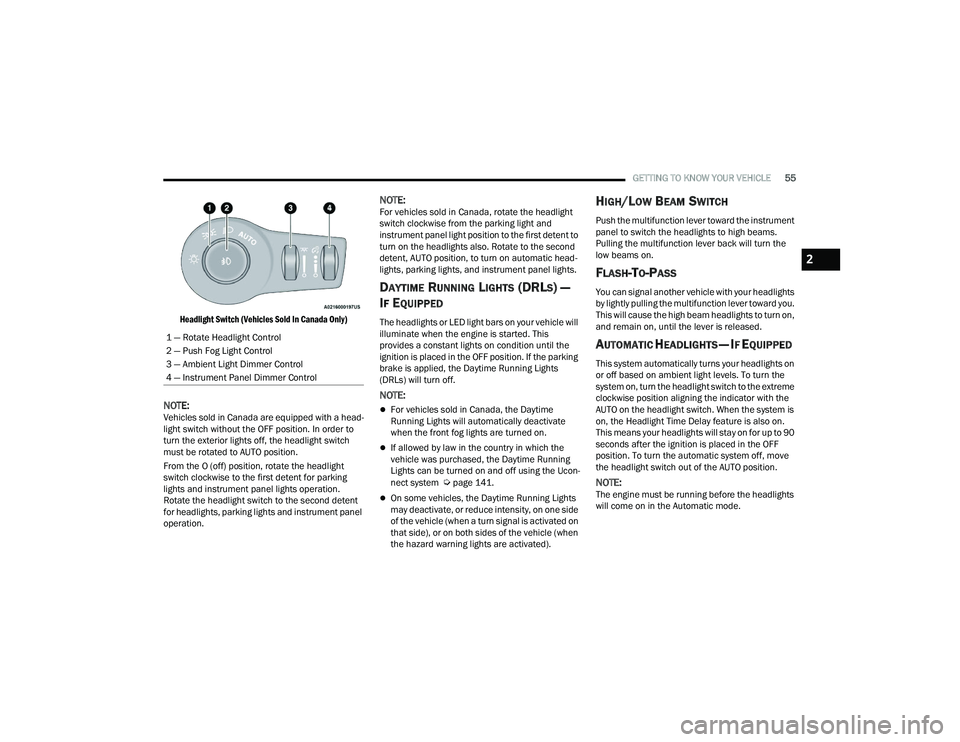
Headlight Switch (Vehicles Sold In Canada Only)
NOTE:Vehicles sold in Canada are equipped with a head -
light switch without the OFF position. In order to
turn the exterior lights off, the headlight switch
must be rotated to AUTO position.
From the O (off) position, rotate the headlight
switch clockwise to the first detent for parking
lights and instrument panel lights operation.
Rotate the headlight switch to the second detent
for headlights, parking lights and instrument panel
operation.
NOTE:For vehicles sold in Canada, rotate the headlight
switch clockwise from the parking light and
instrument panel light position to the first detent to
turn on the headlights also. Rotate to the second
detent, AUTO position, to turn on automatic head -
lights, parking lights, and instrument panel lights.
DAYTIME RUNNING LIGHTS (DRLS) —
I
F EQUIPPED
The headlights or LED light bars on your vehicle will
illuminate when the engine is started. This
provides a constant lights on condition until the
ignition is placed in the OFF position. If the parking
brake is applied, the Daytime Running Lights
(DRLs) will turn off.
NOTE:
For vehicles sold in Canada, the Daytime
Running Lights will automatically deactivate
when the front fog lights are turned on.
If allowed by law in the country in which the
vehicle was purchased, the Daytime Running
Lights can be turned on and off using the Ucon -
nect system
Úpage 141.
On some vehicles, the Daytime Running Lights
may deactivate, or reduce intensity, on one side
of the vehicle (when a turn signal is activated on
that side), or on both sides of the vehicle (when
the hazard warning lights are activated).
HIGH/LOW BEAM SWITCH
Push the multifunction lever toward the instrument
panel to switch the headlights to high beams.
Pulling the multifunction lever back will turn the
low beams on.
FLASH-TO-PASS
You can signal another vehicle with your headlights
by lightly pulling the multifunction lever toward you.
This will cause the high beam headlights to turn on,
and remain on, until the lever is released.
AUTOMATIC HEADLIGHTS — IF EQUIPPED
This system automatically turns your headlights on
or off based on ambient light levels. To turn the
system on, turn the headlight switch to the extreme
clockwise position aligning the indicator with the
AUTO on the headlight switch. When the system is
on, the Headlight Time Delay feature is also on.
This means your headlights will stay on for up to 90
seconds after the ignition is placed in the OFF
position. To turn the automatic system off, move
the headlight switch out of the AUTO position.
NOTE:The engine must be running before the headlights
will come on in the Automatic mode.
1 — Rotate Headlight Control
2 — Push Fog Light Control
3 — Ambient Light Dimmer Control
4 — Instrument Panel Dimmer Control
2
22_RUVG_OM_EN_USC_t.book Page 55