Audio system Citroen BERLINGO 2016 2.G Owner's Manual
[x] Cancel search | Manufacturer: CITROEN, Model Year: 2016, Model line: BERLINGO, Model: Citroen BERLINGO 2016 2.GPages: 264, PDF Size: 8.42 MB
Page 5 of 264
3
Berlingo-2-VU_en_Chap00a_Sommaire_ed01-2016
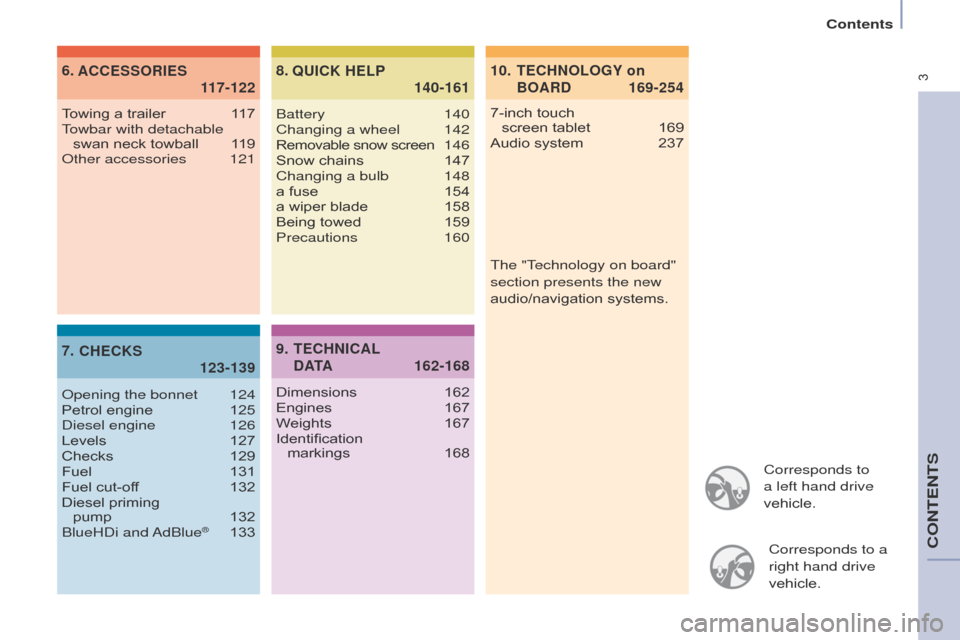
Corresponds to
a left hand drive
vehicle.Corresponds to a
right hand drive
vehicle.
TECHNOLOGY on
BOARD
10.
169-254
ACCESSORIES
6.
1
17-122
CHECKS
7.
123-139 QUICK HELP
8.
140-161
7-inch touch
screen tablet 169
Audio system
237
T
owing a trailer
1
17
Towbar with detachable swan neck towball
1
19
o
ther accessories
121
o
pening the bonnet
124
Petrol engine
125d
iesel engine
126
Levels
127
Checks
129
Fuel
131
Fuel cut-of
f
132
Diesel priming
pump
132
BlueH
d
i and
a
dBlue
® 133 Battery 140
Changing a wheel
142Removable snow screen 146
Snow chains
147
Changing a bulb
148
a fuse
154
a wiper blade
158
Being towed
159
Precautions
160
TECHNICAL
D ATA
9.
162-168
Dimensions 162
Engines 167
W
eights
167
Identification
markings
168The "T
echnology on board"
section presents the new
audio/navigation systems.
Contents
CONTENTS
Page 10 of 264
8
Berlingo-2-VU_en_Chap01_vue-ensemble_ed01-2016
ASR-DSC 95
Parking sensors 91-92
Electric mirrors
87-88Headlamp beam height adjustment 57
Stop & Start
49-51 Starter motor
, ignition switch
52
Wipers
58-59
Automatic wiping
58Windscreen / headlamp wash 59, 128
Trip computer
60
Cruise control
61-63
Speed limiter
64-66
Lighting
55-57
Automatic illumination of headlamps
56
Foglamps
56, 57
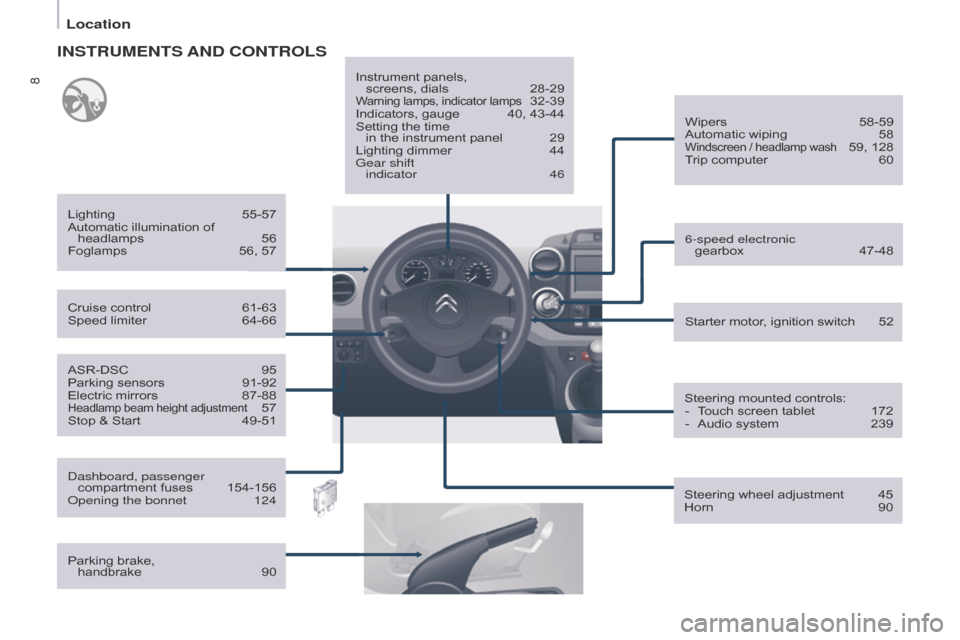
INSTRUMENTS AND CONTROLS
dashboard, passenger
compartment fuses 154-156o
pening the bonnet
124
Parking brake,
handbrake
90 Instrument panels,
screens, dials
28-29Warning lamps, indicator lamps 32-39
Indicators, gauge
40, 43-44
Setting the time
in the instrument panel
29
Lighting dimmer
44
Gear shift
indicator
46
Steering mounted controls:-
T
ouch screen tablet
172
-
Audio system
239
Steering wheel adjustment
45
Horn
90
6-speed electronic
gearbox
47-48
Location
Page 11 of 264
9
Berlingo-2-VU_en_Chap01_vue-ensemble_ed01-2016
Cab fittings 79-80
- storage compartment.
-
glove box,
-
bottle holder
,
-
side storage,
-
bag holder
,
-
console,
-
overhead storage,
-
sun visor
,
-
storage compartments under seats.
Rear view mirror 88
Passenger's front airbag deactivation
107, 1
10
Courtesy lamps
81, 151
Gearbox
45
Controls
-
electric windows
89
-
hazard warning lamps
90
-
load space locking
27
-
central locking
27
Screens, menus
28, 173, 240
Setting the date and time
30-31 Heating, ventilation-
heating
67-68, 71
-
air conditioning
67-68, 71d
igital air conditioning
69-70, 71
Demisting/defrosting
72-73
"Grip control"
96-97 T
ouch screen tablet
169-236
Audio system
237-254
Reversing camera
93
1
oVERVIEW
Location
Page 12 of 264
10
Berlingo-2-VU_en_Chap01_vue-ensemble_ed01-2016
Heating, ventilation- heating 67-68, 71
-
air conditioning
67-68, 71d
igital air conditioning
69-70, 71
Demisting/defrosting
72-73
Rear view mirror
88
Controls-
electric windows
89
-
hazard warning lamps
90
-
load space locking
27
-
central locking
27
"Grip control"
96-97
Cab fittings
79-80
-
storage compartment.
-
glove box,
-
bottle holder
,
-
side storage,
-
bag holder
,
-
console,
-
overhead storage,
-
sun visor
,
-
storage compartments under seats.
dashboard, passenger compartment fuses 154-156o
pening the bonnet
124
T
ouch screen tablet
169-236
Audio system
237-254
Reversing camera
93
Screens, menus
28, 173, 240
Setting the date and time
30-31
Gearbox
45
Courtesy lamps
81, 151
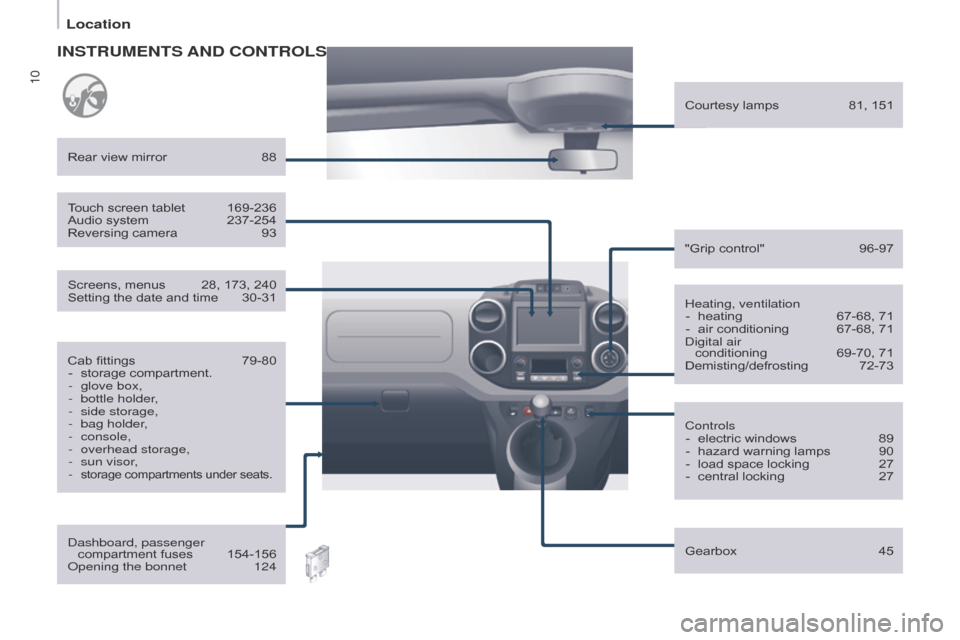
INSTRUMENTS AND
CONTROLS
Location
Page 13 of 264
11
Berlingo-2-VU_en_Chap01_vue-ensemble_ed01-2016
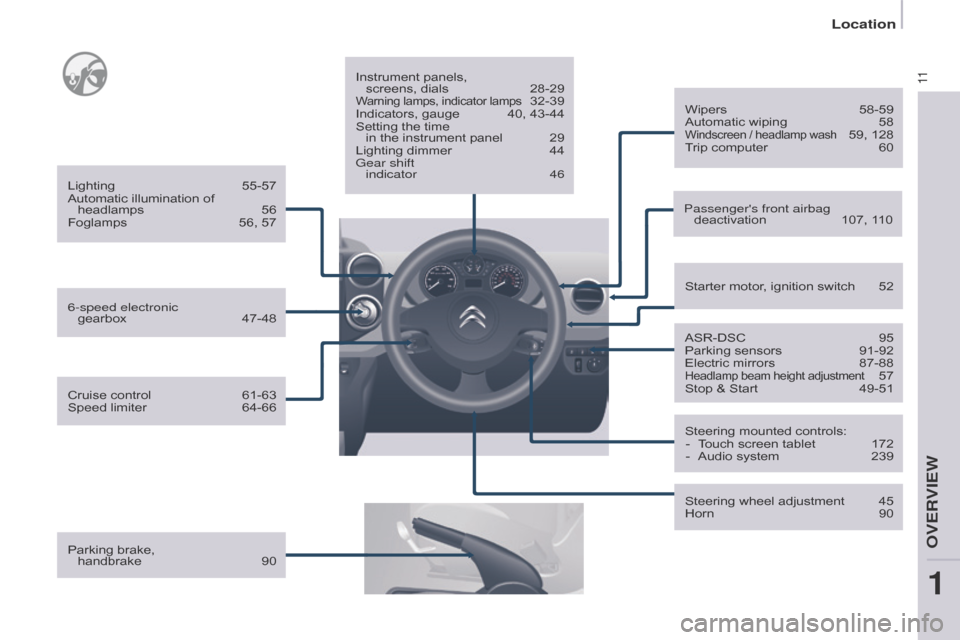
Parking brake, handbrake 90 Instrument panels,
screens, dials
28-29Warning lamps, indicator lamps 32-39
Indicators, gauge
40, 43-44
Setting the time
in the instrument panel
29
Lighting dimmer
44
Gear shift
indicator
46 Passenger's front airbag deactivation
107, 1
10
ASR-DSC
95
Parking sensors
91-92
Electric mirrors
87-88Headlamp beam height adjustment 57
Stop & Start
49-51
Starter motor
, ignition switch
52
Wipers
58-59
Automatic wiping
58Windscreen / headlamp wash 59, 128
Trip computer
60
Steering mounted controls: -
T
ouch screen tablet
172
-
Audio system
239
Steering wheel adjustment
45
Horn
90
6-speed electronic
gearbox
47-48
Lighting
55-57
Automatic illumination of headlamps
56
Foglamps
56, 57
Cruise control
61-63
Speed limiter
64-66
1
oVERVIEW
Location
Page 123 of 264
121
Berlingo-2-VU_en_Chap06_accessoire_ed01-2016Berlingo-2-VU_en_Chap06_accessoire_ed01-2016
Audio equipment, hands-free kit, speakers,
CD changer, satellite navigation system,
USB Box, video kit, ...
Regardless of the audio and telematic
equipment offered on the market, the
technical constraints associated with the
fitting of equipment of these families of
products mean that the special features of
the equipment and its compatibility with the
capacities of the your vehicle's standard
equipment must be taken into account.
Please contact a CITROËN dealer for more
information before fitting such equipment.
To prevent the mat from becoming
caught under the pedals:
-
ensure that the mat and its fixings
are positioned correctly
,
-
never fit one mat on top of another
.
Maximum weights on bars
-
Roof rack: 120 kg.
-
T
ransverse bars on roof: 100 kg.
-
T
ransverse bars on longitudinal
bars: 75 kg. Installation of radiocommunication
transmitters
Before installing accessory
radiocommunication transmitters with
an external aerial on your vehicle, you
are advised to contact a CITR
o Ë n
dealer.
A CITROËN dealer can inform you of
the specifications (frequency band,
maximum output power, aerial position,
specific installation conditions) of the
transmitters which can be fitted, in
accordance with the Motor Vehicle
Electromagnetic Compatibility
Directive
(2004/104/CE).
Front mud flaps, rear mud flaps,
15/17
inch alloy wheels, wheelarch
trim, leather steering wheel, ...
Screenwash, interior and exterior
cleaning and maintenance products,
replacement bulbs, ...
Anti-theft alarm, window etching, first
aid kit, high visibility vest, front and
rear parking sensors, warning triangle,
security bolts for alloy wheels, ... Front seat covers compatible with
airbags, bench, rubber mats, carpet
mats, snow chains, blind, tailgate
bicycle carrier.
Other accessories
These accessories and parts, having been
tested and approved for reliability and
safety, are all adapted to your vehicle. A
wide range of recommended accessories
and genuine parts is available.
Range of trade equipment
The parts department publishes an
accessory catalogue offering various
equipment and fittings, such as:
Load retainers (all models).
Loading roller.
Towbar, towbar harness: trailer towbar
which should preferably be fitted by a
CITROËN dealer.
Separation partitions and grilles,
smooth, planed wood protective liner
with non-slip floor.
Protective grilles.
a
nother range is also available,
structured around comfort, leisure and
maintenance:
aCCESSoRIES
6
Equipment
Page 171 of 264
169
Berlingo-2-VU_en_Chap10a_SMEGplus_ed01-2016
7-inch touch screen tablet
GPS satellite navigation - Multimedia audio - Bluetooth® telephone
Contents
First steps
1 70
Steering mounted controls
1
72
M e n u s
17
3
Navigation
1
74
na
vigation - Guidance
1
82
Tr a f fi c
1
8 6
Radio Media
1
88
Radio
19
4
DAB (Digital Audio Broadcasting) radio
1
96
Media
19
8
Settings
202
Connected services
2
10
Internet browser
2
11
MirrorLink
TM 2 14
CarPlay® 218
T
elephone
222
Frequently asked questions
2
30
The system is protected in such a way that it will only operate in
your vehicle. As a safety measure, the driver should only carry out operations
which require prolonged attention while the vehicle is stationary.
The display of an energy economy mode message signals that
electrical systems operating are going into standby.
Refer to the energy economy mode section.
audio and Telematics
TECHnoLoGY on BoaRd
10
Page 172 of 264
170
Berlingo-2-VU_en_Chap10a_SMEGplus_ed01-2016
First steps
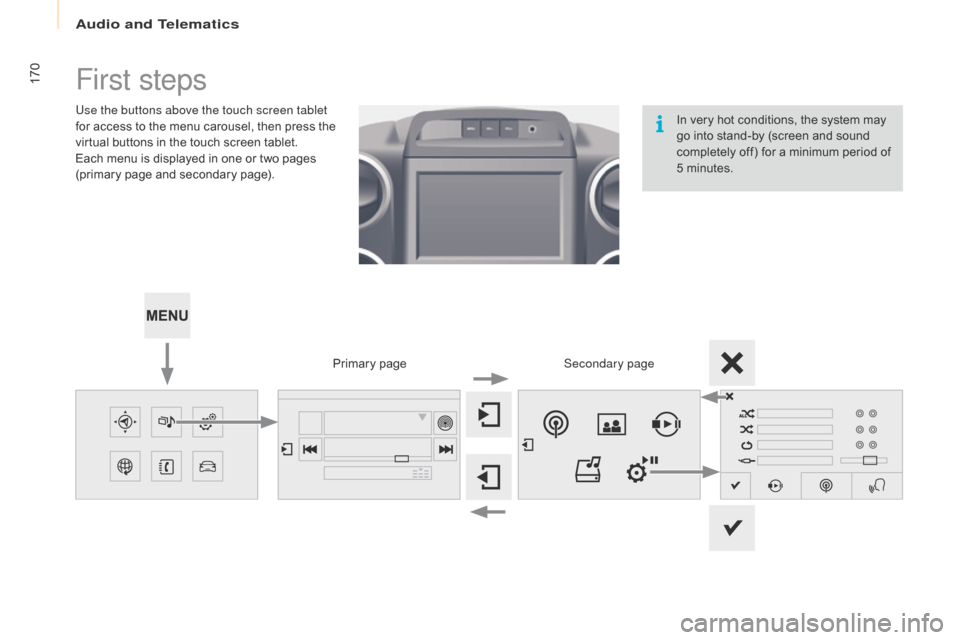
Use the buttons above the touch screen tablet
for access to the menu carousel, then press the
virtual buttons in the touch screen tablet.
Each menu is displayed in one or two pages
(primary page and secondary page).Secondary page
Primary page In very hot conditions, the system may
go into stand-by (screen and sound
completely off) for a minimum period of
5 minutes.
audio and Telematics
Page 173 of 264
171
Berlingo-2-VU_en_Chap10a_SMEGplus_ed01-2016
Volume adjustment (each source is
independent, including traffic announcements
(TA) and navigation instructions).
Mute the sound by pressing simultaneously on
the volume increase and reduce buttons.
Unmute the sound by pressing one of the two
volume buttons.Press Menu
to display the menu
carousel.
Increase volume.
Reduce volume.
Selecting the audio source (depending on
version):
-
"
FM" / "DAB" / "AM"* stations.
-
"
USB" memory stick.
-
S
martphone via MirrorLink
TM or CarPlay®.
-
T
elephone connected by Bluetooth* and
Bluetooth audio streaming*.
-
M
edia player connected to the auxiliary
socket ( jack, cable not supplied).
-
J
ukebox*, after first copying audio files to
the internal memory of the system.
* Depending on equipment.
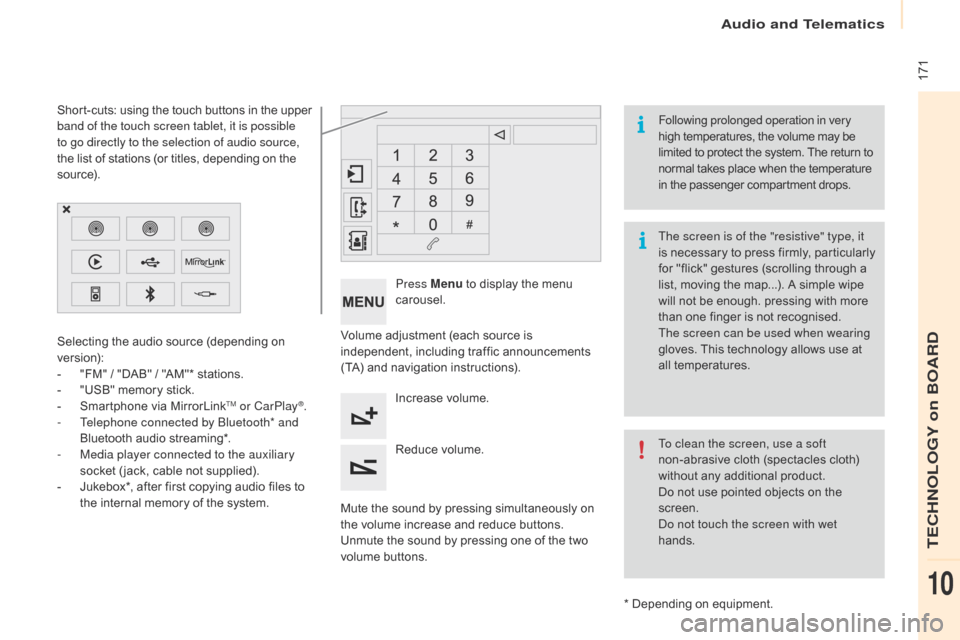
Short-cuts: using the touch buttons in the upper
band of the touch screen tablet, it is possible
to go directly to the selection of audio source,
the list of stations (or titles, depending on the
s o u r c e).
The screen is of the "resistive" type, it
is necessary to press firmly, particularly
for "flick" gestures (scrolling through a
list, moving the map...). A simple wipe
will not be enough. pressing with more
than one finger is not recognised.
The screen can be used when wearing
gloves. This technology allows use at
all temperatures. Following prolonged operation in very
high temperatures, the volume may be
limited to protect the system. The return to
normal takes place when the temperature
in the passenger compartment drops.
To clean the screen, use a soft
non-abrasive cloth (spectacles cloth)
without any additional product.
Do not use pointed objects on the
screen.
do n
ot touch the screen with wet
hands.
audio and Telematics
TECHnoLoGY on BoaRd
10
Page 184 of 264
182
Berlingo-2-VU_en_Chap10a_SMEGplus_ed01-2016
navigation - Guidance
Choosing a new destination
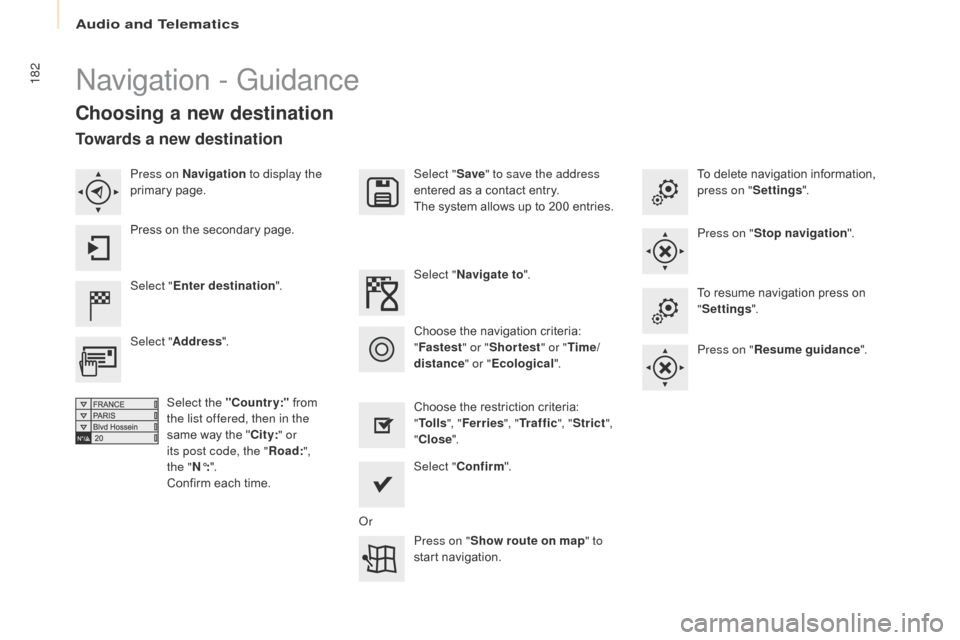
Select "Enter destination ". Select "
Save" to save the address
entered as a contact entry.
The system allows up to 200 entries.
Select " Confirm ".
Press on " Show route on map " to
start navigation.
Select "
Address ".
Select the "Country:" from
the list offered, then in the
same way the " City:" or
its post code, the " Road:",
the
"N°: ".
Confirm each time. Select "
Navigate to ".
Choose the restriction criteria:
" To l l s ", "Ferries ", "Tr a f f i c ", "Strict ",
" Close ".
Choose the navigation criteria:
"
Fastest " or "Shortest " or "Time/
distance " or "Ecological". To delete navigation information,
press on "
Settings".
Press on " Stop navigation ".
To resume navigation press on
" Settings ".
Press on " Resume guidance ".
Press on Navigation
to display the
primary page.
Press on the secondary page.
Towards a new destination
or
audio and Telematics