battery Citroen C ZERO 2011 1.G Owner's Guide
[x] Cancel search | Manufacturer: CITROEN, Model Year: 2011, Model line: C ZERO, Model: Citroen C ZERO 2011 1.GPages: 164, PDF Size: 8.98 MB
Page 129 of 164
127
The system is coded in such a way that it will only
operate in your vehicle. If it is to be installed in another
vehicle, contact your CITROËN dealer for confi guration
of the system.
AUDIO SYSTEM/BLUETOOTH
01 First steps
For safety reasons, the driver must only carry out
operations which require prolonged attention while the
vehicle is stationary.
When the motor is switched off and to prevent
discharging of the battery, the audio system may switch
off after a few minutes.
CONTENTS
02 Radio
03 Audio
04 Using the telephone
05 Audio settings
06 Configuration
07 Screen menu map
Frequently asked questions p.
p.
p.
p.
p.
p.
p.
p. 128
129
132
138
144
145
146
147
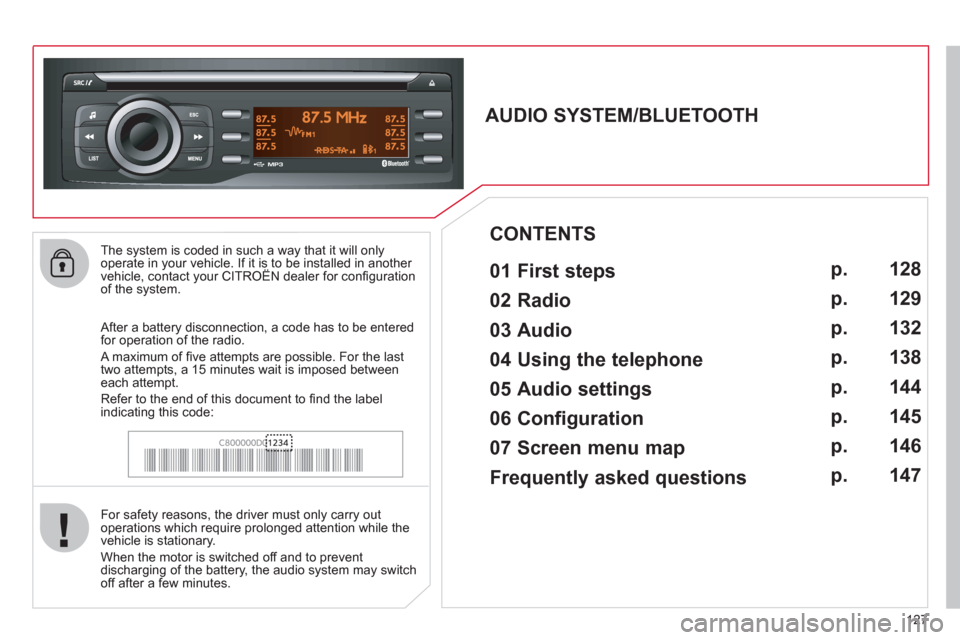
After a battery disconnection, a code has to be entered
for operation of the radio.
A maximum of fi ve attempts are possible. For the last
two attempts, a 15 minutes wait is imposed between
each attempt.
Refer to the end of this document to fi nd the label
indicating this code:
Page 151 of 164

149
FREQUENTLY ASKED QUESTIONS
QUESTION
ANSWER
SOLUTION
The CD is ejected
automatically or is not
played by the player. The CD is inserted upside down, is unplayable, does not contain any
audio data or contains an audio format which the player cannot play.
The CD is protected by an anti-pirating protection system which is not
recognised by the audio equipment.
- Check that the CD is inserted in the player the
right way up.
- Check the condition of the CD: the CD cannot
be played if it is too damaged.
- Check the content in the case of a recorded
CD: consult the advice in the "Audio" section.
- The audio equipment's CD player does not
play DVDs.
- Due to their quality level, certain writeable
CDs will not be played by the audio system.
The CD player sound is
poor. The CD used is scratched or of poor quality. Insert good quality CDs and store them in suitable
conditions.
The audio settings (bass, treble, ambience) are unsuitable. Set the treble or bass level to 0, without selecting
an ambience.
The Bluetooth connection
is cut. The battery of the peripheral may not be suffi ciently charged. Recharge the battery of the peripheral device.
The message "USB
device error" is displayed
on the screen. The USB memory stick is not recognised.
The memory stick may be corrupt. Reformat the memory stick.
A telephone connects
automatically,
disconnecting another
telephone. Automatic connection overrides manual connection. Modify the telephone settings to remove automatic
connection.
Page 152 of 164

150
FREQUENTLY ASKED QUESTIONS
QUESTION
ANSWER
SOLUTION
An iPod is not recognised
when connecting to the
USB port. The iPod is of a generation that is not compatible with the USB.
The hard disk or device
is not recognised when
connecting to the USB
port. Some hard disks and devices need a power supply greater than is
provided by the audio system. Connect the device to the 230 V socket, the 12 V
socket or an external power supply.
Caution
: ensure that the device does not transmit
a voltage greater than 5 V (risk of destruction of
the system).
When streaming, the
sound cuts momentarily. Some telephones prioritise connection of the "hands-free" profi le. Delete the "hands-free" connection profi le to
improve streaming.
In "Random all" play,
not all of the tracks are
played. In "Random all" play, the system can only take into account up to
999 tracks.
With the engine off,
the audio system
switches off after a few
minutes of use. When the engine is switched off, the audio system operating time
depends on the battery charge.
The switch-off is normal: the audio system switches to economy mode
and switches off to prevent discharging the vehicle's battery. Start the vehicle's engine to increase the battery
charge.
The message "the audio
system is overheated"
appears on the display. In order to protect the installation if the surrounding temperature is too
high, the audio system switches to an automatic thermal protection mode
leading to a reduction of the volume or stopping of the playing of the CD. Switch the audio system off for a few minutes to
allow the system to cool.
Page 153 of 164
.
Visual search
151
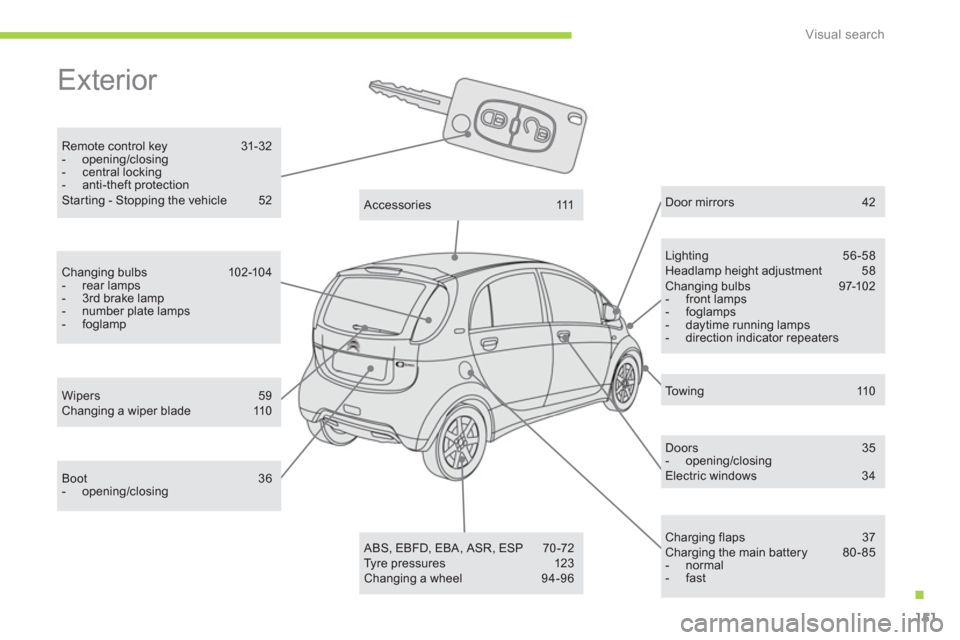
Exterior
Remote control key 31-32
- opening/closing
- central locking
- anti-theft protection
Star ting - Stopping the vehicle 52
Lighting 56-58
Headlamp height adjustment 58
Changing bulbs 97-102
- front lamps
- foglamps
- daytime running lamps
- direction indicator repeaters
Wipers 59
Changing a wiper blade 110
Door mirrors 42
Doors 35
- opening/closing
Electric windows 34
Charging flaps 37
Charging the main battery 80 - 85
- normal
- fast
A c c e s s o r i e s 111
ABS, EBFD, EBA, ASR, ESP 70-72
Tyre pressures 123
Changing a wheel 94-96
Boot 36
- opening/closing
Changing bulbs 102-104
- rear lamps
- 3rd brake lamp
- number plate lamps
- foglamp
To w i n g 110
Page 156 of 164
Visual search
154
Instruments and controls (continued)
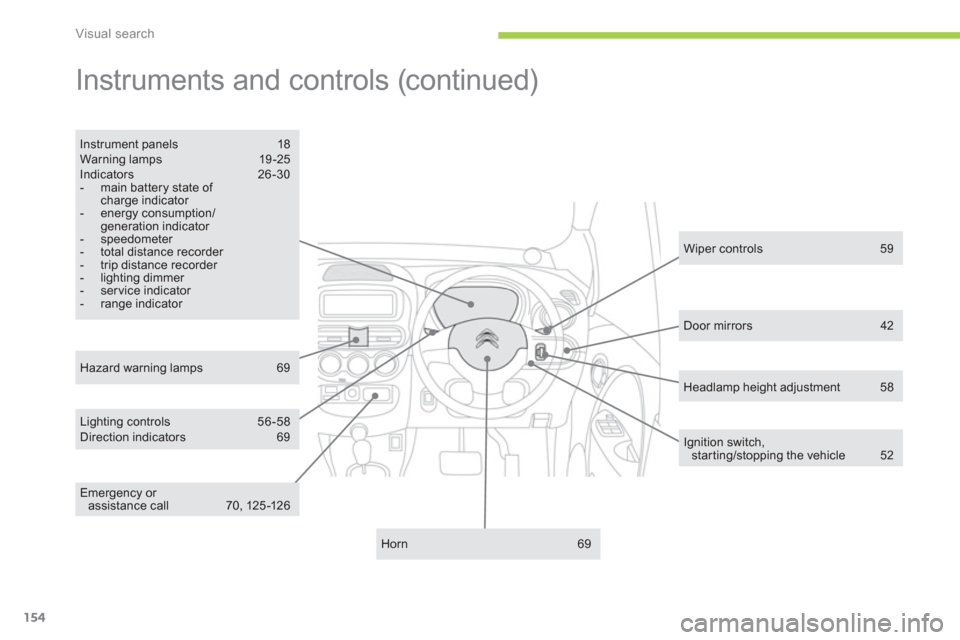
Lighting controls 56 -58
Direction indicators 69
Instrument panels 18
Warning lamps 19 -25
Indicators 26-30
- main battery state of
charge indicator
- energy consumption/
generation indicator
- speedometer
- total distance recorder
- trip distance recorder
- lighting dimmer
- ser vice indicator
- range indicator
Horn 69
Hazard warning lamps 69
Wiper controls 59
Ignition switch,
star ting/stopping the vehicle 52
Door mirrors 42
Emergency or
assistance call 70, 125 -126
Headlamp height adjustment 58
Page 157 of 164
.
Visual search
155
Technical data - Maintenance
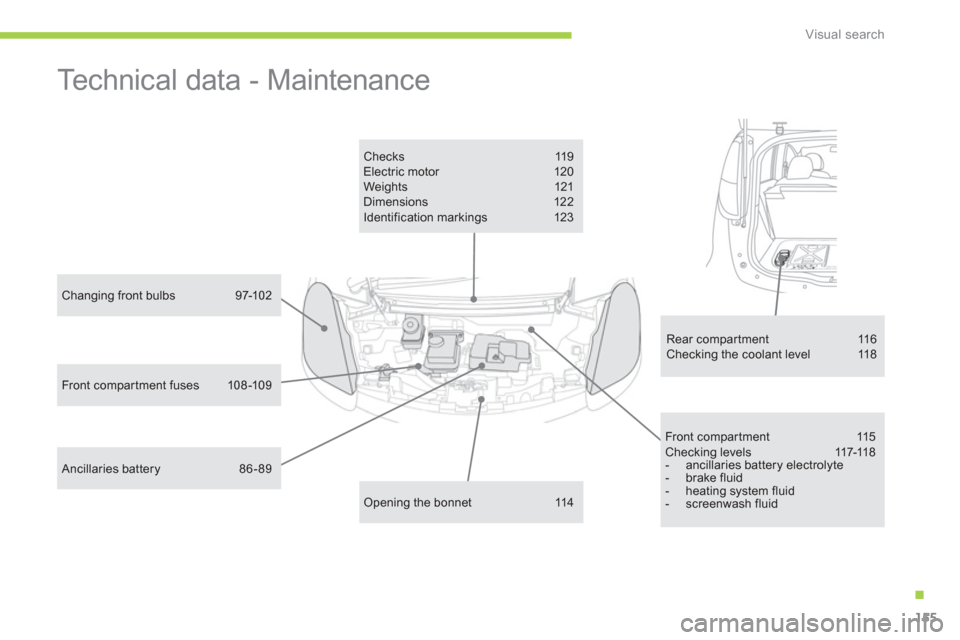
Front compar tment 115
C h e c k i n g l e v e l s 117-11 8
- ancillaries battery electrolyte
- brake fluid
- heating system fluid
- screenwash fluid
Changing front bulbs 97-102
Ancillaries battery 86 - 89
Opening the bonnet 114
Checks 119
Electric motor 120
Weights 121
Dimensions 122
Identification markings 123
Rear compartment 116
Checking the coolant level 118
Front compar tment fuses 108 -109
Page 158 of 164

Alphabetical index
156
ABS ............................................................... 70
ABS and EBFD systems ............................... 70
Accessories ................................................ 111
Accessory socket, 12 V ..........................44, 45
Access to bulbs ............................................. 97
Adjusting headlamps .................................... 58
Adjusting head restraints .............................. 39
Airbags .......................................................... 76
Airbags, curtain ....................................... 78, 79
Airbags, front ........................................... 76, 79
Airbags, lateral ........................................ 78, 79
Air conditioning ....................................... 48 -50
Air vents ........................................................ 47
Anti-lock braking system (ABS) .................... 70
Assistance call ...................................... 70, 126
Audible warning ............................................ 69
Audio streaming (Bluetooth) ....................... 137
Automatic illumination of headlamps ............ 58
Automatic switching off of lighting ................ 58CD MP3 ................................................ 132-134
Changing a bulb ..................................... 97-104
Changing a fuse .......................................... 105
Changing a wiper blade .............................. 110
Charging flaps ............................................... 37
Charging the battery ..................................... 80
Checking levels .................................... 117, 118
Checks .................................................115, 119
Children ....................................... 61- 68, 75, 77
Child seats ............................................. 61, 64
Closing the boot ............................................ 36
Coolant level ............................................... 117
Cup holder ..................................................... 44
Daytime running lamps ................................. 58
Deactivating the passenger airbag ............... 77
Deactivating the rear windows...................... 34
Defrosting ...................................................... 51
Demisting ...................................................... 51
Dimensions ................................................. 122
Dipped beam ......................................... 97, 103
Direction indicators ......... 69, 97, 101, 102, 103
Display screen ........................................ 28, 29
Doors ............................................................. 35
Door trays ...................................................... 44
Drive selector ................................................ 54Electronic brake force distribution (EBFD) ... 70
Electronic engine immobiliser .................32, 33
Emergency braking system .......................... 71
Emergency call ..................................... 70, 126
Emergency warning lamps ........................... 69
Energy consumption/generation indicator .... 27
Environment ...................... 17, 48, 49, 118, 123
ESP/ASR ....................................................... 72
A
B
C
D
Battery, ancillaries ................................ 86, 117
Battery, main ................................................. 80
Bluetooth (hands-free) ................................ 138
Bonnet, front................................................ 114
Bonnet stay ................................................. 114
Brake discs .................................................. 119
Brake lamps ................................................ 102
Brake pads .................................................. 119
Brakes ......................................................... 119
Braking assistance system ........................... 70
Bulbs (changing, type) ........................... 97-104Fitting a wheel ............................................... 96
Fitting the mat ............................................... 45
Flashing indicators .......... 69, 97, 101, 102, 103
Foglamps ...................................... 57, 101, 104
Folding/unfolding the door mirrors................ 42
Front compar tment ..................................... 115
Front foglamps .................................57, 97, 101
Front seats .................................................... 38
Fuses ........................................................... 105
F
156
EBA (Emergency braking assistance) .... 70, 71
Electric motor .............................................. 120
E
Hands-free kit.............................................. 138
Hazard warning lamps .................................. 69
Headlamp adjustment ................................... 58
Head restraints ........................................ 38 - 40
Heating .......................................................... 49
Heating system fluid level ........................... 117
H
Page 162 of 164
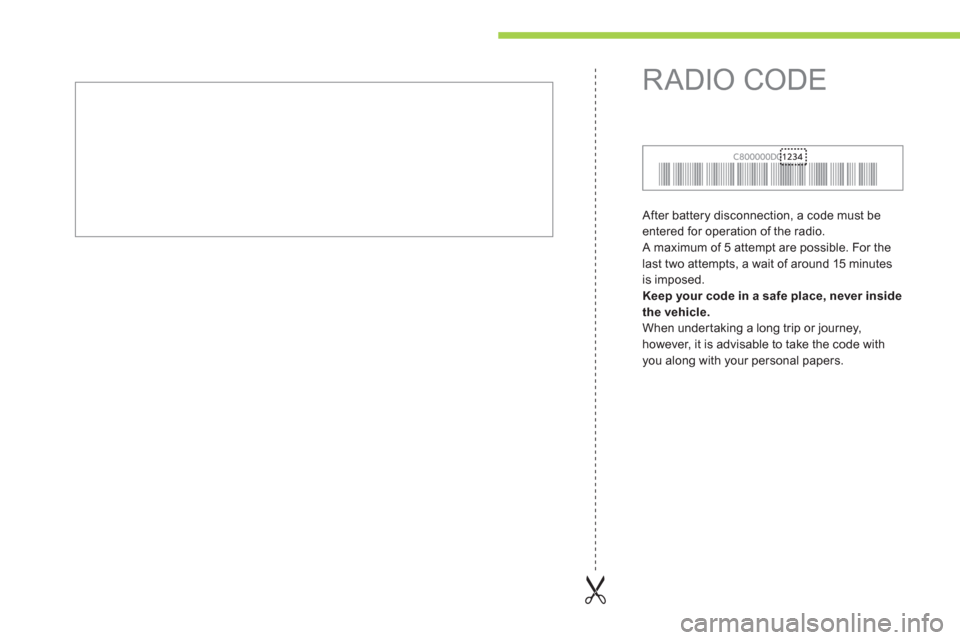
After battery disconnection, a code must be
entered for operation of the radio.
A maximum of 5 attempt are possible. For the
last two attempts, a wait of around 15 minutes
is imposed.
Keep your code in a safe place, never inside
the vehicle .
When under taking a long trip or journey,
however, it is advisable to take the code with
you along with your personal papers.
RADIO CODE