ad blue Citroen C1 2015 1.G Owner's Manual
[x] Cancel search | Manufacturer: CITROEN, Model Year: 2015, Model line: C1, Model: Citroen C1 2015 1.GPages: 271, PDF Size: 7.18 MB
Page 55 of 271

53
C1_en_Chap03_confort_ed01-2015
Heating
The heating system works only when the engine is running.F
T
urn the control from blue
(cold) to red (hot) to adjust the
temperature to your wishes.
Temperature adjustment
Air flow adjustment
F Turn the knob from position 1 to 4 to obtain the desired flow of
a i r.
Avoid driving for too long without
ventilation (risk of misting and
deterioration of air quality).
Air distribution adjustment
Centre vent and side air vents.
Centre vent, side vents and footwells.
Footwells.
Windscreen and footwells.
Windscreen.
The air distribution can be varied by
placing the control in an intermediate
position.
3
Comfort
Page 56 of 271
54
C1_en_Chap03_confort_ed01-2015
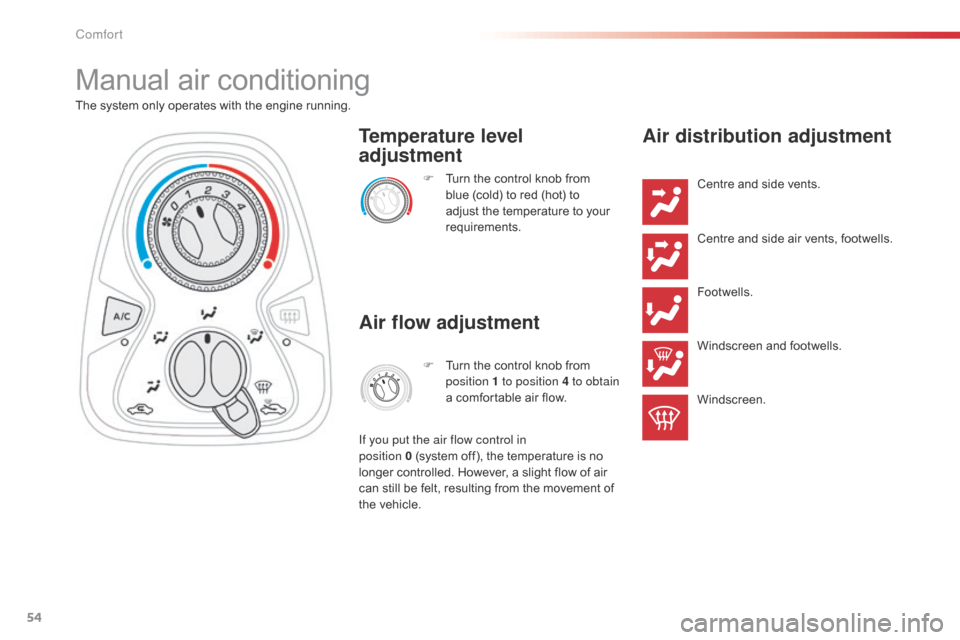
Manual air conditioning
The system only operates with the engine running.F
T
urn the control knob from
blue (cold) to red (hot) to
adjust the temperature to your
requirements.
Temperature level
adjustment
Air flow adjustment
F Turn the control knob from position 1 to position 4 to obtain
a comfortable air flow.
If you put the air flow control in
position
0
(system off), the temperature is no
longer controlled. However, a slight flow of air
can still be felt, resulting from the movement of
the vehicle.
Air distribution adjustment
Centre and side vents.
Centre and side air vents, footwells.
Footwells.
Windscreen and footwells.
Windscreen.
Comfort
Page 92 of 271
90
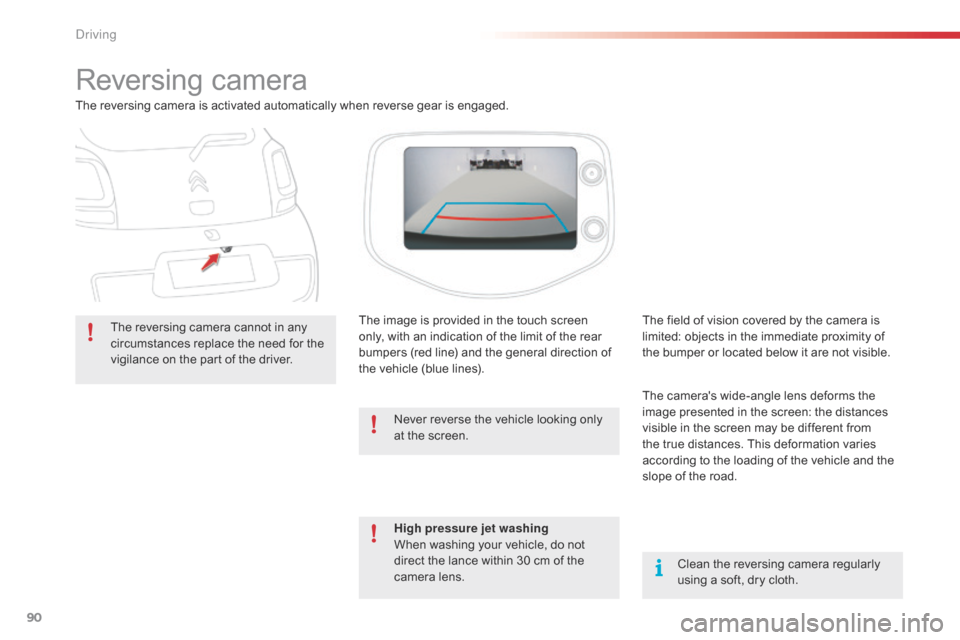
Reversing camera
The reversing camera is activated automatically when reverse gear is engaged.The reversing camera cannot in any
circumstances replace the need for the
vigilance on the part of the driver. The image is provided in the touch screen
only, with an indication of the limit of the rear
bumpers (red line) and the general direction of
the vehicle (blue lines).
Clean the reversing camera regularly
using a soft, dry cloth.
The field of vision covered by the camera is
limited: objects in the immediate proximity of
the bumper or located below it are not visible.
The camera's wide-angle lens deforms the
image presented in the screen: the distances
visible in the screen may be different from
the true distances. This deformation varies
according to the loading of the vehicle and the
slope of the road.
High pressure jet washing
When washing your vehicle, do not
direct the lance within 30 cm of the
camera lens. Never reverse the vehicle looking only
at the screen.
Driving
Page 185 of 271
183
C1_en_Chap12a_Autoradio_Toyota_tactile-1_ed01-2015
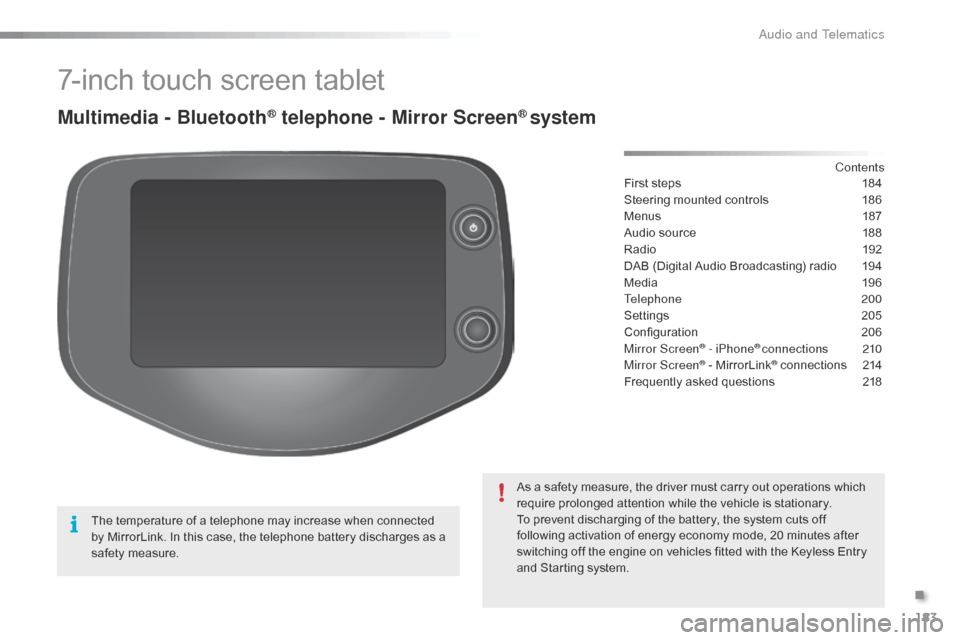
7-inch touch screen tablet
Multimedia - Bluetooth® telephone - Mirror Screen® system
First steps 184
Steering mounted controls
1
86
Menus
1
87
Audio source
1
88
Radio
19
2
DAB (Digital Audio Broadcasting) radio
1
94
Media
19
6
Telephone
200
Settings
2
05
Configuration
20
6
Mirror Screen
® - iPhone® connections 210
Mirror Screen® - MirrorLink® connections 2 14
Frequently asked questions
2
18
As a safety measure, the driver must carry out operations which
require prolonged attention while the vehicle is stationary.
To prevent discharging of the battery, the system cuts off
following activation of energy economy mode, 20 minutes after
switching off the engine on vehicles fitted with the Keyless Entry
and Starting system. Contents
The temperature of a telephone may increase when connected
by MirrorLink. In this case, the telephone battery discharges as a
safety measure.
.
Audio and Telematics
Page 187 of 271
185
C1_en_Chap12a_Autoradio_Toyota_tactile-1_ed01-2015
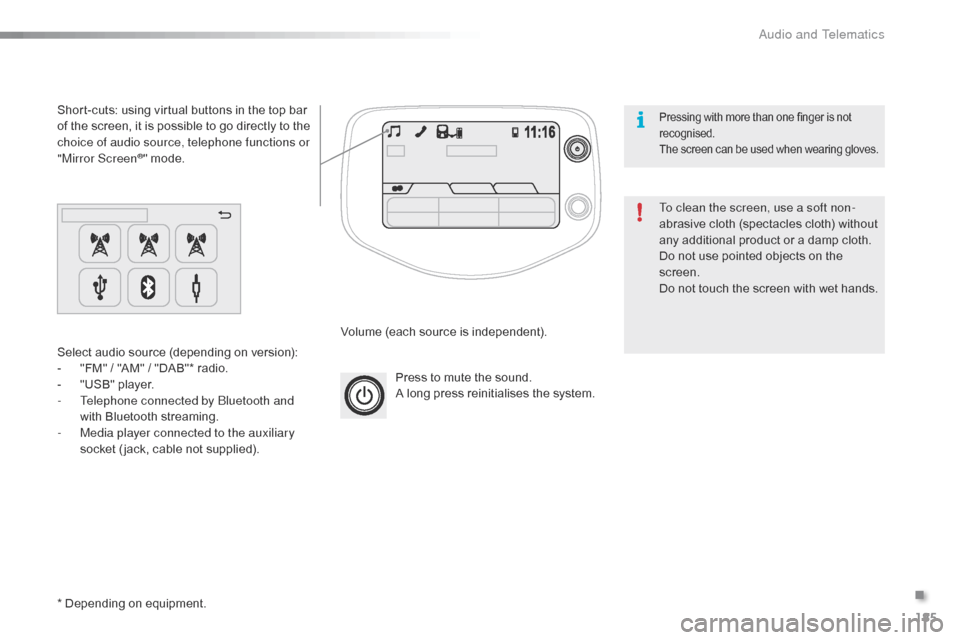
Press to mute the sound.
A long press reinitialises the system.
Volume (each source is independent).
Select audio source (depending on version):
-
"
FM" / "AM" / "DAB"* radio.
-
"
USB" player.
-
T
elephone connected by Bluetooth and
with Bluetooth streaming.
-
M
edia player connected to the auxiliary
socket ( jack, cable not supplied).
Short-cuts: using virtual buttons in the top bar
of the screen, it is possible to go directly to the
choice of audio source, telephone functions or
"Mirror Screen
®" mode.
* Depending on equipment. To clean the screen, use a soft non-
abrasive cloth (spectacles cloth) without
any additional product or a damp cloth.
Do not use pointed objects on the
screen.
Do not touch the screen with wet hands.
Pressing with more than one finger is not
recognised.
The screen can be used when wearing gloves.
.
Audio and Telematics
Page 189 of 271
187
C1_en_Chap12a_Autoradio_Toyota_tactile-1_ed01-2015
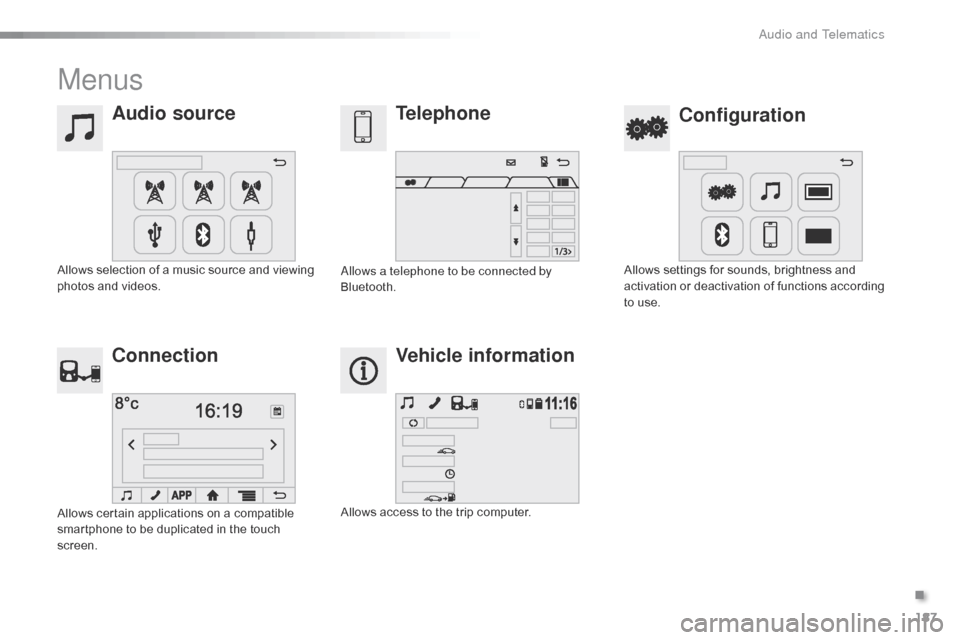
Menus
Audio sourceConfiguration
Telephone
Connection Vehicle information
Allows selection of a music source and viewing
photos and videos. Allows settings for sounds, brightness and
activation or deactivation of functions according
to use.
Allows a telephone to be connected by
Bluetooth.
Allows certain applications on a compatible
smartphone to be duplicated in the touch
screen. Allows access to the trip computer.
.
Audio and Telematics
Page 193 of 271
191
C1_en_Chap12a_Autoradio_Toyota_tactile-1_ed01-2015
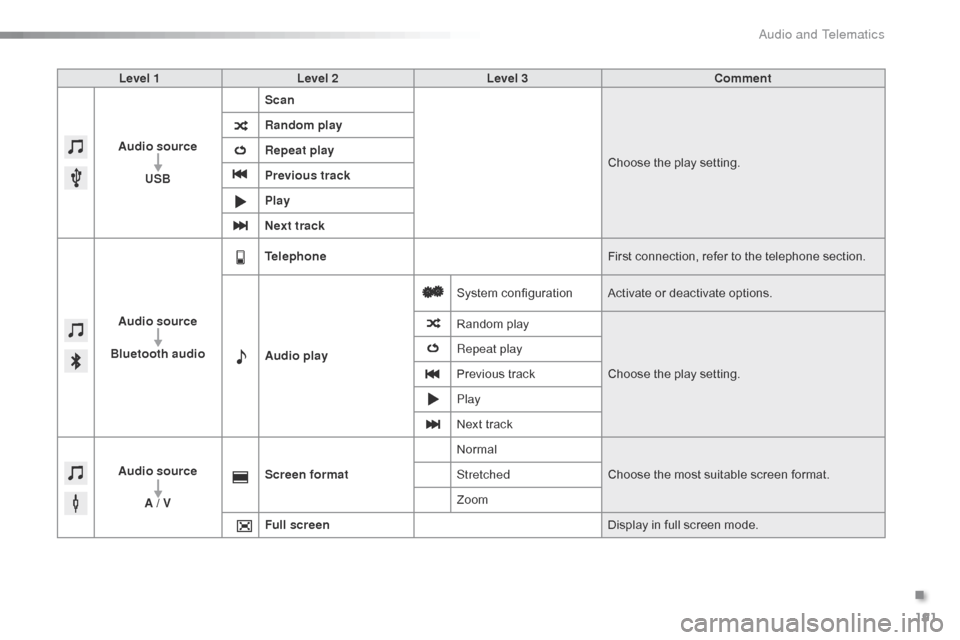
Level 1Level 2 Level 3 Comment
Audio source USB Scan
Choose the play setting.
Random play
Repeat play
Previous track
Play
Next track
Audio source
Bluetooth audio Telephone
First connection, refer to the telephone section.
Audio play System configuration
Activate or deactivate options.
Random play
Choose the play setting.
Repeat play
Previous track
Play
Next track
Audio source A / V Screen format
Normal
Choose the most suitable screen format.
Stretched
Zoom
Full screen Display in full screen mode.
.
Audio and Telematics
Page 200 of 271
198
C1_en_Chap12a_Autoradio_Toyota_tactile-1_ed01-2015
Information and advice
The system accepts USB mass storage
devices or Apple® players via the
USB ports. The adaptor cable is not
supplied.
Control of the peripheral device is with
the audio system controls.
Other peripherals, not recognised on
connection, must be connected to the
auxiliary socket using a Jack cable (not
supplied).
It is advisable to restrict file names to
20
characters, without using of special
characters (e.g.: " " ? ; ù) to avoid any playing
and displaying problems. Use only USB memory sticks formatted FAT32
(File Allocation Table). The audio system plays files with the extension:
".wma", type Ver7 and Ver8 with bit rate
between 48 and 192 Kbps and type Ver9 with
bit rate between 48 and 320 Kbps.
".aac", with bit rate between 16 and 320 Kbps.
".mp3 - MPEG1" with bit rate between 32 and
320 Kbps and ".mp3 - MPEG2" with bit rate
between 8 and 160 Kbps.
The sampling rates supported are 11, 22, 44
and 48 KHz.
The system can alternatively read files
via the Bluetooth
® system and the USB
port.
It is recommended that the USB cable
for the portable device is used.
Audio and Telematics
Page 201 of 271
199
C1_en_Chap12a_Autoradio_Toyota_tactile-1_ed01-2015
Audio streaming
Once connected for streaming, the
telephone is considered as a media
source.
It is recommended that "Repeat" mode
be activated in the Bluetooth device. Streaming allows audio files on your
telephone to be played via the vehicle's
speakers.
Connect the telephone: see the " Telephone"
section, then " Bluetooth".
Choose either " Connect all" or " Connect as
audio player " profile.
If play does not start automatically, it may
be necessary to start audio play from the
telephone.
Control is from the peripheral device or by
using the audio system controls.
Connecting Apple® players
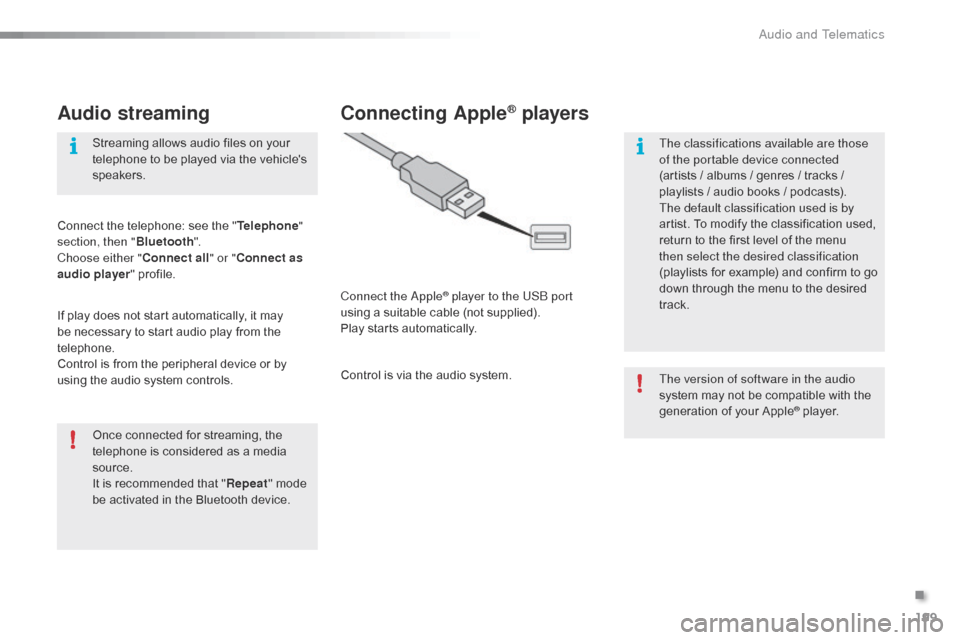
Connect the Apple® player to the USB port
using a suitable cable (not supplied).
Play starts automatically.
Control is via the audio system. The version of software in the audio
system may not be compatible with the
generation of your Apple
® player.
The classifications available are those
of the portable device connected
(artists / albums / genres / tracks /
playlists / audio books
/ podcasts).
The default classification used is by
artist. To modify the classification used,
return to the first level of the menu
then select the desired classification
(playlists for example) and confirm to go
down through the menu to the desired
track.
.
Audio and Telematics
Page 204 of 271

202
C1_en_Chap12a_Autoradio_Toyota_tactile-1_ed01-2015
Press on "Audio source " to display
the carousel of audio sources.
Select " Bluetooth audio ".
Select " Bluetooth configuration "
Activate the telephone's Bluetooth function
and ensure that it is "visible to all" (telephone
configuration).
Select the telephone in the list.Select "
Connect telephone ".
Select the "
Telephone/message
configuration " tab.
Select your choice.
Select the " Add" tab in the system. Press "
OK" to confirm.
If the telephone is not detected, it is
recommended that you switch the Bluetooth
function on your telephone off and then on again.
As a safety measure and because they
require prolonged attention on the part
of the driver, the operations for pairing
the Bluetooth mobile telephone to the
hands-free system of the audio system
must be carried out with the vehicle
stationary .
Pairing a Bluetooth® telephone
A waiting screen is displayed with the
Bluetooth settings of the system and a default
Bluetooth
PIN.
Once detected, select the name of the system
in your telephone.
The system displays that the services to be
used on the telephone are: " Telephone" and
" Audio player ".
The system offers to connect the telephone:
-
w
ith "Connect all",
-
w
ith "Connect as telephone " (hands-free
kit, telephone only),
-
w
ith "Connect as audio player "
(streaming: wireless play of audio files on
the telephone).
Enter the PIN code in the telephone then accept
the connection (depending on the telephone). To change the connection choice,
Select "
Telephone ".
Audio and Telematics