steering Citroen C1 RHD 2014 1.G Owner's Guide
[x] Cancel search | Manufacturer: CITROEN, Model Year: 2014, Model line: C1 RHD, Model: Citroen C1 RHD 2014 1.GPages: 256, PDF Size: 5.59 MB
Page 157 of 256
155
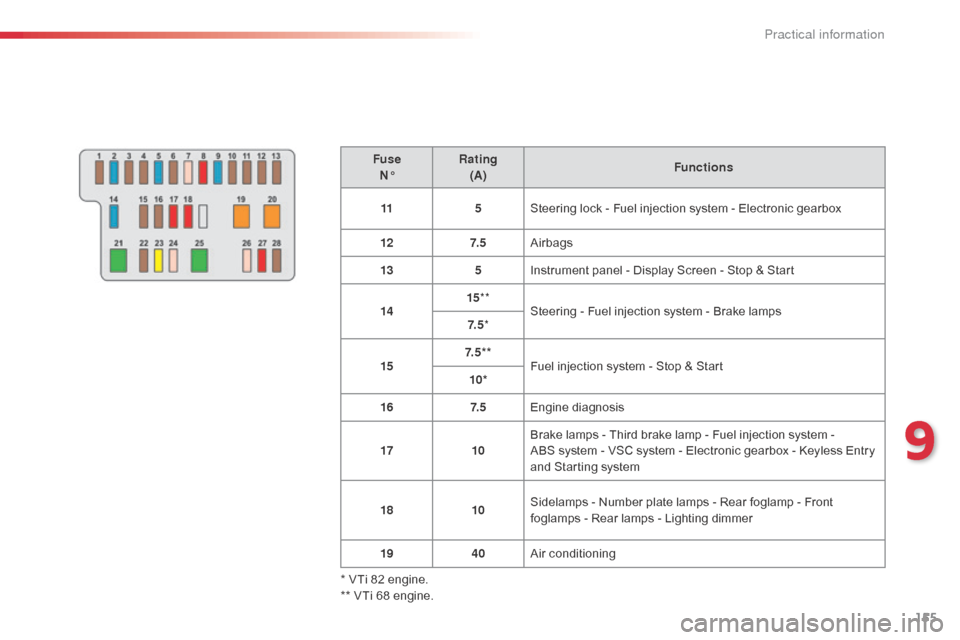
FuseN° Rating
(A) Functions
11 5Steering lock - Fuel injection system - Electronic gearbox
12 7. 5Airbags
13 5Instrument panel - Display Screen - Stop & Start
14 15
**
Steering - Fuel injection system - Brake lamps
7. 5 *
15 7. 5 * *
Fuel injection system - Stop & Start
10*
16 7. 5Engine diagnosis
17 10Brake lamps - Third brake lamp - Fuel injection system -
ABS
system - VSC system - Electronic gearbox - Keyless Entry
and Starting system
18 10Sidelamps - Number plate lamps - Rear foglamp - Front
foglamps - Rear lamps - Lighting dimmer
19 40Air conditioning
* VTi 82 engine.
** VTi 68 engine.
9
Practical information
Page 160 of 256
158
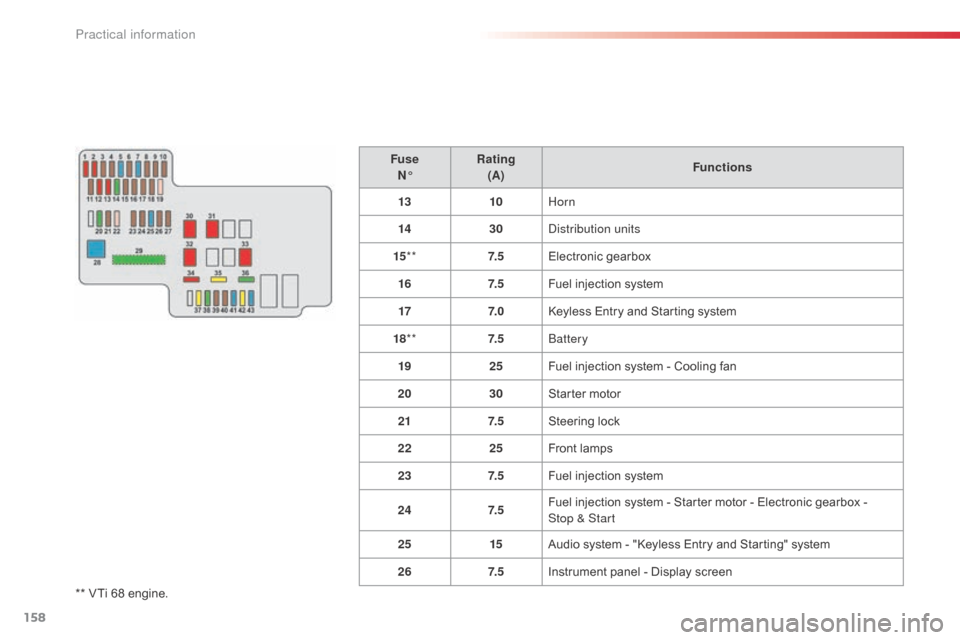
** VTi 68 engine.Fuse
N° Rating
(A) Functions
13 10Horn
14 30
di
stribution units
15 ** 7. 5Electronic gearbox
16 7. 5Fuel injection system
17 7. 0Keyless Entry and Starting system
18 ** 7. 5
bat
tery
19 25Fuel injection system - Cooling fan
20 30Starter motor
21 7. 5Steering lock
22 25Front lamps
23 7. 5Fuel injection system
24 7. 5Fuel injection system - Starter motor - Electronic gearbox -
Stop
& Start
25 15Audio system - "Keyless Entry and Starting" system
26 7. 5Instrument panel - Display screen
Practical information
Page 161 of 256
159
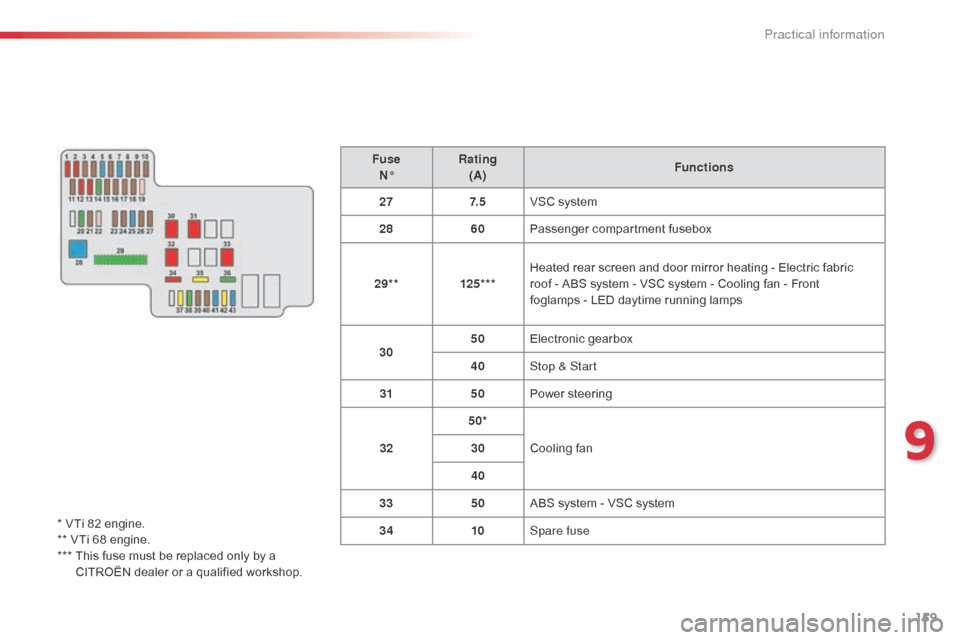
FuseN° Rating
(A) Functions
27 7. 5VSC system
28 60Passenger compartment fusebox
29** 125***Heated rear screen and door mirror heating - Electric fabric
roof
- ABS system - VSC system - Cooling fan - Front
foglamps
- LED daytime running lamps
30 50
Electronic gearbox
40 Stop & Start
31 50Power steering
32 50*
Cooling fan
30
40
33 50ABS system - VSC system
34 10Spare fuse
* VTi 82 engine.
** VTi 68 engine.
***
T
his fuse must be replaced only by a
CITROËN dealer or a qualified workshop.
9
Practical information
Page 167 of 256
165
Towing the vehicle
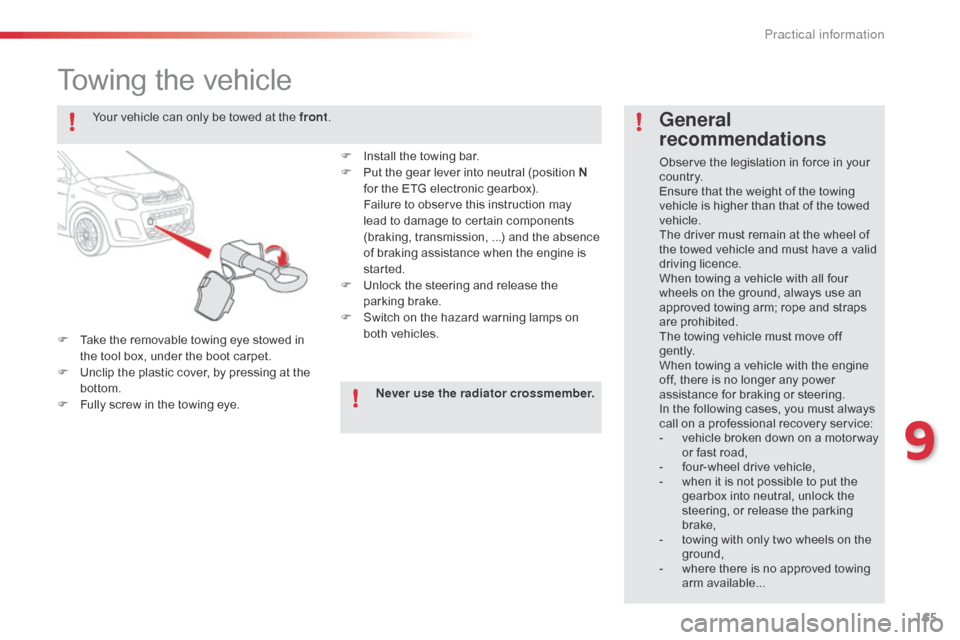
F Take the removable towing eye stowed in the tool box, under the boot carpet.
F
U
nclip the plastic cover, by pressing at the
bottom.
F
F
ully screw in the towing eye.
General
recommendations
Observe the legislation in force in your
c o unt r y.
Ensure that the weight of the towing
vehicle is higher than that of the towed
vehicle.
The driver must remain at the wheel of
the towed vehicle and must have a valid
driving licence.
When towing a vehicle with all four
wheels on the ground, always use an
approved towing arm; rope and straps
are prohibited.
The towing vehicle must move off
g e nt l y.
When towing a vehicle with the engine
off, there is no longer any power
assistance for braking or steering.
In the following cases, you must always
call on a professional recovery service:
-
v
ehicle broken down on a motor way
or fast road,
-
f
our-wheel drive vehicle,
-
w
hen it is not possible to put the
gearbox into neutral, unlock the
steering, or release the parking
brake,
-
t
owing with only two wheels on the
ground,
-
w
here there is no approved towing
arm available...
Your vehicle can only be towed at the front
.
F
I
nstall the towing bar.
F
P
ut the gear lever into neutral (position N
for the ETG electronic gearbox).
F
ailure to observe this instruction may
lead to damage to certain components
(braking, transmission, ...) and the absence
of braking assistance when the engine is
started.
F
U
nlock the steering and release the
parking brake.
F
S
witch on the hazard warning lamps on
both vehicles.
Never use the radiator crossmember.
9
Practical information
Page 183 of 256
181
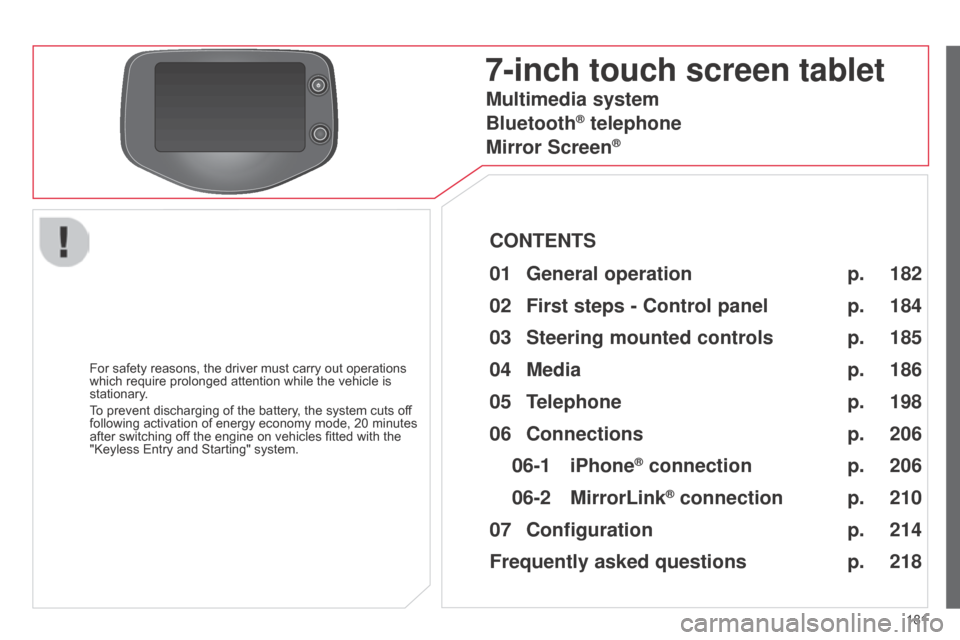
7-inch touch screen tablet
For safety reasons, the driver must carry out operations
which require prolonged attention while the vehicle is
stationary.
To prevent discharging of the battery, the system cuts off
following activation of energy economy mode, 20 minutes
after switching off the engine on vehicles fitted with the
"Keyless Entry and Starting" system.
Multimedia system
Bluetooth
® telephone
Mirror Screen
®
CONTENTS
182
01
General
operation p.
184
02
First steps - Control
panelp.
198
05
Telephone p. 186
04
Media p.
206
06
Connections p.
206
p.
210
06-1
iPhone
® connection
06-2
MirrorLink
® connection p.
214
07
Configuration p.
218
Frequently asked questions
p. 185
03
Steering mounted
controls
p.
Page 187 of 256
03
185
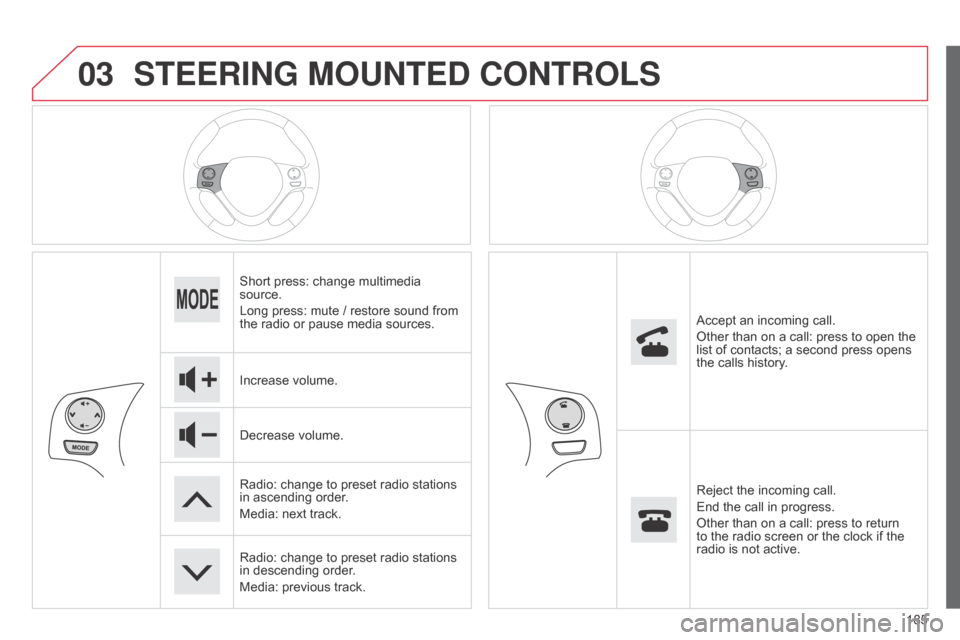
STEERING MOUNTED CONTROLS
Short press: change multimedia
source.
Long press: mute / restore sound from
the radio or pause media sources.
Increase volume.
Decrease volume.
Radio: change to preset radio stations
in ascending order.
Media: next track.
Radio: change to preset radio stations
in descending order.
Media: previous track.Accept an incoming call.
Other than on a call: press to open the
list of contacts; a second press opens
the calls history.
Reject the incoming call.
End the call in progress.
Other than on a call: press to return
to the radio screen or the clock if the
radio is not active.
Page 197 of 256
04
195
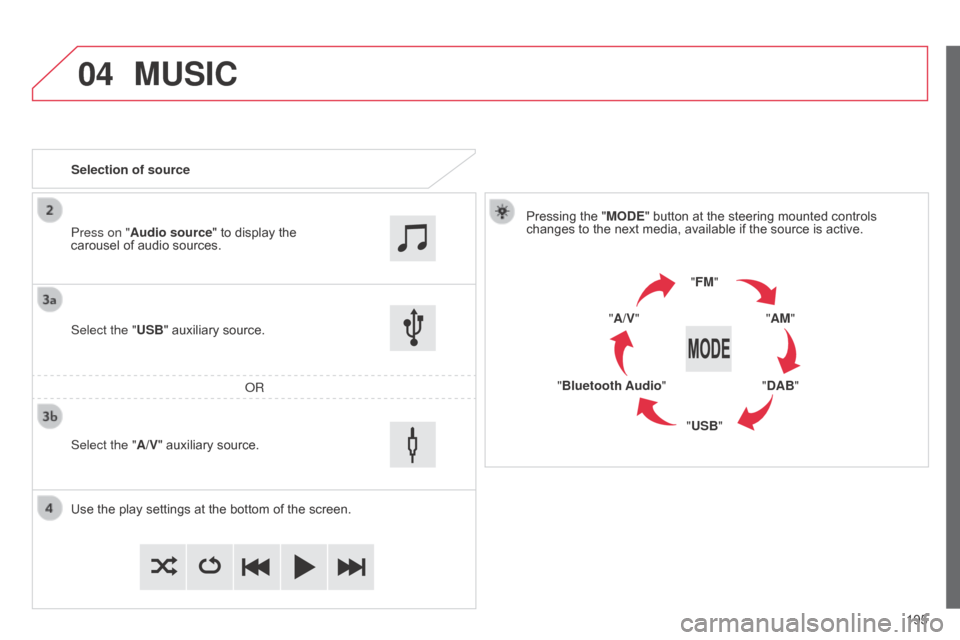
MUSIC
Selection of sourcePressing the "MODE" button at the steering mounted controls
changes to the next media, available if the source is active.
"FM""AM"
"DAB"
"USB"
"Bluetooth Audio" "A/V"
Use the play settings at the bottom of the screen. Select the "USB" auxiliary source.
o
R
Select the "A/V" auxiliary source. Press on "Audio source" to display the
carousel of audio sources.
Page 204 of 256
05
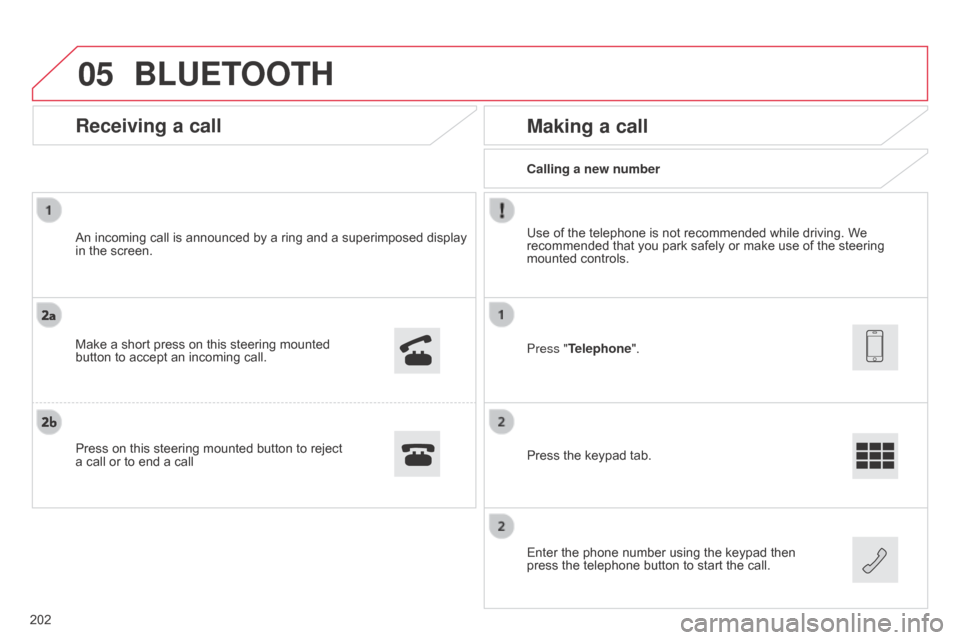
Calling a new number
Making a call
Use of the telephone is not recommended while driving. We
recommended that you park safely or make use of the steering
mounted controls.
Press the keypad tab.
Enter the phone number using the keypad then
press the telephone button to start the call. Press "Telephone".
Receiving a call
An incoming call is announced by a ring and a superimposed display
in the screen.
Make a short press on this steering mounted
button to accept an incoming call.
Press on this steering mounted button to reject
a call or to end a call
BLUETOOTH
202
Page 205 of 256
05
203
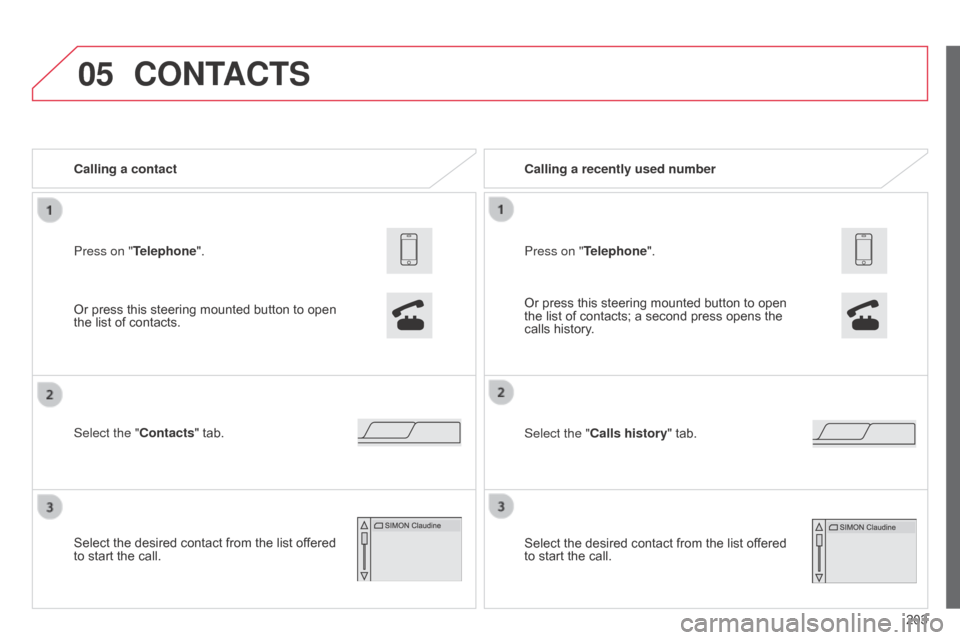
Press on "Telephone". Calling a contact
Select the "Contacts" tab.
Select the desired contact from the list offered
to start the call.
CONTACTS
Or press this steering mounted button to open
the list of contacts.
Or press this steering mounted button to open
the list of contacts; a second press opens the
calls history. Calling a recently used number
Select the "Calls history" tab. Press on "Telephone".
Select the desired contact from the list offered
to start the call.
Page 223 of 256
MODE
221
Audio S ystem
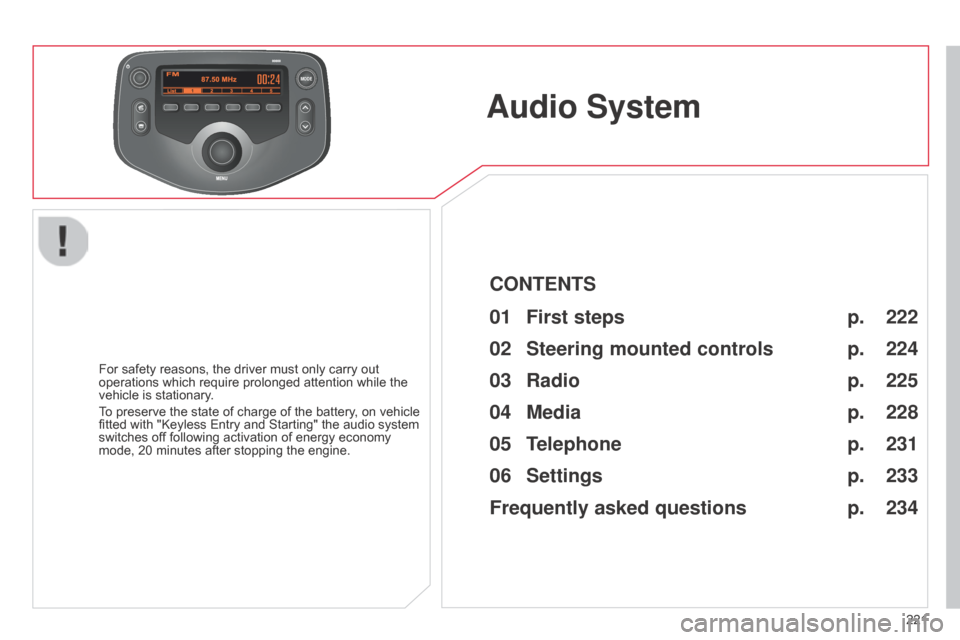
For safety reasons, the driver must only carry out
operations which require prolonged attention while the
vehicle is stationary.
To preserve the state of charge of the battery, on vehicle
fitted with "Keyless Entry and Starting" the audio system
switches off following activation of energy economy
mode, 20 minutes after stopping the engine.
222
224
225
228
231
233
234
CONTENTS
01
First steps p.
02
Steering mounted
controls p.
05
Telephone p.
04
Media p.
06
Settings p.
p.
03
Radio p.
Frequently asked questions