display Citroen C3 2008 1.G Owner's Guide
[x] Cancel search | Manufacturer: CITROEN, Model Year: 2008, Model line: C3, Model: Citroen C3 2008 1.GPages: 184, PDF Size: 6.14 MB
Page 99 of 184
IV
115
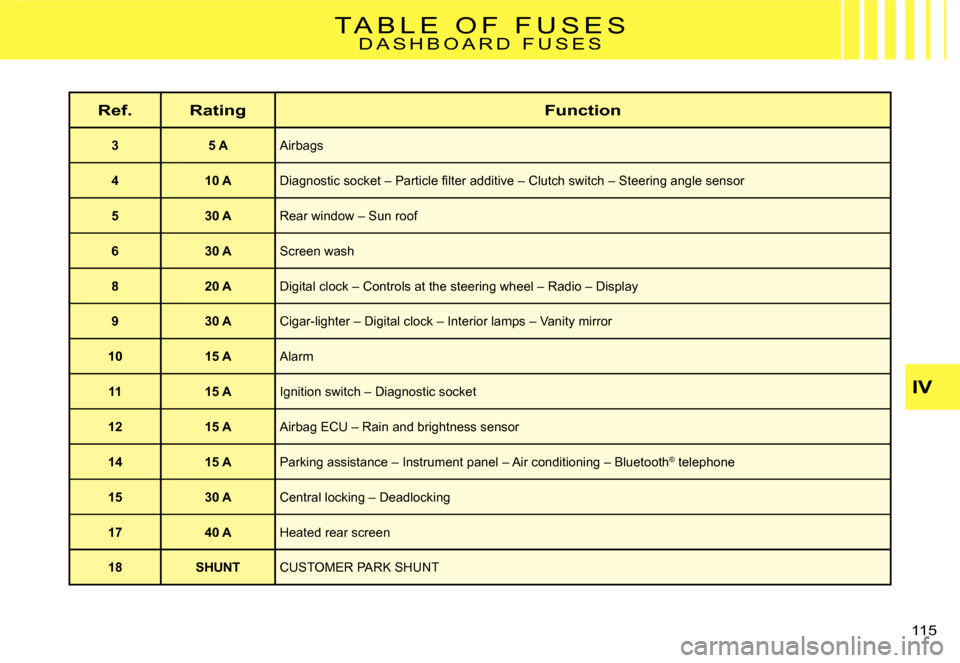
T A B L E O F F U S E SD A S H B O A R D F U S E S
Ref.RatingFunction
35 AAirbags
410 ADiagnostic socket – Particle fi lter additive – Clutch switch – Steering angle sensor
530 ARear window – Sun roof
630 AScreen wash
820 ADigital clock – Controls at the steering wheel – Radio – Display
930 ACigar-lighter – Digital clock – Interior lamps – Vanity mirror
1015 AAlarm
1115 AIgnition switch – Diagnostic socket
1215 AAirbag ECU – Rain and brightness sensor
1415 AParking assistance – Instrument panel – Air conditioning – Blueto oth® telephone®
1530 A Central locking – Deadlocking
1740 AHeated rear screen
18SHUNTCUSTOMER PARK SHUNT
Page 121 of 184
2
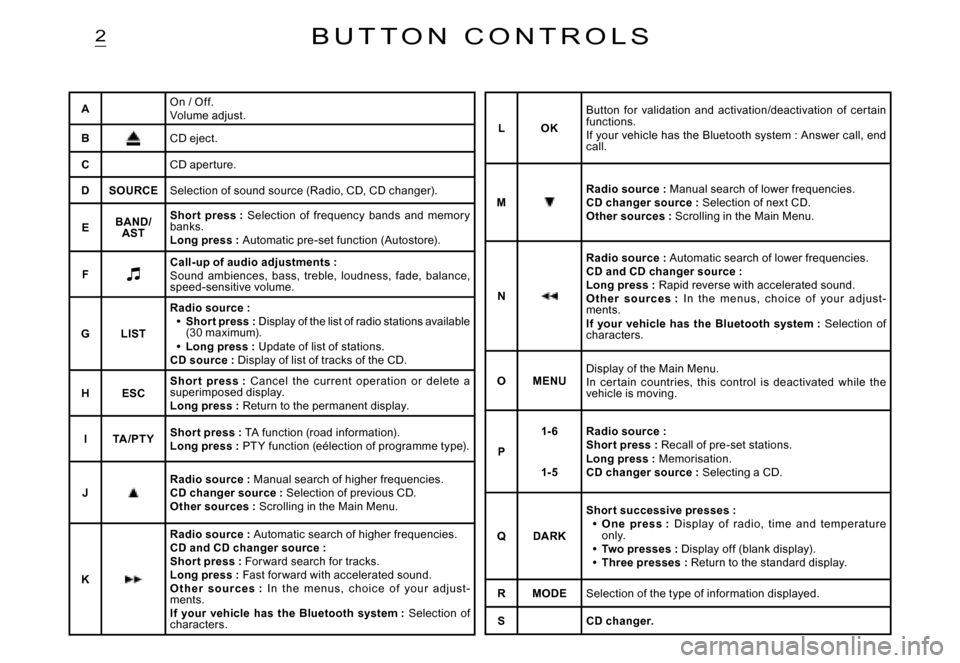
AOn / Off.Volume adjust.
BCD eject.
CCD aper ture.
DSOURCESelection of sound source (Radio, CD, CD changer).
EBAND/AST
Shor t press : Selection of frequency bands and memor y banks.Long press : Automatic pre-set function (Autostore).
FCall-up of audio adjustments :Sound ambiences, bass, treble, loudness, fade, balance, speed-sensitive volume.
GLIST
Radio source :Short press : Display of the list of radio stations available (30 maximum).Long press : Update of list of stations.CD source : Display of list of tracks of the CD.
Page 125 of 184
5
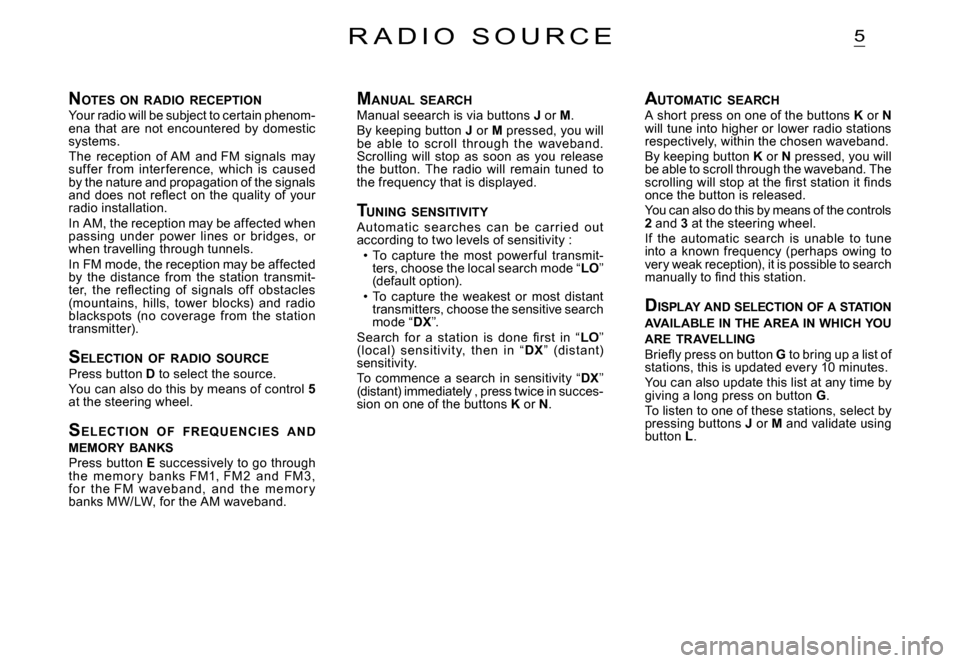
NOTES ON RADIO RECEPTIONYour radio will be subject to certain phenom-ena that are not encountered by domestic systems.The reception of AM and FM signals may suf fer from inter ference, which is caused by the nature and propagation of the signals and does not refl ect on the quality of your radio installation.In AM, the reception may be affected when passing under power lines or bridges, or when travelling through tunnels.In FM mode, the reception may be affected by the distance from the station transmit-ter, the refl ecting of signals of f obstacles (mountains, hills, tower blocks) and radio blackspots (no coverage from the station transmitter).
S ELECTION OF RADIO SOURCEPress button D to select the source.You can also do this by means of control 5at the steering wheel.
S E L EC T I O N O F FR EQ U E N C I E S A N D MEMORY BANKSPress button E successively to go through the memor y banks FM1, FM 2 and FM 3, fo r t he FM waveband, and t he m em o r y banks MW/LW, for the AM waveband.
R A D I O S O U R C E
M ANUAL SEARCHManual seearch is via buttons J or M.By keeping button J or M pressed, you will be able to scroll through the waveband. Scrolling will stop as soon as you release the button. The radio will remain tuned to the frequency that is displayed.
T UNING SENSITIVITYAutomat ic searc hes c an be c ar r ied out according to two levels of sensitivity :To capture the most power ful transmit-ters, choose the local search mode “LO” (default option).To capture the weakest or most distant transmitters, choose the sensitive search mode “DX”.Search for a station is done fi rst in “LO” (loc al) sensitivit y, then in “DX” (dist ant) sensitivity.To commence a search in sensitivity “DX” (distant) immediately , press twice in succes-sion on one of the buttons K or N.
Page 126 of 184
6
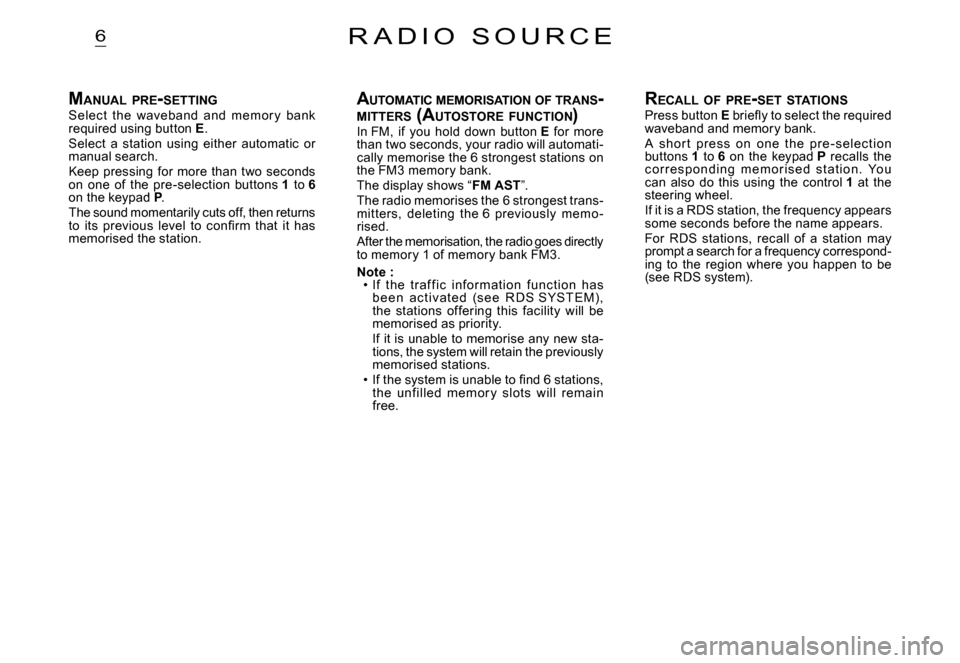
MANUAL PRE -SETTINGSelect the waveband and memor y bank required using button E.Select a station using either automatic or manual search.Keep pressing for more than two seconds on one of the pre-selection buttons 1 to 6on the keypad P.The sound momentarily cuts off, then returns to its previous level to confi rm that it has memorised the station.
R A D I O S O U R C E
A UTOMATIC MEMORISATION OF TRANS -MITTERS (AUTOSTORE FUNCTION )In FM, if you hold down button E for more than two seconds, your radio will automati-cally memorise the 6 strongest stations on the FM3 memory bank.The display shows “FM AST”.The radio memorises the 6 strongest trans-mit ters, deleting the 6 previously memo -rised.After the memorisation, the radio goes directly to memory 1 of memory bank FM3.
Note :If the traf f ic infor mation f unc tion has b e e n a c t i vat e d (s e e R D S SYST E M), the stations of fering this facility will be memorised as priority.If it is unable to memorise any new sta-tions, the system will retain the previously memorised stations.If the system is unable to fi nd 6 stations, the unf illed memor y slots will remain free.
Page 127 of 184
7
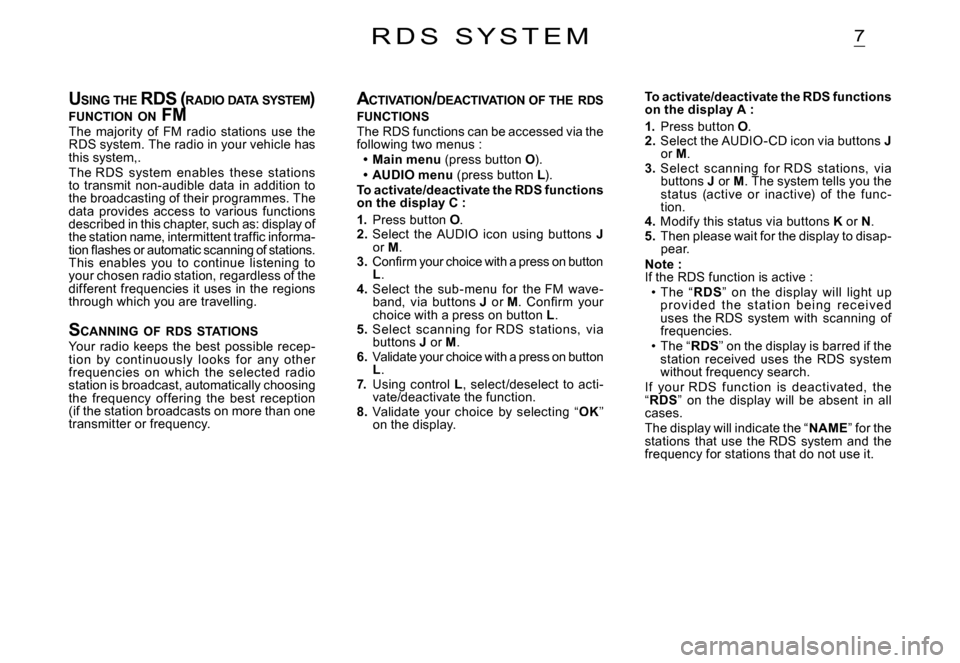
USING THE RDS ( RADIO DATA SYSTEM ) FUNCTION ON FMUSING THE RDS ( R RDS (R
The majority of FM radio stations use the RDS system. The radio in your vehicle has this system,.The RDS system enables these stations to transmit non-audible data in addition to the broadcasting of their programmes. The data provides access to various functions described in this chapter, such as: display of the station name, intermittent traffi c informa-tion fl ashes or automatic scanning of stations. This enables you to continue listening to your chosen radio station, regardless of the different frequencies it uses in the regions through which you are travelling.
SCANNING OF RDS STATIONSYour radio keeps the best possible recep-tion by c ontinuously looks for any other frequencies on which the selected radio station is broadcast, automatically choosing the frequency of fering the best reception (if the station broadcasts on more than one transmitter or frequency.
R D S S Y S T E M
A CTIVATION /DEACTIVATION OF THE RDS FUNCTIONSThe RDS functions can be accessed via the following two menus :Main menu (press button O).AUDIO menu (press button L).To activate/deactivate the RDS functions on the display C :
1. Press button O.2. Select the AUDIO icon using buttons Jor M.3. Confi rm your choice with a press on button L.4. Select the sub-menu for the FM wave-band, via buttons J or M. Confi rm your choice with a press on button L.5. Select scanning for RDS stations, via buttons J or M.6. Validate your choice with a press on button L.7. Using control L, select /deselect to acti-vate/deactivate the function.8. Validate your choice by selecting “OK” on the display.
Page 129 of 184
9
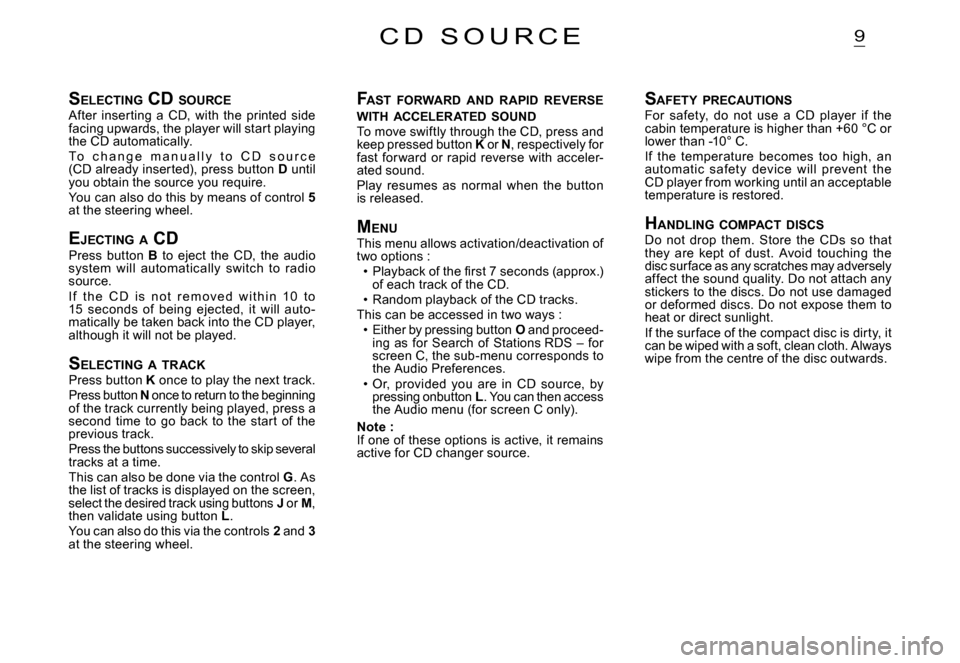
SELECTING CD SOURCEAfter inserting a CD, with the printed side facing upwards, the player will start playing the CD automatically.To c h a n g e m a n u a l l y t o C D s o u r c e (CD already inserted), press button D until you obtain the source you require.You can also do this by means of control 5at the steering wheel.
EJECTING A CDPress button B to eject the CD, the audio system will automatically switch to radio source.I f t h e C D i s n o t r e m o v e d w i t h i n 10 t o 15 seconds of being ejected, it will auto -matically be taken back into the CD player, although it will not be played.
S ELECTING A TRACKPress button K once to play the next track.Press button N once to return to the beginning of the track currently being played, press a second time to go back to the start of the previous track.Press the buttons successively to skip several tracks at a time.This can also be done via the control G. As the list of tracks is displayed on the screen, select the desired track using buttons J or M, then validate using button L.You can also do this via the controls 2 and 3at the steering wheel.
C D S O U R C E
F AST FORWARD AND RAPID REVERSE WITH ACCELERATED SOUNDTo move swiftly through the CD, press and keep pressed button K or KN, respectively for fast for ward or rapid reverse with acceler-ated sound.Play resumes as normal when the button is released.
M ENUThis menu allows activation/deactivation of two options :Playback of the fi rst 7 seconds (approx.) of each track of the CD.Random playback of the CD tracks.This can be accessed in two ways :Either by pressing button O and proceed-ing as for Search of Stations RDS – for screen C, the sub-menu corresponds to the Audio Preferences.Or, provided you are in CD source, by pressing onbutton L. You can then access the Audio menu (for screen C only).
Note :If one of these options is active, it remains active for CD changer source.
Page 131 of 184
11B L U E T O O T H
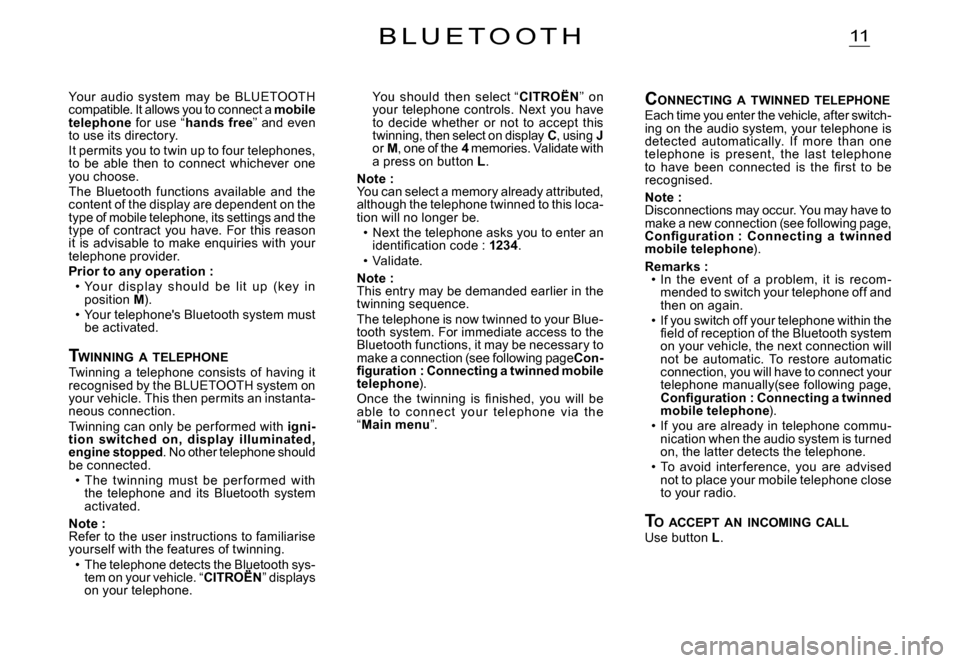
You should then select “CITROËN” on your telephone controls. Next you have to decide whether or not to accept this twinning, then select on display C, using Jor M, one of the 4 memories. Validate with a press on button L.
Note : You can select a memory already attributed, although the telephone twinned to this loca-tion will no longer be.Next the telephone asks you to enter an identifi cation code : 1234.Validate.
Note : This entry may be demanded earlier in the twinning sequence.The telephone is now twinned to your Blue-tooth system. For immediate access to the Bluetooth functions, it may be necessary to make a connection (see following pageCon-fi guration : Connecting a twinned mobile telephone).Once the twinning is fi nished, you will be able to c onnec t your telephone v ia t he “Main menu”.
Page 132 of 184
12
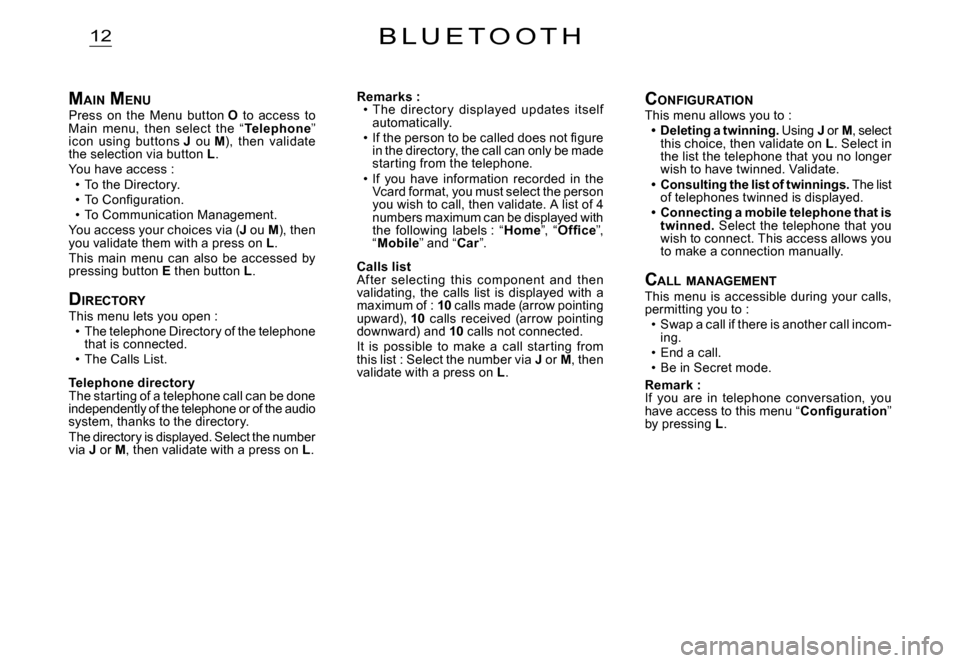
MAIN MENUPress on the Menu button O to access to Main menu, then select the “Telephone” icon using buttons J ou M), then validate the selection via button L.You have access :To the Directory.To Confi guration.To Communication Management.You access your choices via (J ou M), then you validate them with a press on L.This main menu can also be accessed by pressing button E then button L.
DIRECTORYThis menu lets you open :The telephone Directory of the telephone that is connected.The Calls List.
Telephone director yThe starting of a telephone call can be done independently of the telephone or of the audio system, thanks to the directory.The directory is displayed. Select the number via J or M, then validate with a press on L.
Page 135 of 184
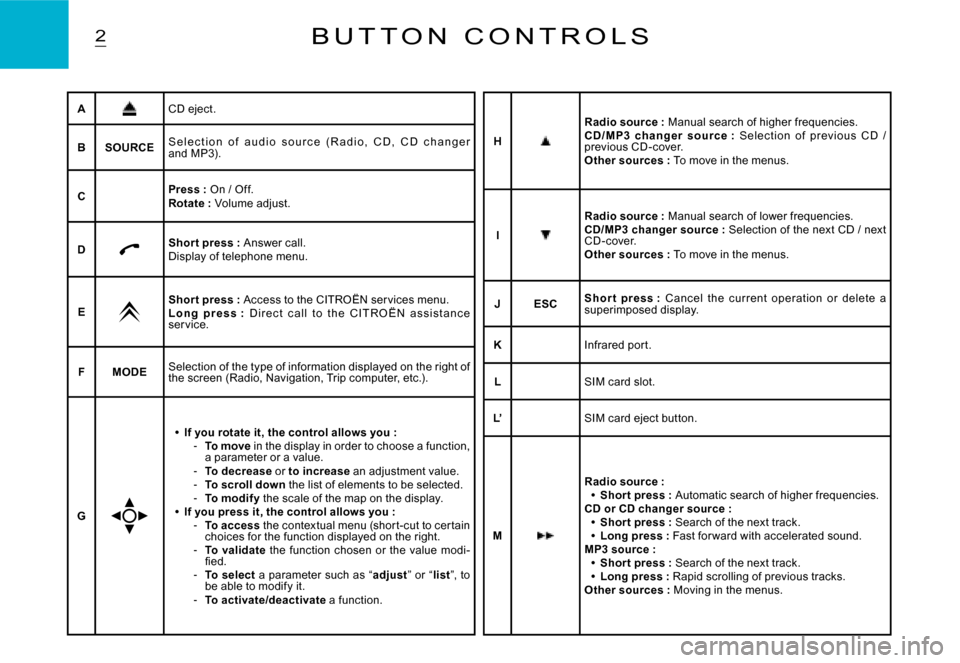
2B U T T O N C O N T R O L S
ACD eject.
BSOURCES e l e c t i o n o f a u d i o s o u r c e ( R a d i o , C D , C D c h a n g e r and MP3).
CPress : On / Off.Rotate : Volume adjust.
DShor t press : Answer call.Display of telephone menu.
EShor t press : Access to the CITROËN ser vices menu.L o n g p r e s s : D i r e c t c a l l t o t h e C I T R O Ë N a s s i s t a n c e ser vice.
FMODESelection of the type of information displayed on the right of the screen (Radio, Navigation, Trip computer, etc.) .
G
If you rotate it, the control allows you :To move in the display in order to choose a function, a parameter or a value.To decrease or to increase an adjustment value.To scroll down the list of elements to be selected.To modif y the scale of the map on the display.If you press it, the control allows you :To access the contextual menu (shor t-cut to cer tain choices for the function displayed on the right.To validate the function chosen or the value modi-fi ed.To select a parameter such as “adjust” or “list”, to be able to modify it.To activate/deactivate a function.
Page 140 of 184
6M A I N M E N U
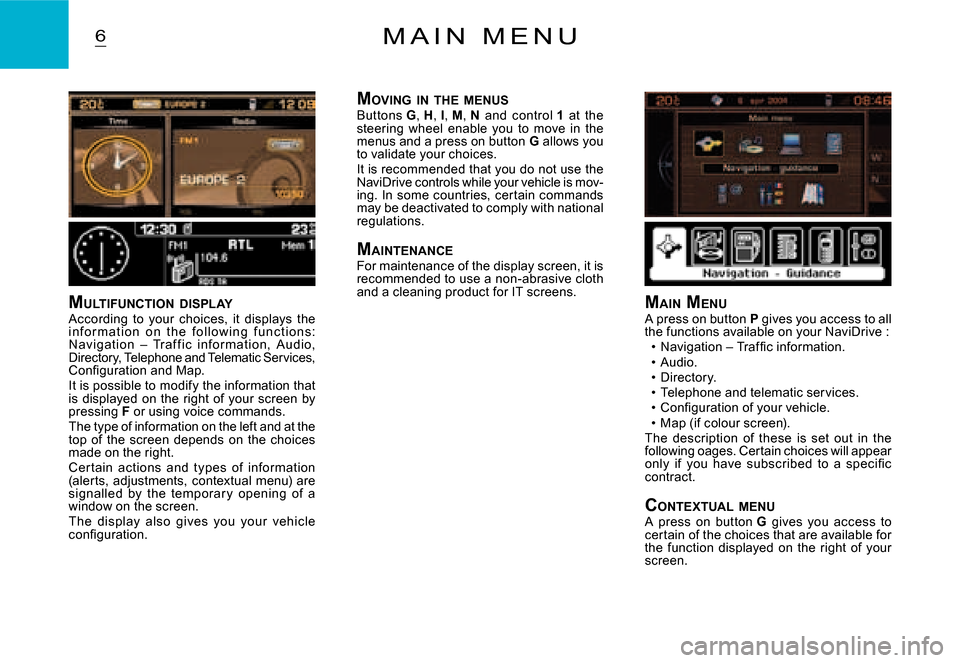
MULTIFUNCTION DISPLAYAccording to your choices, it displays the i n f o r m at i o n o n t h e f o l l o w i n g f u n c t i o n s: Navigation – Traf f ic infor mation, Audio, Directory, Telephone and Telematic Services, Confi guration and Map.It is possible to modify the information that is displayed on the right of your screen by pressing F or using voice commands.The type of information on the left and at the top of the screen depends on the choices made on the right.Cer tain actions and types of information (alerts, adjustments, contextual menu) are signalled by the temporar y opening of a window on the screen.The display also gives you your vehicle confi guration.
M AIN MENUA press on button P gives you access to all the functions available on your NaviDrive :Navigation – Traffi c information.Audio.Directory.Telephone and telematic services.Confi guration of your vehicle.Map (if colour screen).The description of these is set out in the following oages. Certain choices will appear only if you have subscribed to a specifi c contract.
CONTEXTUAL MENUA press on button G gives you access to certain of the choices that are available for the function displayed on the right of your screen.