com Citroen C3 2012 2.G Owners Manual
[x] Cancel search | Manufacturer: CITROEN, Model Year: 2012, Model line: C3, Model: Citroen C3 2012 2.GPages: 252, PDF Size: 8.11 MB
Page 114 of 252

9
11 2
DRIVING
ELECTRONIC GEARBOX
Five or six-speed electronically con-
trolled gearbox which offers a choice
between the comfort of automated op-
eration or the pleasure of manual gear
changing.
Two driving modes are offered:
- automated
mode for automatic
control of the gears by the gearbox,
without any action by the driver,
- manual
mode for the sequential
changing of the gears by the driver,
using the gear lever or the steering
mounted control paddles,
In automated mode, you can temporar-
ily take control of gear changes at any
time, using the steering mounted control
paddles.
R.
Reverse
)
With your foot on the brake, move
the lever forwards to select this po-
sition.
N.
Neutral.
)
With your foot on the brake, select
this position to start the engine.
A.
Automated mode.
)
Move the lever backwards to select
this mode.
M +/-.
Manual mode with sequential
gear changing.
)
Move the lever backwards, then to
the left to select this mode, then:
- push forwards to change up a gear,
- or push backwards to change down
a gear.
Gear lever
+.
Paddle to the right of the steering
wheel for changing up.
)
Press the back of the steering
mounted "+"
paddle to change up a
gear.
-.
Paddle to the left of the steering
wheel for changing down.
)
Press the back of the steering
mounted "-"
paddle to change down
a gear.
Steering mounted controls
The steering mounted paddles
do not allow neutral to be select-
ed, reverse gear to be engaged
or disengaged, or the driving
mode to be changed.
Page 115 of 252

9
113
DRIVING
Display in the instrument panel
Gear lever positions
N.
Neutral
R.
Reverse
1 2 3 4 5/6.
Gears in manual mode.
AUTO.
This comes on when automated
mode is selected. It goes off when
changing to manual mode.
Moving off
)
Select position N
.
)
Press the brake pedal fully.
)
Start the engine.
N
appears in the instrument
panel.
N
fl ashes in the instrument panel
screen if the gear lever is not in
position N
when starting.
)
Select automated mode (position A
),
manual mode (position M
) or reverse
(position R
).
AUTO
and 1
, 1
or R
appear in
the instrument panel.
)
Place your foot on the
brake
when this warning
lamp fl ashes (e.g.: starting
the engine).
You must keep your foot on the
brake pedal while starting the
engine. Vehicles fi tted with the 6-speed
electronic gearbox system then
move off on their own (refer to
the paragraph "Creep function").
Creep function
(6-speed electronic gearbox system)
This function allows the vehicle to be
manoeuvered more easily at low speeds (when parking, in traffi c jams...).
With the gear lever in position A
, M
or
R
, the vehicle moves as soon as you
take your foot off the brake pedal
, at
low speed and with the engine at idle.
Do not leave children unsuper-
vised inside the vehicle when
the engine is running.
)
Release the parking brake.
)
Progressively take your foot off the
brake pedal.
Do not press the brake and
clutch pedals simultaneously.
This can cause rapid clutch
wear.
)
Accelerate away. The creep function may be tem-
porarily unavailable if the clutch
temperature is too high or the
slope too steep.
Page 117 of 252
9
115
DRIVING
Reverse
To engage reverse, the vehicle must
be immobilised with your foot on the
brake.
)
Select position R
.
Stopping the vehicle
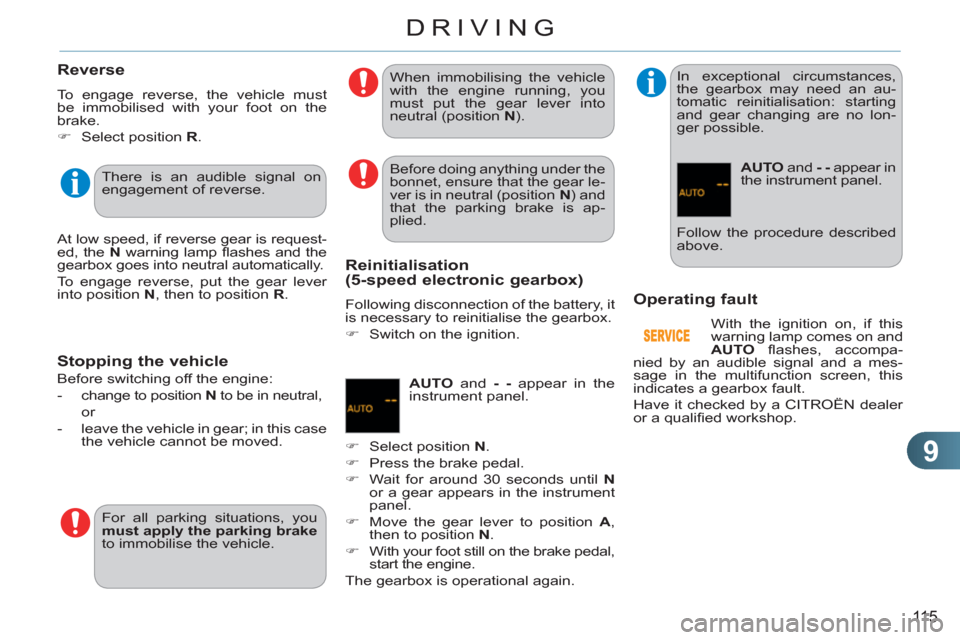
Operatin
g fault
With the ignition on, if this
warning lamp comes on and
AUTO
fl ashes, accompa-
nied by an audible signal and a mes-
sage in the multifunction screen, this
indicates a gearbox fault.
Have it checked by a CITROËN dealer
or a qualifi ed workshop. There is an audible signal on
engagement of reverse.
At low speed, if reverse gear is request-
ed, the N
warning lamp fl ashes and the
gearbox goes into neutral automatically.
To engage reverse, put the gear lever
into position N
, then to position R
. Before doing anything under the
bonnet, ensure that the gear le-
ver is in neutral (position N
) and
that the parking brake is ap-
plied.
For all parking situations, you
must apply the parking brake
to immobilise the vehicle. When immobilising the vehicle
with the engine running, you
must put the gear lever into
neutral (position N
).
Before switching off the engine:
- change to position N
to be in neutral,
or
- leave the vehicle in gear; in this case
the vehicle cannot be moved.
Reinitialisation(5-speed electronic gearbox)
Following disconnection of the battery, it
is necessary to reinitialise the gearbox.
)
Switch on the ignition.
AUTO
and - -
appear in the
instrument panel.
)
Select position N
.
)
Press the brake pedal.
)
Wait for around 30 seconds until N
or a gear appears in the instrument
panel.
)
Move the gear lever to position A
,
then to position N
.
)
With your foot still on the brake pedal,
start the engine.
The gearbox is operational again.
In exceptional circumstances,
the gearbox may need an au-
tomatic reinitialisation: starting
and gear changing are no lon-
ger possible.
AUTO
and - -
appear in
the instrument panel.
Follow the procedure described
above.
Page 118 of 252

9
116
DRIVING
AUTOMATIC GEARBOX
Four-speed automatic gearbox which
offers a choice between the comfort of
fully automatic operation, enhanced by
sport and snow programmes, or manual
gear changing.
Therefore, four driving modes are of-
fered:
- automatic
operation for electronic
management of the gears by the
gearbox,
- sport
programme for a more dy-
namic style of driving,
- snow
programme to improve driv-
ing when traction is poor,
- manual
operation for sequential
changing of the gears by the driver.
1.
Gear lever.
2.
Button "S"
(sport)
.
3.
Button "
7
"
(snow).
Gear selection gate
P.
Park.
- Immobilisation of the vehicle, park-
ing brake on or off.
- Starting the engine.
R.
Reverse.
- Reversing manoeuvres, vehicle sta-
tionary, engine at idle.
N.
Neutral.
- Immobilisation of the vehicle, park-
ing brake on.
- Starting the engine.
D.
Automatic operation.
M +/-.
Manual operation with sequential
changing of the four gears.
)
Push forwards to change up through
the gears.
or
)
Pull backwards to change down
through the gears.
Gear lever
When you move the lever in the gate
to select a position, the corresponding
indicator is displayed in the instrument
panel.
P.
Park
R.
Reverse
N.
Neutral
D.
Drive (Automatic driving)
S.
Sport
programme
7
.
Snow
programme
1 2 3 4
.
Gears engaged during manual
operation
-.
Invalid value during manual operation
Displays in the instrument panel
Foot on brake
)
Press the brake pedal when
this indicator lamp is displayed
in the instrument panel (e.g.:
starting the engine).
Page 119 of 252

9
11 7
DRIVING
Moving off
)
Apply the parking brake.
)
Select position P
or N
.
)
Start the engine.
If this procedure is not followed, an au-
dible signal is heard, accompanied by a
message in the multifunction screen.
)
With the engine running, press the
brake pedal.
)
Release the parking brake.
)
Select position R
, D
or M
.
)
Gradually release the brake pedal.
The vehicle moves off immediately.
Automatic operation
)
Select position D
for automatic
changing of the four gears.
The gearbox then operates in auto-
adaptive mode, without any intervention
on the part of the driver. It continuously
selects the most suitable gear accord-
ing to the style of driving, the profi le of
the road and the load in the vehicle.
For maximum acceleration without
touching the lever, press the accelera-
tor pedal down fully (kick down). The
gearbox changes down automatically
or maintains the gear selected until the
maximum engine speed is reached.
On braking, the gearbox changes down
automatically to provide effi cient engine
braking.
If you release the accelerator sharply,
the gearbox will not change to a higher
gear for safety reasons.
Sport and snow programmes
These two special programmes supple-
ment the automatic operation in very
specifi c conditions of use.
Sport programme "S"
)
Press button "S"
, after starting the
engine.
The gearbox automatically favours a
dynamic style of driving.
Snow programme " 7
"
)
Press button " 7
", after starting the
engine.
The gearbox adapts to driving on slip-
pery roads.
This programme improves starting and
drive when traction is poor.
Return to automatic operation
)
At any time, press the button select-
ed again to quit the programme en-
gaged and return to auto-adaptive
mode.
If position N
is engaged inadver-
tently while driving, allow the en-
gine to return to idle then engage
position D
to accelerate.
Never select position N
while the
vehicle is moving.
Never select positions P
or R
unless the vehicle is completely
stationary. When the engine is running at
idle, with the brakes released,
if position R
, D
or M
is selected,
the vehicle moves even without
the accelerator being pressed.
When the engine is running,
never leave children in the ve-
hicle without supervision.
When carrying out maintenance
with the engine running, apply
the parking brake and select
position P
.
S
appears on the instrument
panel.
7
appears on the instrument
panel.
Page 120 of 252
9
118
DRIVING
Manual operation
)
Select position M
for sequential
changing of the four gears.
)
Push the lever towards the +
sign to
change up a gear.
)
Pull the lever towards the -
sign to
change down a gear.
It is only possible to change from one
gear to another if the vehicle speed and
engine speed permit; otherwise, the
gearbox will operate temporarily in au-
tomatic mode.
D
disappears and the gears
engaged appear in succes-
sion on the instrument panel.
If the engine speed is too low
or too high, the gear selected
fl ashes for a few seconds, then the ac-
tual gear engaged is displayed.
It is possible to change from position D
(automatic) to position M
(manual) at
any time.
When the vehicle is stationary or moving
very slowly, the gearbox selects gear M1
automatically.
The sport and snow programmes do not
operate in manual mode.
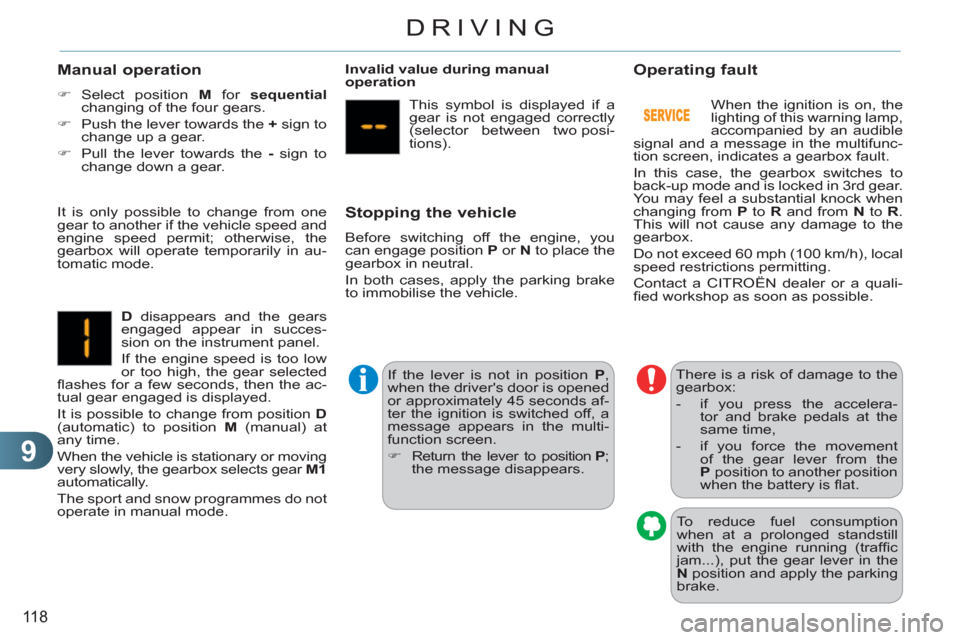
Invalid value during manual
operation
This symbol is displayed if a
gear is not engaged correctly
(selector between two posi-
tions).
Stopping the vehicle
Before switching off the engine, you
can engage position P
or N
to place the
gearbox in neutral.
In both cases, apply the parking brake
to immobilise the vehicle.
If the lever is not in position P
,
when the driver's door is opened
or approximately 45 seconds af-
ter the ignition is switched off, a
message appears in the multi-
function screen.
)
Return the lever to position P
;
the message disappears.
There is a risk of damage to the
gearbox:
- if you press the accelera-
tor and brake pedals at the
same time,
- if you force the movement
of the gear lever from the
P
position to another position
when the battery is fl at.
Operating fault
When the ignition is on, the
lighting of this warning lamp,
accompanied by an audible
signal and a message in the multifunc-
tion screen, indicates a gearbox fault.
In this case, the gearbox switches to
back-up mode and is locked in 3rd gear.
You may feel a substantial knock when
changing from P
to R
and from N
to R
.
This will not cause any damage to the
gearbox.
Do not exceed 60 mph (100 km/h), local
speed restrictions permitting.
Contact a CITROËN dealer or a quali-
fi ed workshop as soon as possible.
To reduce fuel consumption
when at a prolonged standstill
with the engine running (traffi c
jam...), put the gear lever in the
N
position and apply the parking
brake.
Page 121 of 252
9
119
DRIVING
The Stop & Start system puts the engine
temporarily into standby - STOP mode -
during stops in the traffi c (red lights,
traffi c jams, or other...). The engine
restarts automatically - START mode -
as soon as you want to move off. The
restart takes place instantly, quickly and
silently.
Perfect for urban use, the Stop & Start
system reduces fuel consumption and
exhaust emissions as well as the noise
level when stationary.
Operation
- with a manual gearbox
, at speeds
below 12 mph (20 km/h), when you
put the gear lever into neutral, and
you release the clutch pedal.
- with a 5 or 6-speed electronic
gearbox
, at speeds below 5 mph
(8 km/h), when you press the brake
pedal or put the gear lever in posi-
tion
N
.
Going into engine STOP mode
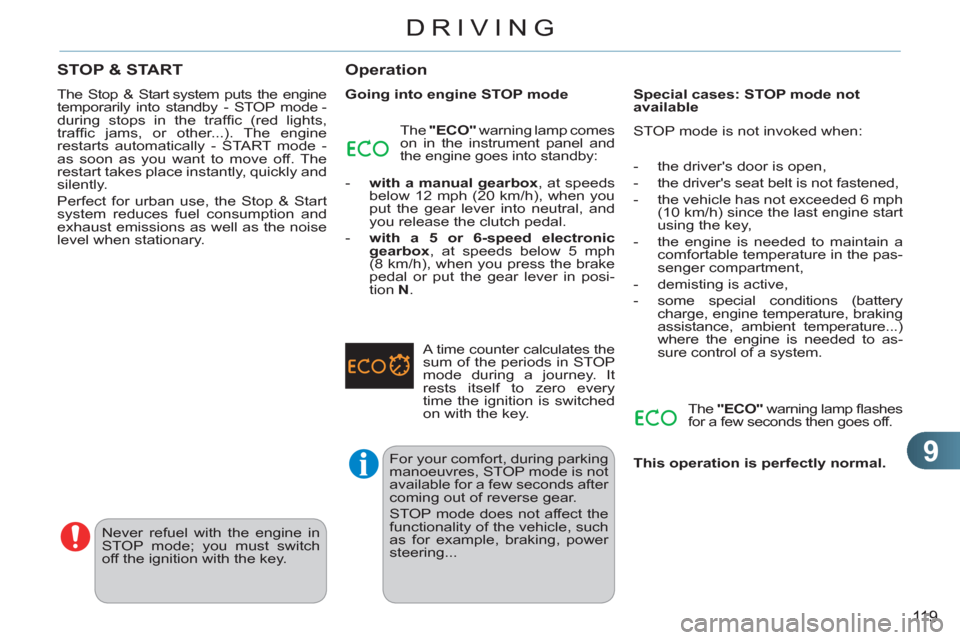
The "ECO"
warning lamp comes
on in the instrument panel and
the engine goes into standby:
For your comfort, during parking
manoeuvres, STOP mode is not
available for a few seconds after
coming out of reverse gear.
STOP mode does not affect the
functionality of the vehicle, such
as for example, braking, power
steering...
Never refuel with the engine in
STOP mode; you must switch
off the ignition with the key.
A time counter calculates the sum of the periods in STOP
mode during a journey. It
rests itself to zero every
time the ignition is switched
on with the key.
Special cases: STOP mode not
available
STOP mode is not invoked when:
- the driver's door is open,
- the driver's seat belt is not fastened,
- the vehicle has not exceeded 6 mph
(10 km/h) since the last engine start
using the key,
- the engine is needed to maintain a
comfortable temperature in the pas-
senger compartment,
- demisting is active,
- some special conditions (battery
charge, engine temperature, braking
assistance, ambient temperature...)
where the engine is needed to as-
sure control of a system.
The "ECO"
warning lamp fl ashes
for a few seconds then goes off.
This operation is perfectly normal.
STOP & START
Page 122 of 252
9
120
DRIVING
Going into engine START mode
The "ECO"
warning lamp goes
off and the engine starts:
- with a manual gearbox
, when you
depress the clutch pedal,
- with a 5-speed or 6-speed elec-
tronic gearbox
:
●
gear lever in position A
or M
, when
you release the brake pedal,
●
or gear lever in position N
and the
brake pedal released, when you
move the gear lever to position A
or M
,
●
or when you engage reverse gear.
Special cases: START invoked
automatically
For reasons of safety and for your com-
fort, START mode is invoked automati-
cally when:
- you open the driver's door,
- you unfasten the driver's seat belt,
- the speed of the vehicle exceeds
7 mph (11 km/h) with the electronic
gearbox system,
- some special conditions (battery
charge, engine temperature, brak-
ing assistance, ambient tempera-
ture...) where the engine is needed
for control of a system.
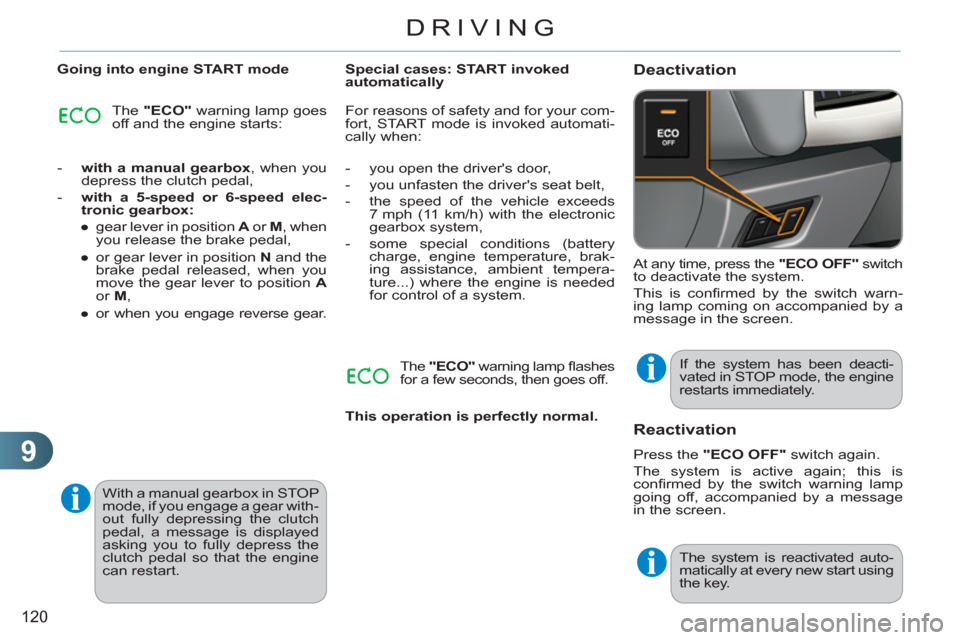
Deactivation
At any time, press the "ECO OFF"
switch
to deactivate the system.
This is confi rmed by the switch warn-
ing lamp coming on accompanied by a
message in the screen.
If the system has been deacti-
vated in STOP mode, the engine
restarts immediately.
Reactivation
Press the "ECO OFF"
switch again.
The system is active again; this is
confi rmed by the switch warning lamp
going off, accompanied by a message
in the screen.
The system is reactivated auto-
matically at every new start using
the key.
The "ECO"
warning lamp fl ashes
for a few seconds, then goes off.
This operation is perfectly normal.
With a manual gearbox in STOP
mode, if you engage a gear with-
out fully depressing the clutch
pedal, a message is displayed
asking you to fully depress the
clutch pedal so that the engine
can restart.
Page 123 of 252
9
121
DRIVING
Operating fault Maintenance
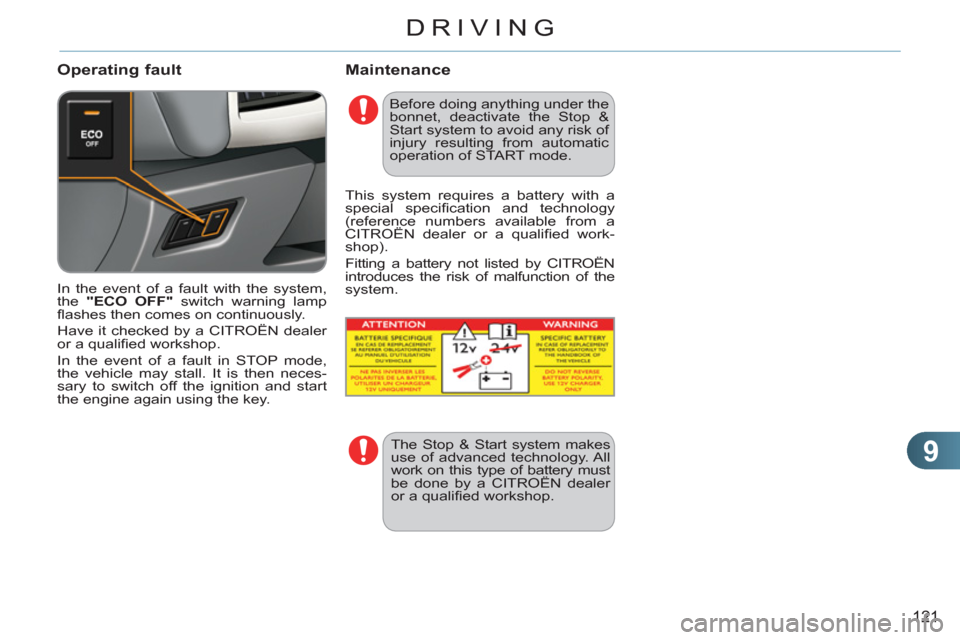
In the event of a fault with the system,
the "ECO OFF"
switch warning lamp
fl ashes then comes on continuously.
Have it checked by a CITROËN dealer
or a qualifi ed workshop.
In the event of a fault in STOP mode,
the vehicle may stall. It is then neces-
sary to switch off the ignition and start
the engine again using the key.
Before doing anything under the
bonnet, deactivate the Stop &
Start system to avoid any risk of
injury resulting from automatic
operation of START mode.
The Stop & Start system makes
use of advanced technology. All
work on this type of battery must
be done by a CITROËN dealer
or a qualifi ed workshop.
This system requires a battery with a
special specifi cation and technology
(reference numbers available from a
CITROËN dealer or a qualifi ed work-
shop).
Fitting a battery not listed by CITROËN
introduces the risk of malfunction of the
system.
Page 124 of 252
9
122
DRIVING
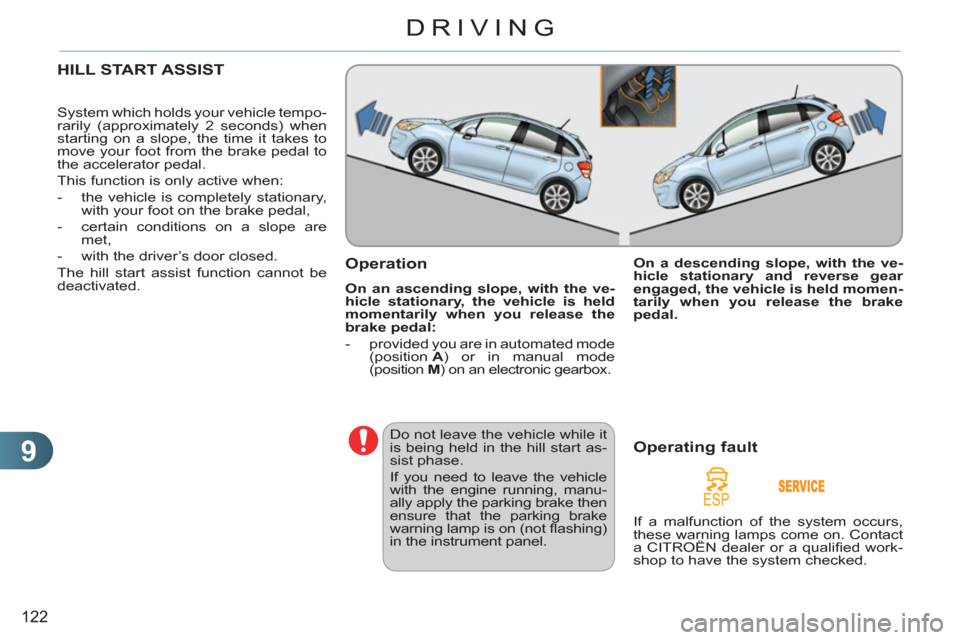
HILL START ASSIST
System which holds your vehicle tempo-
rarily (approximately 2 seconds) when
starting on a slope, the time it takes to
move your foot from the brake pedal to
the accelerator pedal.
This function is only active when:
- the vehicle is completely stationary,
with your foot on the brake pedal,
- certain conditions on a slope are
met,
- with the driver’s door closed.
The hill start assist function cannot be
deactivated.
Operation
On an ascending slope, with the ve-
hicle stationary, the vehicle is held
momentarily when you release the
brake pedal:
- provided you are in automated mode
(position A
) or in manual mode
(position M
) on an electronic gearbox.
Do not leave the vehicle while it
is being held in the hill start as-
sist phase.
If you need to leave the vehicle
with the engine running, manu-
ally apply the parking brake then
ensure that the parking brake
warning lamp is on (not fl ashing)
in the instrument panel.
Operating fault
If a malfunction of the system occurs,
these warning lamps come on. Contact
a CITROËN dealer or a qualifi ed work-
shop to have the system checked.
On a descending slope, with the ve-
hicle stationary and reverse gear
engaged, the vehicle is held momen-
tarily when you release the brake
pedal.