display Citroen C3 2014 2.G User Guide
[x] Cancel search | Manufacturer: CITROEN, Model Year: 2014, Model line: C3, Model: Citroen C3 2014 2.GPages: 284, PDF Size: 9.01 MB
Page 31 of 284

29
C3_en_Chap01_Controle-de-marche_ed01-2014
C3_en_Chap01_Controle-de-marche_ed01-2014
Trip computer, a few definitions
Range
(miles or km)
The distance which can still be
travelled with the fuel remaining
in the tank (related to the
average fuel consumption over
the last few miles (kilometres)
travelled).
Current fuel consumption
(mpg or l/100 km or km/l)
Calculated over the last few seconds.
Average fuel
consumption
(mpg or l/100 km or km/l)
Calculated since the last trip
computer reset.
Average speed
(mph or km/h)
Calculated since the last trip
computer reset.
Distance travelled
(miles or km)
Calculated since the last trip
computer reset.
When the range falls below 20 miles (30 km),
dashes are displayed. After filling with at least
5 litres of fuel, the range is recalculated and is
displayed when it exceeds 60 miles (100 km).
Distance remaining to
destination
(miles or km)
This is the distance remaining to be
travelled to the final destination. It
can be entered by the user.
If the distance is not entered, dashes
are displayed in place of the digits.
Stop & Start time counter
(minutes / seconds or hours /
minutes)
If your vehicle is fitted with Stop &
Start, a time counter calculates the
time spent in ST
oP m
ode during a
j o u r n ey.
It resets to zero every time the
ignition is switched on with the key.
If dashes are displayed continuously
while driving in place of the digits,
contact a CITR
oËn
dealer or a
qualified workshop. This value may vary following a change
in the style of driving or the relief,
resulting in a significant change in the
current fuel consumption. This function is only displayed from
20 mph (30 km/h).
1
Monitoring
Page 32 of 284
30
C3_en_Chap02_Ecrans-multifonction_ed01-2014
Monochrome screen a
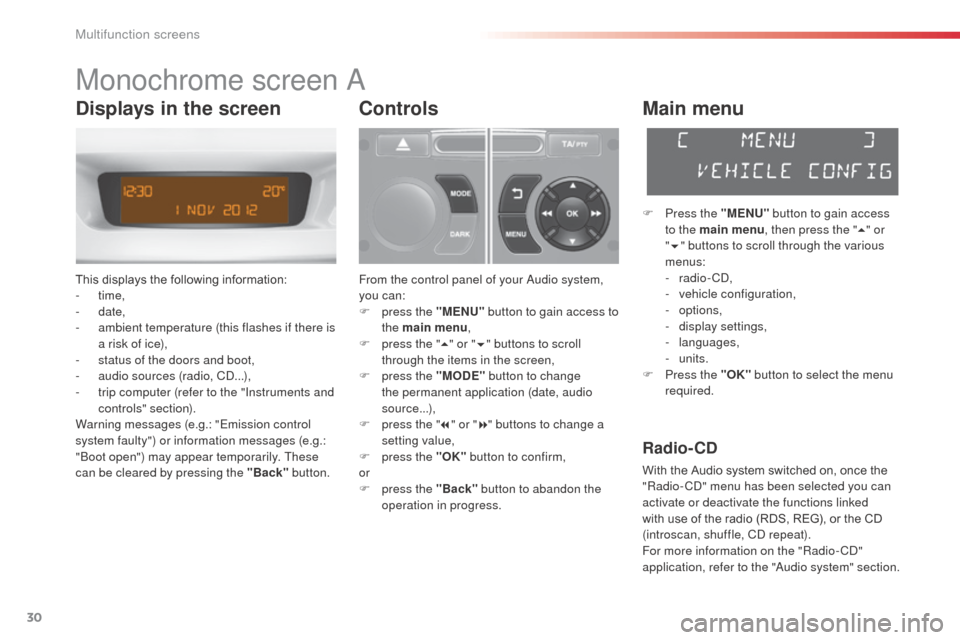
This displays the following information:
- time,
-
date,
-
a
mbient temperature (this flashes if there is
a risk of ice),
-
s
tatus of the doors and boot,
-
a
udio sources (radio, C
d.
..),
-
t
rip computer (refer to the "Instruments and
controls" section).
Warning messages (e.g.: "Emission control
system faulty") or information messages (e.g.:
"
bo
ot open") may appear temporarily. These
can be cleared by pressing the "Back" button.
Controls
From the control panel of your audio system,
you can:
F
p
ress the "MENU" button to gain access to
the main menu ,
F
p
ress the " 5" or " 6" buttons to scroll
through the items in the screen,
F
p
ress the "MODE" button to change
the permanent application (date, audio
source...),
F
p
ress the " 7" or " 8" buttons to change a
setting value,
F
p
ress the "OK" button to confirm,
or
F
p
ress the "Back" button to abandon the
operation in progress.
Main menu
F Press the "MENU" button to gain access
to the main menu , then press the "5" or
" 6 " buttons to scroll through the various
menus:
-
radio - C
d
,
-
v
ehicle configuration,
-
options,
-
d
isplay settings,
-
languages,
-
units.
F
P
ress the "OK" button to select the menu
required.
Radio- CD
With the Audio system switched on, once the
"Radio- Cd" m enu has been selected you can
activate or deactivate the functions linked
with use of the radio (RDS, REG), or the CD
(introscan, shuffle, C
d
repeat).
For more information on the "Radio-C
d"
application, refer to the "
au
dio system" section.
Displays in the screen
Multifunction screens
Page 33 of 284

31
C3_en_Chap02_Ecrans-multifonction_ed01-2014
Vehicle configuration
once the " Vehicle Configuration" menu has
been selected, you can activate or deactivate
the following equipment:
-
w
iper linked with reverse gear (refer to the
"Visibility"),
-
g
uide-me-home lighting (refer to the
"Visibility"),
-
p
arking sensors (refer to the "
dr
iving" section).
Using this menu, you can also reinitialise the
tyre under-inflation detection system (see the
"Safety" section).
Options
once the "op tions" menu has been selected,
you can start diagnostics of the status of the
equipment (active, not active, faulty).
Display settings
once the "di splay settings" menu has been selected,
you can gain access to the following settings:
- year,
- month,
-
d ay,
-
h o u r,
-
minutes,
-
1
2 or 24 hour mode.
F
o
n
ce you have selected a setting, press
the " 7" or " 8" buttons to change its value.
F
P
ress the " 5" or " 6" buttons to switch
respectively to the previous or next setting.
F
P
ress the "OK" button to save the change
and return to the normal display or press
the "Back" button to cancel.
Setting the date and time
F
P ress the MENU button.
F
S
elect "
di
splay settings" using the " 5" or
" 6 " button.
F
Press "OK" to confirm the selection.
F
S
elect the "Year" function using the " 5" or
" 6 " button.
F
Press "OK" to confirm the selection.
F
C
hoose the desired value, using the " 7" or
" 8 " button.
F
Press "OK" to confirm the selection.
F
R
epeat the procedure to set the "Month",
"
da
y", "Hours", and "Minutes".
2
Multifunction screens
Page 34 of 284
32
C3_en_Chap02_Ecrans-multifonction_ed01-2014
Languages
once the "Languages" menu has been
selected, you can change the language used
by the display, by choosing a new language
from the list offered.
Units
once the "Units" menu has been selected,
you can change the units of the following
parameters:
-
t
emperature (°C or °F),
-
f
uel consumption (l/100 km, mpg or km/l). For safety reasons, configuration by the
driver of the multifunction screen must
only be done when stationary.
on
ce the fuel consumption units have
been set to mpg, the information in the
instrument panel screen on speed and
distance will also be in mph and miles.
Multifunction screens
Page 35 of 284
33
C3_en_Chap02_Ecrans-multifonction_ed01-2014
Monochrome screen C
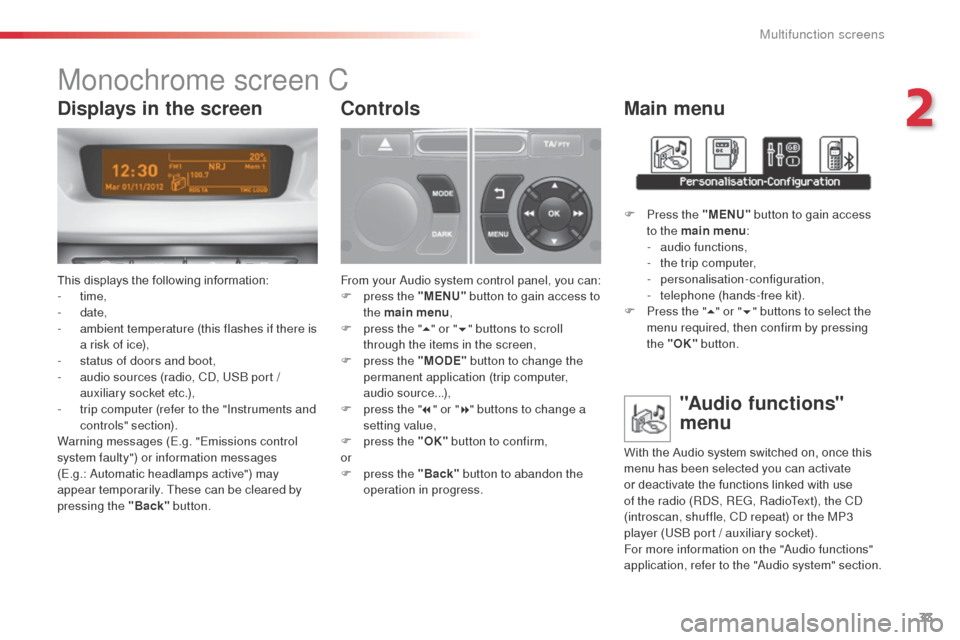
This displays the following information:
- time,
-
date,
-
a
mbient temperature (this flashes if there is
a risk of ice),
-
s
tatus of doors and boot,
-
a
udio sources (radio, C
d, U
S
b
port /
auxiliary socket etc.),
-
t
rip computer (refer to the "Instruments and
controls" section).
Warning messages (E.g. "Emissions control
system faulty") or information messages
(E.g.:
a
u
tomatic headlamps active") may
appear temporarily. These can be cleared by
pressing the "Back" button.
Controls
From your audio system control panel, you can:
F p ress the "MENU" button to gain access to
the main menu ,
F
p
ress the " 5" or " 6" buttons to scroll
through the items in the screen,
F
p
ress the "MODE" button to change the
permanent application (trip computer,
audio source...),
F
p
ress the " 7" or " 8" buttons to change a
setting value,
F
p
ress the "OK" button to confirm,
or
F
p
ress the "Back" button to abandon the
operation in progress.
Main menu
F Press the "MENU" button to gain access
to the main menu :
-
a
udio functions,
-
t
he trip computer,
-
personalisation-configuration,
-
t
elephone (hands-free kit).
F
P
ress the " 5" or " 6" buttons to select the
menu required, then confirm by pressing
the "OK" button.
"Audio functions"
menu
With the Audio system switched on, once this
menu has been selected you can activate
or deactivate the functions linked with use
of the radio (R
dS
, REG, RadioText), the C
d
(introscan, shuffle, C
d
repeat) or the MP3
player (US
b
port / auxiliary socket).
For more information on the "
au
dio functions"
application, refer to the "
au
dio system" section.
Displays in the screen
2
Multifunction screens
Page 36 of 284

34
C3_en_Chap02_Ecrans-multifonction_ed01-2014
"Trip computer" menu
once this menu has been selected, you can
consult information concerning the status of the
vehicle (warnings log, status of functions, etc.)
Alert log
This summarises the active warning messages,
displaying them in succession in the
multifunction screen.F
I n the "Trip computer " menu, select one
of the following applications:
F
P
ress the "MENU"
button to gain access
to the general menu.
F
P
ress the arrows, then the "OK"
button to
select the " Trip computer " menu.
Status of functions
This summarises the status (active or inactive)
of the vehicle's functions.
Enter distance to destination
This allows you to enter an approximate
distance until your final destination.
Multifunction screens
Page 38 of 284
36
C3_en_Chap02_Ecrans-multifonction_ed01-2014
"Telephone" Menu
With audio system on, once this menu is
selected you can configure your bl uetooth
hands-free system (pairing), view the various
telephone directories (list of calls, services...)
and manage your calls (call, hang up, second
call, secret mode...).
For more information on the "Telephone"
function, refer to the "
au
dio system" section.Choice of language
once this menu has been selected, you can
change the language used by the display, by
choosing a new language from the list offered.
For safety reasons, configuration by the
driver of the multifunction screen must
only be done when stationary.
Display configuration
once this menu has been selected, you can
gain access to the following settings:
-
b
rightness-video setting,
-
d
ate and time setting,
-
s
election of units.
on
ce the fuel consumption units have
been changed to mpg, the information
in the screen relating to speed and
distance also changes to mph and miles
respectively.
Setting the date and time
F
Sel
ect the " Set date and time" function
using the " 5" or " 6" button.
F
Press "OK" to confirm the selection.
F
a
d
just the settings one by one using the
" 7 " or " 8" button then confirm with "OK" .
F
T
hen select the "OK" box in the screen
and confirm.
Multifunction screens
Page 39 of 284
37
C3_en_Chap02_Ecrans-multifonction_ed01-2014
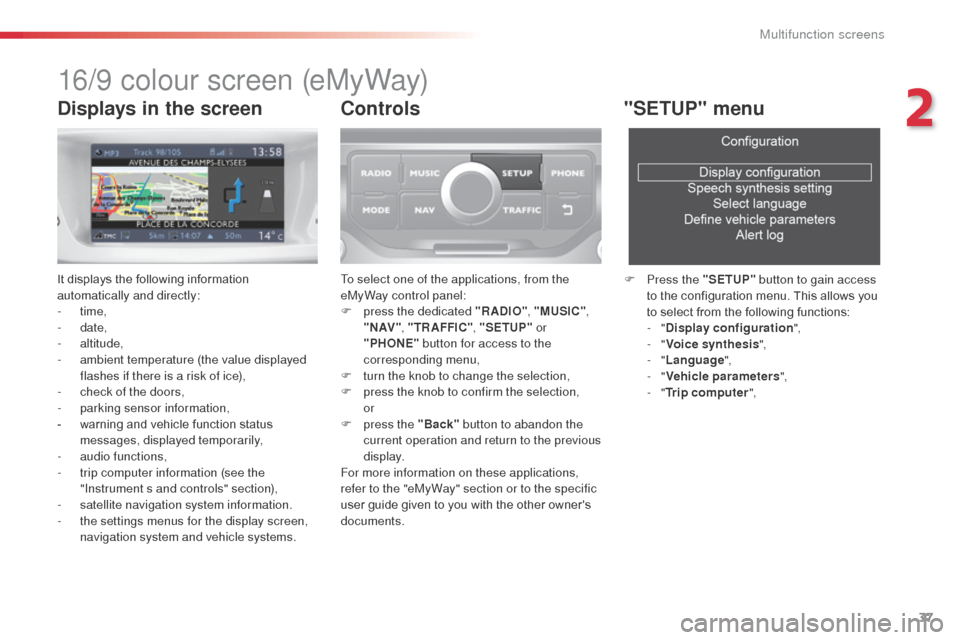
16/9 colour screen (eMyWay)
It displays the following information
automatically and directly:
- time,
-
date,
-
altitude,
-
a
mbient temperature (the value displayed
flashes if there is a risk of ice),
-
c
heck of the doors,
-
par
king sensor information,
-
w
arning and vehicle function status
messages, displayed temporarily,
-
a
udio functions,
-
t
rip computer information (see the
"Instrument s and controls" section),
-
sa
tellite navigation system information.
-
t
he settings menus for the display screen,
navigation system and vehicle systems.
Controls
To select one of the applications, from the
eMyWay control panel:
F
p
ress the dedicated "RADIO" , "MUSIC",
" N AV " , "TR AFFIC" , "SETUP" or
"PHONE" button for access to the
corresponding menu,
F
t
urn the knob to change the selection,
F
p
ress the knob to confirm the selection,
or
F
p
ress the "Back" button to abandon the
current operation and return to the previous
display.
For more information on these applications,
refer to the "eMyWay" section or to the specific
user guide given to you with the other owner's
documents.
"SETUP" menu
F Press the "SETUP" button to gain access
to the configuration menu. This allows you
to select from the following functions:
-
"Display configuration ",
-
"Voice synthesis ",
-
"Language ",
-
"Vehicle parameters ",
-
"Trip computer ",
Displays in the screen
2
Multifunction screens
Page 40 of 284
38
C3_en_Chap02_Ecrans-multifonction_ed01-2014
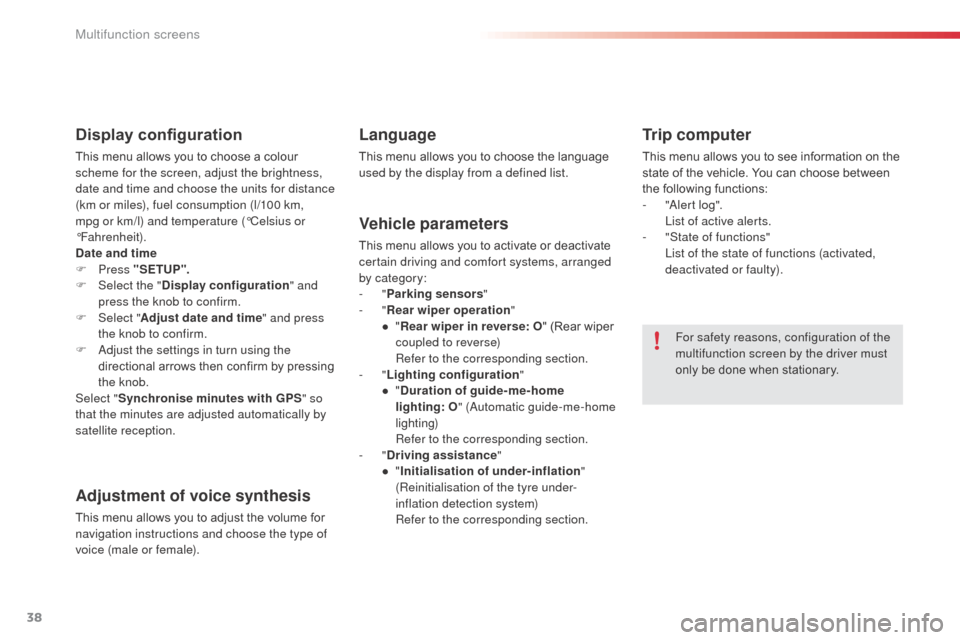
Display configuration
This menu allows you to choose a colour
scheme for the screen, adjust the brightness,
date and time and choose the units for distance
(km or miles), fuel consumption (l/100 km,
mpg or km/l) and temperature (°Celsius or
°Fahrenheit).
Date and time
F Press "SETUP ".
F
Sel
ect the " Display configuration " and
press the knob to confirm.
F
Sel
ect "Adjust date and time " and press
the knob to confirm.
F
a
d
just the settings in turn using the
directional arrows then confirm by pressing
the knob.
Select " Synchronise minutes with GPS " so
that the minutes are adjusted automatically by
satellite reception.
Adjustment of voice synthesis
This menu allows you to adjust the volume for
navigation instructions and choose the type of
voice (male or female).
Language
This menu allows you to choose the language
used by the display from a defined list.
Vehicle parameters
This menu allows you to activate or deactivate
certain driving and comfort systems, arranged
by category:
-
"Parking sensors "
-
"Rear wiper operation "
●
"R
ear wiper in reverse: O " (Rear wiper
coupled to reverse)
R
efer to the corresponding section.
-
"Lighting configuration "
●
"D
uration of guide-me-home
lighting:
O" (
au
tomatic guide-me-home
lighting)
R
efer to the corresponding section.
-
"Driving assistance "
●
"I
nitialisation of under-inflation "
(Reinitialisation of the tyre under-
inflation detection system)
R
efer to the corresponding section.
Trip computer
This menu allows you to see information on the
state of the vehicle. You can choose between
the following functions:
-
"al
ert log".
L
ist of active alerts.
-
"
State of functions"
L
ist of the state of functions (activated,
deactivated or faulty).
For safety reasons, configuration of the
multifunction screen by the driver must
only be done when stationary.
Multifunction screens
Page 46 of 284
44
C3_en_Chap03_Confort_ed01-2014
digital air conditioning
The air conditioning operates when the engine is running, as well as in STOP mode with Stop & Start.
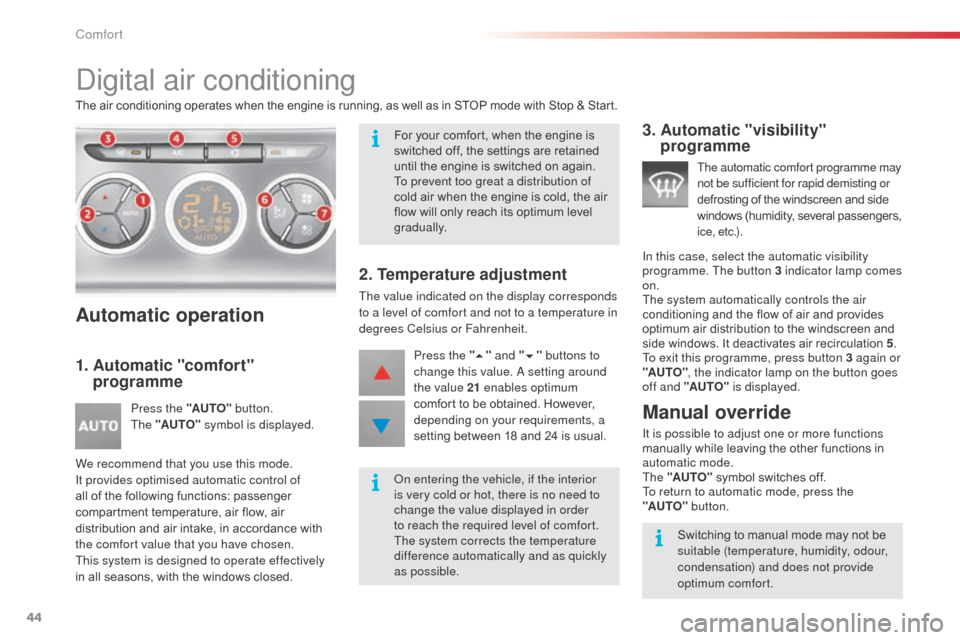
Automatic operation
1. Automatic "comfort" programme
Press the "AUTO" button.
The "AUTO" symbol is displayed.
We recommend that you use this mode.
It provides optimised automatic control of
all of the following functions: passenger
compartment temperature, air flow, air
distribution and air intake, in accordance with
the comfort value that you have chosen.
This system is designed to operate effectively
in all seasons, with the windows closed.
2. Temperature adjustment
The value indicated on the display corresponds
to a level of comfort and not to a temperature in
degrees Celsius or Fahrenheit. Press the " 5" and " 6" buttons to
change this value.
a setting around
the value 21 enables optimum
comfort to be obtained. However,
depending on your requirements, a
setting between 18 and 24 is usual.
3. Automatic "visibility" programme
The automatic comfort programme may
not be sufficient for rapid demisting or
defrosting of the windscreen and side
windows (humidity, several passengers,
i c e , e t c .) .
In this case, select the automatic visibility
programme. The button 3 indicator lamp comes
on.
The system automatically controls the air
conditioning and the flow of air and provides
optimum air distribution to the windscreen and
side windows. It deactivates air recirculation 5 .
To exit this programme, press button 3 again or
"AUTO" , the indicator lamp on the button goes
off and "AUTO" is displayed.
Manual override
It is possible to adjust one or more functions
manually while leaving the other functions in
automatic mode.
The "AUTO" symbol switches off.
To return to automatic mode, press the
"AUTO"
button.
For your comfort, when the engine is
switched off, the settings are retained
until the engine is switched on again.
To prevent too great a distribution of
cold air when the engine is cold, the air
flow will only reach its optimum level
gradually.
on e
ntering the vehicle, if the interior
is very cold or hot, there is no need to
change the value displayed in order
to reach the required level of comfort.
The system corrects the temperature
difference automatically and as quickly
as possible. Switching to manual mode may not be
suitable (temperature, humidity, odour,
condensation) and does not provide
optimum comfort.
Comfort