display Citroen C3 2015 2.G Owner's Manual
[x] Cancel search | Manufacturer: CITROEN, Model Year: 2015, Model line: C3, Model: Citroen C3 2015 2.GPages: 401, PDF Size: 13.04 MB
Page 399 of 401
Safety
106
Under-inflation alert
This is given by fixed illumination of this warning lamp, accompanied by an audible signal and, depending on equipment, the display of a message.
Reduce speed immediately, avoid
excessive steering movements and sudden braking Stop the vehicle as soon as it is safe to do so.
The loss of pressure detected does not always cause visible bulging of the tyre. Do not satisfy yourself with just a visual check. The alert is maintained until the system is reinitialised.
In the event of a puncture, use the temporary puncture repair kit or the spare wheel (depending on equipment), o r if you have a compressor, such as the one in the temporary puncture repair kit, check the pressures of the four tyres when cold, o r if it is not possible to make this check immediately, drive carefully at reduced s p e e d .
Reinitialisation
It is necessary to reinitialise the system every time one or more tyre pressures are adjusted, and after changing one or more wheels.
Before reinitialising the system, ensure
that the pressures of the four tyres are correct for the use of the vehicle and in line with the recommendations on the tyre pressure label. The under-inflation alert can only be relied on if the reinitialisation of the system has been done with the pressures in the four tyres correctly adjusted. The under-inflation detection system does not give a warning if a pressure is incorrect at the time of reinitialisation.
Page 400 of 401
8
Safety107
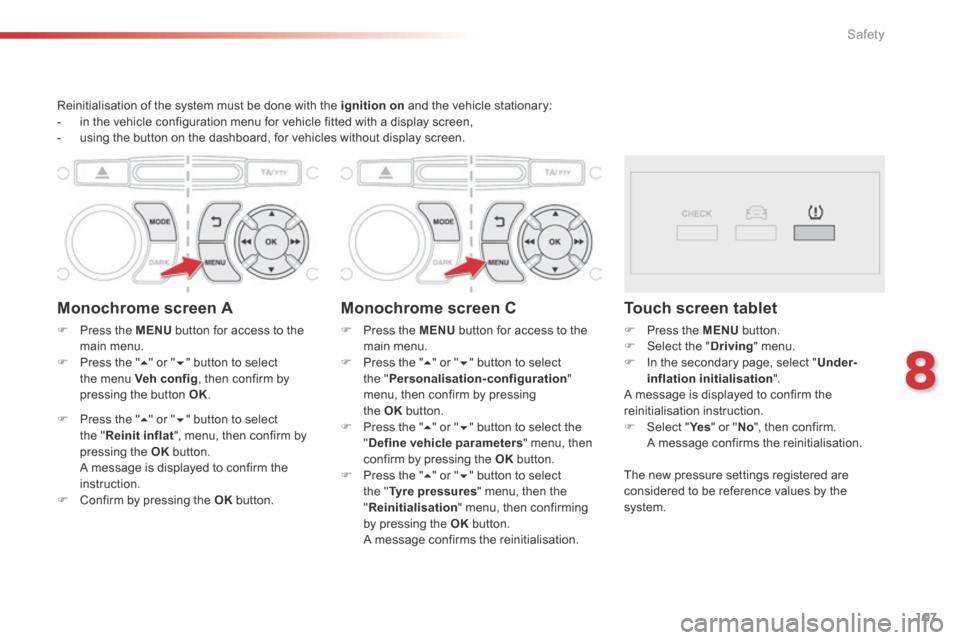
Reinitialisation of the system must be done with the ignition on and the vehicle stationary: - in the vehicle configuration menu for vehicle fitted with a display screen, - using the button on the dashboard, for vehicles without display screen.
Monochrome screen A
Press the MENU button for access to the main menu. Press the " " or " " button to select the menu Veh conf ig , then confirm by pressing the button OK .
Press the " " or " " button to select the " Reinit inflat ", menu, then confirm by pressing the OK b u t t o n . A message is displayed to confirm the instruction. Confirm by pressing the OK b u t t o n .
Monochrome screen C
Press the MENU button for access to the main menu. Press the " " or " " button to select the " Personalisation-configuration " menu, then confirm by pressing
the OK button. Press the " " or " " button to select the " Define vehicle parameters " menu, then confirm by pressing the OK button. Press the " " or " " button to select the " Tyre pressures " menu, then the " Reinitialisation " menu, then confirming by pressing the OK b u t t o n . A message confirms the reinitialisation.
Touch screen tablet
Press the MENU button. Select the " Driving " menu. In the secondary page, select " Under-inflation initialisation " . A message is displayed to confirm the
reinitialisation instruction. Select " Ye s Select " Ye s Select " " or " No ", then confirm. A message confirms the reinitialisation.
The new pressure settings registered are considered to be reference values by the s y s t e m .