mirror Citroen C3 2015 2.G Owner's Guide
[x] Cancel search | Manufacturer: CITROEN, Model Year: 2015, Model line: C3, Model: Citroen C3 2015 2.GPages: 401, PDF Size: 13.04 MB
Page 265 of 401
263
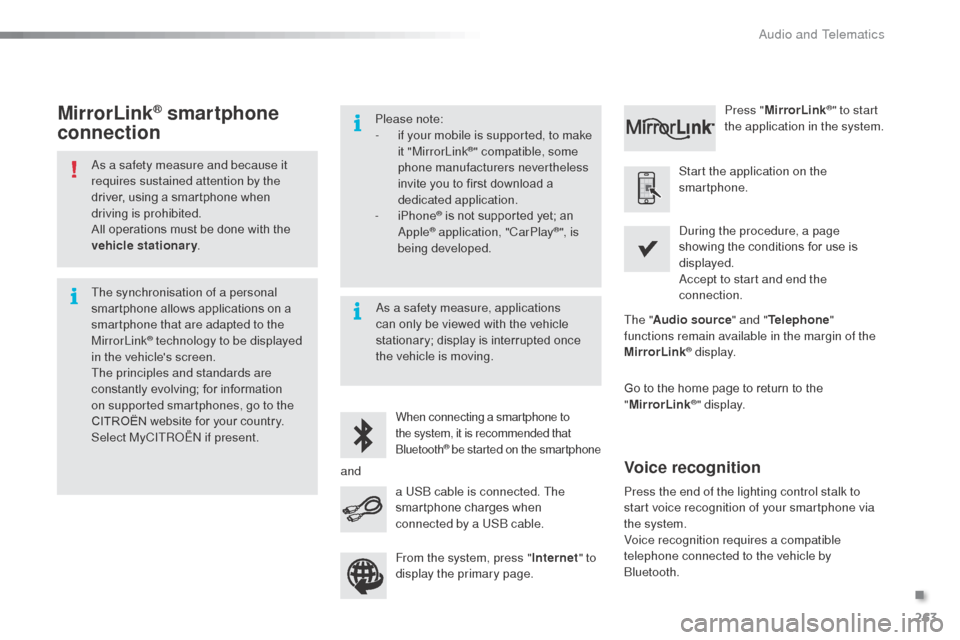
as a safety measure and because it
requires sustained attention by the
driver, using a smartphone when
driving is prohibited.
All operations must be done with the
vehicle stationary.
The synchronisation of a personal
smartphone allows applications on a
smartphone that are adapted to the
MirrorLink
® technology to be displayed
i
n the vehicle's screen.
The principles and standards are
constantly evolving; for information
on supported smartphones, go to the
CITROËN website for your country.
Select MyCITR
oËn if
present. Please note:
-
i
f your mobile is supported, to make
it "MirrorLink
®" compatible, some
phone manufacturers nevertheless
invite you to first download a
dedicated application.
-
iPhone
® is not supported yet; an apple® application, "CarPlay®", is
being developed.
When connecting a smartphone to
the system, it is recommended that
b
luetooth
® be started on the smartphone
Start the application on the
smartphone.
Go to the home page to return to the
" MirrorLink
®" display.
du
ring the procedure, a page
showing the conditions for use is
displayed.
ac
cept to start and end the
connection.
a US
b
cable is connected. The
smartphone charges when
connected by a US
b
cable. Press "
MirrorLink
®" to start
the application in the system.
The " Audio source " and "Telephone "
functions remain available in the margin of the
MirrorLink
® display.
MirrorLink® smartphone
connection
Press the end of the lighting control stalk to
start voice recognition of your smartphone via
the system.
Voice recognition requires a compatible
telephone connected to the vehicle by
b
luetooth.
Voice recognition
as a safety measure, applications
can only be viewed with the vehicle
stationary; display is interrupted once
the vehicle is moving.
and From the system, press " Internet" to
display the primary page.
.
audio and Telematics
Page 300 of 401
298
C3_en_Chap14_Recherche-visuel-Index-Alpha_ed01-2015
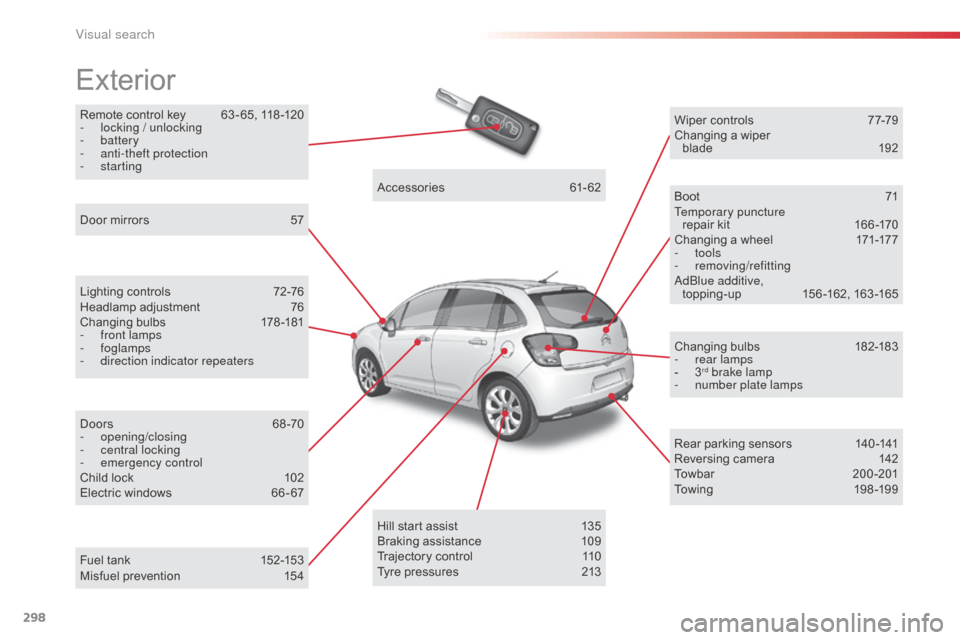
Remote control key 63 - 65, 118 -120
- l ocking / unlocking
-
battery
-
a
nti-theft protection
-
starting
Exterior
Lighting controls 7 2-76
Headlamp adjustment 7 6
Changing bulbs
1
78-181
-
f
ront lamps
-
foglamps
-
d
irection indicator repeaters
Door mirrors
5
7
Doors
6
8 -70
-
opening/closing
-
c
entral locking
-
em
ergency control
Child lock
1
02
Electric windows
6
6 - 67Accessories
6
1-62
Wiper controls
7
7-79
Changing a wiper blade
19
2
Boot
7
1
Temporary puncture repair kit
1
66 -170
Changing a wheel
1
71-177
- tools
-
removing/refittinga
dblu e additive,
topping-up 1 56 -162, 163 -165
Changing bulbs
1
82-183
-
r
ear lamps
-
3rd brake lamp
-
n
umber plate lamps
Rear parking sensors
1
40 -141
Reversing camera
1
42
Towbar
20
0-201
Towing
19
8 -19 9
Hill start assist
1
35
Braking assistance
1
09
Trajectory control
1
10
Tyre pressures
2
13
Fuel tank
1
52-153
Misfuel prevention
1
54
Visual search
Page 302 of 401
300
C3_en_Chap14_Recherche-visuel-Index-Alpha_ed01-2015
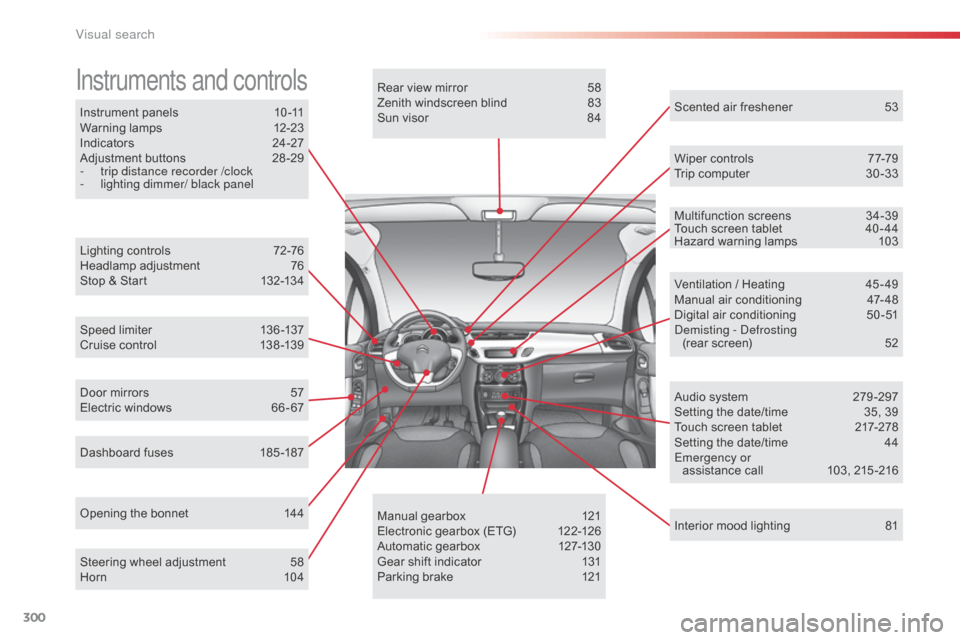
Instrument panels 10 -11
Warning lamps 1 2-23
Indicators
2
4-27
Adjustment buttons
2
8 -29
-
t
rip distance recorder /clock
-
l
ighting dimmer/ black panel
Instruments and controls
Lighting controls 7 2-76
Headlamp adjustment 7 6
Stop & Start
1
32-134
Speed limiter
1
36 -137
Cruise control
1
38 -139
Dashboard fuses
1
85 -187
Opening the bonnet
1
44Rear view mirror
5
8
Zenith windscreen blind
8
3
Sun visor
8
4
Wiper controls
7
7-79
Trip computer
3
0 -33
Audio system
2
79 -297
Setting the date/time
3
5, 39
Touch screen tablet
2
17-278
Setting the date/time
4
4
Emergency or assistance call
1
03, 215 -216
Ventilation / Heating
4
5 - 49
Manual air conditioning
4
7- 48
Digital air conditioning
5
0-51
dem
isting - d
e
frosting
(rear screen)
5
2
Interior mood lighting
8
1
Steering wheel adjustment
5
8
Horn
10
4 Scented air freshener
5
3
Manual gearbox
1
21
Electronic gearbox (ETG)
1
22-126
Automatic gearbox
1
27-130
Gear shift indicator
1
31
Parking brake
1
21
Door mirrors
5
7
Electric windows
6
6 - 67 Multifunction screens
3
4-39
Touch screen tablet
4
0 - 44
Hazard warning lamps 1 03
Visual search
Page 306 of 401
304
C3_en_Chap14_Recherche-visuel-Index-Alpha_ed01-2015
Labels, identification .....................................2 13
Lamps, front .................................................. 178
Lamps, rear
................................................... 182
Lamps, warning and indicator
...................12-23
LE
d da
ytime running lamps
...........................76
Level,
a d
blu
e
® additive ................................. 15 6
Level, brake fluid ........................................... 14
8
Levels and checks
................................. 145 -149
Lighting bulbs (replacement)
.................17
8 -18 4
Lighting control stalk
....................................... 72
Lighting dimmer
..............................
................29
Lighting, guide-me home
.......................... 74, 75
Lighting, interior
................................ 80, 81, 184
Loading
............................................................. 8
Load reduction mode
.................................... 19 6
Localised
a
s
sistance Call
............................. 2
15
Locating your vehicle
...................................... 64
L
ocking from the inside
................................... 69
L
ow fuel level
................................................ 152
LPG
.......
........................................................ 206
Jack
........
....................................................... 171
Jack cable
............................................. 246, 285
JACK socket
.................................... 85, 246, 285
Jukebox
......................................................... 249
ke
eping children safe
...................... 8
9 -102, 114
Key in ignition warning
.................................. 120
Key with remote control
..................... 63 - 65, 118
LI
J
K
M
Main beam .............................................. 72, 180
Maintenance ....................................... 8, 147-151
Markings, identification
.................................213
Mat
.................................................................. 86
Menu
........................... 222, 224, 228, 236, 238,
240, 250, 252, 254, 264, 266
Menu, main
................................................... 282
Menus (audio)
............................... 236, 238, 240Menus (Touch screen tablet)
.................
217, 221
Mirrorlink connection
....................................
263
Mirror, rear view ..............................................
58
Mirrors, door .................................................... 57
Misfuel prevention
...............................
..........
15 4
Mountings for IS
oF
IX seats
...................
98, 100
MP3 CD .........................................................
286
N
O
navigation .............................................. 222-235nu
mber plate lamps ...................................... 18
2
oi
l change
..................................................... 147
oi
l consumption
............................................ 147
oil
filter
...............
........................................... 150
oi
l level ..................................................... 27, 147
op
ening the bonnet
...................................... 14
4
op
ening the boot
..............................
........63, 71
op
ening the doors
...............................
.....63, 68
op
ening the fuel filler flap
.............................15
2
op
eration indicator lamps
.........................12-23
Indicators, direction
......................................
103
Inflating accessories (using the kit)
..............
169
Inflating tyres
............................................
8, 212
Installing speakers
..........................................
59
Instrument panel lighting
................................ 29
In
strument panels
.....................................
10, 11
Instrument panel screen
.................... 1
0, 11, 131
Interior fittings
............................................
82- 86
Interior lamp
............................................
80, 184
Interior mood lighting
......................................
81
Internet
..................................................
258, 259
Internet browser
....................................
258, 259
ISoFI
X
.....................................................
9 8 -10 0
ISoF
IX mountings ................................... 98, 100
alphabetical index
Page 308 of 401
306
C3_en_Chap14_Recherche-visuel-Index-Alpha_ed01-2015
V
W
Vanity mirror ....................................................84
V ehicle configuration
.............34, 37, 42, 257, 290, 291
Ventilation
..............................
..............45 - 47, 51
Warning lamps
........................................... 12-23
Warning lamp, SCR emissions control system
........................................................... 23
Wash-wipe, rear
.............................................. 78
Weights
......................................... 204, 207, 210
Wi-Fi network connection
.............................26
0
Window controls
............................................. 66
Wiper control stalk
..................................... 7 7-79
Wiper, rear ....................................................... 78
Wipers
....................................................... 77, 79Zenith windscreen
...........................................
83
ZTU
Table of weights ............................2 04, 207, 210
Tables of engines ..........................202, 206, 208
Tables of fuses
.............................................. 185
Tank,
a d
blu
e
® additive ......................... 1 56, 163
Ta n k , f u e l
............................................... 152, 15 4
Technical data
........................................ 202-213
Telephone
............................................. 264, 288
Temperature adjustment
........................... 4
7, 50
Temperature control for heated seats
............55
Temporary tyre repair kit ...............................166
Third brake lamp
........................................... 183
Three flashes function (direction indicators)
................................... 103
Time
................................................................ 10
TMC (Traffic info)
.......................................... 23
4
To o l s
.............................................................. 171
Total distance recorder
................................... 28
Touch screen tablet
........................................ 40
T
ouch screen tablet (Menus) ....40, 42, 217, 221
To w b a r
........................................................... 200
Towed loads
.................................. 204, 207, 210
Towing another vehicle
................................. 19
9
Traction control (ASR)
...................... 16, 18, 110
Traffic information (TA)
......................... 235, 283
Traffic information (TMC)
.............................. 23
4
Tr a i l e r
............................................................ 200
Trajectory control systems
............................ 11 0
Trip computer
...................................... 30 -33, 38
Trip distance recorder
..................................... 28
Tyre pressures
...................................... 170, 213
Tyre under-inflation detection
....................................... 21, 105, 170Under-inflation (detection)
..............
2
1, 105, 170
Unlocking
..............................
..........................
63
Unlocking from the inside ...............................
69
U pdate risk areas ..........................................23
3
Updating the date
................................35, 39, 44
Updating the time
................................35, 39, 44
URE
a
....................................................15 6, 157
US
b
player ......................................85, 246, 284
alphabetical index
Page 321 of 401
Audio and Telematics
6
Additif-2_en_web_AC-AP_SMEGplus_Services_connectes_ed01-2015
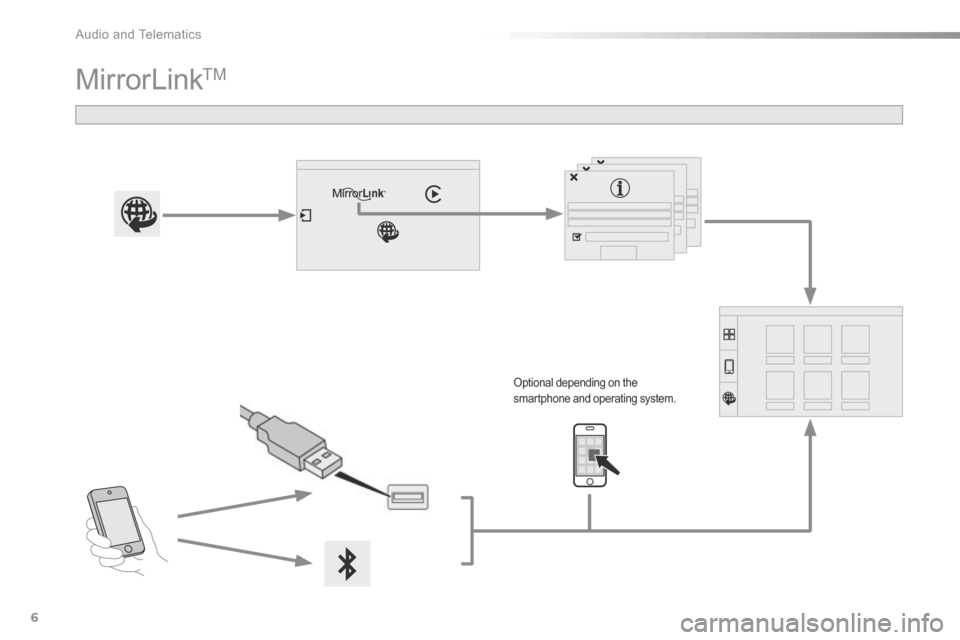
MirrorLink TM
Optional depending on the smartphone and operating system.
Page 322 of 401
.
Audio and Telematics 7
Additif-2_en_web_AC-AP_SMEGplus_Services_connectes_ed01-2015
As a safety measure and because it requires sustained attention by the driver, using a smartphone when driving is prohibited. All operations must be done with the vehicle stationary . vehicle stationary . vehicle stationary
The synchronisation of a smartphone allows applications on a smartphone that are adapted to the MirrorLink TM technology to be displayed in the vehicle's screen. The principles and standards are constantly evolving. For the communication process between the smartphone and the system to work correctly, the smartphone must be unlocked; update the operating system of your smartphone as well as the date and time in the smartphone and the system. For the list of eligible smartphones,
connect to the brand's internet website in your country.
Please note: - if your smartphone is supported, to make it "MirrorLink TM " compatible, some phone manufacturers nevertheless invite you to first download a dedicated application.
When connecting a smartphone to the system, it is recommended that Bluetooth ® be started on the smartphone .® be started on the smartphone .®
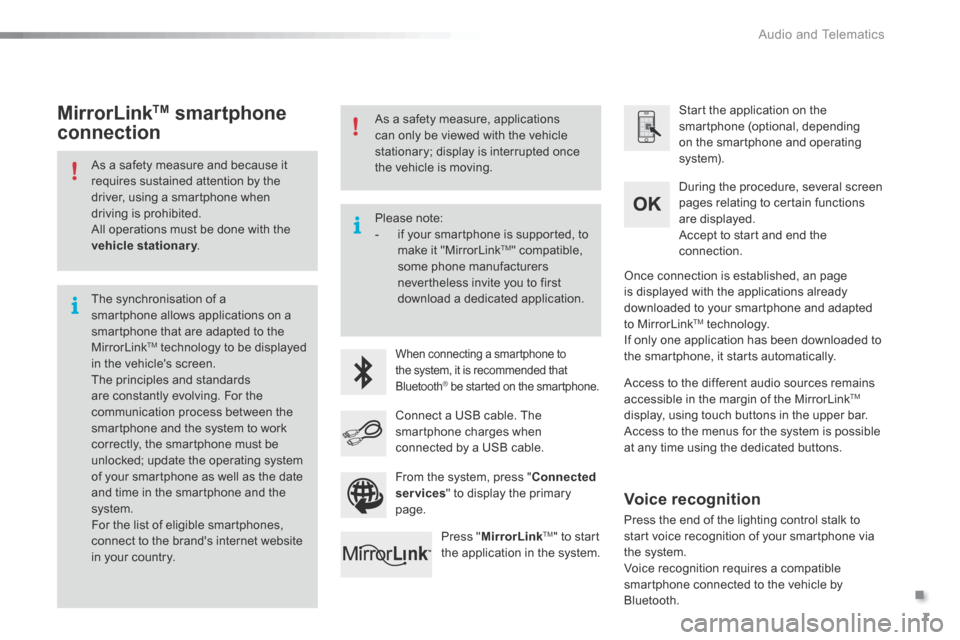
Start the application on the smartphone (optional, depending on the smartphone and operating system).
During the procedure, several screen pages relating to certain functions are displayed.
Accept to start and end the connection.
Connect a USB cable. The smartphone charges when connected by a USB cable.
Press " MirrorLinkTM " to start the application in the system.
Once connection is established, an page is displayed with the applications already downloaded to your smartphone and adapted to MirrorLink TM technology. If only one application has been downloaded to the smartphone, it starts automatically.
MirrorLink TM smartphone
connection
Access to the different audio sources remains accessible in the margin of the MirrorLink TM
display, using touch buttons in the upper bar. Access to the menus for the system is possible at any time using the dedicated buttons .
From the system, press " Connected services " to display the primary page.
As a safety measure, applications can only be viewed with the vehicle stationary; display is interrupted once the vehicle is moving.
Voice recognition
Press the end of the lighting control stalk to start voice recognition of your smartphone via the system. Voice recognition requires a compatible smartphone connected to the vehicle by Bluetooth.
Page 324 of 401
.
Audio and Telematics 9
Additif-2_en_web_AC-AP_SMEGplus_Services_connectes_ed01-2015
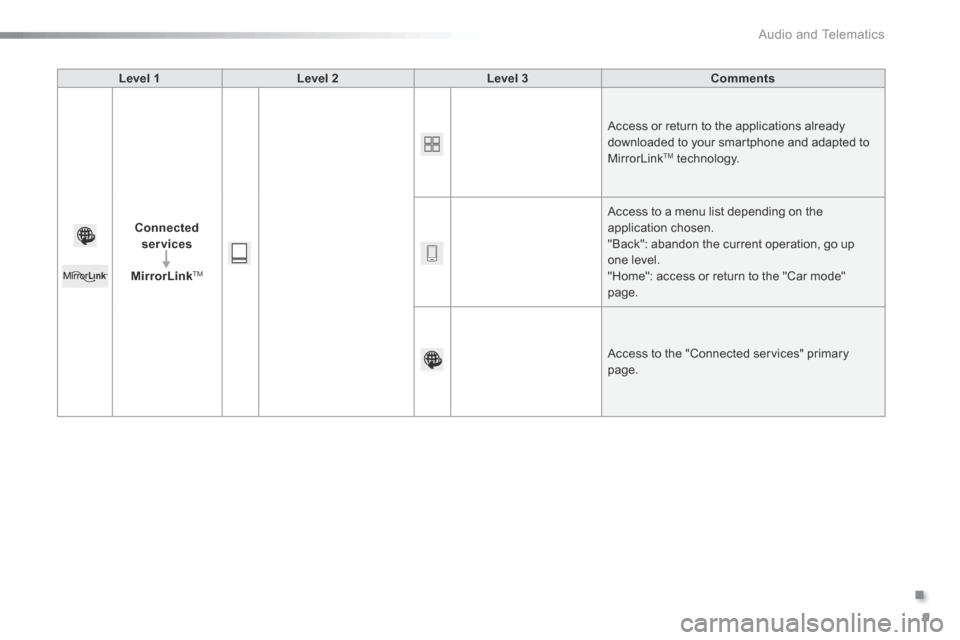
Level 1Level 2Level 3Comments
Connected services
MirrorLink TM
Access or return to the applications already downloaded to your smartphone and adapted to MirrorLink TM technology.
Access to a menu list depending on the
application chosen. "Back": abandon the current operation, go up one level. "Home": access or return to the "Car mode" page.
Access to the "Connected services" primary page.
Page 330 of 401

Multifunction screens
2
C3-additif_en_Chap02_Ecrans-multifonction_ed01-2015
Menus
Navigation Navigation is available depending on country and/or trim level. Refer to the "Audio and telematics" section.
Telephone Refer to the "Audio and telematics"
section.
1. Volume / mute. Refer to the "Audio and telematics" section.
Radio Media Refer to the "Audio and telematics" section.
Settings Allows configuration of the display and the system.
Refer to the corresponding section.
Connected services. (Depending on equipment). Allows you to run some of your smartphone's applications via
MirrorLinkTM or CarPlay®. Refer to the "Audio and telematics" section.
Driving Allows access to the trip computer and, depending on version, the
adjustment of settings for certain functions. Refer to the corresponding section.
Press this button, then choose the desired menu.
Page 337 of 401

9
C3-additif_en_Chap13b_SMEGplus_ed01-2015
7-inch touch screen tablet
GPS satellite navigation - Multimedia audio - Bluetooth® telephone
Contents
First steps
1 0
Steering mounted controls
1
2
M enus
13
N
avigation
1
4
Navigation - Guidance
2
2
Traffic
26
R
adio Media
2
8
Radio
34
DAB (Digital Audio Broadcasting) radio
3
6
Media
38
Settings
40
Connected services
4
8
MirrorLink
TM 48
C
arPlay® 52
T
elephone
54
Frequently asked questions
6
2
The system is protected in such a way that it will only operate in
your vehicle. As a safety measure, the driver should only carry out operations
which require prolonged attention while the vehicle is stationary.
The display of an energy economy mode message signals that
electrical systems operating are going into standby.
Refer to the energy economy mode section.
.
Audio and Telematics