warning Citroen C3 2015 2.G Owner's Guide
[x] Cancel search | Manufacturer: CITROEN, Model Year: 2015, Model line: C3, Model: Citroen C3 2015 2.GPages: 401, PDF Size: 13.04 MB
Page 29 of 401
27
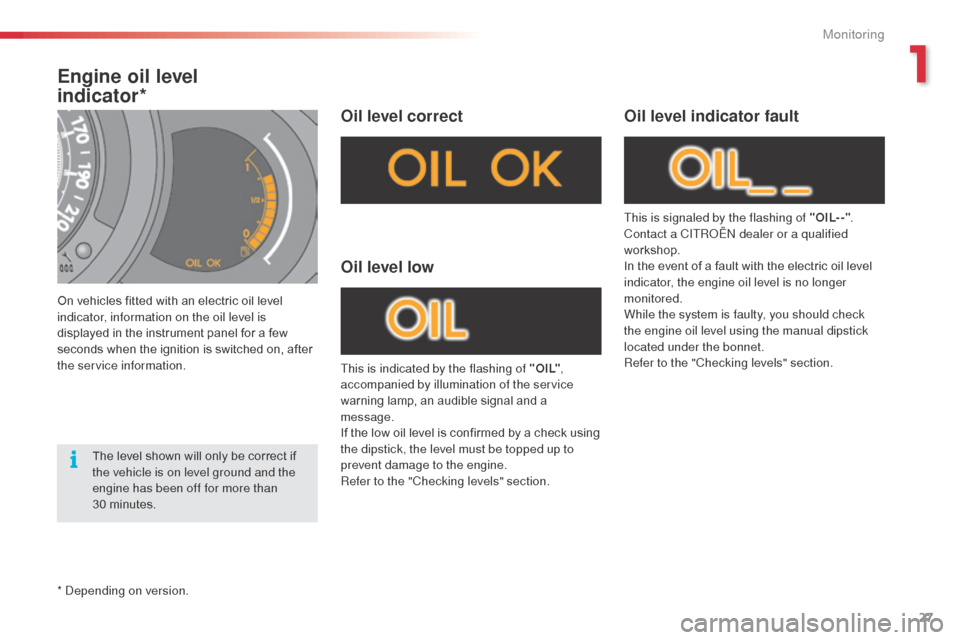
Engine oil level
indicator*
On vehicles fitted with an electric oil level
indicator, information on the oil level is
displayed in the instrument panel for a few
seconds when the ignition is switched on, after
the service information.
Oil level correct
This is indicated by the flashing of " O I L",
accompanied by illumination of the service
warning lamp, an audible signal and a
message.
If the low oil level is confirmed by a check using
the dipstick, the level must be topped up to
prevent damage to the engine.
Refer to the "Checking levels" section.
Oil level low
This is signaled by the flashing of "OIL- -" .
Contact a CITRoËn dealer or a qualified
workshop.
In the event of a fault with the electric oil level
indicator, the engine oil level is no longer
monitored.
While the system is faulty, you should check
the engine oil level using the manual dipstick
located under the bonnet.
Refer to the "Checking levels" section.
Oil level indicator fault
The level shown will only be correct if
the vehicle is on level ground and the
engine has been off for more than
30 minutes.
*
d
ep
ending on version.
1
Monitoring
Page 31 of 401
29
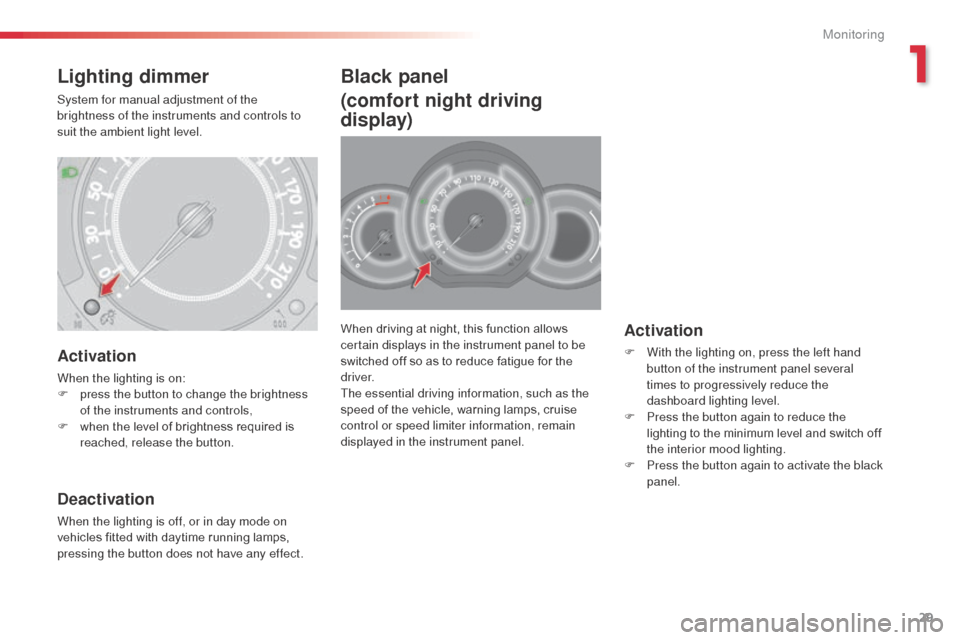
When driving at night, this function allows
certain displays in the instrument panel to be
switched off so as to reduce fatigue for the
driver.
The essential driving information, such as the
speed of the vehicle, warning lamps, cruise
control or speed limiter information, remain
displayed in the instrument panel.Activation
F With the lighting on, press the left hand button of the instrument panel several
times to progressively reduce the
dashboard lighting level.
F
P
ress the button again to reduce the
lighting to the minimum level and switch off
the interior mood lighting.
F
P
ress the button again to activate the black
panel.
Black panel
(comfort night driving
display)
Activation
When the lighting is on:
F p ress the button to change the brightness
of the instruments and controls,
F
w
hen the level of brightness required is
reached, release the button.
Deactivation
When the lighting is off, or in day mode on
vehicles fitted with daytime running lamps,
pressing the button does not have any effect.
Lighting dimmer
System for manual adjustment of the
brightness of the instruments and controls to
suit the ambient light level.
1
Monitoring
Page 36 of 401
34
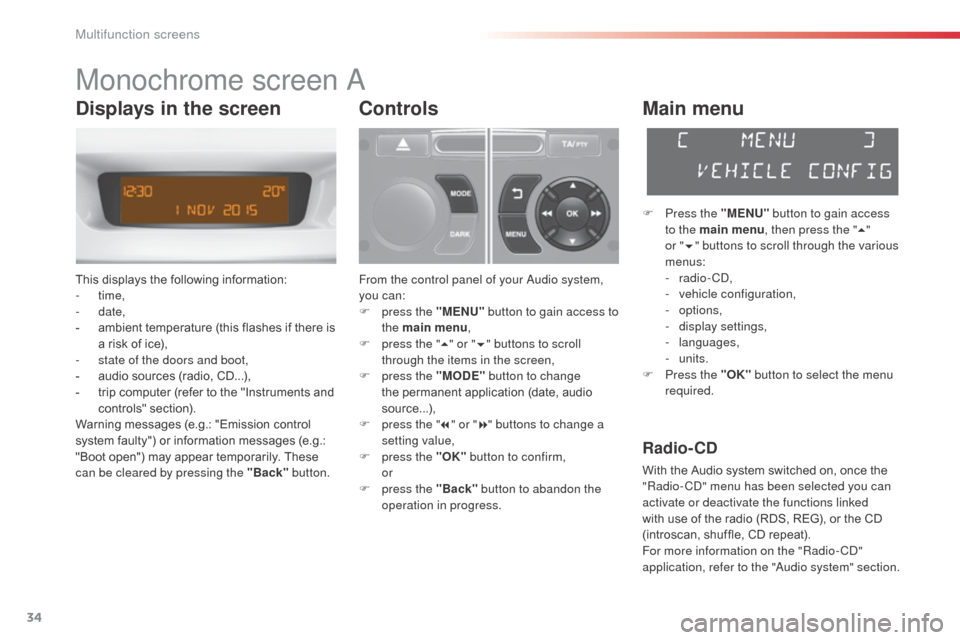
Monochrome screen a
This displays the following information:
- time,
-
date,
-
a
mbient temperature (this flashes if there is
a risk of ice),
-
s
tate of the doors and boot,
-
a
udio sources (radio, CD...),
-
t
rip computer (refer to the "Instruments and
controls" section).
Warning messages (e.g.: "Emission control
system faulty") or information messages (e.g.:
"Boot open") may appear temporarily. These
can be cleared by pressing the "Back" button.
Controls
From the control panel of your audio system,
you can:
F
p
ress the "MENU" button to gain access to
the main menu ,
F
p
ress the " 5" or " 6" buttons to scroll
through the items in the screen,
F
p
ress the "MODE" button to change
the permanent application (date, audio
source...),
F
p
ress the " 7" or " 8" buttons to change a
setting value,
F
p
ress the "OK" button to confirm,
or
F
p
ress the "Back" button to abandon the
operation in progress.
Main menu
F Press the "MENU" button to gain access
to the main menu , then press the "5"
or
"6 " buttons to scroll through the various
menus:
-
radio - C
d
,
-
v
ehicle configuration,
-
options,
-
d
isplay settings,
-
languages,
-
units.
F
P
ress the "OK" button to select the menu
required.
Radio- CD
With the Audio system switched on, once the
"Radio- Cd" m enu has been selected you can
activate or deactivate the functions linked
with use of the radio (RDS, REG), or the CD
(introscan, shuffle, CD repeat).
For more information on the "Radio-C
d"
application, refer to the "
au
dio system" section.
Displays in the screen
Multifunction screens
Page 39 of 401
37
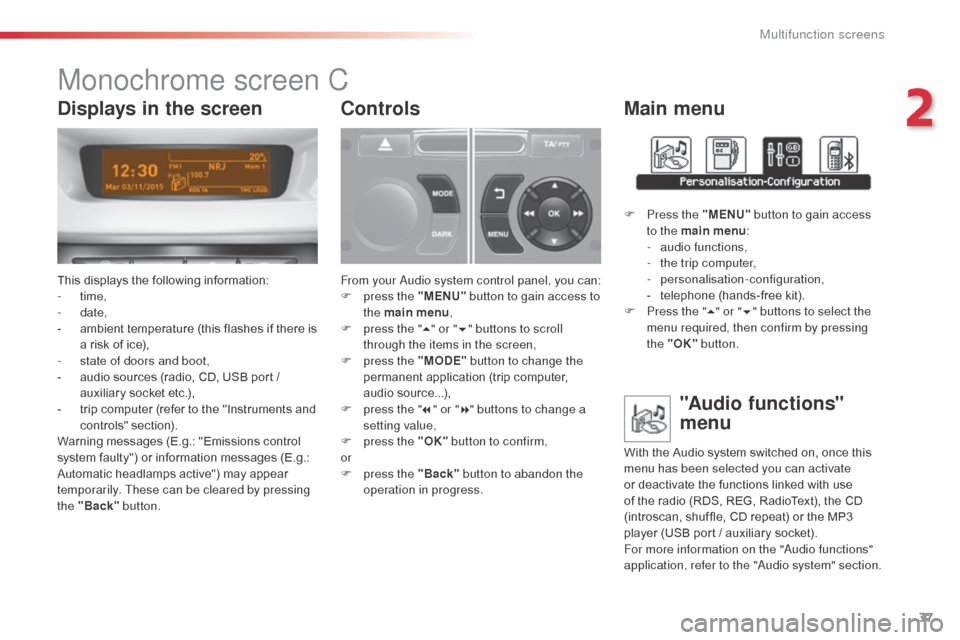
Monochrome screen C
This displays the following information:
- time,
-
date,
-
a
mbient temperature (this flashes if there is
a risk of ice),
-
s
tate of doors and boot,
-
a
udio sources (radio, CD, USB port /
auxiliary socket etc.),
-
t
rip computer (refer to the "Instruments and
controls" section).
Warning messages (E.g.: "Emissions control
system faulty") or information messages (E.g.:
Automatic headlamps active") may appear
temporarily. These can be cleared by pressing
the "Back" button.
Controls
From your au dio system control panel, you can:
F p ress the "MENU" button to gain access to
the main menu ,
F
p
ress the " 5" or " 6" buttons to scroll
through the items in the screen,
F
p
ress the "MODE" button to change the
permanent application (trip computer,
audio source...),
F
p
ress the " 7" or " 8" buttons to change a
setting value,
F
p
ress the "OK" button to confirm,
or
F
p
ress the "Back" button to abandon the
operation in progress.
Main menu
F Press the "MENU" button to gain access
to the main menu :
-
a
udio functions,
-
t
he trip computer,
-
personalisation-configuration,
-
t
elephone (hands-free kit).
F
P
ress the " 5" or " 6" buttons to select the
menu required, then confirm by pressing
the "OK" button.
"Audio functions"
menu
With the Audio system switched on, once this
menu has been selected you can activate
or deactivate the functions linked with use
of the radio (RDS, REG, RadioText), the CD
(introscan, shuffle, CD repeat) or the MP3
player (USB port / auxiliary socket).
For more information on the "
au
dio functions"
application, refer to the "
au
dio system" section.
Displays in the screen
2
Multifunction screens
Page 40 of 401
38
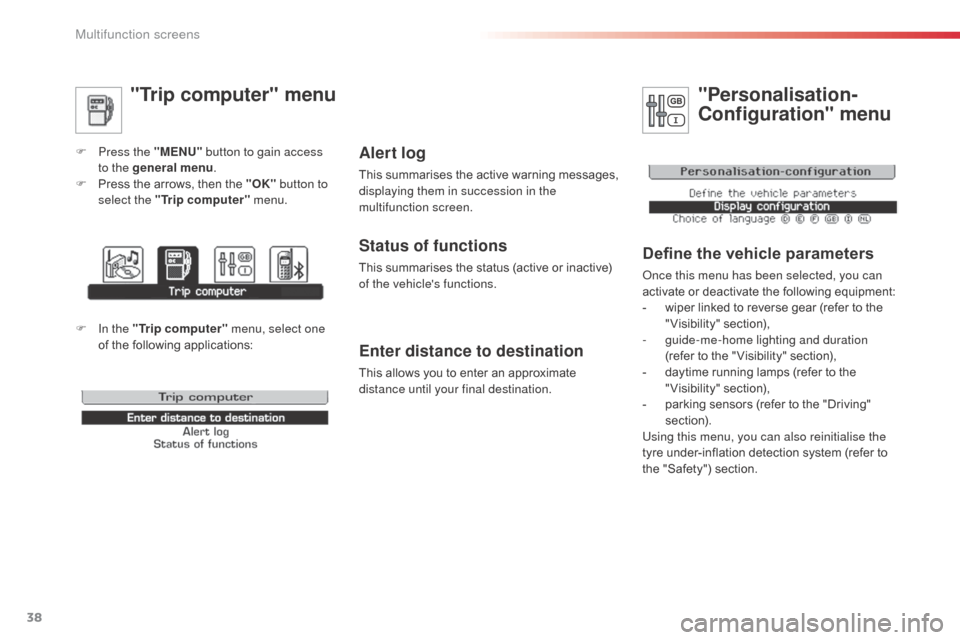
"Trip computer" menu
F Press the "MENU" button to gain access
to the general menu .
F
P
ress the arrows, then the "OK" button to
select the " Trip computer " menu.
Enter distance to destination
This allows you to enter an approximate
distance until your final destination.
Alert log
This summarises the active warning messages,
displaying them in succession in the
multifunction screen.
Status of functions
This summarises the status (active or inactive)
of the vehicle's functions.
"Personalisation-
Configuration" menu
Define the vehicle parameters
once this menu has been selected, you can
activate or deactivate the following equipment:
-
w
iper linked to reverse gear (refer to the
"Visibility" section),
-
g
uide-me-home lighting and duration
(refer to the " Visibility" section),
-
d
aytime running lamps (refer to the
"Visibility" section),
-
p
arking sensors (refer to the "Driving"
section).
Using this menu, you can also reinitialise the
tyre under-inflation detection system (refer to
the "Safety") section.
F In the " Trip computer " menu, select one
of the following applications:
Multifunction screens
Page 51 of 401
49
With the heating /
ventilation system
F Put the temperature and air flow controls to the dedicated marked position.
F
P
ut the air intake control to the "Exterior air
intake" position
(
manual control to the right or electric
control with indicator lamp off).
F
P
ut the air distribution control to the
"Windscreen" position.
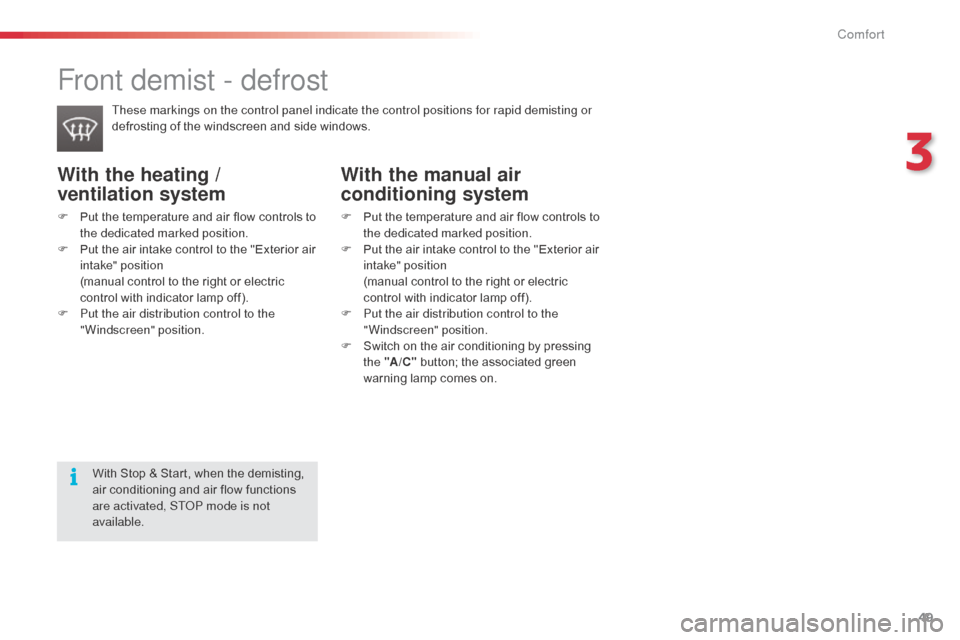
Front demist - defrost
These markings on the control panel indicate the control positions for rapid demisting or
defrosting of the windscreen and side windows.
With the manual air
conditioning system
F Put the temperature and air flow controls to the dedicated marked position.
F
P
ut the air intake control to the "Exterior air
intake" position
(
manual control to the right or electric
control with indicator lamp off).
F
P
ut the air distribution control to the
"Windscreen" position.
F
S
witch on the air conditioning by pressing
the "A /C " button; the associated green
warning lamp comes on.
With Stop & Start, when the demisting,
air conditioning and air flow functions
are activated, ST
oP m
ode is not
available.
3
Comfort
Page 63 of 401
61
"Comfort"
sun blinds, door deflectors, insulated module,
smoking kit, fragrance cartridges, front centre
armrest, moveable mirror, reading lamp,
front and rear parking sensors, cup holder,
coat hanger for head restraint, solar film for
windows, security film for windows... "Security and safety":
anti-theft alarm, wheel security bolts, stolen
vehicle tracking system, breathalyser, first aid
kit, warning triangle, high visibility vest, dog
guard, snow chains, non-slip covers, foglamps
kit, child seats and booster cushions, pet
transpor t protectors...
Conversion kits
You can obtain an "Enterprise" kit to convert a
trade vehicle to a private car and vice-versa.
"Style":
leather steering wheel, gear lever knobs,
front spoiler, rear diffuser, bumper trims, front
foglamp trims, parking brake lever trims,
aluminium footrest, alloy wheels, wheel trims,
chrome tailgate finisher, chrome tailpipe
finisher, chrome mirror shells, chrome door
handles ... "Transport solutions":
boot tray, boot carpet, boot net, boot
containers, transverse roof bars, bicycle
carrier, ski carrier, roof boxes, towbars, towbar
wiring harnesses...
accessoriesA wide range of accessories and genuine parts is available from the CITROËN dealer network.
These accessories and parts are all suitable for your vehicle and benefit from CITROËN's recommendation and warranty.
*
T
o avoid any risk of jamming of the pedals:
-
e
nsure that the mat is positioned and
secured correctly,
-
n
ever fit one mat on top of another.
"Protection":
mats*, mudflaps, seat covers, door sill
protectors, bumper protection strips, vehicle
protective cover, side protectors, boot mat, boot
liner...
If a towbar and wiring are fitted outside
the CITROËN
dealer network, this must
be done making use of the vehicle's
electrical pre-equipment and following
the manufacturer's recommendations.
3
Comfort
Page 64 of 401
62
"Multimedia": b
luetooth® hands-free kit, support for b
luetooth® hands-free kit, audio systems with
steering controls inter face, portable satellite
navigation system, semi-integral portable
navigation system carrier, mapping updates
for integral navigation system,
d
Vd
player,
auxiliary cable for connecting a portable MP3
player, USB Box, Hi-Fi module, speakers, Wi-Fi
on board, rear multimedia support, telephone/
smartphone support, 230 V socket, telephone
charge compatible with iPhone...
Installation of radio
communication
transmitters
before installing any after-market radio
communication transmitter, you can
contact a CITR
oËn
dealer for the
specification of transmitters which can
be fitted (frequency, maximum power,
aerial position, specific installation
requirements), in line with the Vehicle
Electromagnetic Compatibility
Directive
(2004/104/EC).
de
pending on the legislation in force in
the country, certain safety equipment
may be compulsory: high visibility
safety vests, warning triangles,
breathalyzers, spare bulbs, spare fuses,
fire extinguisher, first aid kit, mud flaps
at the rear of the vehicle.
by g
oing to a CITR
oËn
dealer, you can also
obtain cleaning and maintenance products
(interior and exterior) - including ecological
products in the "TECH
n
a
T
URE" range -
products for topping up (screenwash fluid...),
touch up pens and paint aerosols for the exact
colour of your vehicle, recharges (cartridge for
the temporary puncture repair kit...), ... The fitting of electrical equipment or
accessories which are not recommended
by CITR
oËn
may result in a failure of
your vehicle's electronic system and
excessive electrical consumption.
Contact a CITR
oËn
dealer
for information on the range of
recommended equipment and
accessories.
Comfort
Page 66 of 401
64
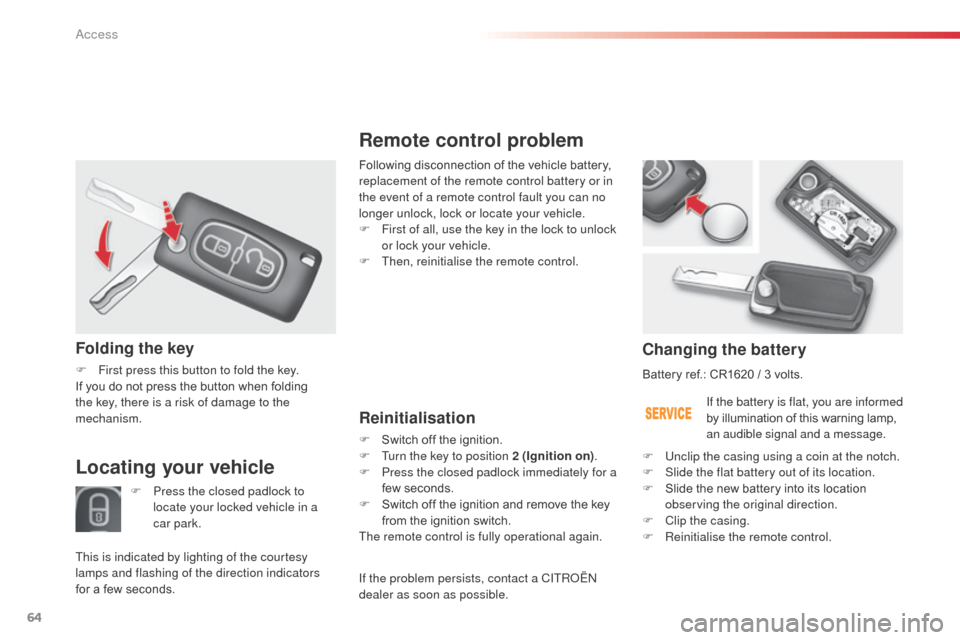
Remote control problem
Reinitialisation
F Switch off the ignition.
F T urn the key to position 2 (Ignition on) .
F
P
ress the closed padlock immediately for a
few seconds.
F
S
witch off the ignition and remove the key
from the ignition switch.
The remote control is fully operational again.
Changing the battery
Battery ref.: CR1620 / 3 volts.
If the battery is flat, you are informed
by illumination of this warning lamp,
an audible signal and a message.
F
U
nclip the casing using a coin at the notch.
F
S
lide the flat battery out of its location.
F
S
lide the new battery into its location
observing the original direction.
F
C
lip the casing.
F
R
einitialise the remote control.
Following disconnection of the vehicle battery,
replacement of the remote control battery or in
the event of a remote control fault you can no
longer unlock, lock or locate your vehicle.
F
F
irst of all, use the key in the lock to unlock
or lock your vehicle.
F
T
hen, reinitialise the remote control.
Folding the key
F First press this button to fold the key.
If you do not press the button when folding
the key, there is a risk of damage to the
mechanism.
Locating your vehicle
F Press the closed padlock to
locate your locked vehicle in a
car park.
This is indicated by lighting of the courtesy
lamps and flashing of the direction indicators
for a few seconds. If the problem persists, contact a CITR
oËn
dealer as soon as possible.
Access
Page 70 of 401

68
doors
Opening
From outside
F after unlocking the vehicle using the remote control or the key, pull the door
handle.
From inside
F Pull the front door control to open the door; this unlocks the vehicle completely.
F
P
ull the rear door control to open the door;
this unlocks only the door opened.
Closing
- When the engine is running , this
warning lamp comes on, accompanied
by a message in the multifunction
screen for a few seconds,
When a door or the boot is not closed correctly:
-
W
hen the vehicle is moving (speed
higher than 6 mph (10 km/h)), this warning
lamp comes on, accompanied by an
audible signal and a message in the
multifunction screen for a few seconds.
access