lock CITROEN C3 2021 Workshop Manual
[x] Cancel search | Manufacturer: CITROEN, Model Year: 2021, Model line: C3, Model: CITROEN C3 2021Pages: 450, PDF Size: 10.11 MB
Page 265 of 450
263
B618_en_Chap11_index-alpha_ed01-2016
Safety, children .............................13 0, 13 4 -13 6,
141, 143 -145, 147
Screen, cold climate
..................................... 2
01
Screen, monochrome
..................................... 41
S
creenwash, front
......................................... 11
4
Screenwash, rear
...............................
...........114
SCR (Selective Catalytic Reduction) system
................
................................... 27, 215
Seat belts
....................................... 12
6 -128, 14 0
Seats, front
...............................
.......................76
Seats, heated
...............................
...................78
Seats, rear
....................................................... 79
Sel
ector, gear
................................................ 16
1
Serial number, vehicle
..................................25
8
Service indicator
.......................................3
2, 34
Servicing
...............................
............................ 9Tables of fuses
.............................. 2
41, 243, 246
Tank, fuel
...............................
................19 6, 198
Temperature, coolant
...................................... 31
T
hird brake lamp
...........................................23
9
Three flashes (direction indicators)
.............. 10
8
Time (setting)
..............................
........ 41, 54, 55
S
T
Settings, equipment ......................4 0, 41, 44, 46
Sidelamps .................... 1 05, 110, 234, 235, 238
Side repeater
..............................
..................237
Snow chains
..........................................1
90, 200
Socket, 12 V accessory
............................9
6, 97
Socket, auxiliary
...............................
...............98
Sockets, audio
................................................ 98
Spe
ed limiter
...............................
.. 170, 173, 175
Speed limit recognition
................................. 17
1
Stability control (ESC) ...................................123
Starting the engine
....................... 1
53, 156, 161
Starting using another battery
..............1
58, 249
Stay, bonnet
...............................
...................206
Steering wheel, adjustment
............................8
2
Stop
...............
.................................................. 20
Stopping the vehicle
..................... 1
53, 156, 161
Stop & Start
.......................... 1
8, 52, 84, 92, 167,
196, 206, 213, 251
Stop (warning lamp)
........................................ 20
St
orage
................
............................................ 97
Sun visor
...................................................9
6, 97
Switching off the engine
...............................15
3
Synchronising the remote control
...................67
R
emoving the mat
...............................
............ 99
Replacing bulbs ..............................
..... 234, 238
Replacing fuses
..............................
...... 241, 243
Replacing the air filter
................................... 2
13
Replacing the oil filter
................................... 2
13
Replacing the passenger
compartment filter
...................................... 2
13
Reservoir, screenwash
................................. 2
11
Resetting the service indicator
....................... 34
R
esetting the trip recorder
.............................. 39
R
eversing camera
...............................
.......... 189
Reversing lamp
............................................. 23
8
Roof bars
....................................................... 20
5
Running out of fuel (Diesel)
.......................... 2
20 To o l s ................
..................................... 226, 227
Total distance recorder ................................... 39
T
ouch screen.............................................44, 46
To w b a r
................
...................................152, 202
Towing another vehicle
.................................2
52
Towing eye
....................................................10
1
Traction control (ASR)
.................... 2
2, 123, 125
Tr a i l e r
...............
.....................................152, 202
Triangle, warning ................................... 101, 2 20
Trip computer
............................................5
0-52
Trip distance recorder
..................................... 39
T
y r e s
..........................................................9
, 258
Tyre under-inflation detection
...............
............... 30, 190, 192, 225
U
Under floor storage .......................................10 1
Under-inflation (detection) ............................ 19
0
Unlocking
..............................
.................... 57, 59
Unlocking from the inside
...............................70
U
pdating the date
............................................ 54
U
pdating the time
......................................5
4, 55
.
Alphabetical index
Page 312 of 450
38
22
23
1
Audio and Telematics
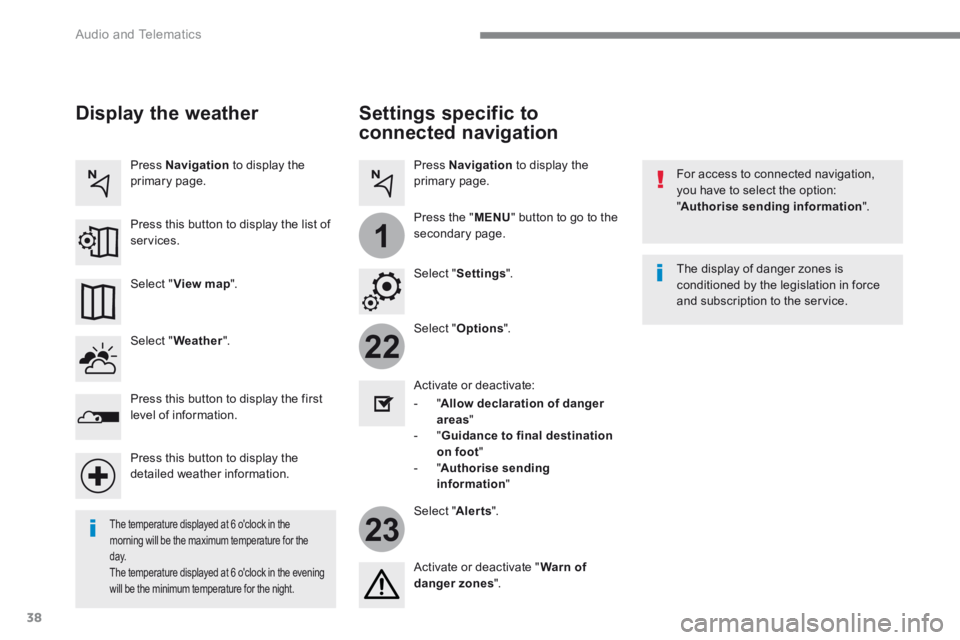
Settings specific to
connected navigation
For access to connected navigation, you have to select the option: " Authorise sending information ".
Select " Options ".
Select " Alerts ".
- " Allow declaration of danger areas "
- " Guidance to final destination on foot " - " Authorise sending information "
Activate or deactivate:
Activate or deactivate " Warn of danger zones ".
The display of danger zones is conditioned by the legislation in force and subscription to the service.
The temperature displayed at 6 o'clock in the morning will be the maximum temperature for the d ay. The temperature displayed at 6 o'clock in the evening
will be the minimum temperature for the night.
Select " Settings ".
Press Navigation to display the primary page.
Press the " MENU " button to go to the
secondary page.
Display the weather
Select " Weather ".
Press this button to display the first level of information.
Press this button to display the detailed weather information.
Select " View map ".
Press Navigation to display the primary page.
Press this button to display the list of services.
Page 319 of 450
45
.
2
Audio and Telematics
As a safety measure and because it requires the sustained attention of the driver, using a smartphone when driving is prohibited. Operation must be with the vehicle stationary . stationary . stationary
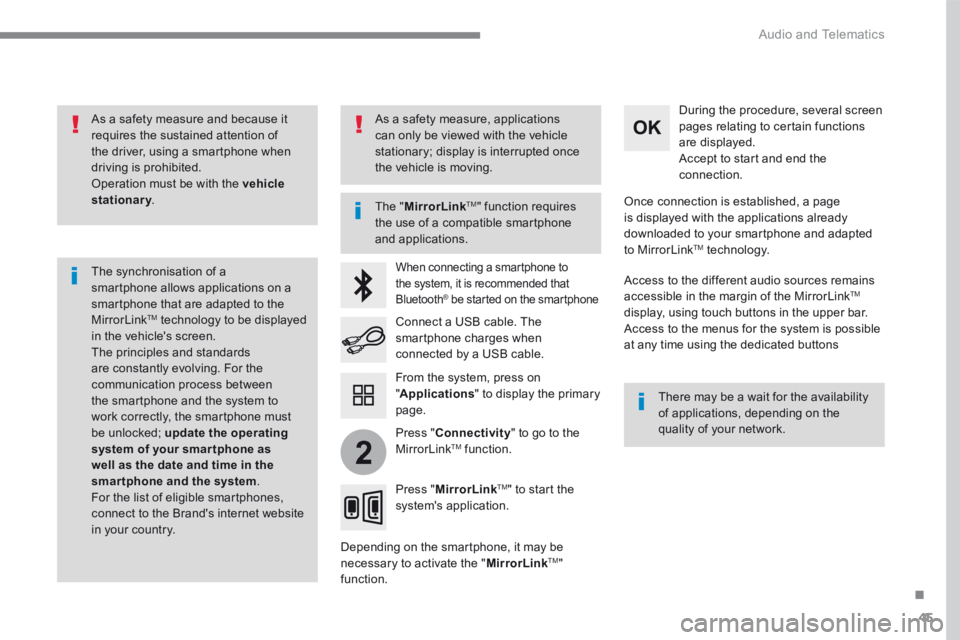
The synchronisation of a smartphone allows applications on a smartphone that are adapted to the MirrorLink TM technology to be displayed in the vehicle's screen. The principles and standards are constantly evolving. For the communication process between the smartphone and the system to work correctly, the smartphone must be unlocked; update the operating system of your smar tphone as well as the date and time in the smartphone and the system. For the list of eligible smartphones, connect to the Brand's internet website in your country.
The " MirrorLinkTM " function requires the use of a compatible smartphone
and applications.
There may be a wait for the availability of applications, depending on the quality of your network.
When connecting a smartphone to the system, it is recommended that Bluetooth ® be started on the smartphone ® be started on the smartphone ®
Depending on the smartphone, it may be necessary to activate the " MirrorLinkTM " function.
During the procedure, several screen pages relating to certain functions are displayed. Accept to start and end the connection.
Connect a USB cable. The smartphone charges when connected by a USB cable.
Press " MirrorLinkTM " to start the system's application.
Once connection is established, a page is displayed with the applications already downloaded to your smartphone and adapted to MirrorLink TM t e c h n o l o g y .
Access to the different audio sources remains accessible in the margin of the MirrorLink TM
display, using touch buttons in the upper bar. Access to the menus for the system is possible at any time using the dedicated buttons
From the system, press on " Applications " to display the primary page.
As a safety measure, applications can only be viewed with the vehicle stationary; display is interrupted once the vehicle is moving.
Press " Connectivity " to go to the MirrorLink TM function.
Page 364 of 450
90
Audio and Telematics
Radio
QUESTIONANSWERSOLUTION
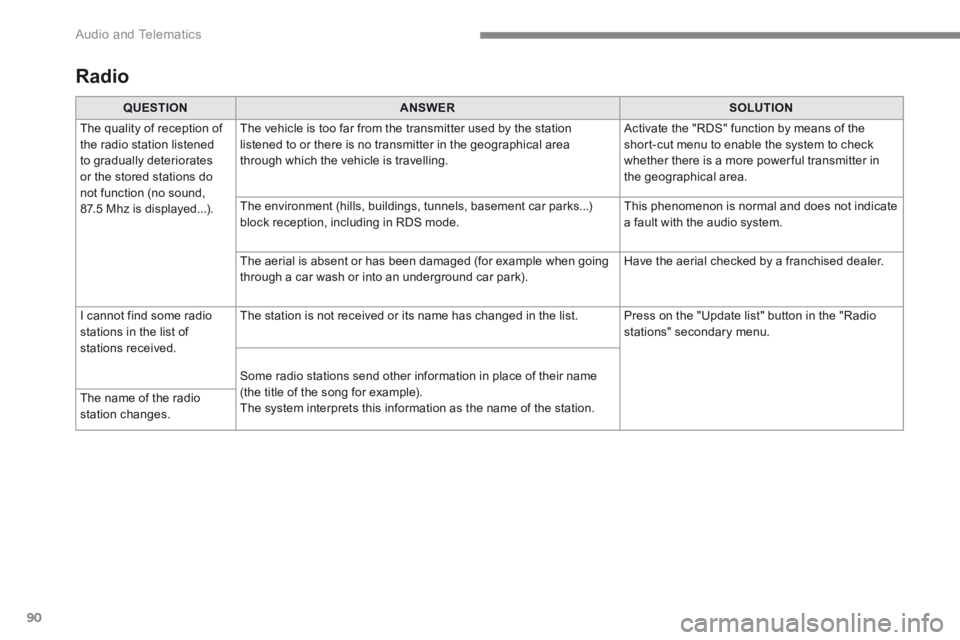
The quality of reception of the radio station listened to gradually deteriorates or the stored stations do not function (no sound, 87.5 Mhz is displayed...).
The vehicle is too far from the transmitter used by the station listened to or there is no transmitter in the geographical area through which the vehicle is travelling.
Activate the "RDS" function by means of the short-cut menu to enable the system to check whether there is a more power ful transmitter in the geographical area.
The environment (hills, buildings, tunnels, basement car parks...) block reception, including in RDS mode. This phenomenon is normal and does not indicate a fault with the audio system.
The aerial is absent or has been damaged (for example when going through a car wash or into an underground car park). Have the aerial checked by a franchised dealer.
I cannot find some radio stations in the list of stations received.
The station is not received or its name has changed in the list. Press on the "Update list" button in the "Radio stations" secondary menu.
Some radio stations send other information in place of their name (the title of the song for example). The system interprets this information as the name of the station. The name of the radio station changes.
Page 397 of 450
123
.
1
Audio and Telematics
Transversal-Citroen_en_Chap02_RCC-2-2-0_ed01-2016
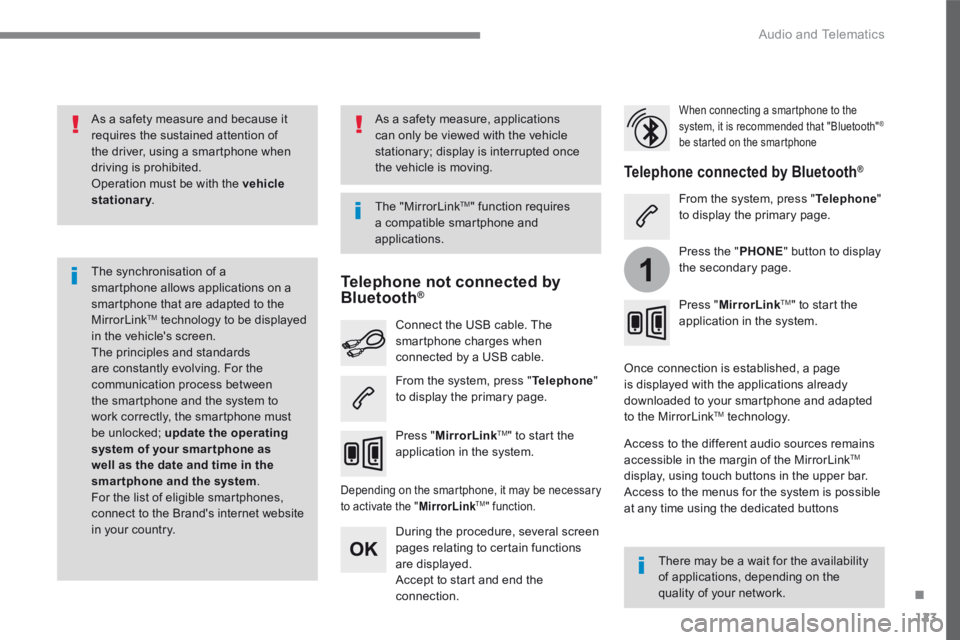
As a safety measure and because it requires the sustained attention of the driver, using a smartphone when driving is prohibited. Operation must be with the vehicle stationary . stationary . stationary
The synchronisation of a smartphone allows applications on a smartphone that are adapted to the MirrorLink TM technology to be displayed in the vehicle's screen. The principles and standards are constantly evolving. For the communication process between the smartphone and the system to work correctly, the smartphone must be unlocked; update the operating system of your smar tphone as well as the date and time in the smartphone and the system. For the list of eligible smartphones, connect to the Brand's internet website in your country.
T h e " M i r r o r L i n k TM " function requires a compatible smartphone and
applications.
There may be a wait for the availability of applications, depending on the quality of your network.
When connecting a smartphone to the system, it is recommended that "Bluetooth" ®
be started on the smartphone
Depending on the smartphone, it may be necessary to activate the " MirrorLinkTM " function.
During the procedure, several screen pages relating to certain functions are displayed. Accept to start and end the connection.
Connect the USB cable. The smartphone charges when connected by a USB cable.
Press " MirrorLinkTM" to start the application in the system.
Once connection is established, a page is displayed with the applications already downloaded to your smartphone and adapted to the MirrorLink TM t e c h n o l o g y .
Access to the different audio sources remains accessible in the margin of the MirrorLink TM
display, using touch buttons in the upper bar. Access to the menus for the system is possible at any time using the dedicated buttons
Telephone not connected by Bluetooth ®Bluetooth ®Bluetooth
Telephone connected by Bluetooth ® Telephone connected by Bluetooth ® Telephone connected by Bluetooth
From the system, press " Telephone " to display the primary page.
From the system, press " Telephone " to display the primary page.
As a safety measure, applications can only be viewed with the vehicle stationary; display is interrupted once the vehicle is moving.
Press the " PHONE " button to display the secondary page.
Press " MirrorLinkTM " to start the application in the system.
Page 417 of 450
143
.
Audio and Telematics
Transversal-Citroen_en_Chap02_RCC-2-2-0_ed01-2016
Radio
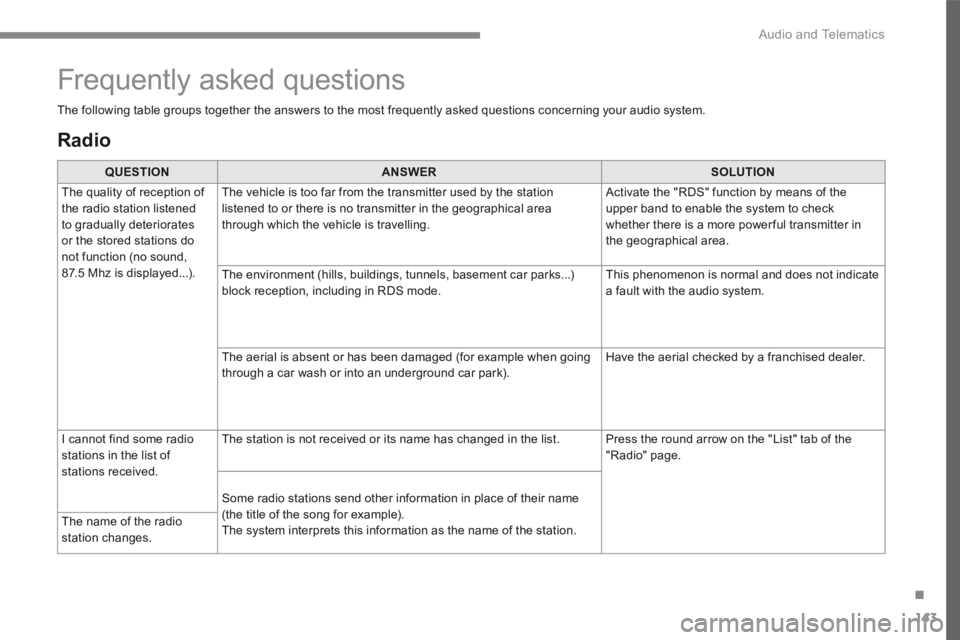
QUESTIONANSWERSOLUTION
The quality of reception of the radio station listened to gradually deteriorates or the stored stations do not function (no sound, 87.5 Mhz is displayed...).
The vehicle is too far from the transmitter used by the station listened to or there is no transmitter in the geographical area through which the vehicle is travelling.
Activate the "RDS" function by means of the upper band to enable the system to check whether there is a more power ful transmitter in the geographical area.
The environment (hills, buildings, tunnels, basement car parks...) block reception, including in RDS mode. This phenomenon is normal and does not indicate a fault with the audio system.
The aerial is absent or has been damaged (for example when going through a car wash or into an underground car park). Have the aerial checked by a franchised dealer.
I cannot find some radio stations in the list of stations received.
The station is not received or its name has changed in the list. Press the round arrow on the "List" tab of the "Radio" page.
Some radio stations send other information in place of their name (the title of the song for example). The system interprets this information as the name of the station. The name of the radio station changes.
Frequently asked questions
The following table groups together the answers to the most frequently asked questions concerning your audio system.
Page 426 of 450
152
Audio and Telematics
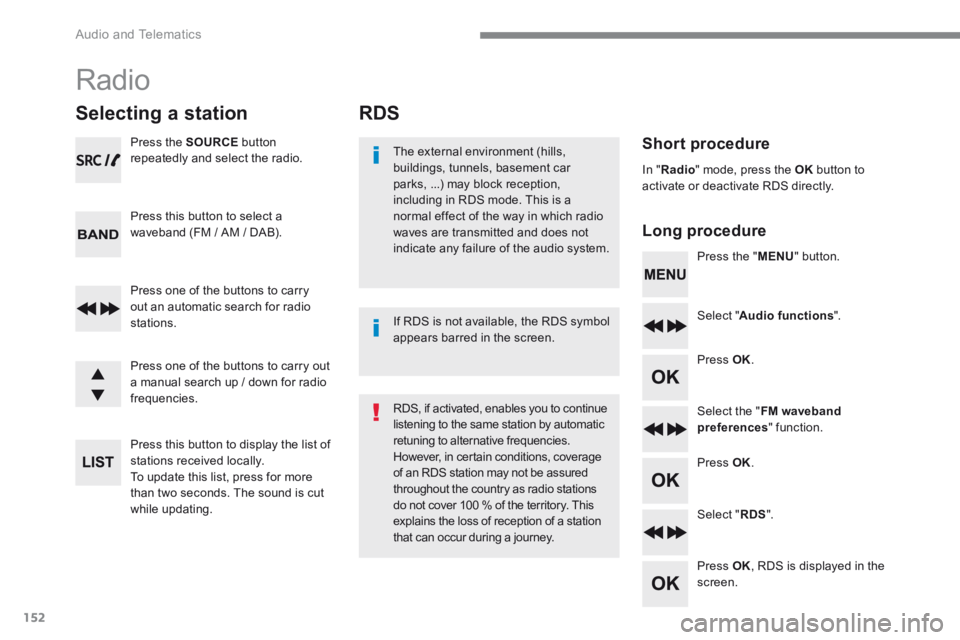
RDS
Short procedure
Long procedure
The external environment (hills, buildings, tunnels, basement car parks, ...) may block reception, including in RDS mode. This is a normal effect of the way in which radio waves are transmitted and does not indicate any failure of the audio system. Press the " MENU " button.
Select " Audio functions ".
Press OK .
Select the " FM waveband preferences " function.
Press OK .
Select " RDS ".
Press OK , RDS is displayed in the screen.
In " Radio " mode, press the OK button to activate or deactivate RDS directly.
RDS, if activated, enables you to continue listening to the same station by automatic retuning to alternative frequencies. However, in certain conditions, coverage of an RDS station may not be assured throughout the country as radio stations do not cover 100 % of the territory. This explains the loss of reception of a station that can occur during a journey.
If RDS is not available, the RDS symbol appears barred in the screen.
Radio
Selecting a station
Press the SOURCE button repeatedly and select the radio.
Press this button to select a waveband (FM / AM / DAB).
Press one of the buttons to carry out an automatic search for radio stations.
Press one of the buttons to carry out a manual search up / down for radio frequencies.
Press this button to display the list of stations received locally. To update this list, press for more than two seconds. The sound is cut while updating.
Page 441 of 450
167
.
Audio and Telematics
Transversal-Citroen_en_Chap03_RD6_ed01-2016
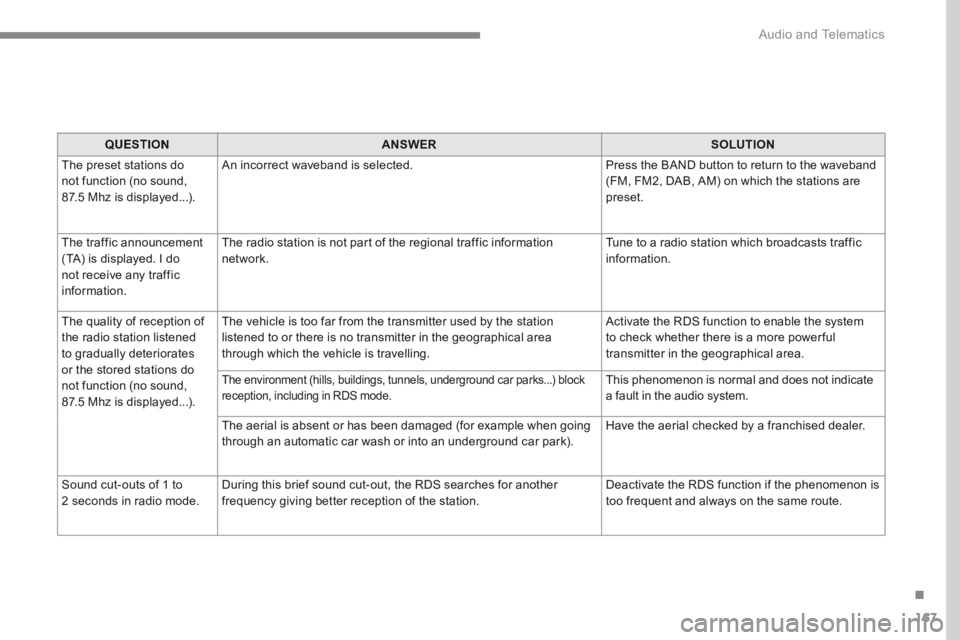
QUESTIONANSWERSOLUTION
The preset stations do not function (no sound, 87.5 Mhz is displayed...).
An incorrect waveband is selected. Press the BAND button to return to the waveband (FM, FM2, DAB, AM) on which the stations are preset.
The traffic announcement (TA) is displayed. I do not receive any traffic information.
The radio station is not part of the regional traffic information network. Tune to a radio station which broadcasts traffic information.
The quality of reception of the radio station listened to gradually deteriorates or the stored stations do not function (no sound, 87.5 Mhz is displayed...).
The vehicle is too far from the transmitter used by the station listened to or there is no transmitter in the geographical area through which the vehicle is travelling.
Activate the RDS function to enable the system to check whether there is a more power ful transmitter in the geographical area.
The environment (hills, buildings, tunnels, underground car parks...) block reception, including in RDS mode. This phenomenon is normal and does not indicate a fault in the audio system.
The aerial is absent or has been damaged (for example when going through an automatic car wash or into an underground car park). Have the aerial checked by a franchised dealer.
Sound cut-outs of 1 to 2 seconds in radio mode. During this brief sound cut-out, the RDS searches for another frequency giving better reception of the station. Deactivate the RDS function if the phenomenon is too frequent and always on the same route.