set time CITROEN C3 2021 Owners Manual
[x] Cancel search | Manufacturer: CITROEN, Model Year: 2021, Model line: C3, Model: CITROEN C3 2021Pages: 450, PDF Size: 10.11 MB
Page 3 of 450
Keysafety warning
additional information
contributes to the protection of the environment
CITROËN has a presence on every continent,
a complete product range,
bringing together technology and a permanent spirit of innovation,
for a modern and creative approach to mobility.
We thank you and congratulate you on your choice.
Happy motoring!
At the wheel of your new vehicle,
getting to know each system,
each control, each setting,
makes your trips, your journeys
more comfortable and more enjoyable.
This handbook has been designed to help you make the
most of your C3 in all circumstances and in complete
safety.
Take the time to read through it so as to familiarise
yourself with your vehicle.
This handbook covers all of the variations in equipment
available across the whole C3 range.
Your vehicle will be fitted with only some of the
equipment described in this document, depending on its
trim level, version and the specification for the country in
which it was sold.
The descriptions and illustrations are given as indications
o n l y.
Automobiles CITROËN reserves the right to modify the
technical characteristics, equipment and accessories
without having to update this edition of the handbook.
This document forms an integral part of your vehicle.
Remember to pass it on to the new owner in the event of
the sale of the vehicle.
Page 4 of 450
.
.
B618_en_Chap00a_sommaire_ed01-2016
Instrument panels 11
Indicator and warning lamps
1
5
Indic ators
31
D
istance recorders
3
9
Configuration of the equipment on vehicles without a screen
4
0
Monochrome screen C
4
1
Touch screen
4
4
Trip computer
5
0
Setting the date and time
5
4
InstrumentsOver view
Remote control 5
6
Keyless Entry and Starting
5
9
Back-up procedures
6
4
Doors
68
Boot
6
9
Central locking
7
0
Alarm
7
2
Electric windows
7
4
Access
Front seats 76
Rear seats
7
9
Steering wheel adjustment
8
2
Ventilation
8
3
Heating
8
5
Manual air conditioning
8
6
Automatic air conditioning
8
8
Front demist - defrost
9
2
Rear screen demist - defrost
9
3
Courtesy lamp
9
4
Panoramic sunroof
9
5
Boot lamp
9
5
Interior fittings
9
6
Boot fittings
1
00
Rear parcel shelf (enterprise version)
1
02
Ease of use and comfort
Mirrors 10 3
Lighting control
1
05
Direction indicators
1
08
Automatic illumination of headlamps
1
09
Daytime running lamps / Sidelamps
1
10
Headlamp beam height adjustment
1
12
Wiper control stalk
1
13
Automatic rain sensitive wipers
1
15
Lighting and visibility
General safety recommendations 1 17
Hazard warning lamps
1
18
H o r n
11
8
Emergency or assistance
1
19
Electronic stability control (ESC)
1
23
Seat belts
1
26
Airbags
1
29
Child seats
1
34
Deactivating the passenger front airbag
1
37
ISOFIX child seats
1
43
i-Size child seats
1
47
Child lock
1
50
Safety
Eco-driving
Contents
Page 8 of 450
6
B618_en_Chap00b_vue-ensemble_ _ed01-2016
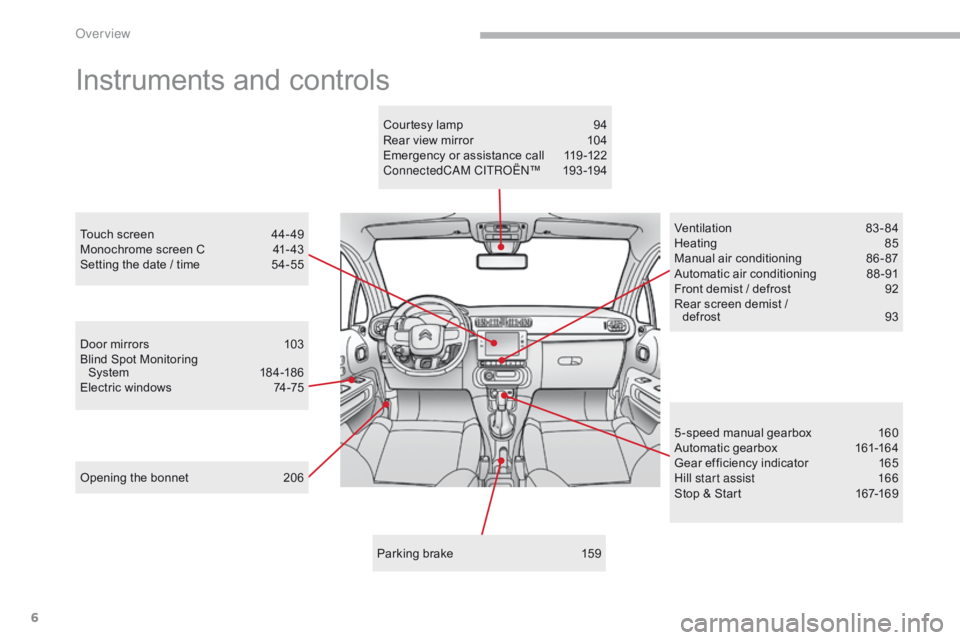
Instruments and controls
Door mirrors 103
Blind Spot Monitoring System
18
4 -18 6
Electric windows
7
4-75
Opening the bonnet
2
06 Ventilation
8
3-84
Heating
8
5
Manual air conditioning
8
6 - 87
Automatic air conditioning
8
8 -91
Front demist / defrost
9
2
Rear screen demist /
defrost
9
3
5 -speed manual gearbox
1
60
Automatic gearbox
1
61-164
Gear efficiency indicator
1
65
Hill start assist
1
66
Stop & Start
1
67-169
Touch screen
4
4- 49
Monochrome screen C
4
1- 43
Setting the date / time
5
4-55
Parking brake
1
59
Courtesy lamp
9
4
Rear view mirror
1
04
Emergency or assistance call
1
19 -122
ConnectedCAM C ITROËN
™ 19
3 -19 4
Over view
Page 16 of 450
14
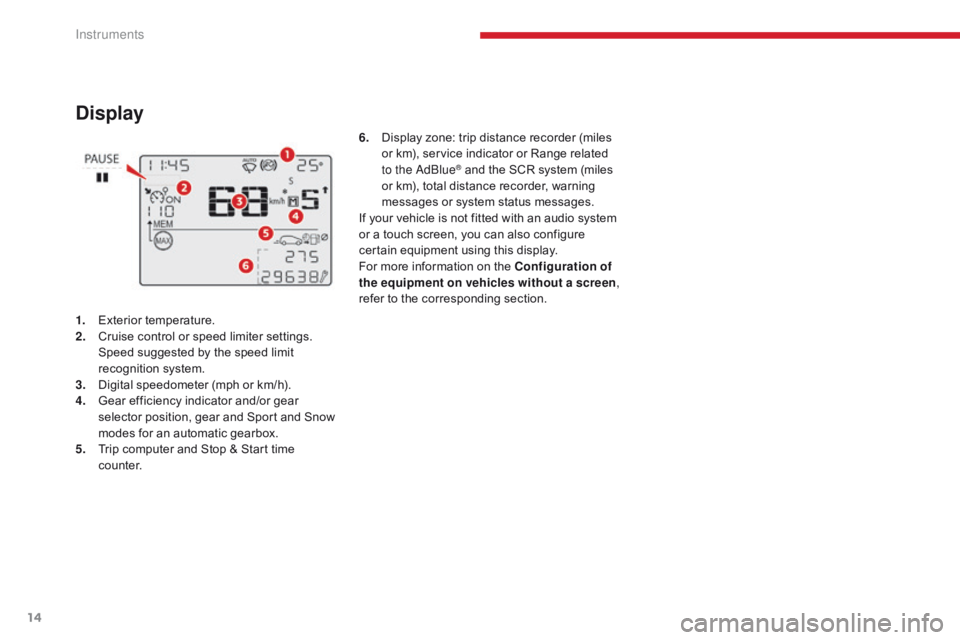
Display
1. Exterior temperature.
2. Cruise control or speed limiter settings.
S
peed suggested by the speed limit
recognition system.
3.
D
igital speedometer (mph or km/h).
4.
G
ear efficiency indicator and/or gear
selector position, gear and Sport and Snow
modes for an automatic gearbox.
5.
T
rip computer and Stop & Start time
counter. 6.
D
isplay zone: trip distance recorder (miles
or km), service indicator or Range related
to the AdBlue
® and the SCR system (miles
or km), total distance recorder, warning
messages or system status messages.
If your vehicle is not fitted with an audio system
or a touch screen, you can also configure
certain equipment using this display.
For more information on the Configuration of
the equipment on vehicles without a screen ,
refer to the corresponding section.
Instruments
Page 34 of 450
32
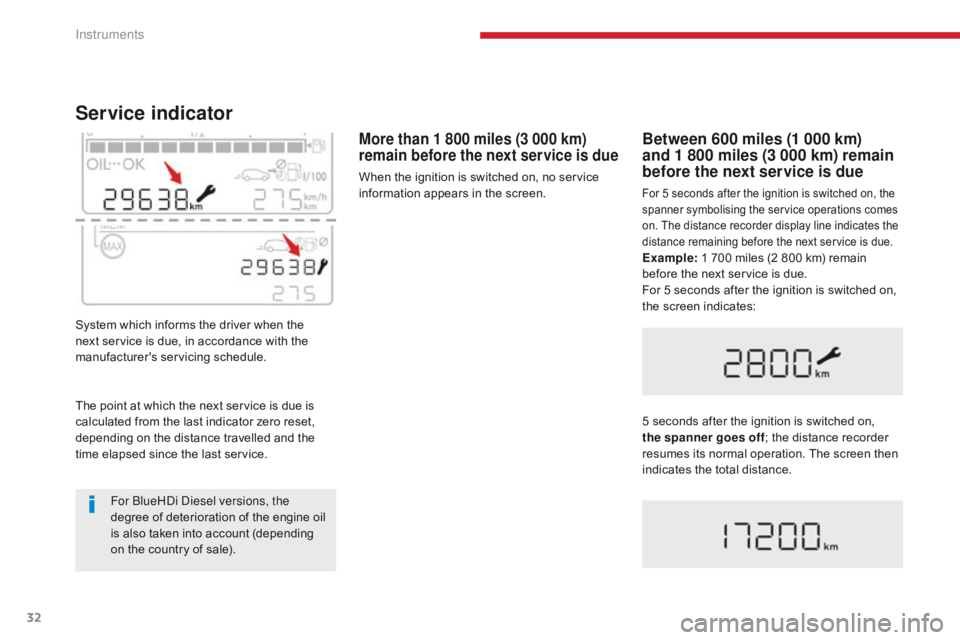
Service indicator
System which informs the driver when the
next service is due, in accordance with the
manufacturer's servicing schedule.
More than 1 800 miles (3 000 km)
remain before the next service is due
When the ignition is switched on, no service
information appears in the screen.
Between 600 miles (1 000 km)
and 1 800 miles (3 000 km) remain
before the next service is due
For 5 seconds after the ignition is switched on, the
spanner symbolising the service operations comes
on. The distance recorder display line indicates the
distance remaining before the next service is due.
Example: 1 700 miles (2 800 km) remain
before the next service is due.
For 5 seconds after the ignition is switched on,
the screen indicates:
5 seconds after the ignition is switched on,
the spanner goes off ; the distance recorder
resumes its normal operation. The screen then
indicates the total distance.
The point at which the next service is due is
calculated from the last indicator zero reset,
depending on the distance travelled and the
time elapsed since the last service.
For BlueHDi Diesel versions, the
degree of deterioration of the engine oil
is also taken into account (depending
on the country of sale).
Instruments
Page 36 of 450
34
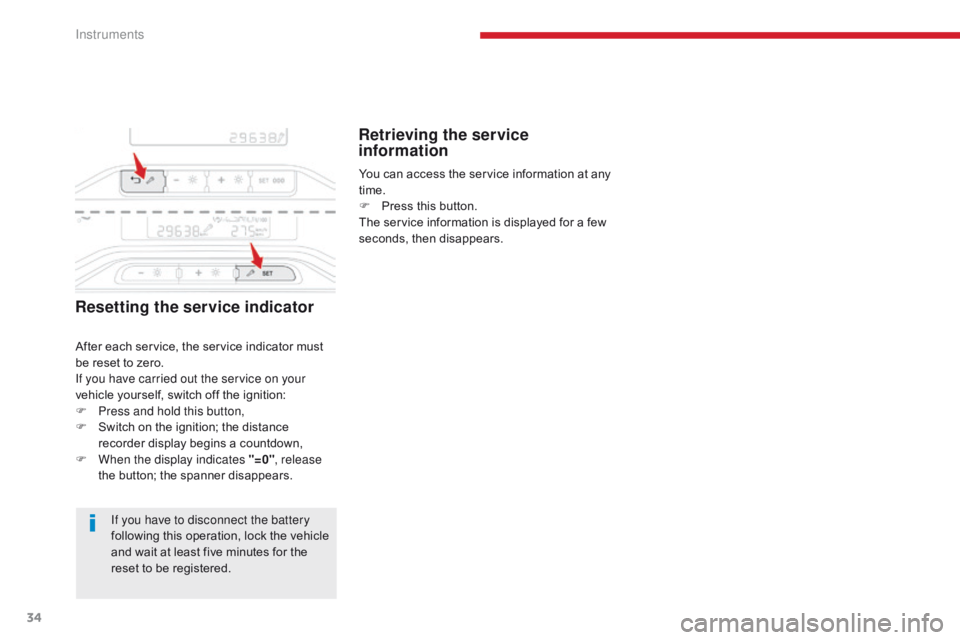
Resetting the service indicator
If you have to disconnect the battery
following this operation, lock the vehicle
and wait at least five minutes for the
reset to be registered.
Retrieving the service
information
After each service, the service indicator must
be reset to zero.
If you have carried out the service on your
vehicle yourself, switch off the ignition:
F
P
ress and hold this button,
F
S
witch on the ignition; the distance
recorder display begins a countdown,
F
W
hen the display indicates "=0" , release
the button; the spanner disappears. You can access the service information at any
time.
F
P
ress this button.
The service information is displayed for a few
seconds, then disappears.
Instruments
Page 43 of 450
41
B618_en_Chap01_Instruments-de-bord_ed01-2016
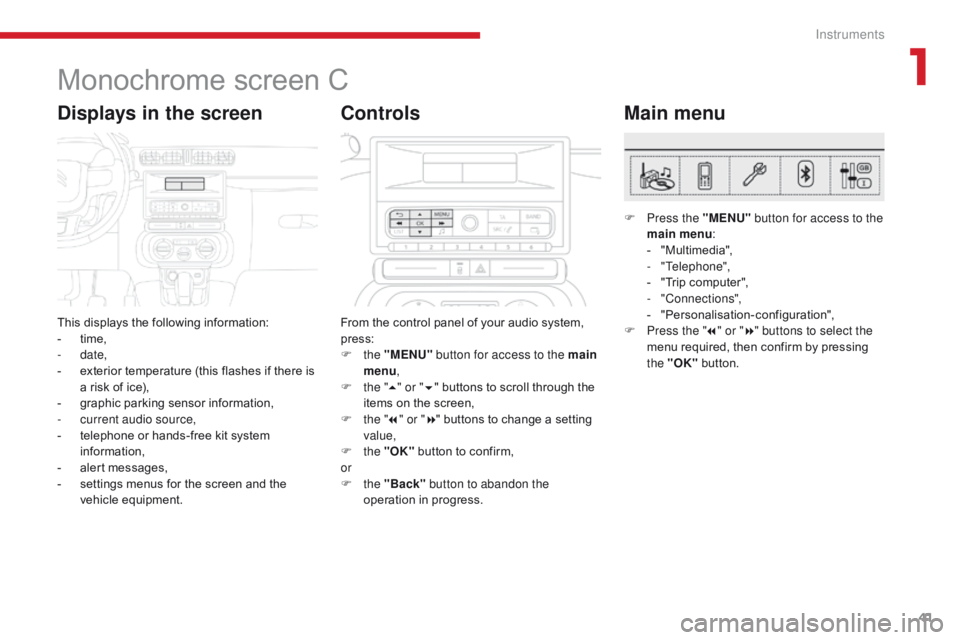
Monochrome screen C
This displays the following information:
- t ime,
-
date,
-
e
xterior temperature (this flashes if there is
a risk of ice),
-
g
raphic parking sensor information,
-
c
urrent audio source,
-
t
elephone or hands-free kit system
information,
-
a
lert messages,
-
s
ettings menus for the screen and the
vehicle equipment.
Displays in the screen
From the control panel of your audio system,
press:
F
the "MENU" button for access to the main
menu ,
F
t
he "5" or " 6" buttons to scroll through the
items on the screen,
F
t
he "7" or " 8" buttons to change a setting
value,
F
the "OK" button to confirm,
or
F
the "Back" button to abandon the
operation in progress.
Controls
F Press the "MENU" button for access to the
main menu :
-
"
Multimedia",
-
"Telephone",
-
"
Trip computer",
-
"Connections",
-
"
Personalisation-configuration",
F
P
ress the " 7" or " 8" buttons to select the
menu required, then confirm by pressing
the "OK" button.
Main menu
1
Instruments
Page 45 of 450
43
B618_en_Chap01_Instruments-de-bord_ed01-2016
As a safety measure, the driver must
only per form operations requiring
sustained attention when stationary.
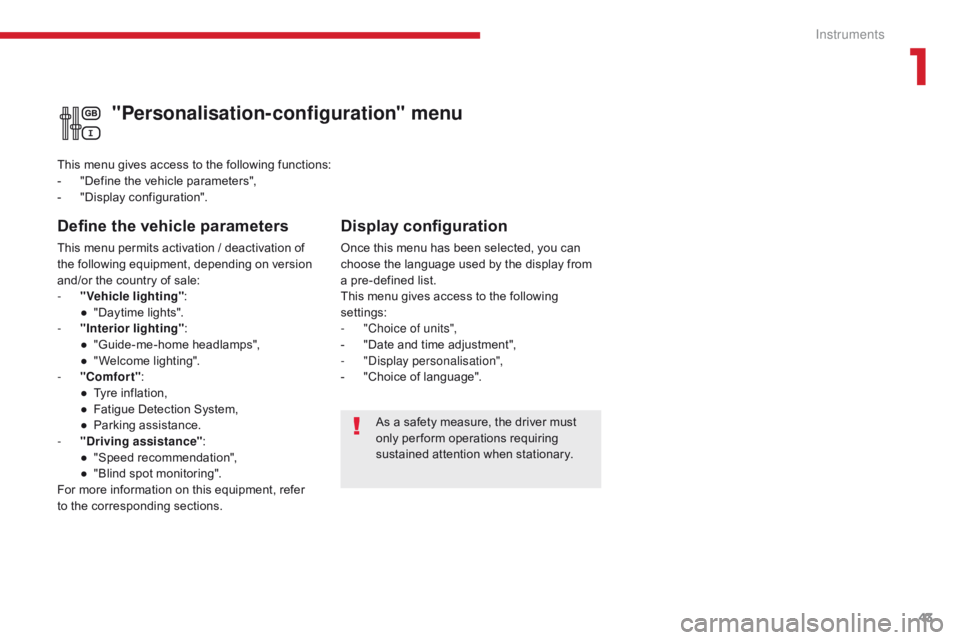
"Personalisation-configuration" menu
Define the vehicle parameters
This menu permits activation / deactivation of
the following equipment, depending on version
and/or the country of sale:
-
"
Vehicle lighting" :
●
"
Daytime lights".
-
"
Interior lighting" :
●
"
Guide-me-home headlamps",
●
"
Welcome lighting".
-
"
Comfort" :
●
T
yre inflation,
●
F
atigue Detection System,
●
P
arking assistance.
-
"
Driving assistance" :
●
"
Speed recommendation",
●
"
Blind spot monitoring".
For more information on this equipment, refer
to the corresponding sections. This menu gives access to the following functions:
-
"
Define the vehicle parameters",
-
"
Display configuration".
Display configuration
Once this menu has been selected, you can
choose the language used by the display from
a pre-defined list.
This menu gives access to the following
settings:
-
"
Choice of units",
-
"
Date and time adjustment",
-
"
Display personalisation",
-
"
Choice of language".
1
Instruments
Page 46 of 450
44
Touch screen
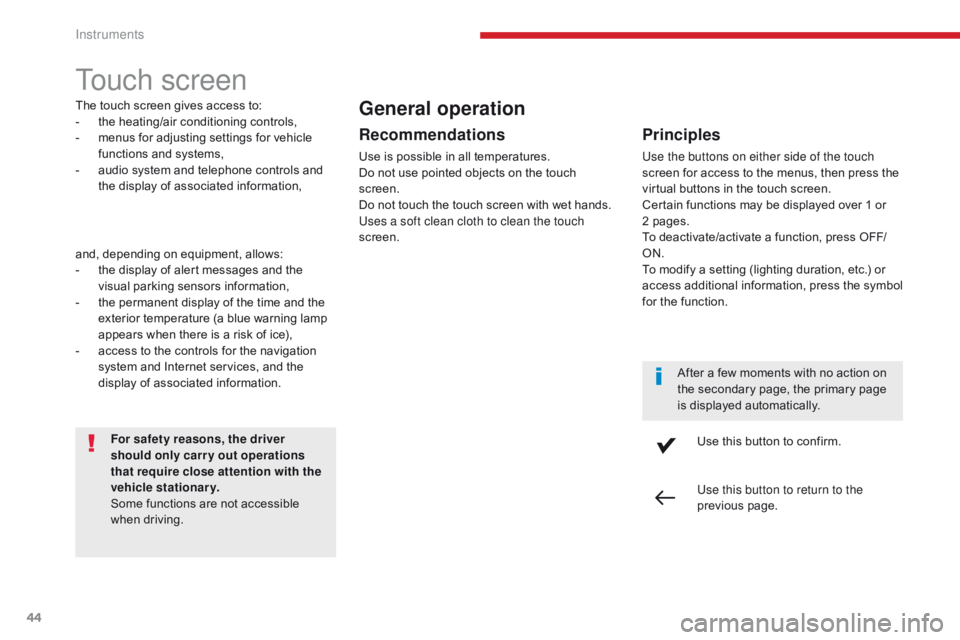
The touch screen gives access to:
- t he heating/air conditioning controls,
-
m
enus for adjusting settings for vehicle
functions and systems,
-
a
udio system and telephone controls and
the display of associated information,
For safety reasons, the driver
should only carr y out operations
that require close attention with the
vehicle stationary.
Some functions are not accessible
when driving.General operation
Recommendations
Use is possible in all temperatures.
Do not use pointed objects on the touch
screen.
Do not touch the touch screen with wet hands.
Uses a soft clean cloth to clean the touch
screen.
Use this button to confirm.
Use this button to return to the
previous page.
Principles
Use the buttons on either side of the touch
screen for access to the menus, then press the
virtual buttons in the touch screen.
Certain functions may be displayed over 1 or
2 pages.
To deactivate/activate a function, press OFF/
ON.
To modify a setting (lighting duration, etc.) or
access additional information, press the symbol
for the function.After a few moments with no action on
the secondary page, the primary page
is displayed automatically.
and, depending on equipment, allows:
-
t
he display of alert messages and the
visual parking sensors information,
-
t
he permanent display of the time and the
exterior temperature (a blue warning lamp
appears when there is a risk of ice),
-
a
ccess to the controls for the navigation
system and Internet services, and the
display of associated information.
Instruments
Page 48 of 450
46
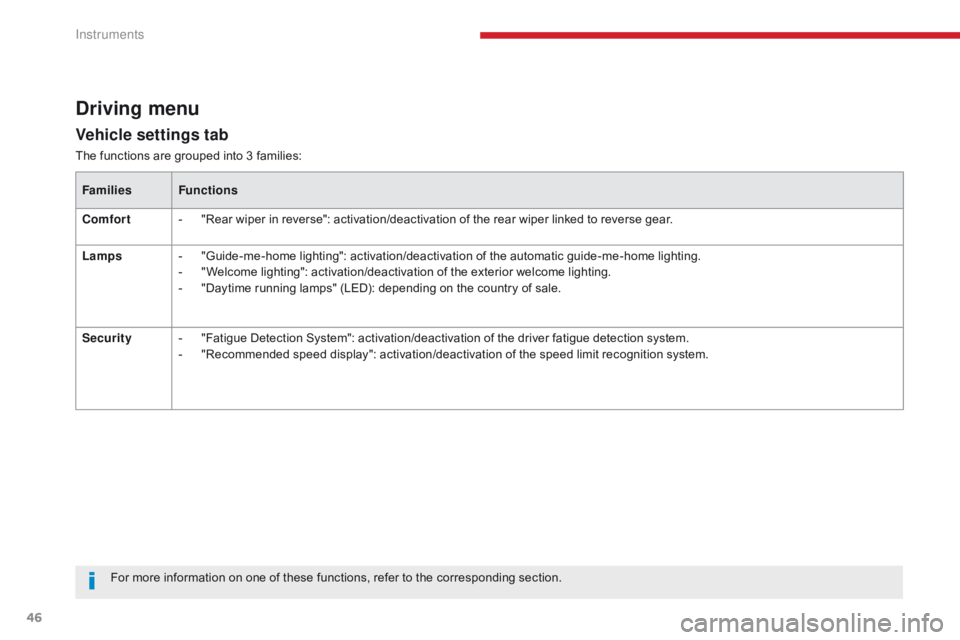
Vehicle settings tab
Driving menu
The functions are grouped into 3 families:Families Functions
Comfort -
"
Rear wiper in reverse": activation/deactivation of the rear wiper linked to reverse gear.
Lamps -
"
Guide-me-home lighting": activation/deactivation of the automatic guide-me-home lighting.
-
"
Welcome lighting": activation/deactivation of the exterior welcome lighting.
-
"
Daytime running lamps" (LED): depending on the country of sale.
Security -
"
Fatigue Detection System": activation/deactivation of the driver fatigue detection system.
-
"
Recommended speed display": activation/deactivation of the speed limit recognition system.
For more information on one of these functions, refer to the corresponding section.
Instruments