lock CITROEN C3 2023 Owner's Manual
[x] Cancel search | Manufacturer: CITROEN, Model Year: 2023, Model line: C3, Model: CITROEN C3 2023Pages: 104, PDF Size: 2.38 MB
Page 47 of 104

45
In the event of a breakdown
8► Tighten the spare wheel fixing screw by a few
turns.
After changing a wheel
The temporary spare wheel is only intended for temporary emergency use,
until the conventional wheel can be repaired
or replaced.
Continuous use of this spare can result in tire
failure and loss of control. Always observe
these precautions when using this spare:
–
Y
our vehicle will respond differently with
this temporary spare.
–
Do not exceed 80 km/h speed.
–
Replace this spare with a standard tire and
wheel as soon as possible.
–
Use of this spare will reduce ground
clearance.
–
Set the specified tire pressure indicated
on the tire information label located on the
driver's door lock pillar
.
–
Do not use tire chains on the temporary
spare. If you must use tire chains, rearrange
the wheels so standard tires and wheels are
fitted to the front axle.
–
The temporary spare wheel has a much
shorter tread life than the conventional
wheels
on your vehicle. Replace the tire as soon as
possible as the tread wear indicator appears.
The inflation pressure of the temporary spare
wheel should be checked at least monthly. At
the same time, check that the tire is stored
securely. If it is not, tighten it.
Note that two or more temporary spare
wheels should not be used on one vehicle
simultaneously.
Changing a bulb
In some weather conditions (e.g. low
temperature or humidity), misting on the
internal surface of the glass of the headlamps
and rear lamps is normal, and will disappear
after the lamps have been on for a few
minutes.
The headlamps have polycarbonate lenses with a protective coating:
–
Do not clean them with a dry or abrasive
cloth, nor with detergent or solvent
products.
–
Use a sponge and soapy water or a pH
neutral product.
–
When using a high-pressure washer on
persistent marks, do not keep the lance
directed towards the headlamps, lamps or
their edges for too long, so as not to damage
their protective coating and seals.
Changing a bulb must only be done with
the ignition off and after the headlamp /
lamp has been switched off for several
minutes - risk of serious burns!
Do not touch the bulb directly with your
fingers; use a lint-free cloth.
It is essential only to use anti-ultraviolet
(UV) type bulbs, so as not to damage the
headlamp.
Always replace a failed bulb with a new bulb
of the same type and specification. To avoid
lighting imbalance, replace the bulbs in pairs.
Refitting the lamp units
Perform the operations in the reverse
order to dismantling.
Opening the bonnet / Accessing the
bulbs
With the engine warm, proceed with caution -
risk of burns!
Take care with objects or clothing that could
be caught in the blades of the cooling fan -
risk of strangulation!
Halogen bulbs (Hx)
To ensure good quality lighting, check
that the bulb is correctly positioned in its
housing.
Page 48 of 104

46
In the event of a breakdown
Light-emitting diode (LED)
headlamps and lamps
Depending on version, the affected types of
headlamps / lamps are:
–
Daytime running lamps / sidelamps.
–
Direction indicator side repeaters.
–
Third brake lamp.
–
Number plate lamps.
Light emitting diodes (LED)
For the replacement of this type of bulb,
you must contact a CITROËN dealer.
Do not touch the LED technology lamps - risk
of electrocution!
Front lamps
Model 1
1. Daytime running lamps/sidelamps (W5W
bulb)
2. Direction indicators (PY21W
- 12V - 21W)
3. Beam headlamps (H4
- 12V - 60/55W)
Model 2
1.Daytime running lamps/sidelamps (LED)
2. Direction indicators (PY21W
- 12V - 21W)
3. Beam headlamps (H4
- 12V - 60/55W)
Daytime running lamps/sidelamps
► Turn the bulb holder a quarter of a turn and
pull it out.
►
Pull the bulb out and change it.
Direction indicators
Rapid flashing of a direction indicator
lamp (left or right) indicates that one of
the bulbs on the corresponding side has
failed.
► Turn the bulb holder a eighth of a turn anti-
clockwise and remove it.
►
Remove the bulb and replace it.
Amber coloured bulbs, such as the direction indicators, must be replaced by
bulbs with identical colour and specifications.
Beam headlamps
► Remove the protective cover by pulling on
the tab.
►
Disconnect the bulb connector
.
►
Release the retaining tab.
►
Change the bulb taking care to align the
metal part with the grooves on the lamp.
►
Reposition the retaining tab.
►
Reconnect the bulb connector
.
Page 49 of 104

47
In the event of a breakdown
8► Ensure that the cover is refitted correctly all
around to ensure correct sealing.
Rear lamps
Model 1
1. Sidelamps / Brake lamps
(P21/5W - 12V - 21W/5W)
2. Direction indicators (PY21W
- 12V - 21W)
3. Reversing lamp (P21W
- 12V - 21W)
Model 2
1.Sidelamps / Brake lamps
(P21/5W - 12V - 21W/5W)
2. Direction indicators (PY21W
- 12V - 21W)
3. Reversing lamp (P21W
- 12V - 21W)
4. Additional sidelamps (W3W
- 12V - 3W)
5. Connecting tail lamps (W3W
- 12V - 3W)
Changing bulbs
These bulbs are changed after removing the tail
lamp assembly.
►
Open the boot.
►
Unscrew the nut and remove it. Be careful
not to drop it inside the wing.
►
Unclip the lamp unit and carefully extract it
pulling straight towards the outside.
A
standard pair of pliers or the wheel wrench
(depending on equipment) may be necessary to
remove the nut.
Sidelamps/Brake lamps / Reversing lamp /
Direction indicators
► Turn the bulb holder a eighth of a turn anti-
clockwise and remove it.
►
Remove the bulb and replace it.
Additional sidelamps / Connecting tail
lamps (if equipped)
► Turn the bulb holder a quarter of a turn and
pull it out.
►
Pull the bulb out and change it.
Interior lighting
Courtesy lamp (10W - 12V - 10W)
► Using a thin, flap tip screwdriver , unclip the
entire console surrounding the courtesy lamp.
►
Remove the defective bulb and replace it.
►
Fit the console back into place around the
courtesy lamp and clip it correctly
.
Page 61 of 104
59
In the event of a breakdown
8When towing a vehicle with all four wheels on
the ground, always use an approved towing
arm; rope and straps are prohibited.
The towing vehicle must move off gently.
When the vehicle is towed with its engine
off, there is no longer braking and steering
assistance.
A professional towing service must be
called if:
–
Broken down on a motorway or main road.
–
Not possible to put
the gearbox into neutral,
unlock the steering, or release the parking
brake.
–
T
owing with only two wheels on the ground.
–
No approved towbar available.
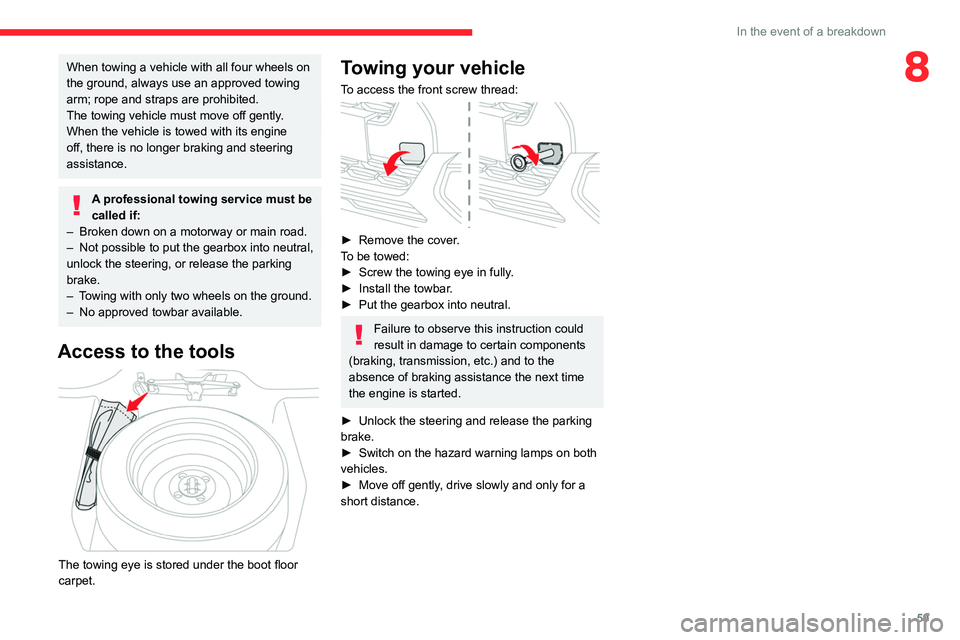
Access to the tools
The towing eye is stored under the boot floor
carpet.
Towing your vehicle
To access the front screw thread:
► Remove the cover .
To be towed:
►
Screw the towing eye in fully
.
►
Install the towbar
.
►
Put the gearbox into neutral.
Failure to observe this instruction could
result in damage to certain components
(braking, transmission, etc.) and to the
absence of braking assistance the next time
the engine is started.
►
Unlock the steering and release the parking
brake.
►
Switch on the hazard warning lamps on both
vehicles.
►
Move off gently
, drive slowly and only for a
short distance.
Page 64 of 104
62
10" Touch Screen
10" Touch Screen
Multimedia audio system
The functions and settings described may vary according to the vehicle version
and configuration.
Driving while distracted can result in loss
of vehicle control, crash and injury. We
strongly recommend that you use extreme
caution when using any device that may take
your focus off the road.
Your primary responsibility is the safe
operation of your vehicle.
We recommend against the use of any hand-
held device while driving and encourage
the use of voice-operated systems when
possible.
Make sure you are aware of all applicable
local laws that may affect the use of electronic
devices while driving.
For safety reasons and because they
require sustained attention by the driver,
the following operations must be carried out
with the vehicle stationary and the ignition on:
–
Pairing the smartphone with the system in
Bluetooth® mode.
–
Connection to the Apple CarPlay® or
Android Auto applications.
–
Using the smartphone.
– Changing the system settings and
configuration.
Some functions are not accessible when
driving.
Overheating
In very hot conditions, operation may be
limited to protect the system (e.g. volume may
be reduced). A warning message is displayed
on the screen.
The system will resume normal operation
when the temperature in the passenger
compartment has dropped.
The system is protected in such a way that it will only operate in the vehicle.
For more information about smartphones
and OS compatibility, refer to the
following website:
https://citroen.in/citroen-connectivity
General information
Getting to know your
system
The system allows you to interact with a variety
of features using the touch screen and voice
commands. By integrating with your Bluetooth
®-enabled
phone, the touch screen provides easy
interaction with audio, multimedia, navigation,
and your phone's compatible applications.
Your system is equipped with a feature that
allows you to access and control audio features
for 60 minutes after you switch the ignition off
(until the doors are locked using the remote
control).
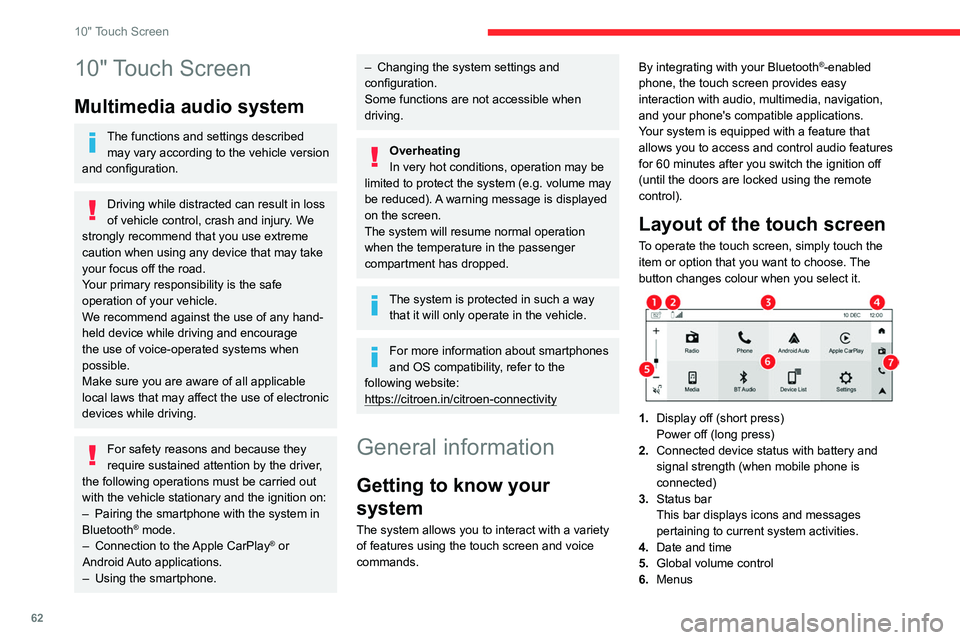
Layout of the touch screen
To operate the touch screen, simply touch the
item or option that you want to choose. The
button changes colour when you select it.
1. Display off (short press)
Power off (long press)
2. Connected device status with battery and
signal strength (when mobile phone is
connected)
3. Status bar
This bar displays icons and messages
pertaining to current system activities.
4. Date and time
5. Global volume control
6. Menus
Page 67 of 104
65
10" Touch Screen
10Automatic reconnection
On returning to the vehicle, if the last phone
connected is present again (Bluetooth®
activated), it is automatically reconnected after
key on.
Managing paired phones
To connect or disconnect a paired phone and
switch to Android Auto or Apple CarPlay®: Press Settings menu, select Phone then
Device List to display the list of paired
devices.
or
Press directly Device List menu to
display the list of paired devices.
Press the Bluetooth icon to connect/
disconnect a device.
Delete a phone
Press Settings menu, select Phone then
Device List to display the list of paired
devices.
or
Press directly Device List menu to
display the list of paired devices.
Press Delete to delete a device.
Receiving a call
An incoming call is announced by a ring and a
superimposed display in the screen.
To accept the call:
Press this steering mounted button or use
the touch screen button.
To reject the call:
Press this steering mounted button or use
the touch screen button.
Making a call
Using the telephone is not recommended
while driving.
Park/stop the vehicle before using the mobile
device.
Calling a new number
Press Phone menu.
Press Dialpad.
Enter the phone number using the digital
keypad.
Press the Call button.
Calling a contact
Press Phone menu.
Press Contacts.
Select your contact.
Calling a recently used number
Press Phone menu.
Press Call Log .
Select the number in the list of recently used
numbers.
Call options
During an active call, the following options are
available:
Mute: mute the microphone.
Hold: put the active call on hold.
Add: add a second call from the dial pad, call log
or contact list.
Use Phone: switch to handset mode.
Keypad: use the keypad.
End call : hang up the phone.
Managing multiple calls
If there is a second incoming call, you can press
Accept Call to accept it. The first call is on hold.
You can choose to swap between calls or merge
both calls. If you merge calls, a conference call
is created.
Connectivity
Synchronising a smartphone enables
users to display applications that support
the smartphone’s Android Auto or Apple
CarPlay
® technology on the vehicle’s screen.
For Apple CarPlay® technology, the Apple
CarPlay® function must first be activated on
the smartphone. In all cases, the smartphone
must be unlocked, to enable the
communication process between the
smartphone and the system to function (at
first connection only). As principles and
standards are constantly changing, we
Page 70 of 104
68
10" Touch Screen
Settings
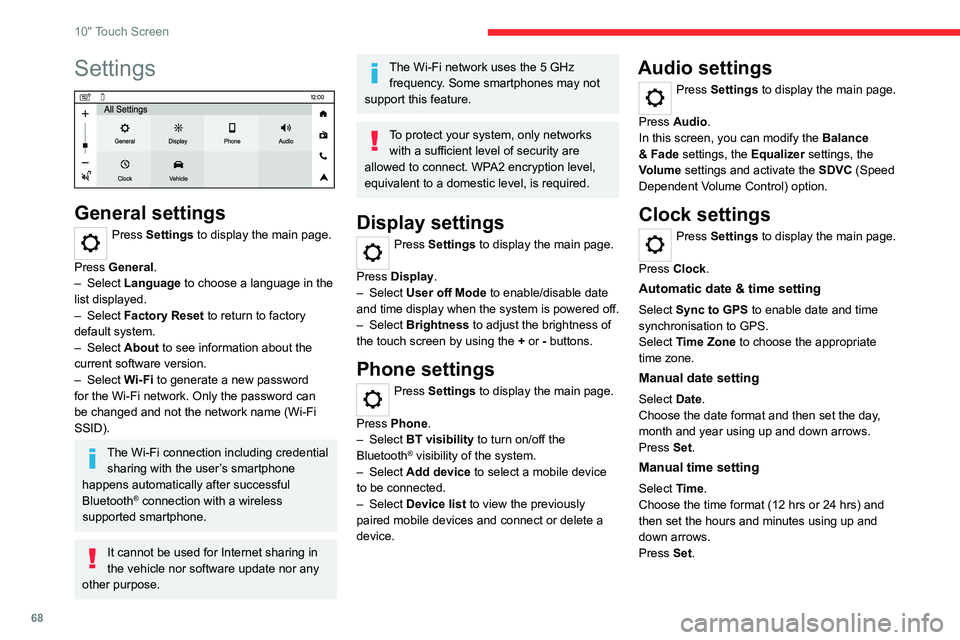
General settings
Press Settings to display the main page.
Press General.
–
Select Language to choose a language in the
list displayed.
–
Select Factory Reset to return to factory
default system.
–
Select About to see information about the
current software version.
–
Select Wi-Fi to generate a new password
for the Wi-Fi network. Only the password can
be changed and not the network name (Wi-Fi
SSID).
The Wi-Fi connection including credential sharing with the user’s smartphone
happens automatically after successful
Bluetooth
® connection with a wireless
supported smartphone.
It cannot be used for Internet sharing in
the vehicle nor software update nor any
other purpose.
The Wi-Fi network uses the 5 GHz frequency. Some smartphones may not
support this feature.
To protect your system, only networks with a sufficient level of security are
allowed to connect. WPA2 encryption level,
equivalent to a domestic level, is required.
Display settings
Press Settings to display the main page.
Press Display.
–
Select User off Mode to enable/disable date
and time display when the system is powered off.
–
Select Brightness to adjust the brightness of
the touch screen by using the + or - buttons.
Phone settings
Press Settings to display the main page.
Press Phone.
–
Select BT visibility to turn on/off the
Bluetooth
® visibility of the system.
–
Select Add device to select a mobile device
to be connected.
–
Select Device list to view the previously
paired mobile devices and connect or delete a
device.
Audio settings
Press Settings to display the main page.
Press Audio .
In this screen, you can modify the Balance
& Fade settings, the Equalizer settings, the
Volume settings and activate the SDVC (Speed
Dependent Volume Control) option.
Clock settings
Press Settings to display the main page.
Press Clock.
Automatic date & time setting
Select Sync to GPS to enable date and time
synchronisation to GPS.
Select Time Zone to choose the appropriate
time zone.
Manual date setting
Select Date.
Choose the date format and then set the day,
month and year using up and down arrows.
Press Set.
Manual time setting
Select Time.
Choose the time format (12 hrs or 24 hrs) and
then set the hours and minutes using up and
down arrows.
Press Set.
Page 72 of 104
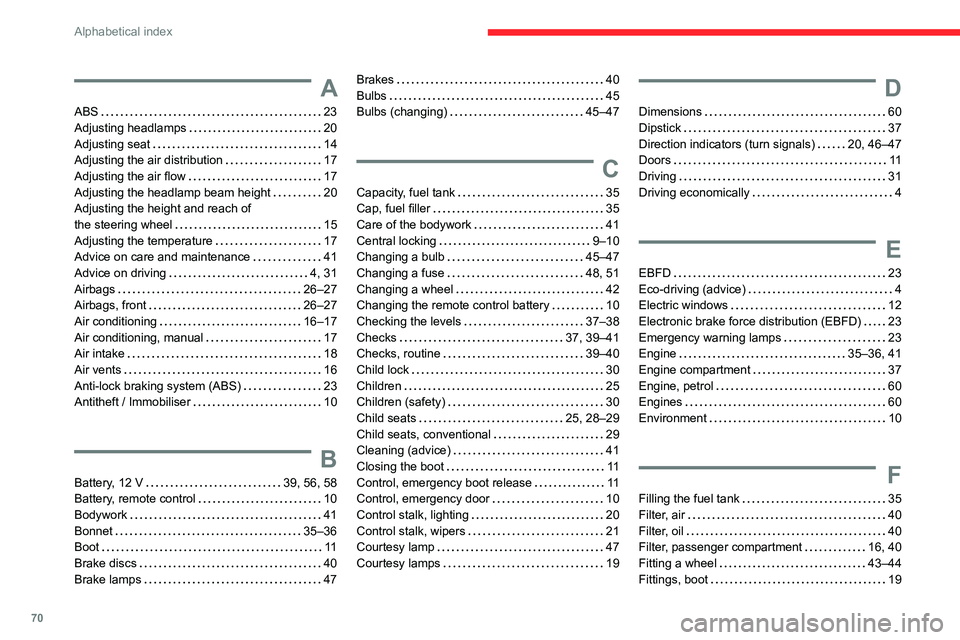
70
Alphabetical index
A
ABS 23
Adjusting headlamps
20
Adjusting seat
14
Adjusting the air distribution
17
Adjusting the air flow
17
Adjusting the headlamp beam height
20
Adjusting the height and reach of
the steering wheel
15
Adjusting the temperature
17
Advice on care and maintenance
41
Advice on driving
4, 31
Airbags
26–27
Airbags, front
26–27
Air conditioning
16–17
Air conditioning, manual
17
Air intake
18
Air vents
16
Anti-lock braking system (ABS)
23
Antitheft / Immobiliser
10
B
Battery, 12 V 39, 56, 58
Battery, remote control
10
Bodywork
41
Bonnet
35–36
Boot
11
Brake discs
40
Brake lamps
47
Brakes 40
Bulbs
45
Bulbs (changing)
45–47
C
Capacity, fuel tank 35
Cap, fuel filler
35
Care of the bodywork
41
Central locking
9–10
Changing a bulb
45–47
Changing a fuse
48, 51
Changing a wheel
42
Changing the remote control battery
10
Checking the levels
37–38
Checks
37, 39–41
Checks, routine
39–40
Child lock
30
Children
25
Children (safety)
30
Child seats
25, 28–29
Child seats, conventional
29
Cleaning (advice)
41
Closing the boot
11
Control, emergency boot release
11
Control, emergency door
10
Control stalk, lighting
20
Control stalk, wipers
21
Courtesy lamp
47
Courtesy lamps
19
D
Dimensions 60
Dipstick
37
Direction indicators (turn signals)
20, 46–47
Doors
11
Driving
31
Driving economically
4
E
EBFD 23
Eco-driving (advice)
4
Electric windows
12
Electronic brake force distribution (EBFD)
23
Emergency warning lamps
23
Engine
35–36, 41
Engine compartment
37
Engine, petrol
60
Engines
60
Environment
10
F
Filling the fuel tank 35
Filter, air
40
Filter, oil
40
Filter, passenger compartment
16, 40
Fitting a wheel
43–44
Fittings, boot
19
Page 73 of 104
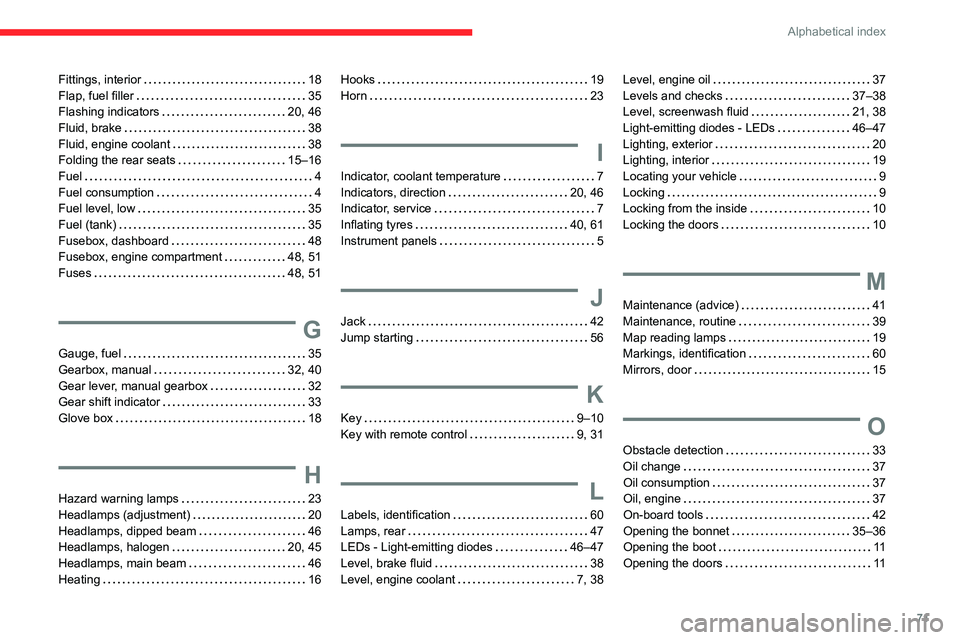
71
Alphabetical index
Fittings, interior 18
Flap, fuel filler
35
Flashing indicators
20, 46
Fluid, brake
38
Fluid, engine coolant
38
Folding the rear seats
15–16
Fuel
4
Fuel consumption
4
Fuel level, low
35
Fuel (tank)
35
Fusebox, dashboard
48
Fusebox, engine compartment
48, 51
Fuses
48, 51
G
Gauge, fuel 35
Gearbox, manual
32, 40
Gear lever, manual gearbox
32
Gear shift indicator
33
Glove box
18
H
Hazard warning lamps 23
Headlamps (adjustment)
20
Headlamps, dipped beam
46
Headlamps, halogen
20, 45
Headlamps, main beam
46
Heating
16
Hooks 19
Horn
23
I
Indicator, coolant temperature 7
Indicators, direction
20, 46
Indicator, service
7
Inflating tyres
40, 61
Instrument panels
5
J
Jack 42
Jump starting
56
K
Key 9–10
Key with remote control
9, 31
L
Labels, identification 60
Lamps, rear
47
LEDs - Light-emitting diodes
46–47
Level, brake fluid
38
Level, engine coolant
7, 38
Level, engine oil 37
Levels and checks
37–38
Level, screenwash fluid
21, 38
Light-emitting diodes - LEDs
46–47
Lighting, exterior
20
Lighting, interior
19
Locating your vehicle
9
Locking
9
Locking from the inside
10
Locking the doors
10
M
Maintenance (advice) 41
Maintenance, routine
39
Map reading lamps
19
Markings, identification
60
Mirrors, door
15
O
Obstacle detection 33
Oil change
37
Oil consumption
37
Oil, engine
37
On-board tools
42
Opening the bonnet
35–36
Opening the boot
11
Opening the doors
11
Page 74 of 104

72
Alphabetical index
P
Pads, brake 40
Paint
41
Parking sensors, audible and visual
33
Parking sensors, rear
33
Plates, identification
60
Port, USB
18
Pressures, tyres
40, 61
Pre-tensioning (seat belts)
25
Protecting children
26–28
Puncture
42
R
Recirculation, air 18
Reminder, lighting on
20
Remote control
9–10
Removing a wheel
43–44
Replacing bulbs
45–47
Replacing fuses
48
Replacing the air filter
40
Replacing the oil filter
40
Replacing the passenger compartment
filter
40
Reservoir, screenwash
38
Reversing lamps
47
Roof rack
41
S
Safety, children 26–28
Screenwash
21
Screenwash, front
21
Seat belts
24–25
Seats, front
14
Seats, rear
15–16
Serial number, vehicle
60
Servicing
7, 39, 40–41
Sidelamps
47
Starting the engine
31
Starting the vehicle
31–32
Starting using another battery
56
Stay, engine bonnet
36
Steering wheel (adjustment)
15
Stopping the vehicle
31–32
Storage
18
Suspension
40
Switch, ignition
31
Switching off the engine
31
T
Tables of engines 60
Tables of fuses
48, 51
Tank, fuel
35
Technical data
60
Temperature, coolant
7
Tools
42
Towing
58–59
Trip computer 7–8
Tyres
40, 61
U
Unlocking 9
Unlocking from the inside
10
Unlocking the doors
10
V
Ventilation 16
W
Warning and indicator lamps 5
Warning lamp, driver's seat belt not
fastened
25
Warning lamps
5
Warning lamp, seat belts
25
Warnings and indicators
5
Washing (advice)
41
Wheel, spare
40, 42–44
Wipers
21
Wipers, windscreen
21