brake CITROEN C3 AIRCROSS 2017 Owner's Manual
[x] Cancel search | Manufacturer: CITROEN, Model Year: 2017, Model line: C3 AIRCROSS, Model: CITROEN C3 AIRCROSS 2017Pages: 308, PDF Size: 9.13 MB
Page 127 of 308
125
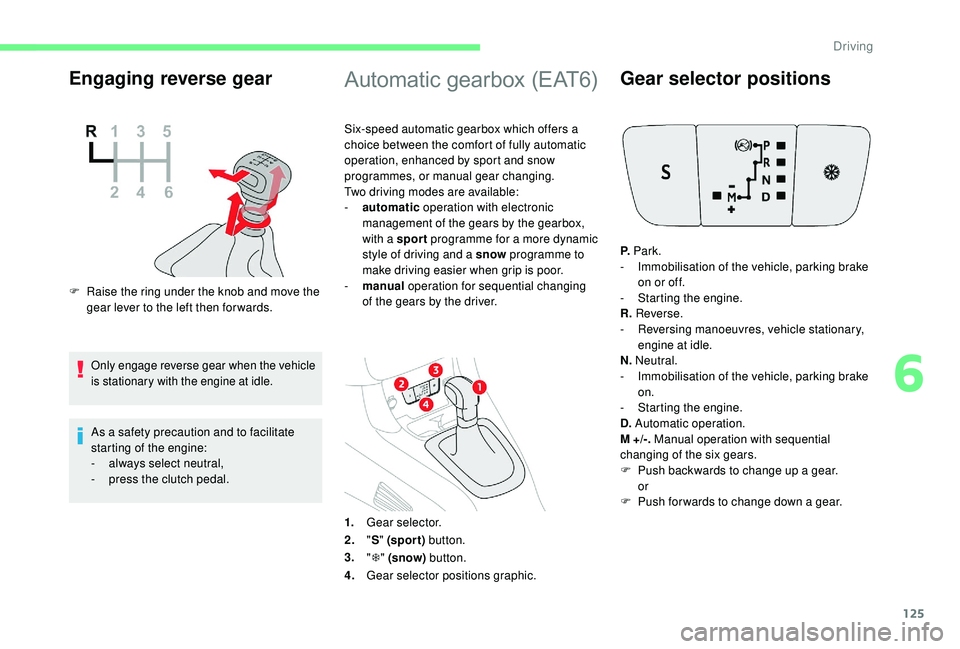
Engaging reverse gear
F Raise the ring under the knob and move the gear lever to the left then for wards.
Only engage reverse gear when the vehicle
is stationary with the engine at idle.
As a safety precaution and to facilitate
starting of the engine:
-
a
lways select neutral,
-
p
ress the clutch pedal.
Automatic gearbox (EAT6)
Six-speed automatic gearbox which offers a
choice between the comfort of fully automatic
operation, enhanced by sport and snow
programmes, or manual gear changing.
Two driving modes are available:
-
a
utomatic operation with electronic
management of the gears by the gearbox,
with a sport programme for a more dynamic
style of driving and a snow programme to
make driving easier when grip is poor.
-
man
ual operation for sequential changing
of the gears by the driver.
1. Gear selector.
2. "S " (spor t) button.
3. "T " (snow) button.
4. Gear selector positions graphic.
Gear selector positions
P. Park.
- I mmobilisation of the vehicle, parking brake
on or off.
-
S
tarting the engine.
R. Reverse.
-
R
eversing manoeuvres, vehicle stationary,
engine at idle.
N. Neutral.
-
I
mmobilisation of the vehicle, parking brake
on.
-
S
tarting the engine.
D. Automatic operation.
M +/-. Manual operation with sequential
changing of the six gears.
F
P
ush backwards to change up a gear.
or
F
P
ush forwards to change down a gear.
6
Driving
Page 128 of 308
126
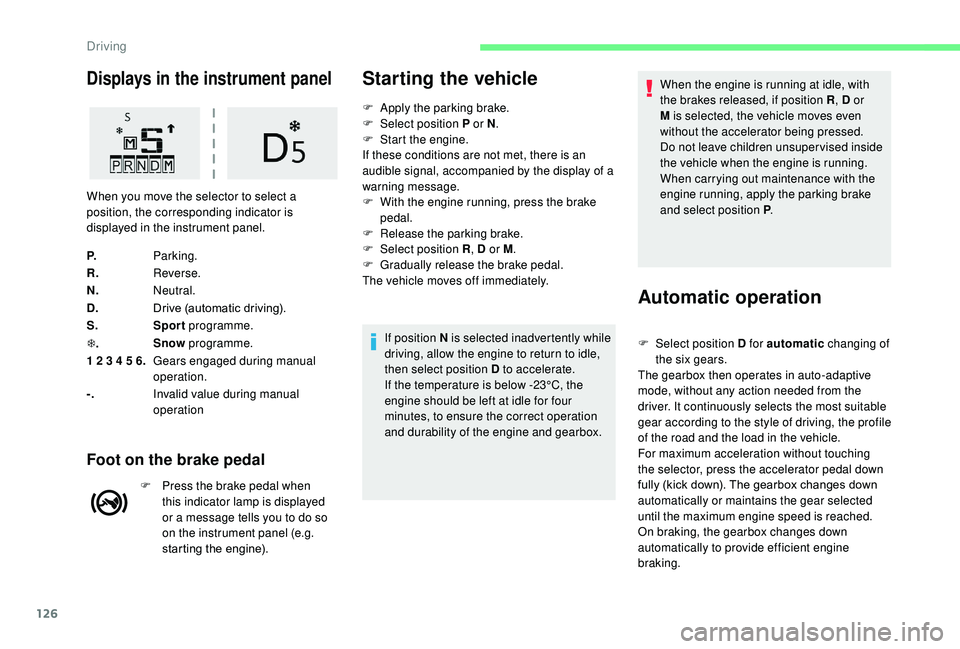
Displays in the instrument panel
P.Parking.
R. Reverse.
N. Neutral.
D. Drive (automatic driving).
S. Sport programme.
T . Snow
programme.
1 2 3 4 5 6. Gears engaged during manual
operation.
-. Invalid value during manual
operation
Foot on the brake pedal
F Press the brake pedal when
this indicator lamp is displayed
or a message tells you to do so
on the instrument panel (e.g.
starting the engine).
Starting the vehicle
F Apply the parking brake.
F Sel ect position P or N .
F
S
tart the engine.
If these conditions are not met, there is an
audible signal, accompanied by the display of a
warning message.
F
W
ith the engine running, press the brake
pedal.
F
R
elease the parking brake.
F
Sel
ect position R , D or M.
F
G
radually release the brake pedal.
The vehicle moves off immediately.
If position N is selected inadvertently while
driving, allow the engine to return to idle,
then select position D to accelerate.
If the temperature is below -23°C, the
engine should be left at idle for four
minutes, to ensure the correct operation
and durability of the engine and gearbox.
When you move the selector to select a
position, the corresponding indicator is
displayed in the instrument panel.
When the engine is running at idle, with
the brakes released, if position R
, D or
M is selected, the vehicle moves even
without the accelerator being pressed.
Do not leave children unsuper vised inside
the vehicle when the engine is running.
When carrying out maintenance with the
engine running, apply the parking brake
and select position P .
Automatic operation
F Select position D for automatic changing of
the six gears.
The gearbox then operates in auto-adaptive
mode, without any action needed from the
driver. It continuously selects the most suitable
gear according to the style of driving, the profile
of the road and the load in the vehicle.
For maximum acceleration without touching
the selector, press the accelerator pedal down
fully (kick down). The gearbox changes down
automatically or maintains the gear selected
until the maximum engine speed is reached.
On braking, the gearbox changes down
automatically to provide efficient engine
braking.
Driving
Page 129 of 308
127
If you release the accelerator sharply, the
gearbox will not change to a higher gear for
safety reasons.Never select position N while the vehicle
is moving.
Never select position P or R unless the
vehicle is completely stationary.
Sport and snow programmes
These two special programmes supplement the
automatic operation in very specific conditions
of use.
Sport programme "S"
F With the engine running, press button S.
The gearbox automatically favours a dynamic
style of driving.
S appears on the instrument panel.
Snow programme " T"
F With the engine running, press the " T"
button.
The gearbox adapts to driving on slippery
roads.
Return to standard
automatic operation
F At any time, press the selected button again to quit the programme engaged and return
to auto-adaptive mode.
Manual operation
This programme improves starting and
handling when traction is poor.
T appears in the instrument panel.
F
Sel
ect the M position for sequential
changing of the six gears.
F
M
ove the selector towards the + sign to
change up a gear.
F
M
ove the selector towards the – sign to
change down a gear.
Gears are changed only if the vehicle’s
speed and engine speed allow; other wise, the
gearbox will operate temporarily in automatic
mode. It is possible to change from position D
(automatic) to position M (manual) at any time.
When the vehicle is stationary or crawling, the
gearbox engages first gear automatically.
The sport and snow programmes are inactive
in manual mode.
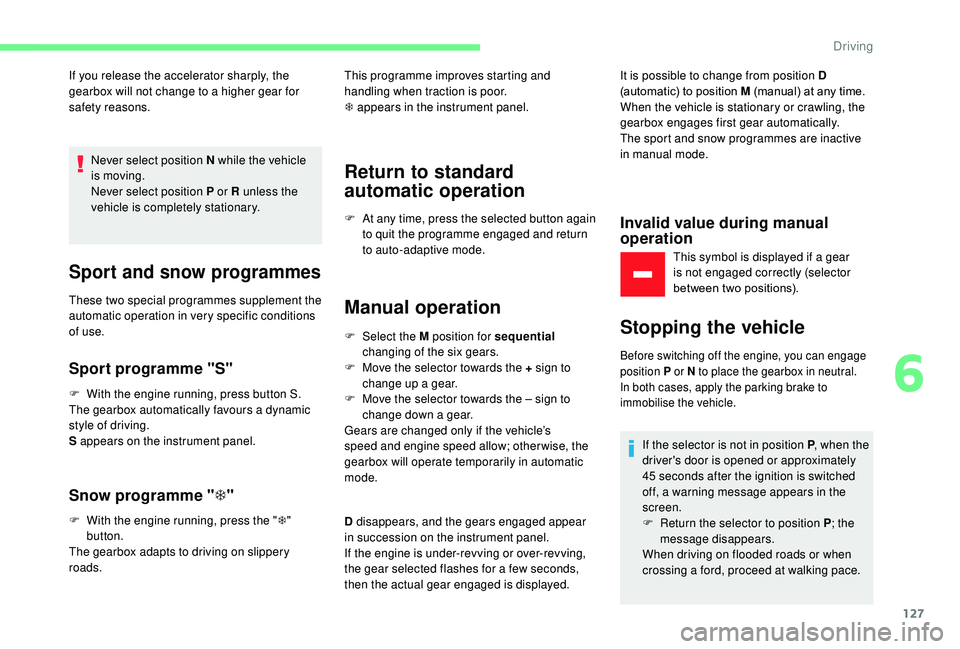
Invalid value during manual
operation
This symbol is displayed if a gear
is not engaged correctly (selector
between two positions).
Stopping the vehicle
Before switching off the engine, you can engage
position P or N to place the gearbox in neutral.
In both cases, apply the parking brake to
immobilise the vehicle.
D disappears, and the gears engaged appear
in succession on the instrument panel.
If the engine is under-revving or over-revving,
the gear selected flashes for a few seconds,
then the actual gear engaged is displayed.
If the selector is not in position P
, when the
driver's door is opened or approximately
45 seconds after the ignition is switched
off, a warning message appears in the
screen.
F R eturn the selector to position P; the
message disappears.
When driving on flooded roads or when
crossing a ford, proceed at walking pace.
6
Driving
Page 130 of 308
128
Malfunction
When the ignition is on, the lighting
of this warning lamp, accompanied
by an audible signal and a message
in the screen, indicates a gearbox
fault.
In this case, the gearbox switches to back-up
mode and is locked in 3
rd gear. You may feel
a substantial knock when changing from P
to R and from N to R. This will not cause any
damage to the gearbox.
Do not exceed 60
mph (100 km/h), local speed
restrictions permitting.
Contact a CITROËN dealer or a qualified
workshop as soon as possible.
There is a risk of damage to the gearbox:
-
i
f you press the accelerator and brake
pedals at the same time,
-
i
f you force the movement of the
selector from position P to another
position when the battery is flat.
To reduce fuel consumption when at
a prolonged standstill with the engine
running (traffic jam, etc.), put the
selector in position N and apply the
parking brake. If your vehicle has an automatic gearbox,
never try to start the engine by pushing
the vehicle.
Gear efficiency indicator
System which reduces fuel consumption by
recommending the most appropriate gear.
Operation
Depending on the driving situation and your
vehicle's equipment, the system may advise
you to skip one (or more) gear(s). You can
follow this instruction without engaging the
intermediate gears.
Gear shift recommendations should not be
considered obligatory. The configuration of the
road, the amount of traffic and safety remain
determining factors when choosing the best
gear. The driver thus remains responsible
for deciding whether to follow or ignore the
system's instructions.
This function cannot be deactivated.
With an automatic gearbox, the system is
only active in manual mode. On BlueHDi Diesel versions with manual
gearbox, in certain driving conditions the
system may suggest changing into neutral so
that the engine can go into standby (STOP
mode of Stop & Start). In this case, N is
displayed in the instrument panel.
Example:
-
Y
ou are in 3
rd g e a r.
-
Y
ou press the accelerator pedal.
-
T
he system may suggest that you engage a
higher gear.
The system adapts its gear change
recommendations according to the
driving conditions (slope, load, etc.)
and the demands of the driver (power,
acceleration, braking, etc.).
The system never suggests:
-
e
ngaging first gear,
-
enga
ging reverse gear,
-
enga
ging a lower gear.
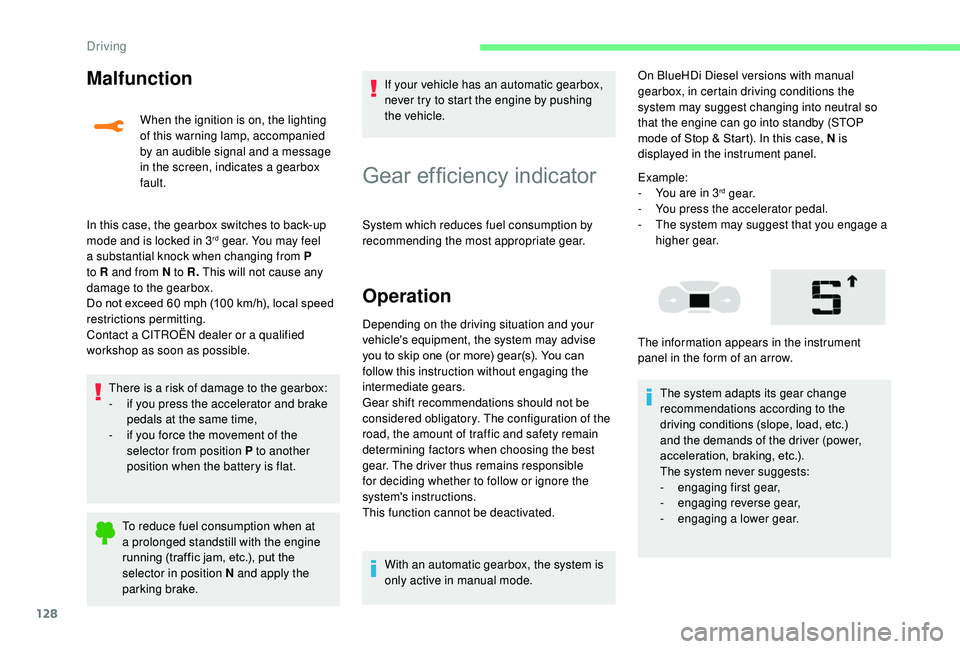
The information appears in the instrument
panel in the form of an arrow.
Driving
Page 131 of 308
129
On vehicles fitted with a manual gearbox,
the arrow may be accompanied by the
gear recommended.
Hill start assist
System which keeps your vehicle immobilised
temporarily (approximately 2 seconds) when
starting on a gradient, the time it takes to
move your foot from the brake pedal to the
accelerator pedal.
It is only active when:
-
t
he vehicle is completely stationary, with
your foot on the brake pedal,
-
c
ertain slope conditions are met,
-
t
he driver’s door is closed.Do not leave the vehicle while it is being
held temporarily in the hill start assist
phase.
If you need to leave the vehicle with the
engine running, apply the parking brake
manually then ensure that the parking
brake warning lamp lights up fixed on the
instrument panel. The hill start assist function cannot be
deactivated. However, use of the parking
brake to immobilise the vehicle interrupts
its operation.
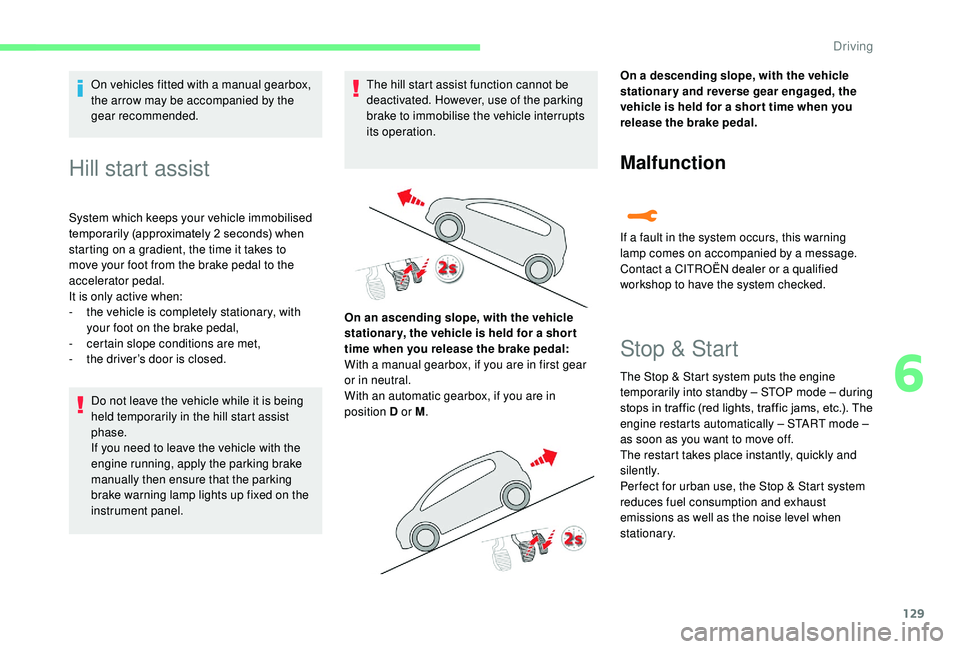
On an ascending slope, with the vehicle
stationar y, the vehicle is held for a shor t
time when you release the brake pedal:
With a manual gearbox, if you are in first gear
or in neutral.
With an automatic gearbox, if you are in
position D or M . On a descending slope, with the vehicle
stationary and reverse gear engaged, the
vehicle is held for a shor t time when you
release the brake pedal.
Malfunction
If a fault in the system occurs, this warning
lamp comes on accompanied by a message.
Contact a CITROËN dealer or a qualified
workshop to have the system checked.
Stop & Start
The Stop & Start system puts the engine
t emporarily into standby – STOP mode – during
stops in traffic (red lights, traffic jams, etc.). The
engine restarts automatically – START mode –
as soon as you want to move off.
The restart takes place instantly, quickly and
silently.
Per fect for urban use, the Stop & Start system
reduces fuel consumption and exhaust
emissions as well as the noise level when
stationary.
6
Driving
Page 132 of 308
130
Going into engine STOP
mode
This indicator lamp comes on in the
instrument panel and the engine
goes into standby automatically.
-
W
ith a manual gearbox , with the vehicle
stationary, when you put the gearbox into
neutral and release the clutch pedal,
-
W
ith an automatic gearbox , with the
vehicle stationary, when you press the
brake pedal or put the gear selector in
position N .
Stop & Star t time counter
(minutes/seconds or hours/minutes)
For your comfort, during parking
manoeuvres, STOP mode is not available
for a few seconds after coming out of
reverse gear.
The Stop & Start system does not affect
the functionality of the vehicle, such as for
example, braking, power steering, etc. Never refuel with the engine in STOP
mode; you must switch off the ignition with
the "START/STOP" button.
If your vehicle is fitted with this system, a time
counter calculates the sum of the periods in
STOP mode during a journey.
It resets to zero every time the ignition is
switched on.
Special cases: STOP mode not
available
STOP mode is not activated when:
- t he vehicle is on a steep slope (uphill or
downhill),
-
t
he driver's door is open,
-
t
he driver's seat belt is not fastened,
-
t
he vehicle has not exceeded 6 mph
(10
km/h) since the last engine start,
-
t
he engine is needed to maintain a
comfortable temperature in the passenger
compartment,
-
d
emisting is active,
-
s
ome special conditions (battery charge,
engine temperature, braking assistance,
exterior temperature, etc.) where the engine
is needed to control the system.
Going into engine START
mode
This indicator lamp goes off and the
engine restarts automatically:
-
W
ith a manual gearbox , when you fully
depress the clutch pedal.
-
W
ith an automatic gearbox:
•
g
ear selector in position D or M , when
you release the brake pedal,
•
o
r gear selector in position N and brake
pedal released, when you place the gear
selector in position D or M ,
•
o
r when you engage reverse gear.
Special cases: START mode
invoked automatically
As a safety measure or to maintain comfort
levels in the vehicle, START mode is invoked
automatically when:
-
y
ou open the driver's door,
-
y
ou unfasten the driver's seat belt,
-
t
he speed of the vehicle exceeds 2 mph
(3
km/h),
-
s
ome temporary conditions (battery charge,
engine temperature, braking assistance,
climate control, etc.) where the engine is
needed to control the system or the vehicle.
In this case, this indicator lamp
flashes for a few seconds then goes
of f.
This operation is perfectly normal.
Driving
Page 141 of 308
139
Temporarily exceeding the
speed setting
F Press firmly on the accelerator pedal,
going beyond the point of resistance, to
exceed the programmed speed limit.
The speed limiter is deactivated temporarily
and the displayed programmed speed flashes.
On a steep descent or in the event of
sharp acceleration, the speed limiter will
not be able to prevent the vehicle from
exceeding the programmed speed.
When the limit speed is exceeded but this is not
due to action by the driver, there is an audible
signal to complete the alert.
Once the speed of the vehicle returns to
the programmed setting, the speed limiter
functions again: the display of the programmed
speed setting becomes steady again.
Switching off
F Turn the thumbwheel 1 to the 0 position: the display of information about the speed
limiter disappears. Flashing dashes indicate a fault with the speed
limiter.
Have them checked by a CITROËN dealer or a
qualified workshop.
The use of mats not approved by
CITROËN may inter fere with the operation
of the speed limiter.
To avoid any risk of jamming of the pedals:
-
e
nsure that the mat is positioned
c o r r e c t l y,
-
d
o not fit one mat on top of another.
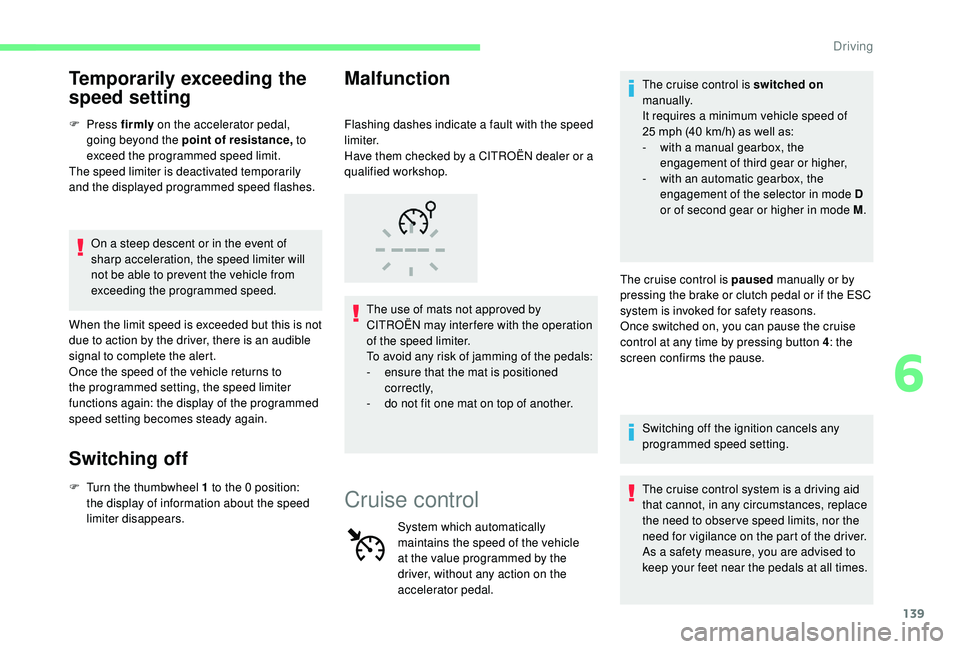
Malfunction
Cruise control
System which automatically
maintains the speed of the vehicle
at the value programmed by the
driver, without any action on the
accelerator pedal.The cruise control is switched on
manually.
It requires a minimum vehicle speed of
25 mph (40 km/h) as well as:
-
w
ith a manual gearbox, the
engagement of third gear or higher,
-
w
ith an automatic gearbox, the
engagement of the selector in mode D
or of second gear or higher in mode M .
The cruise control is paused manually or by
pressing the brake or clutch pedal or if the ESC
system is invoked for safety reasons.
Once switched on, you can pause the cruise
control at any time by pressing button 4 : the
screen confirms the pause.
Switching off the ignition cancels any
programmed speed setting.
The cruise control system is a driving aid
that cannot, in any circumstances, replace
the need to obser ve speed limits, nor the
need for vigilance on the part of the driver.
As a safety measure, you are advised to
keep your feet near the pedals at all times.
6
Driving
Page 143 of 308
141
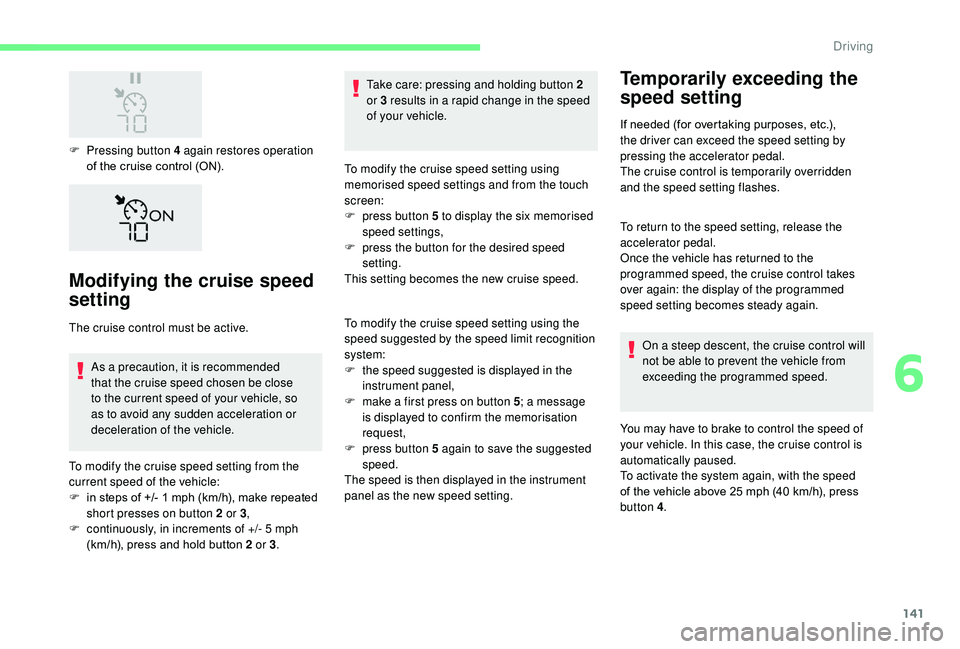
F Pressing button 4 again restores operation of the cruise control (ON).
Modifying the cruise speed
setting
The cruise control must be active.
As a precaution, it is recommended
that the cruise speed chosen be close
to the current speed of your vehicle, so
as to avoid any sudden acceleration or
deceleration of the vehicle.
To modify the cruise speed setting from the
current speed of the vehicle:
F
i
n steps of +/- 1 mph (km/h), make repeated
short presses on button 2 or 3 ,
F
c
ontinuously, in increments of +/- 5 mph
(km/h), press and hold button 2 or 3 .Take care: pressing and holding button 2
or 3
results in a rapid change in the speed
of your vehicle.
To modify the cruise speed setting using
memorised speed settings and from the touch
screen:
F
p
ress button 5 to display the six memorised
speed settings,
F
p
ress the button for the desired speed
setting.
This setting becomes the new cruise speed.
To modify the cruise speed setting using the
speed suggested by the speed limit recognition
system:
F
t
he speed suggested is displayed in the
instrument panel,
F
m
ake a first press on button 5; a message
is displayed to confirm the memorisation
request,
F
p
ress button 5 again to save the suggested
speed.
The speed is then displayed in the instrument
panel as the new speed setting.
Temporarily exceeding the
speed setting
If needed (for overtaking purposes, etc.),
the driver can exceed the speed setting by
pressing the accelerator pedal.
The cruise control is temporarily overridden
and the speed setting flashes.
To return to the speed setting, release the
accelerator pedal.
Once the vehicle has returned to the
programmed speed, the cruise control takes
over again: the display of the programmed
speed setting becomes steady again.
On a steep descent, the cruise control will
not be able to prevent the vehicle from
exceeding the programmed speed.
You may have to brake to control the speed of
your vehicle. In this case, the cruise control is
automatically paused.
To activate the system again, with the speed
of the vehicle above 25 mph (40 km/h), press
button 4 .
6
Driving
Page 144 of 308
142
Switching off
F Turn thumbwheel 1 to position 0: the cruise control information disappears from the
screen.
Malfunction
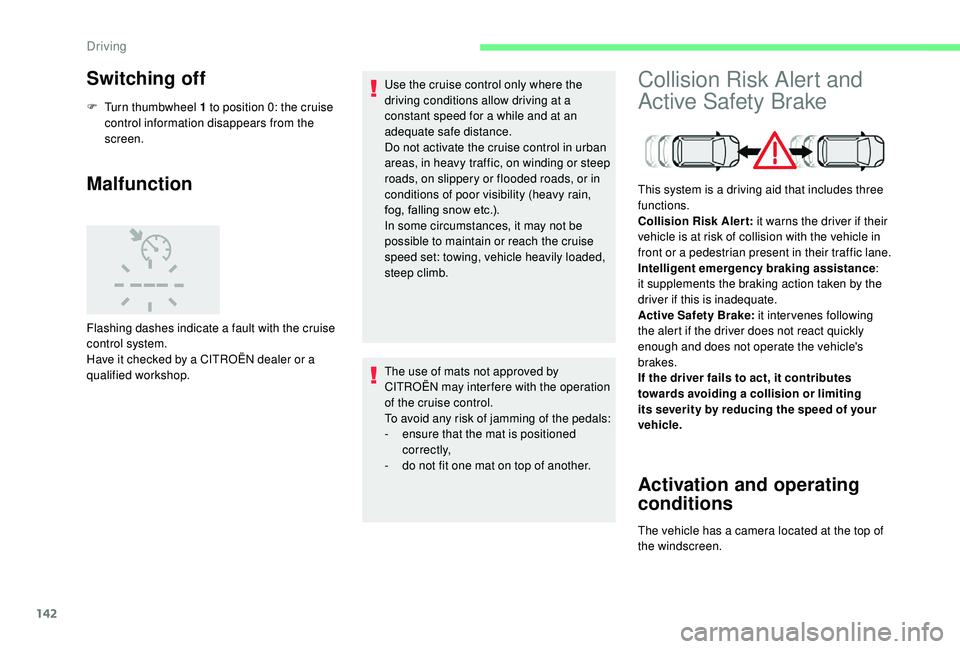
Flashing dashes indicate a fault with the cruise
control system.
Have it checked by a CITROËN dealer or a
qualified workshop. Use the cruise control only where the
driving conditions allow driving at a
constant speed for a while and at an
adequate safe distance.
Do not activate the cruise control in urban
areas, in heavy traffic, on winding or steep
roads, on slippery or flooded roads, or in
conditions of poor visibility (heavy rain,
fog, falling snow etc.).
In some circumstances, it may not be
possible to maintain or reach the cruise
speed set: towing, vehicle heavily loaded,
steep climb.
The use of mats not approved by
CITROËN may inter fere with the operation
of the cruise control.
To avoid any risk of jamming of the pedals:
-
e
nsure that the mat is positioned
c o r r e c t l y,
-
d
o not fit one mat on top of another.
Collision Risk Alert and
Active Safety Brake
Activation and operating
conditions
This system is a driving aid that includes three
functions.
Collision Risk Alert: it warns the driver if their
vehicle is at risk of collision with the vehicle in
front or a pedestrian present in their traffic lane.
Intelligent emergency braking assistance :
it supplements the braking action taken by the
driver if this is inadequate.
Active Safety Brake: it intervenes following
the alert if the driver does not react quickly
enough and does not operate the vehicle's
brakes.
If the driver fails to act, it contributes
towards avoiding a collision or limiting
its severity by reducing the speed of your
vehicle.
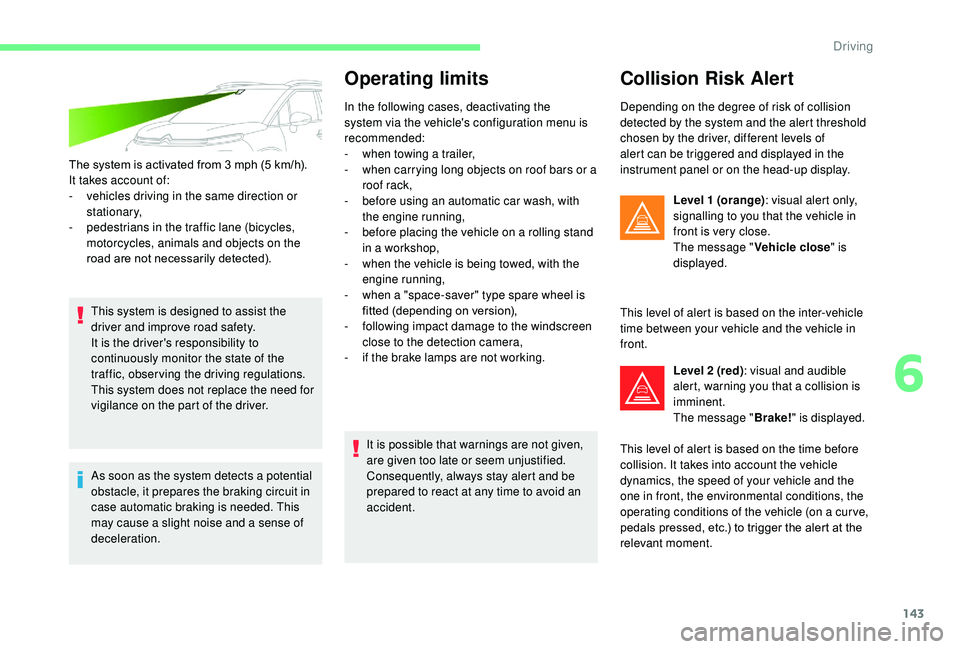
The vehicle has a camera located at the top of
the windscreen.
Driving
Page 145 of 308
143
The system is activated from 3 mph (5 km/h).
I t takes account of:
-
v
ehicles driving in the same direction or
stationary,
-
p
edestrians in the traffic lane (bicycles,
motorcycles, animals and objects on the
road are not necessarily detected).
This system is designed to assist the
driver and improve road safety.
It is the driver's responsibility to
continuously monitor the state of the
traffic, observing the driving regulations.
This system does not replace the need for
vigilance on the part of the driver.
As soon as the system detects a potential
obstacle, it prepares the braking circuit in
case automatic braking is needed. This
may cause a slight noise and a sense of
deceleration.
Operating limits
In the following cases, deactivating the
system via the vehicle's configuration menu is
recommended:
-
w
hen towing a trailer,
-
w
hen carrying long objects on roof bars or a
roof rack,
-
b
efore using an automatic car wash, with
the engine running,
-
b
efore placing the vehicle on a rolling stand
in a workshop,
-
w
hen the vehicle is being towed, with the
engine running,
-
w
hen a "space-saver" type spare wheel is
fitted (depending on version),
-
fo
llowing impact damage to the windscreen
close to the detection camera,
-
i
f the brake lamps are not working.It is possible that warnings are not given,
are given too late or seem unjustified.
Consequently, always stay alert and be
prepared to react at any time to avoid an
accident.
Collision Risk Alert
Depending on the degree of risk of collision
detected by the system and the alert threshold
chosen by the driver, different levels of
alert can be triggered and displayed in the
instrument panel or on the head-up display. Level 1 (orange) : visual alert only,
signalling to you that the vehicle in
front is very close.
The message " Vehicle close" is
displayed.
This level of alert is based on the inter-vehicle
time between your vehicle and the vehicle in
front. Level 2 (red) : visual and audible
alert, warning you that a collision is
imminent.
The message " Brake!" is displayed.
This level of alert is based on the time before
collision. It takes into account the vehicle
dynamics, the speed of your vehicle and the
one in front, the environmental conditions, the
operating conditions of the vehicle (on a cur ve,
pedals pressed, etc.) to trigger the alert at the
relevant moment.
6
Driving