fuel CITROEN C3 PICASSO 2017 User Guide
[x] Cancel search | Manufacturer: CITROEN, Model Year: 2017, Model line: C3 PICASSO, Model: CITROEN C3 PICASSO 2017Pages: 292, PDF Size: 8.23 MB
Page 41 of 292

39
C3Picasso_en_Chap02_ecran-multifonction_ed01-2015
Choice of language
Once this menu has been selected, you can
change the language used by the display, by
choosing a new language from the list offered.
Telephone menu
With the Audio system on and this menu
selected, you can configure your Bluetooth
hands-free system (pairing), view the various
telephone directories (calls log, services...) and
manage your calls (call, hang up, double call,
secret mode...).
For more information on the "Telephone"
application, refer to the Audio system part in
the "Audio and telematics" section.
As a safety measure, configuration of
the multifunction screen by the driver
must only be done when stationary.Display configuration
Once this menu has been selected, you can
gain access to the following settings:
-
b
rightness-video setting,
-
d
ate and time setting,
-
s
election of the units.Once the fuel consumption unit has
been changed to mpg, the information
relating to speed and distance also
changes to miles.
Adjust the date and time
F
Sel
ect the " Date and time adjustment "
function using the " 5" or " 6" button.
F
P
ress the "OK" button to confirm the
selection.
F
A
djust the settings one by one using
the
"7 " or " 8" button then confirm with
the
"OK" button.
F
T
hen select the "OK" box in the screen
and then confirm.
2
Multifunction screens
Page 42 of 292
40
C3Picasso_en_Chap02_ecran-multifonction_ed01-2015
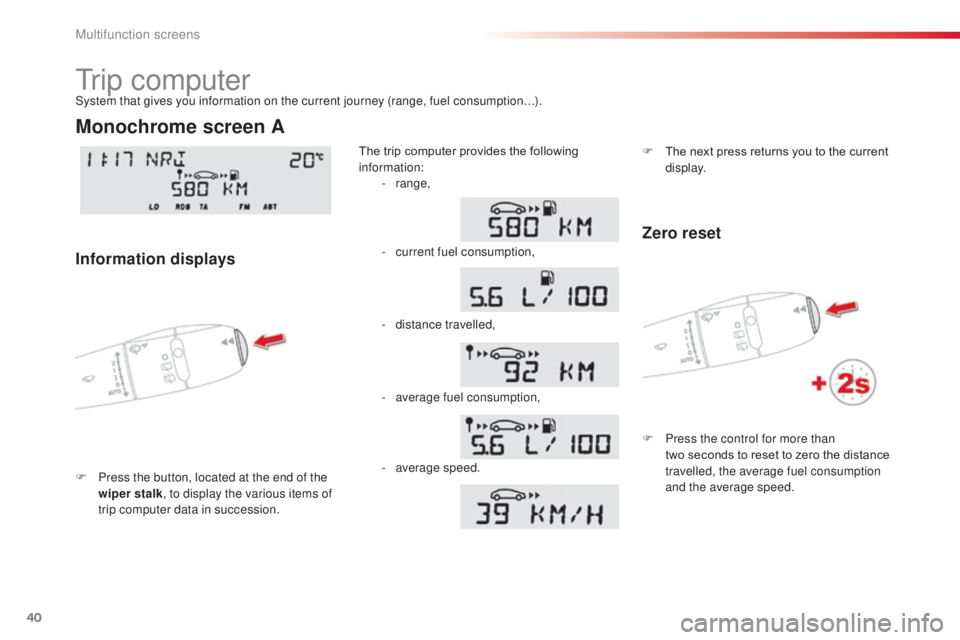
Tr i p c o m p u t e r
F Press the button, located at the end of the wiper stalk , to display the various items of
trip computer data in succession. The trip computer provides the following
information:
System that gives you information on the current journey (range, fuel consumption…).
Monochrome screen A
Information displays
-
range,
-
c
urrent fuel consumption,
-
d
istance travelled,
-
a
verage fuel consumption,
-
a
verage speed. F
T
he next press returns you to the current
display.
Zero reset
F Press the control for more than two seconds to reset to zero the distance
travelled, the average fuel consumption
and the average speed.
Multifunction screens
Page 43 of 292
41
C3Picasso_en_Chap02_ecran-multifonction_ed01-2015
- the current information tab with:
●
t
he range,
●
t
he current fuel
consumption,
●
t
he distance remaining to
be travelled.
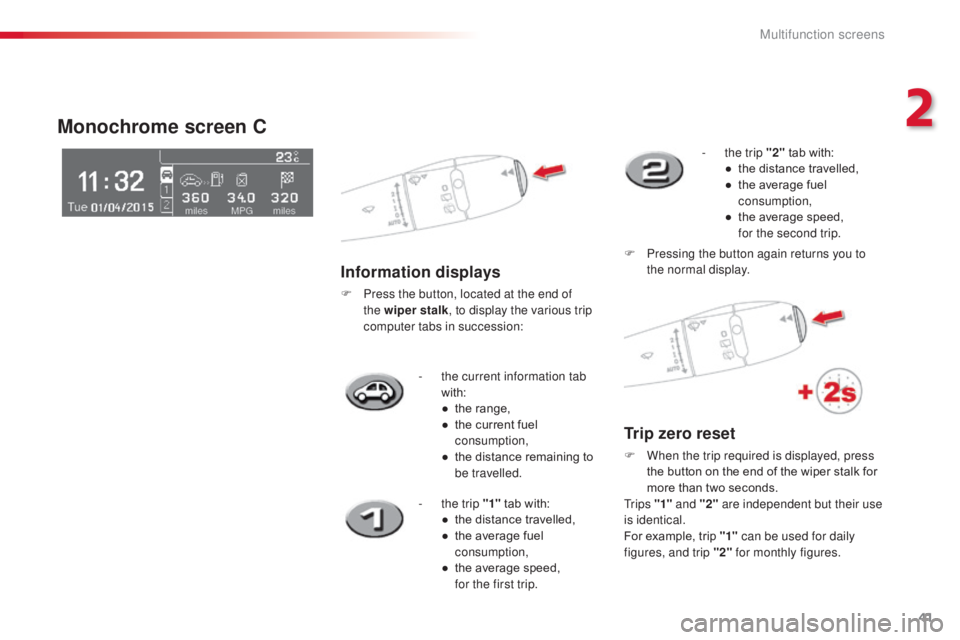
Monochrome screen C
Information displays
F Press the button, located at the end of the wiper stalk , to display the various trip
computer tabs in succession:
-
t
he trip "1" tab with:
●
t
he distance travelled,
●
t
he average fuel
consumption,
●
t
he average speed,
f
or the first trip. -
t
he trip "2"
tab with:
●
t
he distance travelled,
●
t
he average fuel
consumption,
●
t
he average speed,
f
or the second trip.
F
P
ressing the button again returns you to
the normal display.
Trip zero reset
F When the trip required is displayed, press the button on the end of the wiper stalk for
more than two seconds.
Tr i p s "1" and "2" are independent but their use
is identical.
For example, trip "1" can be used for daily
figures, and trip "2" for monthly figures.
2
Multifunction screens
Page 44 of 292
42
C3Picasso_en_Chap02_ecran-multifonction_ed01-2015
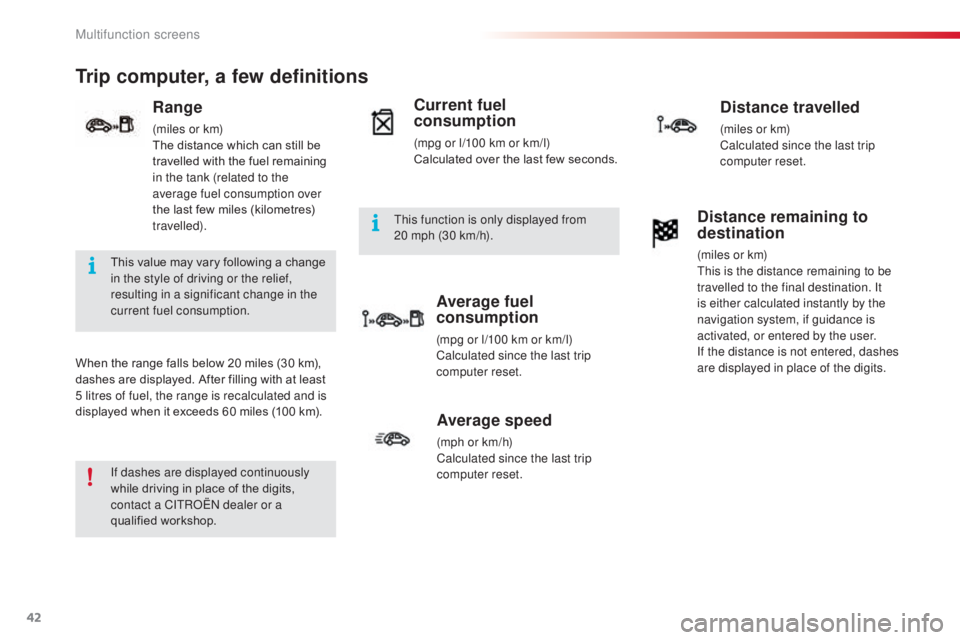
Trip computer, a few definitions
When the range falls below 20 miles (30 km),
dashes are displayed. After filling with at least
5 litres of fuel, the range is recalculated and is
displayed when it exceeds 60 miles (100 km).
Range
(miles or km)
The distance which can still be
travelled with the fuel remaining
in the tank (related to the
average fuel consumption over
the last few miles (kilometres)
travelled).
Current fuel
consumption
(mpg or l/100 km or km/l)
Calculated over the last few seconds.
Average fuel
consumption
(mpg or l/100 km or km/l)
Calculated since the last trip
computer reset.
Distance travelled
(miles or km)
Calculated since the last trip
computer reset.
Average speed
(mph or km/h)
Calculated since the last trip
computer reset.
Distance remaining to
destination
(miles or km)
This is the distance remaining to be
travelled to the final destination. It
is either calculated instantly by the
navigation system, if guidance is
activated, or entered by the user.
If the distance is not entered, dashes
are displayed in place of the digits.
If dashes are displayed continuously
while driving in place of the digits,
contact a CITROËN dealer or a
qualified workshop. This value may vary following a change
in the style of driving or the relief,
resulting in a significant change in the
current fuel consumption. This function is only displayed from
20
mph (30 km/h).
Multifunction screens
Page 47 of 292

45
C3Picasso_en_Chap03_confort_ed01-2015
The control button is
located on the heating
or air conditioning
system control panel.
Rear screen demist/defrost
Switching on
The rear screen demist /defrost can only
operate when the engine is running.
F
P
ress this button to demist /defrost the rear
screen and the door mirrors. The indicator
lamp associated with the button comes on.
Switching off
The demist /defrost switches off automatically to
prevent an excessive consumption of current.
F
I
t is possible to stop the demist /defrost
operation before it is switched off
automatically by pressing the button again.
The indicator lamp associated with the
button switches off.
F
S
witch off the demist /defrost
of the rear screen and door
mirrors as soon as you consider
this possible as lower current
consumption results in reduced fuel
consumption.
3
Comfort
Page 71 of 292

69
C3Picasso_en_Chap04_ouverture_ed01-2015
Fuel tank
Low fuel levelFilling
A label affixed to the inside of the flap reminds
you of the type of fuel to be used depending on
your engine.
When the low fuel level is reached
this warning lamp comes on in the
instrument panel. When it first comes
on there remains approximately
5
litres of fuel in the tank. To fill the tank safely:
F
t
he engine must be switched off,
F
o
pen the fuel filler flap,
F
i
nsert the key in the cap, then turn it to the
left,
F
r
emove the cap and hook it onto the clip
located on the inside of the flap,
F
f
ill the tank, but do not continue after the
3rd cut- off of the pump ; this could cause
malfunctions.
When you have filled the tank:
F
p
ut the cap back in place,
F
t
urn the key to the right, then remove it
from the cap,
F
c
lose the flap.
Additions of fuel must be of at least
5
litres to be registered by the fuel
gauge.
The key cannot be removed from the
lock until the cap is refitted.
Opening the filler cap may create a
noise caused by an inrush of air. This
vacuum is entirely normal and results
from the sealing of the fuel system.
Fuel tank capacity: approximately 50 litres
(petrol) or 48 litres (Diesel); (Depending on
version: approximately 30 litres (petrol or
Diesel)).
You must refuel as soon as possible to avoid
running out of fuel.
If you run out of fuel (Diesel), refer also to the
"Checks" section.
4
Access
Page 72 of 292
70
C3Picasso_en_Chap04_ouverture_ed01-2015
Fuel used for petrol
engines
The petrol engines are compatible with
E10 bio-petrol (containing 10 % ethanol),
conforming to European standards EN 228 and
EN 15376.
E85 type fuels (containing up to 85 % ethanol)
are reserved exclusively for vehicles marketed
for the use of this type of fuel (BioFlex
vehicles). The quality of the ethanol must
comply with European standard EN 15293.
Fuel used for Diesel
engines
The Diesel engines are compatible with
biofuels which conform to current and future
European standards (Diesel fuel which
complies with standard EN 590 mixed with
a biofuel which complies with standard
EN
14214) available at the pumps (containing
up to 7 % Fatty Acid Methyl Ester).
B30 biofuel can be used in certain Diesel
engines. However, this use, even occasional,
requires strict application of the special
servicing conditions. Contact a CITROËN
dealer or a qualified workshop.
The use of any other type of (bio)fuel
(vegetable or animal oils, pure or diluted,
domestic fuel...) is strictly prohibited (risk of
damage to the engine and fuel system).
Access
Page 73 of 292

71
C3Picasso_en_Chap04_ouverture_ed01-2015
Misfuel prevention (Diesel)*
Operation
When a petrol filler nozzle is introduced into the
fuel filler neck of your Diesel vehicle, it comes
into contact with the flap. The system remains
closed and prevents filling.
Do not persist but introduce a Diesel type
filler nozzle.It remains possible to use a fuel can to
fill the tank.
In order to ensure a good flow of fuel,
do not place the nozzle of the fuel can
in direct contact with the flap of the
misfuel prevention device and pour
s l ow l y.Travelling abroad
As Diesel fuel pump nozzles may
be different in other countries, the
presence of the misfuel prevention
device may make refuelling impossible.
Before travelling abroad, we
recommend that you check with the
CITROËN dealer network, whether your
vehicle is suitable for the fuel pumps in
the country in which you want to travel.
Mechanical device which prevents filling the tank of a Diesel vehicle with petrol. It avoids the risk of
engine damage that can result from filling with the wrong fuel.
Located in the filler neck, the misfuel prevention device appears when the filler cap is removed.
* Depending on the country of sale.
4
Access
Page 111 of 292
109
C3Picasso_en_Chap08_securite_ed01-2015
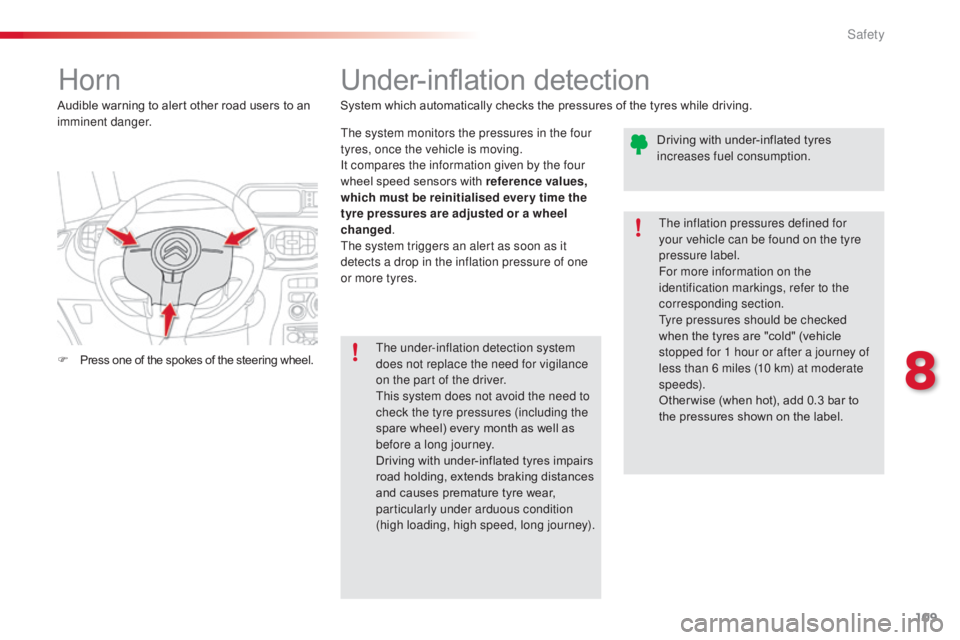
Horn
F Press one of the spokes of the steering wheel. Audible warning to alert other road users to an
imminent danger.
Under-inflation detection
System which automatically checks the pressures of the tyres while driving.The system monitors the pressures in the four
tyres, once the vehicle is moving.
It compares the information given by the four
wheel speed sensors with reference values,
which must be reinitialised ever y time the
tyre pressures are adjusted or a wheel
changed .
The system triggers an alert as soon as it
detects a drop in the inflation pressure of one
or more tyres.
The under-inflation detection system
does not replace the need for vigilance
on the part of the driver.
This system does not avoid the need to
check the tyre pressures (including the
spare wheel) every month as well as
before a long journey.
Driving with under-inflated tyres impairs
road holding, extends braking distances
and causes premature tyre wear,
particularly under arduous condition
(high loading, high speed, long journey). The inflation pressures defined for
your vehicle can be found on the tyre
pressure label.
For more information on the
identification markings, refer to the
corresponding section.
Tyre pressures should be checked
when the tyres are "cold" (vehicle
stopped for 1 hour or after a journey of
less than 6 miles (10 km) at moderate
speeds).
Other wise (when hot), add 0.3 bar to
the pressures shown on the label.
Driving with under-inflated tyres
increases fuel consumption.
8
Safety
Page 130 of 292
128
C3Picasso_en_Chap09_conduite_ed01-2015
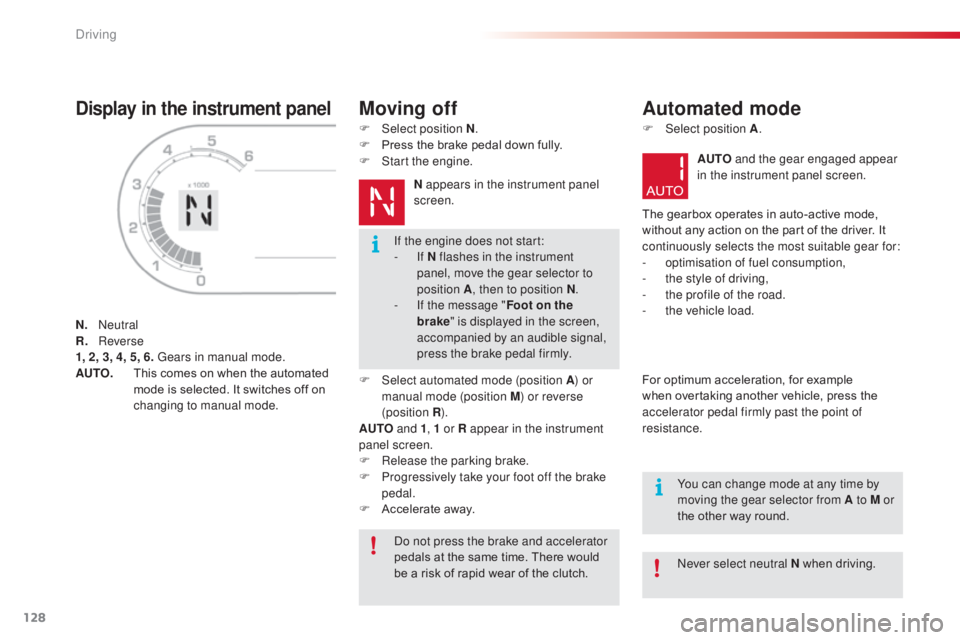
Display in the instrument panel
N. Neutral
R. R everse
1, 2, 3, 4, 5, 6. Gears in manual mode.
AUTO.
T
his comes on when the automated
mode is selected. It switches off on
changing to manual mode.
Moving off
F Select position N .
F P ress the brake pedal down fully.
F
S
tart the engine.N appears in the instrument panel
screen.
F
Sel
ect automated mode (position A ) or
manual mode (position M) or reverse
(position R ).
AUTO and 1, 1 or R appear in the instrument
panel screen.
F
R
elease the parking brake.
F
P
rogressively take your foot off the brake
pedal.
F
A
ccelerate away.
Automated mode
F Select position A .
AUTO and the gear engaged appear
in the instrument panel screen.
The gearbox operates in auto-active mode,
without any action on the part of the driver. It
continuously selects the most suitable gear for:
-
o
ptimisation of fuel consumption,
-
t
he style of driving,
-
t
he profile of the road.
-
t
he vehicle load.
For optimum acceleration, for example
when overtaking another vehicle, press the
accelerator pedal firmly past the point of
resistance.
Do not press the brake and accelerator
pedals at the same time. There would
be a risk of rapid wear of the clutch. Never select neutral N when driving.
If the engine does not start:
-
If N flashes in the instrument
panel, move the gear selector to
position
A , then to position N .
-
I
f the message " Foot on the
brake " is displayed in the screen,
accompanied by an audible signal,
press the brake pedal firmly.
You can change mode at any time by
moving the gear selector from A to M or
the other way round.
Driving