navigation Citroen C3 RHD 2015 2.G Owner's Guide
[x] Cancel search | Manufacturer: CITROEN, Model Year: 2015, Model line: C3 RHD, Model: Citroen C3 RHD 2015 2.GPages: 324, PDF Size: 9.86 MB
Page 238 of 324
236
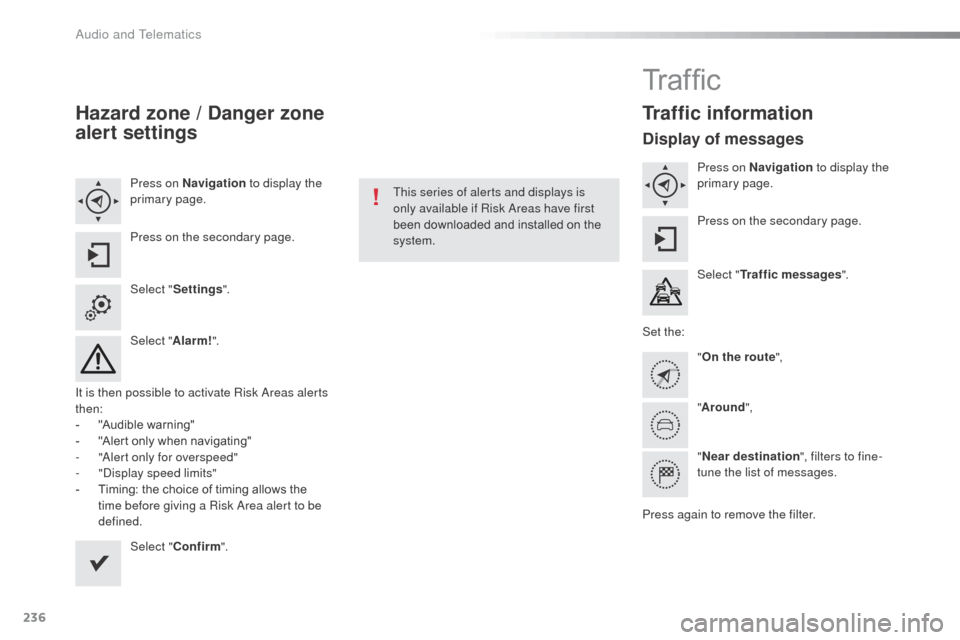
Hazard zone / Danger zone
alert settings
Press on Navigation to display the
primary page.
Press on the secondary page.
Select " Settings ".
Select " Alarm!".
It is then possible to activate Risk
a
r
eas alerts
then:
-
"
Audible warning"
-
"
Alert only when navigating"
-
"al
ert only for overspeed"
-
"di
splay speed limits"
-
T
iming: the choice of timing allows the
time before giving a Risk
a
r
ea alert to be
defined.
Select " Confirm ". This series of alerts and displays is
only available if Risk
a
r
eas have first
been downloaded and installed on the
system.
Tr a f fi c
Traffic information
Display of messages
Press on Navigation to display the
primary page.
Press on the secondary page.
Select " Traffic messages ".
Set the: "On the route ",
" Around ",
" Near destination ", filters to fine-
tune the list of messages.
Press again to remove the filter.
Audio and Telematics
Page 239 of 324
237
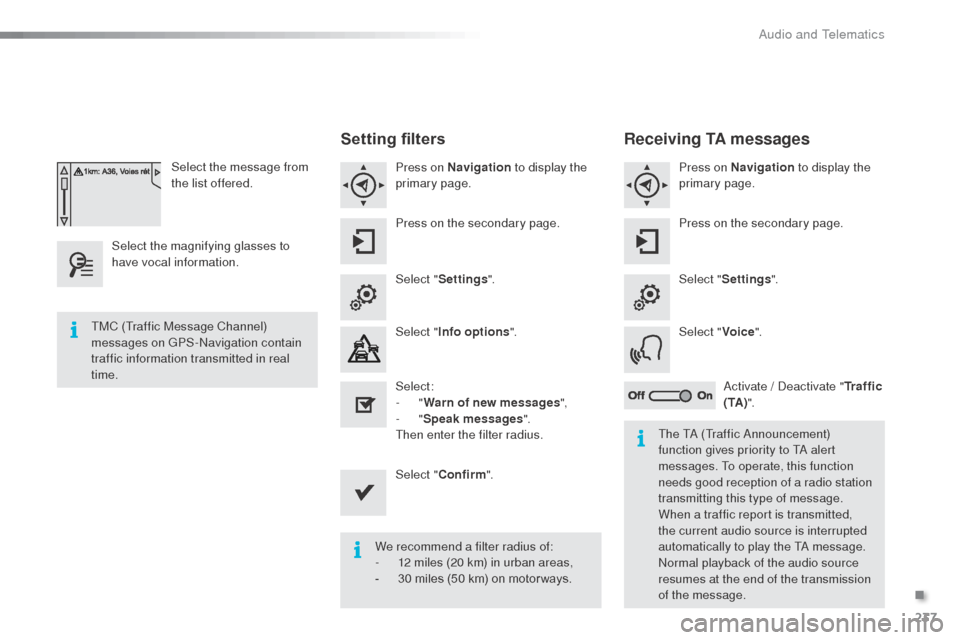
Select the message from
the list offered.
Select the magnifying glasses to
have vocal information.
Setting filters
Press on Navigation to display the
primary page.
Press on the secondary page.
Select " Settings ".
Select " Info options ".
Select:
-
"Warn of new messages ",
-
"Speak messages ".
Then enter the filter radius.
Select " Confirm ".
We recommend a filter radius of:
-
1
2 miles (20 km) in urban areas,
-
3
0 miles (50 km) on motor ways.
TMC (Traffic Message Channel)
messages on GPS-
na
vigation contain
traffic information transmitted in real
time.
The T
a
(Traffic a
n
nouncement)
function gives priority to T
a
alert
messages. To operate, this function
needs good reception of a radio station
transmitting this type of message.
When a traffic report is transmitted,
the current audio source is interrupted
automatically to play the T
a
message.
no
rmal playback of the audio source
resumes at the end of the transmission
of the message.
Receiving TA messages
Press on Navigation to display the
primary page.
Press on the secondary page.
Select " Settings ".
Select " Voice".
ac
tivate / d
e
activate "Tr a f f i c
( TA ) ".
.
audio and Telematics
Page 276 of 324
274
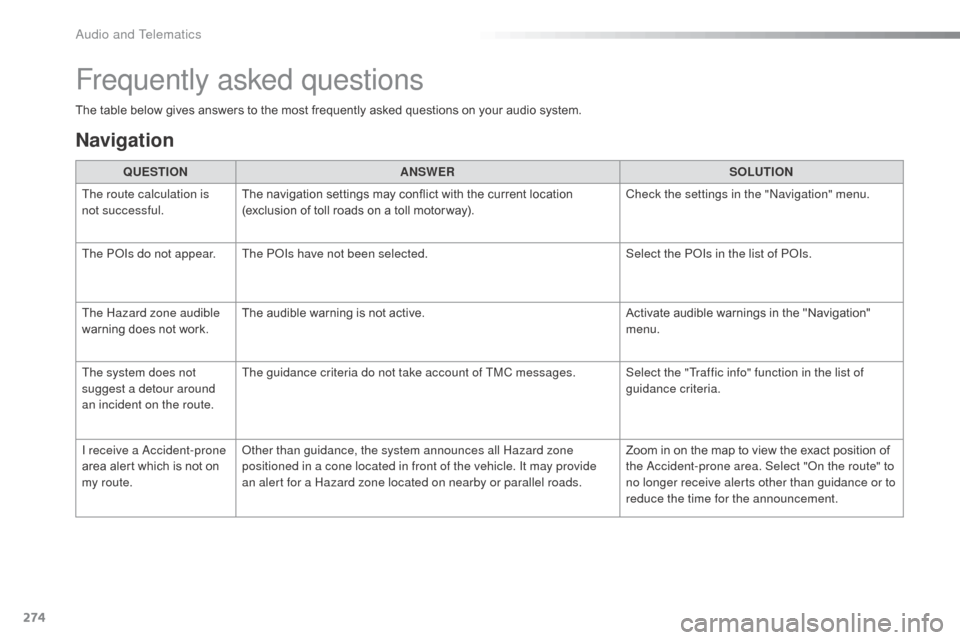
The table below gives answers to the most frequently asked questions on your audio system.QUESTION ANSWER SOLUTION
The route calculation is
not successful. The navigation settings may conflict with the current location
(exclusion of toll roads on a toll motor way). Check the settings in the "
na
vigation" menu.
The P
oI
s do not appear. The P
o
Is
have not been selected. Select the P
oI
s in the list of P
oI
s.
The Hazard zone audible
warning does not work. The audible warning is not active.
Activate audible warnings in the "Navigation"
menu.
The system does not
suggest a detour around
an incident on the route. The guidance criteria do not take account of TMC messages. Select the "Traffic info" function in the list of
guidance criteria.
I receive a
a
c
cident-prone
area alert which is not on
my route.
ot
her than guidance, the system announces all Hazard zone
positioned in a cone located in front of the vehicle. It may provide
an alert for a Hazard zone located on nearby or parallel roads. Zoom in on the map to view the exact position of
the
a
c
cident-prone area. Select "
on t
he route" to
no longer receive alerts other than guidance or to
reduce the time for the announcement.
Frequently asked questions
Navigation
Audio and Telematics