ECU Citroen C3 RHD 2017 2.G Owner's Guide
[x] Cancel search | Manufacturer: CITROEN, Model Year: 2017, Model line: C3 RHD, Model: Citroen C3 RHD 2017 2.GPages: 442, PDF Size: 9.75 MB
Page 229 of 442
227
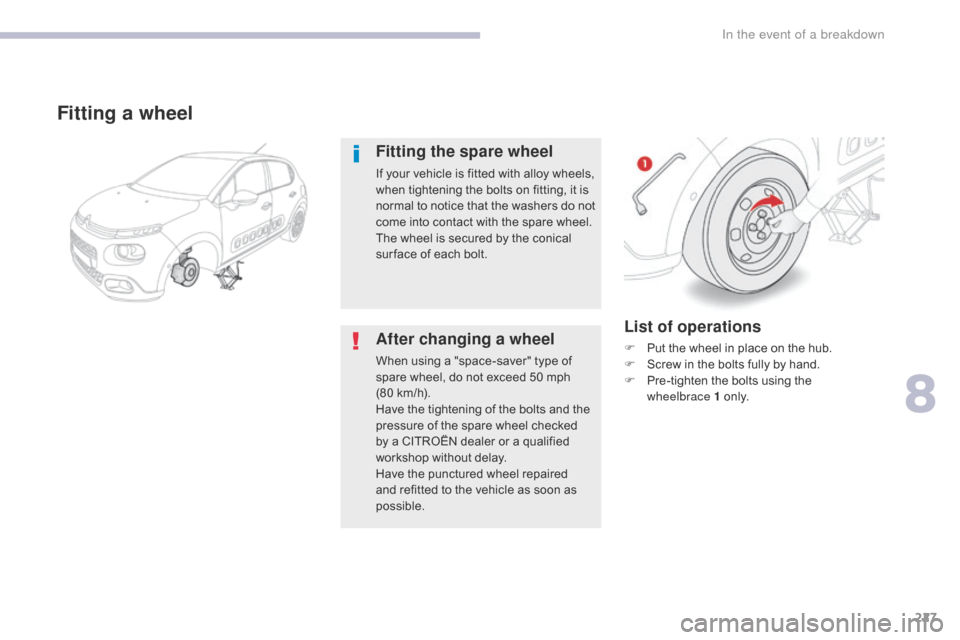
List of operations
F Put the wheel in place on the hub.
F S crew in the bolts fully by hand.
F
P
re-tighten the bolts using the
wheelbrace
1 o n l y.
Fitting a wheel
Fitting the spare wheel
If your vehicle is fitted with alloy wheels,
when tightening the bolts on fitting, it is
normal to notice that the washers do not
come into contact with the spare wheel.
The wheel is secured by the conical
sur face of each bolt.
After changing a wheel
When using a "space-saver" type of
spare wheel, do not exceed 50 mph
(80 km/h).
Have the tightening of the bolts and the
pressure of the spare wheel checked
by a CITROËN dealer or a qualified
workshop without delay.
Have the punctured wheel repaired
and refitted to the vehicle as soon as
possible.
8
In the event of a breakdown
Page 245 of 442
243
12 V battery
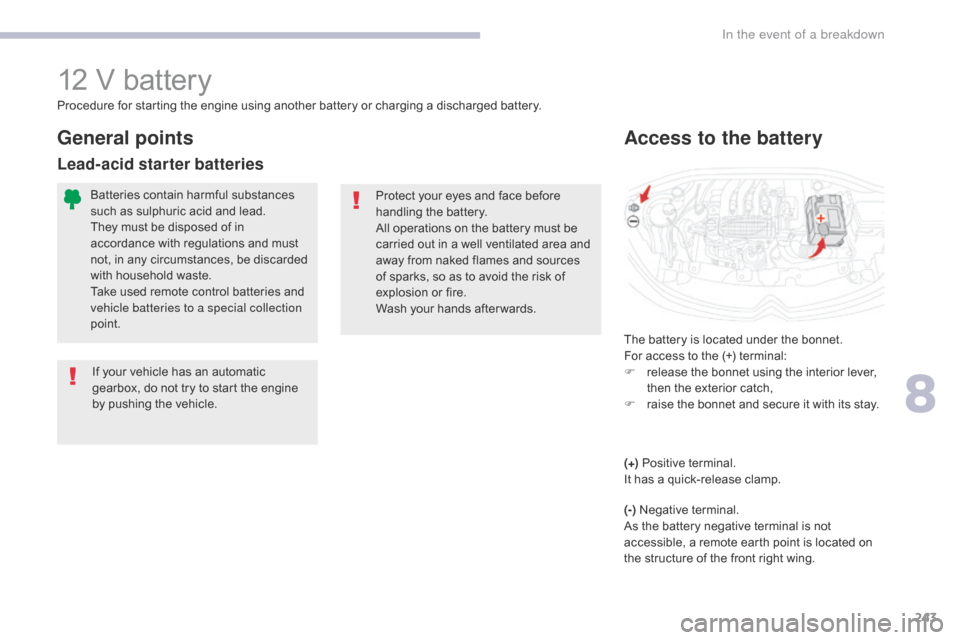
The battery is located under the bonnet.
For access to the (+) terminal:
F
r
elease the bonnet using the interior lever,
then the exterior catch,
F
r
aise the bonnet and secure it with its stay.
Access to the battery
Procedure for starting the engine using another battery or charging a discharged battery.
Protect your eyes and face before
handling the battery.
All operations on the battery must be
carried out in a well ventilated area and
away from naked flames and sources
of sparks, so as to avoid the risk of
explosion or fire.
Wash your hands after wards.
If your vehicle has an automatic
gearbox, do not try to start the engine
by pushing the vehicle.
General points
Lead-acid starter batteries
Batteries contain harmful substances
such as sulphuric acid and lead.
They must be disposed of in
accordance with regulations and must
not, in any circumstances, be discarded
with household waste.
Take used remote control batteries and
vehicle batteries to a special collection
point.
(+) Positive terminal.
It has a quick-release clamp.
(-) Negative terminal.
As the battery negative terminal is not
accessible, a remote earth point is located on
the structure of the front right wing.
8
In the event of a breakdown
Page 317 of 442
51
.
1
1
1
1
11
12
13
7
8
9
10
Audio and Telematics
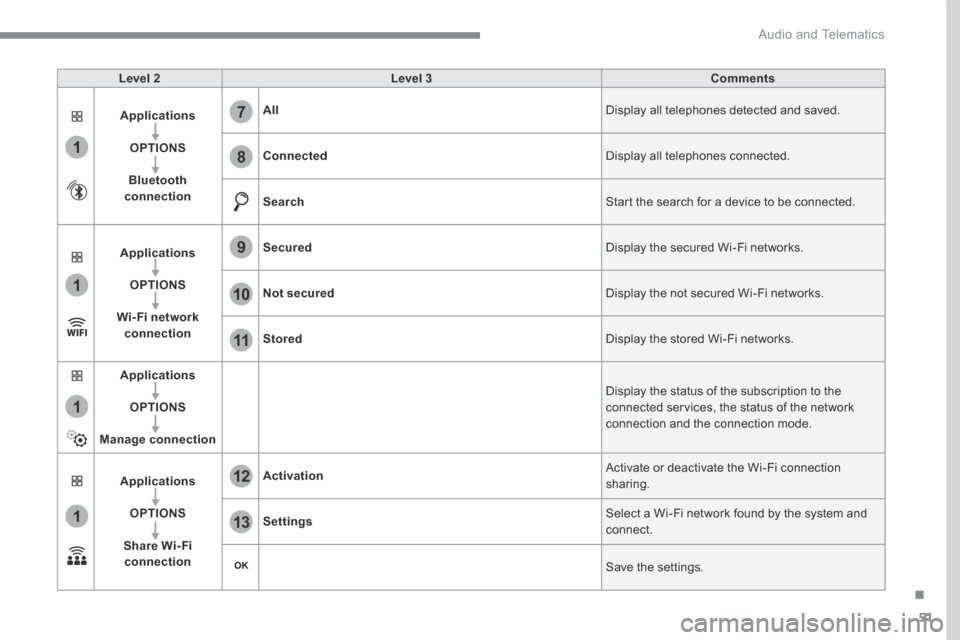
Level 2Level 3Comments
Applications
OPTIONS
Bluetooth connection
All Display all telephones detected and saved.
Connected Display all telephones connected.
Search Start the search for a device to be connected.
Applications
OPTIONS
Wi- Fi network connection
Secured Display the secured Wi-Fi networks.
Not secured Display the not secured Wi-Fi networks.
Stored Display the stored Wi-Fi networks.
Applications
OPTIONS
Manage connection
Display the status of the subscription to the connected services, the status of the network connection and the connection mode.
Applications
OPTIONS
Share Wi- Fi connection
Activation Activate or deactivate the Wi-Fi connection sharing.
Settings Select a Wi-Fi network found by the system and connect.
Save the settings.
Page 319 of 442
53
.
11
1
12
13
Audio and Telematics
Wi-Fi connection Sharing the Wi-Fi connection Managing connections
To protect from any piracy and provide maximum security for your systems, it is recommended that you use a security code or a complex password. The Wi-Fi connection and the sharing
of the Wi-Fi connection are exclusive.
Press " OK " to confirm.
Press " OK " to start the connection.
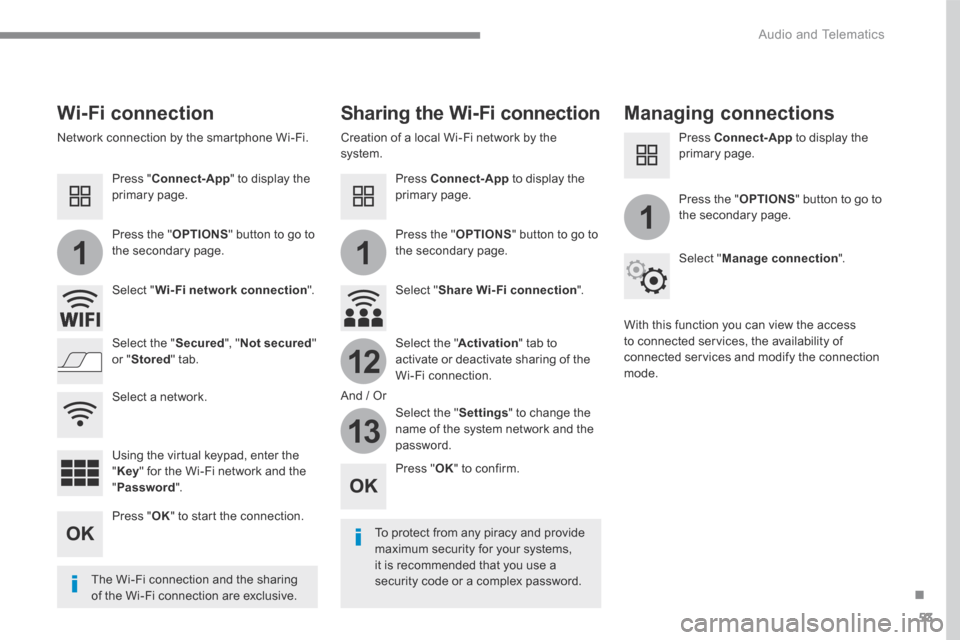
Press " Connect-App " to display the primary page.
Network connection by the smartphone Wi-Fi. Creation of a local Wi-Fi network by the system.
Press Connect-App to display the primary page.
Press Connect-App to display the primary page.
Press the " OPTIONS " button to go to the secondary page. Press the " OPTIONS " button to go to the secondary page.
Press the " OPTIONS " button to go to the secondary page.
Select " Wi-Fi network connection ". Select " Share Wi-Fi connection ".
Select " Manage connection ".
And / Or
Select the " Secured ", " Not secured " or " Stored " tab. Select the " Activation " tab to activate or deactivate sharing of the Wi-Fi connection.
Select the " Settings " to change the name of the system network and the password.
With this function you can view the access to connected services, the availability of connected services and modify the connection mode.
Using the virtual keypad, enter the " Key " for the Wi-Fi network and the " Password ".
Select a network.
Page 337 of 442
71
.
1
1
27
28
29
30
23
24
25
26
Audio and Telematics
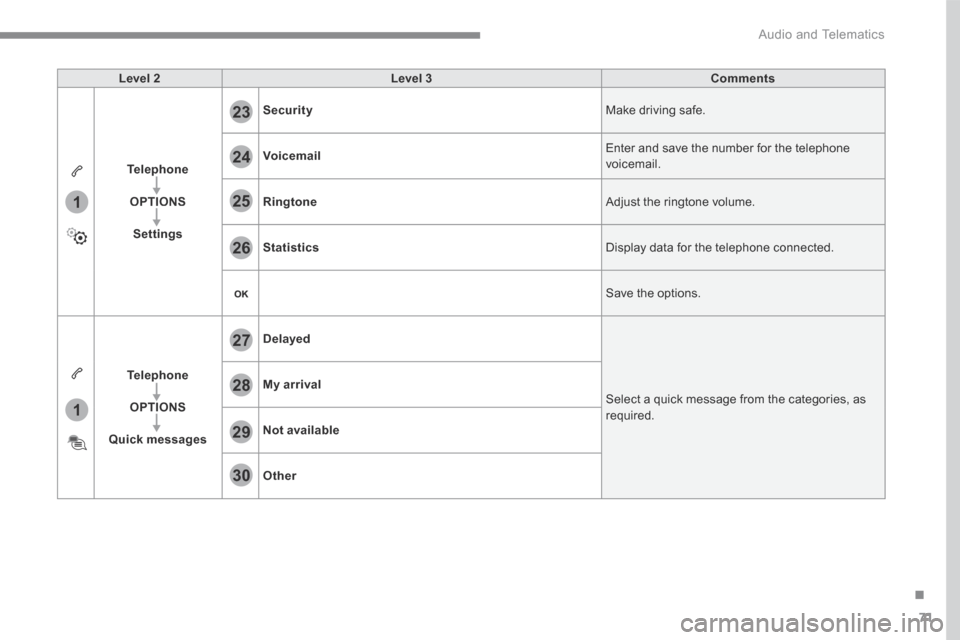
Level 2Level 3Comments
Telephone
OPTIONS
Settings
Security Make driving safe.
Voicemail Enter and save the number for the telephone voicemail.
Ringtone Adjust the ringtone volume.
Statistics Display data for the telephone connected.
Save the options.
Telephone
OPTIONS
Quick messages
Delayed
Select a quick message from the categories, as required.
My arrival
Not available
Other