Audio Citroen C4 2011 2.G Owner's Guide
[x] Cancel search | Manufacturer: CITROEN, Model Year: 2011, Model line: C4, Model: Citroen C4 2011 2.GPages: 324, PDF Size: 10.11 MB
Page 136 of 324
8
SAFETY
134
The ESP/ASR systems offer
exceptional safety in normal
driving, but this should not en-
courage the driver to take extra
risks or drive at high speed.
The correct functioning of these
systems is assured provided
that manufacturer's recommen-
dations are observed on:
- wheels (tyres and rims),
- braking components,
- electronic components,
- assembly and repair proce-
dures.
After an impact, have these sys-
tems checked by a CITROËN
dealer or a qualifi ed workshop.
Reactivation
These systems are reactivated automat-
ically each time the ignition is switched
back on or from 30 mph (50 km/h).
)
Press the "ESP OFF"
button again
to reactivate them manually.
If this warning lamp comes on,
accompanied by an audible
signal and a message in the
screen, this indicates a fault
with these systems.
Have it checked by a CITROËN dealer
or a qualifi ed workshop.
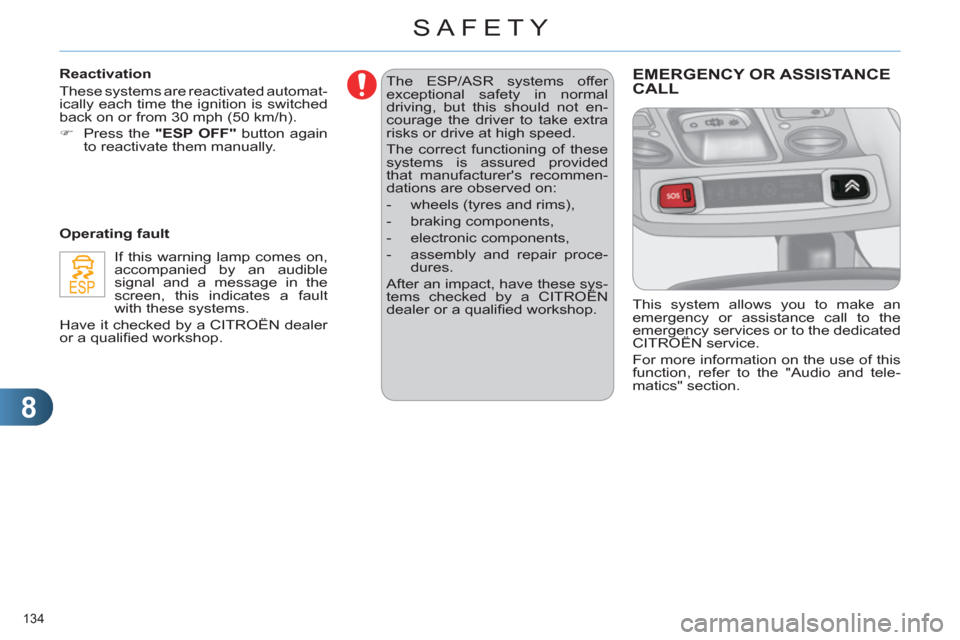
Operating fault EMERGENCY OR ASSISTANCE CALL
This system allows you to make an
emergency or assistance call to the
emergency services or to the dedicated
CITROËN service.
For more information on the use of this
function, refer to the "Audio and tele-
matics" section.
Page 202 of 324
11
PRACTICAL INFORMATION
200
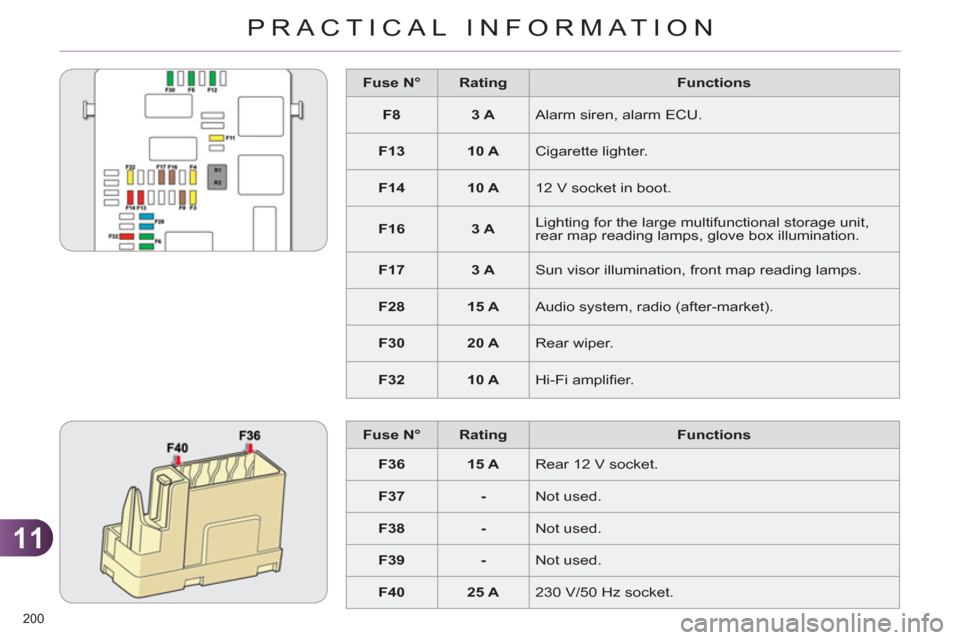
Fuse N°
Rating
Functions
F8
3 A
Alarm siren, alarm ECU.
F13
10 A
Cigarette lighter.
F14
10 A
12 V socket in boot.
F16
3 A
Lighting for the large multifunctional storage unit,
rear map reading lamps, glove box illumination.
F17
3 A
Sun visor illumination, front map reading lamps.
F28
15 A
Audio system, radio (after-market).
F30
20 A
Rear wiper.
F32
10 A
Hi-Fi amplifi er.
Fuse N°
Rating
Functions
F36
15 A
Rear 12 V socket.
F37
-
Not used.
F38
-
Not used.
F39
-
Not used.
F40
25 A
230 V/50 Hz socket.
Page 206 of 324

11
PRACTICAL INFORMATION
204
Do not disconnect the terminals
while the engine is running.
Do not charge the batteries without
disconnecting the terminals fi rst.
Do not push the vehicle to start the
engine if it is fi tted with the 6-speed
electronic gearbox system.
Before disconnecting the battery
Wait 2 minutes after switching off
the ignition before disconnecting
the battery.
Close the windows and the
doors before disconnecting the
battery.
Following reconnection of the
battery
Following reconnection of the
battery, switch on the ignition
and wait 1 minute before start-
ing to permit initialisation of the
electronic systems. However, if
problems are encountered fol-
lowing this operation, contact a
CITROËN dealer or a qualifi ed
workshop.
Referring to the corresponding
section, you must yourself reini-
tialise:
- the remote control key,
- the panoramic sunroof blind,
- the GPS satellite navigation
system.
LOAD REDUCTION MODE
System which manages the use of cer-
tain functions according to the level of
charge remaining in the battery.
When the vehicle is being driven, the
load reduction function temporarily deac-
tivates certain functions, such as the air
conditioning, the heated rear screen...
The deactivated functions are reactivat-
ed automatically as soon as conditions
permit.
ENERGY ECONOMY MODE
System which manages the period of
use of certain functions to conserve a
suffi cient level of charge in the battery.
After the engine has stopped, you can
still use functions such as the audio
equipment, windscreen wipers, dipped
beam headlamps, courtesy lamps, etc.
for a maximum combined period of thirty
minutes.
Switching to economy mode
Once this period has elapsed, a message
appears in the screen indicating that the ve-
hicle has switched to economy mode and
the active functions are put on standby.
If the telephone is being used at
the same time on the navigation
system, it will be interrupted af-
ter 10 minutes.
A fl at battery prevents the engine
from starting (refer to the corre-
sponding paragraph).
Exiting economy mode
These functions are reactivated auto-
matically the next time the vehicle is
driven.
)
In order to resume the use of these
functions immediately, start the engine
and let it run for a few minutes.
The time available to you will then be
double the period for which the engine
is left running. However, this period will
always be between fi ve and thirty minutes.
This period may be greatly re-
duced if the battery is not fully
charged.
Page 211 of 324
11
PRACTICAL INFORMATION
209
AUDIO PRE-EQUIPMENT
Your vehicle is equipped with certain
factory-fi tted audio equipment:
- a dual-function aerial at the rear of
the roof,
- a coaxial aerial cable,
- basic interference suppression,
- cabling for speakers in the front doors
and tweeters in the dashboard,
- cabling for speakers in the rear
doors,
- two 8-way connectors.
Before installing a radio unit or
speakers in your vehicle, contact
a CITROËN dealer or a qualifi ed
workshop to obtain a suitable
wiring harness.
Never use a separate wire to
connect the (+) of your audio
equipment (risk of discharging of
the battery).
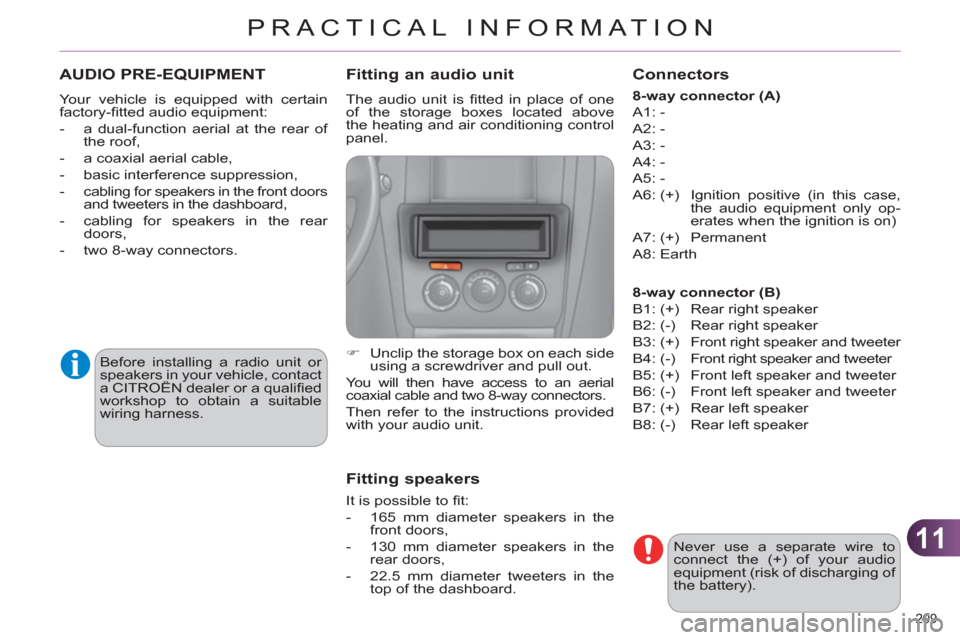
Fitting an audio unit
The audio unit is fi tted in place of one
of the storage boxes located above
the heating and air conditioning control
panel.
)
Unclip the storage box on each side
using a screwdriver and pull out.
You will then have access to an aerial
coaxial cable and two 8-way connectors.
Then refer to the instructions provided
with your audio unit.
Fitting speakers
It is possible to fi t:
- 165 mm diameter speakers in the
front doors,
- 130 mm diameter speakers in the
rear doors,
- 22.5 mm diameter tweeters in the
top of the dashboard.
Connectors
8-way connector (A)
A1: -
A2: -
A3: -
A4: -
A5: -
A6: (+) Ignition positive (in this case,
the audio equipment only op-
erates when the ignition is on)
A7: (+) Permanent
A8: Earth
8-way connector (B)
B1: (+) Rear right speaker
B2: (-) Rear right speaker
B3: (+) Front right speaker and tweeter
B4: (-) Front right speaker and tweeter
B5: (+) Front left speaker and tweeter
B6: (-) Front left speaker and tweeter
B7: (+) Rear left speaker
B8: (-) Rear left speaker
Page 213 of 324
11
PRACTICAL INFORMATION
211
Installation of radio
communication transmitters
Before installing any after-market
radio communication transmit-
ter, you can contact a CITROËN
dealer for the specifi cation of
transmitters which can be fi tted
(frequency, maximum power, aer-
ial position, specifi c installation re-
quirements), in line with the Vehicle
Electromagnetic Compatibility
Directive (2004/104/EC).
Depending on the legislation in
force in the country, it may be
compulsory to have a high vis-
ibility safety vest, warning triangle
and spare bulbs and fuses avail-
able in the vehicle.
The fi tting of electrical equipment
or accessories which are not rec-
ommended by CITROËN may
result in a failure of your vehicle's
electronic system and excessive
electrical consumption.
Please note this precaution.
You are advised to contact a
CITROËN representative to be
shown the range of recommend-
ed equipment and accessories.
"Multimedia":
audio systems, steering mounted audio
controls, speakers, Hi-Fi module, Bluetooth
hands-free system, portable satellite naviga-
tion system, semi-integral support bracket for
portable navigation system, speed camera
detector, USB Box, reversing camera, por-
table video screen, portable video support
bracket, 230 V/50 Hz socket, 230 V/50 Hz
adaptor, Wi-Fi on board...
By going to a CITROËN dealer, you
can also obtain cleaning and mainte-
nance products (interior and exterior) -
including ecological products in the
"TECHNATURE" range - , products for
topping up (screenwash...), touch-up
pens and paint aerosols for the exact
colour of your vehicle, recharges (car-
tridge for the temporary puncture repair
kit...), ...
Page 227 of 324
225
The system is protected in such a way that it will onlyoperate in your vehicle. If it is to be installed in another vehicle, contact a CITROËN dealer for confi guration of py
the system.
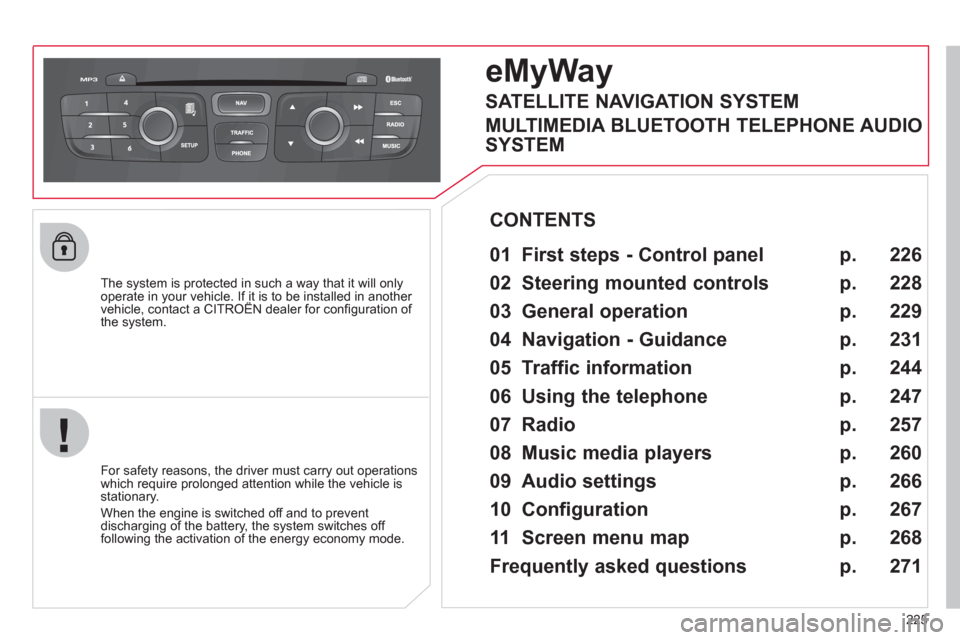
eMyWay
01 First steps - Control panel
For safety reasons, the driver must carry out operations
which require prolonged attention while the vehicle is stationary.
When the en
gine is switched off and to prevent
discharging of the battery, the system switches off following the activation of the energy economy mode.
CONTENTS
02 Steering mounted controls
03 General operation
04 Navigation - Guidance
05 Traffic information
06 Using the telephone
07 Radio
08 Music media players
09 Audio settings
10 Configuration
11 Screen menu map
Frequently asked questions p.
p.
p.
p.
p.
p.
p.
p.
p.
p.
p.
p. 2
26
228
229
231
244
247
257
2
60
266
267
268
271
SATELLITE NAVIGATION SYSTEM
MULTIMEDIA BLUETOOTH TELEPHONE AUDIO
SYSTEM
Page 229 of 324
227
01
1. Rotary control:
-
Short press engine not running: on/off.
-
Short press engine running: mute on/off.
- Rotation: volume ad
justment (each source
is independant, including TA messages and navigation information).
2. Radio source, access to the FM/AM band
menu and displa
y the list of stations.
3. Access to the MEDIAmenu and display the list of tracks.
4. A
ccess to the Navigation - guidance
menu and display the last destinations.
5. Access to the Traffi c informationmenu anddisplay the current traffi c alerts.
6. Access to the "Telephone
" menu and displaythe recent calls list.
2 - 3. Lon
g press: access to the Audio settings:music ambiance, bass, treble, loudness,left/right balance, front/rear fader, automatic volume adjustment. 7.
Access to the " Confi guration" menu.
Lon
g press: access to the GPS coverage and
the navigation demonstration mode.
8. MODE button:
Selection of the t
ype of permanent display.
Lon
g press: black screen (DARK).
9. ESC: abandon the operation in pro
gress, upone level in the menu.
Long press: return to permanent display.
10.
CD eject.
Continuous press: reinitialisation of thesystem.
11. Accordin
g to context:
Selection of the previous/next line in a list or
menu
Selection of the previous/next media folder.
Step by step selection of the previous/next
radio frequency.
Move up
/down in Move the map
mode.
12. Accordin
g to context:
Automatic selection o
f the next lower/higher radio frequency
Selection of the previous/next CD or media
track
Selection of left/ri
ght on the screen when a
menu is displayed.
Move left/ri
ght in Move the map mode.
1
3. Buttons 1 to 6:
Short press: selection of the stored radio station.
Lon
g press: store the current radio station.
14. Dial for selection and
OK confi rmation:
Selection of an item on the screen or in alist in a menu, then confi rmation with a shortpress.
Other than for menus and lists, a short press
displays a contextual menu depending on the
current screen.
Rotation with map displa
yed: zoom the mapscale in and out.
FIRST STEPS
Page 230 of 324
228
02 STEERING MOUNTED CONTROLS
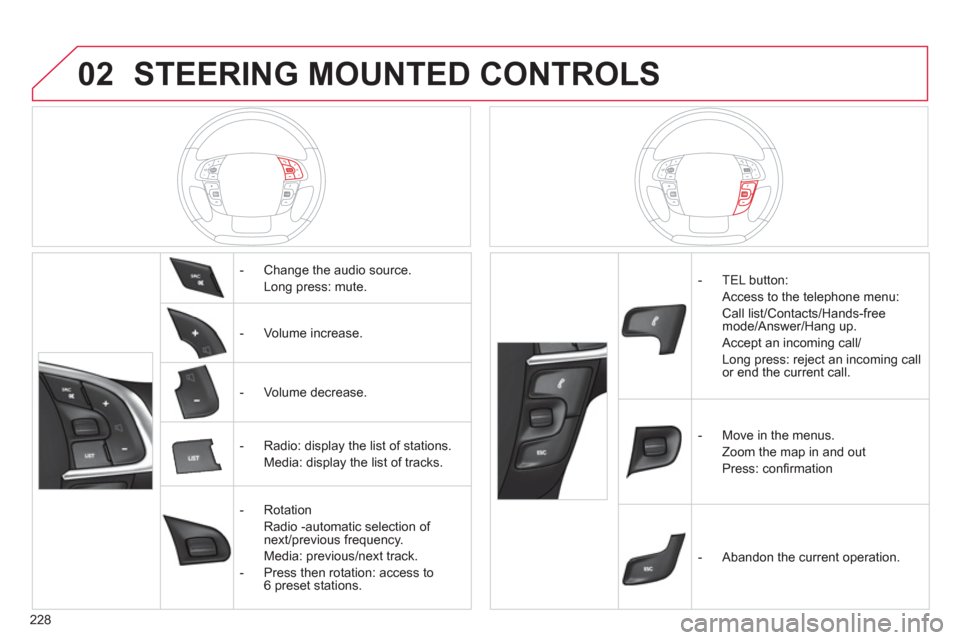
- Change the audio source.
Long press: mute.
-
Volume increase.
- V
olume decrease.
- Radio: displa
y the list of stations.
Media: display the list o
f tracks.
-
Rotation
Radio -automatic selection of next/previous frequency.
Media: previous/next track.
- Pr
ess then rotation: access to6 preset stations.
- TEL button:
Access to the telephone menu:
Call list/Contacts/Hands-freemode/Answer/Hang up.
Accept an incoming call/
Long press: reject an incoming callor end the current call.
-
Move in the menus.
Zoom the map in and out
Pr
ess: confi rmation
-
Abandon the current operation.
Page 231 of 324
229
03
For a detailed global view of the menus available, refer to the"Screen menu map" section.
For cleaning the screen, the use of a soft, non-abrasive cloth (spectacles cloth) is recommended, with no additional product. "RADIO
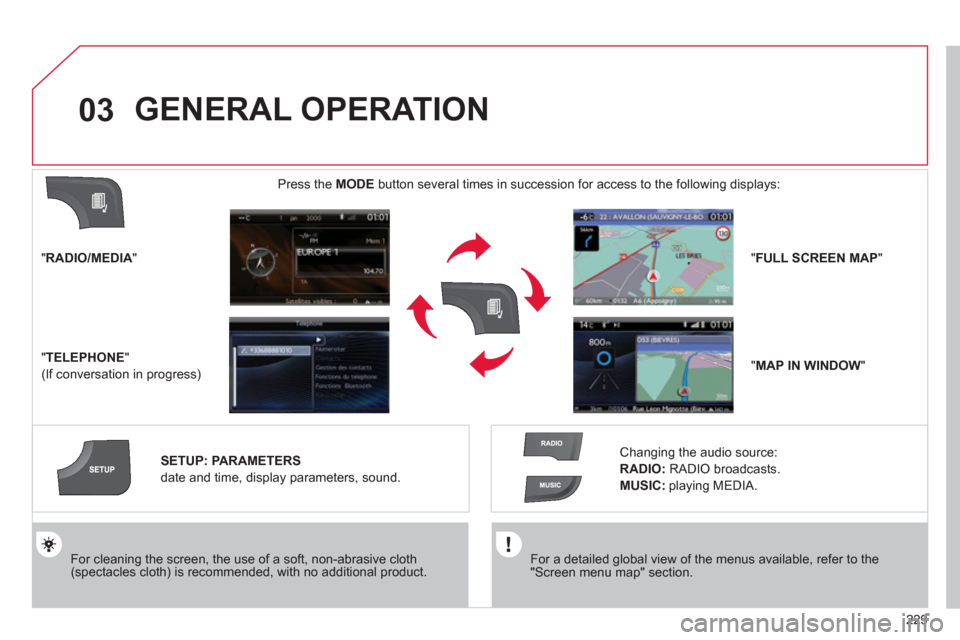
/MEDIA"
"
TELEPHONE"
(If conversation in progress)
SETUP
: PARAMETERS
date and time, display parameters, sound.
Changing the audio source:
RADIO:RADIObroadcasts.
MUSIC :playing MEDIA.
Press the MODE
button several times in succession for access to the following displays:
GENERAL OPERATION
"FULL SCREEN MAP"
"MAP IN WINDOW"
Page 248 of 324
246
05
2 1
1
2
3
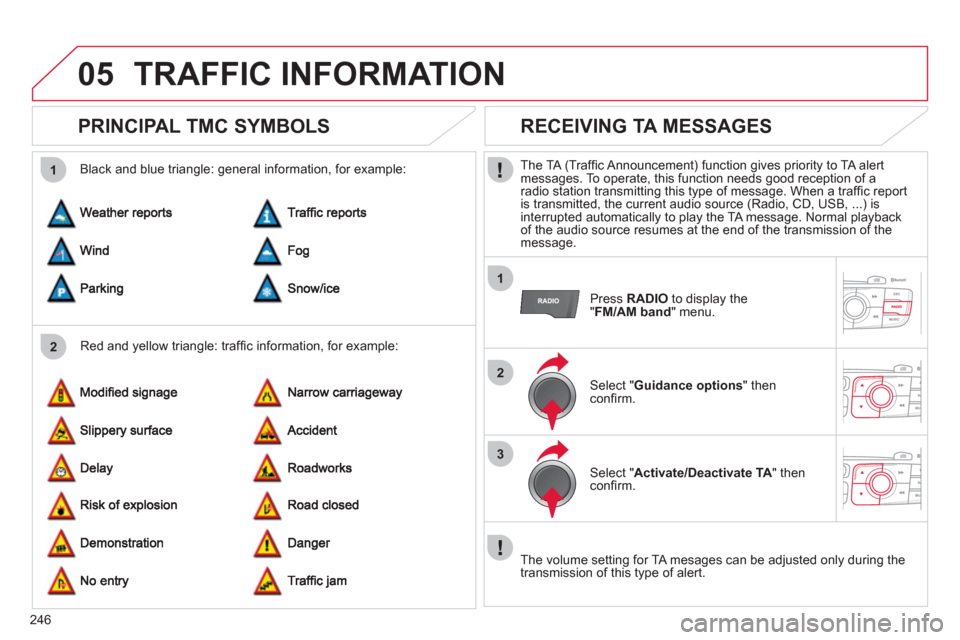
TRAFFIC INFORMATION
PRINCIPAL TMC SYMBOLS
Red and yellow triangle: traffi c information, for example:
Black and blue trian
gle: general information, for example:
RECEIVING TA MESSAGES
The TA (Traffi c Announcement) function gives priority to TA alert messages. To operate, this function needs good reception of a radio station transmitting this type of message. When a traffi c report
is transmitted, the current audio source (Radio, CD, USB, ...) isinterrupted automatically to play the TA message. Normal playbackof the audio source resumes at the end of the transmission of themessage.
Press RADIO
to display the "FM/AM band " menu.
Select " Guidance options
" then confi rm.
Select " Activate/Deactivate TA
" then confi rm.
The volume settin
g for TA mesages can be adjusted only during the
transmission of this type of alert.