boot Citroen C4 2014 2.G User Guide
[x] Cancel search | Manufacturer: CITROEN, Model Year: 2014, Model line: C4, Model: Citroen C4 2014 2.GPages: 340, PDF Size: 28.99 MB
Page 77 of 340
3
COMFORT
75
REAR SEATS
Bench seat with fi xed one-piece cush-
ion and split backrest (left hand 2/3, right
hand 1/3) which can be folded individually
to adapt the load space in the boot.
Rear head restraints
These have one position for use (up)
and a stowed position (down).
They can also be removed.
To remove a head restraint:
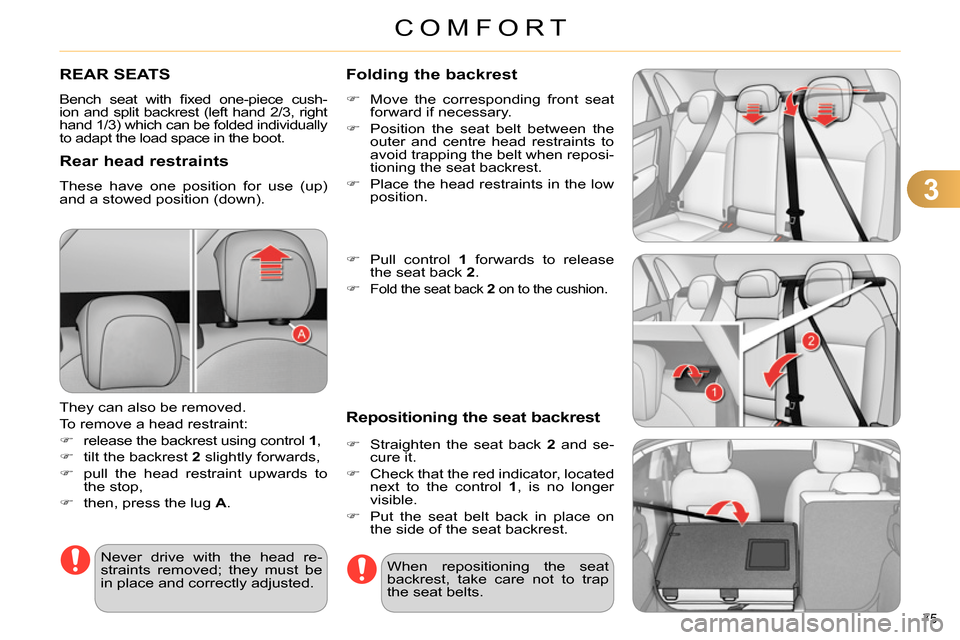
release the backrest using control 1
,
tilt the backrest 2
slightly forwards,
pull the head restraint upwards to
the stop,
then, press the lug A
.
Never drive with the head re-
straints removed; they must be
in place and correctly adjusted. When repositioning the seat
backrest, take care not to trap
the seat belts.
Folding the backrest
Move the corresponding front seat
forward if necessary.
Position the seat belt between the
outer and centre head restraints to
avoid trapping the belt when reposi-
tioning the seat backrest.
Place the head restraints in the low
position.
Pull control 1
forwards to release
the seat back 2
.
Fold the seat back 2
on to the cushion.
Repositioning the seat backrest
Straighten the seat back 2
and se-
cure it.
Check that the red indicator, located
next to the control 1
, is no longer
visible.
Put the seat belt back in place on
the side of the seat backrest.
Page 81 of 340

4
ACCESS
79
REMOTE CONTROL KEY
System which permits central unlocking
or locking of the vehicle using the door
lock or from a distance. It is also used
to locate and start the vehicle, as well
as providing protection against theft.
Press the open padlock
once to unlock the driver's
door only.
Selective unlocking using the
remote control
Turn the key towards the front in
the driver's door lock to unlock the
vehicle completely.
Complete unlocking using the
remote control
Press the open padlock
to unlock the vehicle com-
pletely.
Opening the vehicle using the
2-button remote control
Unfolding the key
Press this button to unfold the key.
Unlocking using the key
Programming unlocking
Setting the total or selective un-
locking is done via the vehicle
confi guration menu.
Complete unlocking is activated by de-
fault.
Press the open padlock again to un-
lock the other doors and the boot.
The direction indicators fl ash for
a few seconds.
The spotlamps in the door mir-
rors come on.
Depending on version, the door
mirrors unfold, the welcome
lighting comes on, the alarm is
deactivated.
Page 82 of 340
4
ACCESS
80
Unlocking the vehicle using the
3-button remote control
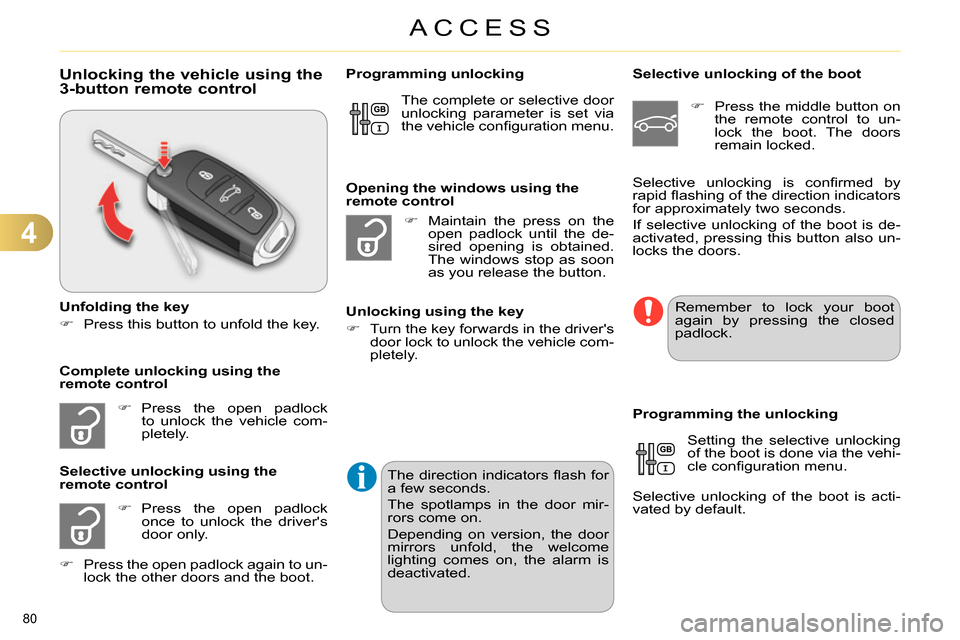
Unfolding the key
Press this button to unfold the key.
Press the open padlock
to unlock the vehicle com-
pletely.
Press the open padlock
once to unlock the driver's
door only.
Selective unlocking using the
remote control
Maintain the press on the
open padlock until the de-
sired opening is obtained.
The windows stop as soon
as you release the button.
Opening the windows using the
remote control
Unlocking using the key
Turn the key forwards in the driver's
door lock to unlock the vehicle com-
pletely.
Programming unlocking
Selective unlocking of the boot
Press the middle button on
the remote control to un-
lock the boot. The doors
remain locked.
Setting the selective unlocking
of the boot is done via the vehi-
cle confi guration menu.
Selective unlocking of the boot is acti-
vated by default.
Programming the unlocking
Complete unlocking using the
remote control Selective unlocking is confi rmed by
rapid fl ashing of the direction indicators
for approximately two seconds.
If selective unlocking of the boot is de-
activated, pressing this button also un-
locks the doors. The complete or selective door
unlocking parameter is set via
the vehicle confi guration menu.
Remember to lock your boot
again by pressing the closed
padlock.
Press the open padlock again to un-
lock the other doors and the boot.
The direction indicators fl ash for
a few seconds.
The spotlamps in the door mir-
rors come on.
Depending on version, the door
mirrors unfold, the welcome
lighting comes on, the alarm is
deactivated.
Page 83 of 340
4
ACCESS
81
Locking the vehicle
Press the closed padlock to
lock the vehicle.
Normal locking using the remote
control
Normal locking using the key
Turn the key towards the rear in the
driver's door lock to lock the vehicle.
Locating your vehicle
This function allows you to identify your
vehicle from a distance, particularly in
poor light. Your vehicle must be locked.
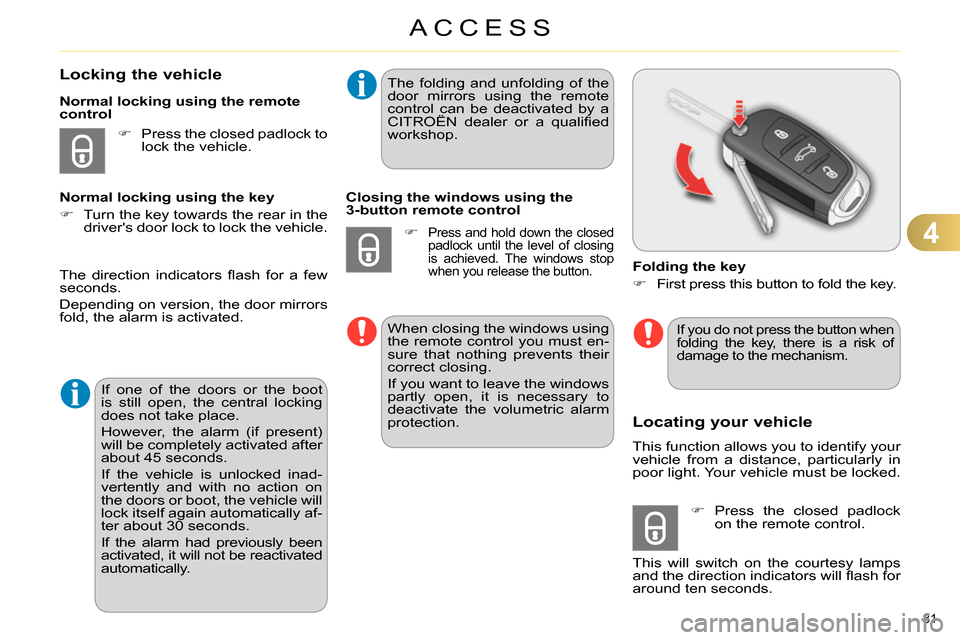
Folding the key
First press this button to fold the key.
Press the closed padlock
on the remote control.
This will switch on the courtesy lamps
and the direction indicators will fl ash for
around ten seconds.
The direction indicators fl ash for a few
seconds.
Depending on version, the door mirrors
fold, the alarm is activated.
If one of the doors or the boot
is still open, the central locking
does not take place.
However, the alarm (if present)
will be completely activated after
about 45 seconds.
If the vehicle is unlocked inad-
vertently and with no action on
the doors or boot, the vehicle will
lock itself again automatically af-
ter about 30 seconds.
If the alarm had previously been
activated, it will not be reactivated
automatically.
The folding and unfolding of the
door mirrors using the remote
control can be deactivated by a
CITROËN dealer or a qualifi ed
workshop.
Closing the windows using the
3-button remote control
Press and hold down the closed
padlock until the level of closing
is achieved. The windows stop
when you release the button.
When closing the windows using
the remote control you must en-
sure that nothing prevents their
correct closing.
If you want to leave the windows
partly open, it is necessary to
deactivate the volumetric alarm
protection.
If you do not press the button when
folding the key, there is a risk of
damage to the mechanism.
Page 88 of 340
4
ACCESS
86
CENTRAL LOCKING CONTROL
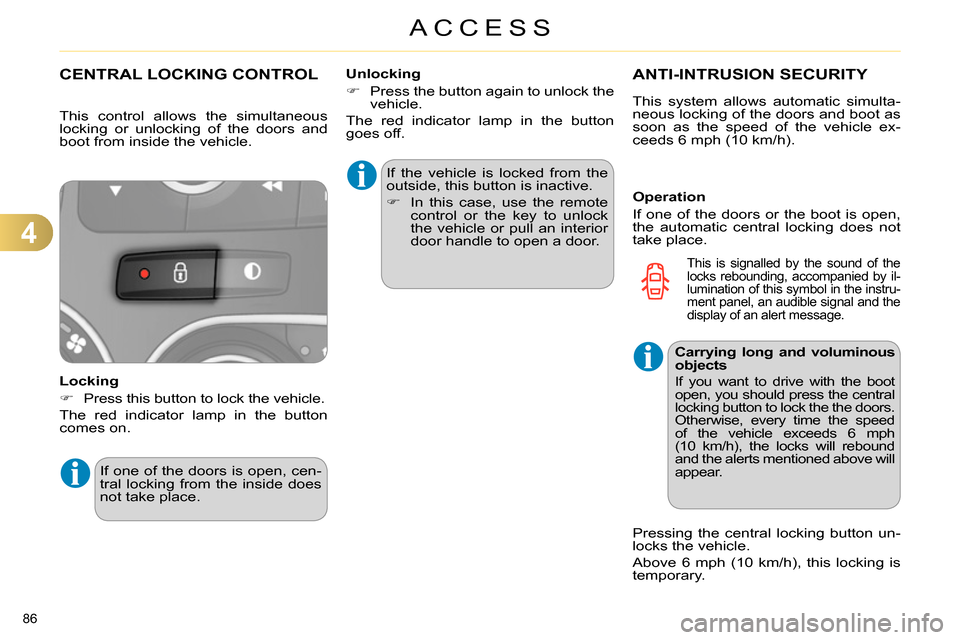
Locking
Press this button to lock the vehicle.
The red indicator lamp in the button
comes on. If the vehicle is locked from the
outside, this button is inactive.
In this case, use the remote
control or the key to unlock
the vehicle or pull an interior
door handle to open a door.
If one of the doors is open, cen-
tral locking from the inside does
not take place.
Unlocking
Press the button again to unlock the
vehicle.
The red indicator lamp in the button
goes off.
ANTI-INTRUSION SECURITY
Operation
If one of the doors or the boot is open,
the automatic central locking does not
take place.
This control allows the simultaneous
locking or unlocking of the doors and
boot from inside the vehicle.
This system allows automatic simulta-
neous locking of the doors and boot as
soon as the speed of the vehicle ex-
ceeds 6 mph (10 km/h).
Carrying long and voluminous
objects
If you want to drive with the boot
open, you should press the central
locking button to lock the the doors.
Otherwise, every time the speed
of the vehicle exceeds 6 mph
(10 km/h), the locks will rebound
and the alerts mentioned above will
appear.
Pressing the central locking button un-
locks the vehicle.
Above 6 mph (10 km/h), this locking is
temporary.
This is signalled by the sound of the
locks rebounding, accompanied by il-
lumination of this symbol in the instru-
ment panel, an audible signal and the
display of an alert message.
Page 90 of 340
4
ACCESS
88
*
According to country.
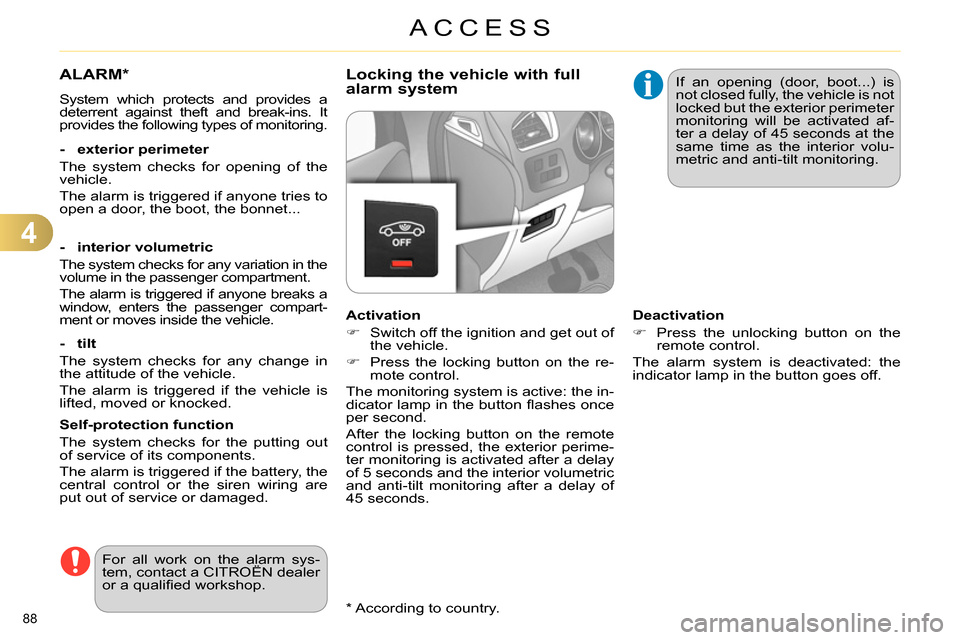
ALARM *
System which protects and provides a
deterrent against theft and break-ins. It
provides the following types of monitoring.
- exterior perimeter
The system checks for opening of the
vehicle.
The alarm is triggered if anyone tries to
open a door, the boot, the bonnet...
- interior volumetric
The system checks for any variation in the
volume in the passenger compartment.
The alarm is triggered if anyone breaks a
window, enters the passenger compart-
ment or moves inside the vehicle.
- tilt
The system checks for any change in
the attitude of the vehicle.
The alarm is triggered if the vehicle is
lifted, moved or knocked.
Self-protection function
The system checks for the putting out
of service of its components.
The alarm is triggered if the battery, the
central control or the siren wiring are
put out of service or damaged.
For all work on the alarm sys-
tem, contact a CITROËN dealer
or a qualifi ed workshop.
Locking the vehicle with full
alarm system
Activation
Switch off the ignition and get out of
the vehicle.
Press the locking button on the re-
mote control.
The monitoring system is active: the in-
dicator lamp in the button fl ashes once
per second.
After the locking button on the remote
control is pressed, the exterior perime-
ter monitoring is activated after a delay
of 5 seconds and the interior volumetric
and anti-tilt monitoring after a delay of
45 seconds. If an opening (door, boot...) is
not closed fully, the vehicle is not
locked but the exterior perimeter
monitoring will be activated af-
ter a delay of 45 seconds at the
same time as the interior volu-
metric and anti-tilt monitoring.
Deactivation
Press the unlocking button on the
remote control.
The alarm system is deactivated: the
indicator lamp in the button goes off.
Page 93 of 340
4
ACCESS
91
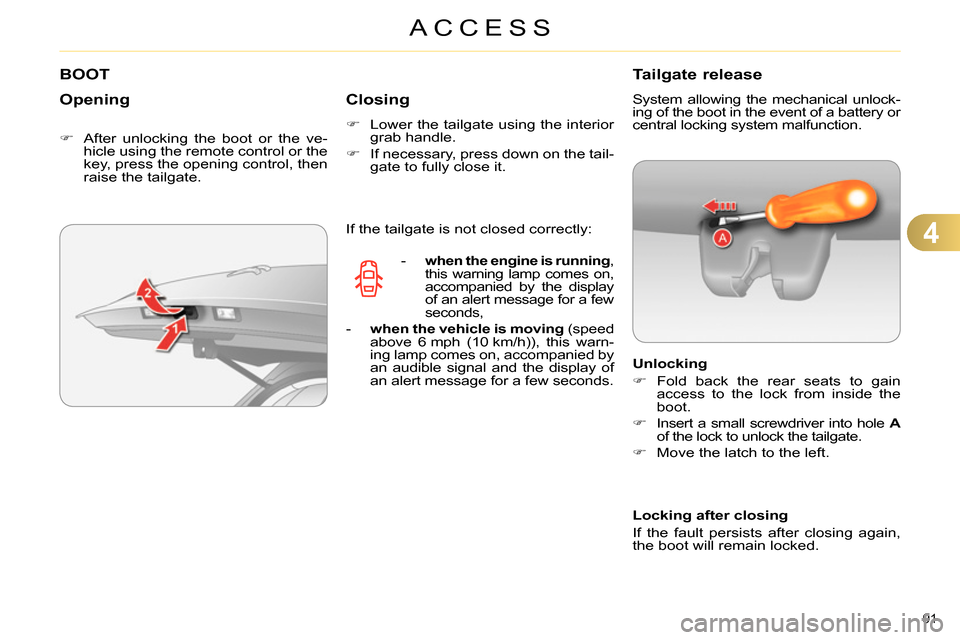
BOOT
Opening
After unlocking the boot or the ve-
hicle using the remote control or the
key, press the opening control, then
raise the tailgate.
Closing
Lower the tailgate using the interior
grab handle.
If necessary, press down on the tail-
gate to fully close it.
Tailgate release
System allowing the mechanical unlock-
ing of the boot in the event of a battery or
central locking system malfunction.
Unlocking
Fold back the rear seats to gain
access to the lock from inside the
boot.
Insert a small screwdriver into hole A
of the lock to unlock the tailgate.
Move the latch to the left.
If the tailgate is not closed correctly:
- when the engine is running
,
this warning lamp comes on,
accompanied by the display
of an alert message for a few
seconds,
- when the vehicle is moving
(speed
above 6 mph (10 km/h)), this warn-
ing lamp comes on, accompanied by
an audible signal and the display of
an alert message for a few seconds.
Locking after closing
If the fault persists after closing again,
the boot will remain locked.
Page 113 of 340
5
VISIBILITY
111
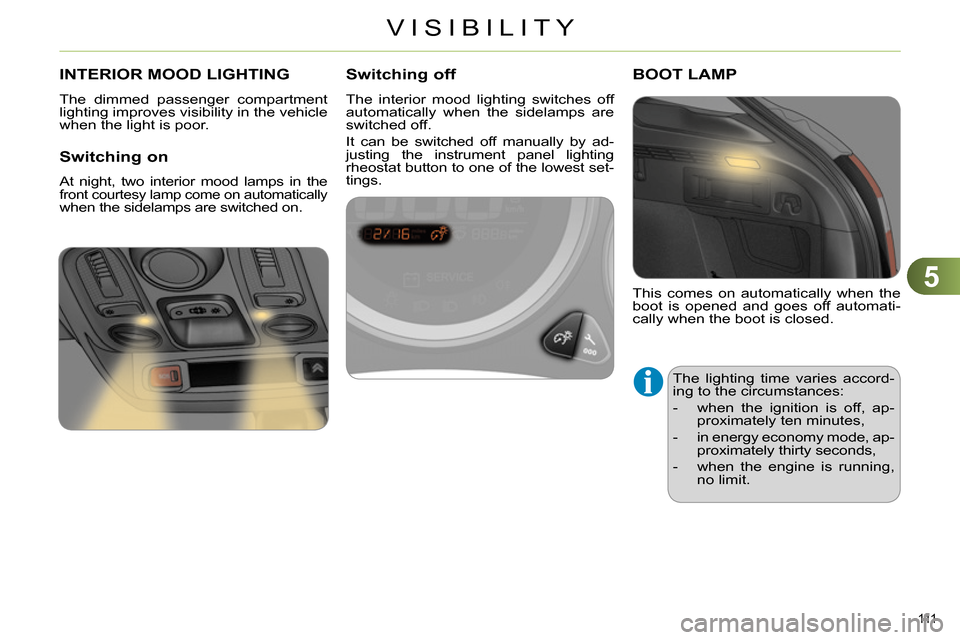
INTERIOR MOOD LIGHTING
The dimmed passenger compartment
lighting improves visibility in the vehicle
when the light is poor.
Switching on
At night, two interior mood lamps in the front courtesy lamp come on automatically
when the sidelamps are switched on.
Switching off
The interior mood lighting switches off
automatically when the sidelamps are
switched off.
It can be switched off manually by ad-
justing the instrument panel lighting
rheostat button to one of the lowest set-
tings.
This comes on automatically when the
boot is opened and goes off automati-
cally when the boot is closed.
BOOT LAMP
The lighting time varies accord-
ing to the circumstances:
- when the ignition is off, ap-
proximately ten minutes,
- in energy economy mode, ap-
proximately thirty seconds,
- when the engine is running,
no limit.
Page 122 of 340
6
FITTINGS
120
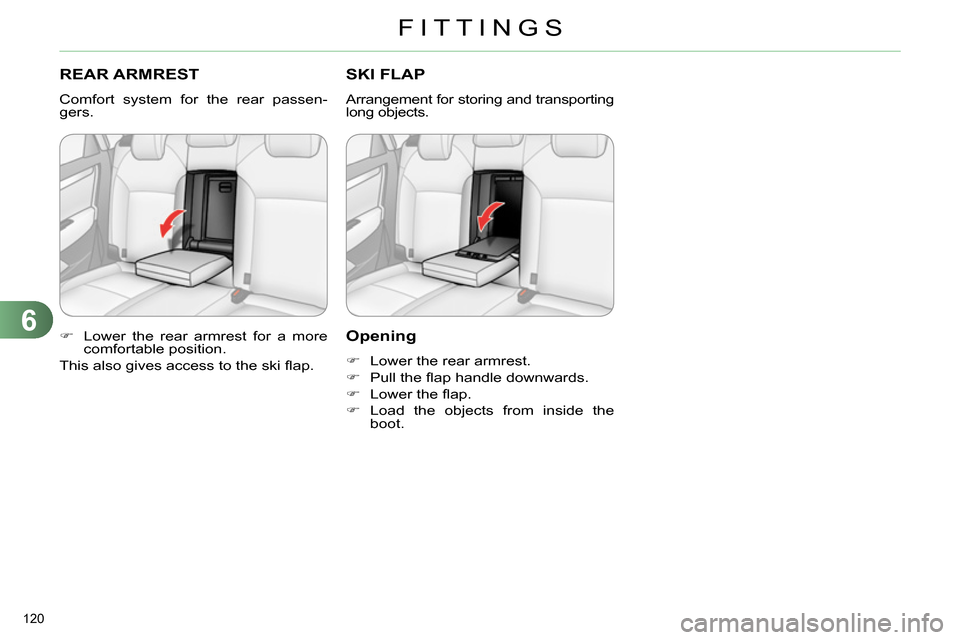
REAR ARMREST
Comfort system for the rear passen-
gers.
Lower the rear armrest for a more
comfortable position.
This also gives access to the ski fl ap.
SKI FLAP
Arrangement for storing and transporting
long objects.
Opening
Lower the rear armrest.
Pull the fl ap handle downwards.
Lower the fl ap.
Load the objects from inside the
boot.
Page 123 of 340
6
FITTINGS
121
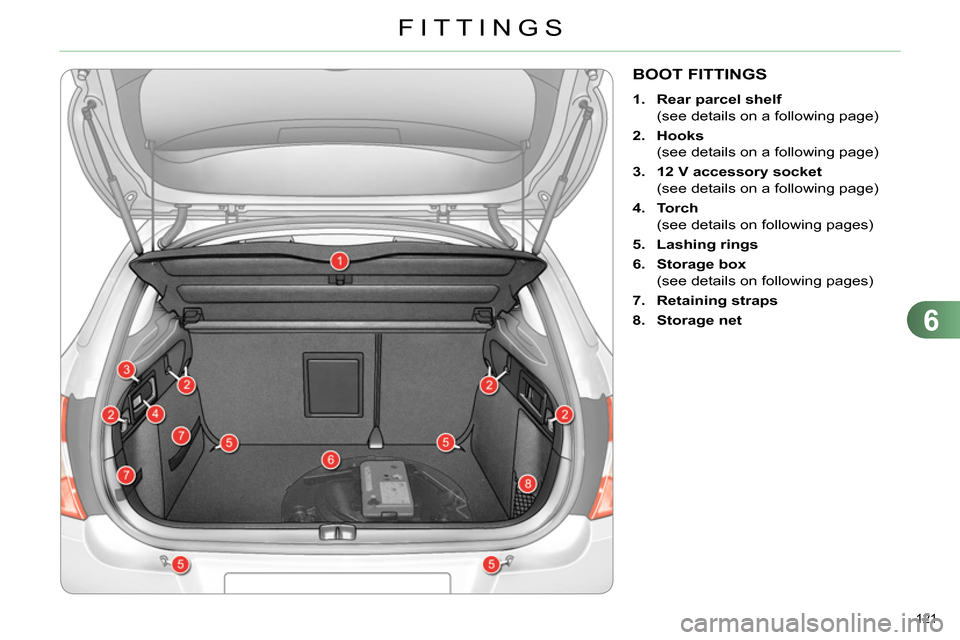
BOOT FITTINGS
1.
Rear parcel shelf
(see details on a following page)
2.
Hooks
(see details on a following page)
3.
12 V accessory socket
(see details on a following page)
4.
Torch
(see details on following pages)
5.
Lashing rings
6.
Storage box
(see details on following pages)
7.
Retaining straps
8.
Storage net