language Citroen C4 2014.5 2.G User Guide
[x] Cancel search | Manufacturer: CITROEN, Model Year: 2014.5, Model line: C4, Model: Citroen C4 2014.5 2.GPages: 494, PDF Size: 21.47 MB
Page 337 of 494

06
335
Select:
-
"
Time/Date"
to
change
the
time
zone,
synchronisation
with
GPS,
time
and
its
format
and
then
the
date.
-
"
Languages"
to
change
the
language.
-
"
Calculator"
to
display
a
calculator
-
"
Calendar"
to
display
a
calendar.
Press on Configuration
to
display
the
primary
page
then
go
to
the
secondary
page.
Modify system settings
System
Select "System Settings". Press on Configuration
to display the primary
page
then go to the secondary page.
Select "Units" to change the units of distance,
fuel
consumption and temperature.
Select "Factory settings" to return to the
original
settings.
Select "Delete data"
to delete the list of recent
destinations,
personal points of interest,
contacts
in the list.
Choose
the item then select "Delete".
CONFIGURATION
Select "Screen settings". Press on Configuration
to display the primary
page
then go to the secondary page.
Activate or deactivate "Activate automatic text
scrolling "
and "Activate animations".
Page 360 of 494
03
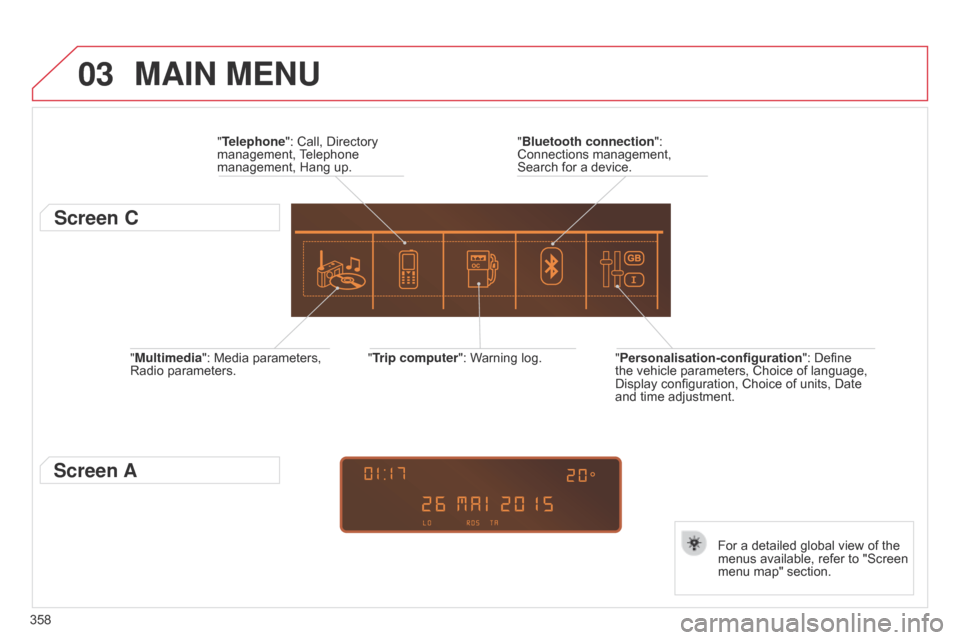
358"Multimedia": Media parameters,
Radio
parameters.
"Trip computer": Warning log.
For a detailed global view of the
menus
available, refer to "Screen
menu
map" section.
"Bluetooth connection
":
Connections
management,
Search
for a device.
"Telephone": Call, Directory
management,
T
elephone
management,
Hang up.
MAIN MENU
"Personalisation-configuration
": Define the
vehicle parameters, Choice of language,
Display
configuration, Choice of units, Date
and
time adjustment.
Screen C
Screen A
Page 383 of 494
07
381
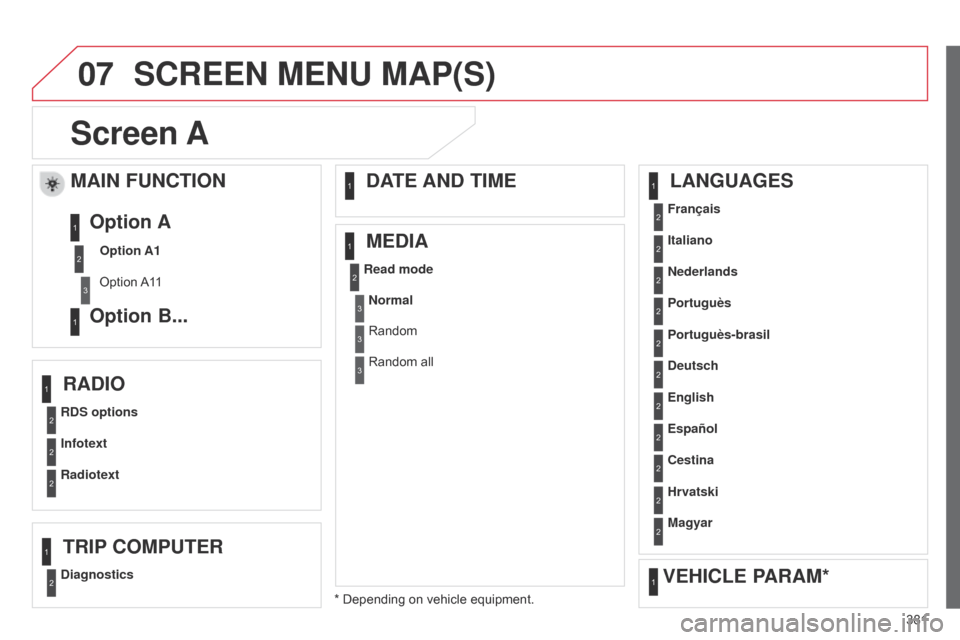
Screen A
RDS optionsFrançais
Portuguès
Cestina
Read mode
Diagnostics Infotext Italiano
English Portuguès-brasil
Hrvatski
Radiotext Nederlands
Español Deutsch
Magyar
MAIN FUNCTION
Option A1
Option
A1
1
Option A
Option B...1
2
3
1
RADIO LANGUAGES
MEDIA
TRIP COMPUTER DATE AND TIME
VEHICLE PARAM*
SCREEN MENU MAP(S)
* Depending on vehicle equipment.
2
2
2
2
2
2
1
1
1
1
1
1
2
2
2
2
2
2
2
2
2
2
Normal
Random
Random all3
3
3
Page 385 of 494
07
383
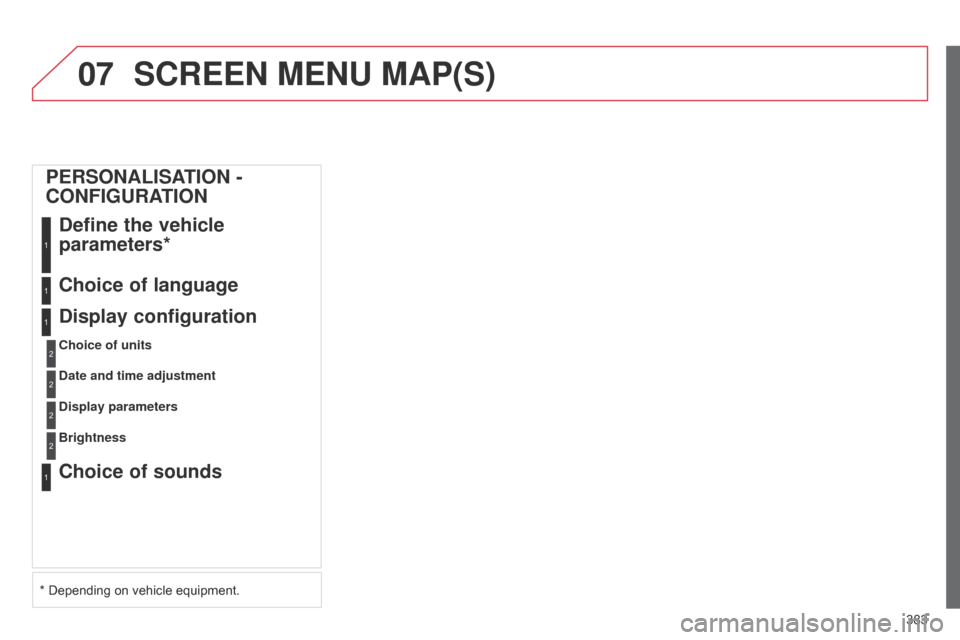
SCREEN MENU MAP(S)
PERSONALISATION -
CONFIGURATIONDefine the vehicle
parameters*
1
Choice of language1
Display configuration
Choice of units
1
2
Date and time adjustment2
Display parameters2
Choice of sounds1
Brightness2
* Depending on vehicle equipment.
Page 423 of 494
.
Audio and Telematics 19
Localised Assistance Call
If you purchased your vehicle outside the CITROËN dealer network, we invite you to have a dealer check the configuration of these services and, if desired, modified to suit your wishes. In a multi-lingual country, configuration is possible in the official national language of your choice.
For technical reasons, particularly to improve the quality of Telematic services to customers, the manufacturer reserves the right to carry out updates
to the vehicle's on-board telematic system.
Press this button for more than 2 seconds to request assistance if the vehicle breaks down. A voice message confirms that the call has been started * .
Pressing this button again immediately cancels the request. The cancellation is confirmed by a voice message.
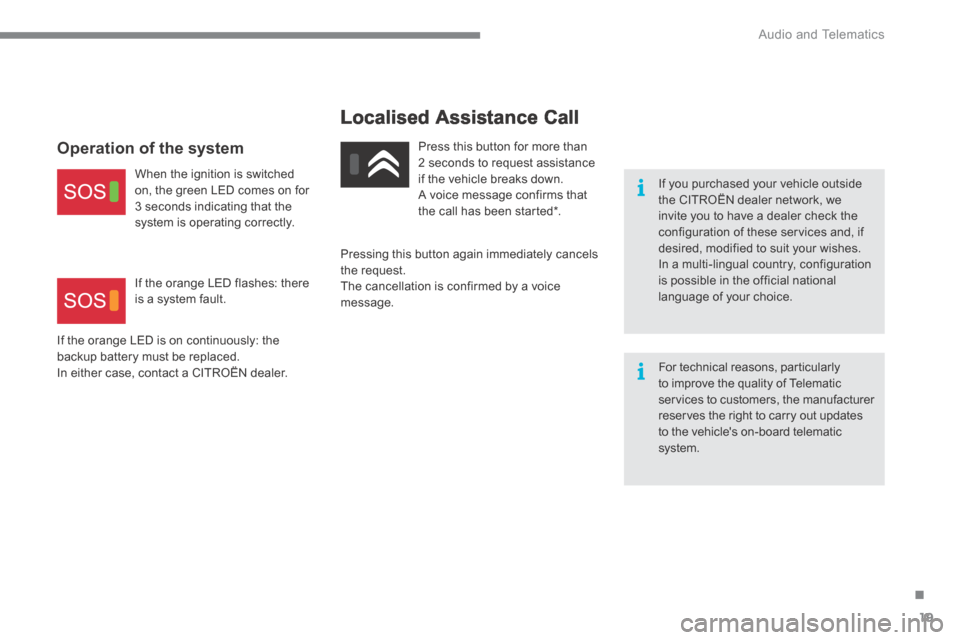
Operation of the system
When the ignition is switched on, the green LED comes on for 3 seconds indicating that the system is operating correctly.
If the orange LED is on continuously: the backup battery must be replaced. In either case, contact a CITROËN dealer.
If the orange LED flashes: there is a system fault.
Page 461 of 494
Audio and Telematics
58
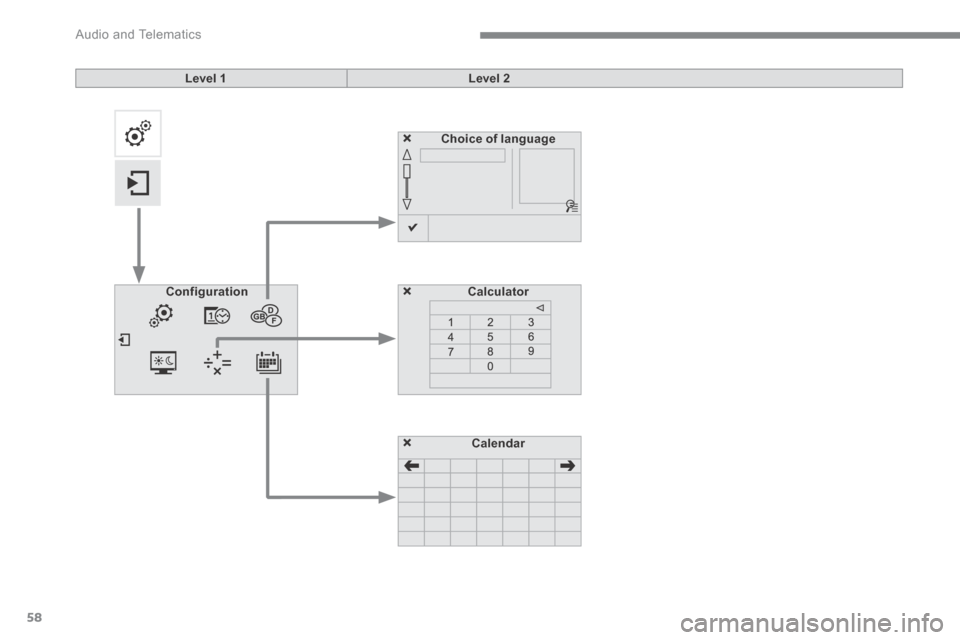
Choice of language
CalculatorConfiguration
Calendar
Level 1Level 2
Page 462 of 494
.
Audio and Telematics 59
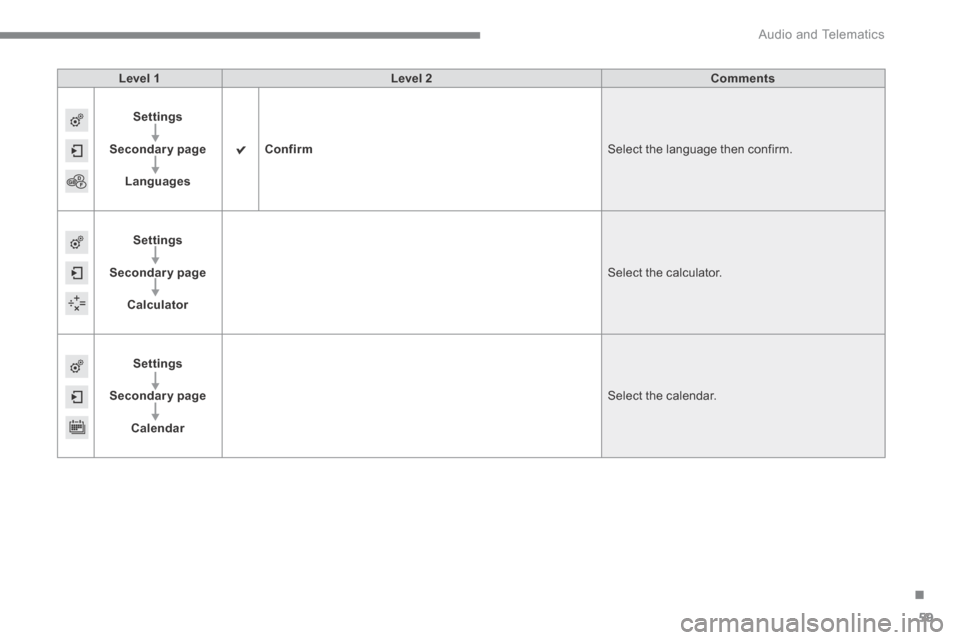
Level 1Level 2Comments
Settings
Secondary page
Languages
Confirm Select the language then confirm.
Settings
Secondary page
Calculator
Select the calculator.
Settings
Secondary page
Calendar
Select the calendar.
Page 464 of 494

.
Audio and Telematics 61
Press on Settings to display the primary page. Press on "Settings" to display the primary page. Press on Settings to display the primary page.
Press on the secondary page. Press on the secondary page. Press on the secondary page.
Select " System Settings ". Select " Time/Date " to change the time zone, synchronisation with GPS, the time and its format, then the date.
Select " Screen settings ".
Select " Units " to change the units of distance, fuel consumption and temperature. Select " Languages " to change language.
Activate or deactivate " Activate automatic text scrolling " and " Activate animations "
Select " Delete data " to delete the list of recent destinations, personal
points of interest, contacts in the list. Select " Calculator " to display
a calculator.
Choose the item then select " Delete ". Select " Calendar " to display a calendar.
Select " Factory settings " to return to the original settings.
Modifying system settings