navigation system Citroen C4 2014.5 2.G User Guide
[x] Cancel search | Manufacturer: CITROEN, Model Year: 2014.5, Model line: C4, Model: Citroen C4 2014.5 2.GPages: 494, PDF Size: 21.47 MB
Page 350 of 494
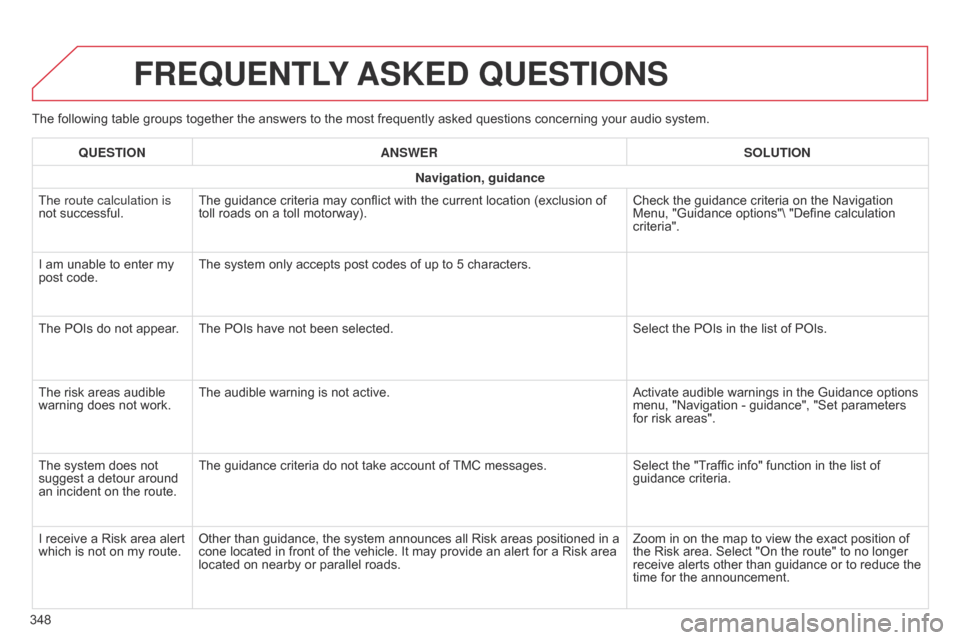
The following table groups together the answers to the most frequently asked questions concerning your audio system.
FREqUENTLY ASKED q UESTIONS
348
q
UESTION
ANSWER SOLUTION
Navigation, guidance
The route calculation is
not successful.
The guidance criteria may conflict with the current location (exclusion of
toll
roads on a toll motorway).
Check the guidance criteria on the Navigation
Menu,
"Guidance options"\ "Define calculation
criteria".
I
am unable to enter my
post
code.
The system only accepts post codes of up to 5 characters.
The POIs do not appear. The POIs have not been selected.
Select the POIs in the list of POIs.
The risk areas audible
warning
does not work.
The audible warning is not active.
Activate audible warnings in the Guidance options
menu,
"Navigation - guidance", "Set parameters
for
risk areas".
The system does not
suggest
a detour around
an
incident on the route.
The guidance criteria do not take account of
TMC
messages.
Select the "Traffic info" function in the list of
guidance
criteria.
I receive a Risk area alert
which
is not on my route.
Other than guidance, the system announces all Risk areas positioned in a
cone
located in front of the vehicle. It may provide an alert for a Risk area
located
on nearby or parallel roads.
Zoom in on the map to view the exact position of
the
Risk area. Select "On the route" to no longer
receive
alerts other than guidance or to reduce the
time
for the announcement.
Page 394 of 494
392
Radio .................................................... 296, 359
Radio pr e-equipment ................................... 26
8
R
dS ................
.............................................. 299
Rear
s
creen
(
demisting)
................................. 90
R
echarging the battery
........................ 2
54, 255
Reduction
of electrical
load
............................................................ 25
6
Regeneration
o
f the particle filter
...................................... 2
15
Reinitialising
the electric
windows
....................................................... 76
R
einitialising the remote
control
.................................................... 5
8, 63
Remote
control
.......................................... 53
-64
Removable
screen
(snow
s
hield)
...............................
...............258
Removing
a wheel
..............................
.........233
Removing
the mat
...............................
.........108
Repair
kit, puncture
...................................... 2
25
Replacing
bu
lbs
..............................
......238-246
Replacing
f
uses
..............................
.......247- 2 51
Replacing
the air filter
...................................2
15
Replacing
the oil filter
...................................2
15
Replacing
t
he
p
assenger
c
ompartment filter
...................................... 2
15
R
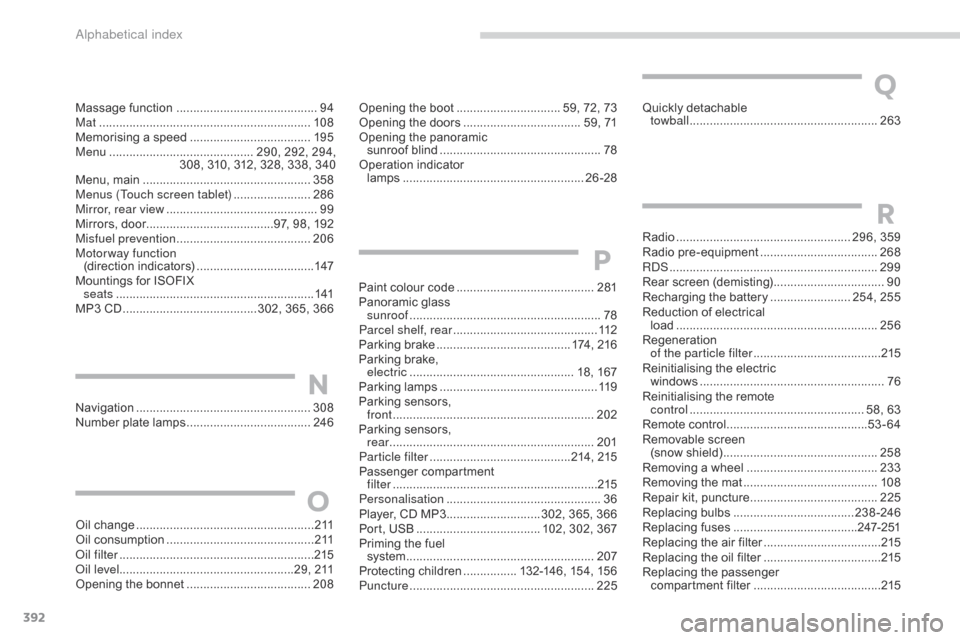
Navigation ....................................................308
Number plate lamps ..................................... 24
6Opening
the boot
..............................
. 59, 72, 73
Opening the doors
...............................
.... 59, 71
Opening the panoramic
sunroof
b
lind
................................................
78
O
peration indicator
lamps
..............................
........................
26-28
N
Massage function ............................... ...........94
Mat ....... ........................................................ 108
Memorising
a speed
.................................... 19
5
Menu
........................................... 2
90, 292, 294,
308,
310, 312, 328, 338, 340
Menu,
main
..............................
....................358
Menus (Touch screen tablet)
.......................28
6
Mirror, rear view
............................................. 99
M
irrors, door......................................97, 98, 192
Misfuel prevention
...............................
.........206
Motorway function (direction
i
ndicators)
................................... 14
7
Mountings
for ISOFIX
seats
...............
............................................ 141
MP3
CD
................
........................ 302, 365, 366
Oil
change
...............................
......................2 11
Oil
consumption
............................................ 2
11
oil
filter
...............
........................................... 215
oi
l level ....................................................29,
211
Opening
the bonnet
..................................... 20
8
O
Quickly detachable
tow ball ............................... .........................263
Q
Paint colour code ......................................... 2 81
Panoramic glass
sunroof
................
......................................... 78
Parcel shelf, rear
........................................... 11
2
Parking
brake
........................................ 1
74, 216
Parking
brake,
electric
..............................
................... 18, 167
Parking
lam
ps
............................................... 11
9
Parking
sensors,
front
........
.................................................... 202
Parking
sensors,
rear
...............................
..............................201
Particle filter
.......................................... 21
4,
21
5
Passenger
c
ompartment
f
ilter
........
..................................................... 215
Personalisation
...............................
...............36
Player,
CD MP3
............................ 3
02, 365, 366
Port,
USB
..................................... 1
02, 302, 367
Priming
the fuel
system
................
........................................ 207
Protecting
children
................ 1
32-146, 154, 156
Puncture
................
....................................... 225
P
alphabetical index
Page 405 of 494
2
Multifunction screens1
Touch screen tablet
General operation
Principles
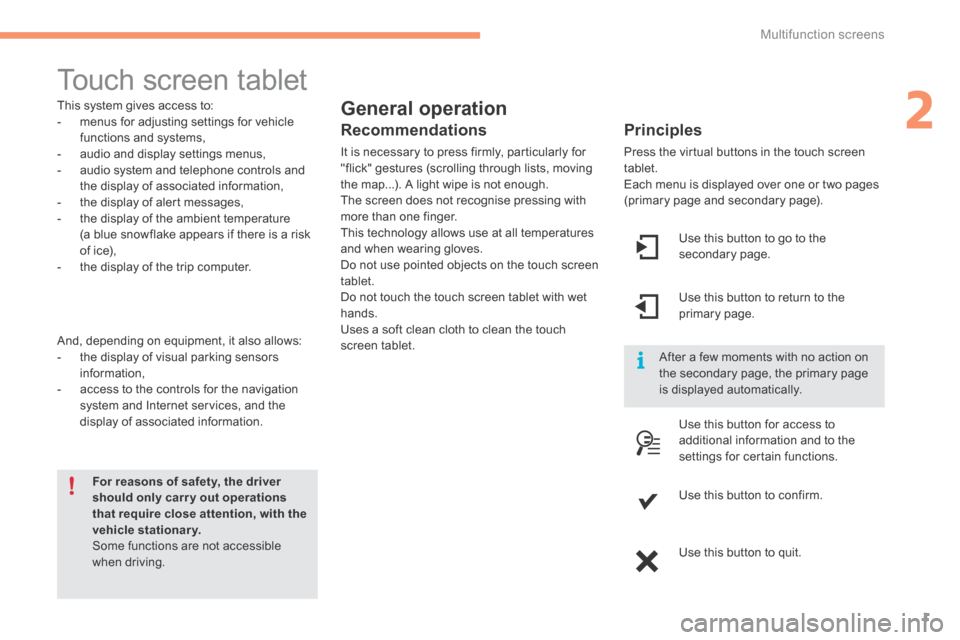
Press the virtual buttons in the touch screen tablet. Each menu is displayed over one or two pages (primary page and secondary page).
For reasons of safety, the driver should only carr y out operations that require close attention, with the vehicle stationary. Some functions are not accessible when driving.
This system gives access to: - menus for adjusting settings for vehicle functions and systems, - audio and display settings menus, - audio system and telephone controls and the display of associated information, - the display of alert messages, - the display of the ambient temperature
(a blue snowflake appears if there is a risk of ice), - the display of the trip computer.
And, depending on equipment, it also allows: - the display of visual parking sensors information, - access to the controls for the navigation system and Internet services, and the display of associated information.
Recommendations
It is necessary to press firmly, particularly for "flick" gestures (scrolling through lists, moving the map...). A light wipe is not enough. The screen does not recognise pressing with more than one finger.
This technology allows use at all temperatures and when wearing gloves. Do not use pointed objects on the touch screen tablet. Do not touch the touch screen tablet with wet hands. Uses a soft clean cloth to clean the touch screen tablet.
Use this button to go to the secondary page.
After a few moments with no action on the secondary page, the primary page is displayed automatically.
Use this button to return to the primary page.
Use this button for access to
additional information and to the settings for certain functions.
Use this button to confirm.
Use this button to quit.
Page 406 of 494
Multifunction screens
2
Menus
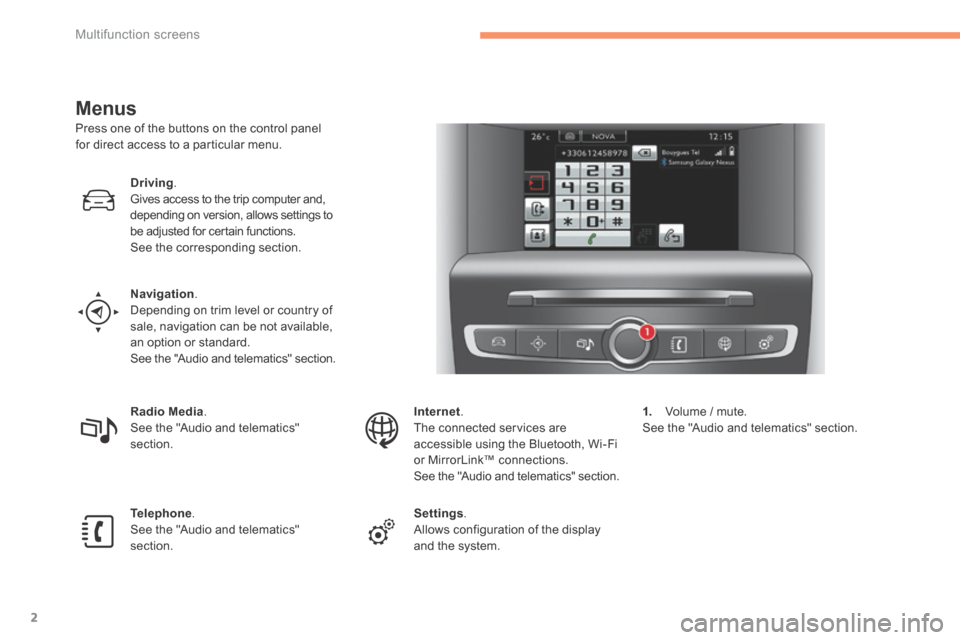
Press one of the buttons on the control panel for direct access to a particular menu.
Driving. Gives access to the trip computer and, depending on version, allows settings to be adjusted for certain functions. See the corresponding section.
Navigation . Depending on trim level or country of sale, navigation can be not available, an option or standard. See the "Audio and telematics" section.
Radio Media . See the "Audio and telematics" section.
Telephone . See the "Audio and telematics" section.
Internet . The connected services are accessible using the Bluetooth, Wi-Fi or MirrorLink™ connections. See the "Audio and telematics" section.
Settings . Allows configuration of the display and the system.
1. Volume / mute. See the "Audio and telematics" section.
Page 424 of 494
.
Audio and Telematics 21
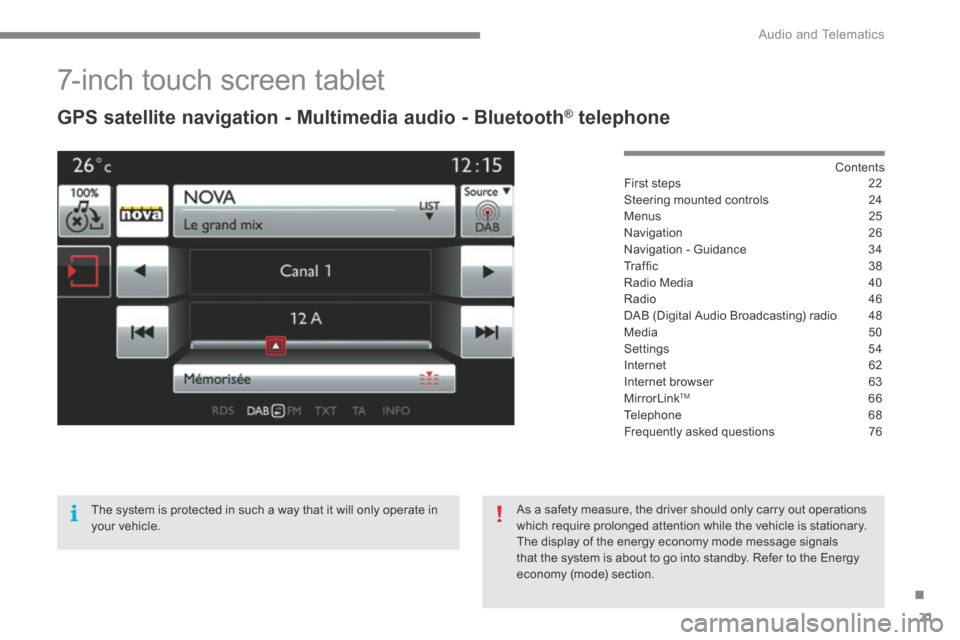
7-inch touch screen tablet
GPS satellite navigation - Multimedia audio - Bluetooth ® GPS satellite navigation - Multimedia audio - Bluetooth ® GPS satellite navigation - Multimedia audio - Bluetooth telephone ® telephone ®
Contents First steps 22
Steering mounted controls 24
Menus 25
Navigation 26
Navigation - Guidance 34
T r a f fi c 3 8
Radio Media 40
Radio 46
DAB (Digital Audio Broadcasting) radio 48
Media 50
Settings 54
Internet 62
Internet browser 63
MirrorLinkTM 66
Telephone 68
Frequently asked questions 76
The system is protected in such a way that it will only operate in your vehicle.
As a safety measure, the driver should only carry out operations which require prolonged attention while the vehicle is stationary. The display of the energy economy mode message signals that the system is about to go into standby. Refer to the Energy economy (mode) section.
Page 426 of 494
.
Audio and Telematics 23
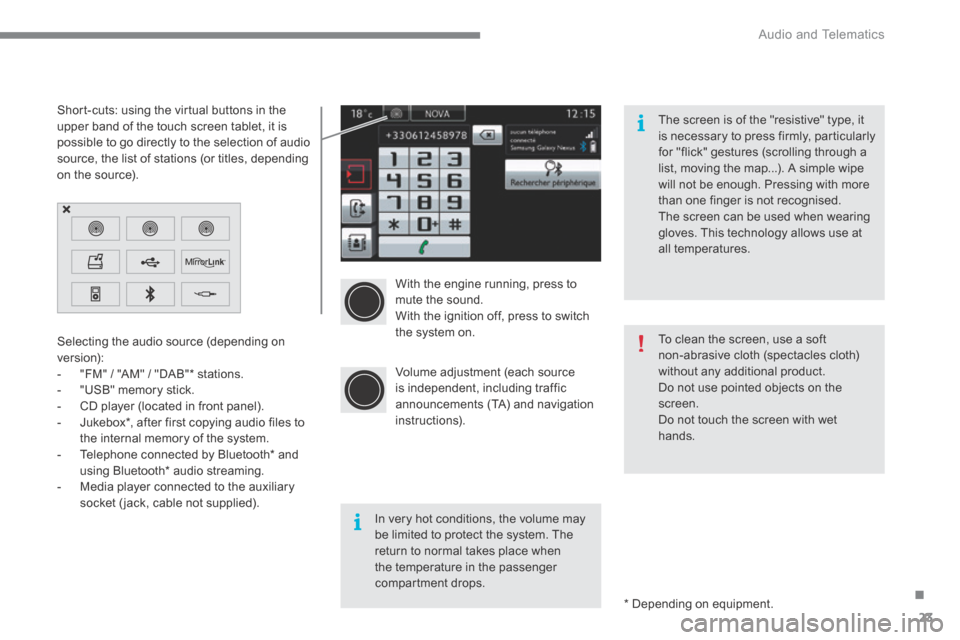
With the engine running, press to mute the sound. With the ignition off, press to switch the system on.
Volume adjustment (each source is independent, including traffic announcements (TA) and navigation instructions).
Selecting the audio source (depending on version): - "FM" / "AM" / "DAB" * stations. - "USB" memory stick. - CD player (located in front panel). - Jukebox * , after first copying audio files to
the internal memory of the system. - Telephone connected by Bluetooth * and using Bluetooth * audio streaming. - Media player connected to the auxiliary socket (jack, cable not supplied).
* Depending on equipment.
Short-cuts: using the virtual buttons in the upper band of the touch screen tablet, it is possible to go directly to the selection of audio source, the list of stations (or titles, depending on the source).
The screen is of the "resistive" type, it is necessary to press firmly, particularly for "flick" gestures (scrolling through a list, moving the map...). A simple wipe will not be enough. Pressing with more than one finger is not recognised. The screen can be used when wearing gloves. This technology allows use at all temperatures.
In very hot conditions, the volume may be limited to protect the system. The return to normal takes place when the temperature in the passenger compartment drops.
To clean the screen, use a soft non-abrasive cloth (spectacles cloth) without any additional product. Do not use pointed objects on the screen. Do not touch the screen with wet
hands.
Page 437 of 494
Audio and Telematics
34
Navigation - Guidance
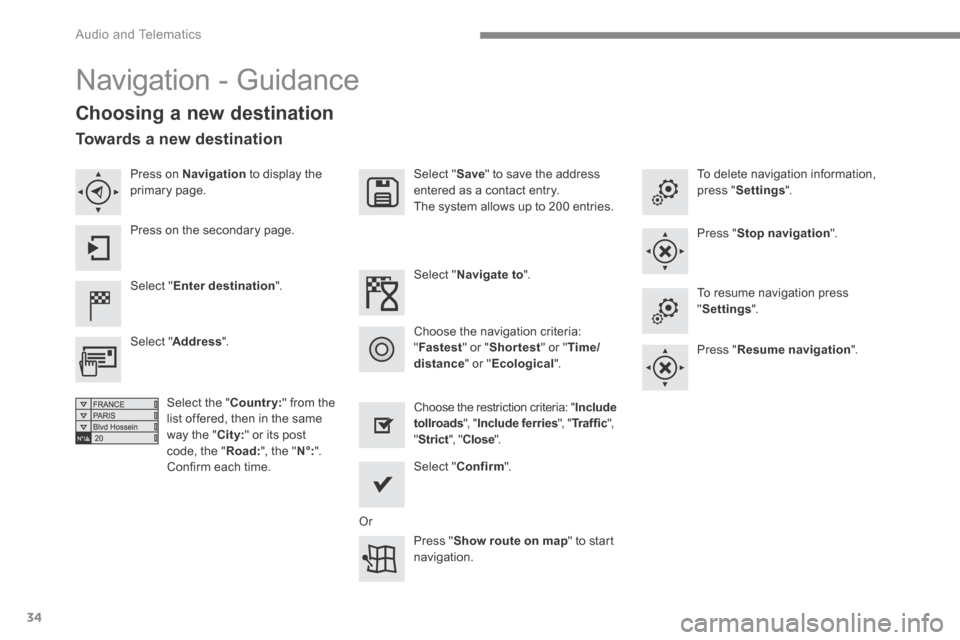
Choosing a new destination
Select " Enter destination ".
Select " Save " to save the address entered as a contact entry. The system allows up to 200 entries.
Select " Confirm ".
Press " Show route on map " to start navigation.
Select " Address ".
Select the "Country:" from the list offered, then in the same
way the " City: " or its post code, the " Road: ", the " N°: ". Confirm each time.
Select " Navigate to ".
Choose the restriction criteria: " Include tollroads ", " Include ferries ", " Tr a f f i c ", " Strict ", " Close ".
Choose the navigation criteria: " Fastest " or " Shortest " or " Time/distance " or " Ecological ".
To delete navigation information, press " Settings ".
Press " Stop navigation ".
To resume navigation press " Settings ".
Press " Resume navigation ".
Press on Navigation to display the primary page.
Press on the secondary page.
Towards a new destination
Or
Page 441 of 494
Audio and Telematics
38
Hazard zone /
Danger zone
alert settings
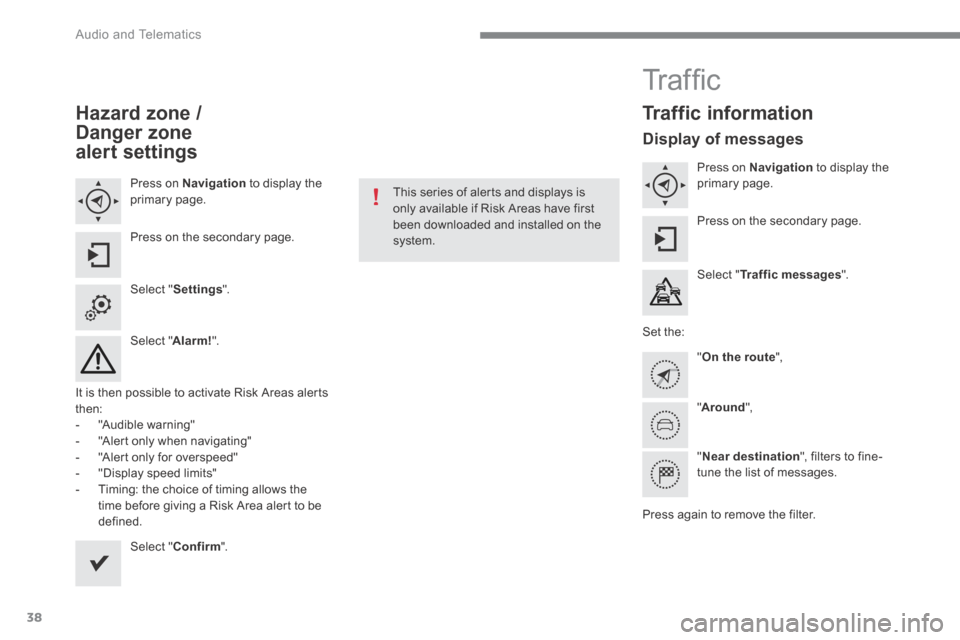
Press on Navigation to display the primary page.
Press on the secondary page.
Select " Settings ".
Select " Alarm! ".
It is then possible to activate Risk Areas alerts then: - "Audible warning"
- "Alert only when navigating" - "Alert only for overspeed" - "Display speed limits" - Timing: the choice of timing allows the time before giving a Risk Area alert to be defined.
Select " Confirm ".
This series of alerts and displays is only available if Risk Areas have first been downloaded and installed on the system.
T r a f fi c
Traffic information
Display of messages
Press on Navigation to display the primary page.
Press on the secondary page.
Select " Traffic messages ".
Set the:
" On the route ",
" Around ",
" Near destination ", filters to fine-tune the list of messages.
Press again to remove the filter.
Page 479 of 494
Audio and Telematics
76
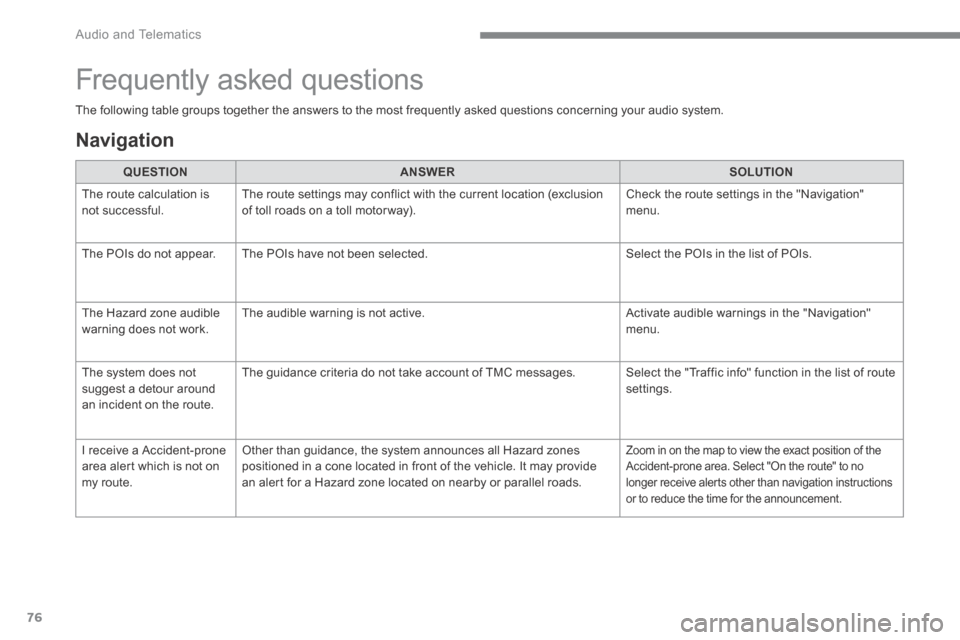
The following table groups together the answers to the most frequently asked questions concerning your audio system.
Frequently asked questions
Navigation
QUESTIONANSWERSOLUTION
The route calculation is not successful. The route settings may conflict with the current location (exclusion of toll roads on a toll motor way). Check the route settings in the "Navigation" menu.
The POIs do not appear. The POIs have not been selected. Select the POIs in the list of POIs.
The Hazard zone audible warning does not work. The audible warning is not active. Activate audible warnings in the "Navigation" menu.
The system does not suggest a detour around an incident on the route.
The guidance criteria do not take account of TMC messages. Select the "Traffic info" function in the list of route settings.
I receive a Accident-prone area alert which is not on my route.
Other than guidance, the system announces all Hazard zones positioned in a cone located in front of the vehicle. It may provide an alert for a Hazard zone located on nearby or parallel roads.
Zoom in on the map to view the exact position of the Accident-prone area. Select "On the route" to no longer receive alerts other than navigation instructions or to reduce the time for the announcement.