navigation Citroen C4 2015 2.G Owner's Guide
[x] Cancel search | Manufacturer: CITROEN, Model Year: 2015, Model line: C4, Model: Citroen C4 2015 2.GPages: 494, PDF Size: 20.49 MB
Page 362 of 494
01
360
C4-2_en_Chap13c_RD5_ed01-2015
C4-2_en_Chap13c_RD5_ed01-2015
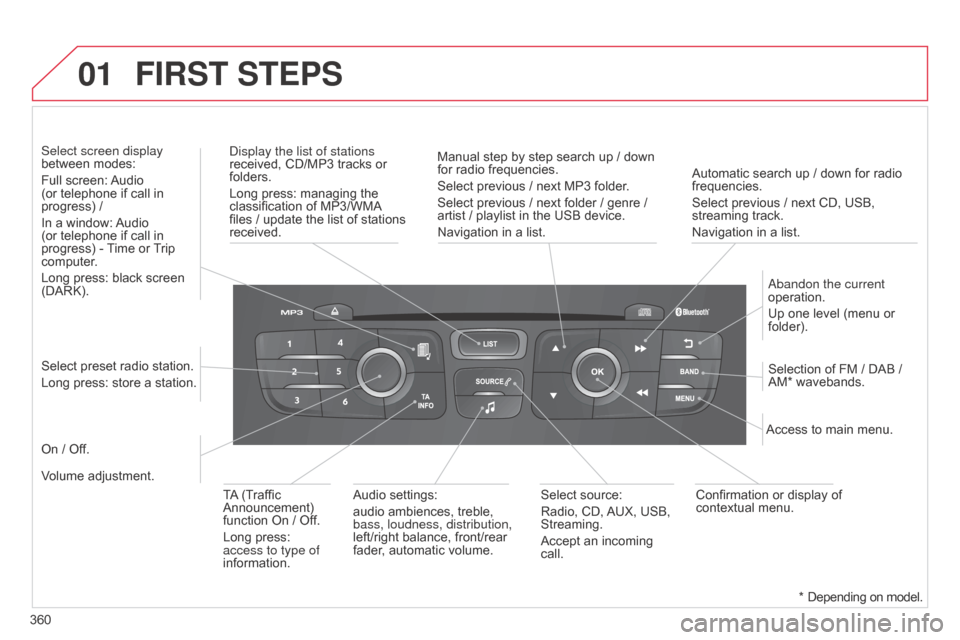
Automatic search up / down for radio frequencies.
Select previous / next CD, USB,
streaming
track.
Navigation
in a list.
d
isplay the list of stations
received,
CD/MP3
tracks
or
folders.
Long
press:
managing
the
classification
of
MP3/WMA
files
/
update
the
list
of
stations
received.
a
bandon the current
operation.
Up
one level (menu or
folder).
On
/
Off. Selection
of FM / DAB /
AM*
wavebands.
Select
preset
radio
station.
Long
press:
store
a
station.
Select screen display
between
modes:
Full
screen:
Audio
(or
telephone
if
call
in
progress)
/
In
a
window:
Audio
(or
telephone
if
call
in
progress)
-
T
ime
or
T
rip
computer
.
Long
press:
black
screen
(DARK).
Audio
settings:
audio
ambiences,
treble,
bass, loudness, distribution,
left/right
balance,
front/rear
fader
,
automatic
volume. Access
to main menu.
TA
(Traffic
Announcement)
function
On
/
Off.
Long
press:
access to type of
information. Select
source:
Radio,
CD,
AUX,
USB,
Streaming.
Accept
an
incoming
call. Confirmation
or display of
contextual
menu.
Manual
step
by
step
search
up
/
down
for
radio
frequencies.
Select
previous
/
next
MP3
folder.
Select
previous
/
next
folder
/
genre
/
artist
/
playlist
in
the
USB
device.
Navigation
in
a
list.
Volume
adjustment.
FIRST STEPS
* Depending on model.
Page 398 of 494
396
C4-2_en_Chap14_index-alpha_ed01-2015
C4-2_en_Chap14_index-alpha_ed01-2015
Paint colour code .........................................28 6
Panoramic glass
sunroof
................
......................................... 78
Parcel shelf, rear
................................... 11
4 ,
11
7
Parking
brake
........................................1
77, 220
Parking
brake, electric
............................1
8, 170
Parking
lam
ps
.............................................. 12
2
Parking
sensors, front
..................................20
6
Parking
sensors, rear................................... 205
Particle filter
.......................................... 21
8,
21
9
Passenger
c
ompartment
f
ilter
........
..................................................... 219
Personalisation
...............................
...............36
Player,
CD MP3
............................ 3
06, 369, 370
Port,
USB
..................................... 1
03, 306, 371
Priming
the fuel system
................................2
11
Protecting
children
................. 1
35 -149, 157, 159
Puncture
................
....................................... 229Quickly
detachable towball
..........................
2
67
P
Navigation ...............................
......................312 N
umber plate lamps ..................................... 25
0
oil
filter
...............
...........................................
219
oi
l level
................................................... 29, 215
Opening the bonnet
......................................
2
12
Opening the boot
..............................
. 59, 72, 73
Opening the doors
...............................
.... 59, 71
Opening the panoramic
sunroof blind
................................................ 78ope
ration indicator
lamps
..............................
........................
16 -28
N
Main beam .............................. ......118, 242, 245
Maintenance .............................. ....................10
Map
reading lamps
...................................... 13
3
Markings,
id
entification
................................ 28
6
Massage
function
...............................
...........94
Mat
.......
......................................................... 11 0
Memorising
a speed
.................................... 19
9
Menu
....................................2
94, 296, 298, 312,
314,
316, 332, 342, 344
Menu,
main
..............................
....................362
Menus (Touch
screen tablet)
.................................29
0
Mirror, rear view
........................................... 10
0
Mirrors, door ..................................... 98,
99, 196
Misfuel prevention
...............................
.........210
Motorway function (direction
i
ndicators)
.................................. 15
0
Mountings
for ISOFIX
seats
...............
........................................... 14 4
MP3
CD
................
........................ 306, 369, 370 Radio
...............
..................................... 300, 363
Radio
pr
e-equipment
...................................2
72
R
dS ................
...................................... 303, 364
Rear
s
creen
(
demisting)
.................................90
R
echarging the battery
........................ 2
58, 259
Reduction of electrical load
......................... 26
0
Regeneration
of the particle
emissions
f
ilter
............................................2
19
Reinitialising
the electric
windows
....................................................... 76
R
einitialising the remote
control
.................................................... 5
8, 63
Remote
control
..........................................53
-64
Removable
screen (snow shield).................262
Removing
a wheel
..............................
.........237
Removing
the mat
...............................
..........11 0
Repair
kit, puncture
......................................2
29
Replacing
bu
lbs
..............................
......242-250
Replacing
f
uses
..............................
......251-255
Replacing
the air filter
...................................2
19
Replacing
the oil filter
...................................2
19
Replacing
t
he
p
assenger
c
ompartment filter
......................................2
19
Replacing
wiper blades.........................131, 261
Resetting
the service indicator
......................32
R
esetting the trip recorder
.............................33
R
ev counter
................................................1
2-15
R
Oil change .....................................................215
Oil consumption ............................................ 2
15
O
QM
alphabetical index
Page 405 of 494
2
Multifunction screens1
C4-2-add_en_Chap02_ecran-multifonction_ed01-2015
Touch screen tablet
General operation
Principles
Press the virtual buttons in the touch screen tablet. Each menu is displayed over one or two pages (primary page and secondary page).
For reasons of safety, the driver should only carr y out operations that require close attention, with the vehicle stationary. Some functions are not accessible when driving.
This system gives access to: - menus for adjusting settings for vehicle functions and systems, - audio and display settings menus, - audio system and telephone controls and the display of associated information, - the display of alert messages, - the display of the ambient temperature
(a blue snowflake appears if there is a risk of ice), - the display of the trip computer.
And, depending on equipment, it also allows: - the display of visual parking sensors information, - access to the controls for the navigation system and Internet services, and the display of associated information.
Recommendations
It is necessary to press firmly, particularly for "flick" gestures (scrolling through lists, moving the map...). A light wipe is not enough. The screen does not recognise pressing with more than one finger.
This technology allows use at all temperatures and when wearing gloves. Do not use pointed objects on the touch screen tablet. Do not touch the touch screen tablet with wet hands. Uses a soft clean cloth to clean the touch screen tablet.
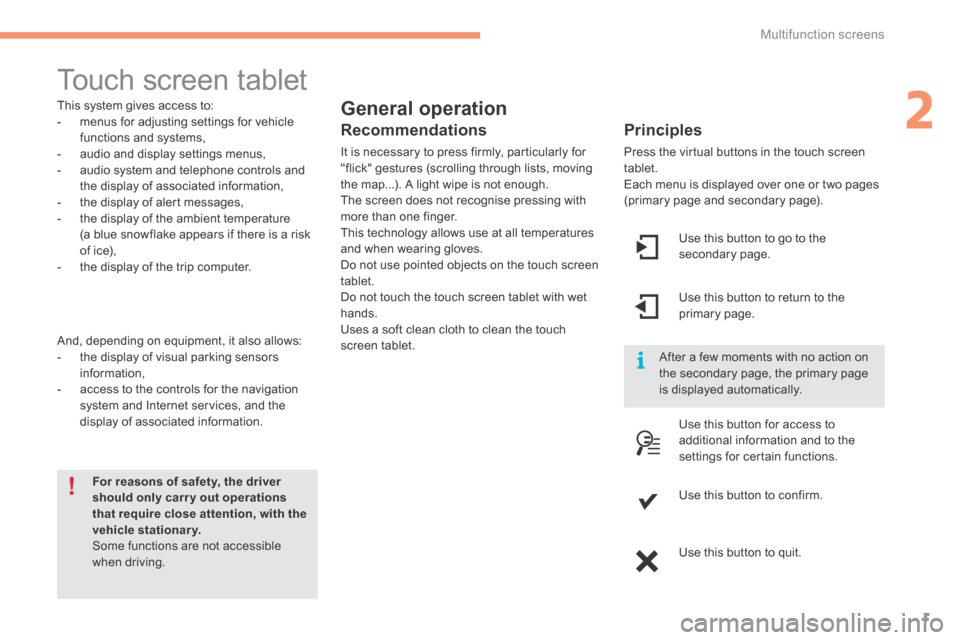
Use this button to go to the secondary page.
After a few moments with no action on the secondary page, the primary page is displayed automatically.
Use this button to return to the primary page.
Use this button for access to
additional information and to the settings for certain functions.
Use this button to confirm.
Use this button to quit.
Page 406 of 494
Multifunction screens
2
C4-2-add_en_Chap02_ecran-multifonction_ed01-2015
Menus
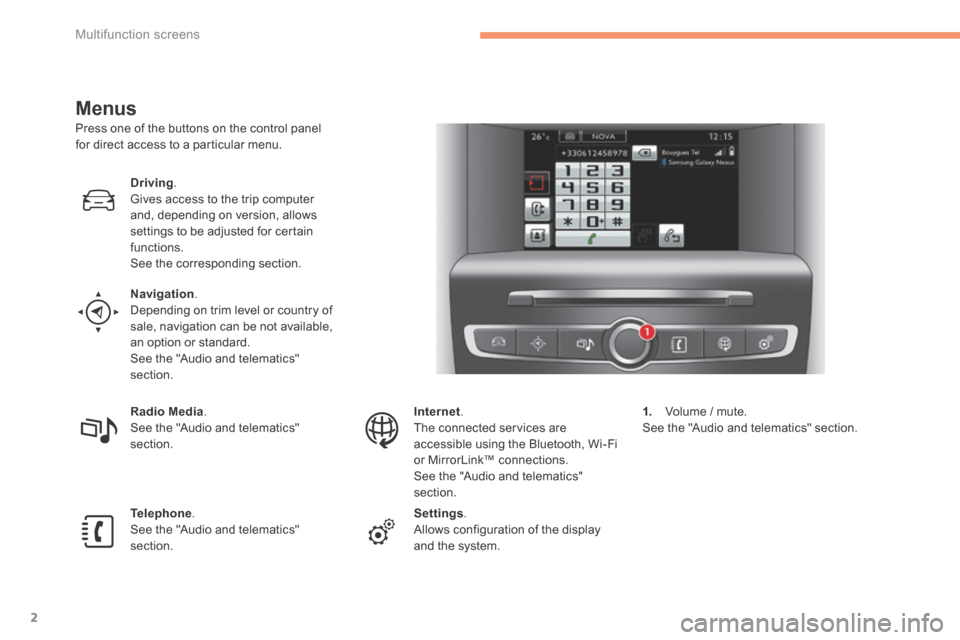
Press one of the buttons on the control panel for direct access to a particular menu.
Driving. Gives access to the trip computer and, depending on version, allows settings to be adjusted for certain functions. See the corresponding section.
Navigation . Depending on trim level or country of sale, navigation can be not available, an option or standard. See the "Audio and telematics" section.
Radio Media . See the "Audio and telematics" section.
Telephone . See the "Audio and telematics" section.
Internet . The connected services are accessible using the Bluetooth, Wi-Fi or MirrorLink™ connections. See the "Audio and telematics" section.
Settings . Allows configuration of the display and the system.
1. Volume / mute. See the "Audio and telematics" section.
Page 424 of 494
.
Audio and Telematics 21
C4-2-add_en_Chap13b_SMEGplus_ed01-2015
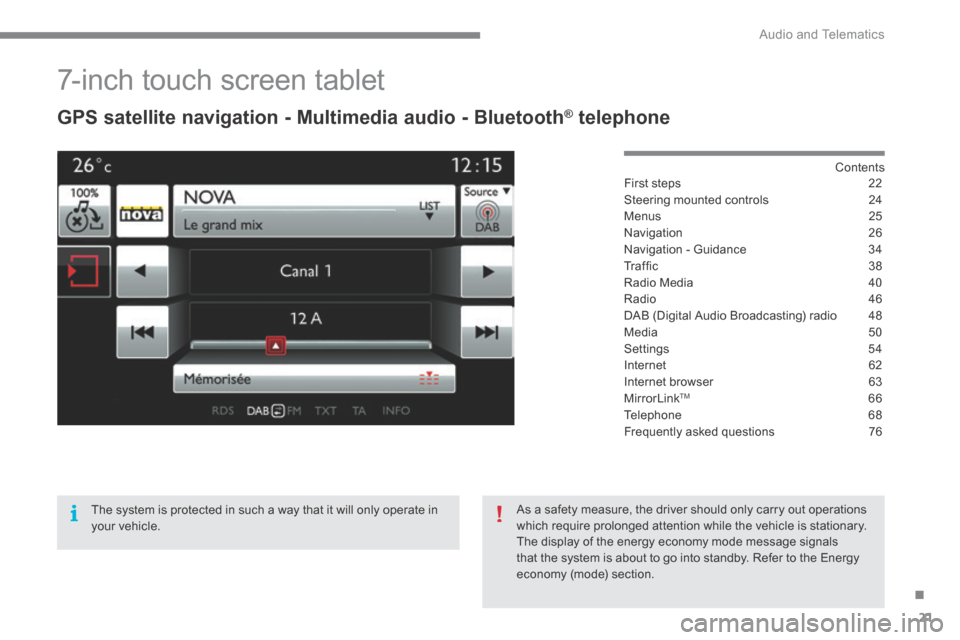
7-inch touch screen tablet
GPS satellite navigation - Multimedia audio - Bluetooth ® GPS satellite navigation - Multimedia audio - Bluetooth ® GPS satellite navigation - Multimedia audio - Bluetooth telephone ® telephone ®
Contents First steps 22
Steering mounted controls 24
Menus 25
Navigation 26
Navigation - Guidance 34
T r a f fi c 3 8
Radio Media 40
Radio 46
DAB (Digital Audio Broadcasting) radio 48
Media 50
Settings 54
Internet 62
Internet browser 63
MirrorLinkTM 66
Telephone 68
Frequently asked questions 76
The system is protected in such a way that it will only operate in your vehicle.
As a safety measure, the driver should only carry out operations which require prolonged attention while the vehicle is stationary. The display of the energy economy mode message signals that the system is about to go into standby. Refer to the Energy economy (mode) section.
Page 426 of 494
.
Audio and Telematics 23
C4-2-add_en_Chap13b_SMEGplus_ed01-2015
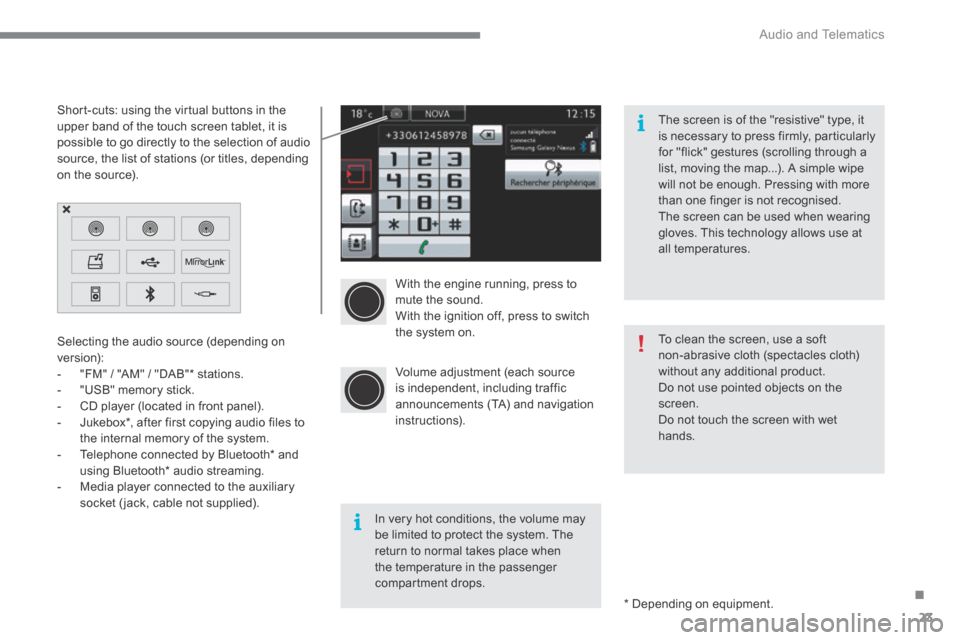
With the engine running, press to mute the sound. With the ignition off, press to switch the system on.
Volume adjustment (each source is independent, including traffic announcements (TA) and navigation instructions).
Selecting the audio source (depending on version): - "FM" / "AM" / "DAB" * stations. - "USB" memory stick. - CD player (located in front panel). - Jukebox * , after first copying audio files to
the internal memory of the system. - Telephone connected by Bluetooth * and using Bluetooth * audio streaming. - Media player connected to the auxiliary socket (jack, cable not supplied).
* Depending on equipment.
Short-cuts: using the virtual buttons in the upper band of the touch screen tablet, it is possible to go directly to the selection of audio source, the list of stations (or titles, depending on the source).
The screen is of the "resistive" type, it is necessary to press firmly, particularly for "flick" gestures (scrolling through a list, moving the map...). A simple wipe will not be enough. Pressing with more than one finger is not recognised. The screen can be used when wearing gloves. This technology allows use at all temperatures.
In very hot conditions, the volume may be limited to protect the system. The return to normal takes place when the temperature in the passenger compartment drops.
To clean the screen, use a soft non-abrasive cloth (spectacles cloth) without any additional product. Do not use pointed objects on the screen. Do not touch the screen with wet
hands.
Page 428 of 494
.
Audio and Telematics 25
C4-2-add_en_Chap13b_SMEGplus_ed01-2015
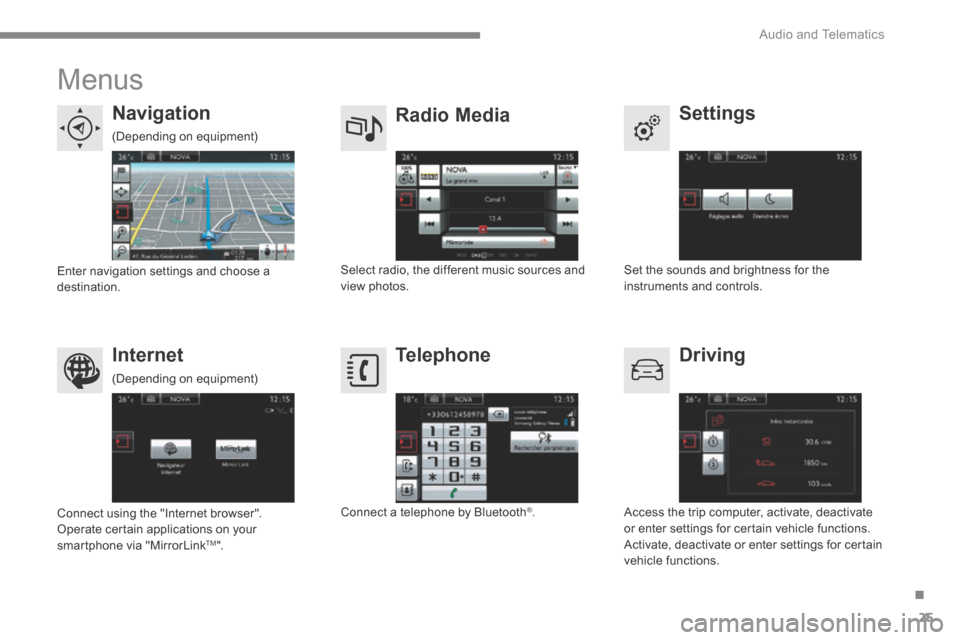
Menus
Settings Radio Media Navigation
Driving Internet Telephone
Set the sounds and brightness for the instruments and controls. Select radio, the different music sources and view photos. Enter navigation settings and choose a destination.
Access the trip computer, activate, deactivate or enter settings for certain vehicle functions. Activate, deactivate or enter settings for certain vehicle functions.
Connect using the "Internet browser". Operate certain applications on your smartphone via "MirrorLink TM ".
Connect a telephone by Bluetooth ® .
(Depending on equipment)
(Depending on equipment)
Page 429 of 494
Audio and Telematics
26
C4-2-add_en_Chap13b_SMEGplus_ed01-2015
Level 1Level 2Level 3
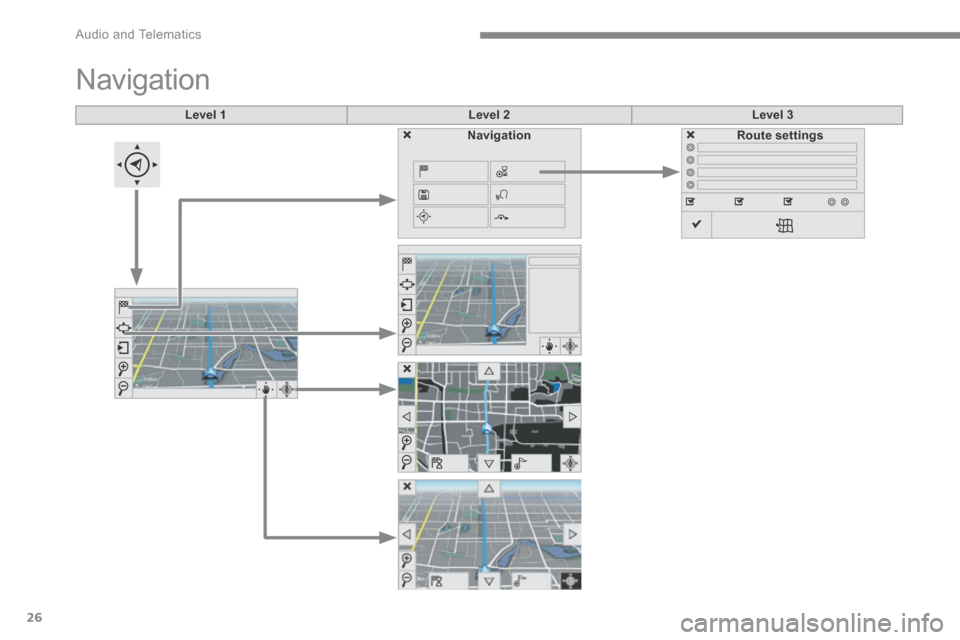
Navigation
NavigationRoute settings
Page 430 of 494
.
Audio and Telematics 27
C4-2-add_en_Chap13b_SMEGplus_ed01-2015
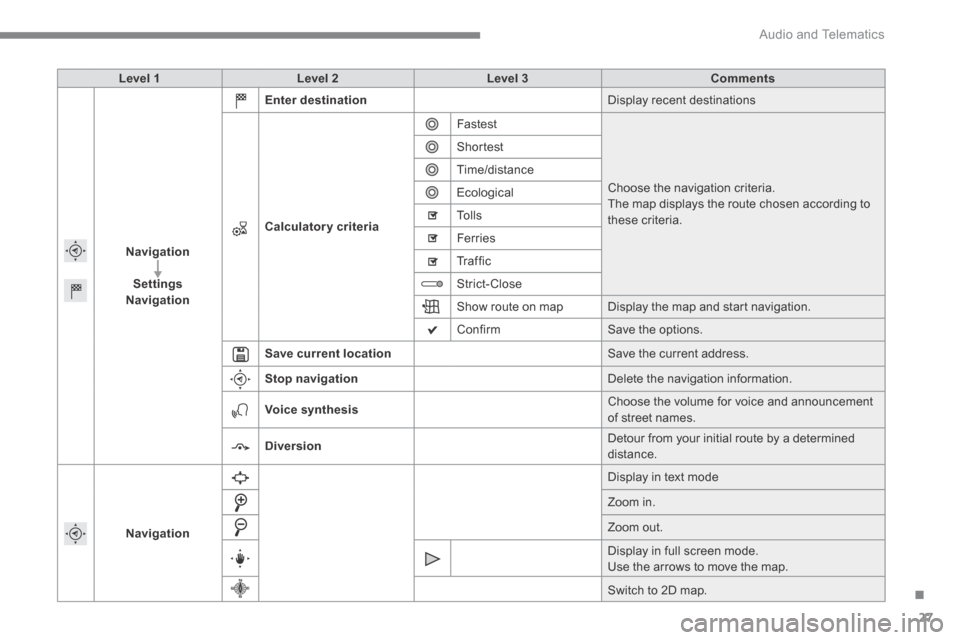
Level 1Level 2Level 3Comments
Navigation
SettingsNavigation
Enter destination Display recent destinations
Calculatory criteria
Fastest
Choose the navigation criteria. The map displays the route chosen according to these criteria.
Shortest
Time/distance
Ecological
To l l s
Ferries
Tr a f f i c
Strict-Close
Show route on map Display the map and start navigation.
Confirm Save the options.
Save current location Save the current address.
Stop navigation Delete the navigation information.
Voice synthesis Choose the volume for voice and announcement of street names.
Diversion Detour from your initial route by a determined distance.
Navigation
Display in text mode
Zoom in.
Zoom out.
Display in full screen mode. Use the arrows to move the map.
Switch to 2D map.
Page 431 of 494
Audio and Telematics
28
C4-2-add_en_Chap13b_SMEGplus_ed01-2015
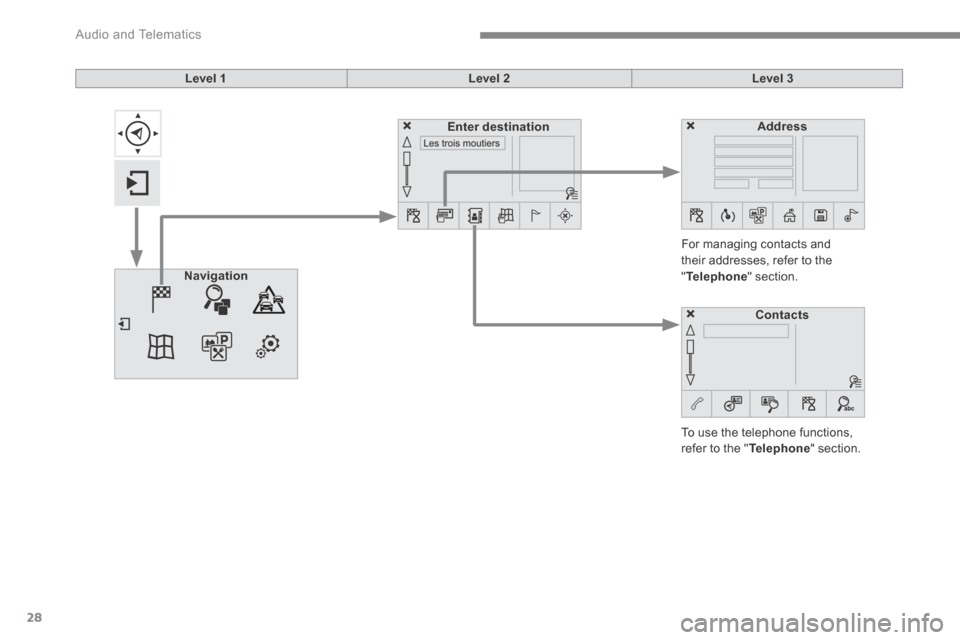
Level 1Level 2Level 3
To use the telephone functions, refer to the " Telephone " section.
For managing contacts and their addresses, refer to the " Telephone " section. Navigation
AddressEnter destination
Contacts