323
C4-2_en_Chap10b_SMEGplus_ed02-2015
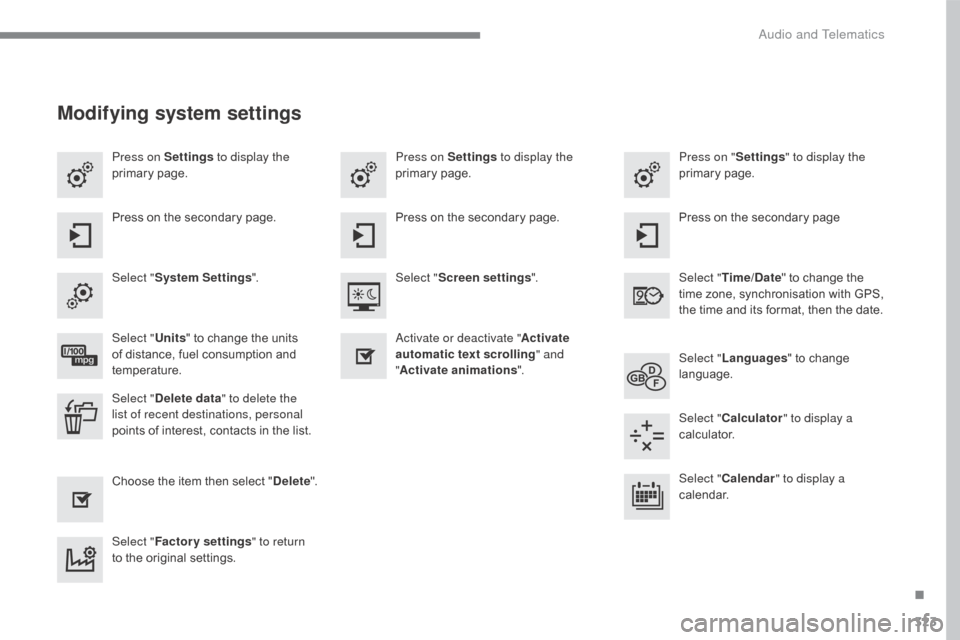
Press on Settings to display the
primary pag e. Press on "
Settings" to display the
primary pag e.
Press on Settings
to display the
primary pag e.
Press
on the secondary page. Press
on the secondary page
Press
on the secondary page.
Select " System Settings ". Select "Time/Date "
to change the
t
ime zone, synchronisation with GPS,
t
he time and its format, then the date.
Select "
Screen settings ".
Select " Units"
to change the units
o
f distance, fuel consumption and
t
emperature. Select "
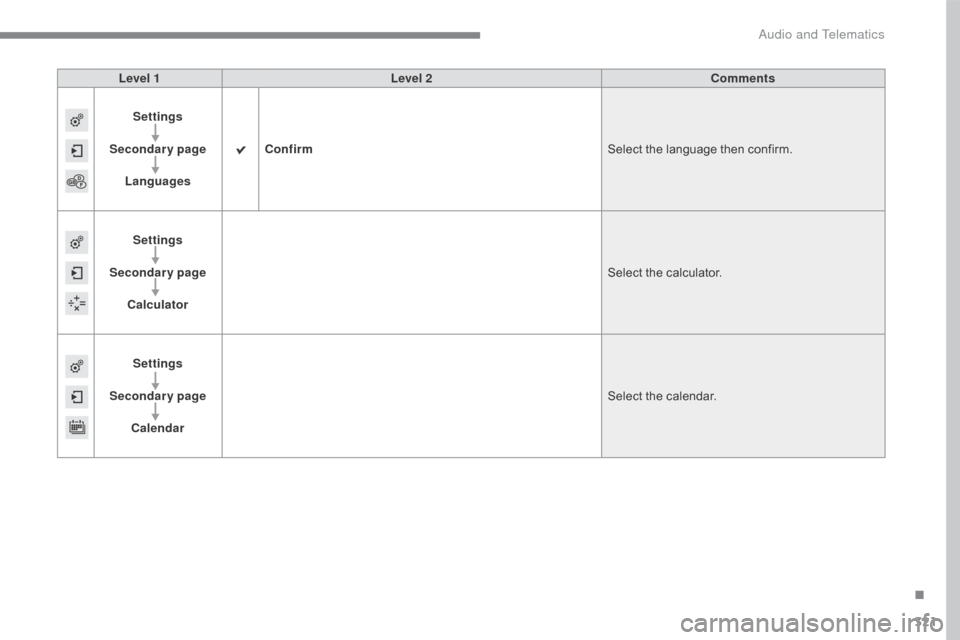
Languages "
to change
lan
guage.
Activate or deactivate "
Activate
automatic text scrolling " and
" Activate animations ".
Select " Delete data " to delete the
list of recent destinations, personal
points
of interest, contacts in the list. Select "
Calculator " to display a
calculator.
Choose
t
he
i
tem
t
hen
se
lect
"D
elete". Select "
Calendar " to display a
calendar.
Select " Factory settings " to return
to
the original settings.
Modifying system settings
.
Audio and Telematics
356
C4-2_en_Chap10c_RD5_ed02-2015
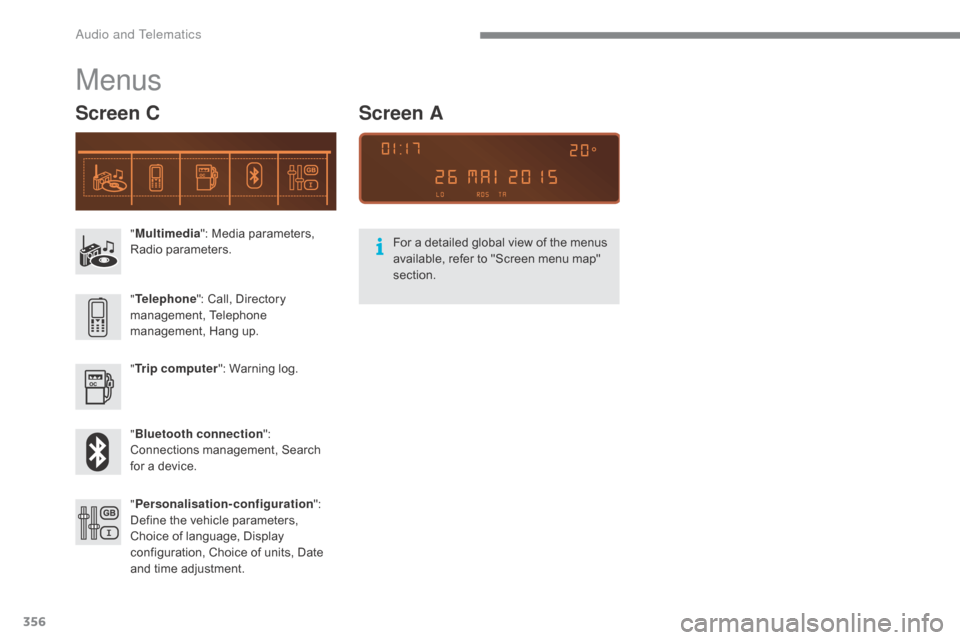
"Multimedia ": Media parameters, R
adio par ameters.
" Trip computer ":
Warning log.
" Bluetooth connection ":
C
onnections management, Search
f
or a device.
"
Telephone ":
Call, Directory
ma
nagement,
T
elephone
m
anagement, Hang up.
" Personalisation-configuration ":
D
efine the vehicle parameters,
C
hoice of language, Display
c
onfiguration, Choice of units, Date
a
nd time adjustment.
Menus
Screen C
For a detailed global view of the menus available, refer to "Screen menu map"
s
ection.
Screen A
Audio and Telematics
376
C4-2_en_Chap10c_RD5_ed02-2015
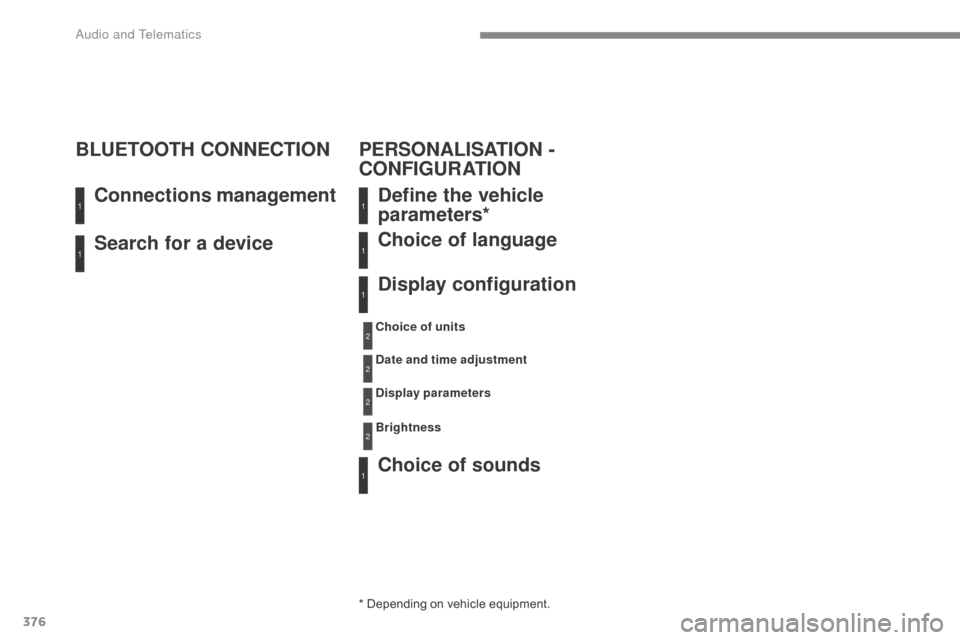
Search for a device Connections management
BLUETOOTH CONNECTION
Define the vehicle
parameters*
Choice of sounds Choice of language
Display configuration
* Depending on vehicle equipment.
C hoice of units
Date and time adjustment
Display parameters
Brightness
1
11
1
1
1
2
2
2
2
PERSONALISATION -
CONFIGURATION
Audio and Telematics