warning light Citroen C4 2016 2.G Owner's Manual
[x] Cancel search | Manufacturer: CITROEN, Model Year: 2016, Model line: C4, Model: Citroen C4 2016 2.GPages: 396, PDF Size: 10.22 MB
Page 4 of 396
C4-2_en_Chap00a_sommaire_ed02-2015
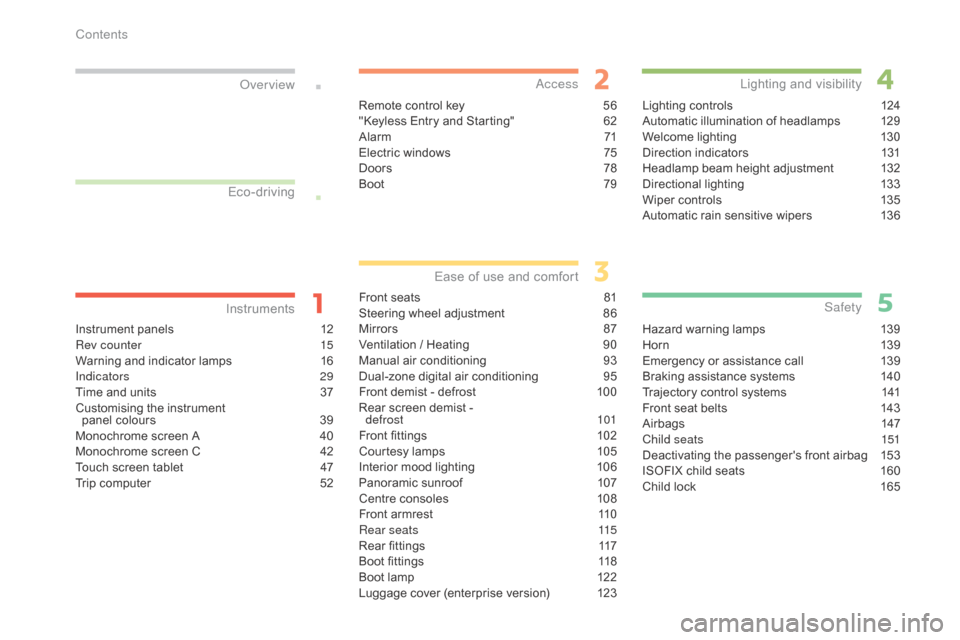
Instrument panels 12
Rev counter 1 5
Warning
and indicator lamps
1
6
Indicators
29
Time
and units
3
7
Customising
the instrument
panel
colours
3
9
Monochrome
screen A
4
0
Monochrome
screen C
4
2
Touch
screen tablet
4
7
Trip
computer
5
2
InstrumentsOver view
Remote control key 5
6
"Keyless Entry and Starting" 6 2
Alarm
7
1
Electric
windows
7
5
Doors
7
8
Boot
7
9
Access
Front seats 81
Steering wheel adjustment 8 6
Mirrors
87
V
entilation / Heating
9
0
Manual
a
ir
c
onditioning
9
3
Dual-zone
d
igital
a
ir
c
onditioning
9
5
Front
demist - defrost
1
00
Rear
screen demist -
d
efrost
10
1
Front
fittings
1
02
Courtesy
lamps
1
05
Interior
mood lighting
1
06
Panoramic
sunroof
1
07
Centre
consoles
1
08
Front
armrest
1
10
Rear seats
1
15
Rear
fittings
1
17
Boot
fittings
1
18
Boot
lamp
1
22
Luggage
cover (enterprise version)
1
23
Ease of use a nd c omfort
Lighting controls 1 24
Automatic illumination of headlamps 1 29
Welcome
lighting
1
30
Direction
indicators
1
31
Headlamp
beam height adjustment
1
32
Directional
l
ighting
1
33
Wiper
controls
1
35
Automatic
rain sensitive wipers
1
36
Lighting and v isibility
Hazard warning lamps 1 39
H or n 13 9
Emergency
or assistance call
1
39
Braking
assistance systems
1
40
Trajectory
control systems
1
41
Front
seat belts
1
43
Airbags
1
47
Child seats
1
51
Deactivating
the passenger's front airbag
1
53
ISOFIX
child seats
1
60
Child
lock
1
65
Safety
Eco-driving
Contents
Page 8 of 396
6
C4-2_en_Chap00b_vue-ensemble_ed02-2015
Instruments and
c
ontrols
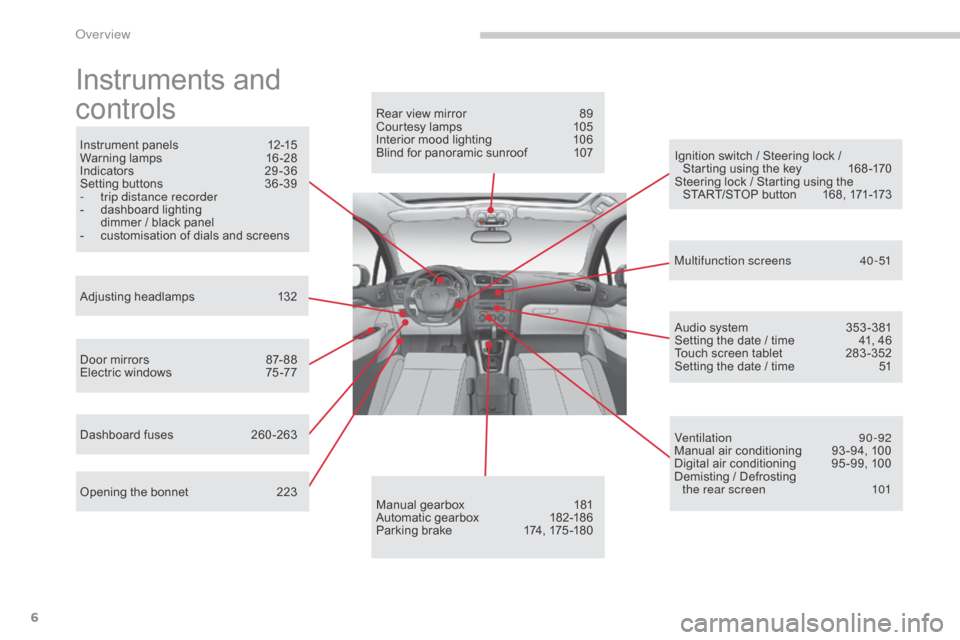
Instrument panels 1 2-15
Warning lam ps 1 6-28
Indicators
2
9-36
Setting
buttons
3
6 -39
-
t
rip distance recorder
-
d
ashboard lighting
d
immer / black panel
-
c
ustomisation of dials and screens
Adjusting
h
eadlamps
1
32
Door
mirrors
87
- 88
Electric
windows
7
5 -77
Dashboard
fuses
2
60 -263
Opening
the bonnet
2
23 Audio
system
3
53 -381
Setting
the date / time
4
1, 46
Touch
screen tablet
2
83 -352
Setting
the date / time
5
1
Manual
g
earbox
1
81
Automatic
gearbox
1
82-186
Parking
brake
1
74, 175 -180
Rear
view mirror
8
9
Courtesy lamps
1
05
Interior mood lighting 1 06
Blind for panoramic sunroof 1 07
Multifunction screens
4
0-51
Ventilation
9
0-92
Manual
air conditioning
9
3 -94, 100
Digital
air conditioning
9
5 -99, 100
Demisting
/ Defrosting
the rear screen
1
01
Ignition
switch / Steering lock /
S
tarting using the key
1
68 -170
Steering
lock / Starting using the
S
TART/STOP button
1
68, 171-173
Over view
Page 27 of 396
25
C4-2_en_Chap01_instruments-de-bord_ed02-2015
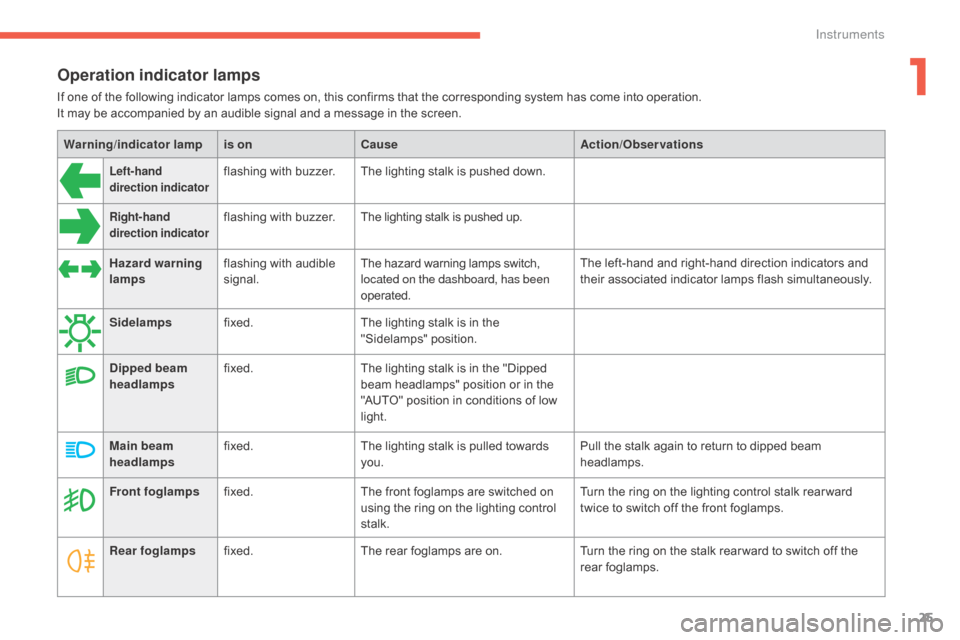
Operation indicator lamps
If one of the following indicator lamps comes on, this confirms that the corresponding system has come into operation.
I t may be accompanied by an audible signal and a message in the screen.
Warning /indicator lampis on Cause Action/Observations
Left-hand
direction indicatorflashing with buzzer.The lighting stalk is pushed down.
Right-hand
direction indicatorflashing with buzzer.The lighting stalk is pushed up.
Hazard warning
lamps flashing
with audible
s
ignal. The
hazard warning lamps switch,
l
ocated on the dashboard, has been
operated. The
left-hand and right-hand direction indicators and
t
heir associated indicator lamps flash simultaneously.
Sidelamps fixed. The
lighting stalk is in the
"
Sidelamps"
p
osition.
Dipped beam
headlamps fixed.
The
lighting stalk is in the "Dipped
b
eam headlamps" position or in the
"
AUTO" position in conditions of low
l
ight.
Main beam
headlamps fixed.
The
lighting stalk is pulled towards
yo
u. Pull
the stalk again to return to dipped beam
h
eadlamps.
Front foglamps fixed. The
front foglamps are switched on
u
sing the ring on the lighting control
st
alk. Turn
the ring on the lighting control stalk rear ward
t
wice to switch off the front foglamps.
Rear foglamps fixed. The
rear foglamps are on.Turn
the ring on the stalk rear ward to switch off the
r
ear
fo
glamps.
1
Instruments
Page 29 of 396
27
C4-2_en_Chap01_instruments-de-bord_ed02-2015
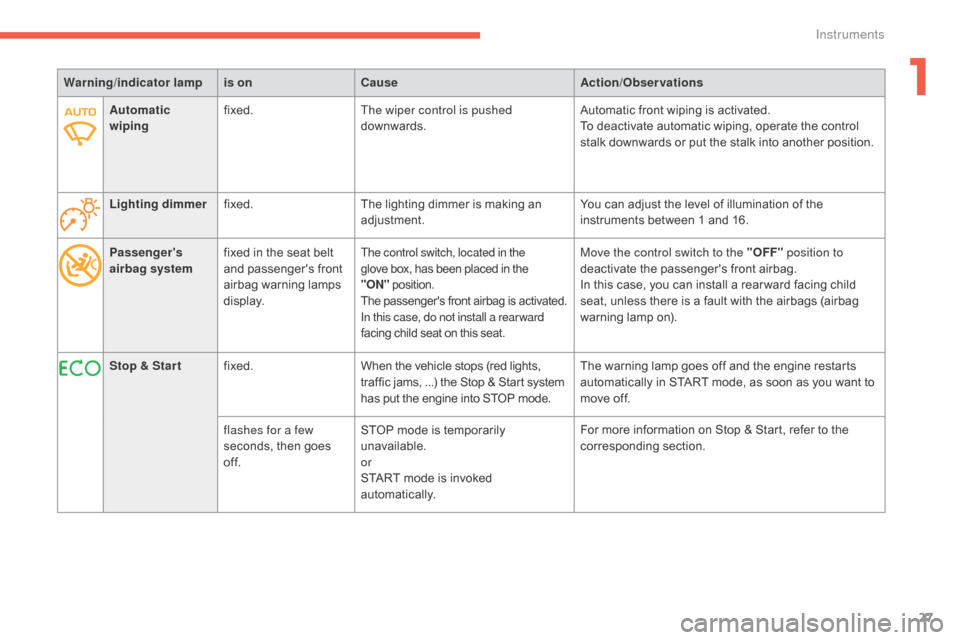
Passenger's
airbag systemfixed
in the seat belt a
nd passenger's front
a
irbag
w
arning
lam
ps
d
isplay.The control switch, located in the
glove box, has been placed in the "O
N" position.
The
p
assenger's
f
ront
a
irbag
i
s
a
ctivated.
In this case, do not install a rear ward
facing
child seat on this seat.Move the control switch to the "OFF" position to
deactivate the passenger's front airbag.
In
this case, you can install a rear ward facing child
s
eat, unless there is a fault with the airbags (airbag
w
arning lamp on).
Warning
/indicator lampis on Cause Action/Observations
Stop & Star t fixed. When
the
vehicle
stops
(red
lights,
t
raffic
jams, ...)
the
Stop
&
Start
system
h
as
put
the
engine
into
STOP
mode. The
warning lamp goes off and the engine restarts
a
utomatically in START mode, as soon as you want to
m
ove off.
flashes for a few
seconds,
then
goes
o
f f. STOP
mode
is
temporarily
u
navailable.
or
START
mode
is
invoked
au
tomatically. For
more information on Stop & Start, refer to the
c
orresponding
s
ection.
Automatic
wiping
fixed.
The wiper control is pushed
downwards. Automatic front wiping is activated.
To deactivate automatic wiping, operate the control
s
talk downwards or put the stalk into another position.
Lighting dimmer fixed. The
lighting
dimmer
is
making
an
adj
ustment.
You can adjust the level of illumination of the
i
nstruments between 1 and 16.
1
Instruments
Page 41 of 396
39
C4-2_en_Chap01_instruments-de-bord_ed02-2015
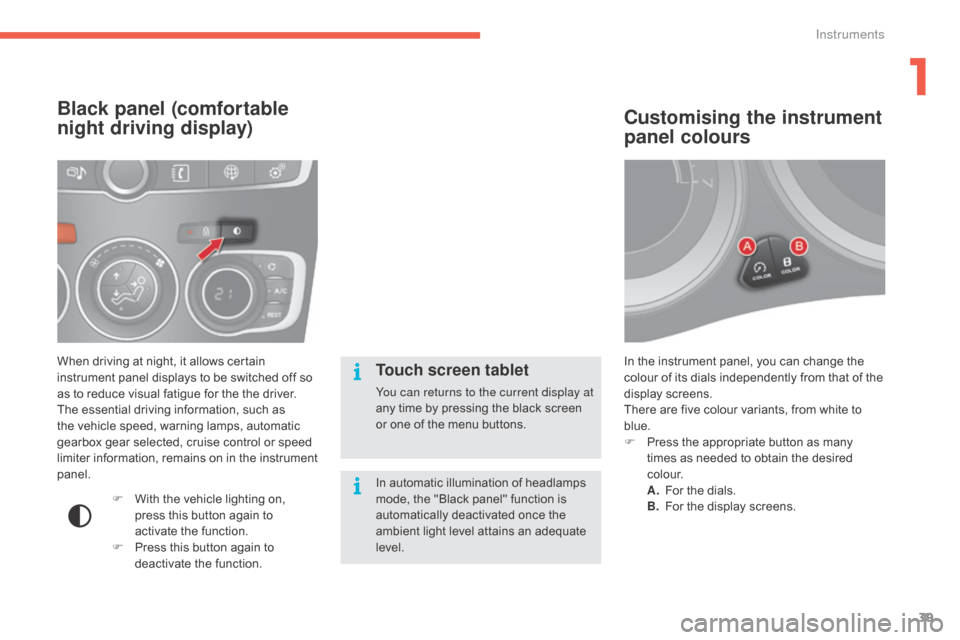
In the instrument panel, you can change the colour of its dials independently from that of the
d
isplay screens.
There
are five colour variants, from white to
b
lue.
F
P
ress the appropriate button as many
t
imes as needed to obtain the desired
c
o l o u r.
A.
F
or the dials.
B.
F
or the display screens.
Customising the instrument
panel colours
When driving at night, it allows certain instrument panel displays to be switched off so
a
s to reduce visual fatigue for the the driver.
The
essential driving information, such as
t
he vehicle speed, warning lamps, automatic
g
earbox gear selected, cruise control or speed
l
imiter information, remains on in the instrument
pan
el.
Black panel (comfortable
night driving display)
F With the vehicle lighting on, p
ress this button again to
a
ctivate the function.
F
P
ress this button again to
d
eactivate the function.
Touch screen tablet
You can returns to the current display at
any time by pressing the black screen
o
r one of the menu buttons.
In
automatic illumination of headlamps
m
ode, the "Black panel" function is
a
utomatically deactivated once the
a
mbient light level attains an adequate
l
evel.
1
Instruments
Page 130 of 396
128
C4-2_en_Chap04_eclairage-et-visibilite_ed02-2015
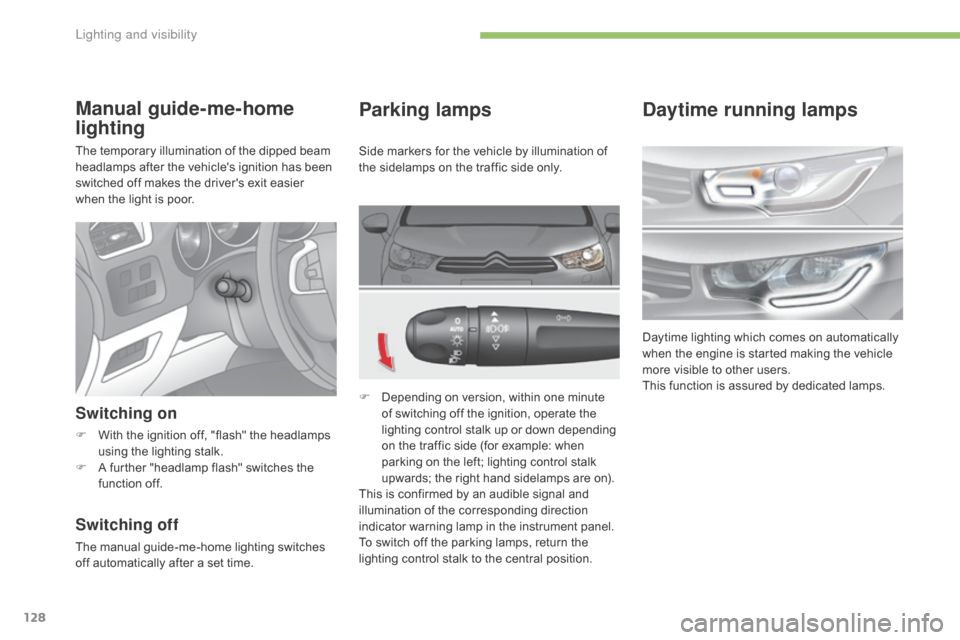
Parking lamps
F Depending on version, within one minute o
f switching off the ignition, operate the
l
ighting control stalk up or down depending
o
n the traffic side (for example: when
p
arking on the left; lighting control stalk
u
pwards; the right hand sidelamps are on).
This
is confirmed by an audible signal and
i
llumination of the corresponding direction
i
ndicator warning lamp in the instrument panel.
To
switch off the parking lamps, return the
l
ighting control stalk to the central position.
Manual guide-me-home
lighting
The temporary illumination of the dipped beam headlamps after the vehicle's ignition has been
s
witched off makes the driver's exit easier
w
hen the light is poor.
Switching on
F With the ignition off, "flash" the headlamps u
sing the lighting stalk.
F
A
further "headlamp flash" switches the
f
unction off.
Switching off
The manual guide-me-home lighting switches off automatically after a set time.Side
markers for the vehicle by illumination of
t
he sidelamps on the traffic side only.
Daytime running lamps
Daytime lighting which comes on automatically w
hen the engine is started making the vehicle
m
ore visible to other users.
This
function is assured by dedicated lamps.
Lighting and visibility
Page 131 of 396
129
C4-2_en_Chap04_eclairage-et-visibilite_ed02-2015
Automatic illumination of
headlamps
The sidelamps and dipped beam headlamps are switched on automatically, without any
a
ction on the part of the driver, when a low level
of
external light is detected or in certain cases
o
f activation of the windscreen wipers.
As
soon as the brightness returns to an
a
dequate level or after the windscreen wipers
a
re switched off, these lamps are switched off
a
utomatically and the daytime running lamps
c
ome on.
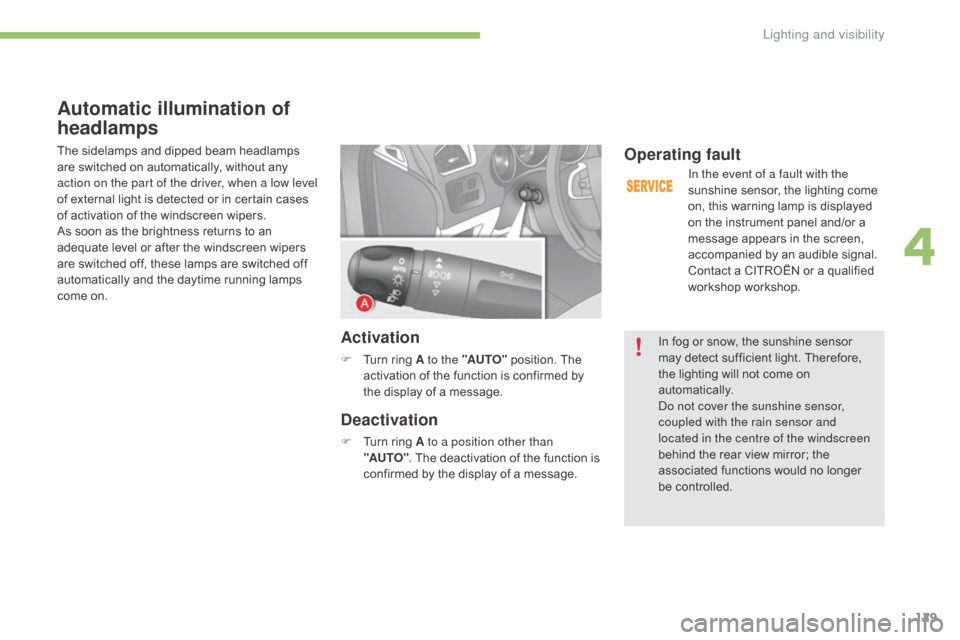
Activation
F Turn ring A to the "AUTO" position. The a
ctivation of the function is confirmed by
t
he display of a message.
Deactivation
F Turn ring A to a position other than
"AUTO" .
The deactivation of the function is
c
onfirmed by the display of a message.
Operating fault
In the event of a fault with the
sunshine sensor, the lighting come
o
n, this warning lamp is displayed
o
n the instrument panel and/or a
m
essage appears in the screen,
a
ccompanied by an audible signal.
Contact
a CITROËN or a qualified
w
orkshop workshop.
In
fog or snow, the sunshine sensor
m
ay
detect sufficient light. Therefore,
t
he
lighting will not come on
au
tomatically.
Do not cover the sunshine sensor,
coupled with the rain sensor and
located in the centre of the windscreen
behind
the rear view mirror; the
a
ssociated functions would no longer
be c
ontrolled.
4
Lighting and visibility
Page 135 of 396
133
C4-2_en_Chap04_eclairage-et-visibilite_ed02-2015
Directional lighting
Programming
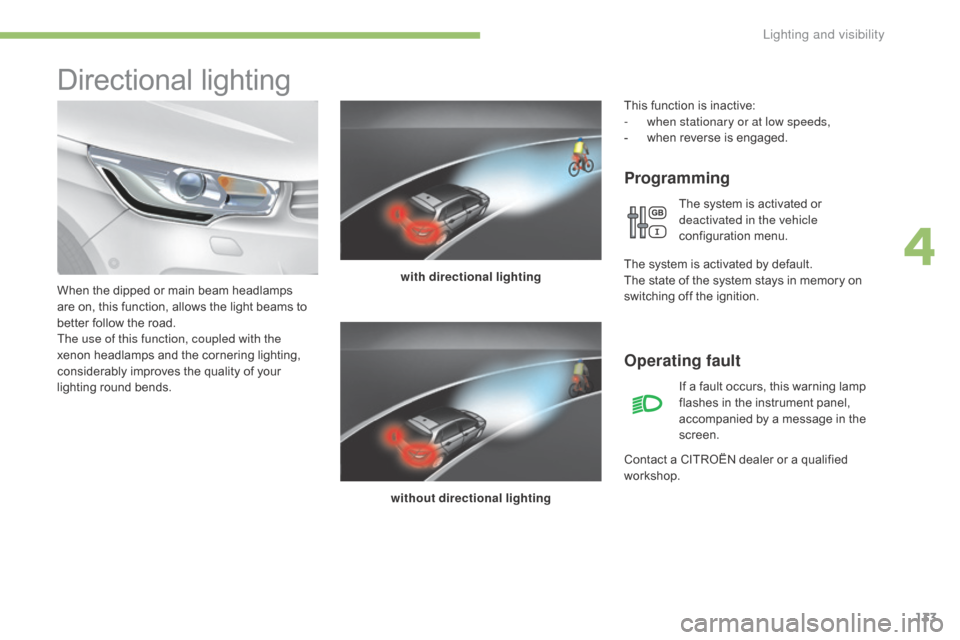
with directional lighting
without directional lighting
When
the
dipped
or
main
beam
headlamps
a
re
on,
this
function,
allows
the
light
beams
to
b
etter
follow
the
road.
The use of this function, coupled with the
xenon
headlamps
and
the
cornering
lighting,
c
onsiderably
improves
the
quality
of
your
l
ighting
r
ound
b
ends.
Operating fault
If a fault occurs, this warning lamp f lashes in the instrument panel,
a
ccompanied by a message in the
sc
reen.
Contact
a
CITROËN dealer or a qualified
w
orkshop.
This
function is inactive:
-
w
hen stationary or at low speeds,
-
w
hen
r
everse
i
s
enga
ged.
The system is activated or
d
eactivated in the vehicle
configuration
m
enu.
T
he
system is activated by default.
The
state
of the system stays in memory on
s
witching
off the ignition.
4
Lighting and visibility
Page 138 of 396
136
C4-2_en_Chap04_eclairage-et-visibilite_ed02-2015
Automatic rain sensitive
windscreen wipers
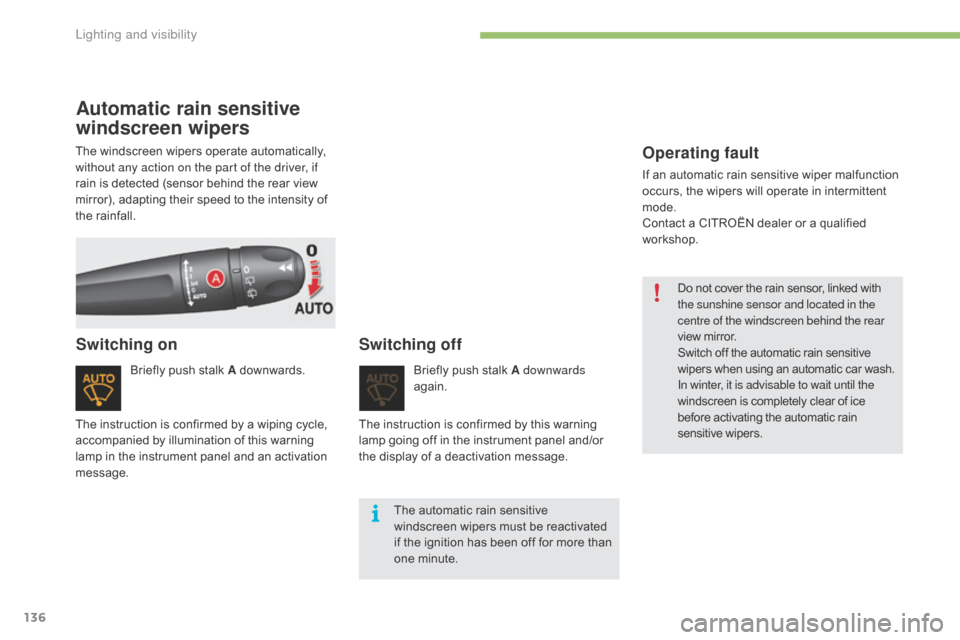
Briefly push stalk A downwards.
Switching onSwitching off
Briefly push stalk A downwards
ag ain.
The
automatic rain sensitive
w
indscreen wipers must be reactivated
i
f
the ignition has been off for more than
o
ne minute.
The
instruction
is
confirmed
by
a
wiping
cycle,
a
ccompanied
by
illumination
of
this
warning
l
amp
in
the
instrument
panel
and
an
activation
m
essage. The
instruction is confirmed by this warning
l
amp
going off in the instrument panel and/or
t
he
display of a deactivation message.
The
windscreen
wipers
operate
automatically,
w
ithout any action on the part of the driver, if
rain
is
detected
(sensor
behind
the
rear
view
m
irror),
adapting
their
speed
to
the
intensity
of
t
he
rainfall.
Operating fault
If an automatic rain sensitive wiper malfunction o
ccurs, the wipers will operate in intermittent
m
ode.
Contact
a CITROËN dealer or a qualified
w
orkshop. Do
not cover the rain sensor, linked with
t
he sunshine sensor and located in the
centre of the windscreen behind the rear
view
mirror.
Switch
off the automatic rain sensitive
w
ipers when using an automatic car wash.
In winter, it is advisable to wait until the
windscreen
is completely clear of ice
b
efore activating the automatic rain
sen
sitive
w
ipers.
Lighting and visibility
Page 142 of 396
140
C4-2_en_Chap05_securite_ed02-2015
Group of supplementary systems which help you to obtain optimum braking in complete
s
afety in emergency situations:
-
a
nti-lock braking system (ABS),
-
e
lectronic brake force distribution (EBFD),
-
e
mergency braking assistance (EBA).
Anti-lock braking system
and electronic brake force
distribution
Linked systems which improve the stability and manoeuvrability of your vehicle when braking, in p
articular on poor or slippery sur faces.
Activation
The anti-lock braking system comes into operation automatically when there is a risk of
w
heel lock.
Normal
operation of the ABS may make itself
f
elt by slight vibration of the brake pedal.
Operating fault
If this warning lamp comes on, accompanied by an audible signal
a
nd a message in the screen, it
i
ndicates a malfunction of the anti-
lock
braking system which could
r
esult in loss of control of the vehicle
when
b
raking.
If
this warning lamp comes on,
t
ogether with the STOP and ABS
warning
lamps, accompanied by an
a
udible signal and a message in the
s
creen, it indicates a malfunction of
t
he electronic brake force distribution
w
hich could result in loss of control of
the
vehicle when braking.
Emergency braking
assistance
System which, in an emergency, enables you to obtain the optimum braking pressure more
q
uickly, thus reducing the stopping distance.
Activation
It is triggered by the speed at which the brake pedal is pressed.
The effect of this is a reduction in the
resistance of the pedal and an increase in
braking
e
fficiency.
You must stop as soon as it is safe to do so.
In either case, contact a CITROËN dealer or a
qualified
w
orkshop.
When
braking
in
an
emergency,
press
v
ery
firmly
without
releasing
the
p
ressure. When
braking in an emergency, press
f
irmly without releasing the pressure.
When
replacing
wheels
(tyres
and
r
ims),
ensure
that
they
conform
to
the
ma
nufacturer's
r
ecommendations.
Braking assistance systems
Safety