instrument panel Citroen C4 2016 2.G Owner's Guide
[x] Cancel search | Manufacturer: CITROEN, Model Year: 2016, Model line: C4, Model: Citroen C4 2016 2.GPages: 396, PDF Size: 10.22 MB
Page 50 of 396
48
C4-2_en_Chap01_instruments-de-bord_ed02-2015
Menus
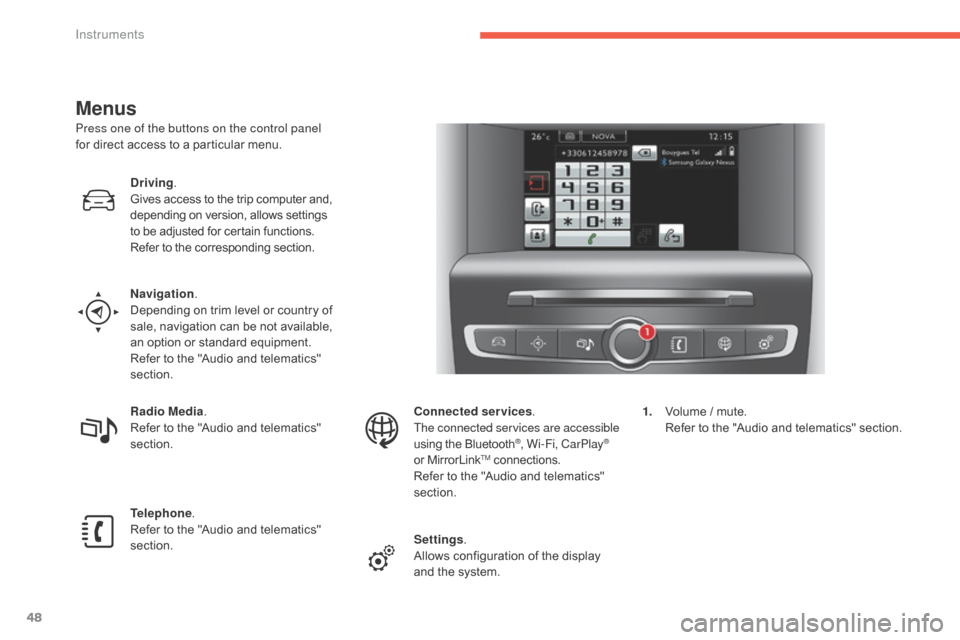
Press one of the buttons on the control panel
for direct access to a particular menu.
Driving .
Gives
access to the trip computer and,
d
epending on version, allows settings
t
o be adjusted for certain functions.
Refer
to the corresponding section.
Navigation .
Depending
on trim level or country of
s
ale, navigation can be not available,
a
n option or standard equipment.
Refer
to the "Audio and telematics"
s
ection.
Radio Media .
Refer
to the "Audio and telematics"
s
ection.
Telephone .
Refer
to the "Audio and telematics"
s
ection. Connected services
.
The connected services are accessible
using
the Bluetooth
®, Wi-Fi, CarPlay®
or
MirrorLinkTM connections.
Refer
to
the
"Audio and telematics"
s
ection.
Settings .
Allows
configuration of the display
a
nd
the
system. 1.
V
olume / mute.
R
efer to the "Audio and telematics" section.
Instruments
Page 127 of 396
125
C4-2_en_Chap04_eclairage-et-visibilite_ed02-2015
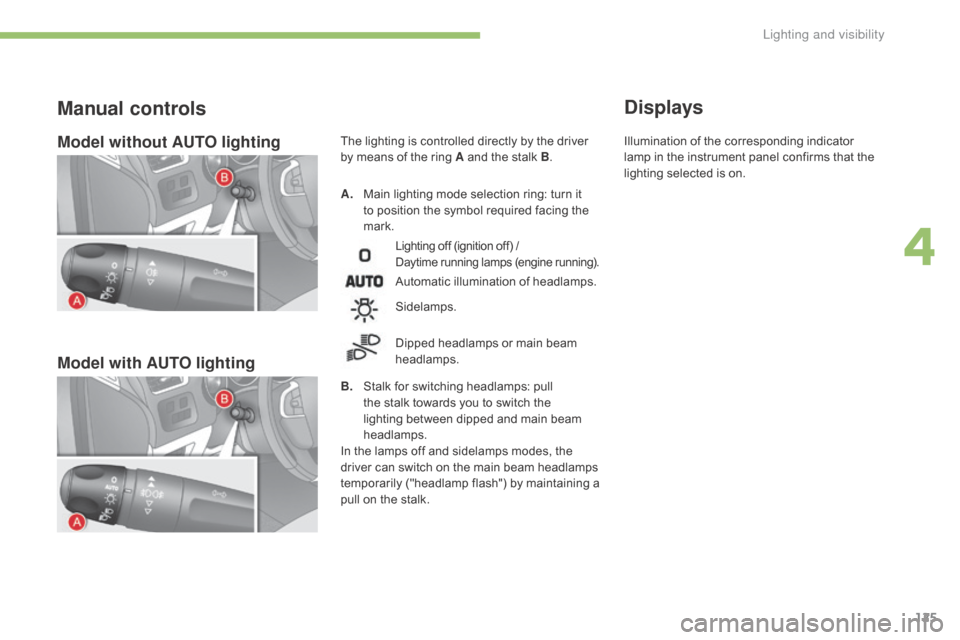
Model without AUTO lighting
Model with AUTO lighting
A. Main lighting mode selection ring: turn it t
o position the symbol required facing the
ma
rk.
Manual controls
Lighting off (ignition off) /
D aytime running lamps (engine running).
Automatic illumination of headlamps.
B.
S
talk
for switching headlamps: pull
t
he
stalk towards you to switch the
l
ighting between dipped and main beam
h
eadlamps.
In
the
lamps off and sidelamps modes, the
d
river
can
switch on the main beam headlamps
t
emporarily ("headlamp flash") by maintaining a
p
ull
on
the stalk.
Sidelamps.
Dipped
headlamps or main beam
h
eadlamps.
Displays
The lighting is controlled directly by the driver by means of the ring A and the stalk B. Illumination
of the corresponding indicator l
amp in the instrument panel confirms that the
l
ighting selected is on.
4
Lighting and visibility
Page 130 of 396
128
C4-2_en_Chap04_eclairage-et-visibilite_ed02-2015
Parking lamps
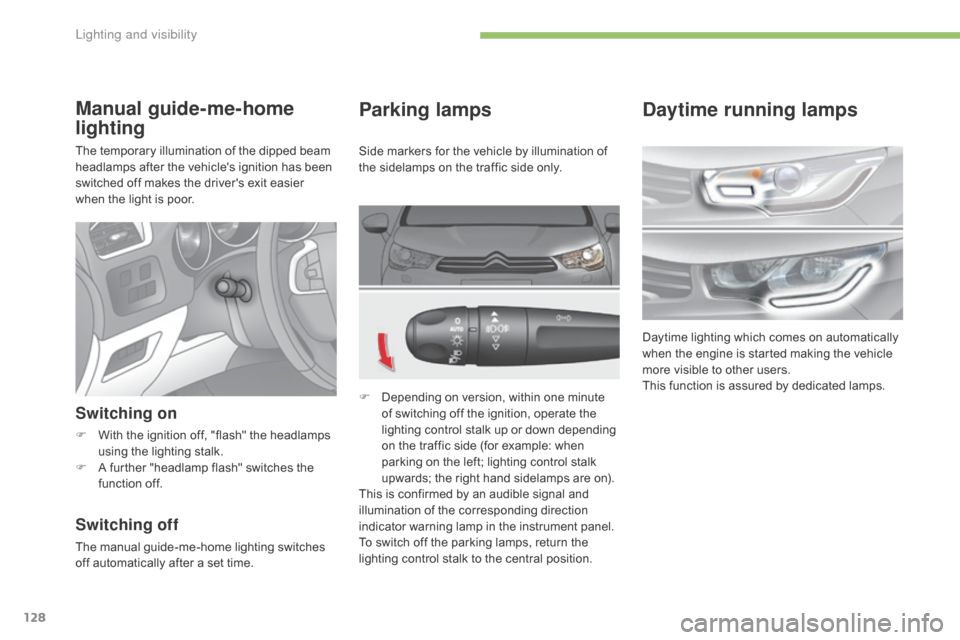
F Depending on version, within one minute o
f switching off the ignition, operate the
l
ighting control stalk up or down depending
o
n the traffic side (for example: when
p
arking on the left; lighting control stalk
u
pwards; the right hand sidelamps are on).
This
is confirmed by an audible signal and
i
llumination of the corresponding direction
i
ndicator warning lamp in the instrument panel.
To
switch off the parking lamps, return the
l
ighting control stalk to the central position.
Manual guide-me-home
lighting
The temporary illumination of the dipped beam headlamps after the vehicle's ignition has been
s
witched off makes the driver's exit easier
w
hen the light is poor.
Switching on
F With the ignition off, "flash" the headlamps u
sing the lighting stalk.
F
A
further "headlamp flash" switches the
f
unction off.
Switching off
The manual guide-me-home lighting switches off automatically after a set time.Side
markers for the vehicle by illumination of
t
he sidelamps on the traffic side only.
Daytime running lamps
Daytime lighting which comes on automatically w
hen the engine is started making the vehicle
m
ore visible to other users.
This
function is assured by dedicated lamps.
Lighting and visibility
Page 131 of 396
129
C4-2_en_Chap04_eclairage-et-visibilite_ed02-2015
Automatic illumination of
headlamps
The sidelamps and dipped beam headlamps are switched on automatically, without any
a
ction on the part of the driver, when a low level
of
external light is detected or in certain cases
o
f activation of the windscreen wipers.
As
soon as the brightness returns to an
a
dequate level or after the windscreen wipers
a
re switched off, these lamps are switched off
a
utomatically and the daytime running lamps
c
ome on.
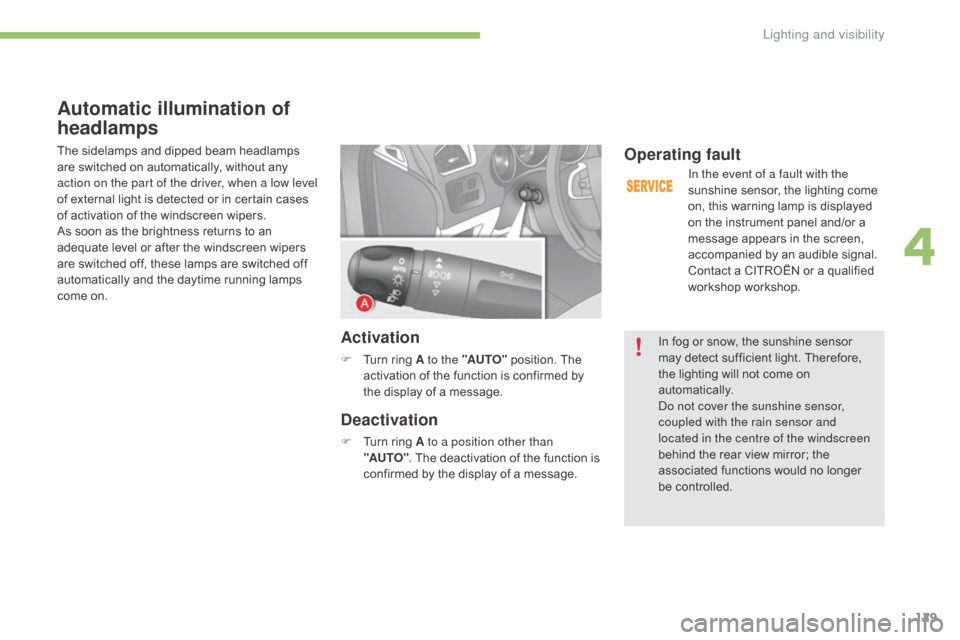
Activation
F Turn ring A to the "AUTO" position. The a
ctivation of the function is confirmed by
t
he display of a message.
Deactivation
F Turn ring A to a position other than
"AUTO" .
The deactivation of the function is
c
onfirmed by the display of a message.
Operating fault
In the event of a fault with the
sunshine sensor, the lighting come
o
n, this warning lamp is displayed
o
n the instrument panel and/or a
m
essage appears in the screen,
a
ccompanied by an audible signal.
Contact
a CITROËN or a qualified
w
orkshop workshop.
In
fog or snow, the sunshine sensor
m
ay
detect sufficient light. Therefore,
t
he
lighting will not come on
au
tomatically.
Do not cover the sunshine sensor,
coupled with the rain sensor and
located in the centre of the windscreen
behind
the rear view mirror; the
a
ssociated functions would no longer
be c
ontrolled.
4
Lighting and visibility
Page 135 of 396
133
C4-2_en_Chap04_eclairage-et-visibilite_ed02-2015
Directional lighting
Programming
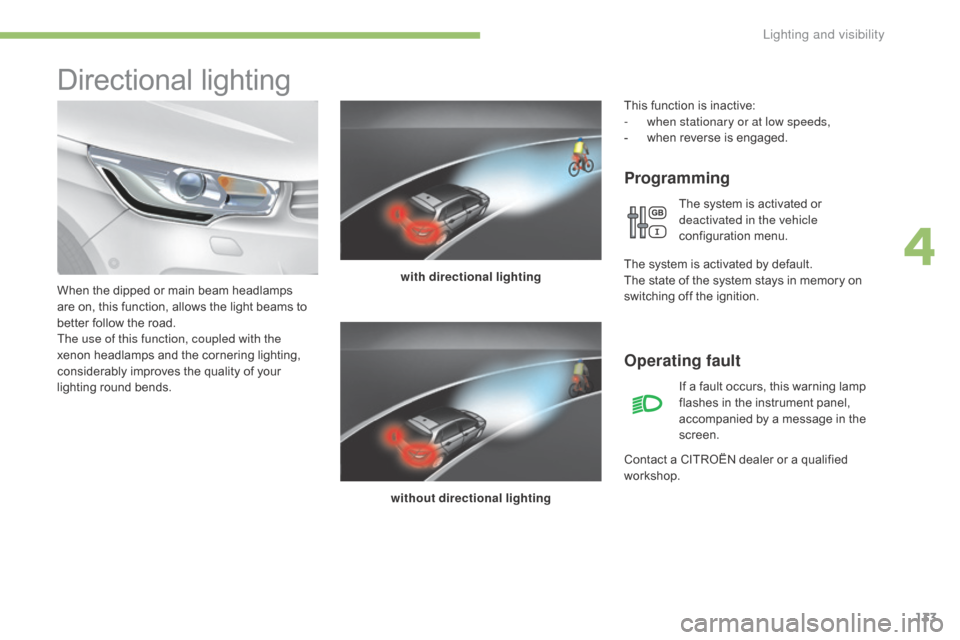
with directional lighting
without directional lighting
When
the
dipped
or
main
beam
headlamps
a
re
on,
this
function,
allows
the
light
beams
to
b
etter
follow
the
road.
The use of this function, coupled with the
xenon
headlamps
and
the
cornering
lighting,
c
onsiderably
improves
the
quality
of
your
l
ighting
r
ound
b
ends.
Operating fault
If a fault occurs, this warning lamp f lashes in the instrument panel,
a
ccompanied by a message in the
sc
reen.
Contact
a
CITROËN dealer or a qualified
w
orkshop.
This
function is inactive:
-
w
hen stationary or at low speeds,
-
w
hen
r
everse
i
s
enga
ged.
The system is activated or
d
eactivated in the vehicle
configuration
m
enu.
T
he
system is activated by default.
The
state
of the system stays in memory on
s
witching
off the ignition.
4
Lighting and visibility
Page 138 of 396
136
C4-2_en_Chap04_eclairage-et-visibilite_ed02-2015
Automatic rain sensitive
windscreen wipers
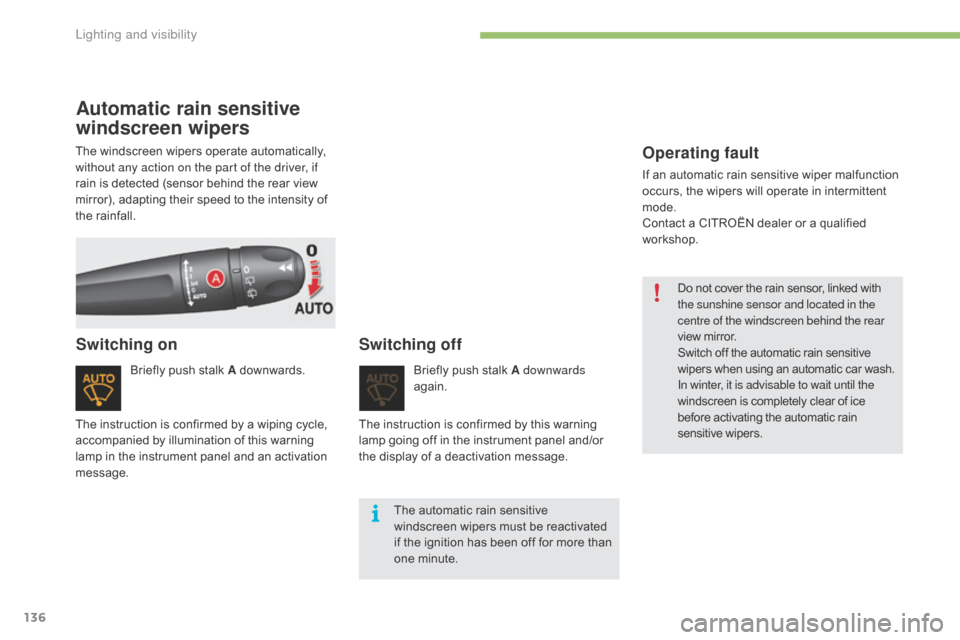
Briefly push stalk A downwards.
Switching onSwitching off
Briefly push stalk A downwards
ag ain.
The
automatic rain sensitive
w
indscreen wipers must be reactivated
i
f
the ignition has been off for more than
o
ne minute.
The
instruction
is
confirmed
by
a
wiping
cycle,
a
ccompanied
by
illumination
of
this
warning
l
amp
in
the
instrument
panel
and
an
activation
m
essage. The
instruction is confirmed by this warning
l
amp
going off in the instrument panel and/or
t
he
display of a deactivation message.
The
windscreen
wipers
operate
automatically,
w
ithout any action on the part of the driver, if
rain
is
detected
(sensor
behind
the
rear
view
m
irror),
adapting
their
speed
to
the
intensity
of
t
he
rainfall.
Operating fault
If an automatic rain sensitive wiper malfunction o
ccurs, the wipers will operate in intermittent
m
ode.
Contact
a CITROËN dealer or a qualified
w
orkshop. Do
not cover the rain sensor, linked with
t
he sunshine sensor and located in the
centre of the windscreen behind the rear
view
mirror.
Switch
off the automatic rain sensitive
w
ipers when using an automatic car wash.
In winter, it is advisable to wait until the
windscreen
is completely clear of ice
b
efore activating the automatic rain
sen
sitive
w
ipers.
Lighting and visibility
Page 143 of 396
141
C4-2_en_Chap05_securite_ed02-2015
Trajectory control systems
Anti-slip regulation (ASR)
and dynamic stability
control (DSC)
The anti-slip regulation (also known as traction control) optimises traction to prevent skidding
o
f the wheels, by acting on the brakes of the
d
riving wheels and on the engine.
The electronic stability control acts on the
brake
of one or more wheels and on the engine
t
o keep the vehicle on the trajectory required
b
y the driver, within the limits of the laws of
p
hysics.
Activation
These systems are activated automatically each time the vehicle is started.
They
come into operation in the event of a grip
o
r
t
rajectory
pro
blem.
This
is indicated by flashing of this
w
arning lamp in the instrument panel.
Intelligent traction control
system ("Snow motion")
Deactivation
In extremely severe conditions (deep snow, mud, ...), if you are unable to move off, it may
b
e useful to temporarily deactivate these
s
ystems so that the wheels can spin freely and
a
llow the vehicle to move.
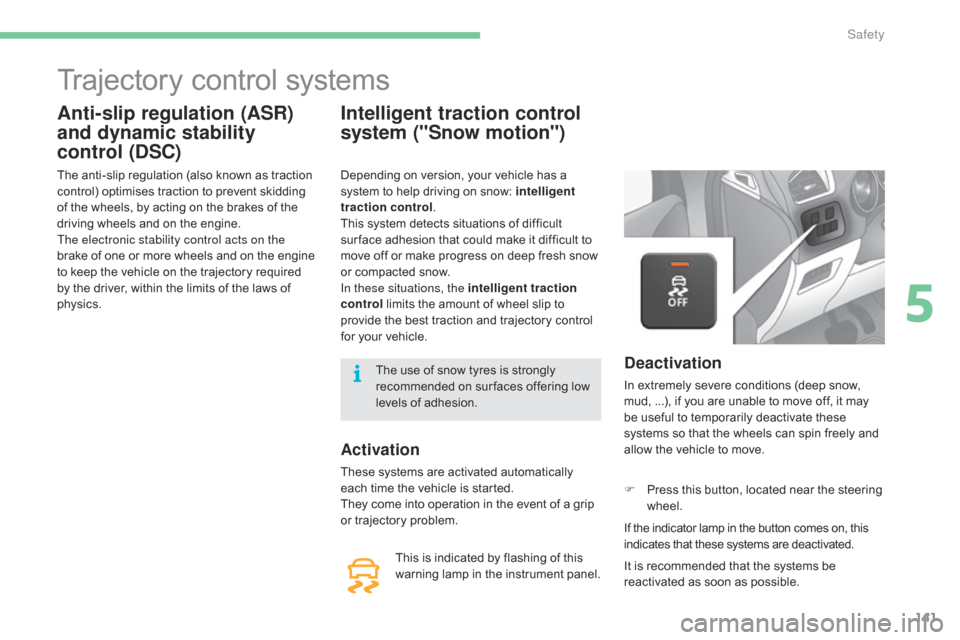
F
P
ress this button, located near the steering
w
heel.
If
the indicator lamp in the button comes on, this
i
ndicates that these systems are deactivated.
Depending
on
version,
your
vehicle
has
a
s
ystem
to
help
driving
on
snow:
intelligent
traction control .
This
system
detects
situations
of
difficult
s
ur face
adhesion
that
could
make
it
difficult
to
m
ove
off
or
make
progress
on
deep
fresh
snow
o
r
compacted
snow.
In these situations, the intelligent traction
control
limits
the
amount
of
wheel
slip
to
p
rovide
the
best
traction
and
trajectory
control
f
or
your
vehicle.
It is recommended that the systems be
r
eactivated as soon as possible.
The
use
of
snow
tyres
is
strongly
r
ecommended
on
sur faces
offering
low
l
evels
of
adhesion.
5
Safety
Page 144 of 396
142
C4-2_en_Chap05_securite_ed02-2015
Reactivation
These systems are reactivated automatically each time the ignition is switched back on or
f
rom 30 mph (50 km/h).
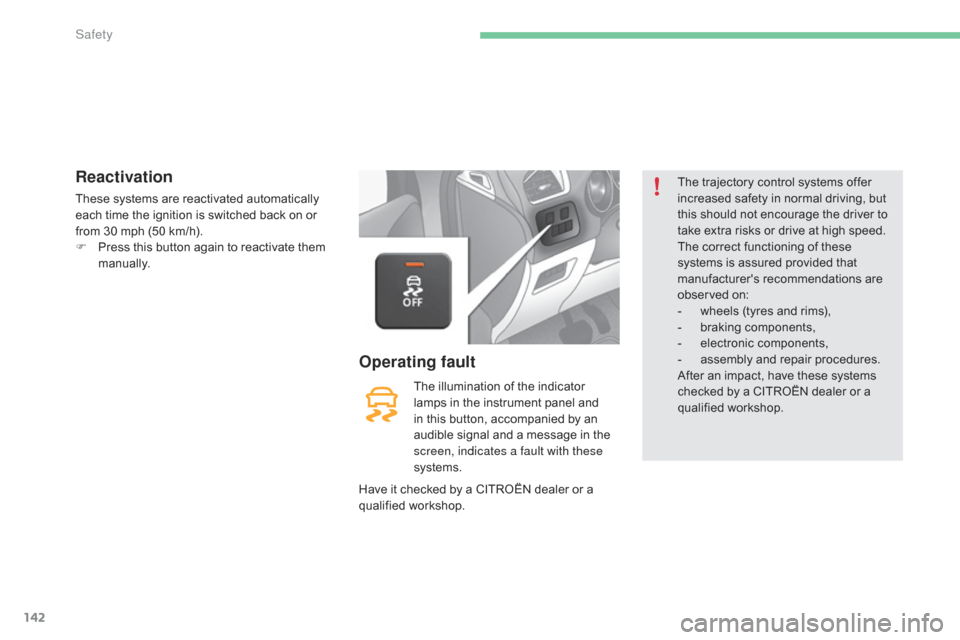
F
P
ress this button again to reactivate them
m
anually.
The
illumination of the indicator
l
amps in the instrument panel and
i
n this button, accompanied by an
a
udible signal and a message in the
s
creen, indicates a fault with these
systems.
Operating fault
The trajectory control systems offer i ncreased safety in normal driving, but
t
his should not encourage the driver to
t
ake extra risks or drive at high speed.
The
correct functioning of these
s
ystems is assured provided that
m
anufacturer's recommendations are
ob
served
on
:
-
w
heels (tyres and rims),
-
b
raking components,
-
el
ectronic
c
omponents,
-
a
ssembly and repair procedures.
After
an impact, have these systems
c
hecked by a CITROËN dealer or a
q
ualified
w
orkshop.
Have
it
checked
by
a
CITROËN
dealer
or
a
q
ualified
w
orkshop.
Safety
Page 146 of 396
144
C4-2_en_Chap05_securite_ed02-2015
Seat belt not fastened / unfastened
warning lamp in the instrument
panel
When the ignition is switched on, this warning lamp comes on in the instrument p
anel if the driver and/or the front
p
assenger has not fastened their seat belt.
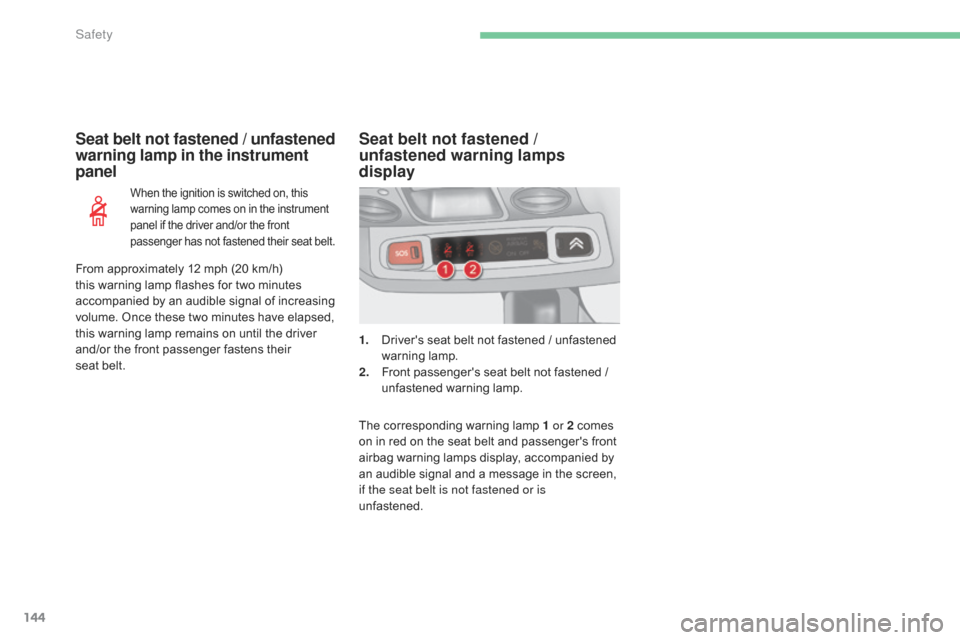
1. Driver's seat belt not fastened / unfastened w
arning lam p.
2.
F
ront passenger's seat belt not fastened /
u
nfastened warning lamp.
Seat belt not fastened /
unfastened warning lamps
display
The corresponding warning lamp 1 or 2 comes on in red on the seat belt and passenger's front
a
irbag warning lamps display, accompanied by
a
n audible signal and a message in the screen,
i
f the seat belt is not fastened or is
unfastened.
From
approximately
12
mph
(20 km/h)
t
his
warning
lamp
flashes
for
two
minutes
a
ccompanied
by
an
audible
signal
of
increasing
v
olume.
Once
these
two
minutes
have
elapsed,
t
his
warning
lamp
remains
on
until
the
driver
a
nd/or
the
front
passenger
fastens
their
seat
belt.
Safety
Page 147 of 396
145
C4-2_en_Chap05_securite_ed02-2015
Rear seat belts
Fastening
F Pull the strap, then insert the tongue in the buc
kle.
F
C
heck that the seat belt is fastened
c
orrectly by pulling the strap.
Unfastening
F Press the red button on the buckle.
F G uide the seat belt as it reels in.
F
O
n the outer seat belts, raise the bar to the
top
of the backrest to prevent the tongue
f
rom knocking against the side trim.
This
warning lamp comes on in the
i
nstrument
panel
when
one
or
more
rear
p
assengers
u
nfasten
t
heir
sea
t
b
elt.
Seat belt unfastened warning
lamp in the instrument panelSeat belt unfastened warning
lamps display
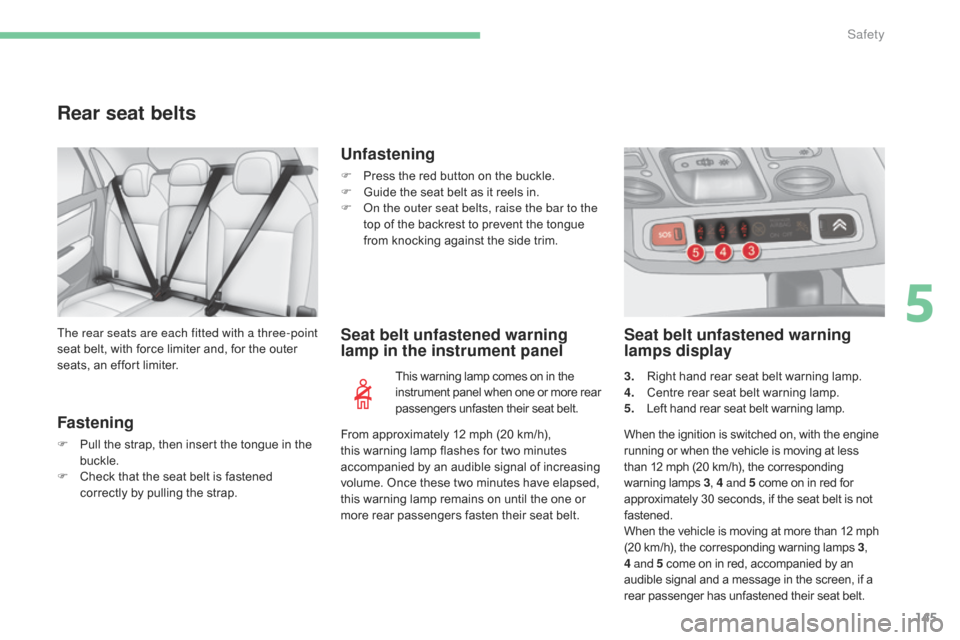
3. Right
hand rear seat belt warning lamp.
4. C entre rear seat belt warning lamp.
5.
L
eft hand rear seat belt warning lamp.
From
approximately
12 mph
(20 km/h),
t
his
warning
lamp
flashes
for
two
minutes
a
ccompanied
by
an
audible
signal
of
increasing
v
olume.
Once
these
two
minutes
have
elapsed,
t
his
warning
lamp
remains
on
until
the
one
or
m
ore
rear
passengers
fasten
their
seat
belt.
The rear seats are each fitted with a three-point
seat
belt,
with
force
limiter
and,
for
the
outer
s
eats,
an
effort
limiter.
When the ignition is switched on, with the engine
r
unning or when the vehicle is moving at less
t
han 12 mph (20 km/h), the corresponding
w
arning
lam
ps
3, 4 a
nd 5
come on in red for
a
pproximately 30 seconds, if the seat belt is not
f
astened.
When
the vehicle is moving at more than 12 mph
(
20 km/h), the corresponding warning lamps 3,
4 and 5
come on in red, accompanied by an
a
udible signal and a message in the screen, if a
r
ear passenger has unfastened their seat belt.
5
Safety