change time CITROEN C4 2018 Owners Manual
[x] Cancel search | Manufacturer: CITROEN, Model Year: 2018, Model line: C4, Model: CITROEN C4 2018Pages: 317, PDF Size: 9.31 MB
Page 11 of 317
9
C4-cactus_en_Chap00c_eco-conduite_ed01-2016
Optimise the use of your gearbox
With a manual gearbox, move off gently and change up without waiting. During acceleration change up early.
The
gear efficiency indicator invites you engage the most suitable gear:
a
s soon as the indication is displayed in the instrument panel, follow it
s
traight away.
Control the use of your electrical
equipment
Before moving off, if the passenger compartment is too warm, ventilate it by opening the windows and air vents before using the air conditioning.
Above
30 mph (50 km/h), close the windows and leave the air vents
ope
n.
Remember
to make use of equipment that can help keep the
t
emperature in the passenger compartment down (sunroof and window
b
linds...).
To
save energy, do not set the air conditioning at too low a temperature.
As
soon as the desired temperature has been reached, limit the use of
t
he air conditioning, except if regulation is automatic.
Switch
off the demisting and defrosting controls as soon as you consider
p
ossible.
Switch
off the heated seat as soon as possible.
Switch
off the headlamps and foglamp when the level of light does not
r
equire their use.
Avoid
running the engine before moving off, particularly in winter; your
v
ehicle will warm up much faster while driving.
As
a passenger, if you avoid connecting your multimedia devices
(
film, music, video game...), you will contribute towards limiting the
c
onsumption of electrical energy, and so of fuel.
Disconnect
your portable devices before leaving the vehicle.
Eco-driving
Eco-driving is a range of everyday practices that allow the motorist to optimise their fuel consumption and CO2 emissions.
With
an
electronic
gearbox,
do
not
press
the
accelerator
pedal
heavily
o
r
s
uddenly.
Drive smoothly
Maintain a safe distance between vehicles, use engine braking rather t han the brake pedal, and press the accelerator progressively. These
p
ractices contribute towards a reduction in fuel consumption and CO
2
emissions
and
also
help
reduce
the
background
traffic
noise.
If
your
vehicle
has
cruise
control,
make
use
of
the
system
at
speeds
a
bove
25
mph
(40
km/h)
when
the
traffic
is
flowing
well.
.
Eco-driving
Page 38 of 317
36
C4-cactus_en_Chap01_Instruments-de-bord_ed01-2016
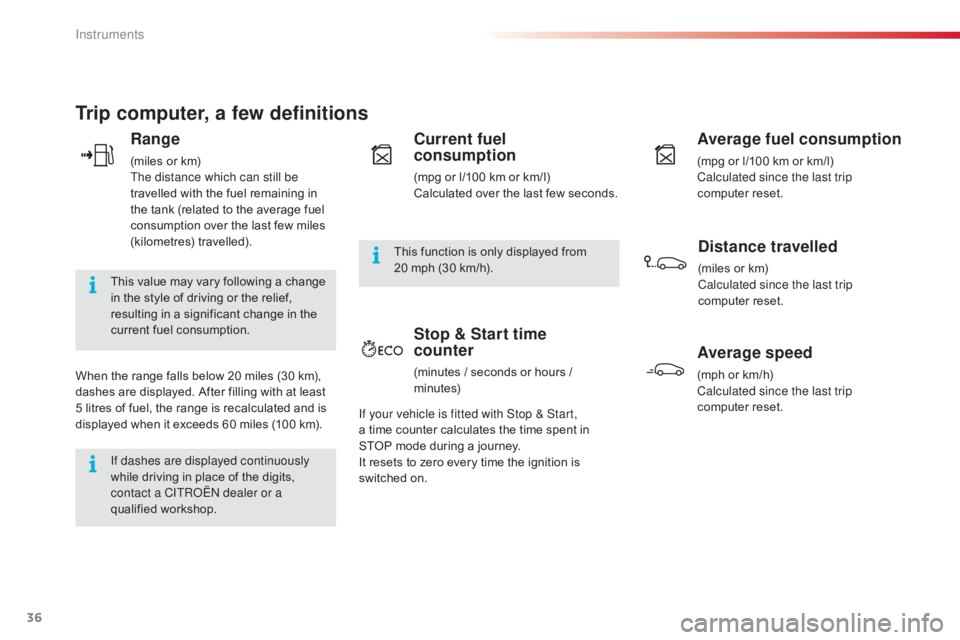
Trip computer, a few definitions
Range
(miles or km)
T he distance which can still be
travelled
with the fuel remaining in
t
he tank (related to the average fuel
c
onsumption over the last few miles
(
kilometres)
t
ravelled).
This
value may vary following a change
i
n
the style of driving or the relief,
r
esulting in a significant change in the
c
urrent fuel consumption.
When
the
range falls below 20 miles (30 km),
d
ashes
are displayed. After filling with at least
5
litres
of
fuel, the range is recalculated and is
d
isplayed
when it exceeds 60 miles (100 km).
If dashes are displayed continuously
while
driving in place of the digits,
c
ontact a CITROËN dealer or a
qualified
w
orkshop. This
function is only displayed from
20
mph (30 km/h).
Current fuel
consumption
(mpg or l/100 km or km/l)
C alculated over the last few seconds.
Average fuel consumption
(mpg or l/100 km or km/l)
C alculated since the last trip
computer
re
set.
Distance travelled
(miles or km)
C alculated since the last trip
computer
re
set.
Average speed
(mph or km/h)
C alculated since the last trip
computer
re
set.
Stop & Start time
counter
(minutes / seconds or hours / minutes)
If your vehicle is fitted with Stop & Start,
a time
counter calculates the time spent in
S
TOP mode during a journey.
It
resets
to zero every time the ignition is
s
witched
on.
Instruments
Page 54 of 317
52
C4-cactus_en_Chap03_Ergonomie-et-confort_ed01-2016
Repositioning the seat backrest
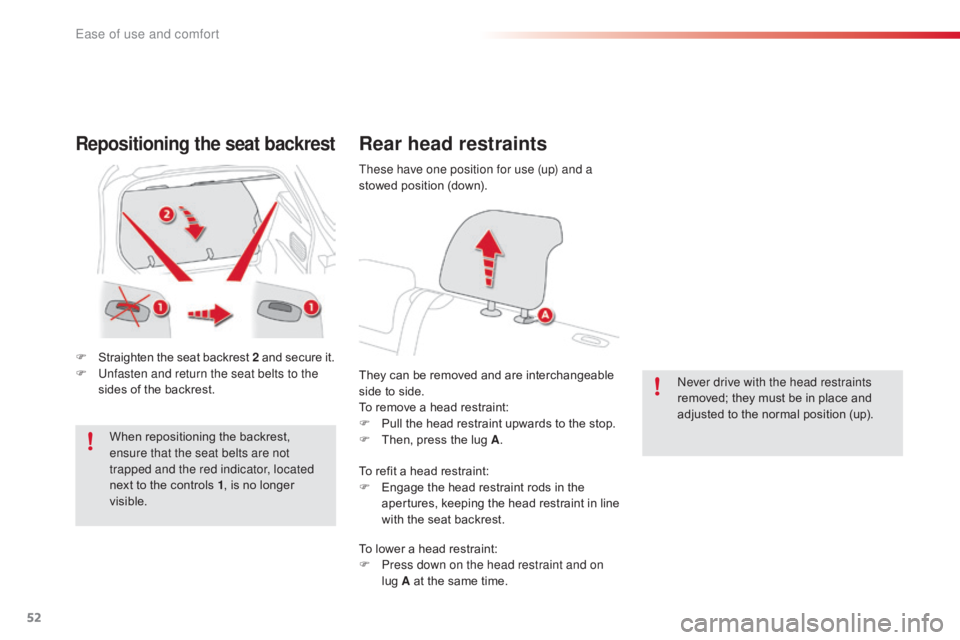
F Straighten the seat backrest 2 and secure it.
F U nfasten and return the seat belts to the
sides
of the backrest.
When
repositioning the backrest,
e
nsure that the seat belts are not
trapped and the red indicator, located
next
to the controls 1,
is no longer
vis
ible.
Rear head restraints
They can be removed and are interchangeable side to side.
To
remove a head restraint:
F
P
ull the head restraint upwards to the stop.
F
T
hen, press the lug A. Never drive with the head restraints
removed;
they must be in place and
a
djusted to the normal position (up).
These have one position for use (up) and a
stowed
position (down).
To refit a head restraint:
F
E
ngage the head restraint rods in the
a
pertures,
k
eeping
t
he
h
ead
r
estraint
i
n
l
ine
w
ith the seat backrest.
To
lower a head restraint:
F
P
ress down on the head restraint and on
lug
A at the same time.
Ease of use and comfort
Page 129 of 317

127
C4-cactus_en_Chap06_conduite_ed01-2016
ETG electronic gearbox
N Neutral: with your foot on the brake, press t
his control to put the gearbox into neutral
a
nd for starting the engine.
D
D
rive: press this control to engage for ward
d
rive with automatic operation of the gears.
R
R
everse: with your foot on the brake, press
t
his control to engage reverse.
Control panel
F Operate the paddle to the right of the steering wheel to
ch
ange
up.
Steering mounted controls
The steering mounted paddles do not a
llow neutral to be selected, or reverse
gear
to be engaged or disengaged.
Five
or
six-speed
electronically
controlled
gearbox
which
offers the comfort of automatic control of the gears, without any action by the driver.
You
can
temporarily
take
control
of
gear
changes
at
any
time, using the steering mounted control paddles.
F
O
perate the paddle to the left
of the steering wheel to change
down .
Display in the instrument panel
F Place your foot on the brake
when this warning lamp flashes.
N
Neutral
D and 1 2 3 4 5 / 6
D
rive (for ward drive) and
the
g
ear
enga
ged.
R
Reverse
6
Driving
Page 131 of 317

129
C4-cactus_en_Chap06_conduite_ed01-2016
Never select neutral (position N) when
moving.
Forward drive
F Press control D . T
he indicator lamp in the control comes on.
D
and the gear engaged appear in
t
he instrument panel.
The
gearbox then operates in auto-adaptive
m
ode, without any action on the part of the
d
river. It continuously selects the most suitable
g
ear taking account of:
-
o
ptimisation of fuel consumption,
-
d
riving style,
-
r
oad conditions,
-
v
ehicle load.
For
optimum acceleration, when
ov
ertaking another vehicle for example,
p
ress the accelerator pedal fully down,
beyond
the point of resistance.
Temporary control of gear
changing
You can temporarily take over control of gear changes using the steering mounted "+" and
"-"
control
paddles: if the engine speed allows, the
g
ear change is carried out.
This function allows you to anticipate certain
situations
s
uch
a
s
ov
ertaking
a
nother
v
ehicle
o
r
a
pproaching a bend.
After
a few moments without any action on the
p
addles, the gearbox resumes control of gear
c
hanging
a
utomatically. To
engage reverse, the vehicle must be
i
mmobilised with your foot on the brake.
F
P
ress control R
.
T
he indicator lamp in the control comes on.
Reverse
There is an audible signal on enga
gement o f r everse.
If
reverse gear is requested when moving,
t
he
N
warning lamp flashes and the gearbox
g
oes
into neutral automatically.
To
engage reverse, stop the vehicle then, with
y
our
foot on the brake pedal, press control N,
then R .
Do
not
press
the
brake
and
accelerator
p
edals
at
the
same
time:
this
could
c
ause
very
rapid
wear
of
the
clutch.
6
Driving
Page 136 of 317

134
C4-cactus_en_Chap06_conduite_ed01-2016
A fault with the system is signalled in the " Driving assistance "
menu
(
primary page) of the touch screen
t
ablet.
Operating fault
In the event of a fault with the system, the symbol in the button changes to alert m
ode and the indicator lamp flashes for a
f
ew moments then stays on continuously.
If you press this button to reactivate the
system, the indicator lamp flashes again for a
f
ew moments and then stays on continuously.
In
certain
circumstances,
such
as
the
need
t
o
maintain
a
comfortable
temperature
in
the
p
assenger
compartment,
it
may
be
preferable
t
o
deactivate
the
Stop
&
Start
system.
The
system
can
be
deactivated
at
any
time,
o
nce
the
ignition
is
on.
If
the
system
is
deactivated
while
in
S
TOP mode,
the
engine
then
restarts.
The
Stop
&
Start
system
is
automatically
r
eactivated
every
time
the
engine
is
started.
Deactivation
The Stop & Start system can be deactivated a
nd manually reactivated in the touch screen
t
ablet. F
Sel
ect "
Stop & Star t " in the
" Driving assistance " menu.
When the system is deactivated, the indicator
l
amp in this button comes on continuously.
When
the system is reactivated manually, the
i
ndicator lamp in this button goes off.Have
it checked by a CITROËN dealer or a q
ualified w orkshop.
In
the event of a fault in STOP mode, the
v
ehicle may stall.
All
of the instrument panel warning lamps
come
on.Depending
on version, an alert
m
essage may also be displayed, asking
y
ou to change to neutral (control on N)
and
put your foot on the brake pedal.
You
must switch off the ignition, then
s
tart the engine again.
Before
doing
anything
under
the
b
onnet, deactivate the Stop & Start
system
to
avoid
the
risk
of
injury
r
elated
to
an
automatic
change
to
S
TART mode.
Opening the bonnet
Driving on flooded roads
Before
driving
through
a
flooded
road,
i
t
is
strongly
recommended
that
you
d
eactivate
the
Stop
&
Start
system.
For
more
advice
on
driving,
particularly
o
n flooded roads, refer to the
corresponding
s
ection.
Driving
Page 142 of 317

140
C4-cactus_en_Chap06_conduite_ed01-2016
Flashing of the dashes indicates a fault with the cruise control.
Have
it checked by a CITROËN dealer or a
q
ualified
w
orkshop.
Operating fault Switching off
F Turn wheel 1 to the "0" p osition. T
he display of information related to the
c
ruise control disappears. When the cruise control is switched on,
be
careful if you maintain the pressure o
n one of the programmed speed
c
hanging buttons: this may result in a
v
ery rapid change in the speed of your
v
ehicle.
Do not use the cruise control on
slippery
roads or in heavy traffic.
On a steep descent, the cruise control
will not be able to prevent the vehicle
from
exceeding the programmed speed.
On
steep climbs or when towing, the
p
rogrammed speed may not be reached
o
r maintained.
The
use of mats not approved by
C
ITROËN may inter fere with the
o
peration of the cruise control.
To
avoid any risk of jamming of the
ped
als:
-
e
nsure that the mat is secured
c
o r r e c t l y,
-
n
ever fit one mat on top of another.
It
is
possible
to
exceed
the
programmed
speed
t
emporarily
by
pressing
the
accelerator
pedal.
To
return
to
the
programmed
speed,
simply
r
elease the accelerator pedal until the
programmed
cruise
speed
is
reached
again.
Exceeding the programmed
speed
Once switched on, you can pause the cruise
control at any time by pressing button 4: the
s
creen confirms the pause.
Pause
If the programmed speed is exceeded, the displayed speed flashes.
Once the speed of the vehicle returns
to
the programmed speed setting, the
d
isplay becomes steady again.
The cruise control is paused
m
anually
o
r by pressing the brake or clutch pedal
o
r if the ESC system is invoked for
s
afety reasons.
Driving
Page 147 of 317

145
C4-cactus_en_Chap06_conduite_ed01-2016
Park Assist
This system provides active assistance with parking, detecting a parking space then controlling the steering to park in the space.
I t controls the steering while the driver manages the accelerator, brakes, gears and clutch (manual gearbox). During phases of entry into and exit from
a
parking space, the system provides visual and audible information to the driver in order to make the manoeuvre safe. It may be necessary to move
f
or wards and backwards more than once.
The
Park Assist system cannot in any
c
ircumstances replace the need for
v
igilance on the part of the driver.
The
driver must remain in control of
t
heir vehicle ensuring that the space
r
emains clear during the manoeuvre.
In
some circumstances, the sensors
m
ay not detect small obstacles located
i
n their blind spots. Changing
tyre sizes (out-size tyres,
w
inter tyres, ...) can inter fere with
t
he correct operation of the parking
a
ssistance system.
During
a manoeuvre the steering wheel
t
urns quickly: do not hold the steering
w
heel, do not place your hand between
the
spokes of the steering wheel and
t
ake care with loose and bulky clothing,
s
carves, handbags... There is a risk of
in
jury. For
entry into a parking space (parallel
p
arking) the system does not detect
s
paces which are clearly much smaller
o
r larger than the size of the vehicle.
This
"parking assistance" system
i
s activated automatically during
m
anoeuvres; it is therefore possible
t
hat a symbol comes on in the screen,
a
ccompanied by an audible signal,
w
ithout affecting the manoeuvre.The
selection of the type of manoeuvre
(
entering or exiting a parallel parking
s
pace) prevents a change to STOP
m
ode of Stop & Start.
In
STOP mode, this selection restarts
t
he
eng
ine.
The
driver can take control at any time by gripping the steering wheel.
The
s
ystem
p
rovides
a
ssistance
i
n
e
ntering
a
nd
e
xiting
a par
king
spa
ce
w
hen
par
allel
par
king.
6
Driving
Page 152 of 317

150
C4-cactus_en_Chap06_conduite_ed01-2016
Under-inflation detection
The system monitors the pressures in the four t
yres, once the vehicle is moving.
It
compares the information given by the four
w
heel speed sensors with reference values,
which must be reinitialised ever y time the
tyre pressures are adjusted or a wheel
changed .
The
system triggers an alert as soon as it
d
etects a drop in the inflation pressure of one
or
more tyres. The
under-inflation detection system
d
oes not replace the need for vigilance
o
n the part of the driver.
This
system does not avoid the need to
c
heck the tyre pressures (including the
s
pare wheel) every month as well as
b
efore a long journey.
Driving
with under-inflated tyres impairs
r
oad holding, extends braking distances
a
nd causes premature tyre wear,
par
ticularly under arduous condition
(high
loading, high speed, long journey).
System
which automatically checks the pressures of the tyres while driving.
The inflation pressures defined for
your vehicle can be found on the tyre
pressure
label.
For
more information on the
i
dentification markings, refer to the
c
orresponding
s
ection.
Tyre
pressures should be checked
w
hen the tyres are "cold" (vehicle
stopped
for 1 hour or after a journey of
l
ess than 6 miles (10 km) at moderate
s
peeds).
Other wise
(when hot), add 0.3 bar to
t
he pressures shown on the label.
Driving
with under-inflated tyres
i
ncreases fuel consumption.
Driving
Page 175 of 317
173
C4-cactus_en_Chap07_info-pratiques_ed01-2016
Checks
12 V battery
The battery does not require any maintenance.
H owever, check regularly that the terminals
a
re correctly tightened (versions without quick
r
elease terminals) and that the connections
a
re clean.Refer to the manufacturer's service schedule for details of the
replacement
intervals for these
c
omponents.
Air filter and passenger compartment filter
Replace the oil filter each time the e ngine oil is changed.
Refer
to the manufacturer's
s
ervice schedule for details of
the
replacement interval for this
c
omponent.
Oil filter
Unless other wise indicated, check these components in accordance with the manufacturer's service schedule and according to your engine.
O ther wise, have them checked by a CITROËN dealer or a qualified workshop.
Depending
on the environment (e.g. dusty
a
tmosphere) and the use of the vehicle
(e.g.
city driving), replace them twice as often
if necessary .
A
clogged passenger compartment filter may
h
ave an adverse effect on the per formance
o
f the air conditioning system and generate
u
ndesirable
o
dours.
Particle filter (Diesel)
The start of saturation of the
particle filter is indicated by the
fixed illumination of this warning
l
amp accompanied by a warning
m
essage.
As
soon
as
the traffic conditions permit,
r
egenerate
the filter by driving at a speed of at
l
east
40
mph (60 km/h) until the warning lamp
g
oes
off.
If
the
warning lamp stays on, this indicates a
l
ow
additive level.
Refer
to
the "Diesel additive level" section.
On a new vehicle, the first particle
filter
regeneration operations may be
a
ccompanied by a "burning" smell,
w
hich is per fectly normal.
Following
prolonged operation of the
v
ehicle at very low speed or at idle,
you
may, in exceptional circumstances,
n
otice the emission of water vapour at
t
he
exhaust on acceleration. This does
n
ot affect the behaviour of the vehicle
or
the environment.
When
carrying
out
any
operation
on
the
12
V
b
attery,
refer
to
the
corresponding
section
for
d
etails
of
the
precautions
to
be
taken
before
s
tarting
work.
Versions
equipped
with
Stop
&
Start
are
f
itted with a 12 V lead-acid battery of
specific
t
echnology
a
nd
s
pecification.
Its
replacement
should
be
carried
out
o
nly
by
a
CITROËN
dealer
or
a
qualified
w
orkshop.
7
Practical information