steering CITROEN C4 2019 Owner's Manual
[x] Cancel search | Manufacturer: CITROEN, Model Year: 2019, Model line: C4, Model: CITROEN C4 2019Pages: 317, PDF Size: 9.31 MB
Page 209 of 317
207
C4-cactus_en_Chap08_En-cas-de-panne_ed01-2016
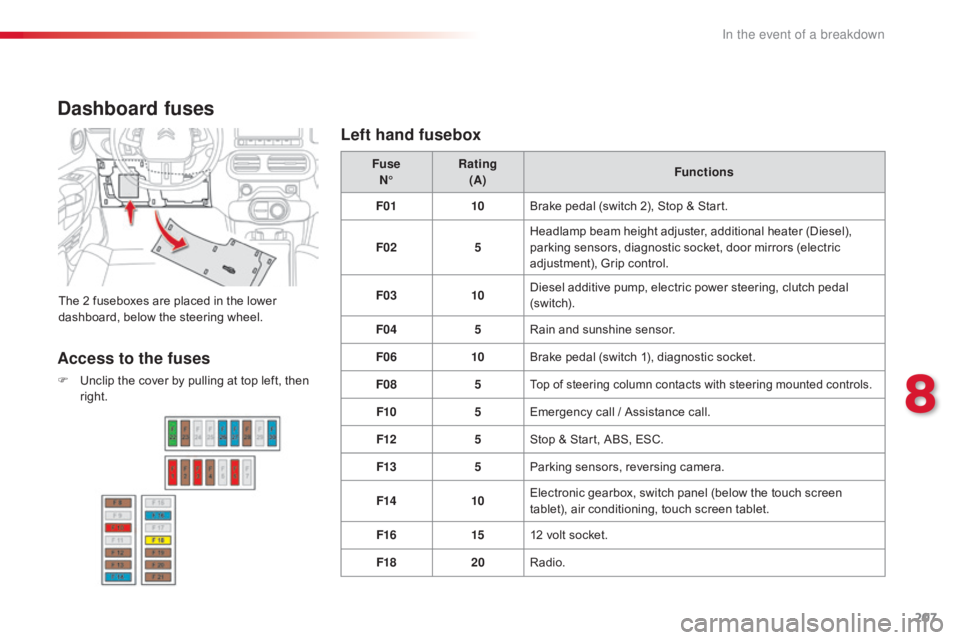
Dashboard fuses
The 2 fuseboxes are placed in the lower dashboard, below the steering wheel.Fuse
N° Rating
(A) Functions
F01 10Brake pedal (switch 2), Stop & Start.
F02 5Headlamp beam height adjuster, additional heater (Diesel),
p
arking sensors, diagnostic socket, door mirrors (electric
a
djustment), Grip control.
F03 10Diesel additive pump, electric power steering, clutch pedal (
sw i tc h).
F04 5Rain
and sunshine sensor.
F06 10Brake
pedal (switch 1), diagnostic socket.
F08 5
Top of steering column contacts with steering mounted controls.
F105Emergency call / Assistance call.
F12 5Stop
& Start, ABS, ESC.
F13 5Parking
sensors, reversing camera.
F14 10Electronic
gearbox, switch panel (below the touch screen
t
ablet), air conditioning, touch screen tablet.
F16 1512
volt socket.
F18 20Radio.
Access to the fuses
F Unclip the cover by pulling at top left, then r
ight.
Left hand fusebox
8
In the event of a breakdown
Page 213 of 317
211
C4-cactus_en_Chap08_En-cas-de-panne_ed01-2016
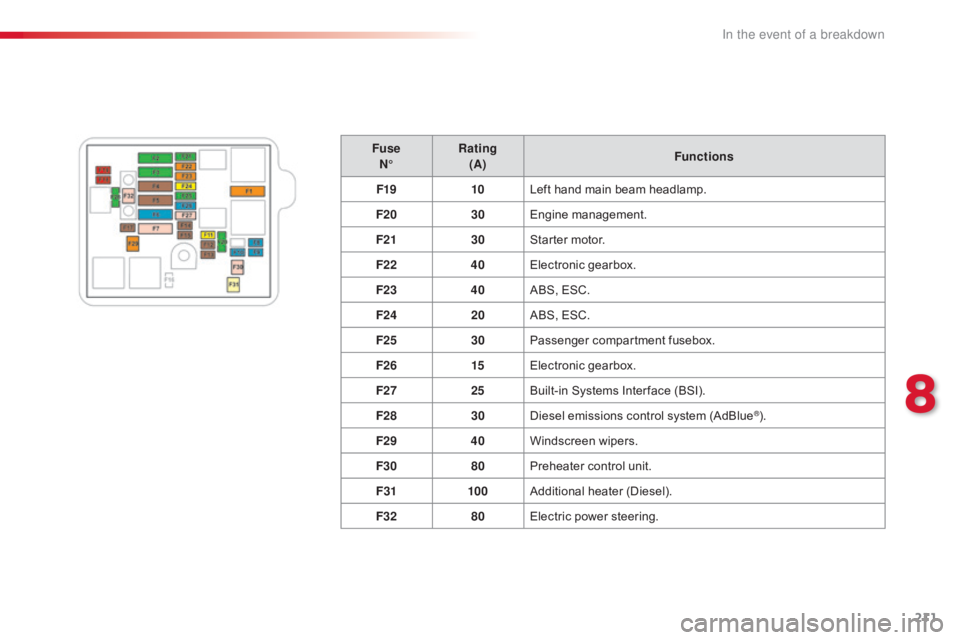
FuseN° Rating
(A) Functions
F19 10Left
hand main beam headlamp.
F20 30Engine
m
anagement.
F21 30Starter
motor.
F22 40Electronic
g
earbox.
F23 40ABS,
ESC.
F24 20ABS,
ESC.
F25 30Passenger
c
ompartment
f
usebox.
F26 15Electronic
g
earbox.
F27 25Built-in
Systems Inter face (BSI).
F28 30Diesel
emissions control system (AdBlue
®).
F29 40Windscreen
w
ipers.
F30 80Preheater
control
unit.
F31 100Additional
hea
ter
(
Diesel).
F32 80Electric
power
steering.
8
In the event of a breakdown
Page 218 of 317
216
C4-cactus_en_Chap08_En-cas-de-panne_ed01-2016
To w i n g
General recommendations
Observe the legislation in force in your country.
E nsure that the weight of the towing vehicle is higher than that of the towed vehicle.
The
driver must remain at the wheel of the towed vehicle and must have a valid driving licence.
When
towing a vehicle with all four wheels on the ground, always use an approved towing arm;
r
ope and straps are prohibited.
The
towing vehicle must move off gently.
When
towing a vehicle with the engine off, there is no longer any power assistance for braking
o
r steering.
In
the following cases, you must always call on a professional recovery service:
-
v
ehicle broken down on a motor way or fast road,
-
f
our-wheel drive vehicle,
-
w
hen it is not possible to put the gearbox into neutral, unlock the steering, or release the
par
king
b
rake,
-
t
owing with only two wheels on the ground,
-
w
here there is no approved towing arm available...
Procedure
for
having
your
vehicle
towed
or
for
towing
another vehicle using a removable towing eye.
The towing eye is stowed under the boot floor,
or
may
be
located
under
the
front
passenger
sea
t, d
epending o
n v
ersion.
In the event of a breakdown
Page 219 of 317
217
C4-cactus_en_Chap08_En-cas-de-panne_ed01-2016
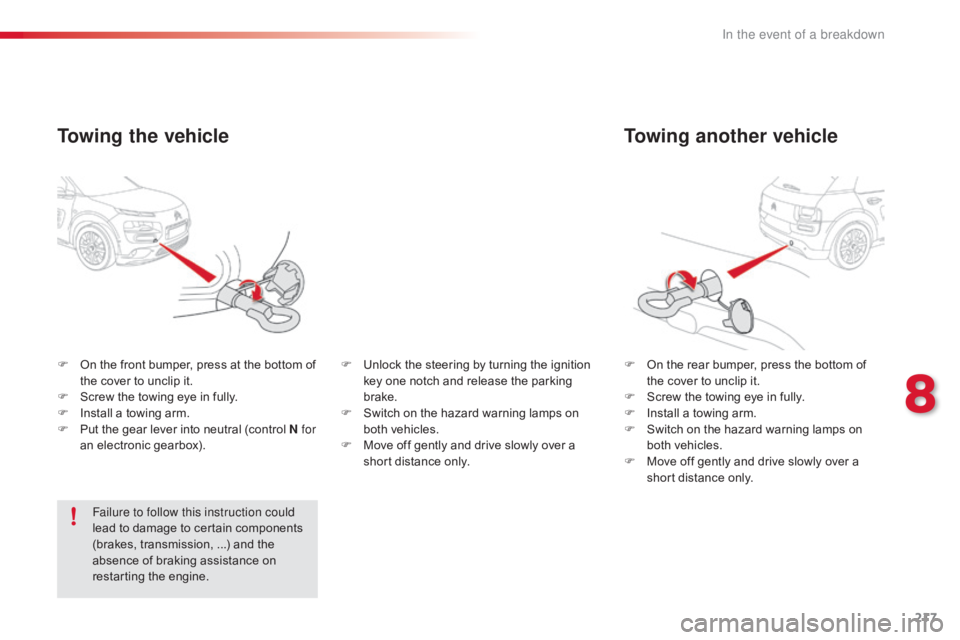
Towing another vehicle
F On the rear bumper, press the bottom of t
he cover to unclip it.
F
S
crew the towing eye in fully.
F
I
nstall a towing arm.
F
S
witch on the hazard warning lamps on
b
oth vehicles.
F
M
ove off gently and drive slowly over a
s
hort distance only.
F
O
n
the
front
bumper,
press
at
the
bottom
of
t
he
cover
to
unclip
it.
F
S
crew
the
towing
eye
in
fully.
F
I
nstall
a
towing
arm.
F
P
ut
the
gear
lever
into
neutral
(control
N for
an
electronic
gearbox).
Towing the vehicle
Failure to follow this instruction could
lead to damage to certain components
(
brakes, transmission, ...) and the
a
bsence of braking assistance on
r
estarting the engine. F
U
nlock the steering by turning the ignition
k
ey one notch and release the parking
b
rake.
F
S
witch on the hazard warning lamps on
b
oth vehicles.
F
M
ove off gently and drive slowly over a
s
hort distance only.
8
In the event of a breakdown
Page 231 of 317
229
C4-cactus_en_Chap10b_SMEGplus_ed01-2016
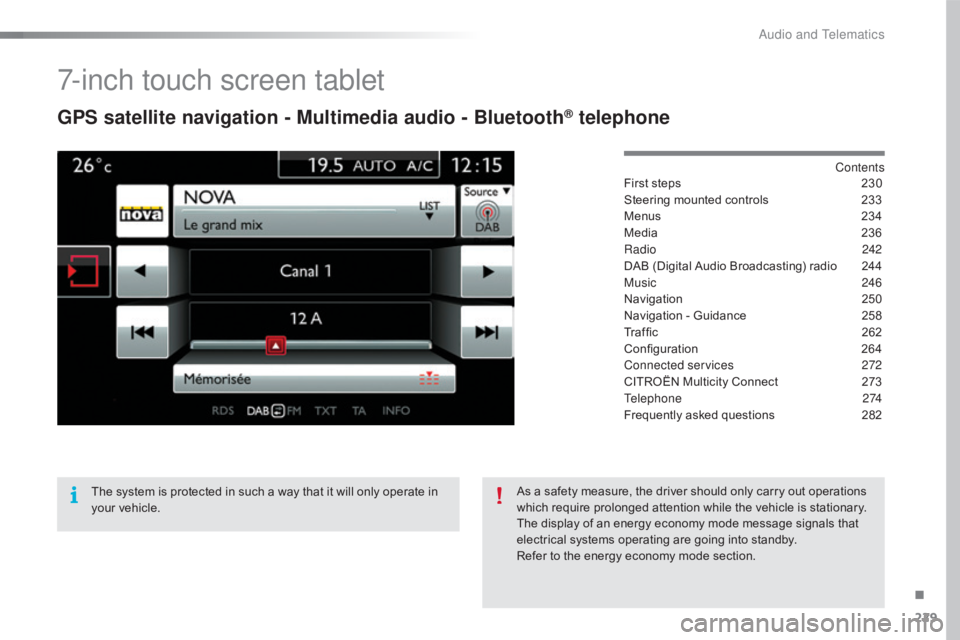
7-inch touch screen tablet
GPS satellite navigation - Multimedia audio - Bluetooth® telephone
Contents
First
steps
2 30
Steering
mounted
controls
2
33
Menus
2
34
Media
23
6
Radio
2
42
DAB
(Digital
Audio
Broadcasting)
radio
2
44
Music
2
46
Navigation
2
50
Navigation
-
Guidance
2
58
Traffic
26
2
Configuration
26
4
Connected services
2
72
CITROËN
Multicity
Connect
2
73
Telephone
274
Frequently
asked
questions
2
82
The
system
is
protected
in
such
a
way
that
it
will
only
operate
in
y
our
vehicle. As
a
safety
measure,
the
driver
should
only
carry
out
operations
w
hich
require
prolonged
attention
while
the
vehicle
is
stationary.
The
display
of
an
energy
economy
mode
message
signals
that
e
lectrical
systems
operating
are
going
into
standby.
Refer
to
the
energy
economy
mode
section.
.
Audio and Telematics
Page 235 of 317
233
C4-cactus_en_Chap10b_SMEGplus_ed01-2016
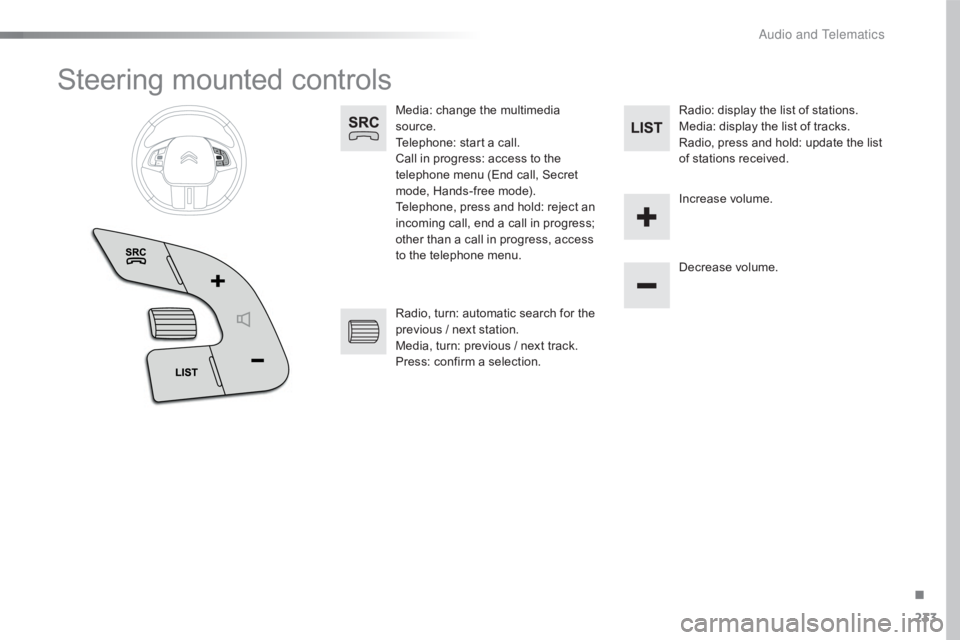
Steering mounted controls
Media: change the multimedia source.
Telephone:
start a call.
Call
in progress: access to the
t
elephone menu (End call, Secret
m
ode, Hands-free mode).
Telephone,
press and hold: reject an
i
ncoming call, end a call in progress;
o
ther than a call in progress, access
t
o the telephone menu. Decrease
volume.
Radio,
turn: automatic search for the
p
revious / next station.
Media,
turn: previous / next track.
Press:
confirm a selection. Radio:
display the list of stations.
Media: display the list of tracks.
Radio,
press and hold: update the list
o
f stations received.
Increase
volume.
.
Audio and Telematics
Page 248 of 317
246
C4-cactus_en_Chap10b_SMEGplus_ed01-2016
Music
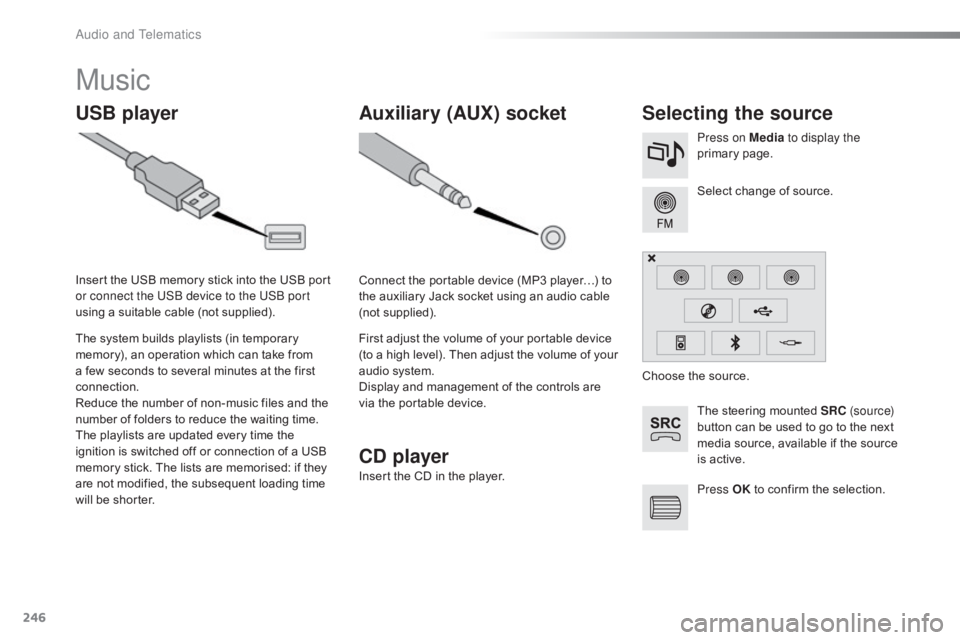
USB playerSelecting the source
The steering mounted SRC ( s o u r c e)
button can be used to go to the next
m
edia source, available if the source
i
s active.
Select
change of source.
Press on Media
to display the
primary
pag
e.
The
system
builds
playlists
(in
temporary
m
emory),
an
operation
which
can
take
from
a
few
seconds
to
several
minutes
at
the
first
c
onnection.
Reduce
the
number
of
non-music
files
and
the
n
umber
of
folders
to
reduce
the
waiting
time.
The
playlists
are
updated
every
time
the
i
gnition
is
switched
off
or
connection
of
a
USB
m
emory
stick.
The
lists
are
memorised:
if
they
a
re
not
modified,
the
subsequent
loading
time
w
ill
be
shorter.
Insert
the
USB
memory
stick
into
the
USB
port
o
r connect the USB device to the USB port
using
a
suitable
cable
(not
supplied).
Auxiliary (AUX) socket
Connect the portable device (MP3 player…) to t
he auxiliary Jack socket using an audio cable
(
not
sup
plied).
First
adjust the volume of your portable device
(
to a high level). Then adjust the volume of your
a
udio system.
Display
and management of the controls are
v
ia the portable device. Choose
the source.
Press OK
to confirm the selection.
CD player
Insert the CD in the player.
Audio and Telematics
Page 282 of 317
280
C4-cactus_en_Chap10b_SMEGplus_ed01-2016
Managing paired
telephones
This function allows the connection or
disconnection of a peripheral device as
well as the deletion of a pairing. Using
the telephone is not r
ecommended while driving.
Park
the vehicle.
Make
the call using the steering
m
ounted controls.
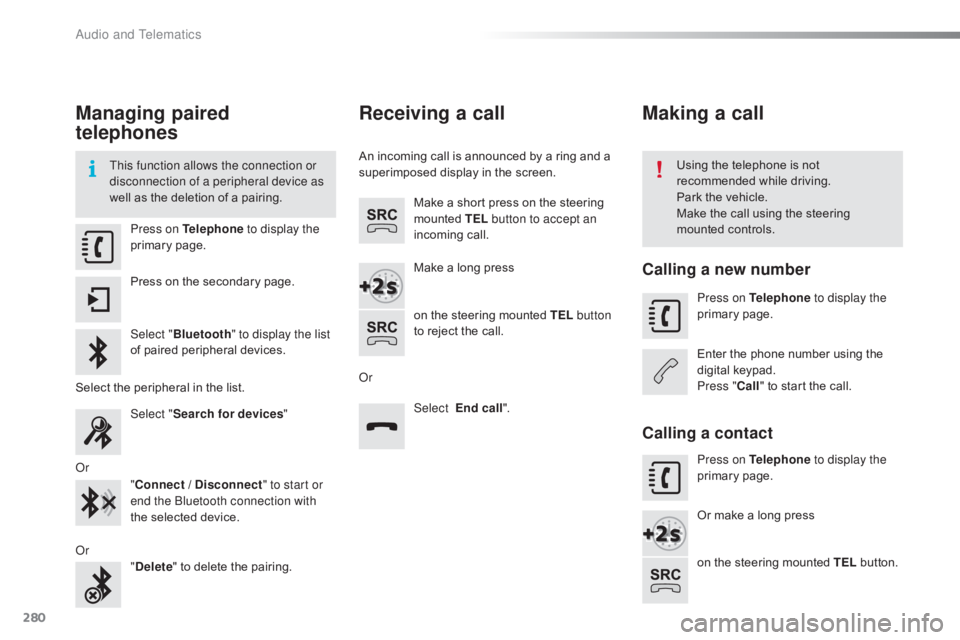
Press on Telephone
to display the
primary
pag
e.
Press
on the secondary page.
Select " Bluetooth " to display the list
of
paired peripheral devices.
Select
the peripheral in the list.
Select " Search for devices "
Or "Connect / Disconnect " to start or
end the Bluetooth connection with
the
selected device.
Or "Delete "
to delete the pairing.
Receiving a call
An incoming call is announced by a ring and a superimposed display in the screen.
Make
a short press on the steering
m
ounted TEL button to accept an
incoming
c
all.
Make
a long press
on
the steering mounted TEL button
to
reject the call.
Or Select End call".
Making a call
Calling a new number
Press on Telephone to display the
primary pag e.
Enter
the phone number using the
d
igital
k
eypad.
Press " Call"
to start the call.
Calling a contact
Press on Telephone to display the
primary pag e.
Or
make a long press
on
the steering mounted TEL
button.
Audio and Telematics
Page 286 of 317
284
C4-cactus_en_Chap10b_SMEGplus_ed01-2016
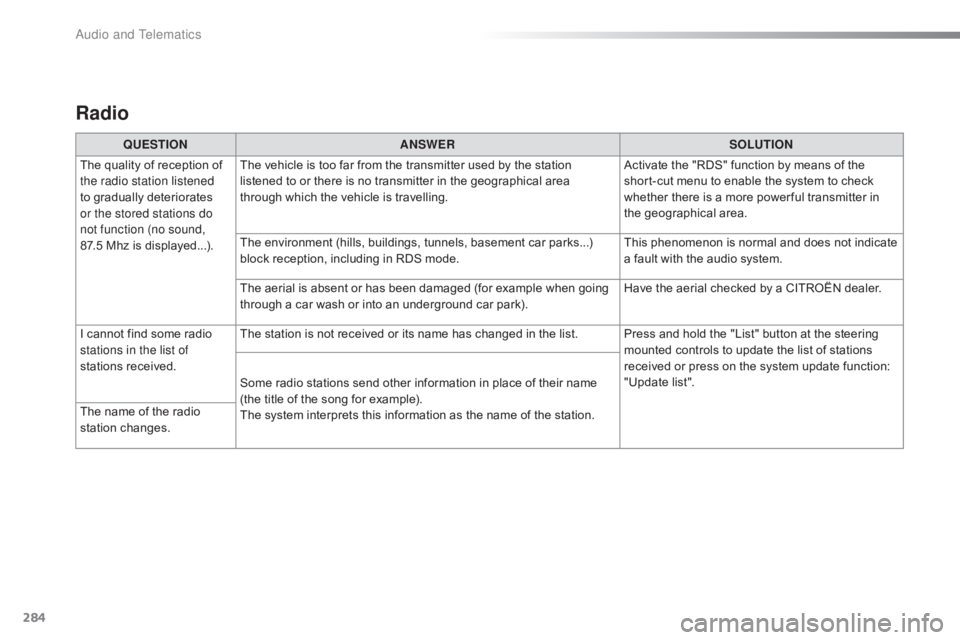
Radio
QUESTIONANSWER SOLUTION
The
quality of reception of
t
he radio station listened
to
gradually deteriorates
o
r the stored stations do
not function (no sound,
87.5 Mhz
is displayed...). The
vehicle is too far from the transmitter used by the station
l
istened to or there is no transmitter in the geographical area
t
hrough which the vehicle is travelling.Activate
the "RDS" function by means of the
s
hort-cut menu to enable the system to check
w
hether there is a more power ful transmitter in
t
he geographical area.
The
environment (hills, buildings, tunnels, basement car parks...)
b
lock reception, including in RDS mode.This
phenomenon is normal and does not indicate
a
fault with the audio system.
The
aerial is absent or has been damaged (for example when going
t
hrough a car wash or into an underground car park).Have
the aerial checked by a CITROËN dealer.
I
cannot find some radio
s
tations in the list of
stations
r
eceived. The
station is not received or its name has changed in the list. Press and hold the "List" button at the steering
m
ounted controls to update the list of stations
r
eceived or press on the system update function:
"
Update list".
Some
radio stations send other information in place of their name
(
the title of the song for example).
The
system interprets this information as the name of the station.
The
name of the radio
s
tation
c
hanges.
Audio and Telematics
Page 292 of 317
290
C4-cactus_en_Chap11_index-alpha_ed01-2016
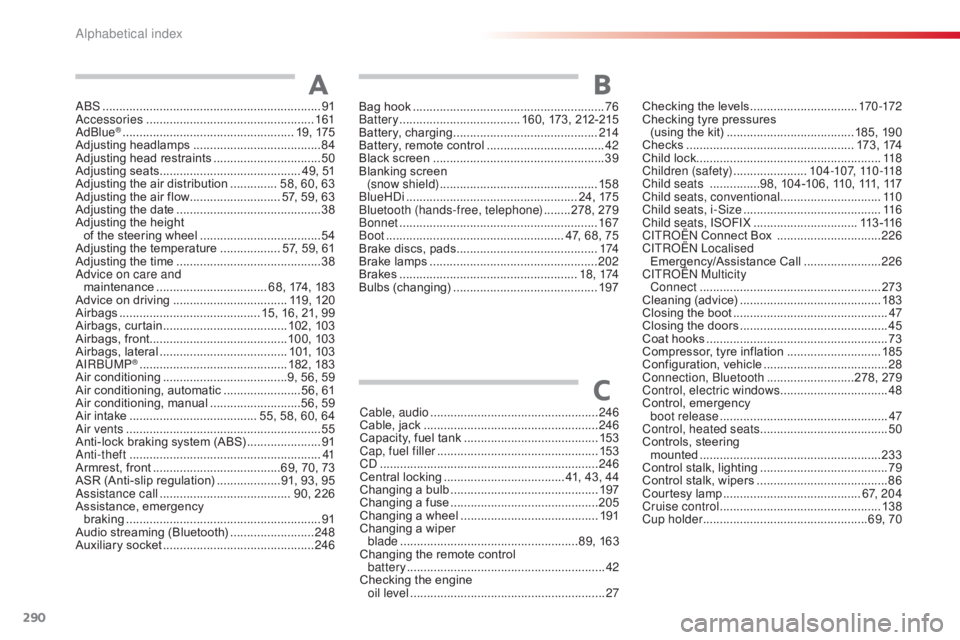
ABS .................................................................91
Accessories .............................. ....................161
AdBlue
® ............................... .................... 19, 175
Adjusting h eadlamps ...................................... 84
A
djusting head restraints
................................ 50
A
djusting
s
eats
.......................................... 4
9, 51
Adjusting
the air distribution
.............. 5
8, 60, 63
Adjusting
the air flow
........................... 5
7, 59, 63
Adjusting
the date
........................................... 38
A
djusting the height
of
the
steering wheel
.................................... 54
A
djusting the temperature
.................. 5
7, 59, 61
Adjusting
the time
........................................... 38
A
dvice on care and
maintenance
................................. 6
8, 174, 183
Advice
on driving
..............................
.... 119, 120
Airbags
...............
........................... 15, 16, 21, 99
Airbags,
c
urtain
..................................... 10
2,
10
3
Airbags,
front......................................... 10 0,
10
3
Airbags,
la
teral
...................................... 10
1,
10
3
AIRBUMP
® ............................................ 18 2, 18 3
Air c
onditioning ............................... ......9, 56, 59
Air
conditioning, automatic
.......................5
6, 61
Air
c
onditioning,
m
anual
...........................5
6, 59
Air
intake
...............
....................... 55, 58, 60, 64
Air vents
..............................
............................ 55
Anti-lock
braking system (ABS)
......................91
A
nti-theft
..............................
...........................41
Armrest,
front
......................................6
9, 70, 73
ASR
(Anti-slip regulation)
...................9
1, 93, 95
Assistance call
...............................
........ 90, 226
Assistance,
em
ergency
b
raking
...............
........................................... 91
Audio
streaming (Bluetooth)
.........................24
8
Auxiliary
socket
............................................. 24
6
AChecking the levels ................................17 0 -172
Checking tyre pressures
(using
the kit)
..............................
........185, 190
Checks
...............
................................... 173 ,
17
4
Child
lock
...............................
........................118
Children (safety)
...................... 10
4 -107, 110 -118
Child seats
...............9
8, 104-106, 110, 111, 117
Child seats, conventional
.............................. 11
0
Child seats, i-Size
...............................
..........11 6
Child seats, ISOFIX
...............................11
3 -11 6
C
ITROËN
Connect Box
...............................2
26
C
ITROËN
L
ocalised
Emergency/Assistance
C
all
.......................2
26
CITROËN Multicity Connect
...............
....................................... 273
Cleaning
(
advice)
.......................................... 18
3
Closing
the boot
...............................
...............47
Closing
the doors
...............................
.............45
Coat
hooks
...............................
.......................73
Compressor,
tyre inflation
............................18
5
Configuration,
v
ehicle
..................................... 28
C
onnection, Bluetooth
..........................2
78, 279
Control, electric windows
................................ 48
C
ontrol,
em
ergency
b
oot release
...............................
...................47
Control, heated seats
...................................... 50
C
ontrols, steering
mounted
...................................................... 23
3
Control
stalk, lighting
...................................... 79
C
ontrol stalk, wipers
....................................... 86
C
ourtesy lamp
...............................
..........6 7, 2 0 4
Cruise control
................................................ 13
8
Cup holder
...............................
..................69, 70
Cable, audio
..................................................
24
6
Cable,
jack
..............................
...................... 246
Capacity,
fuel
tank
..............................
.......... 153
Cap, fuel filler
................................................ 15
3
CD
..............................
................................... 246
Central
locking
.................................... 4
1,
43,
44
Changing
a bu
lb
............................................ 19
7
Changing
a f
use
............................................ 20
5
Changing
a
wheel
...............................
.......... 191
Changing
a
wiper
blade
...............
......................................89,
163
Changing
the
remote
control
battery
........................................................... 42
C
hecking
the
engine
oil level
...............
........................................... 27
C
Bag hook ............................... ..........................76
Battery ............................... ..... 160, 173, 212-215
Battery,
c
harging
...............................
............214
Battery,
remote control
...................................42
B
lack screen
..............................
.....................39
Blanking
screen
(snow shield)
...............................
................15 8
BlueHDi
...............................
.................... 24, 175
Bluetooth (hands-free, telephone)
........2
78, 279
Bonnet
...............
............................................ 167
Boot
........
............................................. 47, 68, 75
Brake
discs, pads
...............................
...........174
Brake
lamps
...............................
...................202
Brakes
..................................................... 1
8 , 174
Bulbs
(
changing)
...............................
............197
B
Alphabetical index