ad blue CITROEN C4 2022 Owner's Manual
[x] Cancel search | Manufacturer: CITROEN, Model Year: 2022, Model line: C4, Model: CITROEN C4 2022Pages: 292, PDF Size: 7.79 MB
Page 55 of 292

53
Ease of use and comfort
3Air conditioning does not operate when the air flow is disabled.
To obtain cool air more quickly, enable interior
air recirculation for a brief period. Then return
to the intake of exterior air.
Switching off the air conditioning may result in
some discomfort (humidity or misting).
Switching the system off
► Press knob 2; all the indicator lamps of the
system go out.
This action deactivates all of the functions of the
air conditioning system.
The temperature is no longer regulated. A slight
flow of air can still be felt, due to the forward
movement of the vehicle.
Dual-zone automatic air
conditioning
With MyCitroën Play or MyCitroën Drive
This system automatically controls the activation
of the air conditioning system, regulating the
temperature, air flow and air distribution inside
the passenger compartment.
To adjust the system, use the central controls
or press the button in the Climate menu on the
touch screen to display the controls page.
Central controls
Touch screen
1. Left-hand side temperature adjustment
Air conditioning on/off (central controls)
2. Right-hand side temperature adjustment
Maximum air conditioning (central controls) 3.
Adjusting the air flow
Automatic Comfort programme (central
controls)
4. Interior air recirculation
5. Automatic Visibility programme
6. Rear screen demisting/de-icing
7. Direct access to the Climate menu
8. Adjusting the air distribution
9. Air conditioning on/off
10. Automatic Comfort programme
11 . Mono-zone/Dual-zone
12. Access to the secondary page
13. Temperature pre-conditioning (depending
on version)
14. Selection of setting for the Automatic
Comfort programme (Soft/Normal/Fast).
This system works with the engine running but
access to the ventilation and its controls remains
possible with the ignition on.
Adjusting the temperature
The driver and front passenger can each choose
their own temperature setting.
The value indicated corresponds to a level of
comfort and not to a precise temperature.
►
T
urn the knob 1 or 2 or press one of the
buttons 1 or 2 on the touch screen to increase
(red) or decrease (blue) the value.
It is recommended that you avoid a difference of
more than 3°C in the settings for left and right.
Page 57 of 292

55
Ease of use and comfort
3When the system is activated, the indicator lamp
comes on.
Air conditioning does not operate when the air flow is disabled.
To obtain cool air more quickly, enable interior
air recirculation for a brief period. Then return
to the intake of exterior air.
Switching off the air conditioning may result in
some discomfort (humidity or misting).
Maximum air conditioning
This function automatically adjusts the
temperature setting to the lowest possible, the
air distribution towards the central and side air
vents, the air flow to maximum and activates
interior air recirculation.
►
Press knob
2 to activate/deactivate the
function (confirmed by the indicator lamp coming
on/switching off).
Once the function is deactivated, the system
returns to the previous settings.
Mono-zone/Dual-zone
The passenger temperature setting can be linked
to the driver's setting (mono-zone function).
►
Press button
11 to activate the "MONO"
function.
The function is automatically deactivated if the
passenger uses their temperature adjustment
buttons (dual-zone function).
Ventilation with the ignition
on
When the ignition is switched on, you can use
the ventilation system to adjust the air flow
settings and the air distribution in the passenger
compartment, for a period which depends on the
battery charge.
This function does not operate the air
conditioning.
Dual-zone automatic air
conditioning
With MyCitroën Drive Plus
This system automatically controls the activation
of the air conditioning system, regulating the
temperature, air flow and air distribution inside
the passenger compartment.
To adjust the system, use the central controls
or press the Climate application button on the
touch screen to display the controls page.
Central controls
Touch screen
1. Left-hand side temperature adjustment
Air conditioning on/off
2. Right-hand side temperature adjustment
Maximum air conditioning
3. Air flow adjustment
Automatic air conditioning
4. Interior air recirculation
5. Automatic Visibility programme
6. Rear screen demisting/de-icing
7. Direct access to the Climate application
8. Air distribution adjustment
9. Automatic air conditioning setting
10. Temperature synchronisation
11 . Temperature pre-conditioning (depending
on version)
This system works with the engine running but
access to the ventilation and its controls remains
possible with the ignition on.
Adjusting the temperature
The driver and front passenger can each choose
their own temperature setting.
The value indicated corresponds to a level of
comfort and not to a precise temperature.
►
T
urn the knob 1 or 2 of the central controls to
increase (red) or decrease (blue) the value.
Page 65 of 292

63
Ease of use and comfort
3– With the ignition off, approximately 10 minutes.
– In energy saving mode, approximately 30
seconds.
–
With the engine running, unlimited.
When the front courtesy lamp is in the
"Permanent lighting" position, the rear
courtesy lamp also comes on, unless it is in
the "Permanently off" position.
To switch off the rear courtesy lamp, put it in
the "Permanently off" position.
Reading lamps
► With the ignition on, operate the
corresponding switch.
Do not place anything against the
courtesy lamps.
Interior ambient lighting
The interior ambient lighting casts soft lighting in
the passenger compartment, both day and night.
With Touch screen BLUETOOTH audio
system or MyCitroën Play
Activation/deactivation and adjustment of the brightness are set via the Driving
touch screen menu.
With MyCitroën Drive
Activation/deactivation and adjustment of the brightness are set via the Vehicle
touch screen menu.
With MyCitroën Drive Plus
Activation/deactivation and adjustment of the brightness are set via the Settings >
Brightness touch screen application.
Boot fittings
C4
C4 X
1. Boot lamp
2.Stowing rings
3. Boot carpet or 2-position boot floor
4. Storage well
5. Side storage boxes
The stowing rings are designed to secure
luggage using different types of retaining
nets.
These retaining nets are available as an
accessory.
For more information, contact a CITROËN
dealer or a qualified workshop.
2-position boot floor
This two-position floor allows the boot volume to
be optimised using the lateral stops located on
the sides:
–
High position ( 100
kg max.): to obtain a flat
floor up to the front seats, when the rear seats
are folded down.
–
Low position ( 150
kg max.): maximum boot
volume.
On certain versions, the adjustable boot
floor cannot be fitted in the low position.
To change the height:
►
Lift and pull the floor towards you using its
central handle, then use the lateral stops to
move it.
►
Push the floor all the way forwards to place it
in the desired position.
Page 69 of 292
67
Lighting and visibility
4upwards or downwards, depending on the side
of the traffic (e.g. when parking on the right, push
the lighting control stalk down to light up on the
left).
This is confirmed by an audible signal and the
lighting of the corresponding direction indicator
lamp on the instrument panel.
►
T
o switch off the parking lamps, return the
lighting control stalk to the central position.
Automatic illumination of lamps
With the lighting control stalk in the “ AUTO”
position and if a low level of exterior brightness
is detected by the rain/sunshine sensor, the
sidelamps and dipped beam headlamps are
switched on automatically, without any action on
the part of the driver. They may also come on if
rain is detected, at the same time as automatic
operation of the windscreen wipers.
As soon as the brightness returns to a sufficient
level or after the windscreen wipers are switched
off, the lamps are switched off automatically.
Malfunction
In the event of a malfunction of the rain/
sunshine sensor, the vehicle’s lamps
come on and this warning lamp is displayed on
the instrument panel, accompanied by an
audible signal and/or the display of a message.
Have it checked by a CITROËN dealer or a
qualified workshop.
Do not cover the rain/sunshine sensor
located at the top centre of the
windscreen behind the interior rear view
mirror; the associated functions would no
longer be controlled.
In fog or snow, the rain/sunshine sensor
may detect sufficient light. For this
reason, the lighting will not come on
automatically.
The inner surface of the windscreen may become misted up and affect the proper
operation of the rain/sunshine sensor.
In humid and cold weather, demist the
windscreen regularly.
Headlamp beam height
adjustment
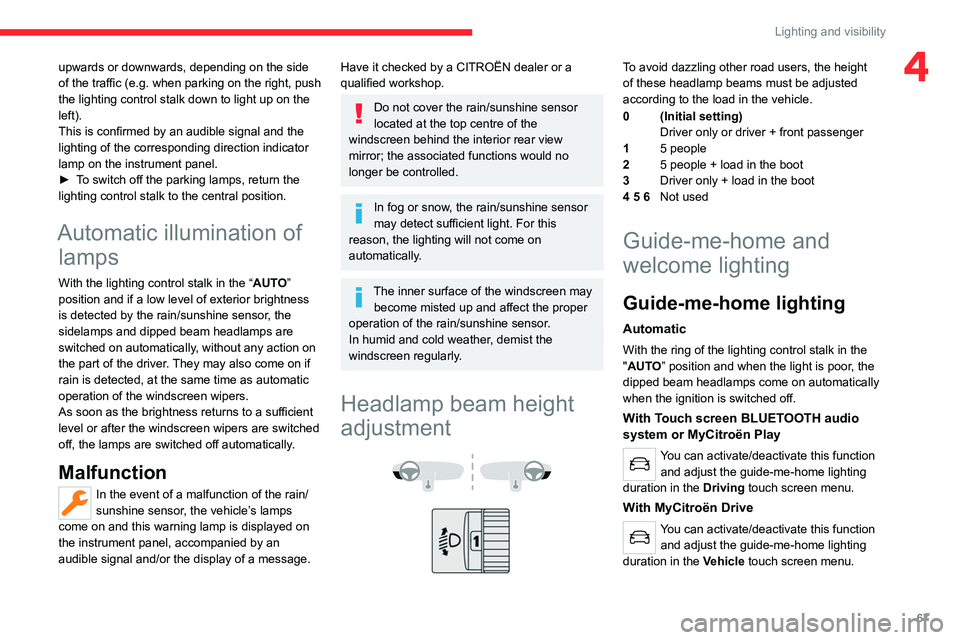
To avoid dazzling other road users, the height
of these headlamp beams must be adjusted
according to the load in the vehicle.
0 (Initial setting) Driver only or driver + front passenger
1 5 people
2 5 people + load in the boot
3 Driver only + load in the boot
4 5 6 Not used
Guide-me-home and
welcome lighting
Guide-me-home lighting
Automatic
With the ring of the lighting control stalk in the
"AUTO” position and when the light is poor, the
dipped beam headlamps come on automatically
when the ignition is switched off.
With Touch screen BLUETOOTH audio
system or MyCitroën Play
You can activate/deactivate this function
and adjust the guide-me-home lighting
duration in the Driving touch screen menu.
With MyCitroën Drive
You can activate/deactivate this function
and adjust the guide-me-home lighting
duration in the Vehicle touch screen menu.
Page 70 of 292
68
Lighting and visibility
With MyCitroën Drive Plus
You can activate/deactivate this function and adjust the duration of the guide-me-
home lighting in the Settings
> Vehicle touch
screen application.
Manual
► With the ignition off, pull the lighting control
stalk toward you ("headlamp flash") to activate/
deactivate the function.
Manual guide-me-home lighting goes off
automatically after a period of time.
Welcome lighting
When the vehicle is unlocked in low light
conditions and the "Automatic illumination of
headlamps" function is activated, this system
automatically switches on:
–
Outside, sidelamps, dipped beam headlamps
and door mirror spotlamps.
–
Inside, courtesy lamps and footwell lighting.
With Touch screen BLUETOOTH audio
system or MyCitroën Play
You can activate/deactivate this function and adjust the welcome lighting duration
in the Driving touch screen menu.
With MyCitroën Drive
You can activate/deactivate this function and adjust the welcome lighting duration
in the Vehicle touch screen menu.
With MyCitroën Drive Plus
You can activate/deactivate this function and adjust the duration of the welcome
lighting in the Settings
> Vehicle touch screen
application.
Door mirror spotlamps
These spotlamps facilitate access to the vehicle
by lighting the ground near the front doors.
When the front courtesy lamp switch is in
this position, the spotlamps come on
automatically:
–
when the vehicle is unlocked.
–
when a door is opened.
–
when a request to locate the vehicle is
received from the remote control.
Whatever the position of the front courtesy lamp
switch, they also come on with the welcome
lighting and guide-me-home lighting functions.
They go off automatically after 30 seconds.
Automatic lighting systems - General
recommendations
The automatic lighting systems use a detection
camera, located at the top of the windscreen.
Operating limits
The system may be disrupted or not work
correctly:
–
When visibility conditions are poor
(e.g.
snowfall, heavy rain).
–
If the windscreen is dirty
, misted-up or
masked (e.g.
sticker) in front of the camera.
–
If the vehicle is facing highly reflective signs
or safety barrier reflectors.
The system is not able to detect:
–
Road users that do not have their own
lighting, such as pedestrians.
–
V
ehicles with hidden lighting (e.g. travelling
behind a safety barrier on the motorway).
–
V
ehicles at the top or bottom of a steep
slope, on winding roads, on crossroads.
Maintenance
Clean the windscreen regularly,
particularly the area in front of the camera.
The internal surface of the windscreen can
also become misted around the camera.
In humid and cold weather, demist the
windscreen regularly.
Page 71 of 292

69
Lighting and visibility
4Do not allow snow to accumulate on the
bonnet or roof of the vehicle as this could
obstruct the camera.
Automatic headlamp dipping
For more information, refer to the
General recommendations for
automatic lighting systems.
With the ring of the lighting control stalk in the
"AUTO" position and the function activated on
the touch screen, this system automatically
switches between dipped and main beam
headlamps, according to lighting and traffic
conditions, using a camera located at the top of
the windscreen.
This system is a driving aid. The driver remains responsible for
the vehicle's lighting, its correct use in the
prevailing light, visibility and traffic conditions,
and for compliance with driving and vehicle
regulations.
The system becomes operational when the vehicle exceeds 16 mph (25 km/h).
When the speed falls below 9 mph (15 km/h),
the function is no longer operational.
Activation/Deactivation
With Touch screen BLUETOOTH audio
system or MyCitroën Play
The settings are changed via the Driving
touch screen menu.
With MyCitroën Drive
The settings are changed via the Vehicle
touch screen menu.
With MyCitroën Drive Plus
The settings are changed via the Settings > Vehicle touch screen
application.
The state of the system is stored when the
ignition is switched off.
When the system detects thick fog, it
temporarily deactivates the function.
Operation
If the ambient light level is very low and traffic
conditions permit:
– The main beam headla mps
come on automatically. These
indicator lamps light up on the instrument panel.
If the ambient light level is sufficient and/or the
traffic conditions do not allow the main beam
headlamps to be lit:
– The dipped beam head lamps
remain lit. These indicator lamps
light up on the instrument panel.
Page 72 of 292

70
Lighting and visibility
The function is deactivated if the foglamps
are switched on or if the system detects poor
visibility conditions (e.g. fog, heavy rain,
snowfall).
When the foglamps are switched off or when the
visibility conditions become favourable again, the
function is automatically reactivated.
This indicator lamp goes out when the function is deactivated.
Pause
If the situation requires a change of headlamp
beam, the driver can take over at any time.
►
Switch the headlamps manually between
dipped and main beam to pause the function.
If the "AUT
O" and "Dipped beam" indicator
lamps were on, the system changes to main
beam.
If the "AUTO" and "Main beam" indicator
lamps
were on, the system changes to dipped beam.
►
T
o reactivate the function, once again switch
the headlamps manually between dipped and
main beam.
Malfunction
If a malfunction occurs with the system or
the camera, this warning lamp lights up
on the instrument panel, accompanied by an
audible signal and a message.
Have it checked by a CITROËN dealer or a
qualified workshop.
Cornering lighting
This system makes use of the beam from a front
foglamp to illuminate the inside of a bend, when
the main or dipped beam headlamps are on and
the vehicle speed is below 25 mph (40
km/h)
(urban driving, winding road, junctions, parking
manoeuvres).
Without/With cornering lighting
Activation/Deactivation
With Touch screen BLUETOOTH audio
system or MyCitroën Play
It is configured via the Driving touch
screen menu.
With MyCitroën Drive
It is configured via the Vehicle touch
screen menu.
With MyCitroën Drive Plus
It is configured in the Settings > Vehicle
touch screen application.
Switching on/off
This system starts:
– when the corresponding direction indicator is
switched on.
or
–
from a certain angle of rotation of the steering
wheel.
It becomes inactive:
–
below a certain angle of rotation of the
steering wheel.
–
above approximately 25 mph (40
km/h).
–
when reverse gear is engaged.
Wiper control stalk
Before operating the wipers in wintry
conditions, clear any snow, ice or frost
from the windscreen and around the wiper
arms and blades.
Do not operate the wipers on a dry
windscreen. In extremely hot or cold
weather, check that the wiper blades are not
stuck to the windscreen before operating the
wipers.
After using an automatic car wash, you may temporarily notice abnormal noises
and poorer wiping performance.
You do not
need to replace the wiper blades.
Page 78 of 292

76
Safety
Operation of the system
Vehicles equipped with Touch screen
BLUETOOTH audio system, MyCitroën
Play or MyCitroën Drive
– Upon switching on the ignition, the indicator
lamp lights up red, then green, and then goes
out: the system is operating correctly
.
–
The indicator lamp flashes red: replace the
back-up battery
.
–
The indicator lamp is fixed red: system
malfunction.
The emergency and assistance call
services may not work.
–
If the indicator lamp does not come on when
the ignition is switched on, this also means that
there is a system malfunction.
If the problem persists, contact a qualified
workshop as soon as possible.
A system malfunction does not prevent the vehicle from being driven.
Vehicles equipped with MyCitroën Drive
Plus
– Upon switching on the ignition, the indicator
lamp lights up for a few seconds and then goes
out: the system is operating correctly
.
–
The indicator lamp flashes red: emergency
battery is flat.
This will be recharged after a few
minutes' driving.
–
The indicator lamp is fixed red: system
malfunction.
The emergency and assistance call
services may not work.
– If the indicator lamp does not light up when
the ignition is turned on, this is also a system
malfunction.
If the problem persists, contact a qualified
workshop as soon as possible.
A system malfunction does not prevent the vehicle from being driven.
When an onboard system update is
being performed, the eCall (SOS)
function is not available.
Data processing
All processing of personal data by
the eCall (SOS) function complies with
the framework for protection of personal
information established by Regulation
2016/679 (General Data Protection
Regulation - GDPR) and Directive 2002/58/
EC of the European Parliament and the
Council, and in particular, seeks to protect
the vital interests of the data subject, in
accordance with Article 6 (1) d) GDPR.
The processing of personal data is strictly
limited to the purpose of handling the eCall
(SOS) function used with the “112” single
European emergency call number.
The eCall (SOS) function is only able to
collect and process the following data
relating to the vehicle: vehicle identification
number, vehicle type (passenger vehicle or
light commercial vehicle), fuel type or power
source, three most recent locations and
direction of travel, number of passengers
and a timestamped log file of the automatic
activation of the system and its timestamp.
The recipients of the processed data are the
emergency call handling centres designated
by the relevant national authorities in the
territory in which they are located, enabling
priority routing and handling of calls to the
“112” emergency number.
Data storage
Data contained in the system’s memory
is not accessible from outside the system until
a call is made. The system is not traceable
and is not continuously monitored in its
normal operating mode.
The data in the system's internal memory is
automatically and continuously erased. Only
the vehicle’s three most recent locations,
necessary for the normal functioning of the
system, are stored.
When an emergency call is triggered, the data
log is stored for no more than 13 hours.
Access to data
You have the right of access to data and
as appropriate to request the rectification,
erasure or restriction of processing of any
personal data not processed in accordance
with the provisions of GDPR. Third parties
to which data has been disclosed shall
Page 81 of 292

79
Safety
5These systems are activated automatically every
time the vehicle is started.
These systems are activated in the event of a problem with grip or trajectory
(confirmed by this warning lamp flashing on the
instrument panel).
Deactivation/Reactivation
In exceptional conditions (e.g. moving a vehicle
that is bogged down in mud, stuck in snow , on
loose soil), it may prove useful to deactivate the
ASR system, so that the wheels can move freely
and regain grip.
Reactivate the system as soon as the level of
grip permits.
With Touch screen BLUETOOTH audio
system or MyCitroën Play
The ASR system is deactivated/ reactivated in the Driving touch screen
menu.
With MyCitroën Drive
The ASR system is deactivated/ reactivated in the Vehicle touch screen
menu.
With MyCitroën Drive Plus
The ASR system is deactivated/ reactivated in the ADAS touch screen
application.
Deactivation of the ASR system is
indicated by this indicator lamp on the
instrument panel coming on and the display of a
message.
The ASR system is automatically reactivated
every time the ignition is switched off or at
speeds over 31 mph (50 km/h)
Reactivation is manual below 31 mph (50 km/h).
Malfunction
In the event of a malfunction, this warning
lamp lights up on the instrument panel,
accompanied by the display of a message and
an audible signal.
Have it checked by a CITROËN dealer or a
qualified workshop.
ASR/DSC
These systems enhance safety during
normal driving, but should not encourage
the driver to take extra risks or drive at high
speed.
It is in conditions of reduced grip (rain, snow,
ice) that the risk of loss of grip increases. It
is therefore important for your safety to keep
these systems activated in all conditions, and
particularly in difficult conditions.
Correct operation of these systems depends
on compliance with the manufacturer's
recommendations relating to the wheels
(tyres and rims), braking and electronic
components, as well as the assembly and
repair procedures provided by CITROËN
dealers.
In order to ensure that these systems remain
effective in wintry conditions, the use of snow
or all-season tyres is recommended. All four
wheels must be fitted with tyres approved for
your vehicle.
All tyre specifications are listed on the
tyre/paint label. For more information
on Identification markings , refer to the
corresponding section.
Seat belts
Inertia reel
The seat belts are equipped with an inertia
reel which allows the strap length to adjust
automatically to the shape of the user. The seat
belt returns to its storage automatically when it
is not used.
The inertia reels are fitted with a device which
automatically locks the strap in the event of a
collision, emergency braking or if the vehicle rolls
over. It can be released by pulling the strap firmly
and then releasing it so that it reels in slightly.
Pyrotechnic pretensioning
This system improves safety in the event of a
frontal or side impact.
Depending on the severity of the impact, the
pyrotechnic pretensioning system instantly
tightens the seat belts against the body of the
occupants.
The pyrotechnic pretensioning seat belts are
enabled when the ignition is on.
Force limiting system
Page 108 of 292

106
Driving
Malfunction
If the event of a malfunction, these
warning lamps light up on the
instrument panel, accompanied by the display of
a message.
Have it checked by a CITROËN dealer or a
qualified workshop.
Gear shift indicator
(Depending on engine)
This system is designed to reduce fuel
consumption by recommending the most suitable
gear.
Operation
Depending on the driving situation and
the vehicle's equipment, the system may
recommend skipping one or more gears.
Gear engagement recommendations are
not to be considered mandatory. Indeed, the
configuration of the road, the traffic density and
safety remain determining factors when choosing
the best gear. Therefore, the driver remains
responsible for deciding whether or not to follow
the system’s advice.
The system cannot be deactivated.
With an automatic gearbox, the system is
only active in manual operation.
The information appears on the instrument panel, in the form of an arrow
and the recommended gear.
The system adapts the gear change instructions according to the driving
conditions (e.g.
slope, load) and driving style
(e.g.
power demand, acceleration, braking).
The system never suggests:
–
engaging first gear;
–
engaging reverse gear
.
Stop & Start
The Stop & Start function puts the engine temporarily into standby - STOP mode - during
phases when the vehicle is stationary (e.g.
red
lights, traffic jams). The engine automatically
restarts - START mode - as soon as the driver
indicates the intention of moving off again.
Primarily designed for urban use, the function
is intended to reduce fuel consumption and
exhaust emissions as well as the noise level
when stationary.
The function does not affect the functionalities of
the vehicle, in particular the braking.
Deactivation/Reactivation
By default, the function is activated when the
ignition is switched on.
With Touch screen BLUETOOTH audio
system or MyCitroën Play
The settings are changed via the Driving
touch screen menu.
With MyCitroën Drive
The settings are changed via the Vehicle
touch screen menu.
With MyCitroën Drive Plus
The settings are changed via the ADAS
touch screen application or via the
Shortcuts for driving aids .
The display of a message on the instrument
panel confirms the change of state.
If the function is deactivated while the engine is
in STOP mode, it will restart immediately.
Associated indicator lamps
Function activated: engine on standby
(STOP mode)
Function deactivated or malfunction
Opening the bonnet
Before doing anything under the bonnet,
deactivate the Stop & Start system to avoid
any risk of injury caused by the engine
restarting automatically.