fuse CITROEN C4 2023 User Guide
[x] Cancel search | Manufacturer: CITROEN, Model Year: 2023, Model line: C4, Model: CITROEN C4 2023Pages: 292, PDF Size: 7.79 MB
Page 258 of 292

256
MyCitroën Drive Plus
Adding a page
To add a page, press "Page" on the left of the screen.
Press the back arrow to return to the
previous page.
Deleting a Widget
To move a Widget to the bin, press and hold it, then drag it to the bin.
Personalising the
instrument panel
Press the pencil in the "Customize
Driver Information" part.
The modification of the organisation of the
different Widget is displayed on the instrument
panel in real time.
A Widget is a reduced window of an application or service.
Adding a Widget
To add a Widget, press "Widget" on the left of the screen.
Or
Press one of these buttons on the screen.
Select the desired Widget.
Press the back arrow to return to the
previous page.
Deleting a Widget
To move a Widget to the bin, press and hold it, then drag it to the bin.
Personalising My shortcuts
(depending on equipment)
From the left or right edge of the screen, swipe
right or left to display the shortcuts.
A representation of six shortcuts appears.
These shortcuts can be used to access an application (e.g. Media, Climate) or to
launch an action (e.g.
set the temperature to
21°, call a contact selected in their directory).
Briefly press a shortcut to be replaced, a panel is
displayed with all eligible shortcuts. A notification
also informs you of the next step to be applied.
Select the desired new shortcut. It will be
duplicated in the My shortcuts page and will
replace the originally selected one. A notification
also informs you of this.
To exit this function at any time, press this button or press the HOME main button.
Steering-mounted
controls
Voice control:
Short press, system voice commands
(depending on equipment).
Long press, voice commands of
the
smartphone connected using Bluetooth
® or
Mirror Screen® (Apple®CarPlay®/Android Auto)
via the system.
Increase volume.
Decrease volume.
Mute the sound: long press on the
decrease volume button.
Restore the sound by pressing one of the two
volume buttons.
Incoming call (short press): accept the
call.
Call in progress (short press): hang up.
Incoming call (long press): refuse the incoming
call.
Out of call (short press): access the call log of
the telephone connected via
Bluetooth
®.
Mirror Screen® connected (short press): access
the projected view of the telephone application of
your Mirror Screen
® equipment.Radio: automatic search for the
previous/next station (in the list of
radio stations sorted by name or by frequencies).
Media: previous/next track, movement in the
lists.
Phone: browse the telephone's call log.
Page 263 of 292
261
MyCitroën Drive Plus
13Choose a connection type then confirm this
choice by pressing “APPLY".
Deleting a device
Press the "Settings" application.
In the list, select the "Connectivity".
Select "My Devices " to display the list of
paired devices.
Press this button.
Press "DELETE".
Confirm by pressing “ YES”.
Some devices that have just been
deleted from the system request a
connection, refuse this request.
Mirror Screen®
When a smartphone is connected using
Mirror Screen®, the vehicle's location and
some vehicle data is sent to the smartphone
(e.g. brand, left-hand or right-hand drive, day/
night mode, physical speed).
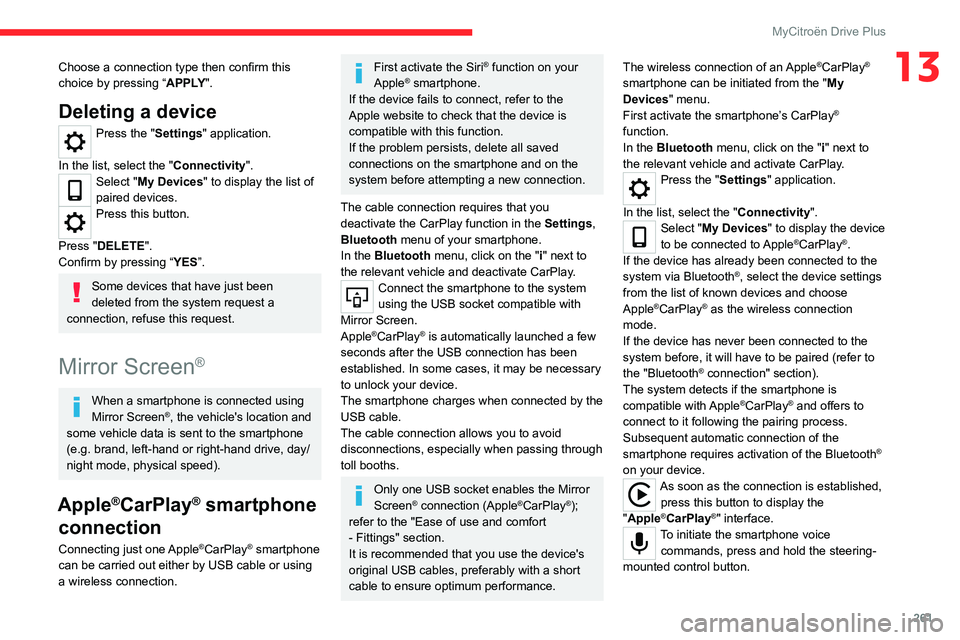
Apple®CarPlay® smartphone
connection
Connecting just one Apple®CarPlay® smartphone
can be carried out either by USB cable or using
a wireless connection.
First activate the Siri® function on your
Apple® smartphone.
If the device fails to connect, refer to the
Apple website to check that the device is
compatible with this function.
If the problem persists, delete all saved
connections on the smartphone and on the
system before attempting a new connection.
The cable connection requires that you
deactivate the CarPlay function in the Settings,
Bluetooth menu of your smartphone.
In the Bluetooth menu, click on the "i" next to
the relevant vehicle and deactivate CarPlay.
Connect the smartphone to the system
using the USB socket compatible with
Mirror Screen.
Apple
®CarPlay® is automatically launched a few
seconds after the USB connection has been
established. In some cases, it may be necessary
to unlock your device.
The smartphone charges when connected by the
USB cable.
The cable connection allows you to avoid
disconnections, especially when passing through
toll booths.
Only one USB socket enables the Mirror
Screen® connection (Apple®CarPlay®);
refer to the "Ease of use and comfort
- Fittings" section.
It is recommended that you use the device's
original USB cables, preferably with a short
cable to ensure optimum performance. The wireless connection of an Apple
®CarPlay®
smartphone can be initiated from the " My
Devices " menu.
First activate the smartphone’s CarPlay
®
function.
In the Bluetooth menu, click on the "i" next to
the relevant vehicle and activate CarPlay.
Press the "Settings" application.
In the list, select the "Connectivity".
Select "My Devices " to display the device
to be connected to Apple®CarPlay®.
If the device has already been connected to the
system via Bluetooth
®, select the device settings
from the list of known devices and choose
Apple
®CarPlay® as the wireless connection
mode.
If the device has never been connected to the
system before, it will have to be paired (refer to
the "Bluetooth
® connection" section).
The system detects if the smartphone is
compatible with Apple
®CarPlay® and offers to
connect to it following the pairing process.
Subsequent automatic connection of the
smartphone requires activation of the Bluetooth
®
on your device.
As soon as the connection is established, press this button to display the
"Apple
®CarPlay®" interface.To initiate the smartphone voice commands, press and hold the steering-
mounted control button.
Page 266 of 292
264
MyCitroën Drive Plus
First adjust the volume on the portable device (to
a high level).
Then adjust the volume of the system.
If playback does not start, it may be necessary to
start the audio playback from the smartphone.
Control is from the portable device or by using
the system's touch buttons.
Once connected in streaming mode, the
smartphone is considered to be a media
source.
Playing a track
Press the "Media" application.
If several devices are connected, press
this button to select one.
Once the device is connected, browsing through
the files is possible by pressing the
"Playlist" or
"Library"
button.
Short press: go to the previous/
next track.
Long press: fast-forward/rewind in a track.
Repeat the current title or the list of
selected titles.
Random track playback.
Sound deactivation/reactivation.
Configuring audio and radio
settings
Audio settings can be accessed in 2 different
ways.
Via the Media application
Press the "Media" application.
In the list, select the "Settings" tab.
Or
Via the Settings application
Press the "Settings" application.
In the list, select the "Audio and Radio " tab.
It is possible to configure:
–
Sound Settings.
–
Radio Settings.
–
V
olume Settings.
Information and advice
The system supports USB Mass Storage devices
or Apple® devices via the USB sockets. The
adapter cable is not supplied.
Devices are managed using the audio system
controls.
The system will only play audio files with ".wma,
.aac,
.flac, .ogg, .mp3" file extensions, at bit rates
between 32 Kbps and 320 Kbps.
It also supports VBR (Variable Bit Rate) mode.
No other file types (".mp4", etc.) can be read.
".wma" files must be of the WMA 9 standard.
The supported sampling rates are 32, 44 and
48 KHz.
To avoid reading and display problems, we
recommend choosing file names less than 20
characters long that do not contain any special
characters (e.g. “ ? .
; ù).
Use only USB memory sticks in FAT32 format
(File Allocation Table).
We recommend using the original USB
cable for the portable device.
Phone
Receiving a call
An incoming call is announced by a ring and a
display overlaid on the screen.
Accepting the call:
briefly press the telephone button on the
steering-mounted controls to accept an
incoming call.
Or
Press this touch screen button.
Ending the call:
press and hold...
...the telephone button on the steering-
mounted controls to refuse the call.
Or
Press this touch screen button.
Page 273 of 292

271
Alphabetical index
360 Vision 141
A
ABS 77
Accelerated charging unit (Wallbox)
156
Accessories
74
Active Safety Brake
132–133, 135
AdBlue®
21, 175
AdBlue® tank
176
Additive, Diesel
173
Adjusting headlamps
67
Adjusting head restraints
45
Adjusting seat
45–46
Adjusting the air distribution
54–56
Adjusting the air flow
54–56
Adjusting the date
224, 247
Adjusting the headlamp beam height
67
Adjusting the height and reach of the
steering wheel
47
Adjusting the lumbar support
46
Adjusting the seat angle
46
Adjusting the temperature
53, 55
Adjusting the time
210, 223, 248, 266
Advice on care and maintenance
154, 177
Advice on driving
8, 93–94
Airbags
82, 84, 86
Airbags, curtain
83–84
Airbags, front
83–84, 86
Airbags, lateral
83–84
Air conditioning
51–52, 57
Air conditioning, automatic 57
Air conditioning, dual-zone
automatic
53, 55, 57
Air conditioning, manual
52, 57
Air intake
55, 57
Air vents
51
Alarm
40–41
Amplifier, audio
61
Anti-lock braking system (ABS)
77
Antitheft / Immobiliser
34
Applications
29, 239
Assistance call
75–76
Assistance, emergency braking
78, 135
Audio streaming (Bluetooth)
207, 217, 243, 263
B
Battery, 12 V 168, 173, 191–194
Battery, ancillaries
191–192
Battery, charging
191, 193
Battery, remote control
38
Blind
43–44
Blind spot monitoring
131
BlueHDi
21, 173, 180
Bluetooth (hands-free)
208–209,
218–219, 244, 260
Bluetooth (telephone)
208–209, 218–219, 244–245, 260–261
Bodywork
178
Bonnet
169–170
Boot 40, 64
Boot (opening)
33
Brake discs
174
Brake lamps
189
Brakes
174
Braking
104
Braking assistance system
77–78
Braking, automatic emergency
132–133, 135
Braking, dynamic emergency
99–101
Brightness
210, 223
Bulbs
188
Bulbs (changing)
187–189
C
Cable, audio 242
Cable, Jack
242
Capacity, fuel tank
152
Cap, fuel filler
152
Care of the bodywork
178
CD
207
CD, MP3
207
Central locking
36
Changing a bulb
187–190
Changing a fuse
191
Changing a wheel
184
Changing a wiper blade
72–73
Changing the remote control battery
38
Changing to free-wheeling
195
Charge level indicator (Electric)
23
Charger, induction
60
Page 275 of 292
273
Alphabetical index
E
EBFD 77
Eco-driving (advice)
8
ECO mode
105
Electric windows
42
Electronic brake force distribution (EBFD)
77
Emergency braking assistance (EBA)
78
Emergency call
75–76
Emergency switching off
97–98
Emergency warning lamps
74, 180
Emissions control system, SCR
22, 175
Energy economy (mode)
168
Energy economy mode
168
Energy flows
23, 28, 30
Energy recovery
23, 104
Engine
175
Engine compartment
170
Engine, Diesel
152, 170, 180, 200
Engine, petrol
170, 198
Engines
197–198, 200
Environment
8, 38, 94
ESC (electronic stability control)
77
Expanded traffic sign recognition
11 4
Exterior lighting
68
F
Fatigue detection 136–137
Favourite driving functions
111
Filling the AdBlue® tank
173, 176
Filling the fuel tank 152–153
Filter, air
173
Filter, oil
173
Filter, particle
173
Filter, passenger compartment
51, 173
Fitting a wheel
185–186
Fitting roof bars
167–168
Fittings, boot
63
Fittings, interior
59
Flap, fuel filler
152–153
Flashing indicators
66, 188
Floor, boot, adjustable
63
Fluid, brake
172
Fluid, engine coolant
172
Foglamp, rear
65, 190
Foglamps, front
65, 70, 189
Foglamps, rear
191
Folding the rear seats
49–50
Frequency (radio)
241, 263
Fuel
8, 152
Fuel consumption
8
Fuel level, low
152
Fuel (tank)
152–153
Fuses
191
G
Gauge, fuel 152
Gearbox, automatic
101–103, 105, 174, 192
Gearbox, manual
101, 105, 174
Gear lever, manual gearbox
101
Gear shift indicator 106
Glove box
59
G.P.S.
235
H
Hazard warning lamps 74, 180
Headlamps (adjustment)
67
Headlamps, automatic dipping
69–70
Headlamps, automatic operation
67
Headlamps, dipped beam
188
Headlamps, halogen
67, 188
Headlamps, main beam
69, 188
Head restraints, front
45
Head restraints, rear
49–50
Head-up display
12
Heated steering wheel
47
Heating
51–52
Heating, programmable
30, 58
Hi-Fi system
61
High voltage
153
Highway Driver Assist
11 8
Hill start assist
105–106
Histogramme, fuel consumption
29–30
Horn
75
I
Ignition 97, 245, 265
Ignition on
97
Page 277 of 292
275
Alphabetical index
N
Navigation 233–235
Navigation, connected
236–238
O
Obstacle detection 137
Oil change
171
Oil consumption
171
Oil, engine
171
On-board tools
64, 180–181
Opening the bonnet
169–170
Opening the boot
33, 35, 40
Opening the doors
35, 39
P
Pads, brake 174
Paint
178, 202
Paint colour code
202
Park Assist
146
Parking brake
98, 174
Parking brake, electric
99–101, 174
Parking (sensors)
137
Parking sensors, audible and visual
137
Parking sensors, front
138
Parking sensors, rear
137
Parking sensors, side
138
Passenger compartment temperature pre-
conditioning (Electric)
30, 58
Pedestrian horn (Electric)
75, 94
Personalisation
11
Plates, identification
202
Player, Apple®
208, 218, 243
Player, USB
207, 217, 242
Port, USB
60, 207, 217, 220, 238, 242
Post Collision Safety Brake
78
Power
23
Power indicator (Electric)
9, 23
Pressures, tyres
174, 182, 203
Pre-tensioning (seat belts)
81
Priming the fuel system
180
Profiles
247, 253
Protecting children
83–89
Proximity Keyless Entry and Start
34
Public fast charging station
156, 162
Puncture
181–182, 184
R
Radar (warnings) 11 0
Radio
206–207, 215–216, 241, 262–263
Radio, digital (Digital Audio Broadcasting -
DAB)
207, 217, 242
Range, AdBlue®
21, 173
RDS
206, 216, 241
Reading lamps
62–63
Rear bench seat
49
Rear screen (demisting)
58
Rechargeable hybrid engine 30
Rechargeable hybrid system
30
Recharging the battery
191, 193
Recharging the traction battery
(Electric)
153, 157, 160, 162–163
Recirculation, air
57
Recorder, trip distance
25
Reduction of electrical load (mode)
169
Regeneration of the particle filter
173
Regenerative braking (deceleration by
engine braking)
103–104
Reinitialising the remote control
39
Reinitialising the under-inflation detection
system
109
Reminder, key in ignition
96
Reminder, lighting on
65–66
Remote control
32–37
Remotely operable functions
(Electric)
30, 58, 163
Removing a wheel
185–186
Removing the mat
62
Replacing bulbs
187–189
Replacing fuses
191
Replacing the air filter
173
Replacing the oil filter
173
Replacing the passenger compartment
filter
173
Reservoir, screenwash
172
Resetting the trip
26
Retractable support
60
Rev counter
10
Reversing camera
110, 139–141, 143–145