navigation Citroen C4 CACTUS 2016 1.G Owner's Guide
[x] Cancel search | Manufacturer: CITROEN, Model Year: 2016, Model line: C4 CACTUS, Model: Citroen C4 CACTUS 2016 1.GPages: 308, PDF Size: 7.96 MB
Page 267 of 308

265
Level 1Level 2 Level 3 Comments
Configuration
Audio settings Ambience
Choose
the sound ambience.
Balance Set
the position of the sound in the vehicle using
t
he Arkamys
® system.
S
ound effects Set
the
volume or activate the link to vehicle
s
peed.
Ringtones Set
the
telephone ringtone and volume.
Voice Set
the
volume and voice for speaking street
nam
es
Confirm Save
the
settings.
Configuration
Turn off screen Turn
off
the
display (black screen). A press on the
b
lack
screen
restores the display.
Configuration
Interactive help Back
Consult
the
Interactive help.
Driving assistance
-
Equipment
Warning lamps
Audio communication
GPS Navigation
Previous page
Next page
.
Audio and Telematics
Page 274 of 308
272
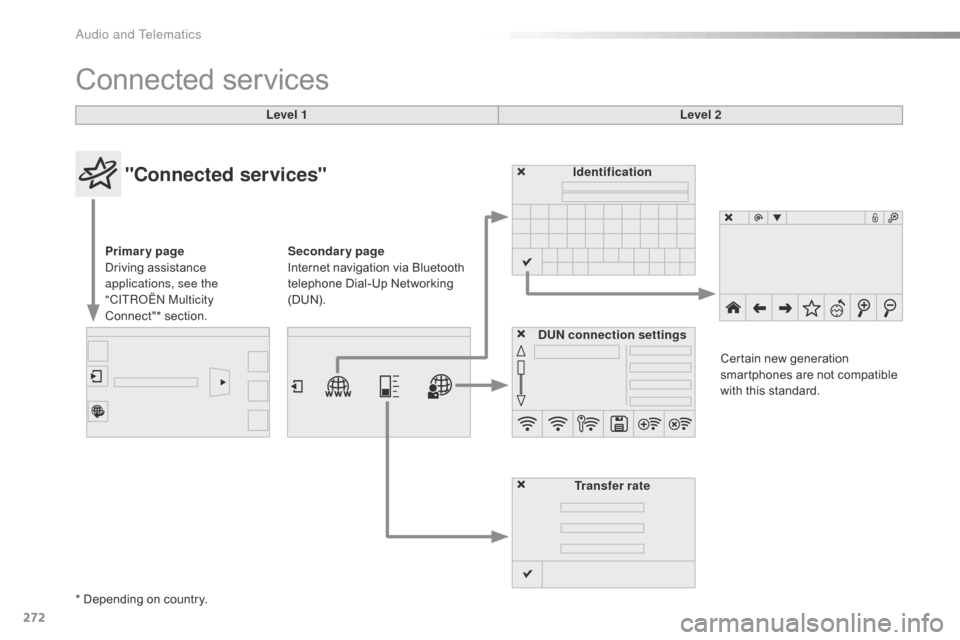
Connected services
Level 1 Level 2
"Connected services"
Primary page
Driving assistance
a
pplications, see the
"CITROËN Multicity
Connect"*
s
ection. Identification
DUN connection settings Transfer rate Certain
new generation
s
martphones are not compatible
w
ith this standard.
Secondary page
Internet navigation via Bluetooth
t
elephone Dial-Up Networking
(
DUN).
* Depending
on country.
Audio and Telematics
Page 284 of 308
282
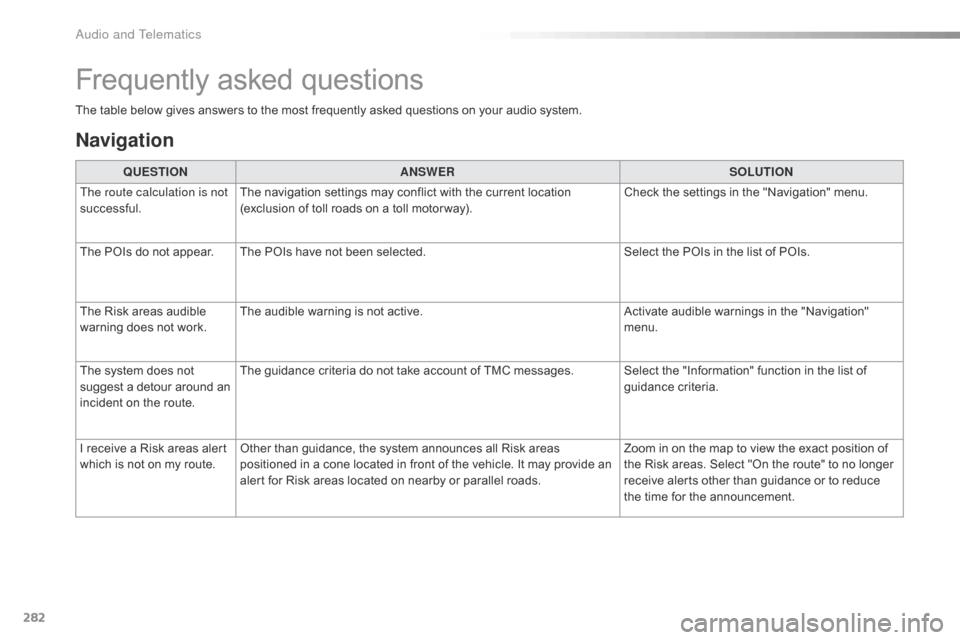
The table below gives answers to the most frequently asked questions on your audio system.
Frequently asked questions
Navigation
QUESTIONANSWER SOLUTION
The route calculation is not
successful. The
navigation settings may conflict with the current location
(
exclusion of toll roads on a toll motor way).Check
the settings in the "Navigation" menu.
The
POIs do not appear. The POIs have not been selected.Select
the POIs in the list of POIs.
The
Risk areas audible
w
arning does not work. The
audible warning is not active.Activate
audible warnings in the "Navigation"
m
enu.
The
system does not
s
uggest a detour around an
i
ncident
on the route. The
guidance criteria do not take account of TMC messages. Select the "Information" function in the list of
g
uidance
c
riteria.
I
receive a Risk areas alert
w
hich
is not on my route.Other
than guidance, the system announces all Risk areas
p
ositioned in a cone located in front of the vehicle. It may provide an
a
lert for Risk areas located on nearby or parallel roads.Zoom
in on the map to view the exact position of
t
he Risk areas. Select "On the route" to no longer
r
eceive alerts other than guidance or to reduce
t
he time for the announcement.
Audio and Telematics
Page 293 of 308
291
Labels, identification .....................................2 25
Lamp, boot ............................... ...............69, 205
Lamps .............................................................. 80
Leather (care)
...............................
.................18 4
LEDs
- Light-emitting diodes
..................8
4, 205
Levels
and checks
..............................
...16 9 -173
Lighting,
c
ornering
...............................
...........86
Lighting
dimmer
..............................
................39
Lighting,
guide-me home
................................85
L
ighting,
i
nterior
.............................................. 68
Lo
ading
..............................
.............................10
Load
reduction mode
.................................... 16
1
Localised
A
ssistance/Emergency
C
all
.........2
26
Locating
your vehicle
...................................... 41
L
ocking from the inside
...................................45
L
ocking the doors
..............................
....... 45, 47
Low fuel level
..............................
..................15 4Oil
change
...............................
......................171
Oil
consumption
............................................17
1
Opening
the bonnet
......................................16
8
Opening
the boot
..............................
..............48
Opening
the doors
...............................
...........46
Paint
colour code
..........................................2
25
Panoramic
glass sunroof
................................69
P
arcel shelf, rear
....................................... 7
7, 78
Park
Assist
...............................
.....................146
Parking
brake
........................................ 1
25, 175
Parking
sensors, front
...................................14
4
Parking
sensors, rear....................................143
Plates,
id
entification...................................... 225
Player, Apple
® .............................. .................248
Player, USB
................................................... 24
6
Plip
..............................
.............................. 40, 41
Pre-heater,
D
iesel
...............................
............14
LN
O
P
Key with remote control ...................... 4 0, 41, 44
Kit, han ds-free ......................................2 78, 279
Kit,
temporary puncture repair
................ 7
7, 186 Navigation
...............................
......................
256
Number plate lamps
......................................
20
4
K
Jack ...............................................192,
194, 195
Jump starting .............................. ..................214
Maintenance
(
advice)
............................18
3,
18
4
Maintenance, routine
...................................... 10
M
ap reading lamps
.........................................68
M
arkings,
id
entification
.................................2
25
Mat
.......
............................................... 70, 71, 75
Memorising
a speed
.....................................14
2
Mirror, rear view
..............................................55
M
irrors, door....................................................54
Misfuel prevention
...............................
..........15 6
Mountings,
I
sofix
...............................
............114
J
M
Immobiliser, e lectronic .............................. 4 1, 44
Indicator, engine oil level ................................2
7
Indicator
lamps, operation
..............................13
I
ndicators,
d
irection
................................8
2, 200
Inflating
tyres
..............................
...................... 9
Inflating
tyres and accessories
(using
the kit)
..............................
................18 6
Instrument
panel
...............................
..............11
Interactive help
........................................3
3, 270
ISOFIX
...............
.................................... 114 -11 6
.
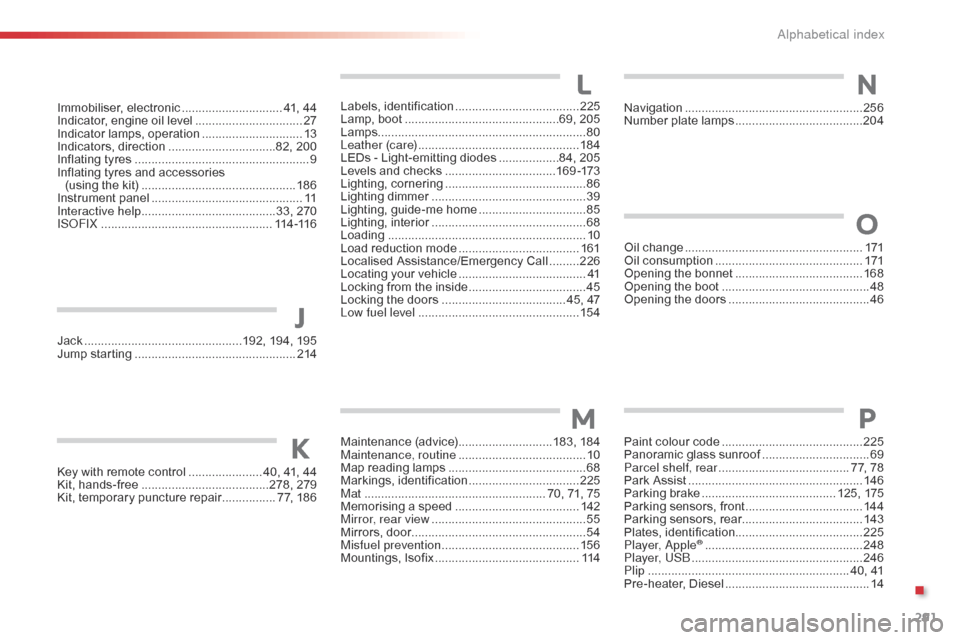
Alphabetical index