Air con Citroen C4 CACTUS 2016 1.G Owner's Manual
[x] Cancel search | Manufacturer: CITROEN, Model Year: 2016, Model line: C4 CACTUS, Model: Citroen C4 CACTUS 2016 1.GPages: 308, PDF Size: 7.96 MB
Page 4 of 308
.
.
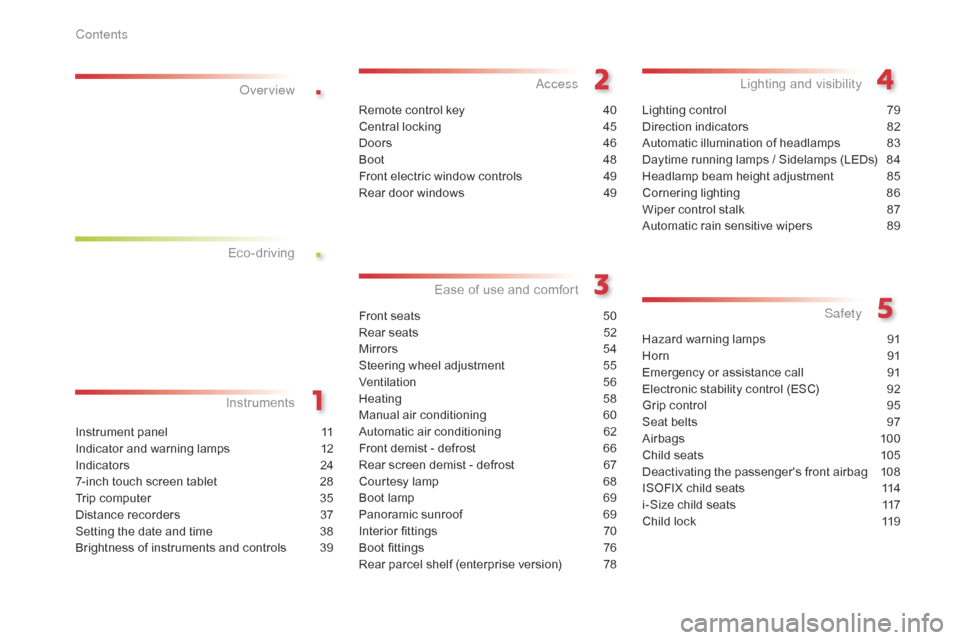
Instrument panel 11
Indicator and warning lamps
1
2
Indicators
2
4
7-inch
touch screen tablet
2
8
Trip
computer
3
5
Distance
recorders
3
7
Setting
the date and time
3
8
Brightness
of instruments and controls
3
9
InstrumentsOver view
Remote control key 4
0
Central locking
4
5
Doors
4
6
Boot
4
8
Front
electric window controls
4
9
Rear
door windows
4
9
Access
Front seats 50
Rear seats
5
2
Mirrors
5
4
Steering
wheel adjustment
5
5
Ventilation
5
6
Heating
5
8
Manual
a
ir
c
onditioning
6
0
Automatic
air conditioning
6
2
Front
demist - defrost
6
6
Rear
screen demist - defrost
6
7
Courtesy
lamp
6
8
Boot
lamp
6
9
Panoramic
sunroof
6
9
Interior
fittings
7
0
Boot
fittings
7
6
Rear
parcel shelf (enterprise version)
7
8
Ease of use a nd c omfort
Lighting control 7 9
Direction indicators
8
2
Automatic
illumination of headlamps
8
3
Daytime
running lamps / Sidelamps (LEDs)
8
4
Headlamp
beam height adjustment
8
5
Cornering
lighting
8
6
Wiper
control stalk
87
A
utomatic rain sensitive wipers
8
9
Lighting and v isibility
Hazard warning lamps 9 1
Horn
91
E
mergency or assistance call
9
1
Electronic
stability control (ESC)
9
2
Grip
control
9
5
Seat
belts
9
7
Airbags
1
00
Child
seats
1
05
Deactivating
the passenger's front airbag
1
08
ISOFIX
child seats
1
14
i-Size
child seats
1
17
Child
lock
1
19
Safety
Eco-driving
Contents
Page 5 of 308
.
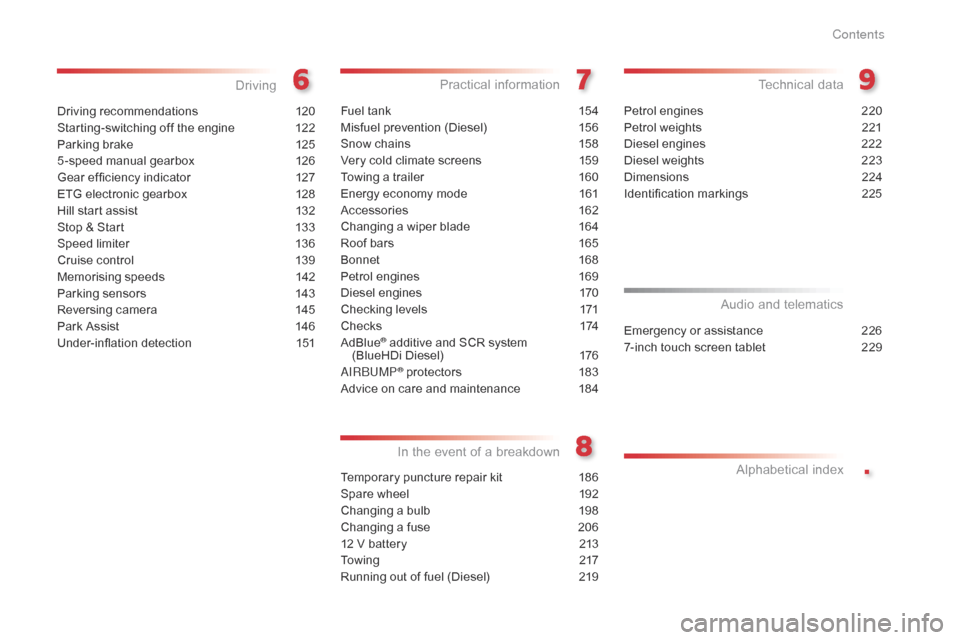
Driving recommendations 120
Starting-switching off the engine
1
22
Parking
brake
1
25
5 -speed
manual gearbox
1
26
Gear
ef ficiency indicator
1
27
ETG
electronic gearbox
1
28
Hill
start assist
1
32
Stop
& Start
1
33
Speed
limiter
1
36
Cruise
control
1
39
Memorising
speeds
1
42
Parking
sensors
1
43
Reversing
camera
1
45
Park
Assist
1
46
Under-inflation
d
etection
1
51
Driving
Fuel tank 154
Misfuel prevention (Diesel)
1
56
Snow
chains
1
58
Very
cold climate screens
1
59
Towing
a trailer
1
60
Energy
economy mode
1
61
Accessories
1
62
Changing
a wiper blade
1
64
Roof
bars
1
65
Bonnet
16
8
Petrol
engines
1
69
Diesel
engines
1
70
Checking
levels
1
71
C h e c k s
1
74
AdBlue
® additive and SCR system
(
BlueHDi Diesel) 1 76
AIRBUMP
® protectors 1 83
Advice
on
care and maintenance
1
84
Practical information
Temporary puncture repair kit 1 86
Spare wheel
1
92
Changing
a bulb
1
98
Changing
a fuse
2
06
12
V battery
2
13
To w i n g
2
17
Running
out of fuel (Diesel)
2
19
In the event o f a b reakdown
Petrol engines 2 20
Petrol weights
2
21
Diesel
engines
2
22
Diesel
weights
2
23
Dimensions
2
24
Identification
ma
rkings
2
25
Technical data
Emergency or assistance 2 26
7-inch touch screen tablet
2
29
Audio and telematics
Alphabetical
in
dex
Contents
Page 6 of 308
4
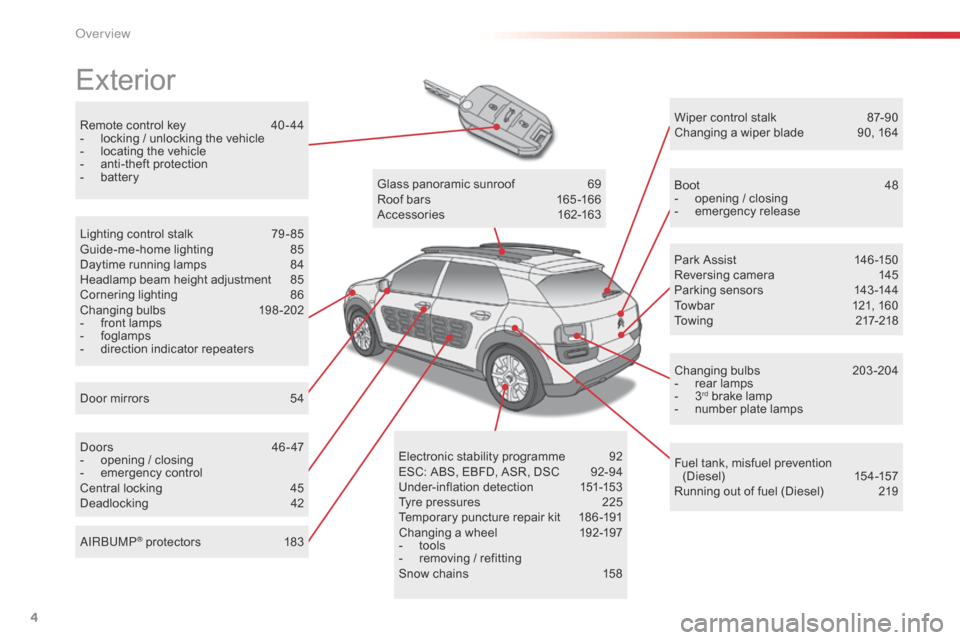
Remote control key 40 - 44
- l ocking / unlocking the vehicle
-
l
ocating the vehicle
-
a
nti-theft protection
-
b
attery
Exterior
Door mirrors 5 4
Lighting control stalk
7
9 - 85
Guide-me-home lighting
8
5
Daytime running lamps
8
4
Headlamp beam height adjustment
8
5
Cornering lighting
8
6
Changing
bu
lbs
1
98-202
-
f
ront lamps
-
fo
glamps
-
d
irection indicator repeaters
Doors
4
6 - 47
-
o
pening / closing
-
em
ergency
c
ontrol
Central
locking
4
5
Deadlocking
4
2Glass
panoramic sunroof
6
9
Roof bars
1
65 -166
Accessories
1
62-163
Wiper control stalk
87
-90
Changing a wiper blade
9
0, 164
Boot
4
8
-
o
pening / closing
-
em
ergency
r
elease
Park Assist
1
46 -150
Reversing camera
1
45
Parking sensors
1
43 -144
Towbar
1
21, 160
Towing
21
7-218
Changing
bu
lbs
2
03-204
- r ear lamps
- 3rd brake lamp
-
n
umber plate lamps
Fuel
tank, misfuel prevention
(
Diesel)
15
4 -157
Running
out of fuel (Diesel)
2
19
Electronic
s
tability
pro
gramme
9
2
ESC:
ABS,
EBFD,
ASR,
DSC
9
2-94
Under-inflation
d
etection
1
51-153
Tyre
pressures
2
25
Temporary
puncture
repair
kit
1
86 -191
Changing
a
wheel
1
92-197
-
t
ools
-
r
emoving
/
refitting
Snow
chains
1
58
AIRBUMP
® protectors 1
83
Over view
Page 8 of 308
6
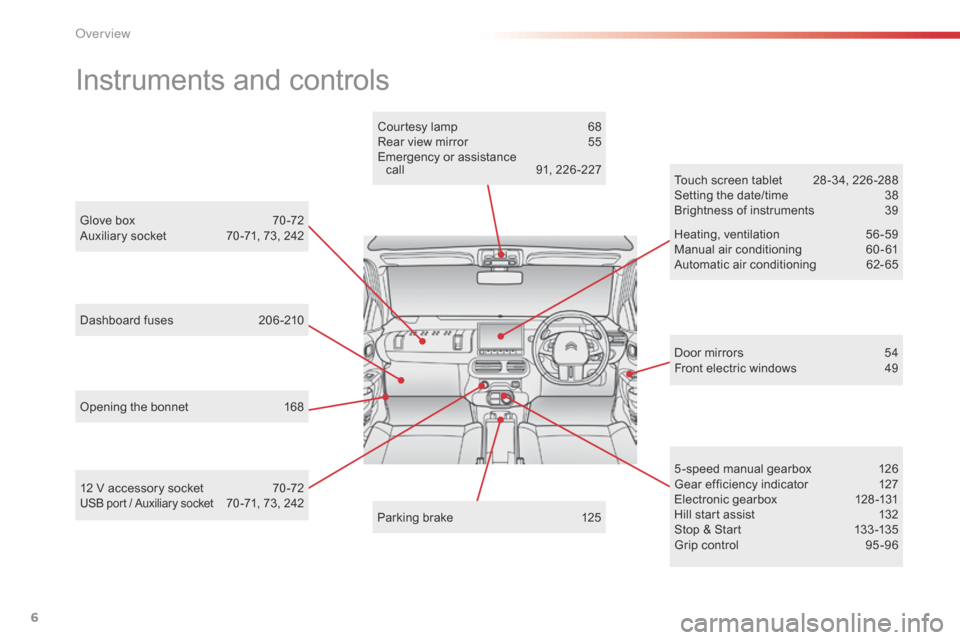
Instruments and controls
Door mirrors 54
Front electric windows 4 9
Opening
the
bonnet
1
68 Touch
screen tablet
2
8 -34, 226 -288
Setting the date/time
3
8
Brightness of instruments
3
9
Heating,
v
entilation
5
6-59
Manual
a
ir
c
onditioning
6
0-61
Automatic air conditioning
6
2- 65
5 -speed manual gearbox
1
26
Gear
efficiency indicator
1
27
Electronic
gearbox
1
28 -131
Hill
start assist
1
32
Stop
& Start
1
33 -135
Grip
control
9
5 -96
Glove
box
7
0 -72
Auxiliary
socket
7
0 -71,
73,
242
Courtesy
lamp
6
8
Rear
view
mirror
5
5
Emergency
or
assistance
c
all
9
1,
226 -227
Parking
brake
1
25
12
V
accessory
socket
7
0 -72
USB port / Auxiliary socket 70 -71, 73, 242
Dashboard
fuses
2
06 -210
O
Page 11 of 308
9
Optimise the use of your gearbox
With a manual gearbox, move off gently and change up without waiting. During acceleration change up early.
The
gear efficiency indicator invites you engage the most suitable gear:
a
s soon as the indication is displayed in the instrument panel, follow it
s
traight away.
Control the use of your electrical
equipment
Before moving off, if the passenger compartment is too warm, ventilate it by opening the windows and air vents before using the air conditioning.
Above
30 mph (50 km/h), close the windows and leave the air vents
ope
n.
Remember
to make use of equipment that can help keep the
t
emperature in the passenger compartment down (sunroof and window
b
linds...).
To
save energy, do not set the air conditioning at too low a temperature.
As
soon as the desired temperature has been reached, limit the use of
t
he air conditioning, except if regulation is automatic.
Switch
off the demisting and defrosting controls as soon as you consider
p
ossible.
Switch
off the heated seat as soon as possible.
Switch
off the headlamps and foglamp when the level of light does not
r
equire their use.
Avoid
running the engine before moving off, particularly in winter; your
v
ehicle will warm up much faster while driving.
As
a passenger, if you avoid connecting your multimedia devices
(
film, music, video game...), you will contribute towards limiting the
c
onsumption of electrical energy, and so of fuel.
Disconnect
your portable devices before leaving the vehicle.
Eco-driving
Eco-driving is a range of everyday practices that allow the motorist to optimise their fuel consumption and CO2 emissions.
With
an
electronic
gearbox,
do
not
press
the
accelerator
pedal
heavily
o
r
s
uddenly.
Drive smoothly
Maintain a safe distance between vehicles, use engine braking rather t han the brake pedal, and press the accelerator progressively. These
p
ractices contribute towards a reduction in fuel consumption and
CO2 emissions and also help reduce the background traffic noise.
I
f
your vehicle has cruise control, make use of the system at speeds
a
bove 25 mph (40 km/h) when the traffic is flowing well.
.
Eco-driving
Page 12 of 308
10
Limit the causes of excess consumption
Spread loads throughout the vehicle; place the heaviest items in the bottom of the boot, as close as possible to the rear seats.
Limit
the loads carried in the vehicle and reduce wind resistance (roof
b
ars, roof rack, bicycle carrier, trailer...). Use a roof box in preference.
Remove
roof bars and roof racks after use.
At
the end of winter, remove snow tyres and refit your summer tyres.
Observe the recommendations on
maintenance
Check the tyre pressures regularly, when cold, referring to the label in the door aperture, driver's side.
Carry
out this check in particular:
-
b
efore a long journey,
-
a
t each change of season,
-
a
fter a long period out of use.
Don't
forget the spare wheel and the tyres on any trailer or caravan.
Have
your vehicle serviced regularly (engine oil, oil filter, air filter,
p
assenger compartment filter...) and observe the schedule of
o
perations in the personalised servicing schedule for your vehicle.
With
a BlueHDi Diesel engine, if the SCR system develops a fault,
y
our vehicle becomes polluting; go to a CITROËN dealer or a qualified
w
orkshop without delay to have the emissions of nitrous oxides brought
w
ithin the limits set by the directive.
When
refuelling, do not continue after the third cut-off of the nozzle to
a
void any over flow.
At
the wheel of your new vehicle, it is only after the first 1 800 miles
(3
000 kilometres) that you will see the fuel consumption settle down to
a
consistent average.
Eco-driving
Page 17 of 308
15
Automatic
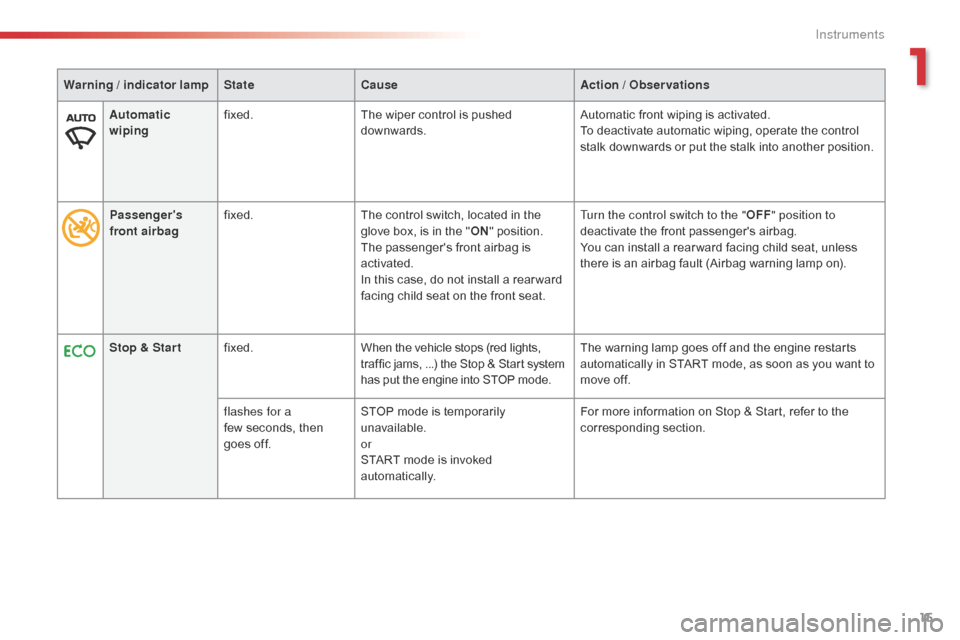
wipingfixed.
The wiper control is pushed d
ownwards.Automatic
front wiping is activated.
To deactivate automatic wiping, operate the control
s
talk downwards or put the stalk into another position.
Stop & Star t fixed. When
the vehicle stops (red lights,
t
raffic jams, ...) the Stop & Start system
h
as put the engine into STOP mode.The
warning lamp goes off and the engine restarts
a
utomatically in START mode, as soon as you want to
m
ove off.
flashes for a
few seconds,
then
g
oes off.STOP
mode is temporarily
u
navailable.
or
START
mode is invoked
au
tomatically.For
more information on Stop & Start, refer to the
c
orresponding
s
ection.
Warning / indicator lamp
StateCause Action / Observations
Passenger's
front airbag fixed.
The
control switch, located in the
g
love box, is in the "ON "
position.
The
passenger's front airbag is
a
ctivated.
In
this case, do not install a rear ward
f
acing child seat on the front seat.Turn the control switch to the "
OFF" position to
deactivate
the front passenger's airbag.
You
can install a rear ward facing child seat, unless
t
here is an airbag fault (Airbag warning lamp on).
1
Instruments
Page 18 of 308

16
Passenger's
front airbag fixed.
The control switch, located in the g
love box, is set to the OFF p osition.
The
passenger's front airbag is
d
eactivated.
You
can install the child seat
r
ear ward facing, unless there is an
a
irbag fault (Airbag warning lamp on).Set the control to the "ON"
position to activate the
passenger's front airbag.
In
this case, do not fit a child seat in the rear ward
f
acing position.
Dynamic
stability control
(DSC/ASR) fixed.
The
button is pressed and the
i
ndicator lamp comes on.
The
DSC/ASR is deactivated.
DSC:
dynamic stability control.
ASR:
anti-slip regulation.Press
the button to activate the DSC/ASR. Its
i
ndicator lamp goes off.
The
DSC/ASR system is activated automatically when
t
he vehicle is started.
If
deactivated, the system is reactivated automatically
f
rom around 30 mph (50 km/h).
For
more information on the ESC system (DSC/ASR),
r
efer to the corresponding section.
Warning / indicator lamp
StateCause Action / Observations
Deactivation indicator lamps
If one of the following indicator lamps comes on, this confirms that the corresponding system has been switched off intentionally.
T his is may be accompanied by an audible signal and the display of a message.
Instruments
Page 23 of 308
21
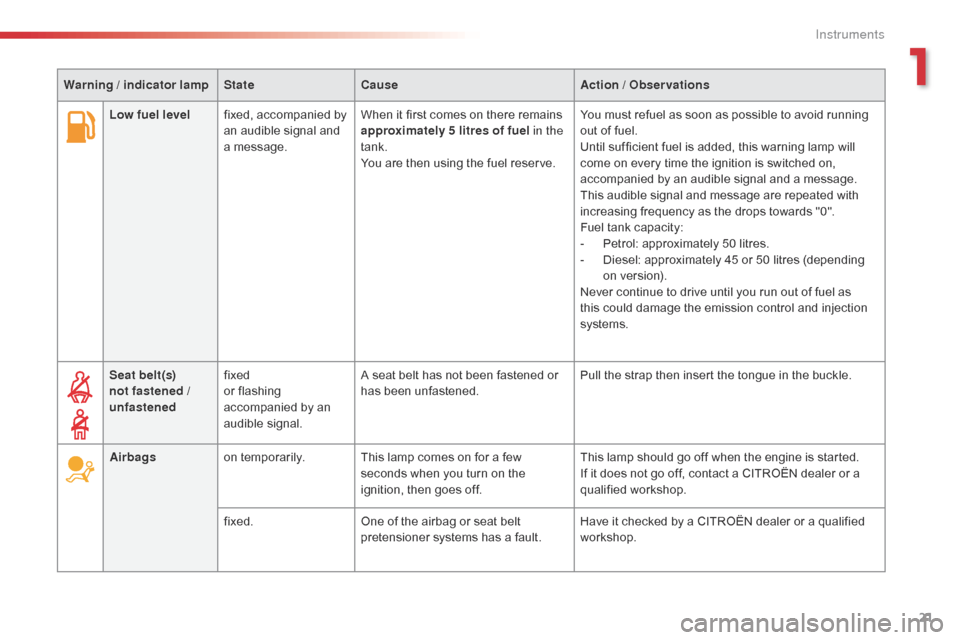
Low fuel levelfixed, accompanied by a
n audible signal and
a
message. When
it first comes on there remains a
pproximately 5 litres of fuel in the
tank.
You
are then using the fuel reserve.You
must refuel as soon as possible to avoid running o
ut of fuel.
Until
sufficient fuel is added, this warning lamp will
c
ome on every time the ignition is switched on,
a
ccompanied by an audible signal and a message.
This
audible signal and message are repeated with
i
ncreasing frequency as the drops towards "0".
Fuel
t
ank
c
apacity:
-
Pe
trol: approximately 50 litres.
-
D
iesel: approximately 45 or 50 litres (depending
o
n version).
Never
continue to drive until you run out of fuel as
t
his could damage the emission control and injection
s
ystems.
Seat belt(s)
not fastened /
unfastened fixed
or
flashing
a
ccompanied by an
a
udible
s
ignal.A
seat belt has not been fastened or
h
as been unfastened.Pull
the strap then insert the tongue in the buckle.
Airbags on
temporarily. This lamp comes on for a few
s
econds when you turn on the
i
gnition, then goes off.This
lamp should go off when the engine is started.
If
it does not go off, contact a CITROËN dealer or a
q
ualified
w
orkshop.
fixed. One
of the airbag or seat belt
p
retensioner systems has a fault.Have
it checked by a CITROËN dealer or a qualified
w
orkshop.
Warning / indicator lamp
StateCause Action / Observations
1
Instruments
Page 30 of 308
28
7-inch touch screen tablet
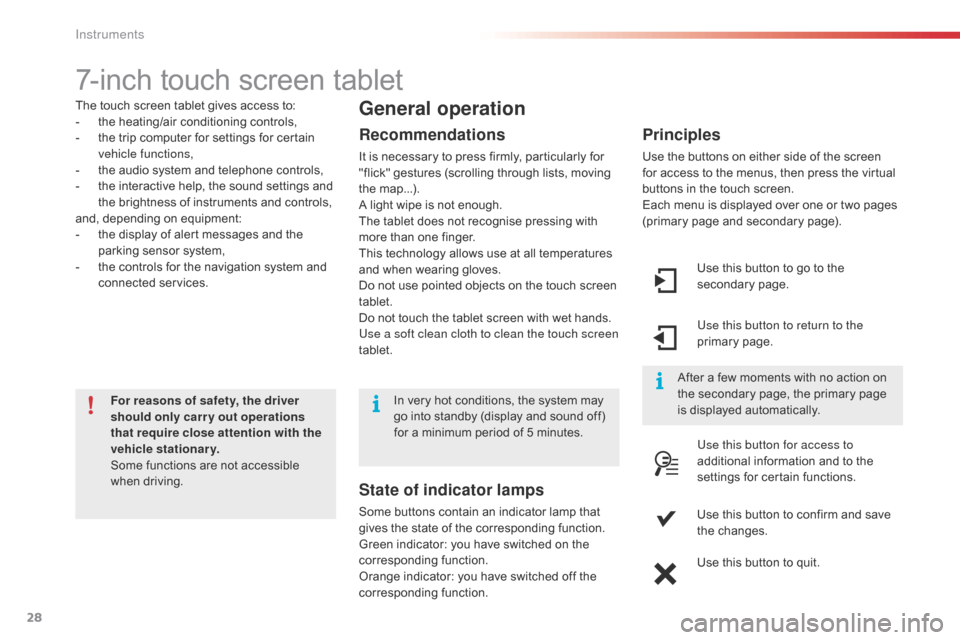
The touch screen tablet gives access to:
- t he heating/air conditioning controls,
-
t
he trip computer for settings for certain
v
ehicle functions,
-
t
he audio system and telephone controls,
-
t
he interactive help, the sound settings and
t
he brightness of instruments and controls,
and,
depending on equipment:
-
t
he display of alert messages and the
p
arking sensor system,
-
t
he controls for the navigation system and
c
onnected
s
ervices.
For reasons of safety, the driver
should only carr y out operations
that require close attention with the
vehicle stationary.
Some
functions are not accessible
w
hen
d
riving.General operation
Recommendations
It is necessary to press firmly, particularly for "flick" gestures (scrolling through lists, moving
t
he
m
ap...).
A
light wipe is not enough.
The
tablet does not recognise pressing with
m
ore than one finger.
This
technology allows use at all temperatures
a
nd when wearing gloves.
Do
not use pointed objects on the touch screen
t
ablet.
Do
not touch the tablet screen with wet hands.
Use a soft clean cloth to clean the touch screen
tablet. Use
this button to go to the
s
econdary
pag
e.
Use this button to return to the
primary
pag
e.
Use this button for access to
additional
information and to the
s
ettings for certain functions.
Use
this button to confirm and save
t
he changes.
Use
this button to quit.
Principles
Use the buttons on either side of the screen for access to the menus, then press the virtual
b
uttons in the touch screen.
Each
menu is displayed over one or two pages
(
primary page and secondary page).
After
a few moments with no action on
t
he secondary page, the primary page
i
s displayed automatically.
In
very
hot
conditions,
the
system
may
g
o
into
standby
(display
and
sound
off)
f
or
a
minimum
period
of
5
minutes.
State of indicator lamps
Some buttons contain an indicator lamp that g ives the state of the corresponding function.
Green
indicator: you have switched on the
c
orresponding
f
unction.
Orange
indicator: you have switched off the
c
orresponding
f
unction.
Instruments