battery CITROEN C4 CACTUS 2017 User Guide
[x] Cancel search | Manufacturer: CITROEN, Model Year: 2017, Model line: C4 CACTUS, Model: CITROEN C4 CACTUS 2017Pages: 256, PDF Size: 7.62 MB
Page 55 of 256
53
Air conditioning On/Off
The air conditioning is designed to operate
effectively in all seasons, with the windows
closed.
It allows you:
-
i
n summer, to lower the temperature,
-
t
o increase the effectiveness of the
demisting in winter, above 3°C.
F
P
ress button 5 to activate/deactivate the air
conditioning system.
When the indicator lamp is on, the air
conditioning function is activated.
The air conditioning does not operate
when the air flow adjustment is inhibited.
Ventilation function with the
ignition on
When the ignition is switched on, you can
use the ventilation system to adjust the air
flow settings and the air distribution in the
passenger compartment for a duration which
depends on the battery charge.
This function does not operate the air
conditioning.
Switching the system off
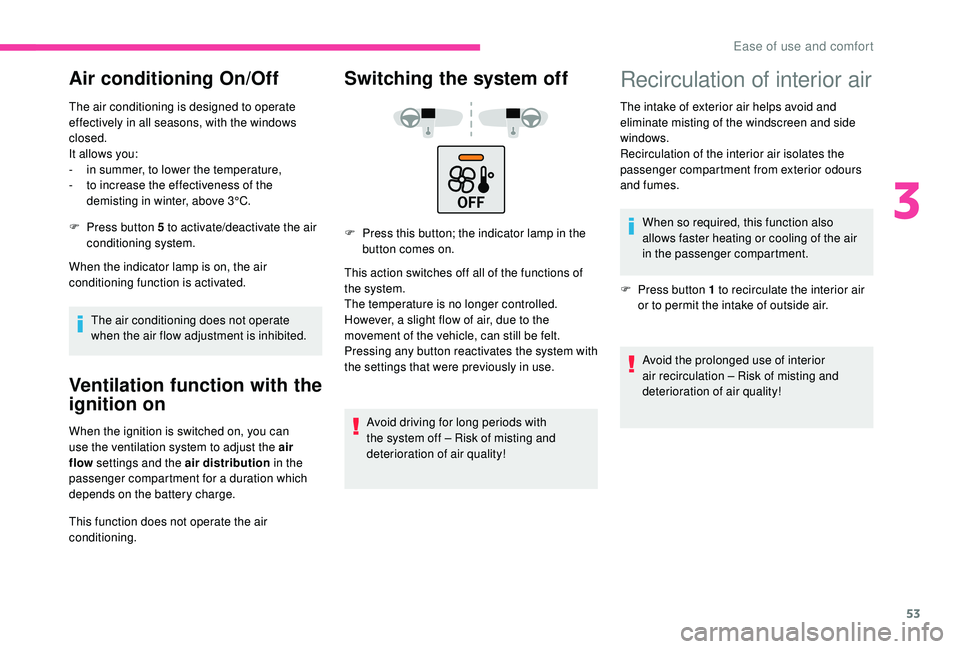
F Press this button; the indicator lamp in the button comes on.
This action switches off all of the functions of
the system.
The temperature is no longer controlled.
However, a slight flow of air, due to the
movement of the vehicle, can still be felt.
Pressing any button reactivates the system with
the settings that were previously in use.
Avoid driving for long periods with
the system off – Risk of misting and
deterioration of air quality!
Recirculation of interior air
The intake of exterior air helps avoid and
eliminate misting of the windscreen and side
windows.
Recirculation of the interior air isolates the
passenger compartment from exterior odours
and fumes.When so required, this function also
allows faster heating or cooling of the air
in the passenger compartment.
F
P
ress button 1 to recirculate the interior air
or to permit the intake of outside air.
Avoid the prolonged use of interior
air recirculation – Risk of misting and
deterioration of air quality!
3
Ease of use and comfort
Page 64 of 256

62
When the lighting is switched off automatically
(with AUTO model), the foglamp and the dipped
beam headlamps will remain on.
F
T
o switch it off, turn the ring rear wards.
Front and rear foglamps
Rotate and release the ring:
F o nce for wards to switch on the front
foglamps,
F
f
or wards a second time to switch on the rear
foglamps,
F
o
nce backwards to switch off the rear
foglamps,
F
b
ackwards a second time to switch off the
front foglamps.
When the lighting is switched off automatically
(with AUTO model), or when the dipped beam
headlamps are switched off manually, the
foglamps and sidelamps remain on.
F
T
urn the ring backwards to switch off the
foglamps, the sidelamps will then switch off. In good or rainy weather, both day and
night, using the front foglamps and the
rear foglamp is prohibited. In these
situations, the power of their beams may
dazzle other drivers. They should only be
used in fog or falling snow.
In these weather conditions, it is your
responsibility to switch on the foglamps
and dipped beam headlamps manually as
the sunshine sensor may detect sufficient
light.
Switch off the front and rear foglamps
when they are no longer necessary.
Switching off of the lighting when the
ignition is switched off
On switching off the ignition, all of the
lighting turns off immediately, except for
dipped beam if automatic guide-me-home
lighting is activated.
Switching on the lighting after
switching off the ignition
To reactivate the lighting control stalk,
rotate the ring to position "
0" – lighting off,
then to the desired position.
When the driver's door is opened, a
temporary audible signal warns you that
the vehicle's lighting is on.
The lighting, with the exception of the
sidelamps, will switch off automatically
after a maximum duration of thirty minutes
to prevent discharging of the battery.Direction indicators
F Left: lower the lighting control stalk beyond the point of resistance.
F
R
ight: raise the lighting control stalk beyond
the point of resistance.
Lighting and visibility
Page 73 of 256
71
** As per the geographic coverage of "Localised Emergency Call", "Localised
Assistance Call" and the official national
language chosen by the owner of the
vehicle.
T
he list of countries covered and of
Telematic services is available from
dealers or on the website for your country.
Operation of the system
When the ignition is switched on, the green
indicator lamp comes on for 3 seconds
indicating that the system is operating correctly.
For all countries except Russia, Belarus
and Kazakhstan.
If the red indicator lamp flashes then goes off:
there is a system fault.
If the red indicator lamp is on continuously:
replace the back-up battery.
For Russia, Belarus and Kazakhstan.
If the red indicator lamp is on continuously:
there is a system fault.
If the red indicator lamp flashes: replace the
back-up battery. *
I
n accordance with the general conditions
of ser vice available from dealers and
subject to technological and technical
limitations. In both cases, the emergency and assistance
calls ser vice may not work.
Contact a qualified repairer as soon as
possible.
The fault with the system does not prevent
the vehicle from being driven.
Localised Assistance Call
** As per the geographic coverage of "Localised Emergency Call", "Localised
Assistance Call" and the official national
language chosen by the owner of the
vehicle.
T
he list of countries covered and of
Telematic services is available from dealers
or on the website for your country. Press this button for more than
2 seconds to request assistance if
the vehicle breaks down.
A voice message confirms that the call has
been made**.
Pressing this button again immediately cancels
the request.
The cancellation is confirmed by a voice
message.
Geolocation
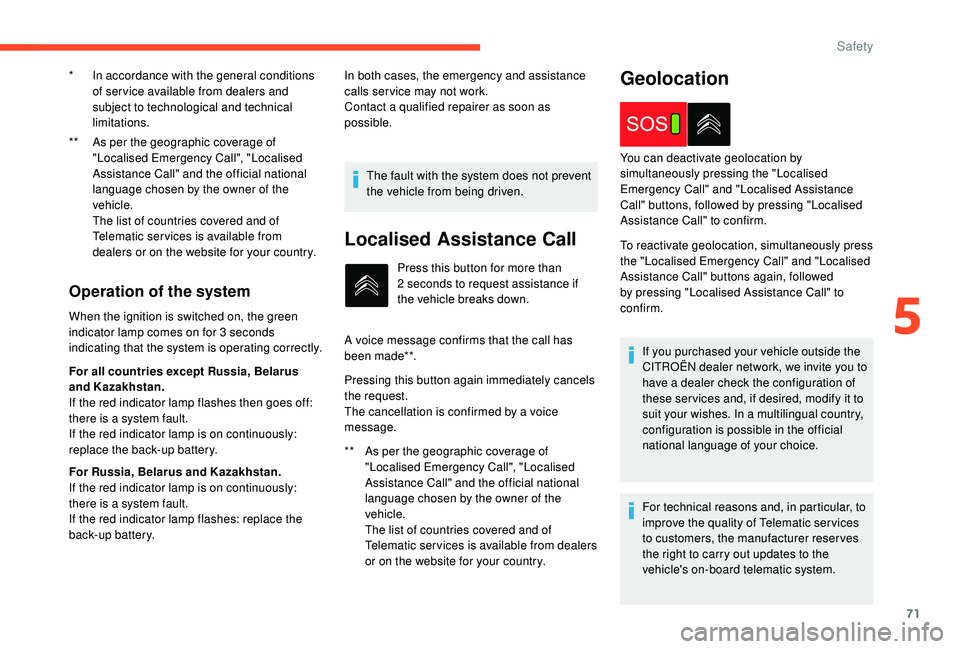
To reactivate geolocation, simultaneously press
the "Localised Emergency Call" and "Localised
Assistance Call" buttons again, followed
by pressing "Localised Assistance Call" to
confirm. You can deactivate geolocation by
simultaneously pressing the "Localised
Emergency Call" and "Localised Assistance
Call" buttons, followed by pressing "Localised
Assistance Call" to confirm.
If you purchased your vehicle outside the
CITROËN dealer network, we invite you to
have a dealer check the configuration of
these ser vices and, if desired, modify it to
suit your wishes. In a multilingual country,
configuration is possible in the official
national language of your choice.
For technical reasons and, in particular, to
improve the quality of Telematic ser vices
to customers, the manufacturer reserves
the right to carry out updates to the
vehicle's on-board telematic system.
5
Safety
Page 98 of 256
96
Starting/Switching off the
engine with the key
Ignition switch
Ignition on position (2)
It allows the use of the vehicle's electric
equipment or portable devices to be charged.
Once the state of charge of the battery drops
to the reser ve level, the system switches to
energy economy mode: the power supply is
cut off automatically to preser ve the remaining
battery charge.Avoid attaching heavy objects to the key
or the remote control, which would weigh
down on its blade in the ignition switch
and could cause a malfunction.
Switching off the engine leads to a loss of
braking assistance.
Starting the engine
Parking brake applied:
F
W ith a manual gearbox , place the gear
lever in neutral then depress the clutch
pedal fully.
F
W
ith an automatic gearbox , place the gear
selector in mode N or P then depress the
brake pedal fully.
F
W
ith an electronic gearbox , place the gear
selector in mode N then depress the brake
pedal fully.
F
I
nsert the key into the ignition switch; the
system recognises the code.
F
U
nlock the steering column by
simultaneously turning the steering wheel
and the key.
In certain cases, you may have to apply
more force to the steering wheel (wheels
on full lock, for example). F
W
ith a petrol engine
, operate the starter
motor by turning the key to position 3
without pressing the accelerator pedal,
until the engine starts. Once the engine is
running, release the key.
F
W
ith a Diesel engine
, turn the key to
position 2 , ignition on, to operate the engine
pre-heating system.
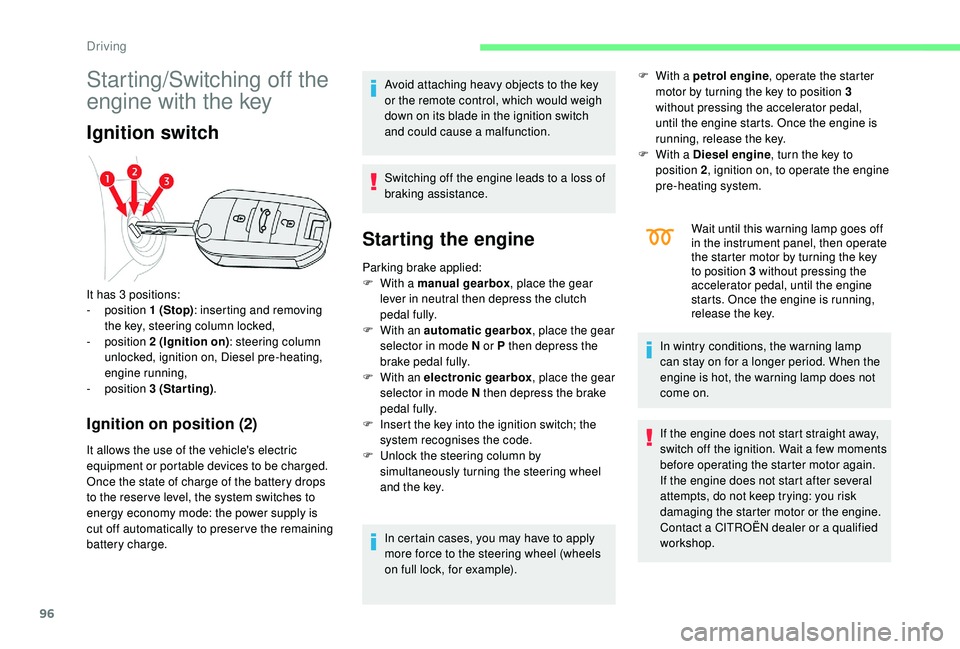
It has 3 positions:
-
position 1 (Stop): inserting and removing
the key, steering column locked,
-
position 2 (Ignition on) : steering column
unlocked, ignition on, Diesel pre-heating,
engine running,
-
position 3 (Starting) . Wait until this warning lamp goes off
in the instrument panel, then operate
the starter motor by turning the key
to position 3 without pressing the
accelerator pedal, until the engine
starts. Once the engine is running,
release the key.
In wintry conditions, the warning lamp
can stay on for a longer period. When the
engine is hot, the warning lamp does not
come on.
If the engine does not start straight away,
switch off the ignition. Wait a few moments
before operating the starter motor again.
If the engine does not start after several
attempts, do not keep trying: you risk
damaging the starter motor or the engine.
Contact a CITROËN dealer or a qualified
workshop.
Driving
Page 101 of 256

99
Switching the ignition on
(without starting)
F Press the "START/STOP" button, the
instrument panel comes on but the engine
does not start.
F
P
ress the button again to switch off the
ignition and allow the vehicle to be locked.
With the ignition on, the system
automatically goes into energy economy
mode to maintain an adequate state of
charge in the battery.
Key not detected
Back-up starting
A back-up reader is fitted underneath the
parking brake lever so that the engine can be
started if the system does not detect the key in
the recognition zone, or when the battery in the
electronic key is flat.
F
W
ith a manual gearbox, place the gear
lever in neutral, then fully depress the clutch
pedal.
F
W
ith an automatic gearbox , select
mode P, then fully depress the brake pedal.
F
W
ith an electronic gearbox , select
mode N, then fully depress the brake pedal.
F
P
ress the " START/STOP " button.
The engine starts.
Back-up switch-off
Emergency switch-off
With the Keyless Entry and Starting remote
control inside the vehicle, pressing the
" START/STOP " button, with no action on the
pedals , allows the ignition to be switched on.
This also allows the accessories to be used (for
example: audio system, lighting, etc.).
F
P
lace and hold the remote control against
the reader. When the electronic key is not detected or is
no longer in the recognition zone, a message
appears on the touch screen when closing a
door or trying to switch off the engine.
F
T
o confirm the instruction to switch off the
engine, press the " START/STOP" button for
about three seconds.
In the event of a fault with the electronic key,
contact a CITROËN dealer or a qualified
workshop.
In the event of an emergency only, the
engine can be switched off without
conditions (even when driving).
Press the " START/STOP " button for about
three seconds.
In this case, the steering column locks as
soon as the vehicle stops.
6
Driving
Page 105 of 256
103
F Move the selector towards the + sign to change up a gear.
F
M
ove the selector towards the - sign to
change down a gear.
It is only possible to change from one gear to
another if the vehicle speed and engine speed
permit; otherwise, the gearbox will operate
temporarily in automatic mode.
D disappears, and the gears engaged appear
in succession on the instrument panel.
If the engine speed is too low or too high, the
selected gear flashes for a few seconds, then
the actual gear engaged is displayed.
It is possible to change from position D
(automatic) to position M (manual) at any time.
When the vehicle is stationary or moving
very slowly, the gearbox engages first gear
automatically.
The sport programme is inactive in manual
operation.
Invalid value during manual
operation
This symbol is displayed if a gear
is not engaged correctly (selector
between two positions).
Stopping the vehicle
Before switching off the engine, you can
engage position P or N to place the gearbox in
neutral.
In both cases, apply the parking brake to
immobilise the vehicle.
If the selector is not in position P , when the
driver's door is opened or approximately
45 seconds after the ignition is switched
off, a warning message appears in the
screen.
F
R
eturn the selector to position P ; the
message disappears.
When driving on flooded roads or when
crossing a ford, proceed at walking pace.
Malfunction
When the ignition is on, the lighting
of this warning lamp, associated
with an audible signal and an alert
message on the screen, indicates a
gearbox fault.
In this case, the gearbox switches to back-up
mode and is locked in 3
rd gear. You may feel a
substantial jolt when changing from P to R and
from N to R. This will not cause any damage to
the gearbox. There is a risk of damage to the gearbox:
-
i
f you press the accelerator and brake
pedals at the same time,
-
i
f you force the movement of the
selector from position P to another
position when the battery is flat.
To reduce fuel consumption when at
a prolonged standstill with the engine
running (traffic jam, etc.), put the
selector in position N and apply the
parking brake.
If your vehicle has an automatic gearbox,
never try to start the engine by pushing
the vehicle.
Do not exceed 62 mph (100 km/h), local speed
restrictions permitting.
Contact a CITROËN dealer or a qualified
workshop as soon as possible.
Electronic gearbox
(ETG 6)
Six-speed electronic gearbox offering
automatic gear control, without driver
intervention.
You can temporarily take control of gear
changes at any time, using the steering
mounted control paddles.
6
Driving
Page 110 of 256

108
Per fect for urban use, the Stop & Start system
reduces fuel consumption and exhaust
emissions as well as the noise level when
stationary.
Going into engine STOP
mode
This indicator lamp comes on in the
instrument panel and the engine
goes into standby automatically.
-
W
ith a manual gearbox , at speeds below
2
mph (3 km/h) or with the vehicle stationary
(depending on version), when you place the
gear lever in neutral and release the clutch
pedal,
-
W
ith an automatic gearbox , at speeds
below 2 mph (3 km/h), or when the vehicle
is stationary (depending on version), when
you press the brake pedal or place the gear
selector into position N .
-
W
ith an electronic gearbox , at speeds
below 2 mph (3 km/h), or when the vehicle
is stationary (depending on version), when
you press the brake pedal or place the gear
selector into position N .
Time counter of the Stop & Star t.
(minutes/seconds or hours/minutes) If your vehicle is fitted with this system, a time
counter calculates the sum of the periods in
STOP mode during a journey.
It resets to zero every time the ignition is
switched on.
For your comfort, during parking
manoeuvres, STOP mode is not available
for a few seconds after coming out of
reverse gear.
The Stop & Start system does not affect
the functionality of the vehicle, such as for
example, braking, power steering, etc.
Never refuel with the engine in STOP
mode; you must switch off the ignition with
the "START/STOP" button.
Special cases: STOP mode not
available
STOP mode is not activated when:
- t he vehicle is on a steep slope (uphill or
downhill),
-
t
he driver's door is open,
-
t
he driver's seat belt is not fastened,
-
t
he vehicle has not exceeded 6 mph (10
km/h) since the last engine start,
-
t
he engine is needed to maintain a
comfortable temperature in the passenger
compartment, -
d
emisting is active,
-
s
ome special conditions (battery charge,
engine temperature, braking assistance,
exterior temperature, etc.) where the engine
is needed to control the system.
Going into engine START
mode
This indicator lamp goes off and the
engine starts automatically: In this case, this indicator lamp
flashes for a few seconds then goes
of f.
This operation is perfectly normal.
-
W
ith a manual gearbox , when you fully
depress the clutch pedal.
-
W
ith an automatic gearbox :
•
g
ear selector in position D or M , when
you release the brake pedal,
•
o
r gear selector in position N and brake
pedal released, when you place the gear
selector in position D or M ,
•
o
r when you engage reverse gear.
Driving
Page 111 of 256

109
- With an electronic gearbox:
• g ear selector in position D , when you
release the brake pedal,
•
o
r gear selector in position N and brake
pedal released, when you place the gear
selector in position D ,
•
o
r when you engage reverse gear.
Special cases: START activated
automatically
As a safety measure or to maintain comfort
levels in the vehicle, START mode is activated
automatically when:
-
y
ou open the driver's door,
-
t
he driver's seat belt is not fastened,
-
t
he speed of the vehicle exceeds 7 mph
(11 km/h) with an electronic gearbox,
-
s
ome special conditions (battery charge,
engine temperature, braking assistance,
exterior temperature, etc.) where the engine
is needed to control the system or the
vehicle.
Deactivation/Reactivation
In certain circumstances, such as the need
to maintain the temperature in the passenger
compartment, it may be useful to deactivate the
Stop & Start system.
The system can be deactivated at any time,
once the ignition is switched on.
If the engine is in STOP mode, it then restarts.
The Stop & Start system is reactivated
automatically every time the ignition is switched
on.
F
I
n the Driving/Vehicle menu
of the touch screen, select the
" Driving functions " tab, then
" Stop & Star t ".
Opening the bonnet
Before doing anything under the bonnet,
deactivate the Stop & Start system to
avoid any risk of injury resulting from an
automatic change to START mode. Driving on flooded roads
Before driving in a flooded area, it is
strongly recommended that you deactivate
the Stop & Start system.
For more information on Driving
recommendations
, particularly on
flooded roads, refer to the corresponding
section.
Operating fault
In the event of a fault with the
system, this warning lamp flashes in
the instrument panel.
Have it checked by a CITROËN dealer or a
qualified workshop.
In the event of a fault in STOP mode, the
vehicle may stall.
All of the instrument panel warning lamps come
on.
It is then necessary to switch off the ignition,
then restart the engine. Depending on the version, an alert
message may also be displayed, asking
you to change to neutral ( N) and to press
the brake pedal.
You must switch off the ignition, then start
the engine again.
In this case, this indicator lamp
flashes for a few seconds, then goes
of f.
This operation is perfectly normal.
6
Driving
Page 112 of 256
110
The Stop & Start system requires a
12 V battery of specific technology and
specification.
All work on this type of battery must be
carried out only by a CITROËN dealer or a
qualified workshop.
For more information on the 12 V batter y,
refer to the corresponding section.
Recognition of
speed limit signs and
recommendation
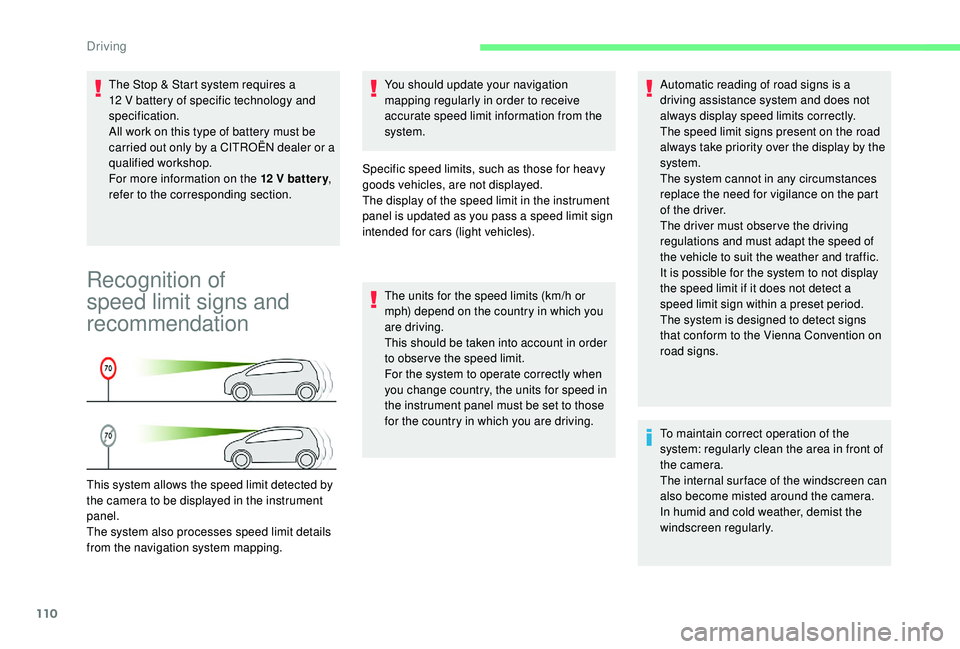
This system allows the speed limit detected by
the camera to be displayed in the instrument
panel.
The system also processes speed limit details
from the navigation system mapping. You should update your navigation
mapping regularly in order to receive
accurate speed limit information from the
system.
Specific speed limits, such as those for heavy
goods vehicles, are not displayed.
The display of the speed limit in the instrument
panel is updated as you pass a speed limit sign
intended for cars (light vehicles).
The units for the speed limits (km/h or
mph) depend on the country in which you
are driving.
This should be taken into account in order
to obser ve the speed limit.
For the system to operate correctly when
you change country, the units for speed in
the instrument panel must be set to those
for the country in which you are driving. Automatic reading of road signs is a
driving assistance system and does not
always display speed limits correctly.
The speed limit signs present on the road
always take priority over the display by the
system.
The system cannot in any circumstances
replace the need for vigilance on the part
of the driver.
The driver must observe the driving
regulations and must adapt the speed of
the vehicle to suit the weather and traffic.
It is possible for the system to not display
the speed limit if it does not detect a
speed limit sign within a preset period.
The system is designed to detect signs
that conform to the Vienna Convention on
road signs.
To maintain correct operation of the
system: regularly clean the area in front of
the camera.
The internal sur face of the windscreen can
also become misted around the camera.
In humid and cold weather, demist the
windscreen regularly.
Driving
Page 142 of 256
140
Towing device
Load distribution
F D istribute the load in the trailer so that the
heaviest items are as close as possible to
the axle and the nose weight approaches
the maximum permitted without exceeding
it.
Air density decreases with altitude, thus
reducing engine performance. The maximum
towed load must be reduced by 10
% for every
1,000 metres of altitude.
Use towing devices and their genuine
harnesses approved by CITROËN. It is
recommended that the installation be
per formed by a CITROËN dealer or a
qualified workshop.
If the towing device is not fitted by
a CITROËN dealer, it must still be
fitted in accordance with the vehicle
manufacturer's instructions.
Certain driving or manoeuvring aid
functions are automatically disabled if an
approved towing device is used. Obser ve the maximum authorised towable
weight, indicated on your vehicle's
registration certificate, the manufacturer's
label as well as in the Technical data
section of this guide.
Complying with the maximum
authorised nose weight (ball joint)
also includes the use of accessories
(bicycle carriers, tow boxes, etc.).
Obser ve the legislation in force in the
country in which you are driving.
Remove the quickly detachable towball
when not towing a trailer.
Load reduction mode
System which manages the use of certain
functions according to the level of charge
remaining in the battery.
When the vehicle is being driven, the load
reduction function temporarily deactivates
certain functions, such as air conditioning,
heated rear screen, etc.
The deactivated functions are reactivated
automatically as soon as conditions permit.
Energy economy mode
System which manages the duration of use of
certain functions to conser ve a sufficient level
of charge in the battery.
After the engine has stopped, you can still use
functions such as the audio and telematics
system,
windscreen wipers, dipped beam
headlamps,
courtesy lamps, etc. for a
maximum combined duration of about forty
minutes.
Entering the mode
A message appears on the touch screen
indicating that the vehicle has switched to
economy mode and the active functions are put
o n st a n d by.
If a telephone call is being made at this
time, it will be maintained for around 10
minutes with the Bluetooth hands-free
system of your audio system.
Exiting the mode
These functions will be automatically restored
the next time the vehicle is used.
In order to restore the use of these functions
immediately, start the engine and let it run:
-
f
or less than ten minutes, to use the
equipment for approximately five minutes,
Practical information