ECU CITROEN C4 CACTUS 2017 Owner's Manual
[x] Cancel search | Manufacturer: CITROEN, Model Year: 2017, Model line: C4 CACTUS, Model: CITROEN C4 CACTUS 2017Pages: 256, PDF Size: 7.62 MB
Page 163 of 256
161
After changing a wheel
Do not exceed 50 mph (80 km/h) when
driving with the "space-saver" type spare
wheel fitted.
Visit a CITROËN dealer or a qualified
workshop as soon as possible to have the
tightness of the bolts and the pressure of
the spare wheel checked.
Have the punctured wheel checked. After
inspection, the technician will let you know
if the tyre can be repaired or if it must be
replaced.
List of operations
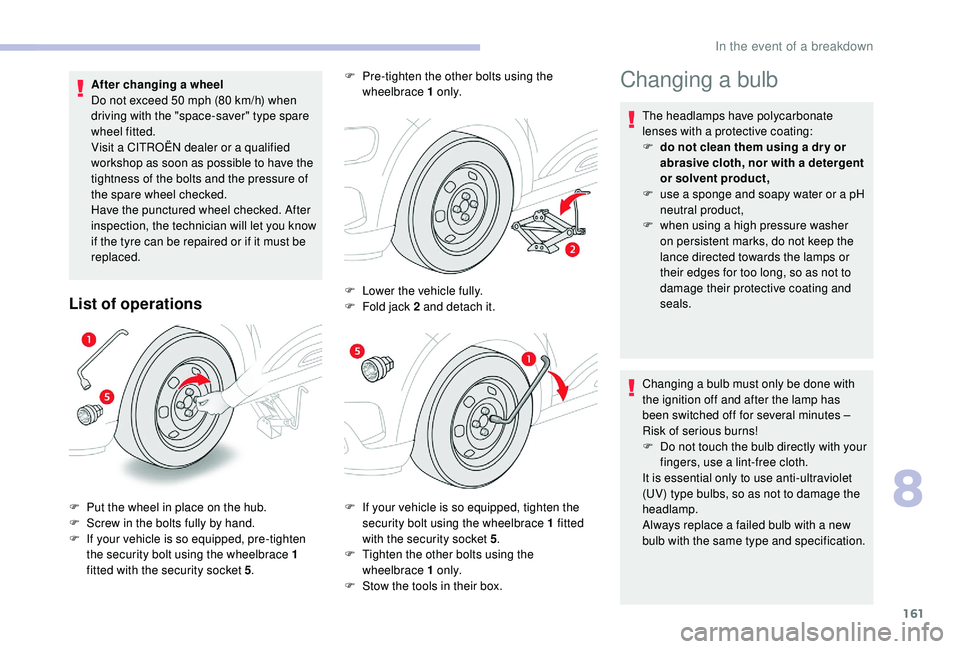
F If your vehicle is so equipped, tighten the security bolt using the wheelbrace 1 fitted
with the security socket 5.
F
T
ighten the other bolts using the
wheelbrace 1 o n l y.
F
S
tow the tools in their box.
F
P
ut the wheel in place on the hub.
F
S
crew in the bolts fully by hand.
F
I
f your vehicle is so equipped, pre-tighten
the security bolt using the wheelbrace 1
fitted with the security socket 5. F
P
re-tighten the other bolts using the
wheelbrace 1 o n l y.
F
L
ower the vehicle fully.
F
F
old jack 2 and detach it.
Changing a bulb
The headlamps have polycarbonate
lenses with a protective coating:
F
d
o not clean them using a dr y or
abrasive cloth, nor with a detergent
or solvent product,
F
u
se a sponge and soapy water or a pH
neutral product,
F
w
hen using a high pressure washer
on persistent marks, do not keep the
lance directed towards the lamps or
their edges for too long, so as not to
damage their protective coating and
seals.
Changing a bulb must only be done with
the ignition off and after the lamp has
been switched off for several minutes –
Risk of serious burns!
F
D
o not touch the bulb directly with your
fingers, use a lint-free cloth.
It is essential only to use anti-ultraviolet
(UV) type bulbs, so as not to damage the
headlamp.
Always replace a failed bulb with a new
bulb with the same type and specification.
8
In the event of a breakdown
Page 168 of 256
166
Boot (W5W)
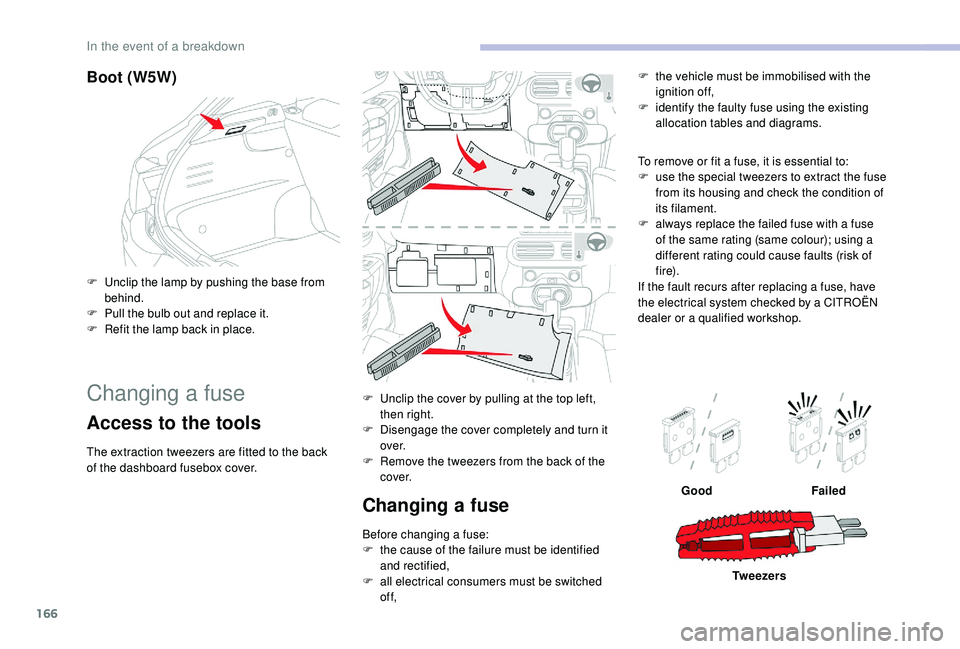
F Unclip the lamp by pushing the base from behind.
F
P
ull the bulb out and replace it.
F
R
efit the lamp back in place.
Changing a fuse
Access to the tools
The extraction tweezers are fitted to the back
of the dashboard fusebox cover. F
U
nclip the cover by pulling at the top left,
then right.
F
D
isengage the cover completely and turn it
ove r.
F R emove the tweezers from the back of the
c ove r.
Changing a fuse
Before changing a fuse:
F t he cause of the failure must be identified
and rectified,
F
a
ll electrical consumers must be switched
of f, To remove or fit a fuse, it is essential to:
F
u
se the special tweezers to extract the fuse
from its housing and check the condition of
its filament.
F
a
lways replace the failed fuse with a fuse
of the same rating (same colour); using a
different rating could cause faults (risk of
f i r e).
If the fault recurs after replacing a fuse, have
the electrical system checked by a CITROËN
dealer or a qualified workshop. F
t
he vehicle must be immobilised with the
ignition off,
F
i
dentify the faulty fuse using the existing
allocation tables and diagrams.
Good Failed
Tw e e z e r s
In the event of a breakdown
Page 198 of 256
16
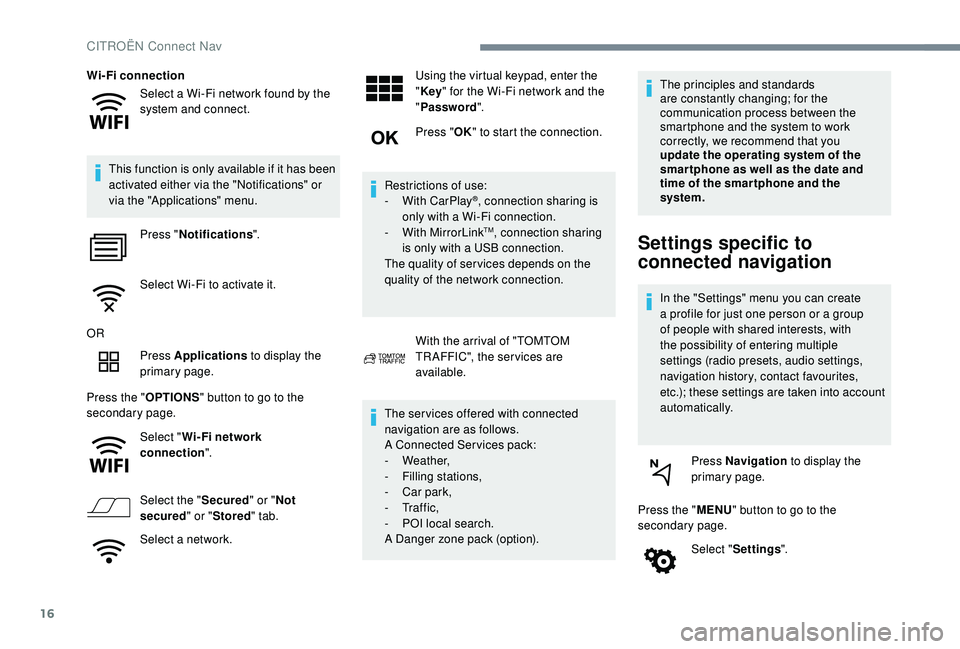
Select a Wi-Fi network found by the
system and connect.
Wi-Fi connection
This function is only available if it has been
activated either via the "Notifications" or
via the "Applications" menu. Press " Notifications ".
Select Wi-Fi to activate it.
OR Press Applications to display the
primary page.
Press the " OPTIONS" button to go to the
secondary page.
Select "Wi- Fi network
connection ".
Select the " Secured" or "Not
secured " or "Stored " tab.
Select a network. Using the virtual keypad, enter the
"
Key " for the Wi-Fi network and the
" Password ".
Press " OK" to start the connection.
Restrictions of use:
-
W
ith CarPlay
®, connection sharing is
only with a Wi-Fi connection.
-
W
ith MirrorLink
TM, connection sharing
is only with a USB connection.
The quality of ser vices depends on the
quality of the network connection.
With the arrival of "TOMTOM
TR AFFIC", the ser vices are
available.
The ser vices offered with connected
navigation are as follows.
A Connected Services pack:
-
Weather,
-
F
illing stations,
-
C
ar park,
-
Tr a f f i c ,
-
P
OI local search.
A Danger zone pack (option). The principles and standards
are constantly changing; for the
communication process between the
smartphone and the system to work
correctly, we recommend that you
update the operating system of the
smar tphone as well as the date and
time of the smar tphone and the
system.Settings specific to
connected navigation
In the "Settings" menu you can create
a profile for just one person or a group
of people with shared interests, with
the possibility of entering multiple
settings (radio presets, audio settings,
navigation history, contact favourites,
etc.); these settings are taken into account
automatically.
Press Navigation to display the
primary page.
Press the " MENU" button to go to the
secondary page.
Select "Settings ".
CITROËN Connect Nav
Page 204 of 256
22
Connection sharing
The system offers to connect the telephone
with 3 profiles:
- "Telephone " (hands-free kit, telephone
only),
-
"Streaming " (streaming: wireless playing of
the audio files on the telephone),
-
"Mobile internet data ".
The " Mobile internet data " profile
must be activated for connected
navigation (where the vehicle does not
have "Emergency and assistance call"
services), having first activated sharing of
this connection on your smartphone.
Select one or more profiles.
Press " OK" to confirm.
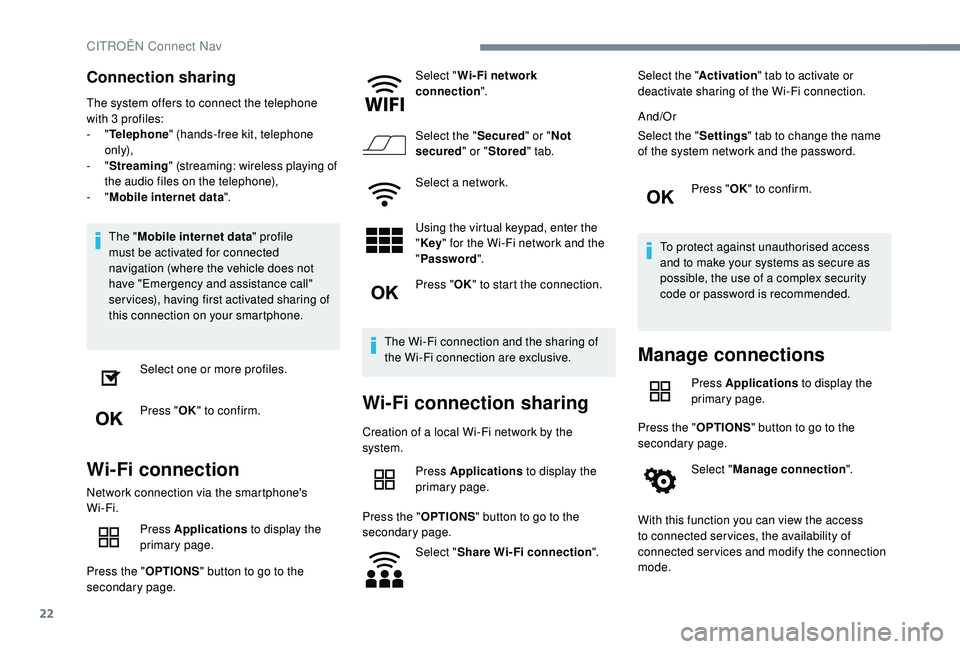
Wi-Fi connection
Network connection via the smartphone's
Wi-Fi.
Press Applications to display the
primary page.
Press the " OPTIONS" button to go to the
secondary page. Select "
Wi- Fi network
connection ".
Select the " Secured" or "Not
secured " or "Stored " tab.
Select a network.
Using the virtual keypad, enter the
" Key " for the Wi-Fi network and the
" Password ".
Press " OK" to start the connection.
The Wi-Fi connection and the sharing of
the Wi-Fi connection are exclusive.
Wi-Fi connection sharing
Creation of a local Wi-Fi network by the
system. Press Applications to display the
primary page.
Press the " OPTIONS" button to go to the
secondary page.
Select "Share Wi-Fi connection ".Select the "
Activation" tab to activate or
deactivate sharing of the Wi-Fi connection.
And/Or
Select the " Settings" tab to change the name
of the system network and the password.
Press "OK" to confirm.
To protect against unauthorised access
and to make your systems as secure as
possible, the use of a complex security
code or password is recommended.
Manage connections
Press Applications to display the
primary page.
Press the " OPTIONS" button to go to the
secondary page.
Select "Manage connection ".
With this function you can view the access
to connected ser vices, the availability of
connected services and modify the connection
mode.
CITROËN Connect Nav