air condition CITROEN C4 CACTUS 2022 Owner's Manual
[x] Cancel search | Manufacturer: CITROEN, Model Year: 2022, Model line: C4 CACTUS, Model: CITROEN C4 CACTUS 2022Pages: 256, PDF Size: 7.62 MB
Page 135 of 256

133
Tyre pressures should be checked when
the tyres are "cold" (vehicle stopped for
1 hour or after a journey of less than
6 miles (10 km) at moderate speeds).
Other wise (when hot), add 0.3 bar to the
pressures shown on the label.
Under-inflation alert
This warning is indicated by
continuous illumination of this lamp,
an audible signal and a message
displayed on the screen.
F
R
educe speed immediately, avoid excessive
steering movements and sudden braking.
F
S
top as soon as it is safe to do so.
The loss of pressure detected does not
always cause visible bulging of the tyre.
Do not rely on a simple visual check. F
I
f you have a compressor (such as the
one in the temporary puncture repair kit),
check the pressures of the four tyres when
cold. If it is not possible to make this check
immediately, drive carefully at reduced
speed.
or
F
I
n the event of a puncture, use the
temporary puncture repair kit or the spare
wheel (depending on equipment).
The warning remains active until the
system is reinitialised.
Reinitialisation
The system must be reinitialised after any
adjustment to the pressures of one or more
tyres, and after changing one or more wheels. Before reinitialising the system, ensure
that the pressures of the four tyres
are correct for the conditions of use
of the vehicle and conform to the
recommendations on the tyre pressure
label.
The under-inflation alert can only be relied
on if the reinitialisation of the system has
been done with the pressures in the four
tyres correctly adjusted.
The under-inflation detection system
does not give a warning if a pressure is
incorrect at the time of reinitialisation.
Reinitialisation of the system is done via the
touch screen, with the ignition on and the
vehicle stationary .
F I n the Driving/Vehicle menu,
select the " Driving functions "
tab, then " Reset under-
inflation detection ".
F
Sel
ect "Ye s" to confirm.
The reinitialisation is confirmed by the display
of a message and an audible signal.
Snow chains
The system does not have to be
reinitialised after fitting or removing snow
chains.
6
Driving
Page 142 of 256
140
Towing device
Load distribution
F D istribute the load in the trailer so that the
heaviest items are as close as possible to
the axle and the nose weight approaches
the maximum permitted without exceeding
it.
Air density decreases with altitude, thus
reducing engine performance. The maximum
towed load must be reduced by 10
% for every
1,000 metres of altitude.
Use towing devices and their genuine
harnesses approved by CITROËN. It is
recommended that the installation be
per formed by a CITROËN dealer or a
qualified workshop.
If the towing device is not fitted by
a CITROËN dealer, it must still be
fitted in accordance with the vehicle
manufacturer's instructions.
Certain driving or manoeuvring aid
functions are automatically disabled if an
approved towing device is used. Obser ve the maximum authorised towable
weight, indicated on your vehicle's
registration certificate, the manufacturer's
label as well as in the Technical data
section of this guide.
Complying with the maximum
authorised nose weight (ball joint)
also includes the use of accessories
(bicycle carriers, tow boxes, etc.).
Obser ve the legislation in force in the
country in which you are driving.
Remove the quickly detachable towball
when not towing a trailer.
Load reduction mode
System which manages the use of certain
functions according to the level of charge
remaining in the battery.
When the vehicle is being driven, the load
reduction function temporarily deactivates
certain functions, such as air conditioning,
heated rear screen, etc.
The deactivated functions are reactivated
automatically as soon as conditions permit.
Energy economy mode
System which manages the duration of use of
certain functions to conser ve a sufficient level
of charge in the battery.
After the engine has stopped, you can still use
functions such as the audio and telematics
system,
windscreen wipers, dipped beam
headlamps,
courtesy lamps, etc. for a
maximum combined duration of about forty
minutes.
Entering the mode
A message appears on the touch screen
indicating that the vehicle has switched to
economy mode and the active functions are put
o n st a n d by.
If a telephone call is being made at this
time, it will be maintained for around 10
minutes with the Bluetooth hands-free
system of your audio system.
Exiting the mode
These functions will be automatically restored
the next time the vehicle is used.
In order to restore the use of these functions
immediately, start the engine and let it run:
-
f
or less than ten minutes, to use the
equipment for approximately five minutes,
Practical information
Page 149 of 256

147
AdBlue level
An alert is triggered once the reser ve level is
reached.
To avoid the vehicle being immobilised as per
regulations, you must top up with AdBlue.
For more information on AdBlue and the SCR
system, and, in particular, topping it up, refer to
the corresponding section.
Checks
Unless otherwise indicated, check these
components in accordance with the
manufacturer's service schedule and according
to your engine.
Other wise, have them checked by a CITROËN
dealer or a qualified workshop.
12 V battery
The battery does not require any
maintenance.
However, check regularly that the
terminals are correctly tightened
(versions without quick release
terminals) and that the connections
are clean.
For more information on the precautions
to take before starting work on the
12 V batter y , refer to the corresponding
section. Versions equipped with Stop & Start are
fitted with a 12 V lead-acid battery of
specific technology and specification.
Its replacement should be carried out
only by a CITROËN dealer or a qualified
workshop.
Air filter
Depending on the environment
(e.g. dusty atmosphere) and the
use of the vehicle (e.g. city driving),
replace it twice as often, if
necessary
.
Passenger compartment
filter
Depending on the environment
(e.g. dusty atmosphere) and the
use of the vehicle (e.g. city driving),
replace it twice as often, if
necessary.
A clogged passenger compartment
filter may have an adverse effect on
the per formance of the air conditioning
system and generate undesirable odours.
Oil filter
Change the oil filter each time the
engine oil is changed.
Particle filter (Diesel)
The start of saturation of the particle
filter is indicated by the constant
illumination of this warning lamp
accompanied by an alert message.
7
Practical information
Page 172 of 256

170
Fuses in the engine
compartment
Access to the fuses
F Unclip the cover.
F C hange the fuse.
F
W
hen you have finished, close the cover
very carefully to ensure correct sealing of
the fusebox. Fuse
No. Rating
(A) Functions
F1 40Air conditioning.
F16 15Front foglamps.
F18 10Right-hand main beam headlamp.
F19 10Left-hand main beam headlamp.
F29 40Windscreen wipers.
The fusebox is placed in the engine
compartment near the battery.
In the event of a breakdown
Page 184 of 256
2
First steps
With the engine running, a press
mutes the sound.
With the ignition off, a press turns
the system on.
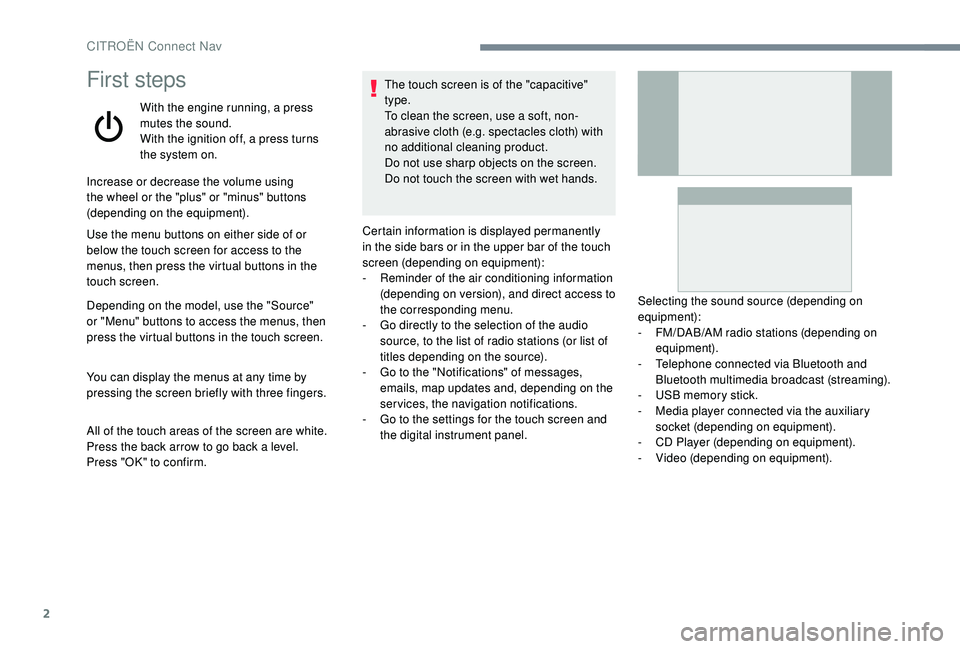
Increase or decrease the volume using
the wheel or the "plus" or "minus" buttons
(depending on the equipment).
Use the menu buttons on either side of or
below the touch screen for access to the
menus, then press the virtual buttons in the
touch screen.
Depending on the model, use the "Source"
or "Menu" buttons to access the menus, then
press the virtual buttons in the touch screen.
You can display the menus at any time by
pressing the screen briefly with three fingers.
All of the touch areas of the screen are white.
Press the back arrow to go back a level.
Press "OK" to confirm. The touch screen is of the "capacitive"
type.
To clean the screen, use a soft, non-
abrasive cloth (e.g. spectacles cloth) with
no additional cleaning product.
Do not use sharp objects on the screen.
Do not touch the screen with wet hands.
Certain information is displayed permanently
in the side bars or in the upper bar of the touch
screen (depending on equipment):
-
R
eminder of the air conditioning information
(depending on version), and direct access to
the corresponding menu.
-
G
o directly to the selection of the audio
source, to the list of radio stations (or list of
titles depending on the source).
-
G
o to the "Notifications" of messages,
emails, map updates and, depending on the
services, the navigation notifications.
-
G
o to the settings for the touch screen and
the digital instrument panel. Selecting the sound source (depending on
equipment):
-
F
M/DAB/AM radio stations (depending on
equipment).
-
T
elephone connected via Bluetooth and
Bluetooth multimedia broadcast (streaming).
-
U
SB memory stick.
-
M
edia player connected via the auxiliary
socket (depending on equipment).
-
C
D Player (depending on equipment).
-
V
ideo (depending on equipment).
CITROËN Connect Nav
Page 187 of 256
5
21,518,5Vehicle
Depending on equipment/Depending on
version.Activate, deactivate or configure
certain vehicle functions.
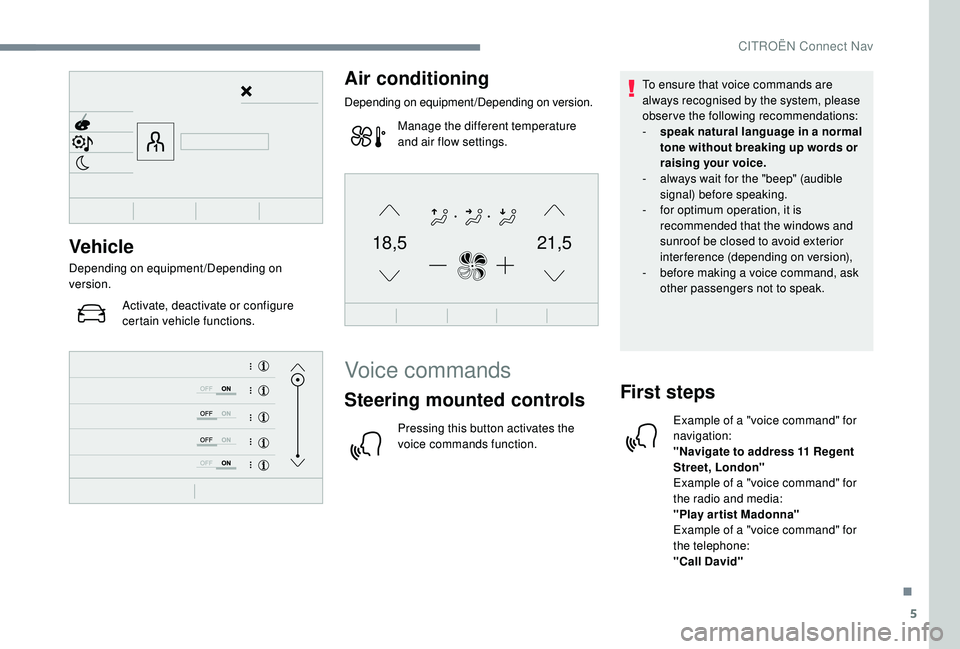
Air conditioning
Depending on equipment/Depending on version.
Manage the different temperature
and air flow settings.
Voice commands
Steering mounted controls
Pressing this button activates the
voice commands function. To ensure that voice commands are
always recognised by the system, please
observe the following recommendations:
-
s
peak natural language in a normal
tone without breaking up words or
raising your voice.
-
a
lways wait for the "beep" (audible
signal) before speaking.
-
f
or optimum operation, it is
recommended that the windows and
sunroof be closed to avoid exterior
interference (depending on version),
-
b
efore making a voice command, ask
other passengers not to speak.
First steps
Example of a "voice command" for
navigation:
"Navigate to address 11 Regent
Street, London"
Example of a "voice command" for
the radio and media:
"Play ar tist Madonna"
Example of a "voice command" for
the telephone:
"Call David"
.
CITROËN Connect Nav
Page 224 of 256

2
First steps
With the engine running, a press
mutes the sound.
With the ignition off, a press turns
the system on.
Increase or decrease the volume using
the wheel or the "plus" or "minus" buttons
(depending on the equipment).
Use the buttons either side of or below the
touch screen for access to the menus, then
press the virtual buttons in the touch screen.
Depending on the model, use the "Source" or
"Menu" buttons on the left-hand side of the
touch screen for access to the menus, then
press the virtual buttons in the touch screen.
You can display the menu at any time by
pressing the screen briefly with three fingers.
All of the touch areas of the screen are white.
For pages with multiple tabs at the bottom of
the screen, you can switch between pages
either by tapping the tab for the desired page,
or by using a finger, sliding the pages to the left
or to the right.
Press in the grey zone to go back a level or
confirm. The touch screen is of the "capacitive"
type.
To clean the screen, use a soft, non-
abrasive cloth (e.g. spectacles cloth) with
no additional cleaning product.
Do not use sharp objects on the screen.
Do not touch the screen with wet hands.
Certain information is displayed permanently in
the upper bar of the touch screen:
-
R
eminder of the air conditioning information
(depending on version), and direct access to
the corresponding menu.
-
R
eminder of the Radio Media and
Telephone menu information.
-
R
eminder of the privacy information.
-
A
ccess to the Settings of the touch screen
and digital instrument panel. Selecting the sound source (depending on
equipment):
-
F M/DAB/AM radio stations (depending on
equipment).
-
T
elephone connected via Bluetooth and
Bluetooth multimedia broadcast (streaming).
-
U
SB memory stick.
-
M
edia player connected via the auxiliary
socket (depending on equipment).
-
C
D player (depending on equipment).
In the "Settings" menu you can create
a profile for just one person or a group
of people with shared interests, with
the possibility of entering multiple
settings (radio presets, audio settings,
ambiences, etc.); these settings are
taken into account automatically.
Press the back arrow to go back a level or
confirm.
CITROËN Connect Radio
Page 227 of 256

5
21,518,5
Settings
Depending on equipment/Depending on version.Configure a personal profile and/
or configure the sound (balance,
ambience, etc.) and the display
(language, units, date, time, etc.).
Driving
Depending on equipment/Depending on version.
Activate, deactivate or configure
certain vehicle functions.
Navigation
Depending on equipment/Depending on version.Configure the navigation and select
your destination via MirrorLink
TM,
CarPlay® or Android Auto.
Air conditioning
Depending on equipment/Depending on version.
Manage the different temperature
and air flow settings.
Applications
Viewing photos
Insert a USB memory stick in the USB port.
To protect the system, do not use a USB
hub.
The system can read folders and image files in
the formats: .tiff; .gif; .jpg/jpeg; .bmp; .png. Press Applications to display the
primary page.
Press " Photos ".
Select a folder.
Select an image to view.
Press this button to display the
details of the photo.
Press the back arrow to go back a
level.
.
CITROËN Connect Radio
Page 245 of 256
181
Accessories ..............................................69 , 99
Active Safety Brake........................... 15, 117-11 9
AdBlue
® ................................ 14, 21-22, 14 9 -15 0
Additive, Diesel ............................................... 12
Adjusting headlamps
...................................... 64
Adjusting head restraints
................................ 44
Adjusting seats
................................................ 43
Adjusting the air distribution
.....................50-53
Adjusting the air flow
................................. 50
-53
Adjusting the date
............................... 29, 32 , 17
Adjusting the height of the steering wheel
.....46
Adjusting the lumbar support
.......................... 44
A
djusting the temperature
........................50-53
Adjusting the time
............................... 29, 33 , 17
Advice on care and maintenance
...........55, 152
Advice on driving
...................................... 94-95
Airbags
...............................
.................16, 78 , 82
Airbags, curtain
......................................... 79-80
Airbags, front ....................................... 78- 80, 83
Airbags, lateral
.......................................... 79-80
Air conditioning
........................................... 6, 50
Air conditioning, automatic
.......................49-53
Air conditioning, manual
........................... 49,
51
Air intake
................................................... 50-53
Air vents
.......................................................... 48
Alarm
......................................................... 4 0 - 41
Anti-lock braking system (ABS)
......................72
Anti-slip regulation (ASR)
............................... 72
Apple CarPlay connection
........................18, 12
Armrest, front
............................................ 56, 58
Assistance call
...............................
............70 -71
Assistance, emergency braking
.............72, 11 8
Audio streaming (Bluetooth)
.................25 -26, 9 Cable, audio
....................................................25
Cable, Jack
.....................................................25
Capacity, fuel tank
.................................137-13 8
Cap, fuel filler
...............................
..........137-13 8
CD
...............................................................25, 9
CD, MP3
......................................................25, 9
Central locking
.......................................... 3
2, 34
Changing a bulb
..................... 16
1-162, 16 4 -165
Changing a fuse
...................... 16
6 -167, 16 9 -170
Changing a wheel
.......................... 15
4, 157-15 8
Changing a wiper blade
................... 67,
141-142
Changing the remote control battery
..............37
Checking the engine oil level
..........................21
Checking the levels
...............................14 4, 14 6
AB
C
Battery .................................... 140, 147 , 171 , 173
Battery, charging .................................... 172-173
Battery, remote control
.............................35-38
Blanking screen (snow shield)
......................13 9
Blind spot monitoring system
.................123 -124
Blind spot sensors
................................. 123 -124
BlueHDi
.............................................. 21-22, 149
Bluetooth (hands-free)
.................... 2
7-2 8, 13 -14
Bluetooth (telephone)
...................... 2
7-2 8, 13 -15
Bonnet
........................................................... 143
Boot
............................................... 39-40, 55, 59
Brake discs
.................................................... 148
Brake lamps
...............................
...................16 4
Brakes
....................................................... 9, 148
Braking, automatic emergency
.........15, 117-11 9
Brightness
....................................................... 16
Bulbs (changing)
............................ 161-162, 16 4 Checking tyre pressures
(using the kit) ..............................15 3 -15 4, 15 6
Checks
...........................................14 4, 147-148
Checks, routine
......................................147-148
Child lock
.........................................................93
Children
......................................................87- 91
Children (safety)
..............................................93
Child seats
........................77,
81- 82, 86 - 87 , 92
Child seats, conventional
................................86
Child seats, i-Size
...........................................91
Child seats, ISOFIX
..................................88 -91
Checking tyre pressures (using the kit)
..............................15 3 -15 4, 15 6
Checks
...........................................14 4, 147-148
Checks, routine
......................................147-148
Child lock
.........................................................93
Children
......................................................87- 91
Children (safety)
..............................................93
Child seats
........................77,
81- 82, 86 - 87 , 92
Child seats, conventional
................................86
Child seats, i-Size
...........................................91
Child seats, ISOFIX
..................................88 -91
CITROËN Connect Nav
....................................1
CITROËN Connect Radio
................................. 1
C
leaning (advice)
..........................................152
Closing the boot
........................................39-40
Closing the doors
......................................34, 39
Coat hanger
....................................................58
Collision risk alert
.........................................11 9
Configuration, vehicle
............................... 24
-27
Connection, Bluetooth
........ 21
-22, 27-2 8 , 13 -15
Connection, MirrorLink
........................19, 11 -12
Connection, Wi-Fi network
.............................22
Control, electric windows
................................41
.
Alphabetical index