audio CITROEN C4 PICASSO 2011 User Guide
[x] Cancel search | Manufacturer: CITROEN, Model Year: 2011, Model line: C4 PICASSO, Model: CITROEN C4 PICASSO 2011Pages: 352, PDF Size: 10.66 MB
Page 54 of 352

Downloaded from www.Manualslib.com manuals search engine II
52
MULTIFUNCTION SCREENS
NAVIDRIVE MULTIFUNCTION
SCREEN
Displays in the screen
The screen can display the following
information:
- time
- date
- ambient temperature
When the ambient temperature
is between +3 °C and -3 °C, the
temperature display fl ashes (risk
of ice). The ambient temperature
displayed may be higher than
the actual temperature if the ve-
hicle is parked in the sun.
- alert messages and state of ve-
hicle systems, displayed tempo-
rarily.
For safety reasons, confi guration
of the multifunction screen by the
driver must only be done when
stationary.
Controls
A.
Access to the "Main Menu".
B.
Navigation in the screen menus.
C.
Selection and confi rmation in the
menus of the function chosen or
the value modifi ed.
D.
Cancellation of the current op-
eration or return to the previous
display.
E.
Selection of the principal dis-
play (date, radio-CD/audio, tele-
phone, map, navigation and trip
computer).
B
or F.
In the menus, navigation,
choice of activation/deactiva-
tion of functions and choice
of setting.
- audio functions,
- trip computer (see end of the
section),
- results of the parking space
measurement,
- visual parking sensors,
- satellite navigation system infor-
mation.
Page 55 of 352

Downloaded from www.Manualslib.com manuals search engine II
53
MULTIFUNCTION SCREENS
Main Menu
Traffi c Information
Navigation/Guidance
Map
Audio Functions
Telematics
Confi guration,
to confi gure the screen (date,
time...) and defi ne vehicle
parameters
Video
Vehicle Diagnostics
- "Alert log",
- "Status of functions".
Press button A
to display the "Main
Menu":
TRIP COMPUTER
System which provides current infor-
mation concerning the trip travelled
(range, fuel consumption...).
Monochrome screen A
Information displays
)
Press the control for more than
two seconds to reset to zero the
distance travelled, the average
fuel consumption and the aver-
age speed.
Zero reset
The trip computer provides the following
information:
- range,
- current fuel consumption,
- distance travelled,
- average fuel consumption,
- average speed.
)
The next press then returns you
to the normal display.
)
Press the button, located at the
end of the wiper stalk
, to display
the various items of trip computer
data in succession.
Page 110 of 352

Downloaded from www.Manualslib.com manuals search engine VI
108
FITTINGS
MATS
Removable carpet protection com-
ponent.
Fitting
When fi tting the mat for the fi rst time,
on the driver's side, use only the fi x-
ings provided in the wallet attached.
The other mats are simply placed on
the carpet.
Removal
To remove the mat on the driver's side:
)
move the seat as far back as
possible,
)
unclip the fi xings,
)
remove the mat.
Refitting
To refi t the mat on the driver's side:
)
position the mat correctly,
)
refi t the fi xings by pressing,
)
check that the mat is secured
correctly. To avoid any risk of jamming of the
pedals:
- only use mats which are suited
to the fi xings already present in
the vehicle; their use is essen-
tial,
- never fi t one mat on top of
another.
Front door
The front door pockets can hold ob-
jects equivalent in volume to a 1.5 litre
bottle.
They may have their own lighting,
which comes on automatically when
your hand approaches.
This lighting goes out automatical-
ly after a few moments when your
hand is taken away.
Rear door
The rear door pockets can hold
objects equivalent in volume to a
0.5 litre bottle.
USB BOX
This connection box, consisting of an
auxiliary JACK socket and a USB port,
is located on the centre console.
It permits the connection of portable
equipment, such as a digital audio
player of the iPod
® or USB memory
stick type.
It reads the audio fi le formats which are
transmitted to your audio equipment
and played via the vehicle's speakers.
You can manage these fi les using the
steering mounted controls or the audio
equipment control panel and display
them on the multifunction screen.
When it is in use, the portable equip-
ment charges automatically.
For more information on the use of
this equipment, refer to the "Audio
and Telematics" section.
Page 132 of 352

Downloaded from www.Manualslib.com manuals search engine VIII
130
SAFETY
Reactivation
These systems are reactivated au-
tomatically each time the ignition is
switched back on or from 30 mph
(50 km/h).
)
Press the "ESP OFF"
button again
to reactivate them manually.
Operating fault
If this warning lamp comes
on, accompanied by an au-
dible signal and a message
in the multifunction screen,
this indicates a malfunction of these
systems.
Have it checked by a CITROËN
dealer or a qualifi ed workshop. The ESP/ASR systems offer ex-
ceptional safety in normal driving,
but this should not encourage the
driver to take extra risks or drive at
high speed.
The correct operation of these sys-
tems depends on observation of
the manufacturer's recommenda-
tions regarding wheels (tyres and
rims), braking components, elec-
tronic components and assembly
and repair procedures.
After an impact, have these systems
checked by a CITROËN dealer or a
qualifi ed workshop.
EMERGENCY OR
ASSISTANCE CALL
This system allows you to make an
emergency or assistance call to the
emergency services or to the dedi-
cated CITROËN service.
For more information on the use of
this function, refer to the "Audio and
telematics" section.
Page 162 of 352

Downloaded from www.Manualslib.com manuals search engine IX
160
DRIVING
FIXED CENTRED CONTROLS STEERING WHEEL
Cruise control/speed limiter
and parking sensor controls
1.
Activation of the parking
sensors function.
2.
Selection of cruise control or
speed limiter.
3.
Activation/Deactivation of speed
limiter.
Deactivation/Reactivation of
cruise control.
4.
Increase speed/Activation of
cruise control.
5.
Decrease speed/Activation of
cruise control.
Audio system controls
A.
Volume decrease.
B.
Volume increase.
C.
Search of higher frequencies.
D.
Scrolling pre-set stations.
E.
Mute.
(see "Audio and Telematics" section)
Page 163 of 352

Downloaded from www.Manualslib.com manuals search engine IX
161
DRIVING
Optional function controls
1.
Call/Hang up the telephone (see
"Audio and Telematics" section).
2.
Rheostat for dashboard lighting.
3.
Start of voice recognition (see
"Audio and Telematics" section).
4.
Personalisation button:
- courtesy lamp on/off or
- diagnostics
Press this button for more than
two seconds to display the per-
sonalisation menu.
5.
Air recirculation.
Multifunction screen controls
A.
Selection of the type of informa-
tion to be displayed on the right
of the screen (radio, trip comput-
er, navigation/guidance…).
For the multifunction screen A,
choice of activation/deactivation
of functions and setting choices.
B.
Access to the "Main Menu" * .
C.
Confi rmation of the function cho-
sen or of the value modifi ed.
Call/Hang up (see "Audio and
Telematics" section).
D.
Scrolling in the multifunction
screen.
E.
Cancellation of the current op-
eration or return to the previous
display.
*
To comply with legislation in certain coun-
tries, the "Menu" control may be deacti-
vated while the vehicle is in motion.
Page 207 of 352

Downloaded from www.Manualslib.com manuals search engine XI
205
PRACTICAL INFORMATION
Before disconnecting
)
Go to the battery.
)
Check that all of the openings -
doors, boot... - are closed but not
locked.
)
Wait at least four minutes after
switching off the ignition.
Charging
)
Disconnect the (+) terminal.
)
Follow the instructions on use
provided by the manufacturer of
the charger.
)
Connect the red cable of the
charger to the (+) post of the bat-
tery, then the black cable to the
(-) terminal.
)
Once charging is complete, dis-
connect the charger cables in re-
verse order.
The charging operation
must be carried out in a
well ventilated area and
well away from naked fl ames and
sources of sparks, so as to avoid
any risk of explosion and fi re.
Do not try to charge a frozen bat-
tery; the battery must fi rst be
thawed out to avoid any risk of ex-
plosion. If the battery has frozen,
before charging, have it checked
by a CITROËN dealer or a quali-
fi ed workshop, who will ensure that
the internal components have not
been damaged and that the casing
is not cracked, which would intro-
duce the risk of a leak of toxic and
corrosive acid.
Charging the battery using
a battery charger
If the battery of your vehicle is fl at
or prior to taking the vehicle out of
service for an extended period, you
can charge the battery using a bat-
tery charger.
For information on the specifi cation
of battery chargers compatible with
your battery, refer to a CITROËN
dealer or a qualifi ed workshop.
It is recommended that the battery
be disconnected if the vehicle is not
be used for more than a month.
Reinitialisation after
reconnection
After any reconnection of the bat-
tery, switch on the ignition and wait
at least one minute before starting,
to allow time for the initialisation of
the electronic systems.
By referring to the corresponding
sections, you should set or initialise
the following systems yourself:
- the date and time,
- the anti-pinch on the driver's
electric window and the sunroof.
- the panoramic sunroof blind,
- the multifunction screen set-
tings,
- the audio system or navigation
system settings,
Check that there no error message
or warning lamp comes on after
switching on the ignition.
However, if minor problems persist
after carrying out these operations,
contact a CITROËN dealer or a
qualifi ed workshop.
Page 208 of 352

Downloaded from www.Manualslib.com manuals search engine XI
206
PRACTICAL INFORMATION
ENERGY ECONOMY MODE
System which manages the duration
of use of certain functions to conserve
a suffi cient level of charge in the
battery.
After the engine has stopped, you can
still use functions such as the audio
and telematics system, windscreen
wipers, dipped beam headlamps,
courtesy lamps, etc. for a maximum
combined duration of thirty minutes.
Switching to economy mode
Once this period has elapsed, a
message appears on the multi-func-
tion screen indicating that the vehi-
cle has switched to economy mode
and the active functions are put on
standby.
If a telephone call is being made at
this time:
- it will be maintained for 10 minu-
tes with your Audio system or
MyWay hands-free system
- it will be maintained for 10 minu-
tes with the NaviDrive, then it will
transfer to your telephone de-
pending on its model.
Exiting economy mode
These functions are reactivated au-
tomatically next time the vehicle is
started.
To resume the use of these functions
immediately, start the engine and let
it run for at least 5 minutes.
A fl at battery prevents the
engine from starting (refer
to the corresponding para-
graph).
This period may be reduced con-
siderably if the battery is not fully
charged.
Page 214 of 352

Downloaded from www.Manualslib.com manuals search engine XI
212
PRACTICAL INFORMATION
The fi tting of electrical
equipment or accessories
which are not recommend-
ed by CITROËN may result in a
failure of your vehicle's electronic
system and excessive electrical
consumption.
Please note this precaution. You
are advised to contact a CITROËN
representative to be shown the
range of recommended equipment
and accessories.
Depending on the legislation in
force in the country, it may be com-
pulsory to have a high visibility
safety vest, warning triangle and
spare bulbs and fuses available in
the vehicle.
"Multimedia":
Bluetooth
® hands-free
system, audio systems, portable sat-
ellite navigation system, DVD player,
USB Box, speakers, 230 V/50 Hz
socket, 230 V/12 V power supply
adaptor, WiFi on board... You can also obtain products for
cleaning and maintenance (exterior
and interior), topping up (screen-
wash...) and replacement cartridges
(for the temporary puncture repair
kit...) from the CITROËN dealer
network.
Installation of radio
communication transmitters
Before installing any after-market ra-
dio communication transmitter, you
can contact a CITROËN dealer for
the specifi cation of transmitters which
can be fi tted (frequency, maximum
power, aerial position, specifi c instal-
lation requirements), in line with the
Vehicle Electromagnetic Compatibility
Directive (2004/104/EC).
Page 233 of 352
Downloaded from www.Manualslib.com manuals search engine 231
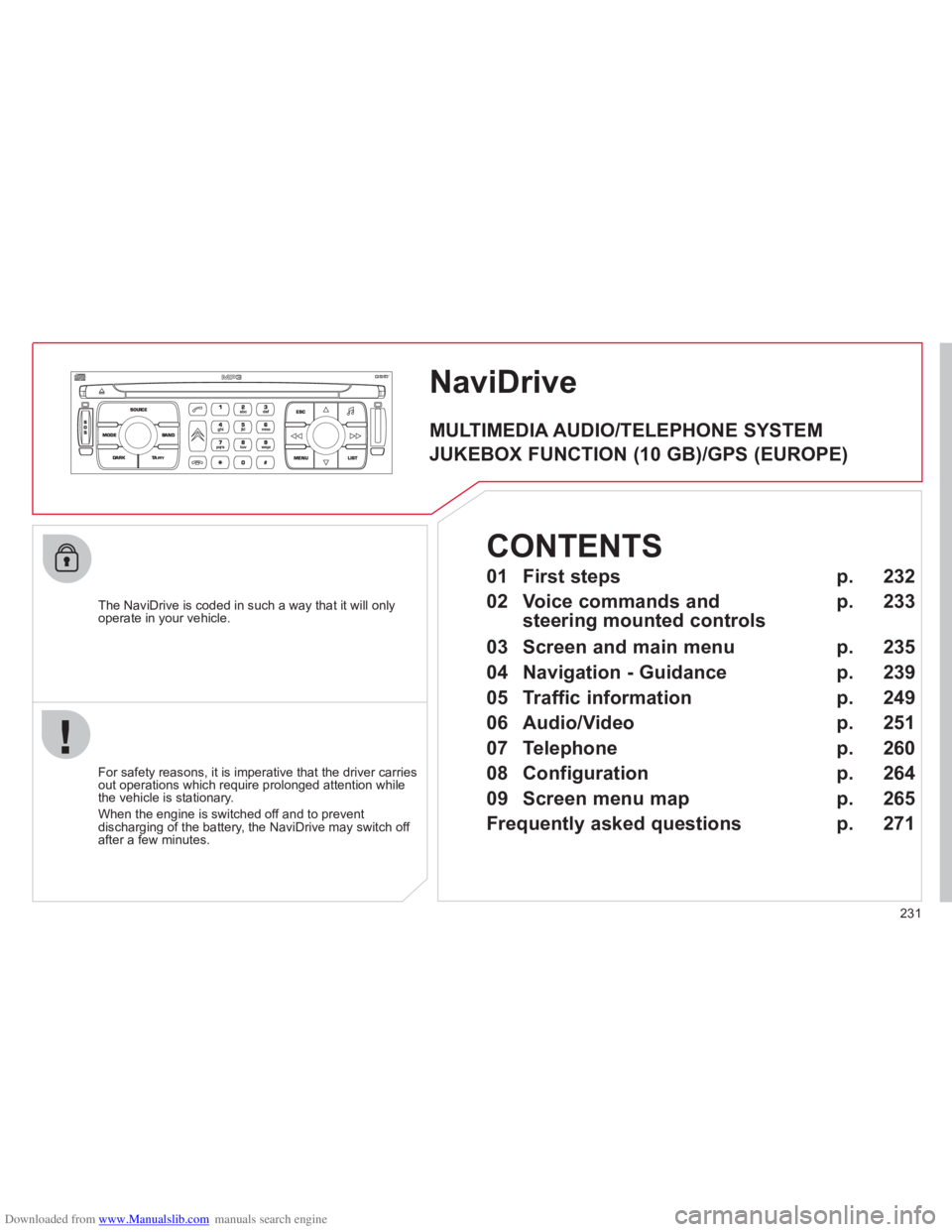
NaviDrive
The NaviDrive is coded in such a way that it will onlyoperate in your vehicle.
For safet
y reasons, it is imperative that the driver carries
out operations which require prolonged attention while
the vehicle is stationary.
When the en
gine is switched off and to prevent
discharging of the battery, the NaviDrive may switch off after a few minutes.
MULTIMEDIA AUDIO/TELEPHONE SYSTEM
JUKEBOX FUNCTION (10 GB)/GPS (EUROPE)
01 First steps
02 Voice commands and
steering mounted controls
03 Screen and main menu
04 Navigation - Guidance
05 Traffic information
06 Audio/Video
07 Telephone
08 Configuration
09 Screen menu map
Frequently asked questions p.
p.
p.
p.
p.
p.
p.
p.
p.
p.
232
233
235
239
249
251
260
264
265
271
CONTENTS