Vent CITROEN C4 PICASSO 2011 Repair Manual
[x] Cancel search | Manufacturer: CITROEN, Model Year: 2011, Model line: C4 PICASSO, Model: CITROEN C4 PICASSO 2011Pages: 352, PDF Size: 10.66 MB
Page 212 of 352

Downloaded from www.Manualslib.com manuals search engine XI
210
PRACTICAL INFORMATION
ROOF BARS
For your safety and to avoid damage
to the roof and tailgate, the design of
your vehicle requires the use of roof
bars and roof boxes that are tested
and approved by CITROËN.
Regardless of the type of load car-
rier to be mounted on the roof (roof
box, bicycle carrier, ski carrier...),
you must fi t transverse roof bars.
Recommendations
)
Distribute the load evenly, avoid-
ing overloading on one side.
)
Arrange the heaviest part of the
load as close as possible to the
roof.
)
Anchor the load securely and fi t
a warning fl ag part of it is over-
hanging.
)
Drive gently, as the vehicle will
be more liable to the effects of
side winds (vehicle stability may
be altered).
)
Remove the roof bars as soon
as they are no longer needed.
Bicycle carrier
Do not attach a strap-fi tting bicycle
carrier to the following vehicle ver-
sions:
- C4 Picasso 5-seater (all versions);
- C4 Picasso 7-seater version with
opening rear screen.
Maximum load, distributed
over the roof bars (for a
loading height not exceed-
ing 40 cm, except bicycle carrier):
80 kg.
If the height exceeds 40 cm, adapt
your speed to the profi le of the road
to avoid damaging the roof bars
and the fi xings on the roof.
Please refer to national legislation
in order to comply with the regula-
tions concerning the transport of
objects which are longer than the
vehicle.
* According to country.
VERY COLD CLIMATE
SCREEN *
Removable protective screen which
prevents the accumulation of snow
at the radiator cooling fan.
Fitting
)
Offer up the very cold climate
screen to the front of the lower
section of the front bumper.
)
Press around its edge to engage
its fi xing clips one by one.
Removal
)
Use a screwdriver as a lever to
release each fi xing clip in turn.
Do not forget to remove the very
cold climate screen:
- when the ambient temperature
exceeds 10 °C,
- when towing,
-
at speeds above 75 mph (120 km/h).
Page 233 of 352
Downloaded from www.Manualslib.com manuals search engine 231
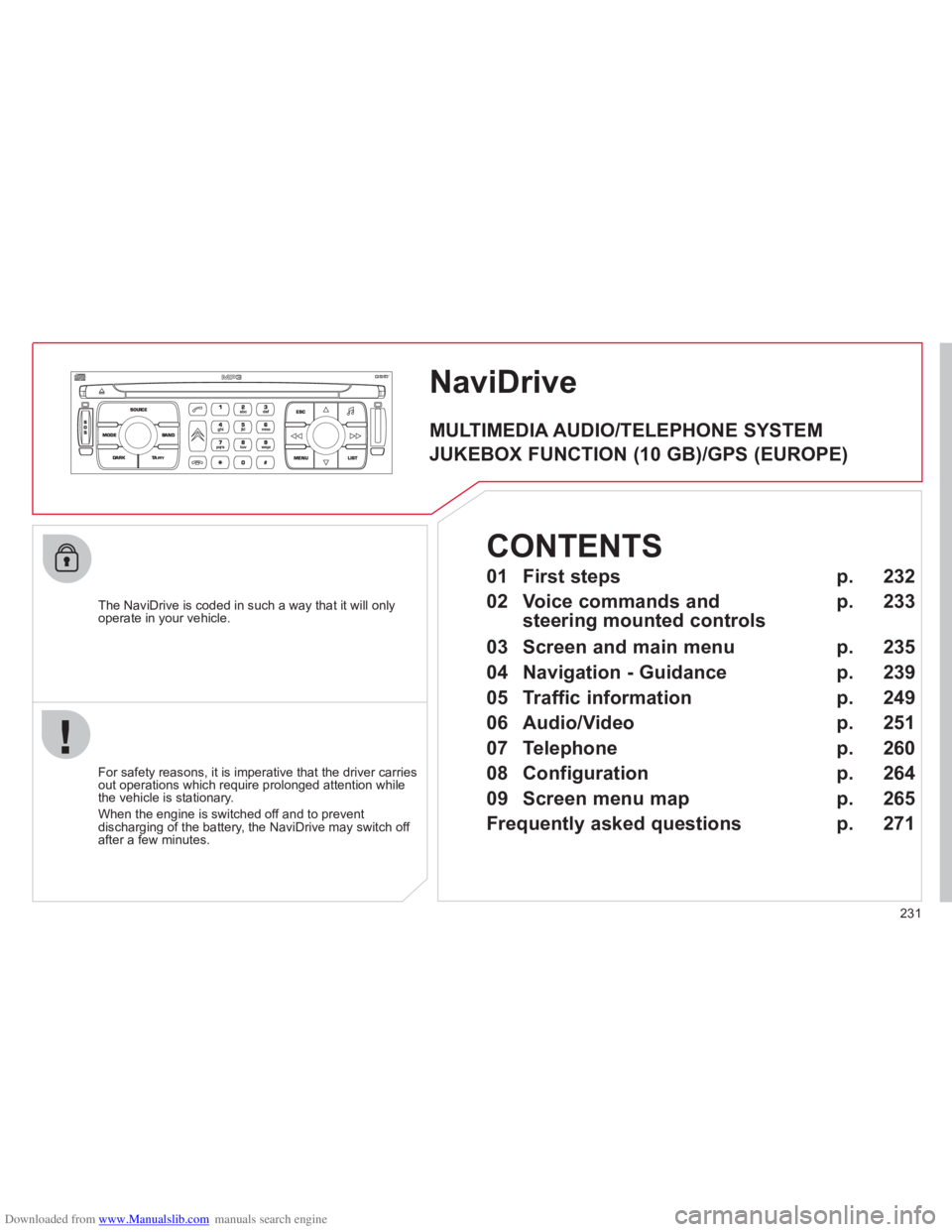
NaviDrive
The NaviDrive is coded in such a way that it will onlyoperate in your vehicle.
For safet
y reasons, it is imperative that the driver carries
out operations which require prolonged attention while
the vehicle is stationary.
When the en
gine is switched off and to prevent
discharging of the battery, the NaviDrive may switch off after a few minutes.
MULTIMEDIA AUDIO/TELEPHONE SYSTEM
JUKEBOX FUNCTION (10 GB)/GPS (EUROPE)
01 First steps
02 Voice commands and
steering mounted controls
03 Screen and main menu
04 Navigation - Guidance
05 Traffic information
06 Audio/Video
07 Telephone
08 Configuration
09 Screen menu map
Frequently asked questions p.
p.
p.
p.
p.
p.
p.
p.
p.
p.
232
233
235
239
249
251
260
264
265
271
CONTENTS
Page 274 of 352

Downloaded from www.Manualslib.com manuals search engine 272
QUESTIONANSWERSOLUTION
The stored stations donot function (no sound, 87.5 Mhz is displayed...)
An incorrect waveband is selected. Press the BAND AST button to return to the waveband (AM, FM1, FM2, FMAST) on which thestations are stored.
The quality of receptionof the radio station listened to graduallydeteriorates or the stored stations do not function(no sound, 87.5 Mhz is displayed...).
The vehicle is too far from the transmitter used by the station listenedto or there is no transmitter in the geographical area through which the vehicle is travelling.
Activate the RDS function to enable the system to check whether there is a more powerful transmitter in the geographical area.
The environment (hills, buildings, tunnels, basement car parks...) block reception, including in RDS mode.
This phenomenon is normal and does not indicate a failure of the audio equipment.
The aerial is absent or has been damaged (for example when goingthrough a car wash or into an underground car park).
Have the aerial checked by a CITROËN dealer.
Sound cut-outs of 1 to2 seconds in radio mode.During this brief sound cut-out, the RDS searches for any frequency permitting better reception of the station.
Deactivate the RDS function if the phenomenon is too frequent and always on the same route.
With the engine off, the audio equipment switches off after a few minutes of use.
When the engine is switched off, the audio equipment operating timedepends on the battery charge.
The switch-off is normal: the audio equipment switches to economy mode and switches off to prevent discharging of the vehicle's battery.
Start the vehicle's engine to increase the batterycharge.
TRAFFIC INFO is selected. However,certain traffi c jams along the route are notindicated in real time.
On starting, it is several minutes before the system begins to receive thetraffi c information.
Wait until the traffi c information is being received correctly (displaying of the traffi c information symbols on the map).
In certain countries, only major routes (motorways, ...) are listed for thetraffi c information.
This phenomenon is normal. The system isdependent on the traffi c information available.
The time taken to calculate a route sometimes seems longer than usual.
The performance of the system may slow down temporarily if a CD isbeing copied onto the Jukebox at the same time as a route is being calculated.
Wait until the CD has been copied or stop the copying before starting the guidance function.
Page 277 of 352

Downloaded from www.Manualslib.com manuals search engine 275
The MyWay is protected in such a way that it will onlyoperate in your vehicle.
Certain functions described in this handbook will
become available during the year.
MyWay
For safety reasons, the driver must carry out operations which require prolonged attention while the vehicle is stationary.
When the en
gine is switched off and to prevent
discharging of the battery, the MyWay switches off
following the activation of the Energy Economy mode.
MULTIMEDIA AUDIO SYSTEM/BLUETOOTH TELEPHONE
SATELLITE NAVIGATION SYSTEM FOR EUROPE BY SD CARD
01 First steps
CONTENTS
02 Steering mounted controls
03 General operation
04 Navigation - Guidance
05 Traffic information
06 Radio
07 Music media players
08 Bluetooth telephone
09 Configuration
10 Screen menu map p.
p.
p.
p.
p.
p.
p.
p.
p.
p.
Frequently asked questions p. 276
277
278
281
289
291
292
295
298
299
303
Page 306 of 352
Downloaded from www.Manualslib.com manuals search engine 304
QUESTIONANSWERSOLUTION
The stored stations donot function (no sound, 87.5 Mhz is displayed...).
An incorrect waveband is selected.
Press the BAND AST button to return to the waveband (AM, FM1, FM2, FMAST) on which thestations are stored.
The quality of receptionof the radio station listened to graduallydeteriorates or the stored stations do not function(no sound, 87.5 Mhz is displayed...).
The vehicle is too far from the transmitter used by the station listenedto or there is no transmitter in the geographical area through which the vehicle is travelling.
Activate the RDS function to enable the system to check whether there is a more powerful transmitter in the geographical area.
The environment (hills, buildings, tunnels, basement car parks...) block reception, including in RDS mode.
This phenomenon is normal and does not indicate a failure of the audio equipment.
The aerial is absent or has been damaged (for example when goingthrough a car wash or into an underground car park).
Have the aerial checked by a CITROËN dealer.
Sound cut-outs of 1 to2 seconds in radio mode.During this brief sound cut-out, the RDS searches for any frequency permitting better reception of the station.
Deactivate the RDS function if the phenomenon is too frequent and always on the same route.
With the engine off, the audio equipment switches off after a few minutes of use.
When the engine is switched off, the audio equipment operating timedepends on the battery charge.
The switch-off is normal: the audio equipment switches to economy mode and switches off to prevent discharging of the vehicle's battery.
Start the vehicle's engine to increase the batterycharge.
Page 309 of 352
Downloaded from www.Manualslib.com manuals search engine 307
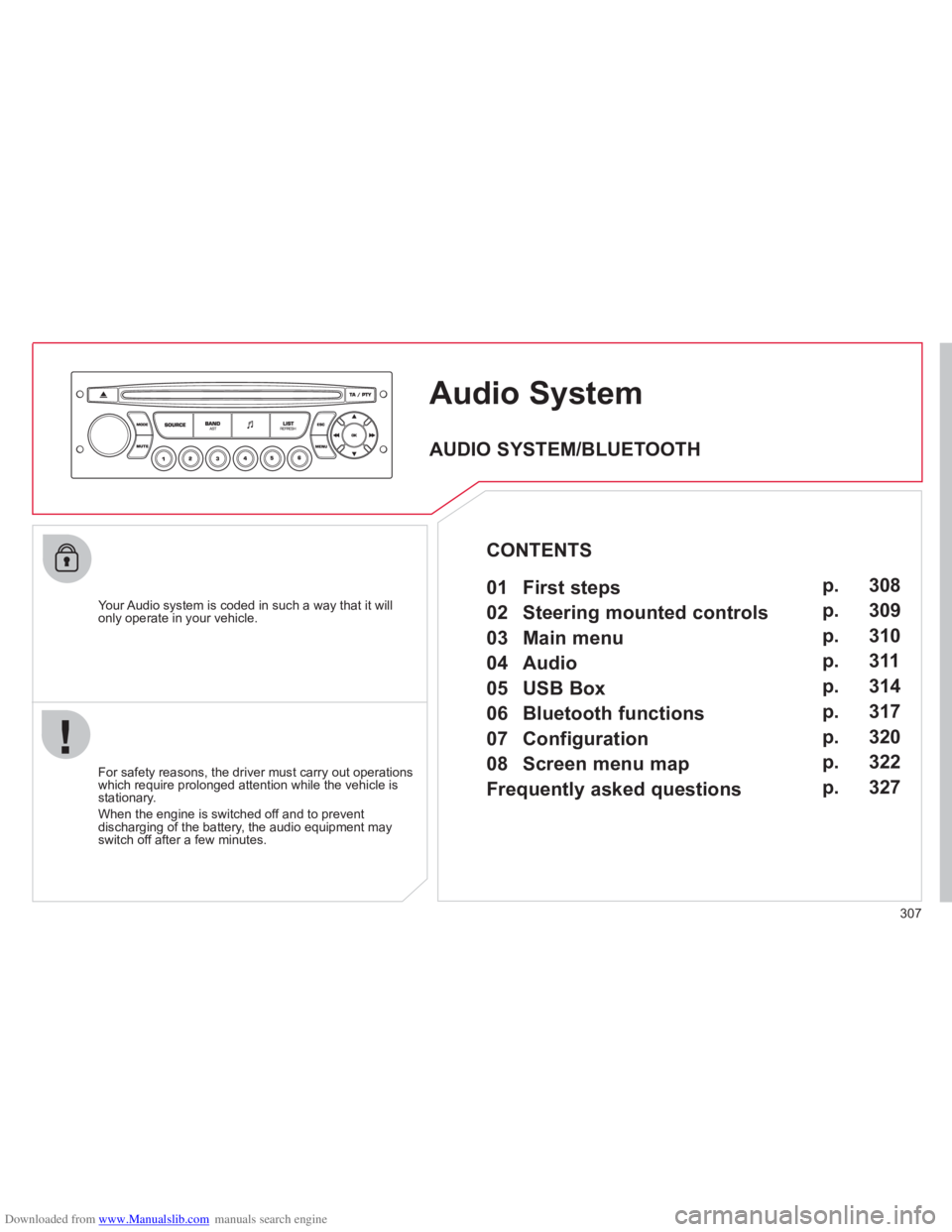
AudioSystem
Your Audio system is coded in such a way that it willonly operate in your vehicle.
For safet
y reasons, the driver must carry out operations
which require prolonged attention while the vehicle is stationary.
When the en
gine is switched off and to prevent
discharging of the battery, the audio equipment mayswitch off after a few minutes.
AUDIO SYSTEM/BLUETOOTH
01 First steps
02 Steering mounted controls
03 Main menu
04 Audio
05 USB Box
06 Bluetooth functions
07 Configuration
08 Screen menu map
Frequently asked questions p.
p.
p.
p.
p.
p.
p.
p.
p. 308
309
310
311
314
317
320
322
327
CONTENTS
Page 330 of 352

Downloaded from www.Manualslib.com manuals search engine 328
QUESTIONANSWERSOLUTION
The stored stations donot function (no sound, 87.5 Mhz is displayed...).
An incorrect waveband is selected.
Press the BAND AST button to return to the waveband (AM, FM1, FM2, FMAST) on whichthe stations are stored.
The traffi c announcement(TA) is displayed. I donot receive any traffi c information.
The radio station is not part of the regional traffi c information network.
Tune to a radio station which broadcasts traffi c information.
The quality of receptionof the radio station listened to graduallydeteriorates or the stored stations do not function(no sound, 87.5 Mhz is displayed...).
The vehicle is too far from the transmitter used by the station listened to or there is no transmitter in the geographical area through whichthe vehicle is travelling.
Activate the RDS function to enable the system to check whether there is a more powerful transmitter in the geographical area.
The environment (hills, buildings, tunnels, basement car parks...) block reception, including in RDS mode. This phenomenon is normal and does not indicate a failure of the audio equipment.
The aerial is absent or has been damaged (for example when goingthrough a car wash or into an underground car park).
Have the aerial checked by a CITROËN dealer.
Sound cut-outs of 1 to2 seconds in radio mode.During this brief sound cut-out, the RDS searches for any frequency permitting better reception of the station.
Deactivate the RDS function if the phenomenon is too frequent and always on the same route.
With the engine off, the audio equipment switches off after a few minutes of use.
When the engine is switched off, the audio equipment operating timedepends on the battery charge.
The switch-off is normal: the audio equipment switches to economy mode and switches off to prevent discharging of the vehicle's battery.
Start the vehicle's engine to increase the batterycharge.
The message "the audio system is overheated" appears on the display.
In order to protect the installation if the surrounding temperature is toohigh, the audio equipment switches to an automatic thermal protectionmode leading to a reduction of the volume or stopping of the playing of the CD.
Switch the audio system off for a few minutes toallow the system to cool.
Page 340 of 352
Downloaded from www.Manualslib.com manuals search engine 338
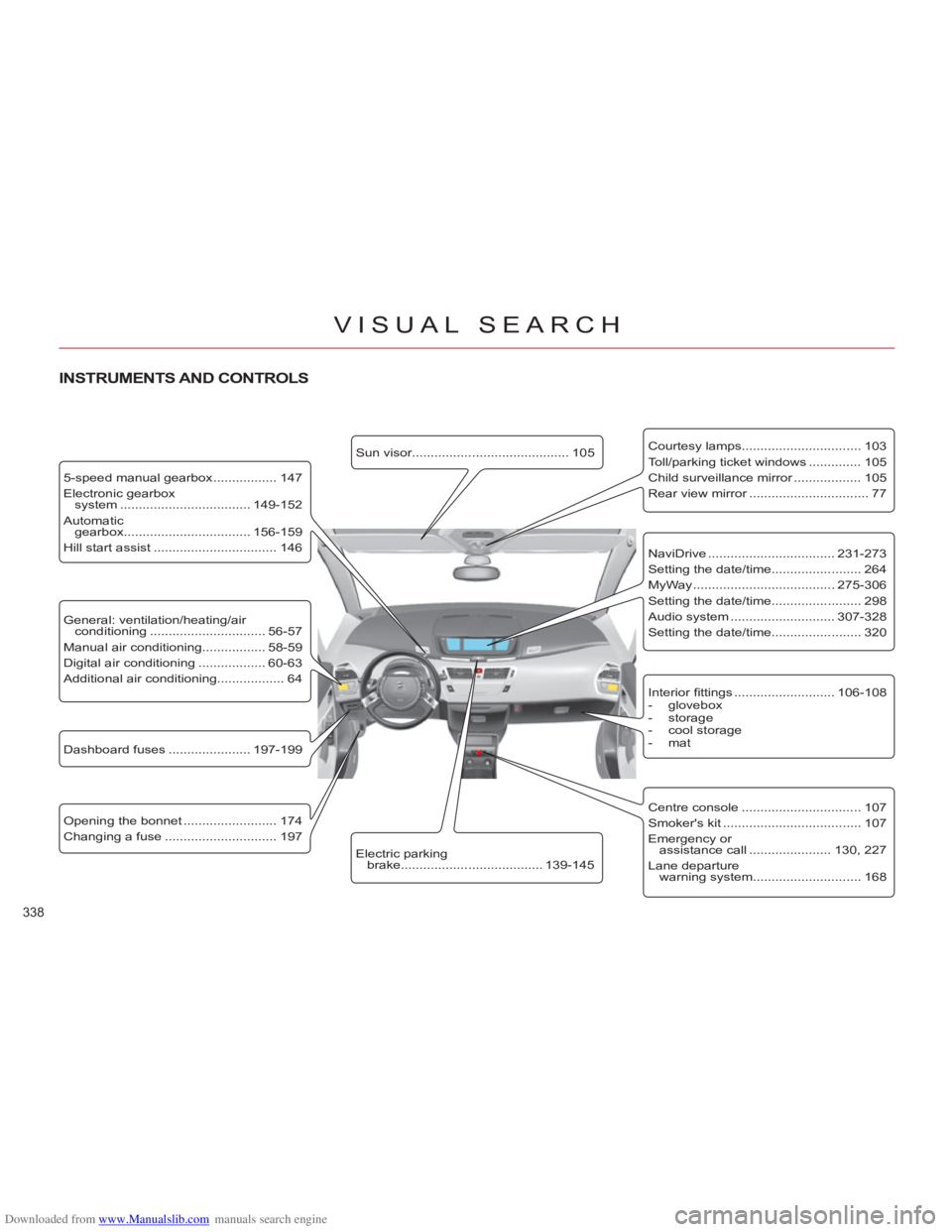
VISUAL SEARCH
Dashboard fuses ...................... 197-199
Opening the bonnet ......................... 174
Changing a fuse .............................. 197
5-speed manual gearbox ................. 147
Electronic gearbox
system ................................... 149-152
Automatic
gearbox.................................. 156-159
Hill start assist ................................. 146
Sun visor.......................................... 105
Electric parking
brake...................................... 139-145
Courtesy lamps................................ 103
Toll/parking ticket windows .............. 105
Child surveillance mirror .................. 105
Rear view mirror ................................ 77
Interior fi ttings ........................... 106-108
- glovebox
- storage
- cool storage
- mat
INSTRUMENTS AND CONTROLS
NaviDrive .................................. 231-273
Setting the date/time........................ 264
MyWay ...................................... 275-306
Setting the date/time........................ 298
Audio system ............................ 307-328
Setting the date/time........................ 320
General: ventilation/heating/air
conditioning ............................... 56-57
Manual air conditioning................. 58-59
Digital air conditioning .................. 60-63
Additional air conditioning.................. 64
Centre console ................................ 107
Smoker's kit ..................................... 107
Emergency or
assistance call ...................... 130, 227
Lane departure
warning system............................. 168
Page 342 of 352

Downloaded from www.Manualslib.com manuals search engine 340
VISUAL SEARCH
Boot fi ttings ................................ 111-115
- rear parcel shelf
- modubox (C4 Picasso)
- net and luggage cover
(Grand C4 Picasso)
- bag hook
- separation net
(Grand C4 Picasso)
- lashing rings
- luggage net
(Grand C4 Picasso)
Torch .................................................116
Rear seats (3rd row) .......................... 74
Seat modularity/
confi guration ................................... 75
Conventional child seats........... 117-121
ISOFIX child seats .................... 122-124
Child lock ......................................... 125
Side blinds ........................................110
Rear head restraints .......................... 70
Rear seats (2nd row) .................... 70-73
Rear fi ttings .............................. 109-110
- rear tables
- footwell storage
- side blinds
- rear blind (Grand C4 Picasso)
Seat belts.................................. 131-134
Mats ................................................. 108
Airbags ..................................... 135-138
Deactivating the passenger's
front airbag ................................... 136
Video pack ................................ 329-336
Front seats.................................... 67-69
- manual
- electric
INTERIOR
Page 344 of 352
Downloaded from www.Manualslib.com manuals search engine 342
ALPHABETICAL INDEX
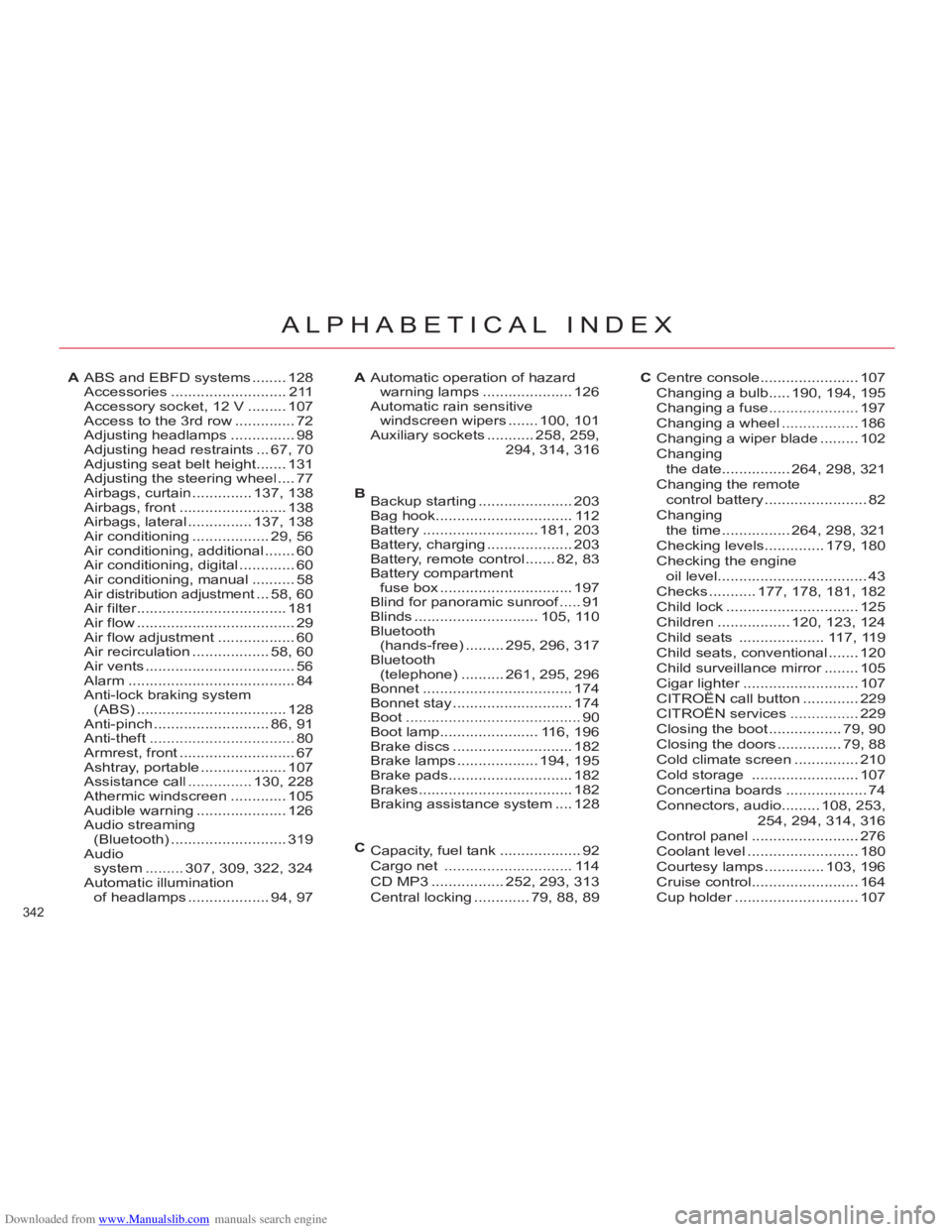
ABS and EBFD systems ........ 128Accessories...........................211Accessory socket, 12 V .........107Access to the 3rd row..............72Adjusting headlamps...............98Adjusting head restraints...67,70Adjusting seat belt height.......131Adjusting the steering wheel ....77Airbags, curtain..............137,138Airbags, front.........................138Airbags, lateral ...............137,138Air conditioning..................29,56Air conditioning, additional.......60Air conditioning, digital .............60Air conditioning, manual..........58Air distribution adjustment...t58,60Air filter...................................r181Air flow .....................................29Air flow adjustment ..................60Air recirculation..................58,60Air vents...................................56Alarm.......................................84Anti-lock braking system (ABS)...................................128Anti-pinch...........................86,91Anti-theft ..................................80Armrest, front...........................67Ashtray, portable....................107Assistance call ...............130,228Athermic windscreen.............105Audible warning.....................126Audio streaming(Bluetooth)...........................319Audio
system.........307,309, 322,324Automatic illumination
of headlamps ...................94,97
Automatic operation of hazard
warning lamps .....................126Automatic rain sensitivewindscreen wipers .......100, 101Auxiliary sockets ...........258,259,294,314, 316
Centre console ....................... 107Changing a bulb.....190, 194,195Changing a fuse.....................197Changing a wheel..................186Changing a wiper blade .........102Changingthe date................264, 298,321Changing the remote control battery........................82Changingthe time ................264, 298,321Checking levels..............179,180Checking the engineoil level...................................43Checks...........177,178, 181,182Child lock ...............................125Children.................120, 123,124Child seats ....................117,119Child seats, conventional ....... 120Child surveillance mirror........r105Cigar lighter...........................r107CITROËN call button .............229CITROËN services................229Closing the boot .................79,90Closing the doors...............79,88Cold climate screen...............210Cold storage.........................107Concertina boards...................74Connectors, audio.........108, 253,254,294, 314,316Control panel.........................276Coolant level..........................180Courtesy lamps..............103,196Cruise control.........................164Cup holder.............................r107
AAC
BBackup starting ......................203Bag hook ................................112Battery ...........................181, 203Battery, charging ....................203Battery, remote control .......82,83Battery compartmentfuse box ...............................197Blind for panoramic sunroof.....f91Blinds .............................105, 110Bluetooth(hands-free).........295,296, 317Bluetooth(telephone) ..........261,295, 296Bonnet...................................174Bonnet stay ............................174Boot .........................................90Boot lamp.......................116, 196Brake discs ............................182Brake lamps ...................194, 195Brake pads.............................182Brakes....................................182Braking assistance system ....128
Capacity, fuel tank...................92Cargo net..............................114CD MP3 .................252,293, 313Central locking .............79, 88,89
C