change time Citroen C4 PICASSO 2015 2.G User Guide
[x] Cancel search | Manufacturer: CITROEN, Model Year: 2015, Model line: C4 PICASSO, Model: Citroen C4 PICASSO 2015 2.GPages: 420, PDF Size: 10.72 MB
Page 213 of 420
211
Under-inflation detection
The system monitors the pressures in the four t
yres, once the vehicle is moving.
It
compares the information given by the four
w
heel speed sensors with reference values,
which must be reinitialised ever y time the
tyre pressures are adjusted or a wheel
changed .
The
system triggers an alert as soon as it
d
etects a drop in the inflation pressure of one
o
r more tyres. The
under-inflation detection system
d
oes not replace the need for vigilance
o
n the part of the driver.
This
system does not avoid the need to
c
heck the tyre pressures (including the
s
pare wheel) every month as well as
b
efore a long journey.
Driving
with under-inflated tyres impairs
r
oad holding, extends braking distances
a
nd causes premature tyre wear,
p
articularly under arduous condition
(
high loading, high speed, long journey).
System
which automatically checks the pressures of the tyres while driving.
The inflation pressures defined for
y
our vehicle can be found on the tyre
p
ressure label.
See
the "Identification markings"
s
ection.
Tyre
pressures should be checked
w
hen the tyres are "cold" (vehicle
s
topped for 1 hour or after a journey of
l
ess than 6 miles (10 km) at moderate
s
peeds).
Other wise
(when hot), add 0.3 bar to
t
he pressures shown on the label.
Driving
with under-inflated tyres
i
ncreases fuel consumption.
6
Safety
Page 218 of 420
216
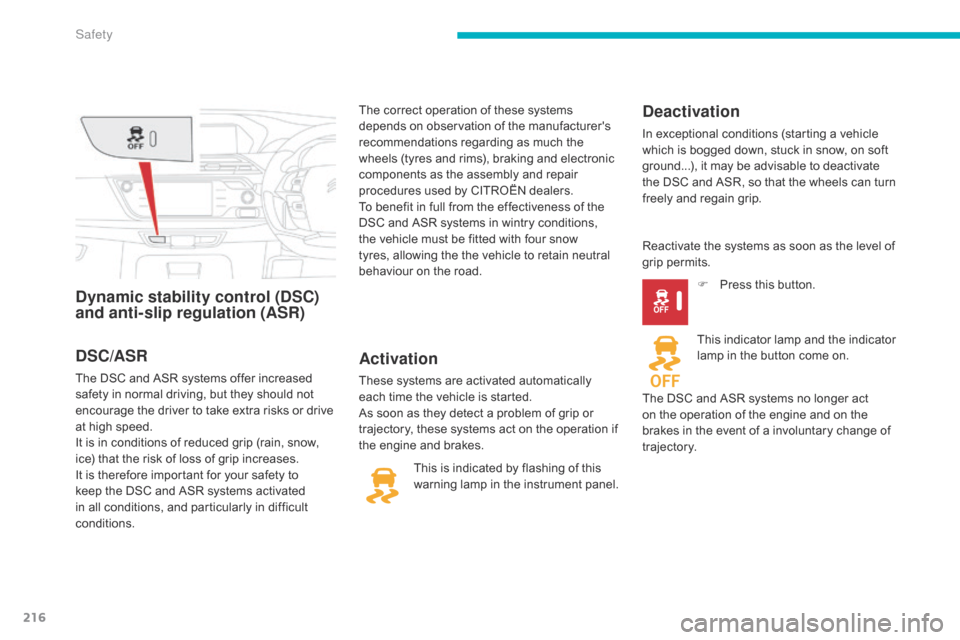
Dynamic stability control (DSC)
and anti-slip regulation (ASR)Activation
These systems are activated automatically each time the vehicle is started.
As
soon as they detect a problem of grip or
t
rajectory, these systems act on the operation if
t
he engine and brakes.
Deactivation
In exceptional conditions (starting a vehicle which is bogged down, stuck in snow, on soft
g
round...), it may be advisable to deactivate
t
he DSC and ASR, so that the wheels can turn
f
reely and regain grip.
This
is
indicated
by
flashing
of
this
w
arning
lamp
in
the
instrument
panel. Reactivate
the systems as soon as the level of
g
rip permits. F
P
ress this button.
This
indicator lamp and the indicator
l
amp in the button come on.
The
DSC and ASR systems no longer act
o
n the operation of the engine and on the
b
rakes in the event of a involuntary change of
t
rajectory.
DSC/ASR
The DSC and ASR systems offer increased s afety in normal driving, but they should not
e
ncourage the driver to take extra risks or drive
a
t high speed.
It
is in conditions of reduced grip (rain, snow,
i
ce) that the risk of loss of grip increases.
I
t is therefore important for your safety to
k
eep the DSC and ASR systems activated
i
n all conditions, and particularly in difficult
c
onditions. The
correct operation of these systems
d
epends on observation of the manufacturer's
r
ecommendations regarding as much the
w
heels (tyres and rims), braking and electronic
c
omponents as the assembly and repair
p
rocedures used by CITROËN dealers.
To benefit in full from the effectiveness of the
D
SC and ASR systems in wintry conditions,
t
he vehicle must be fitted with four snow
t
yres, allowing the the vehicle to retain neutral
b
ehaviour on the road.
Safety
Page 271 of 420
269
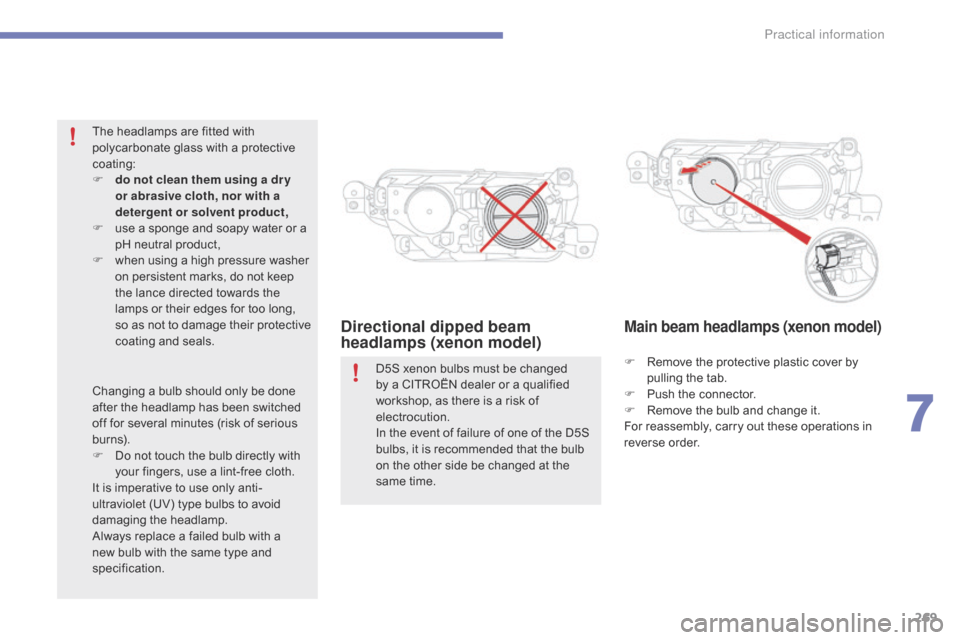
Directional dipped beam
headlamps (xenon model)Main beam headlamps (xenon model)
F Remove the protective plastic cover by p
ulling the tab.
F
P
ush the connector.
F
R
emove the bulb and change it.
For
reassembly, carry out these operations in
r
everse
o
rder.
D5S
xenon
bulbs
must
be
changed
b
y
a
CITROËN
dealer
or
a
qualified
w
orkshop,
as
there
is
a
risk
of
el
ectrocution.
In
the
event
of
failure
of
one
of
the
D5S
b
ulbs,
it
is
recommended
that
the
bulb
o
n
the
other
side
be
changed
at
the
s
ame
time.
The
headlamps
are
fitted
with
p
olycarbonate
glass
with
a
protective
c
oating:
F
d
o not clean them using a dr y
or abrasive cloth, nor with a
detergent or solvent product,
F
u
se
a
sponge
and
soapy
water
or
a
p
H
neutral
product,
F
w
hen
using
a
high
pressure
washer
o
n
persistent
marks,
do
not
keep
t
he
lance
directed
towards
the
l
amps
or
their
edges
for
too
long,
s
o
as
not
to
damage
their
protective
c
oating
a
nd
sea
ls.
Changing
a
bulb
should
only
be
done
a
fter
the
headlamp
has
been
switched
o
ff
for
several
minutes
(risk
of
serious
b
urns).
F
D
o
not
touch
the
bulb
directly
with
y
our
fingers,
use
a
lint-free
cloth.
It
is
imperative
to
use
only
anti-
ultraviolet
(UV)
type
bulbs
to
avoid
d
amaging
t
he
h
eadlamp.
Always
replace
a
failed
bulb
with
a
n
ew
bulb
with
the
same
type
and
s
pecification.
7
Practical information
Page 272 of 420

270
Dipped beam headlamps
(halogen model)
F Remove the protective plastic cover by p
ulling the tab.
F
P
ush the connector.
F
R
emove the bulb and change it.
For
reassembly, carry out these operations in
r
everse
o
rder.
Main beam headlamps
(halogen model)
F Turn the protective plastic cover to remove it.
F
D
isconnect the connector.
F
R
elease the clips.
F
R
emove the bulb and change it.
For
reassembly, carry out these operations in
r
everse
o
rder.
Daytime running lamps / sidelamps
For the replacement of this type of LED lamp and lighting guides, contact a CITROËN dealer
o
r a qualified workshop.
A
replacement kit for the LEDs is available from
C
ITROËN dealers.
Practical information
Page 310 of 420
308
Checking levels
Take care when working under the bonnet, as certain areas of the engine may be extremely hot (risk of burns) and the cooling fan could start at any time (even with the ignition off).
Engine oil level
The check is carried out either when the ignition is switched on using the
o
il level indicator in the instrument
p
anel for vehicles so equipped, or
u
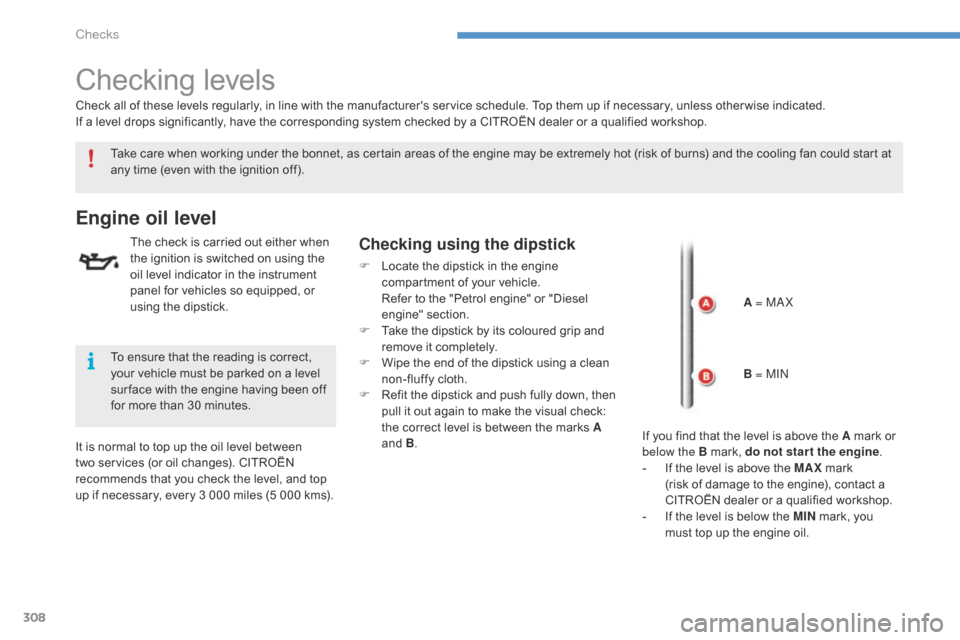
sing the dipstick.Checking using the dipstick
F Locate the dipstick in the engine c
ompartment of your vehicle.
R
efer to the "Petrol engine" or "Diesel
eng
ine"
se
ction.
F
T
ake the dipstick by its coloured grip and
r
emove it completely.
F
W
ipe the end of the dipstick using a clean
n
on-fluffy cloth.
F
R
efit the dipstick and push fully down, then
p
ull it out again to make the visual check:
t
he correct level is between the marks A
and
B.
It
is
normal
to
top
up
the
oil
level
between
t
wo
services
(or
oil
changes).
CITROËN
r
ecommends
that
you
check
the
level,
and
top
u
p
if
necessary,
every
3
000
miles
(5
000
kms).
Check
all
of
these
levels
regularly,
in
line
with
the
manufacturer's service schedule. Top them up if necessary, unless other wise indicated.
If
a
level
drops
significantly,
have
the
corresponding system checked by a CITROËN dealer or a qualified workshop.
To
ensure
that
the
reading
is
correct,
y
our
vehicle
must
be
parked
on
a
level
s
ur face
with
the
engine
having
been
off
f
or
more
than
30
minutes. A = M
aX
B
= MI
n
I
f you find that the level is above the A mark or
belo
w the B mark, do not star t the engine.
-
I
f the level is above the MAX
mark
(risk
of damage to the engine), contact a
C
ITROËN dealer or a qualified workshop.
-
I
f the level is below the MIN
mark, you
m
ust top up the engine oil.
Checks
Page 314 of 420
312
Checks
12 V battery
The battery does not require any maintenance.
H owever, check that the terminals are clean a
nd correctly tightened, particularly in summer
a
nd winter.Refer to the manufacturer's service schedule for details of the
r
eplacement intervals for these
c
omponents.
Air filter and passenger compartment filter
Replace the oil filter each time the e ngine oil is changed.
Refer
to the manufacturer's
s
ervice schedule for details of
t
he replacement interval for this
c
omponent.
Oil filter
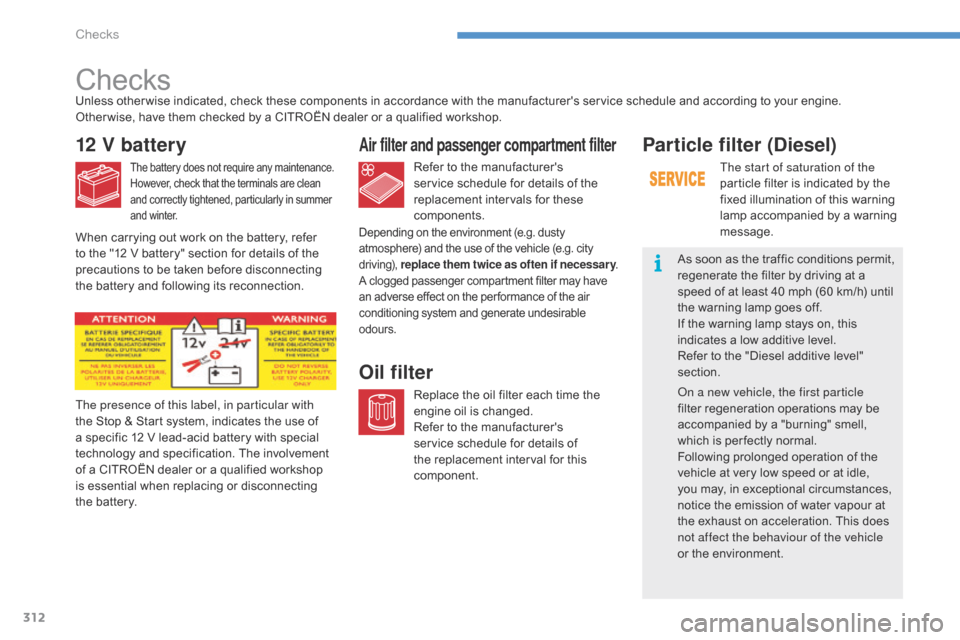
The presence of this label, in particular with
the Stop & Start system, indicates the use of
a
specific 12 V lead-acid battery with special
t
echnology and specification. The involvement
o
f a CITROËN dealer or a qualified workshop
i
s essential when replacing or disconnecting
t
he battery.
Unless
other wise indicated, check these components in accordance with the manufacturer's service schedule and according to your engine.
Other wise, have them checked by a CITROËN dealer or a qualified workshop.
Depending on the environment (e.g. dusty a
tmosphere) and the use of the vehicle (e.g. city d
riving),
r
eplace them twice as often if necessar y .
A
clogged passenger compartment filter may have
a
n adverse effect on the per formance of the air
c
onditioning system and generate undesirable
o
dours.
Particle filter (Diesel)
The start of saturation of the
particle filter is indicated by the
f
ixed illumination of this warning
l
amp accompanied by a warning
m
essage.
As
soon as the traffic conditions permit,
r
egenerate the filter by driving at a
s
peed
of at least 40 mph (60 km/h) until
t
he
warning lamp goes off.
If
the
warning lamp stays on, this
i
ndicates a low additive level.
Refer
to the "Diesel additive level"
s
ection.
on a n
ew vehicle, the first particle
filter
regeneration operations may be
a
ccompanied by a "burning" smell,
w
hich
is per fectly normal.
Following
prolonged operation of the
v
ehicle
at very low speed or at idle,
y
ou
may, in exceptional circumstances,
n
otice
the emission of water vapour at
t
he
exhaust on acceleration. This does
n
ot affect the behaviour of the vehicle
or
the
environment.
When
carrying
out
work
on
the
battery,
refer
t
o
the
"12
V
battery"
section
for
details
of
the
p
recautions
to
be
taken
before
disconnecting
t
he
battery
and
following
its
reconnection.
Checks
Page 343 of 420
341
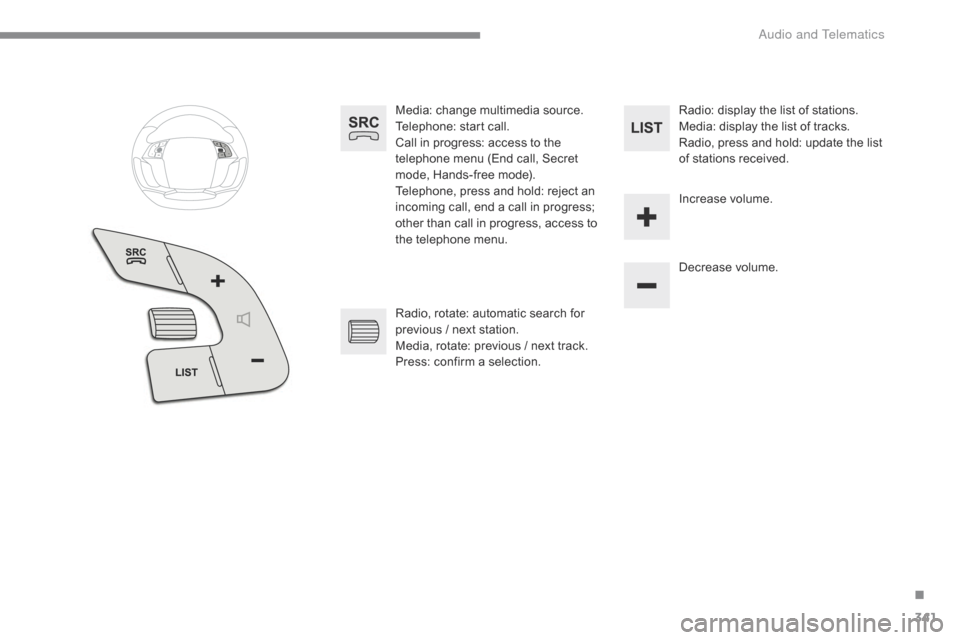
Media: change multimedia source.
T elephone: start call.
Call
in progress: access to the
t
elephone menu (End call, Secret
m
ode, Hands-free mode).
Telephone,
press and hold: reject an
i
ncoming call, end a call in progress;
o
ther than call in progress, access to
t
he telephone menu. Decrease
volume.
Radio,
rotate: automatic search for
p
revious / next station.
Media,
rotate: previous / next track.
Press:
confirm a selection. Radio:
display the list of stations.
Media: display the list of tracks.
Radio,
press and hold: update the list
o
f stations received.
Increase
volume.
.
A
Page 355 of 420

353
Select change of source.
P ress on Media
to display the
p
rimary
pag
e.
Select " DAB Radio ".
Select " List"
in the primary page.
Select
the radio station from the list offered.Press Media
to display the primary
p
age then press on the secondary
pag
e.
Select " Settings ".
Select " RADIO".
Select " Digital/FM auto
tracking " then "Confirm ".
Digital radio - DAB / FM
auto tracking
DAB
(Digital Audio Broadcasting)
Digital radio
"DAB" does not cover 100% of the t
e r r i to r y.
When
the digital radio signal is weak,
"
DAB / FM auto tracking" allows you to
c
ontinue listening to the same station,
b
y automatically switching to the
c
orresponding "FM" analogue station
(
if there is one). If
"DAB / FM auto tracking" is activated, t
here is a difference of a few seconds
w
hen the system switches to "FM"
a
nalogue radio with sometimes a
v
ariation in volume.
When
the digital signal is restored, the
s
ystem automatically changes back to
"
DA B ".
Digital
radio
provides
higher
quality
r
eception
and
also
the
graphical
display o
f
current
information
on
the
radio
s
tation
being
listened
to.
Select
"List"
in
t
he
primary
page.
The
range
of
multiplexes
available
is
d
isplayed
in
alphabetical
order. If
the "DAB" station being listened to
i
s not available on "FM" ("DAB/FM "
option
greyed out), or "DAB / FM auto
t
racking" is not activated, the sound
w
ill cut out while the digital signal is too
w
eak.
or Select "Radio list "
in
the
secondary
pag
e.
.
audio and Telematics
Page 356 of 420

354
Music
USB playerSelection of source
The steering mounted SRC (source) b
utton can be used to go to the next
m
edia source, available if the source
i
s active.
Select
change of source.
Press on Media
to display the
p
rimary
pag
e.
The
system
builds
playlists
(in
temporary
m
emory),
an
operation
which
can
take
from
a
few
seconds
to
several
minutes
at
the
first
c
onnection.
Reduce
the
number
of
non-music
files
and
the
n
umber
of
folders
to
reduce
the
waiting
time.
The
playlists
are
updated
every
time
the
i
gnition
is
switched
off
or
connection
of
a
USB
m
emory
stick.
The
lists
are
memorised:
if
they
a
re
not
modified,
the
subsequent
loading
time
w
ill
be
shorter.
Insert
the
USB
memory
stick
into
the
USB
port
o
r
connect
the
USB
device
to
the
USB
port
u
sing
a
suitable
cable
(not
supplied).
Auxiliary socket (AUX)
Connect the portable device (MP3 player…) to t
he auxiliary Jack socket using an audio cable
(
not
sup
plied).
First
adjust the volume of your portable device
(
to a high level). Then adjust the volume of your
a
udio system.
Display
and management of the controls are
v
ia the portable device. Choose
the source.
Press OK
to confirm the selection.
CD player
Insert the CD in the player.
audio and Telematics
Page 382 of 420
380
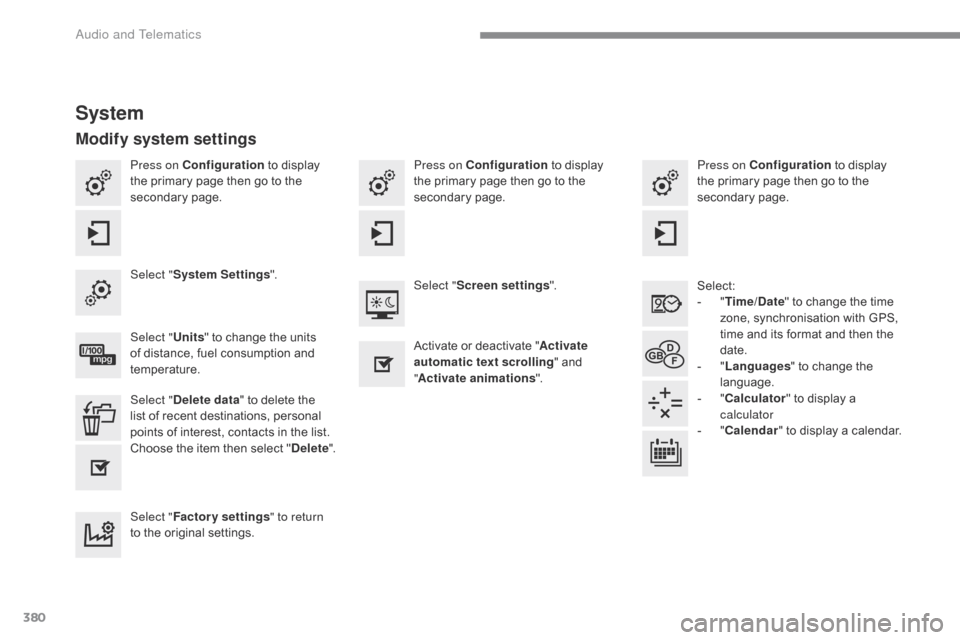
Press on Configuration to display t
he primary page then go to the
s
econdary
pag
e. Press on Configuration
to display t
he primary page then go to the
s
econdary
pag
e.
Press on Configuration
to display t
he primary page then go to the
s
econdary
pag
e.
Select:
-
"T
ime/Date"
to change the time
z
one, synchronisation with GPS,
t
ime and its format and then the
d
ate.
-
"L
anguages"
to change the
lan
guage.
-
"C
alculator"
to display a
c
alculator
-
"C
alendar"
to display a calendar.
Select "
System Settings ".
Select "Screen settings ".
Select " Units"
to change the units
o
f distance, fuel consumption and
t
emperature. Activate
or deactivate "Activate
automatic text scrolling "
and
"A
ctivate animations".
Select " Delete data "
to delete the
l
ist of recent destinations, personal
p
oints of interest, contacts in the list.
Choose
t
he
i
tem
t
hen
se
lect
"D
elete".
Select " Factory settings " to return
to
the original settings.
System
Modify system settings
audio and Telematics