Cruise Citroen C4 PICASSO 2015 2.G Owner's Manual
[x] Cancel search | Manufacturer: CITROEN, Model Year: 2015, Model line: C4 PICASSO, Model: Citroen C4 PICASSO 2015 2.GPages: 420, PDF Size: 10.72 MB
Page 4 of 420
7-inch touch screen tablet 11
Instrument panels
2
0
Indicator
and warning lamps
2
5
Adjustment
buttons
4
4
Setting
the date and time
4
7
Trip
computer
4
8
Monitoring
ove
r view
Electronic key - remote control 5
1
Keyless Entry and Starting
5
4
Central
locking
6
1
Doors
6
2
Boot
6
4
Motorised
tailgate
6
5
Alarm
6
8
Electric
windows
7
1
access
Front seats 73
Rear seats
8
0
Seat
modularity
87
M
irrors
8
9
Steering
wheel adjustment
9
1
Ventilation
9
2
Heating
9
4
Dual-zone
m
anual
a
ir
c
onditioning
9
5
Dual-zone
automatic air conditioning
9
7
Front
demist - defrost
1
02
Rear
screen demist -
d
efrost
10
3
Scented
air freshener
1
04
Interior
fittings
1
06
Comfort
Driving recommendations 1 21
Starting-switching off the engine with
t
he electronic key
1
22
Starting-switching
off the engine with
t
he "Keyless Entry and Starting" system
1
24
Electric
parking brake
1
28
Hill
start assist
1
35
5 -speed
manual gearbox
1
36
6 -speed
manual gearbox
1
36
Electronic
gearbox (ETG6)
1
37
Automatic
gearbox
1
41
Gear
ef ficiency indicator
1
46
Stop
& Start
1
47
Display
of inter-vehicle time
1
50
Memorising
speeds
1
54
Speed
limiter
1
55
Cruise
control
1
58
Active
cruise control
1
61
Collision
risk alert
1
69
Lane
departure warning
system
1
72
Blind
spot sensors
1
73
Parking
sensors
1
76
Reversing
camera
1
78
360
Vision
1
79
Park
Assist
1
81
Driving
Eco-driving
Contents
Page 9 of 420
7
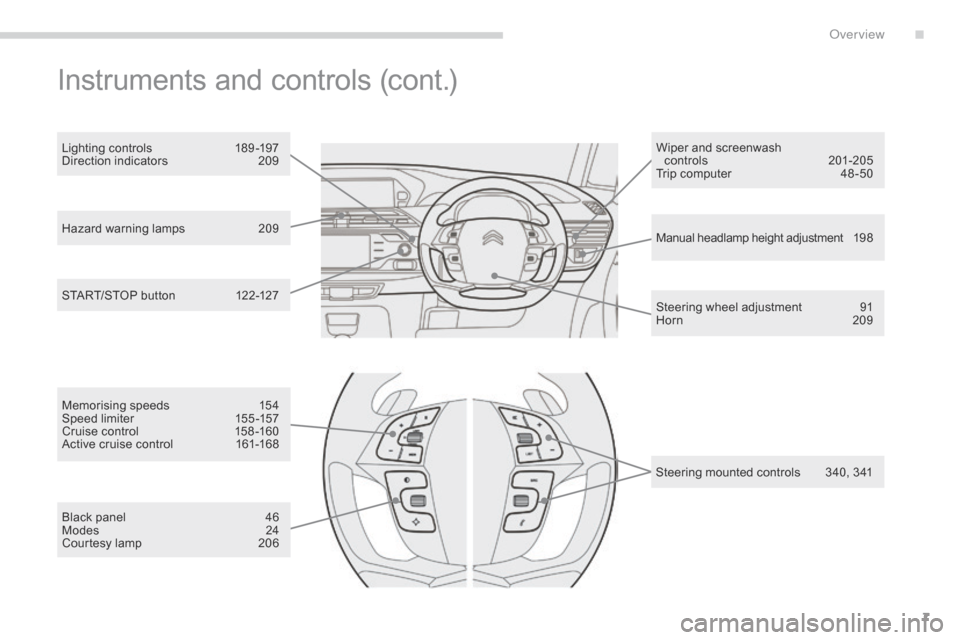
Hazard warning lamps 209
Manual headlamp height adjustment 1 9 8
Steering
wheel adjustment
9
1
Horn
2
09
START/STOP
button
1
22-127 Wiper
and screenwash
controls
20
1-205
Trip computer
4
8 -50
Lighting controls
1
89 -197
Direction indicators
2
09
Instruments and controls (cont.)
Memorising speeds 1
54
Speed limiter 1 55 -157
Cruise
control
1
58 -160
Active
cruise control
1
61-168
Black
panel
4
6
Modes
2
4
Courtesy
lamp
2
06 Steering
mounted controls
3
40, 341
.
over view
Page 11 of 420
9
Optimise the use of your gearbox
With a manual gearbox, move off gently and change up without waiting. During acceleration change up early.
With
an automatic or electronic gearbox, give preference to automatic
m
ode and avoid pressing the accelerator pedal heavily or suddenly.
Control the use of your electrical
equipment
Before moving off, if the passenger compartment is too warm, ventilate it by opening the windows and air vents before using the air conditioning.
Above
30 mph (50 km/h), close the windows and leave the air vents
ope
n.
Remember
to
make
use
of
equipment
that
can
help
keep
the temperature
i
n the passenger compartment down (sunroof and window blinds...).
Switch
off the air conditioning, unless it has automatic regulation,
a
s soon as the desired temperature is attained.
Switch
off the demisting and defrosting controls, if not automatic.
Switch
off the heated seat as soon as possible.
Switch
off the headlamps and front foglamps when the level of light
d
oes not require their use.
Avoid
running the engine before moving off, particularly in winter; your
v
ehicle will warm up much faster while driving.
As
a passenger, if you avoid connecting your multimedia devices
(
film, music, video game...), you will contribute towards limiting the
c
onsumption of electrical energy, and so of fuel.
Disconnect
your portable devices before leaving the vehicle.
Eco-driving
Eco-driving is a range of everyday practices that allow the motorist to optimise their fuel consumption and CO2 emissions.
Drive smoothly
Maintain a safe distance between vehicles, use engine braking rather than the brake pedal, and press the accelerator progressively. These
p
ractices contribute towards a reduction in fuel consumption and
C
o
2 emissions and also helps reduce the background traffic noise.
I
f
your vehicle has cruise control, make use of the system at speeds
a
bove 25 mph (40 km/h) when the traffic is flowing well.
The
gear efficiency indicator invites you engage the most suitable gear:
a
s
soon as the indication is displayed in the instrument panel, follow it
s
traight away.
For
vehicles fitted with an electronic or automatic gearbox, this
i
ndicator appears only in manual mode.
.
Eco-driving
Page 16 of 420
14
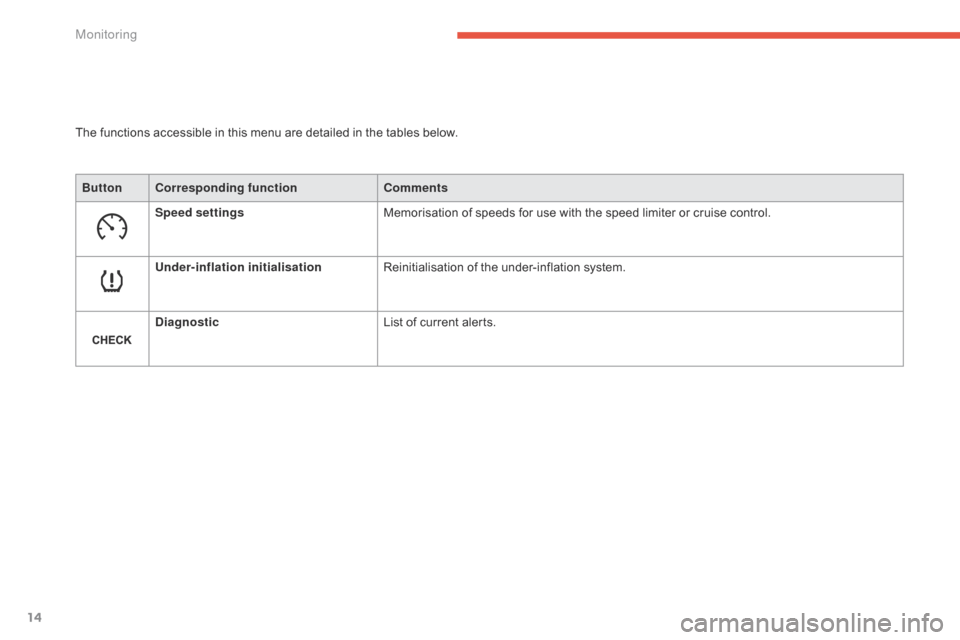
The functions accessible in this menu are detailed in the tables below.
Bu tton Corresponding function Comments
Speed settings Memorisation
of speeds for use with the speed limiter or cruise control.
Under-inflation initialisation Reinitialisation
of the under-inflation system.
Diagnostic List
of current alerts.
Monitoring
Page 18 of 420
16
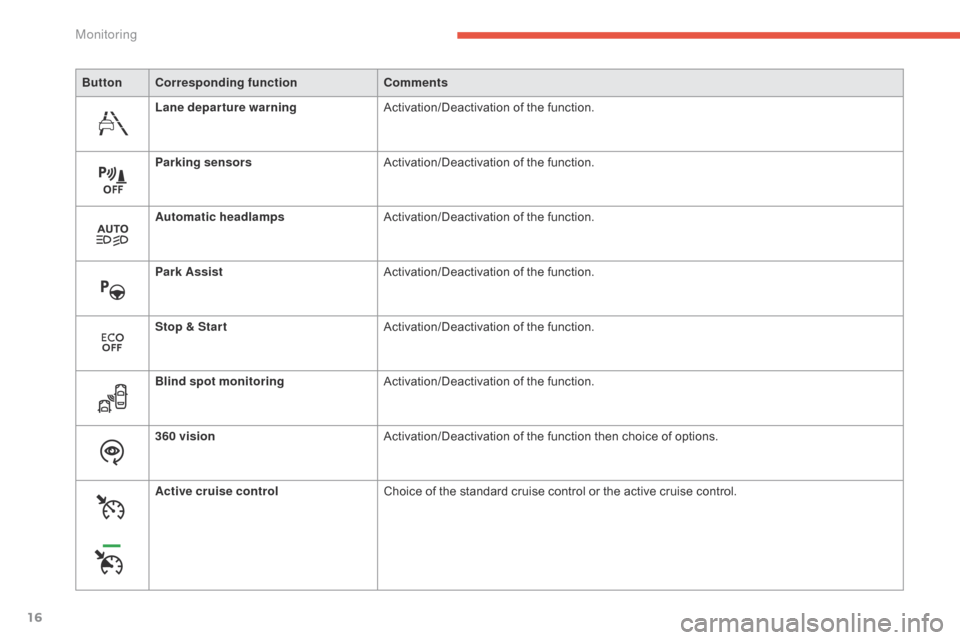
ButtonCorresponding function Comments
Lane departure warning Activation/Deactivation
o
f
th
e
f
unction.
Parking sensors Activation/Deactivation
o
f
th
e
f
unction.
Automatic headlamps Activation/Deactivation
o
f
th
e
f
unction.
Park Assist Activation/Deactivation
o
f
th
e
f
unction.
Stop & Star t Activation/Deactivation
o
f
th
e
f
unction.
Blind spot monitoring Activation/Deactivation
o
f
th
e
f
unction.
360 vision Activation/Deactivation
of the function then choice of options.
Active cruise control Choice
of the standard cruise control or the active cruise control.
Monitoring
Page 26 of 420
24
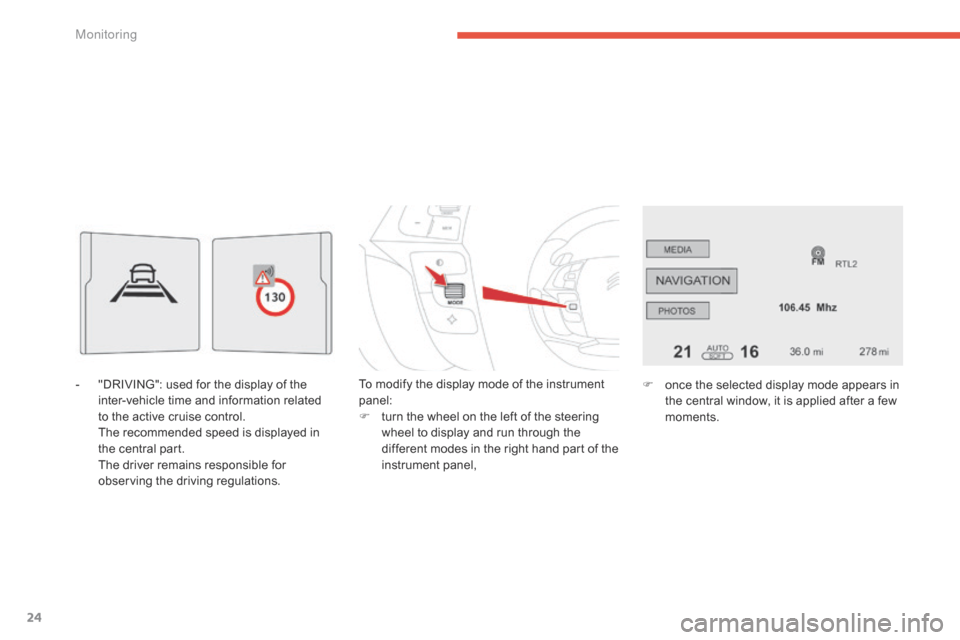
- "DRIVING": used for the display of the i
nter-vehicle time and information related
to
the active cruise control.
T
he recommended speed is displayed in
t
he central part.
T
he driver remains responsible for
o
bserving the driving regulations. To
modify the display mode of the instrument pan
el:
F
t
urn the wheel on the left of the steering
w
heel to display and run through the
d
ifferent modes in the right hand part of the
in
strument
pan
el,F
o nce the selected display mode appears in
t
he central window, it is applied after a few
m
oments.
Monitoring
Page 48 of 420
46
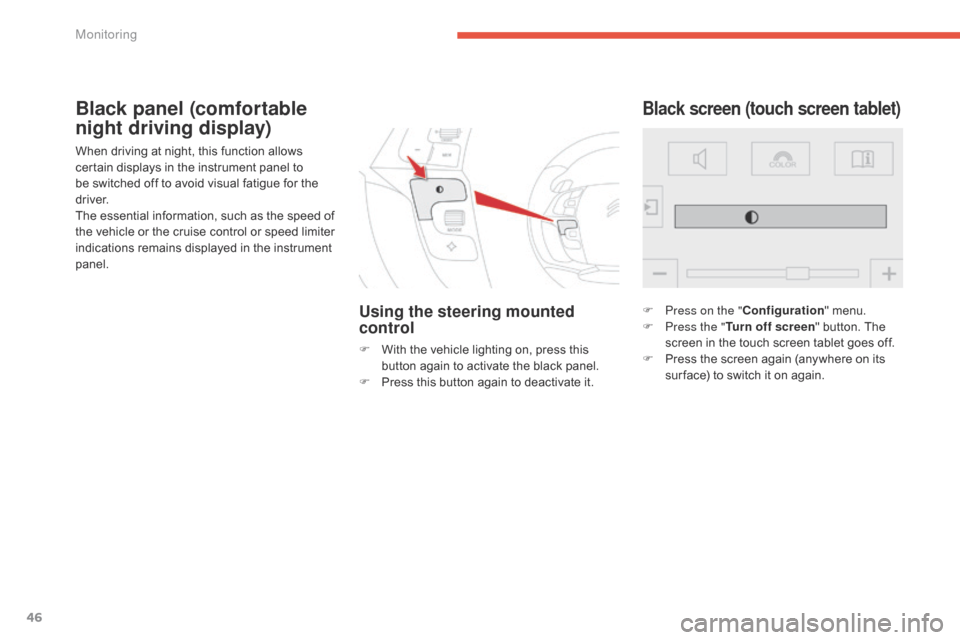
When driving at night, this function allows certain displays in the instrument panel to
b
e switched off to avoid visual fatigue for the
d
river.
The
essential information, such as the speed of
t
he vehicle or the cruise control or speed limiter
i
ndications remains displayed in the instrument
pan
el.
Using the steering mounted
control
F With the vehicle lighting on, press this b
utton again to activate the black panel.
F
P
ress this button again to deactivate it.
Black screen (touch screen tablet)Black panel (comfortable
night driving display)
F Press on the "Configuration" menu.
F P ress the " Turn off screen "
button. The
s
creen in the touch screen tablet goes off.
F
P
ress the screen again (anywhere on its
s
ur face) to switch it on again.
Monitoring
Page 113 of 420
111
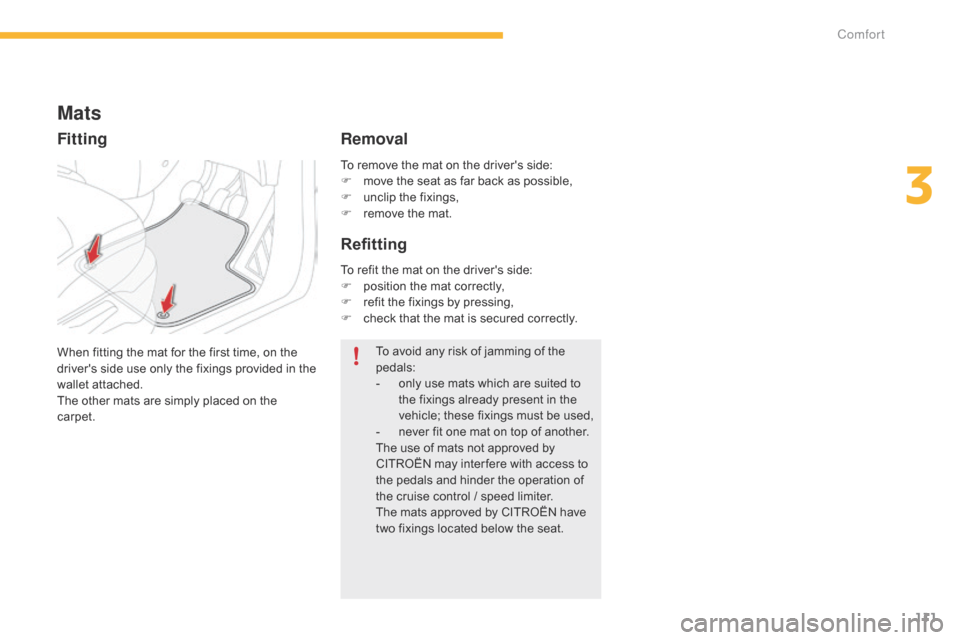
To remove the mat on the driver's side:
F m ove the seat as far back as possible,
F
u
nclip the fixings,
F
r
emove the mat.
Mats
When fitting the mat for the first time, on the driver's side use only the fixings provided in the
w
allet attached.
The
other mats are simply placed on the
c
arpet. To
avoid any risk of jamming of the ped
als:
-
o
nly use mats which are suited to
t
he fixings already present in the
v
ehicle; these fixings must be used,
-
n
ever fit one mat on top of another.
The
use of mats not approved by
C
ITROËN may inter fere with access to
t
he pedals and hinder the operation of
t
he cruise control / speed limiter.
The
mats approved by CITROËN have
t
wo fixings located below the seat.
To
refit the mat on the driver's side:
F
p
osition the mat correctly,
F
r
efit the fixings by pressing,
F
c
heck that the mat is secured correctly.
Fitting
Removal
Refitting
3
Comfort
Page 152 of 420
150
Display of inter-vehicle time
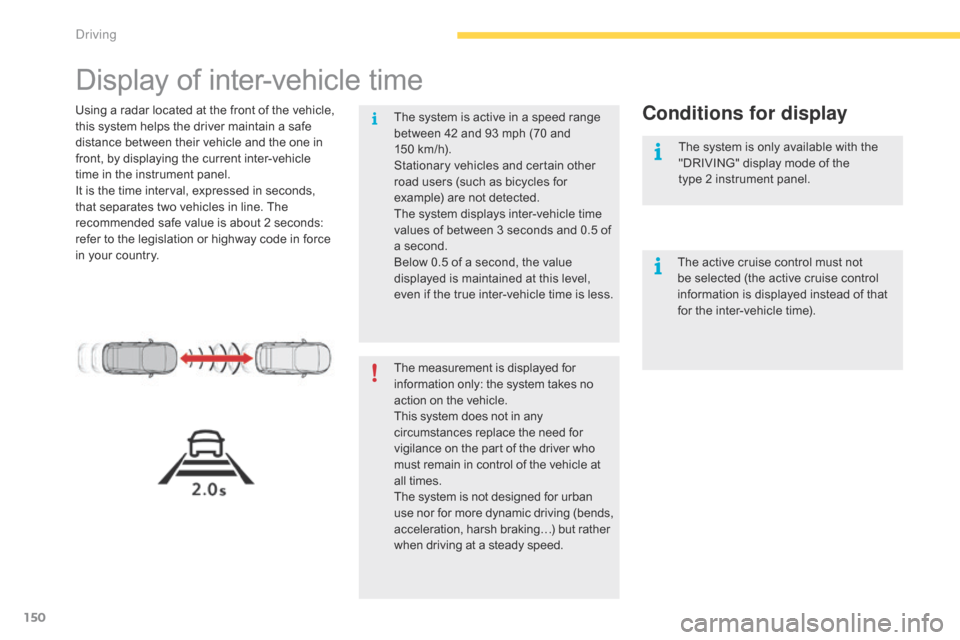
Using a radar located at the front of the vehicle, this system helps the driver maintain a safe
d
istance between their vehicle and the one in
f
ront, by displaying the current inter-vehicle
t
ime in the instrument panel.
It
is the time interval, expressed in seconds,
t
hat separates two vehicles in line. The
r
ecommended safe value is about 2 seconds:
r
efer to the legislation or highway code in force
i
n your country.Conditions for display
The measurement is displayed for information only: the system takes no a
ction on the vehicle.
This
system does not in any
c
ircumstances replace the need for
v
igilance on the part of the driver who
m
ust remain in control of the vehicle at
a
ll times.
The
system is not designed for urban
u
se
nor
for
more
dynamic
driving
(bends,
a
cceleration, harsh braking…) but rather
w
hen driving at a steady speed.
The
system is active in a speed range
b
etween 42 and 93 mph (70 and
1
50 km/h).
Stationary vehicles and certain other
r
oad users (such as bicycles for
e
xample) are not detected.
The system displays inter-vehicle time
v
alues of between 3 seconds and 0.5 of
a
second.
Below 0.5 of a second, the value
d
isplayed is maintained at this level,
e
ven if the true inter-vehicle time is less.
The active cruise control must not
b
e selected (the active cruise control
i
nformation is displayed instead of that
f
or the inter-vehicle time).
The system is only available with the
"
DRIVING" display mode of the
type 2 instrument panel.
Driving
Page 160 of 420
158
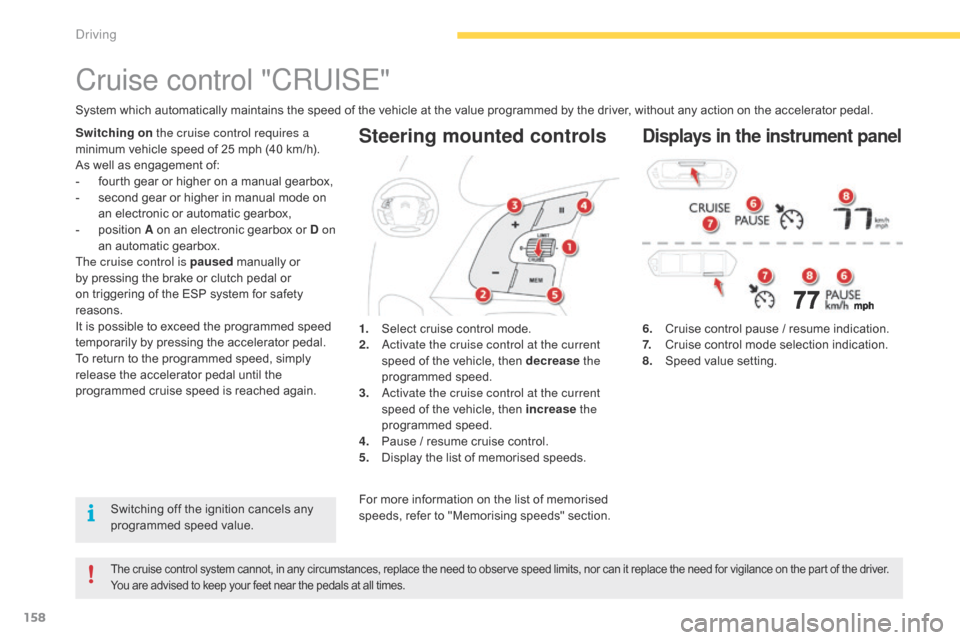
Steering mounted controls
6. Cruise control pause / resume indication.
7. C ruise control mode selection indication.
8.
S
peed value setting.
Cruise control "CRUISE"
System which automatically maintains the speed of the vehicle at the value programmed by the driver, without any action on the accelerator pedal.
The cruise control system cannot, in any circumstances, replace the need to observe speed limits, nor can it replace the need for vigilance on the part of the driver.
Y ou are advised to keep your feet near the pedals at all times.
Switching on the cruise control requires a
minimum vehicle speed of 25 mph (40 km/h).
As
well as engagement of:
-
f
ourth gear or higher on a manual gearbox,
-
s
econd gear or higher in manual mode on
a
n electronic or automatic gearbox,
-
p
osition A on an electronic gearbox or D on
an
automatic gearbox.
The cruise control is paused
manually or
b
y pressing the brake or clutch pedal or
o
n triggering of the ESP system for safety
r
easons.
It
is possible to exceed the programmed speed
t
emporarily by pressing the accelerator pedal.
To
return to the programmed speed, simply
r
elease the accelerator pedal until the
p
rogrammed cruise speed is reached again.1.
S
elect cruise control mode.
2.
a
c
tivate the cruise control at the current
speed
of the vehicle, then decrease the
programmed
s
peed.
3.
a
c
tivate the cruise control at the current
speed
of the vehicle, then increase the
programmed
s
peed.
4.
P
ause / resume cruise control.
5.
D
isplay the list of memorised speeds.Displays in the instrument panel
Switching off the ignition cancels any programmed speed value. For
more information on the list of memorised s
peeds, refer to "Memorising speeds" section.
Driving