fuse Citroen C4 PICASSO 2015 2.G Owner's Manual
[x] Cancel search | Manufacturer: CITROEN, Model Year: 2015, Model line: C4 PICASSO, Model: Citroen C4 PICASSO 2015 2.GPages: 420, PDF Size: 10.72 MB
Page 5 of 420
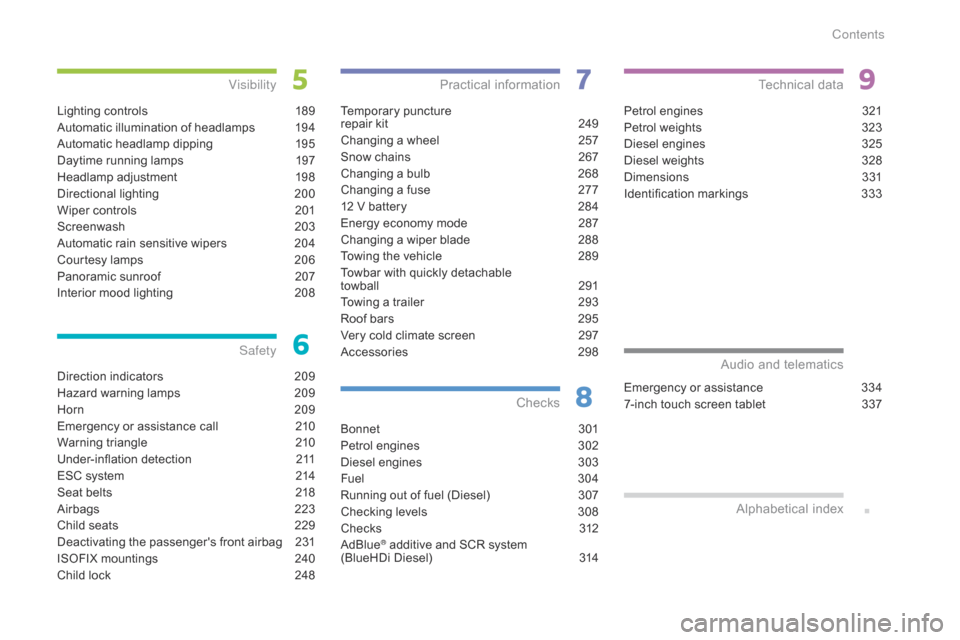
Direction indicators 209
Hazard warning lamps
2
09
Horn
2
09
Emergency
or assistance call
2
10
Warning
triangle
2
10
Under-inflation
d
etection
2
11
ESC
system
2
14
Seat
belts
2
18
Airbags
2
23
Child
seats
2
29
Deactivating
the passenger's front airbag
2
31
ISOFIX
mountings
2
40
Child
lock
2
48
Safety
Temporary puncture
r epair kit 2 49
Changing
a wheel
2
57
Snow
chains
2
67
Changing
a bulb
2
68
Changing
a fuse
2
77
12
V battery
2
84
Energy
economy mode
2
87
Changing
a wiper blade
2
88
Towing
the vehicle
2
89
Towbar
with quickly detachable
towball
2
91
Towing
a trailer
2
93
Roof
bars
2
95
Very
cold climate screen
2
97
Accessories
2
98
Practical information
Bonnet 3 01
Petrol engines
3
02
Diesel
engines
3
03
Fuel
3
0 4
Running
out of fuel (Diesel)
3
07
Checking
levels
3
08
Chec ks
3
12
AdBlue
® additive and SCR system
(
BlueHDi Diesel) 3 14
Checks
Petrol engines 3 21
Petrol weights
3
23
Diesel
engines
3
25
Diesel
weights
3
28
Dimensions
3
31
Identification
ma
rkings
3
33
Technical data
Emergency or assistance 3 34
7-inch touch screen tablet
3
37
Audio and telematics
Lighting controls 1 89
Automatic illumination of headlamps
1
94
Automatic
headlamp dipping
1
95
Daytime
running lamps
1
97
Headlamp
adj
ustment
1
98
Directional
l
ighting
2
00
Wiper
controls
2
01
Screenwash
2
03
Automatic
rain sensitive wipers
2
04
Courtesy
lamps
2
06
Panoramic
sunroof
2
07
Interior
mood lighting
2
08
Visibility
Alphabetical
in
dex
Contents
Page 8 of 420
6
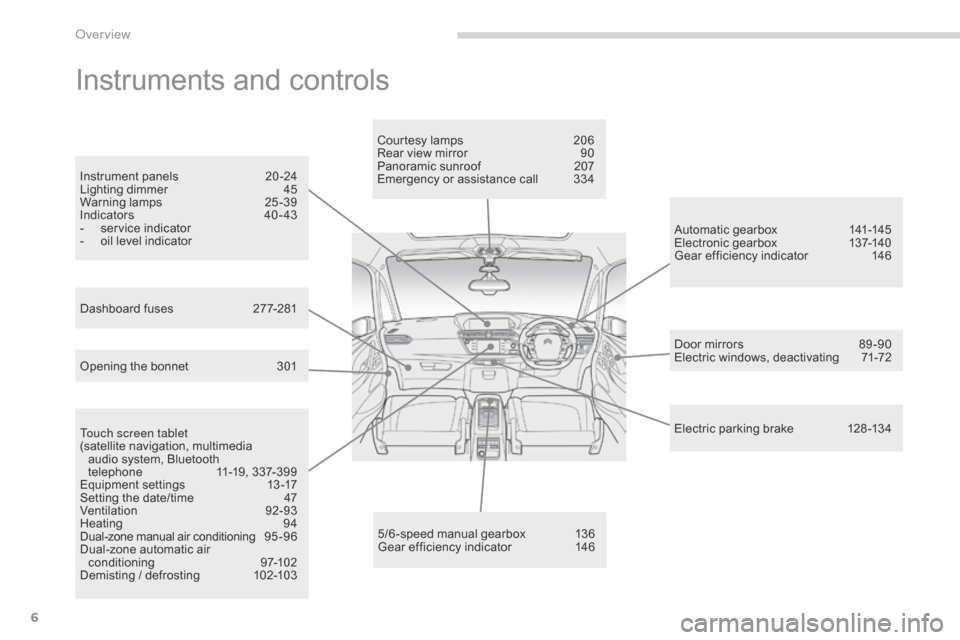
Instruments and controls
Touch screen tablet
(satellite navigation, multimedia
a
udio system, Bluetooth
t
elephone
1
1-19, 337-399
Equipment
se
ttings
1
3-17
Setting
the date/time
4
7
Ventilation
9
2-93
Heating
9
4
Dual-zone
m
anual
a
ir
c
onditioning
9
5 - 9 6
Dual-zone
automatic air
c
onditioning
9
7-102
Demisting
/ defrosting
1
02-103 Door
mirrors
8
9 -90
Electric windows, deactivating
7
1-72
5/6 -speed manual gearbox
1
36
Gear
efficiency indicator
1
46Automatic
gearbox
1
41-145
Electronic gearbox
1
37-140
Gear efficiency indicator
1
46
Opening the bonnet
3
01Courtesy lamps
2
06
Rear view mirror
9
0
Panoramic sunroof
2
07
Emergency or assistance call
3
34
Instrument panels
2
0 -24
Lighting dimmer
4
5
Warning
lam
ps
2
5-39
Indicators
4
0 - 43
-
s
ervice indicator
-
o
il level indicator
Electric parking brake 1 28 -134
Dashboard fuses
2
77-281
over view
Page 10 of 420
8
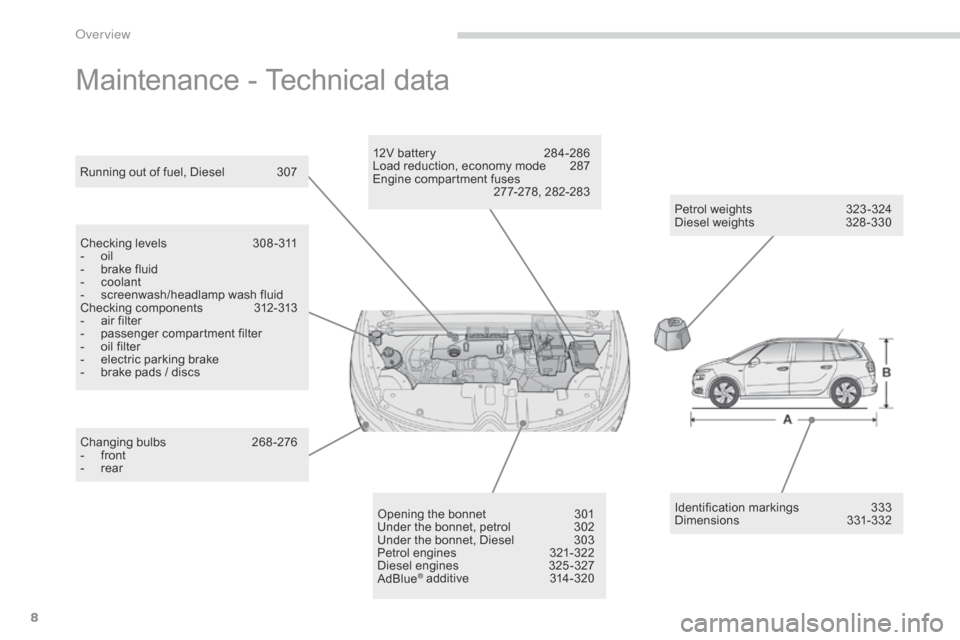
Maintenance - Technical data
Petrol weights 323 -324
Diesel weights 3 28 -330
Running
out
of
fuel,
Diesel
3
07
Checking
levels
3
08 -311
-
o
il
-
b
rake
fluid
-
c
oolant
-
s
creenwash/headlamp
wash
fluid
Checking
components
3
12-313
-
a
ir
filter
-
p
assenger
c
ompartment
f
ilter
-
o
il
filter
-
e
lectric
parking
brake
-
b
rake
pads
/
discs
Changing
bu
lbs
2
68-276
-
f
ront
-
r
ear Opening
the
bonnet
3
01
Under
the
bonnet,
petrol
3
02
Under
the
bonnet,
Diesel
3
03
Petrol
engines
3
21-322
Diesel
engines
3
25 -327
AdBlue
® additive 3 14-320Identification
ma
rkings
3
33
Dimensions
3
31-332
12V
battery
2
84-286
Load
reduction, economy mode
2
87
Engine
compartment fuses
2
77-278, 282-283
over view
Page 39 of 420
37
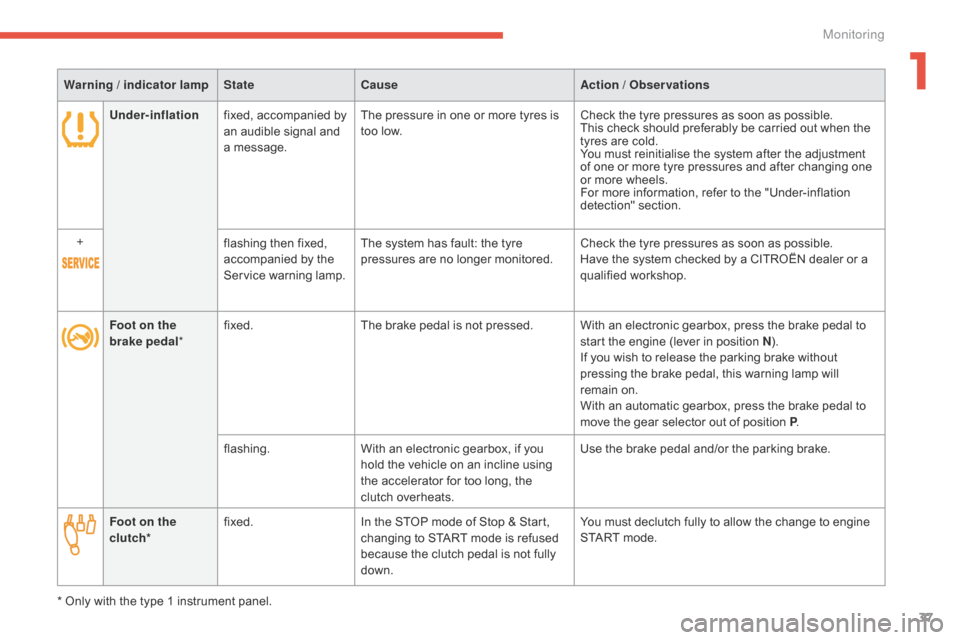
Under-inflationfixed, accompanied by a
n audible signal and
a
message. The
pressure in one or more tyres is t
oo low.Check
the tyre pressures as soon as possible.
This check should preferably be carried out when the
t
yres are cold.
You
must reinitialise the system after the adjustment
o
f one or more tyre pressures and after changing one
o
r more wheels.
For
more information, refer to the "Under-inflation
d
etection"
s
ection.
+ flashing
then fixed,
a
ccompanied by the
S
ervice warning lamp.The
system has fault: the tyre
p
ressures are no longer monitored.Check
the tyre pressures as soon as possible.
Have
the system checked by a CITROËN dealer or a
q
ualified
w
orkshop.
Warning / indicator lamp
StateCause Action / Observations
Foot on the
brake pedal *fixed.
The
brake pedal is not pressed. With an electronic gearbox, press the brake pedal to
s
tart the engine (lever in position N).
If
you wish to release the parking brake without
p
ressing the brake pedal, this warning lamp will
r
emain on.
With
an automatic gearbox, press the brake pedal to
m
ove the gear selector out of position P.
flashing. With
an electronic gearbox, if you
h
old the vehicle on an incline using
t
he accelerator for too long, the
c
lutch overheats.Use
the brake pedal and/or the parking brake.
Foot on the
clutch * fixed.
In
the STOP mode of Stop & Start,
c
hanging to START mode is refused
b
ecause the clutch pedal is not fully
d
own.You
must declutch fully to allow the change to engine
S
TART mode.
*
Only
with the type 1 instrument panel.
1
Monitoring
Page 176 of 420
174
The alert is given by a warning lamp which comes on in the door mirror on the side in
q
uestion as soon as a vehicle - car, lorry,
b
icycle - is detected and the following
c
onditions are fulfilled:
-
a
ll the vehicles must be moving in the
s
ame direction and in adjacent lanes,
-
t
he speed of your vehicle is between 7 and
87
mph (12 and 140 km/h),
-
y
ou overtake a vehicle with a speed
d
ifference of less than 6 mph (10 km/h),
-
a
vehicle overtakes you with a speed
d
ifference of less than 15 mph (25 km/h),
-
t
he traffic must be flowing normally,
-
i
n the case of an overtaking manoeuvre,
i
f this is prolonged and the vehicle being
ov
ertaken remains in the blind spot,
-
y
ou are driving on a straight or slightly
c
urved road,
-
y
our vehicle is not pulling a trailer, a
c
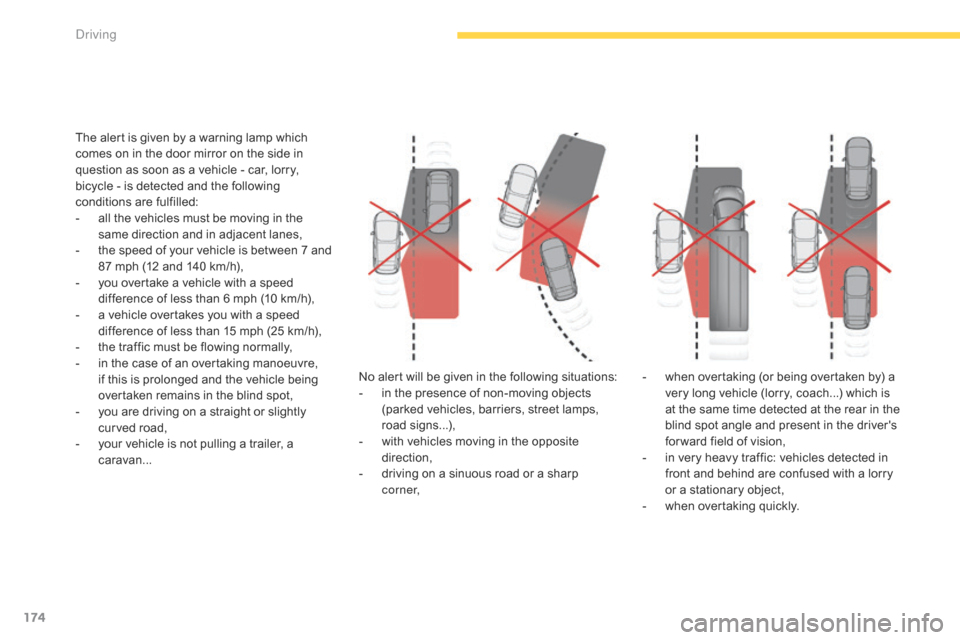
aravan... No
alert will be given in the following situations:
-
i
n the presence of non-moving objects
(
parked vehicles, barriers, street lamps,
r
oad
s
igns...),
-
w
ith vehicles moving in the opposite
d
irection,
-
d
riving on a sinuous road or a sharp
c
o r n e r,-
w
hen overtaking (or being overtaken by) a
v
ery long vehicle (lorry, coach...) which is
a
t the same time detected at the rear in the
b
lind spot angle and present in the driver's
f
or ward field of vision,
-
i
n very heavy traffic: vehicles detected in
f
ront and behind are confused with a lorry
o
r a stationary object,
-
w
hen overtaking quickly.
driving
Page 279 of 420
277
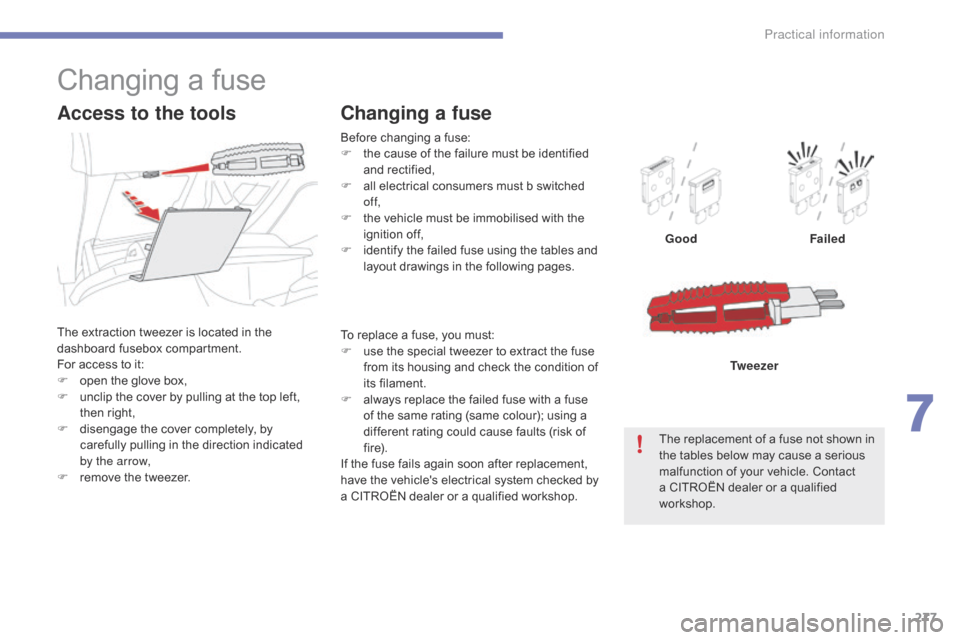
Before changing a fuse:
F t he cause of the failure must be identified
a
nd
r
ectified,
F
a
ll electrical consumers must b switched
o
f f,
F
t
he vehicle must be immobilised with the
ig
nition
o
ff,
F
i
dentify the failed fuse using the tables and
l
ayout drawings in the following pages.
Changing a fuse
GoodFailed
The replacement of a fuse not shown in
t
he tables below may cause a serious
m
alfunction of your vehicle. Contact
a
CITROËN dealer or a qualified
w
orkshop. Tw e e z e r
Changing a fuse
The extraction tweezer is located in the d
ashboard f usebox c ompartment.
For
access to it:
F
o
pen the glove box,
F
u
nclip the cover by pulling at the top left,
t
hen right,
F
d
isengage the cover completely, by
c
arefully pulling in the direction indicated
b
y the arrow,
F
r
emove the tweezer.
Access to the tools
To replace a fuse, you must:
F u se the special tweezer to extract the fuse
f
rom its housing and check the condition of
it
s
f
ilament.
F
a
lways replace the failed fuse with a fuse
o
f the same rating (same colour); using a
d
ifferent rating could cause faults (risk of
f
i r e).
If
the fuse fails again soon after replacement,
h
ave the vehicle's electrical system checked by
a
CITROËN dealer or a qualified workshop.
7
Practical information
Page 280 of 420
278
CITRoËn will not accept responsibility
for the cost incurred in repairing your
v
ehicle or for rectifying malfunctions
r
esulting from the installation of
a
ccessories not supplied and not
r
ecommended by CITROËN and
n
ot installed in accordance with its
in
structions, in particular when the
combined
consumption of all of the
a
dditional equipment connected
e
xceeds
1
0
mil
liamperes.
Installing electrical
accessories
Your vehicle's electrical system is designed to operate with standard or
o
ptional
e
quipment.
Before
installing other electrical
e
quipment or accessories on your
v
ehicle, contact a CITROËN dealer or a
q
ualified
w
orkshop.
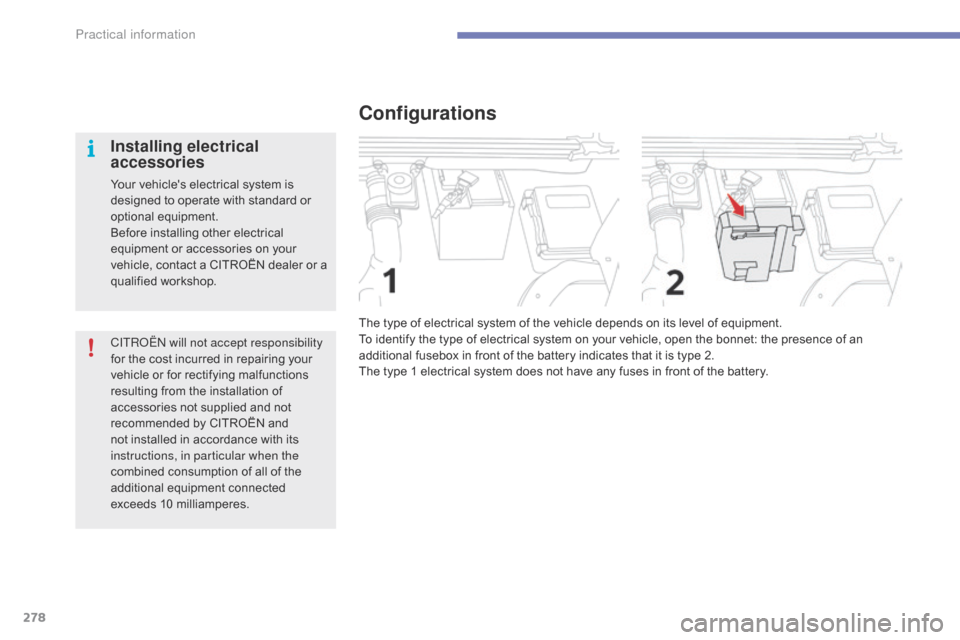
Configurations
The type of electrical system of the vehicle depends on its level of equipment.
T o identify the type of electrical system on your vehicle, open the bonnet: the presence of an
a
dditional fusebox in front of the battery indicates that it is type 2.
The
type 1 electrical system does not have any fuses in front of the battery.
Practical information
Page 281 of 420
279
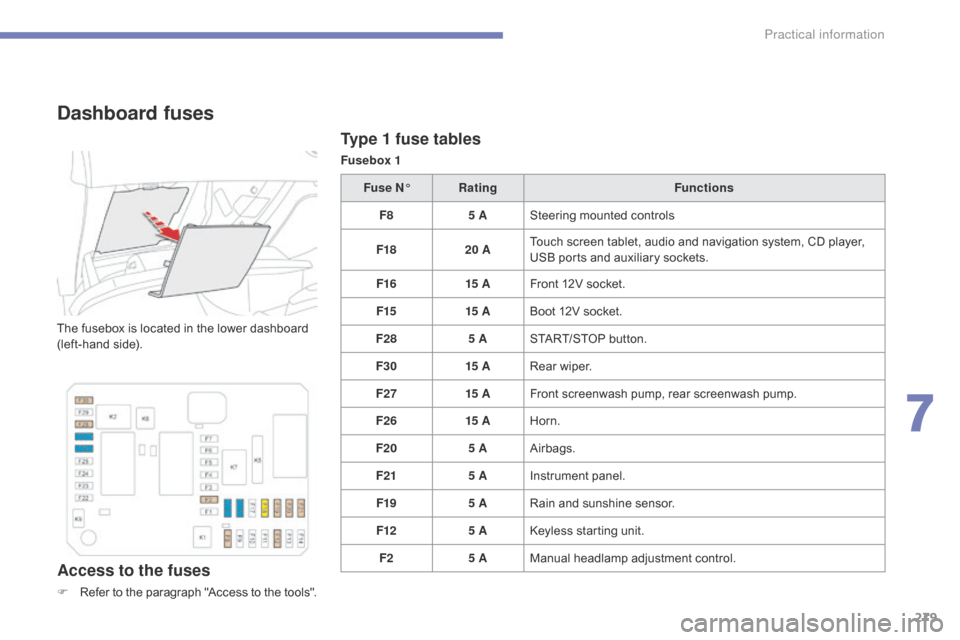
Type 1 fuse tables
Fusebox 1
Dashboard fuses
The fusebox is located in the lower dashboard (left-hand side).
Access to the fuses
F Refer to the paragraph "Access to the tools".Fuse N°
Rating Functions
F8 5 ASteering mounted controls
F18 20 ATouch screen tablet, audio and navigation system, CD player,
U
SB ports and auxiliary sockets.
F16 15 AFront 12V socket.
F15 15 ABoot 12V socket.
F28 5 ASTART/STOP button.
F30 15 ARear wiper.
F27 15 AFront screenwash pump, rear screenwash pump.
F26 15 AHorn.
F20 5 AAirbags.
F21 5 AInstrument panel.
F19 5 ARain and sunshine sensor.
F12 5 AKeyless starting unit.
F2 5 AManual
h
eadlamp
a
djustment
c
ontrol.
7
Practical information
Page 282 of 420
280
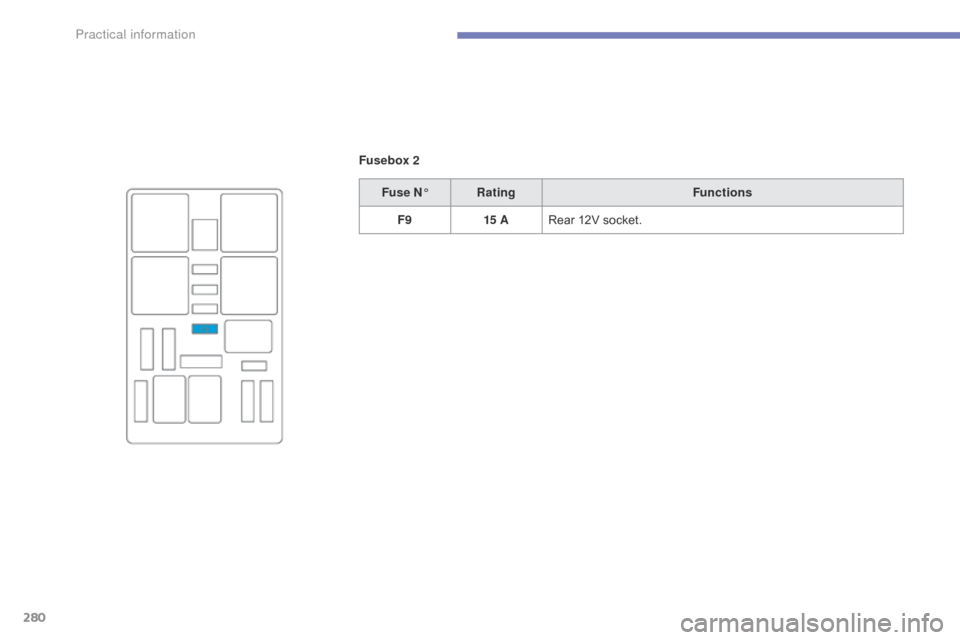
Fusebox 2Fuse N° Rating Functions
F9 15 ARear
12V socket.
Practical information
Page 283 of 420
281
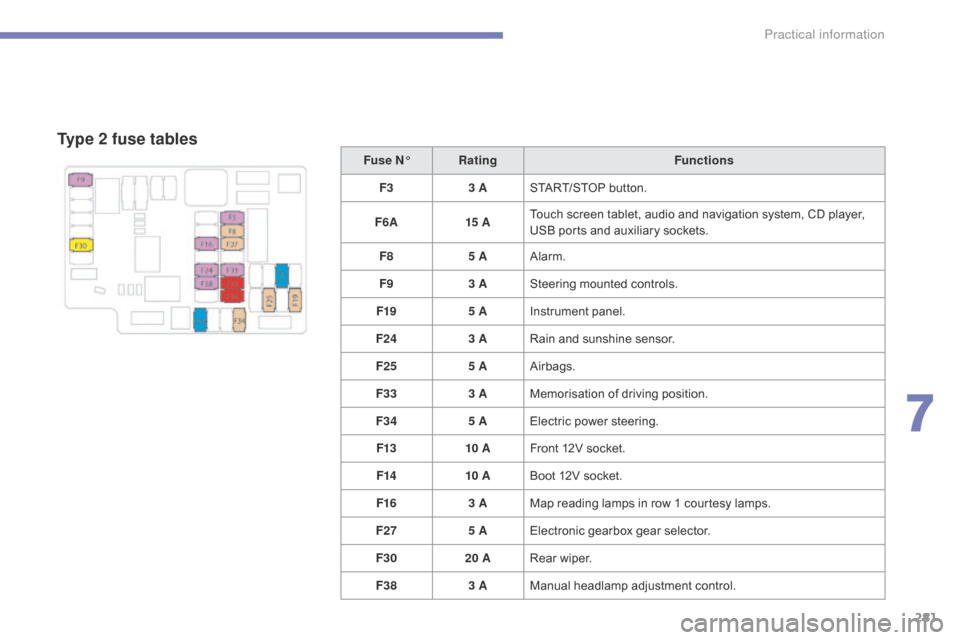
Type 2 fuse tables
Fuse N°Rating Functions
F3 3 ASTART/STOP
button.
F6 A 15 ATouch
screen tablet, audio and navigation system, CD player,
U
SB ports and auxiliary sockets.
F8 5 AAlarm.
F9 3 ASteering
mounted controls.
F19 5 AInstrument
panel.
F24 3 ARain
and sunshine sensor.
F25 5 AAirbags.
F33 3 AMemorisation
o
f
d
riving
p
osition.
F34 5 AElectric
power steering.
F13 10 AFront
12V socket.
F14 10 ABoot
12V socket.
F16 3 AMap
reading lamps in row 1 courtesy lamps.
F27 5 AElectronic
gearbox gear selector.
F30 20 ARear
wiper.
F38 3 AManual
h
eadlamp
a
djustment
c
ontrol.
7
Practical information